Page sources are in source/, build output goes to build/
HTMLStarter
github-pages-template — HTML Starter Template
By fulldecent
A starter template for collaboratively edited HTML websites, built with Jekyll and deployed to GitHub Pages, with linting, build testing, and deployment workflows.
Explore the design
Compare the page layouts and mobile experience. Open any screenshot for a closer look.
Desktop homepage1 / 2
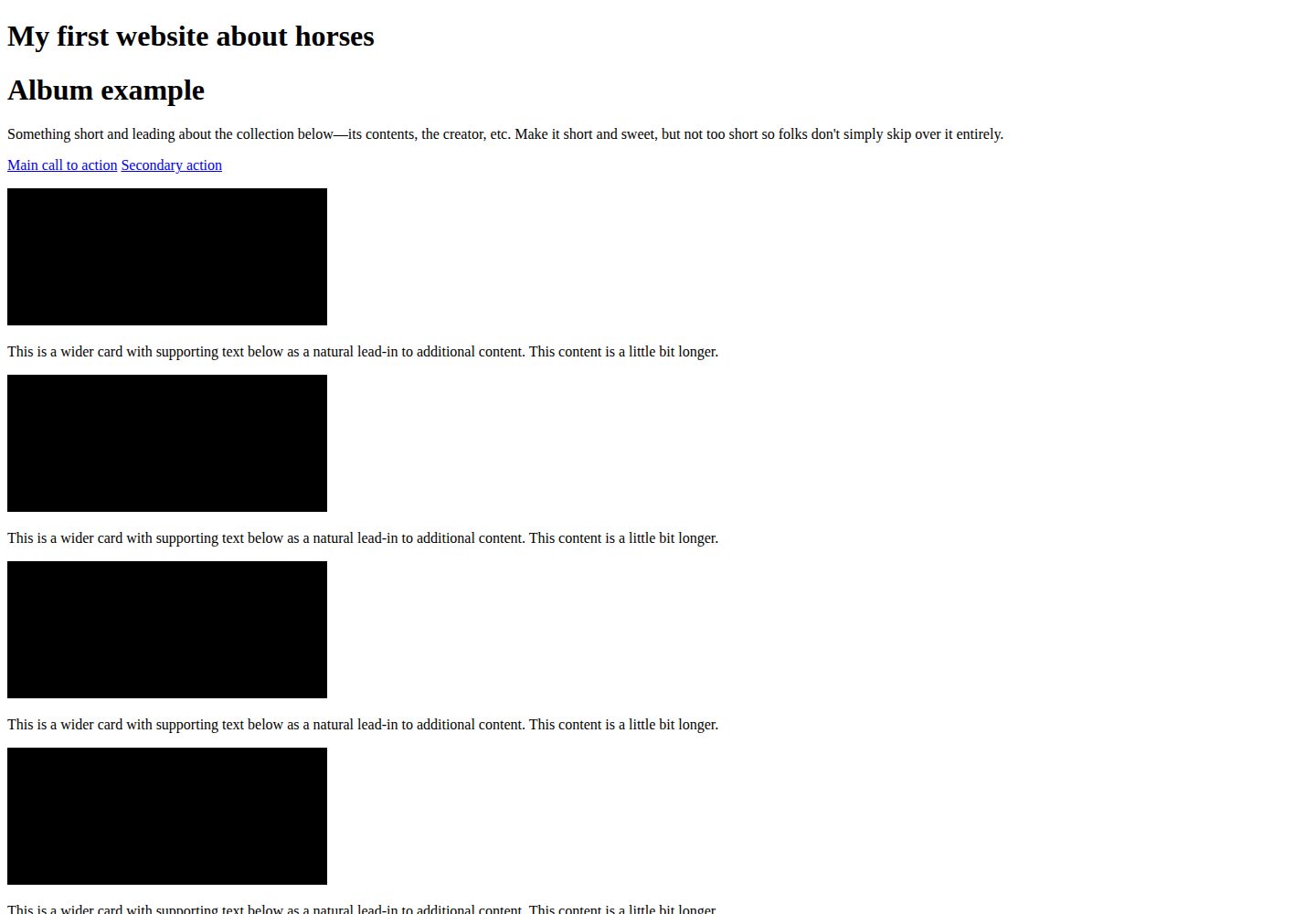
Desktop captureTop of page
Actual screenshot captured by the server browser.
All pages & views 2
Screenshots show visual appearance; interactive behavior may differ.
Recorded 2026-10-09View source
What stands out
A quick read of the recorded project description.
Build uses the github-pages gem to match GitHub Pages
Provides two GitHub Actions workflows: lint and build-test-deploy
Tests use HTML-validate and Nice Checkers to validate structured data, hyperlinks, and other page rules
Repository pins Ruby and Node.js versions and provides a Dev Container configuration
Example includes a color experiment page that remembers the visitor's variant choice
Template Details
This is a starting template for collaboratively edited HTML websites. Page sources live in the source/ directory, with the homepage at source/index.html and the experiment page layout at source/_layouts/experiment.html. The build uses the github-pages gem to match GitHub Pages, outputs to the build/ directory; the repository pins Ruby and Node.js versions and provides a Dev Container configuration.
The template includes two GitHub Actions workflows: one for linting and another for building, testing, and deploying. Tests use HTML-validate and Nice Checkers to check structured data, hyperlinks, and page rules; formatting is handled by Prettier for non-Markdown files and markdownlint-cli2 for Markdown. Pushes to the default branch trigger deployment, uploading the build/ output to GitHub Pages.
The example site is a single-page photo album about horses, plus a color experiment: visitors are assigned to a variant and that choice persists across reloads. The template explicitly does not include additional reporting or analytics tools, and changes requiring server-side processing at request time are out of scope.
HTMLStarter
Is it right for your project?
Use Cases
- Setting up an initial repository for a static HTML website that multiple people need to edit together
- Publishing Jekyll-built pages on GitHub Pages
- Configuring linting, build testing, and automated deployment for a static site
- Using a Dev Container to unify team members' local development environments
Suitable For
- Teams that want to publish a site with HTML and Jekyll on GitHub Pages
- Collaborative projects that need linting, testing, and deployment automation
- Developers willing to use a Dev Container or install the Ruby and Node.js toolchain themselves
Getting started & customization
Use these recorded setup notes alongside the repository instructions for your chosen version.
- 1
For local development, install the Dev Containers extension and run "Reopen in Container", or install the Ruby and Node.js toolchain on your host
- 2
The Ruby version is specified in .ruby-version and can be installed with rv; the Node.js version is specified in .node-version and can be installed with fnm; the Yarn version is in package.json's packageManager
- 3
yarn build generates the site into build/; yarn dev starts locally and listens on 127.0.0.1:4000 by default
- 4
Before committing, build first and then run yarn test; yarn lint and yarn format accept specific paths
- 5
Pushing to the default branch triggers deployment, uploading the build/ output to GitHub Pages
License & source material
Usage conditions & limitations
Free to use · keep license noticeThis entry covers the free version under the MIT license from the public repository; the free scope is the code of that version and does not mean external services or third-party assets are free.
Must comply with when using
- You may use, modify, commercialize, and distribute the code of this version for free.
- When distributing copies or substantial portions of the code, retain the original author's copyright notice and the full MIT license notice.
- The code is provided as is; warranties and limitations of liability are governed by the original license and applicable law.
Additional costs & items to verify
- Demo images, fonts, icons, and other third-party assets must be checked against their respective licenses; they cannot be judged solely by the code's MIT license.
- External services such as domains, hosting, databases, payments, or AI may incur additional charges.
- This template is only suitable for static files generated at build time; any changes requiring dynamic server-side processing at request time are outside the project's scope and cannot be used for websites needing runtime backend logic.
- The project explicitly does not include additional reporting or analytics tools and only provides the few scripts already in the repository, so you cannot expect the template to include built-in visit statistics or analytics.
- Maintenance tasks are performed manually by project maintainers monthly (updating Actions, Node.js/Yarn dependencies, Ruby version); if delayed beyond 3 months, you need to remind them yourself or submit an issue/PR, and users bear responsibility for dependency updates and maintenance.
- The recommended development approach relies on the VS Code Dev Containers extension and requires installing a Docker host (OrbStack is recommended on Mac), meaning additional external tools and runtime environments are needed.
- Publishing depends on GitHub Pages and GitHub Actions: pushing to the default branch triggers deployment, so using this template requires a GitHub account and appropriate repository permissions.
View Original Text Basis
Permission is hereby granted, free of charge
Original License Text
A change that needs a server at request time is outside this site. The page is files in a repository, built ahead of time.
Original README
This project will not include extra reporting and analisys tools.
Original README
The project administrator completes these maintenance tasks each month. If they are 3+ months late, please remind them or send your own issue/pull request.
Original README
Use VS Code and the [Dev Containers extension](https://marketplace.visualstudio.com/items?itemName=ms-vscode-remote.remote-containers), install a Docker host (on Mac, use [OrbStack](https://orbstack.dev/)) then run the VS Code command "Reopen in Container".
Original README
https://github.com/fulldecent/github-pages-template/blob/main/LICENSE.mdhttps://github.com/fulldecent/github-pages-template/blob/main/README.mdA push to the default branch publishes the site. The deploy job in [build-test-deploy.yml](.github/workflows/build-test-deploy.yml) uploads the `build/` artifact to GitHub Pages.
Original README
Compiled by DeepSeek based on repository license and README ·2026-10-09. Results only cover the materials read; dependencies, images, fonts, and subsequent term changes are subject to their respective original texts.
Project checks & description sources
Template Information
- Source platforms
- GitHub
- Documentation and maintenance reference score
- More documented · 87 / 100
- Technologies
- HTML
- Website type
- Starter
How this score is calculated
Our heuristic uses license records (up to 30), a demo link (12), a preview (10), stars (15), recorded maintenance (15), description completeness (8), feature records (5) and classification data (5). It is not a code, security or performance test, or a Google score. A link does not establish tested functionality.
What to verify for this project
- Repository update recorded
- 2026-10-09
- Screenshot last checked
- 2026-10-09
A demo link is listed. Check it with your own content and viewport sizes; its presence does not confirm that forms, authentication or payments work.
The catalog identifies HTML as the primary stack. Check the actual dependency manifest and lockfile for versions and hosting requirements. These notes use recorded metadata, not a code audit or a deployment test.
Use a selection guide →How this description was prepared
AI-assisted description based on catalog records and repository material. Repository authors are not automatically the reviewers of this description.
Review declaration: [email protected] · 2026-10-09
Inspect the recorded source material
SHA-256: 7f3f522aab059dd8988a194f7d463de5eeec4972826331810bae4ff13fee1b25
2026-10-09T04:07:08.230Z
Source file / repository# Horses website > [!TIP] > This template is a starting point you can use for every collaboratively-edited HTML website. We offer: > > * A build that matches the [github-pages](https://github.com/github/pages-gem) gem, and a test that reads the built HTML > * Continuous integration to [check formatting](.github/workflows/lint.yml), then [build, test, and deploy](.github/workflows/build-test-deploy.yml) > * Modern [EditorConfig](.editorconfig), [.gitignore](.gitignore) and linting > > What is in-scope for this template? > > We the people who publish HTML together, in order to keep one build that matches GitHub Pages and to make a website inviting for more editors, maintain this starting point. > > Pages live under [source/](source/). The Ruby version and the Node.js version are pinned in this repository. GitHub Pages publishes the result. > > This project will not include extra reporting and analisys tools. There are a couple scripts in there which are plenty for you to use and study. > > And now below is the template, shown for a specific hypothetical project, enjoy! [](https://github.com/fulldecent/github-pages-template/actions/workflows/lint.yml) [](https://github.com/fulldecent/github-pages-template/actions/workflows/build-test-deploy.yml) A one-page album about horses, with a small experiment on coat color. Our site offers: * A home page you can replace with your own pages * An experiment that sends each visitor to one variant and remembers the choice * Setup for the Ruby and Node.js versions the build and the tests expect [ Imagine a photo here of the horses album open on a laptop. ] > [!NOTE] > Replace the project name, description, picture and badge URLs with your own. Show the site before asking people to read further. ## Try it out The site is published at <https://fulldecent.github.io/github-pages-template/>. Open it and read the page. The coat-color experiment is at <https://fulldecent.github.io/github-pages-template/experiment-template/page-to-test>. > [!NOTE] > Replace these addresses with your published site. Delete this section when the site has no public page yet. ## Usage Read the album on the home page. Open the coat-color experiment and reload the page. The same visitor stays on the same variant. > [!NOTE] > Explain how to use your project. ## Development Thank you for taking an interest in improving our horses website and the websites of people who started from this project! _In production (GitHub Actions), the environment is set up by the workflows in [.github/workflows/](.github/workflows/)._ Use VS Code and the [Dev Containers extension](https://marketplace.visualstudio.com/items?itemName=ms-vscode-remote.remote-containers), install a Docker host (on Mac, use [OrbStack](https://orbstack.dev/)) then run the VS Code command "Reopen in Container". Or install the toolchain on the host: 1. Install Ruby and the gems that match GitHub Pages. [rv](https://github.com/spinel-coop/rv) reads [.ruby-version](.ruby-version). ```sh brew install rv rv ruby install rv run bundle install ``` 2. Install Node.js and Yarn. [fnm](https://github.com/Schniz/fnm) reads [.node-version](.node-version). The Yarn version is `packageManager` in [package.json](package.json). ```sh fnm install fnm use corepack enable yarn install ``` For a Node.js module or command-line tool, start from https://github.com/fulldecent/node.js-template. `yarn build:jekyll` and `yarn dev` run Jekyll through `rv run bundle exec`. A `bundle` taken from Homebrew uses a different Ruby than [.ruby-version](.ruby-version) and fails looking for `exe/bundle`. Build the HTML: ```sh yarn build ``` That writes the site into `build/`. Serve it locally: ```sh yarn dev ``` Open <http://127.0.0.1:4000>. The console prints the address when the port differs. Editors change HTML under [source/](source/). The home page is [source/index.html](source/index.html). The experiment layout is [source/_layouts/experiment.html](source/_layouts/experiment.html). Open this folder in VS Code, allow "Reopen in Container", and install the recommended extensions. That installs formatting and linting for this repository. ### Testing Every update we publish has to pass the test suite. GitHub runs that suite on each push to `main` and on pull requests. Run it locally before you send a pull request. Build the site first. ```sh yarn test ``` This checks structured data, hyperlinks, and other page rules with [HTML-validate](https://html-validate.org/) and [Nice Checkers](https://github.com/fulldecent/html-validate-nice-checkers). Correct formatting before you send proposed changes. A build is unnecessary for these two commands. ```sh yarn lint yarn format ``` You can pass paths: ```sh yarn lint source/index.html README.md yarn format source/index.html README.md ``` Prettier's cache lives in `cache/` and is written only by `--write`. A lint-only run, including CI, leaves the cache untouched. `.prettierignore` lists `*.md`, so Prettier skips Markdown and markdownlint formats it. When you pass paths, markdownlint receives only the `.md` paths. markdownlint-cli2 lints any path you hand it, so the script drops the rest. ### Releases A push to the default branch publishes the site. The deploy job in [build-test-deploy.yml](.github/workflows/build-test-deploy.yml) uploads the `build/` artifact to GitHub Pages. A git tag names a revision of this project. Cite that tag when you describe which revision you started from. > [!NOTE] > Replace this with how your site is published. ### Maintenance The project administrator completes these maintenance tasks each month. If they are 3+ months late, please remind them or send your own issue/pull request. 1. Identify external Actions in [.github/workflows](./.github/workflows) scripts and look for available new versions. Review and then update to the new version if it is safe. GitHub-supported Actions (i.e. under the actions/ organization) may require only cursory review. 1. Update the Node.js pin, Yarn, and packages. ```sh curl -s https://nodejs.org/dist/index.json | jq -r '[.[] | select(.lts != false)][0].version' > .node-version yarn set version latest && yarn yarn upgrade-interactive ``` [.devcontainer/devcontainer.json](.devcontainer/devcontainer.json) repeats the Node major and the Yarn version, because the dev container feature has no way to read `.node-version` or `packageManager`. Update those pins in the same change. 1. Update the Ruby pin to the version GitHub Pages is running. `Gemfile.lock` is gitignored, so this change is [.ruby-version](.ruby-version) and the Ruby minor in the dev container image. ```sh curl -s https://pages.github.com/versions.json | jq -r .ruby > .ruby-version rv ruby install rv run bundle install ``` ## Project scope We are people who keep a shared page about horses and want new editors to be able to change it with us. This site is one album page and one coat-color experiment. The pages stay as HTML that GitHub Pages can build. A change that needs a server at request time is outside this site. The page is files in a repository, built ahead of time. > [!NOTE] > Introduce your community, explain what is in scope, and say what is out of scope. ## References 1. We use title case only for proper nouns, including the name of our project. 1. This project is built based on [best practices documented in github-pages-template](https://github.com/fulldecent/github-pages-template), release 1.8.0. 1. This project is built based on [best practices documented in project-template](https://github.com/fulldecent/project-template), release v1.3.0. 1. This project is released under the [MIT license](./LICENSE.md). 1. [EditorConfig](.editorconfig) and the top of [.gitignore](.gitignore) are taken from project-template release 1.3.0. The rules that follow are `/build`, `/cache`, and `/.yarn`, then [GitHubPages.gitignore](https://github.com/github/gitignore/blob/main/GitHubPages.gitignore) and [Node.gitignore](https://github.com/github/gitignore/blob/main/Node.gitignore). The Node paste repeats the `.env` lines. 1. Prettier runs through Yarn. [.prettierrc.js](.prettierrc.js) loads `@shopify/prettier-plugin-liquid` with `require.resolve`, which Yarn PnP resolves. Markdown uses [markdownlint-cli2](https://github.com/DavidAnson/markdownlint-cli2) and [.markdownlint-cli2.yaml](.markdownlint-cli2.yaml), which extends `markdownlint/style/prettier` and limits `no-duplicate-heading` to siblings. 1. `.yarnrc.yml` sets `enableScripts` so `better-sqlite3` can build, `npmMinimalAgeGate` to 0, and `approvedGitRepositories` to `"**"`. [Yarn: Security](https://yarnpkg.com/features/security) 1. We use the github-pages gem. GitHub Pages [builds with the versions on pages.github.com](https://pages.github.com/versions/) and ignores `Gemfile.lock`, which is why that file is gitignored. [pages-gem issue 768](https://github.com/github/pages-gem/issues/768) 1. For Mac, [OrbStack](https://orbstack.dev/) runs the dev container. [Colima](https://github.com/abiosoft/colima?tab=readme-ov-file#installation) is an open-source Docker host and is about 5x slower for this workload. > [!NOTE] > Carefully consider which license to apply to your project and replace the copyright line in [LICENSE.md](LICENSE.md). Cite external sources that materially informed your decisions, including the release of github-pages-template you used.
Explore similar templates
Compare previews and descriptions within the same stack and category.

startbootstrap-simple-sidebar
A Bootstrap off-canvas sidebar navigation HTML starter template from Start Bootstrap. It provides directly editable HTML and CSS in the dist directory, while the source uses Pug, SCSS, and JavaScript with npm build scripts for live preview and compilation.
HTML · Starter

adminkit
AdminKit is a free, MIT-licensed HTML admin and dashboard template built on Bootstrap 5. The free version includes 15 demo pages, 1 plugin, and 1 color scheme, with hundreds of UI components, forms, tables, charts, and icons.
HTML · Admin dashboard

Landing-Page
A general-purpose landing page HTML template maintained by Tailwind Toolbox, written in pure HTML and loading the complete Tailwind CSS via CDN.
HTML · Corporate Website

light-bootstrap-dashboard
Light Bootstrap Dashboard is a free, MIT-licensed admin dashboard template from Creative Tim, built on Bootstrap with a responsive static HTML structure.
HTML · Admin dashboard

sing-app
Sing App Lite is a free, open-source admin dashboard template from Flatlogic, built with Bootstrap 4.5 and SCSS. It provides a responsive layout, dashboard examples, typography, tables, notifications, basic charts, icons, maps, and a hover sidebar, along with styled Bootstrap components.
HTML · Admin dashboard

startbootstrap-modern-business
Modern Business is a multipurpose Bootstrap full-site HTML template from Start Bootstrap with 17 standalone pages covering home, about, services, portfolio, pricing, blog, FAQ, and contact.
HTML · Starter