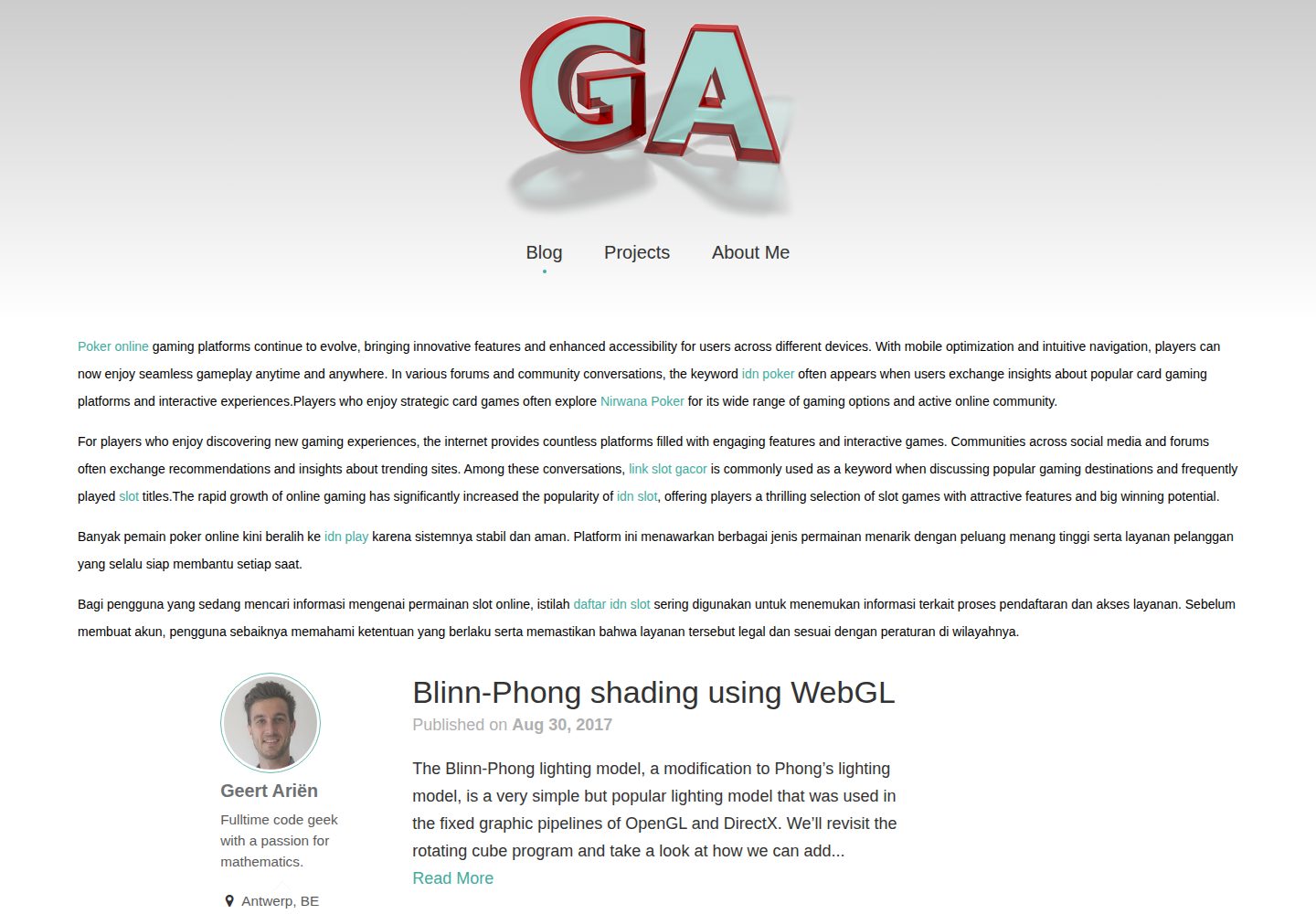
Includes four content layouts: blog, projects, photography gallery and about page
JekyllPortfolioBlog
jekyll-theme-munky — Jekyll Portfolio Template
By GeertArien
Munky is a Jekyll-based portfolio theme that includes a blog, projects, photography gallery and about page, under the MIT license.
Explore the design
Compare the page layouts and mobile experience. Open any screenshot for a closer look.
Desktop homepage1 / 3
Desktop captureTop of page
Actual screenshot captured by the server browser.
All pages & views 3
Screenshots show visual appearance; interactive behavior may differ.
Recorded 2026-10-02View source
What stands out
A quick read of the recorded project description.
Project entries can link to GitHub repositories or download files
Photography gallery automatically generated from images and thumbnails in a directory
Built-in jekyll-seo-tag integration, with FrontMatter variables shared with the plugin
Optionally enables Disqus comments and Google Analytics
MIT licensed, allowing free use, modification, commercial use and distribution
Template Details
Munky is a Jekyll theme for portfolio websites, providing four content structures: blog, project showcase, photography gallery and about page. The theme is used as a gem or by forking; it configures collections (posts and projects) and default FrontMatter via _config.yml, and includes built-in integration with jekyll-seo-tag.
The theme includes four main page layouts: home, projects, photography and about, plus base layouts such as default, page and post. Project entries can link to GitHub repositories or download files. The photography page automatically generates a gallery from images and thumbnails in the assets/images/photography directory. The sidebar, footer and about page can display author information, email and social account links.
The theme supports customization by overriding files in the _includes, _sass and assets directories, and optionally enables Disqus comments and Google Analytics (only active when JEKYLL_ENV=production). The README does not provide information on performance, browser compatibility or production readiness; third-party assets such as demo images, fonts and icons require separate license verification.
JekyllPortfolioBlog
Is it right for your project?
Use Cases
- Build a personal portfolio website to showcase both projects and photography
- Create a personal site with a blog for designers or developers
- Build a static website focused on image galleries with Jekyll
- Introduce the Munky theme into an existing Jekyll site and customize styles
Suitable For
- Users familiar with Jekyll and Markdown
- Individual creators who need project showcases and photography galleries
- Developers who want to use and modify the theme code under the MIT license
Getting started & customization
Use these recorded setup notes alongside the repository instructions for your chosen version.
- 1
Add gem "jekyll-theme-munky" to the Gemfile and set theme: jekyll-theme-munky in _config.yml
- 2
Configure the posts and projects collections and their defaults in _config.yml
- 3
Copy content from the demo folder to the site root to get example data and settings
- 4
For SEO tags, install jekyll-seo-tag and enable it in the gems section of _config.yml
- 5
To use the image.html include file, copy it to the local _includes directory (when using the gem method)
License & source material
Usage conditions & limitations
Free to use · keep license noticeThis entry covers the free version under the MIT license in the public repository; the free scope applies to that version's code and does not imply that external services or third-party assets are free.
Must comply with when using
- Free use, modification, commercial use and distribution of that version's code are permitted.
- When distributing copies or substantial portions of the code, retain the original author's copyright notice and the full MIT license notice.
- The code is provided as is; warranties and limitations of liability are governed by the original license and applicable law.
Additional costs & items to verify
- Disqus comments are optional and require your own Disqus account and a configured shortname to enable.
- Google Analytics is optional and requires your own GA tracking ID to enable.
- Markdown image with title functionality is directly supported only when using the fork method; when using the gem method, you must manually copy image.html to the local _includes directory.
- Linking project entries to GitHub repositories requires configuring a GitHub username in _config.yml.
- Demo images, fonts, icons and other third-party assets must be checked against their respective licenses and cannot be judged solely by the code's MIT license.
- External services such as domain, hosting, database, payment or AI may incur additional charges.
View Original Text Basis
Permission is hereby granted, free of charge
Original License Text
Optionally, if you have a Disqus account, you can tell Jekyll to use it to show a comments section below each post.
Original README
To enable Google Anaytics, add the following lines to your Jekyll site's `_config.yml`:
Original README
This feature is currently only supported if you use munky as a fork. If you're using munky as a theme gem you need to copy the [`_includes/image.html `](_includes/image.html) file to your local includes folder `<yoursite>/_includes/` if you want to use this feature.
Original README
https://github.com/GeertArien/jekyll-theme-munky/blob/master/LICENSE.txthttps://github.com/GeertArien/jekyll-theme-munky/blob/master/README.md**Don't forget to set up your github username if you're gonna link to repositories in your projects.**
Original README
Compiled by DeepSeek based on repository license and README ·2026-10-02. Results only cover the materials read; dependencies, images, fonts, and subsequent term changes are subject to their respective original texts.
Project checks & description sources
Template Information
- Source platforms
- GitHub
- Documentation and maintenance reference score
- Partly documented · 73 / 100
- Technologies
- Jekyll
- Website type
- Portfolio · Blog
How this score is calculated
Our heuristic uses license records (up to 30), a demo link (12), a preview (10), stars (15), recorded maintenance (15), description completeness (8), feature records (5) and classification data (5). It is not a code, security or performance test, or a Google score. A link does not establish tested functionality.
What to verify for this project
- Repository update recorded
- 2017-04-17
- Screenshot last checked
- 2026-10-02
A demo link is listed. Check it with your own content and viewport sizes; its presence does not confirm that forms, authentication or payments work.
The catalog identifies Jekyll as the primary stack. Check the actual dependency manifest and lockfile for versions and hosting requirements. These notes use recorded metadata, not a code audit or a deployment test.
Use a selection guide →How this description was prepared
AI-assisted description based on catalog records and repository material. Repository authors are not automatically the reviewers of this description.
Automatically checked against source and license rules; no manual editorial review.
Inspect the recorded source material
SHA-256: b1e19d8ea91c5150497de21afb1e6761e273e2d9785e1d5fcd07def11598eade
2026-10-02T17:41:59.204Z
Source file / repository# munky
*Munky is a jekyll theme for portfolio websites*. It features a blog, project, photography and about page.
[Theme preview](http://www.geertarien.com)

## Table of contents
* [Installation](#installation)
* [Getting started](#getting-started)
* [jekyll-seo-tag plugin](#jekyll-seo-tag-plugin)
* [Usage](#usage)
* [General](#general)
* [Pages](#pages)
* [Blogposts](#blogposts)
* [Projects](#projects)
* [Photography gallery](#photography-gallery)
* [About me page](#about-me-page)
* [Customization](#customization)
* [Enabling comments (via Disqus)](#enabling-comments-via-disqus)
* [Enabling Google Analytics](#enabling-google-analytics)
* [Contents At-A-Glance](#contents-at-a-glance)
* [Layouts](#layouts)
* [Includes](#includes)
* [Sass](#sass)
* [Assets](#assets)
* [Contributing](#contributing)
* [License](#license)
## Installation
Add this line to your Jekyll site's Gemfile:
```ruby
gem "jekyll-theme-munky"
```
And add this line to your Jekyll site's `_config.yml`:
```yaml
theme: jekyll-theme-munky
```
And then execute:
$ bundle
## Getting started
Wether you're using munky as a theme gem or as a fork, the easiest way to
get started is to copy the content from the [`demo`](demo) folder to your jekyll
website's root folder. It adds all the required files and settings
to get the most of out of the theme and adds some example data to get started.
As a bare minimum for the theme to work properly you will need to add the
following configuration data to the `_config.yml` file:
```yaml
collections:
posts:
output: true
permalink: /blog/:year/:month/:day/:title/
type: post
projects:
output: true
permalink: /projects/:title/
type: project
defaults:
-
scope:
path: ""
type: "posts"
values:
type: "post"
-
scope:
path: ""
type: "projects"
values:
type: "project"
```
## jekyll-seo-tag plugin
Although not a requirement to run the theme, Munky is build with
[jekyll-seo-tag](https://github.com/jekyll/jekyll-seo-tag) integration in mind.
What this means is that many of the FrontMatter variables used by the theme are
the same ones jekyll-seo-tag uses to build it's metadata tags.
To install the plugin add this line to your Jekyll site's Gemfile:
```ruby
gem 'jekyll-seo-tag'
```
And add this line to your Jekyll site's `_config.yml`:
```yaml
gems:
- jekyll-seo-tag
```
And then execute:
$ bundle
Munky theme will detect the plugin and place the requird `{% seo %}` tag in your
website's `<head></head>` section.
For a more general overview of the plugin, please refer to the
[jekyll-seo-tag documentation](https://github.com/jekyll/jekyll-seo-tag).
## Usage
### General
#### Logo
To change the header logo replace the `/assets/images/logo-transparent.png`
image:
```
assets
└───images
└───profile-transparent.png
```
For maximum compatibility use an image with a height of 236 pixels and a
transparent background.
#### Email
A link to your email address is provided in the _footer_, _sidebar_ and _about page_.
For this to work your email address needs to be configured in your `_config.yml` file:
```yaml
email: [email protected]
```
The link to your email is set using javascript to mislead basic web crawlers. It
is still advised to use an email service with a strong spam filter.
#### Social media links
Your social media links are displayed in the _footer_, _sidebar_ and _about page_.
They need to be configured in your `_config.yml` file:
```yaml
twitter:
username: accountname
linkedin:
username: accountname
github:
username: accountname
flickr:
username: accountname
```
**Don't forget to set up your github username if you're gonna link to
repositories in your projects.**
#### Sidebar
Change the following data in your `_config.yml` file to change the information
in the sidebar:
```yaml
author:
name: Virtual Munky
bio: Jekyll theme for portfolio websites
location: Antwerp, BE
```
To change the rounded profile picture replace the `/assets/images/profile-small.jpg`
image:
```
assets
└───images
└───profile-small.jpg
```
#### Images
In markdown files you can use the following syntax to render images with
(or without) captions:
```markdown
{% include image.html
name="example.jpg"
caption="Est orci, gravida pede vestibulum sodales pellentesque neque condimentum, occaecat luctus fermentum."
alt="example"
%}
```
This feature is currently only supported if you use munky as a fork. If you're
using munky as a theme gem you need to copy the
[`_includes/image.html `](_includes/image.html) file to your local includes
folder `<yoursite>/_includes/` if you want to use this feature.
### Pages
On top of the default FrontMatter variables, munky theme also uses
the following variables:
```yaml
order: 2 # Used for ordering page links in navigation menu's.
sidebar: true # Enable or disable the author info sidebar.
text: true # Set true to change the main content width to a more readable format.
custom_css: # Add custom css to a page.
- simplelightbox
custom_js: # Add custom javascript to a page.
- simple-lightbox.min
- gallery
```
The following markdown files make up the 4 main sections of the theme. Only
`index.md` is required:
- `index.md` — Layout: *home*
- `projects.md` — Layout: *projects*
- `photography.md` — Layout: *photography*
- `about.md` — Layout: *about*
### Blogposts
Blogposts follow the default jekyll standard. Exclusive to posts is the
`last_modified_at` FrontMatter variable. This variable, that is also
used by the jekyll-seo-tag plugin, shows the date the post was last changed
below the title.
```yaml
last_modified_at: 2017-04-07
```
Images that are used in blogposts should be placed inside a separate directory,
with the same name as the post's filename, inside the `/assets/images/posts/`
directory:
```
assets
└───images
└───posts
└───2017-04-01-example-post
│ image01.jpg
│ ...
```
### Projects
Projects use the *post* layout but add some extra features through the following
FrontMatter variables:
```yaml
# The description shown on the project overview page.
description: Ultrices dapibus felis dolor sed, augue scelerisque, ante ligula
aenean aliquam feugiat eget.
# Link to the github repository of the project. To use this feature you need
# to set the name of your github account in _config.yml .
repo: example
# Only in case the repo is not set, you can use the download variable to link
# to a file in the /assets/download directory.
download: example.zip
# Link to the image shown on the project overview page.
image: /assets/images/projects/example.jpg
```
Images that are used in projects should be placed inside a separate directory,
with the same name as the project's filename, inside the
`/assets/images/projects/` directory:
```
assets
└───images
└───projects
└───example-project
│ image01.jpg
│ ...
```
### Photography gallery
To add images to the photography page, simply add the images to the
`/assets/images/photography/` directory along with a thumbnail version named
`<filename>_thumb.<extension>`:
```
assets
└───images
└───photography
│ 01_thumb.jpg
│ 01.jpg
│ 02_thumb.jpg
│ 02.jpg
│ ...
```
### About me page
A caption below the title can be set using FrontMatter:
```yaml
caption: Super awesome caption.
```
To change the profile picture replace the `/assets/images/profile.jpg` image:
```
assets
└───images
└───profile.jpg
```
### Customization
#### General
To override the default structure and style of munky, simply create the
concerned directory at the root of your site, copy the file you wish to
customize to that directory, and then edit the file.
e.g., to override the [`_includes/head.html `](_includes/head.html) file to
specify a custom style path, create an `_includes` directory, copy
`_includes/head.html` from munky gem folder to `<yoursite>/_includes` and start
editing that file.
#### CSS
To **configure the munky SCSS variables**, the `munky.scss` file has to exist at your site source:
- Create a new file `munky.scss` at `<your-site>/_sass/`
- Copy the contents at [_sass/munky.scss](_sass/munky.scss) onto the `munky.scss` you just created, and edit away!
To **override the default CSS**, the `main.scss` file has to exist at your site source:
- Create a new file `main.scss` at `<your-site>/assets/css/`
- Copy the contents at [assets/css/main.scss](assets/css/main.scss) onto the `main.scss` you just created, and edit away!
### Enabling comments (via Disqus)
Optionally, if you have a Disqus account, you can tell Jekyll to use it to show
a comments section below each post.
To enable it, add the following lines to your Jekyll site's `_config.yml`:
```yaml
disqus:
shortname: my_disqus_shortname
```
You can find out more about Disqus' shortnames [here](https://help.disqus.com/customer/portal/articles/466208).
Comments are enabled by default and will only appear in production, i.e., `JEKYLL_ENV=production`
### Enabling Google Analytics
To enable Google Anaytics, add the following lines to your Jekyll site's `_config.yml`:
```yaml
google_analytics: UA-NNNNNNNN-N
```
Google Analytics will only appear in production, i.e., `JEKYLL_ENV=production`
## Contents At-A-Glance
### Layouts
Refers to files within the `_layouts` directory, that define the markup for your theme.
- `default.html` — The base layout that lays the foundation for subsequent layouts. The derived layouts inject their contents into this file at the line that says ` {{ content }} ` and are linked to this file via [FrontMatter](https://jekyllrb.com/docs/frontmatter/) declaration `layout: default`.
- `home.html` — The layout for your landing-page / home-page / index-page.
- `page.html` — The layout for your documents that contain FrontMatter, but are not posts.
- `post.html` — The layout for your posts and projects.
- `about.html` — The layout for your about-page.
- `photography.html` — The layout for your photography-page.
- `projects.html` — The layout for your projects-page.
### Includes
Refers to snippets of code within the `_includes` directory that can be inserted in multiple layouts (and another include-file as well) within the same theme-gem.
- `disqus_comments.html` — Code to markup disqus comment box.
- `footer.html` — Defines the site's footer section.
- `google-analytics.html` — Inserts Google Analytics module (active only in production environment).
- `head.html` — Code-block that defines the `<head></head>` in *default* layout.
- `header.html` — Defines the site's main header section.
- `sidebar.html` — Defines the site's sidebar section.
- `github-buttons.html` — Inserts github repository buttons for projects.
- `share-buttons.html` — Inserts social media share buttons for projects and posts.
- `image.html` — Defines how images defined in markdown are generated.
### Sass
Refers to `.scss` files within the `_sass` directory that define the theme's styles.
- `munky.scss` — The core file imported by preprocessed `main.scss`, it defines the variable defaults for the theme and also further imports sass partials to supplement itself.
- `munky/*.scss` — Sass partials that are imported by `munky.scss`.
- `font-awesome/font-awesome.scss` — Imports sass partials for font-awesome icons.
### Assets
Refers to various asset files within the `assets` directory.
Contains the `main.scss` that imports sass files from within the `_sass`
directory. This `main.scss` is what gets processed into the theme's main
stylesheet `main.css` called by `_layouts/default.html` via `_includes/head.html`.
This directory can include sub-directories to manage assets of similar type,
and will be copied over as is, to the final transformed site directory.
The following sub-directories are required:
- `css` — Contains the main `.scss` file as well as the `simplelightbox.scss` file for the configuration of the photo gallery.
- `downloads` — Place downloadable content for projects in this directory.
- `fonts` — Contains font-awesome font files for icons.
- `javascripts` — Directory with jquery, simple-lightbox and custom javascript files.
- `images` — The root directory contains side wide images such as logos and profile pictures.
- `photography` — Place photographs with their thumbnails in this directory.
- `posts` — Images for posts, each post has his own sub-directory corresponding with its filename.
- `projects` — Images for projects, each project has his own sub-directory corresponding with its filename.
## Contributing
Bug reports and pull requests are welcome on GitHub at https://github.com/GeertArien/jekyll-theme-munky.
## License
The theme is available as open source under the terms of the [MIT License](http://opensource.org/licenses/MIT).
Explore similar templates
Compare previews and descriptions within the same stack and category.

al-folio
A Jekyll academic homepage theme for scholars and researchers, with a clean responsive design and out-of-the-box support for publication lists, project showcases, CVs, and blogs.
Jekyll · Portfolio

minimal-mistakes
Minimal Mistakes is a two-column Jekyll theme for personal sites, blogs, project documentation, or portfolios.
Jekyll · Portfolio

Beautiful Jekyll
Beautiful Jekyll is a mature, easy-to-use Jekyll blog theme maintained by Dean Attali since 2015, with over 50,000 users.
Jekyll · Blog

jekyll-TeXt-theme
A customizable Jekyll theme for personal sites, team sites, blogs, projects, and documentation.
Jekyll · Blog

startbootstrap-clean-blog-jekyll
The official Jekyll version of Start Bootstrap's Clean Blog theme, offering a blog home page, about page, contact page, and sample post pages, with a Formspree-powered contact form.
Jekyll · Blog

So Simple
A minimal reading-oriented Jekyll theme by Michael Rose for personal blogs, portfolios, and long-form reading. It offers multiple layouts, microformat markup, Disqus comments, Google Analytics, Jekyll SEO Tag, three skins, and aggregation by year, category, and tag with a grid view.
Jekyll · Blog