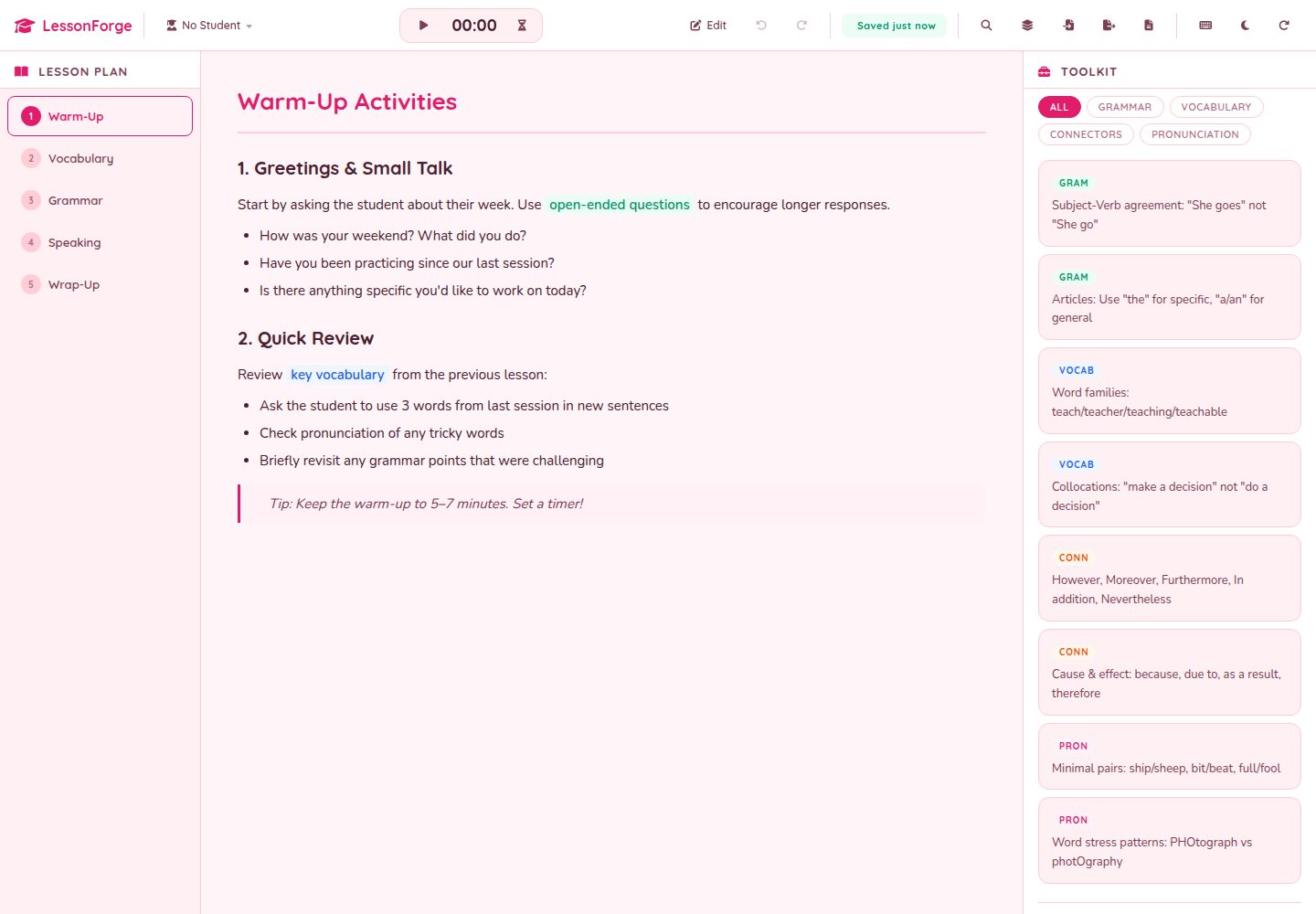
Multi-page lesson tabs, drag-reorderable in edit mode, with rich-text content on each page automatically saved to localStorage
ViteHTMLAdmin dashboardCorporate Website
LessonForge — Vite Admin dashboard Template
By hatimhtm
A pure front-end teaching dashboard for language tutors, supporting multi-page lessons, templates, timers, student profiles, and JSON/Markdown export, with data stored in localStorage.
Explore the design
Compare the page layouts and mobile experience. Open any screenshot for a closer look.
Desktop homepage1 / 2
Desktop captureTop of page
Actual screenshot captured by the server browser.
All pages & views 2
Screenshots show visual appearance; interactive behavior may differ.
Recorded 2026-10-02View source
What stands out
A quick read of the recorded project description.
Categorized tool cards on the right (grammar, vocabulary, pronunciation, etc.), supporting filtering and custom categories
Built-in stopwatch and countdown timer, with a Web Audio alert and on-screen notice when the countdown ends
Student profile panel and per-lesson checklist; reset session clears only the checklist and timers, without affecting the lesson plan
⌘K command palette can jump to pages, students, and tool cards, and perform actions such as export, theme switching, and template insertion
Dual-format export in JSON and Markdown, supporting cross-machine round-trips and sharing lesson plans
Template Details
LessonForge is a teaching dashboard template for language tutors, built with Vite using vanilla JavaScript and HTML/CSS, with no framework and no runtime dependencies. It organizes a lesson into a multi-page tab structure (such as warm-up, vocabulary, grammar, practice, summary), each page equipped with a contenteditable rich-text editing area supporting bold, italic, underline, highlight, and lists; page tabs can be drag-reordered in edit mode. The right sidebar provides categorized tool cards (grammar rules, vocabulary, connectors, pronunciation tips, conjugations, etc.), which can be filtered by category and extended with custom categories; below are a student profile panel and a per-lesson checklist. The toolbar includes a stopwatch and countdown timer, an edit mode toggle, undo/redo, reset session, print, JSON import/export, and theme switching.
Data persistence relies entirely on browser localStorage, with no backend, no accounts, and no sync; every edit is saved automatically, and the toolbar shows save status. Undo/redo uses a 50-step ring buffer. Export supports JSON (full state) and Markdown (lesson plan, convenient for sharing), and can round-trip between different machines. A built-in ⌘K command palette can jump to pages, students, or tool cards, and can also perform actions such as exporting Markdown, switching themes, and inserting templates. Six lesson templates (session, grammar focus, business English, exam preparation, zero beginner, young learners) can be appended as new pages with one click.
The project includes a PWA and service worker, so it can be used offline after the first load; a print stylesheet is provided to print only the current lesson page. Themes include two sets: cherry blossom pink light and deep plum dark, with preferences saved persistently. Keyboard shortcuts include ⌘K, ⌘Z/⌘⇧Z, ⌘S, E, 1-9, 0, and ?. The build output is static files and can be deployed to any static hosting.
In terms of limitations: this is a single-teacher, single-device design, with no multi-user or cloud sync; data exists only in the current browser's localStorage, and clearing browser data will lose content. The repository is MIT licensed, but third-party assets such as demo images, fonts, and icons must be checked against their respective licenses; FontAwesome is loaded via CDN and can be replaced with another icon library.
ViteHTMLBackendCorporate website
Is it right for your project?
Use Cases
- A language tutor quickly builds a multi-page lesson plan before class using templates
- During class, use timers to control practice or rotation segments and record student answers in the rich-text area
- Save profiles and notes for different students, and switch the current student to view corresponding information
- Export a lesson plan as Markdown to hand to a colleague, or export JSON to continue editing on another device
- Open the installed PWA offline in a classroom without network access and continue teaching
Suitable For
- One-on-one or small-group language tutors, individual teachers who need a lightweight lesson organization tool
- Users who prefer pure front-end, no backend, and data kept locally
- Developers who want to build a teaching dashboard based on MIT-licensed code
- Teaching scenarios that need to print lesson pages as classroom handouts
Getting started & customization
Use these recorded setup notes alongside the repository instructions for your chosen version.
- 1
After cloning the repository, run npm install, then npm run dev to start the Vite development server
- 2
npm run build generates static output to dist/, which can be deployed to any static hosting
- 3
Default lessons, tool cards, and checklists are defined in src/data.js; after the first run, they are read from localStorage instead
- 4
Theme colors, border radius, shadows, etc. are adjusted via CSS custom properties in src/styles/variables.css
- 5
FontAwesome is loaded via CDN and can be replaced with another icon library, requiring changes to both index.html and icon class names
License & source material
Usage conditions & limitations
Free to use · keep license noticeThis entry covers the free version in the public repository under the MIT license; the free scope is the code of that version and does not mean external services or third-party assets are free.
Must comply with when using
- Free use, modification, commercial use, and distribution of this version's code are permitted.
- When distributing copies or substantial portions of the code, retain the original author's copyright notice and the full MIT license notice.
- The code is provided as is; warranties and limitations of liability are governed by the original license and applicable law.
Additional costs & items to verify
- Designed for single-teacher, single-device use, with no accounts, no cloud sync, and no server; all data is stored only in the current browser's localStorage, clearing browser data will lose content, and multi-device or multi-user sharing is not possible.
- Icons are loaded via the FontAwesome CDN, which is an external service dependency; when offline or unable to access the CDN, icons may not display, and you can replace it with another icon library.
- Content and default data are hardcoded for language teaching scenarios; using it for other subjects requires modifying default lessons, tool cards, and other data.
- Demo images, fonts, icons, and other third-party assets must be checked against their respective licenses and cannot be judged solely by the code's MIT license.
- External services such as domains, hosting, databases, payments, or AI may incur separate charges.
View Original Text Basis
Permission is hereby granted, free of charge
Original License Text
Built for **one teacher**, **one device**, **no signups, no sync, no servers**: just `localStorage` and a print stylesheet for when you need a paper copy.
Original README
the FontAwesome CDN load can be swapped for Lucide / Phosphor / Heroicons by editing two lines in `index.html` and the icon classes throughout.
Original README
https://github.com/hatimhtm/LessonForge/blob/main/LICENSEhttps://github.com/hatimhtm/LessonForge/blob/main/README.mdit's hardcoded for languages but the bones are general
Original README
Compiled by DeepSeek based on repository license and README ·2026-10-02. Results only cover the materials read; dependencies, images, fonts, and subsequent term changes are subject to their respective original texts.
Project checks & description sources
Template Information
- Source platforms
- GitHub
- Documentation and maintenance reference score
- More documented · 88 / 100
- Technologies
- Vite · HTML
- Website type
- Admin dashboard · Corporate Website
How this score is calculated
Our heuristic uses license records (up to 30), a demo link (12), a preview (10), stars (15), recorded maintenance (15), description completeness (8), feature records (5) and classification data (5). It is not a code, security or performance test, or a Google score. A link does not establish tested functionality.
What to verify for this project
- Repository update recorded
- 2026-10-01
- Screenshot last checked
- 2026-10-02
A demo link is listed. Check it with your own content and viewport sizes; its presence does not confirm that forms, authentication or payments work.
The catalog identifies Vite as the primary stack. Check the actual dependency manifest and lockfile for versions and hosting requirements. These notes use recorded metadata, not a code audit or a deployment test.
Use a selection guide →How this description was prepared
AI-assisted description based on catalog records and repository material. Repository authors are not automatically the reviewers of this description.
Automatically checked against source and license rules; no manual editorial review.
Inspect the recorded source material
SHA-256: ca961d2b6b994377b4d83b200796b440545f00779ce80cb7ea3d0e9fd43937ee
2026-10-02T15:32:38.523Z
Source file / repository<p align="center">
<picture>
<source media="(prefers-color-scheme: dark)" srcset="assets-readme/hero-banner-dark.svg" />
<img src="assets-readme/hero-banner.svg" alt="LessonForge" width="100%" />
</picture>
</p>
<p align="center">
<a href="https://github.com/hatimhtm/LessonForge/actions/workflows/ci.yml"><img src="https://img.shields.io/github/actions/workflow/status/hatimhtm/LessonForge/ci.yml?style=flat-square&label=CI&branch=main&labelColor=14151A&color=2E4FD6" alt="CI" /></a>
<img src="https://img.shields.io/badge/Vite-6-2E4FD6?style=flat-square&logo=vite&logoColor=white&labelColor=14151A&color=2E4FD6" alt="Vite 6" />
<img src="https://img.shields.io/badge/Vanilla_JS-2E4FD6?style=flat-square&logo=javascript&logoColor=white&labelColor=14151A&color=2E4FD6" alt="Vanilla JS" />
<img src="https://img.shields.io/badge/Offline_First-2E4FD6?style=flat-square&logo=html5&logoColor=white&labelColor=14151A&color=2E4FD6" alt="Offline-first" />
<a href="LICENSE"><img src="https://img.shields.io/badge/LICENSE-MIT-2E4FD6?style=flat-square&labelColor=14151A&color=2E4FD6" alt="MIT" /></a>
</p>
<p align="center">
<em>A teaching dashboard for language tutors. Multi-page lessons, a built-in timer, student profiles, drag-and-drop reordering, a categorised toolkit of grammar / vocab / pronunciation cards, undo/redo history, and JSON import/export, all running in a browser tab with zero backend and full offline persistence via <code>localStorage</code>. ~2,500 LOC of vanilla JS on Vite, no framework, no dependencies in the wheel.</em>
</p>
## What it is
```
┌─────────────────────────────────────────────────────────────────┐
│ TOOLBAR │
│ ▸ Page tabs (drag to reorder in edit mode) │
│ ▸ Toolkit filters · Timer (stopwatch / countdown) │
│ ▸ Edit mode · Undo / Redo · Reset session · Print │
│ ▸ Import / Export JSON · Theme toggle │
├──────────────────┬──────────────────────────────────────────────┤
│ CONTENT │ TOOLKIT (right rail) │
│ ▸ Rich-text page │ ▸ Categorised reference cards │
│ (B / I / U / │ ▸ Filter by category │
│ highlights / │ ▸ Custom categories │
│ lists) │ ▸ Add / edit / delete in edit mode │
│ ▸ Auto-saves to │ │
│ localStorage │ STUDENT PANEL │
│ on every edit │ ▸ Per-student profile + notes │
│ │ ▸ Active-student indicator │
│ │ │
│ │ CHECKLIST │
│ │ ▸ Per-session checkbox state │
│ │ ▸ Cleared on "Reset session" │
└──────────────────┴──────────────────────────────────────────────┘
```
## Why it exists
Most lesson-prep tools either lock you into a SaaS subscription or expect you to live inside Google Docs / Notion. LessonForge fits the actual tutoring workflow: open a tab between Zoom calls, swipe through the lesson plan, click "next page" mid-class, hit space to start the timer, scribble in the rich-text editor while the student is talking, undo a wrong edit, export the whole plan as JSON when the lesson's done.
Built for **one teacher**, **one device**, **no signups, no sync, no servers**: just `localStorage` and a print stylesheet for when you need a paper copy.
## Highlights
| | |
|---|---|
| **Multi-page lessons** | Tabs for Warm-Up / Vocab / Grammar / Practice / Wrap-Up. Drag the tab order in edit mode. Per-page rich-text content survives reloads. |
| **Rich-text editor** | `contenteditable` body with bold / italic / underline / highlight / lists. No external editor lib: just `document.execCommand` for the basics. |
| **Toolkit cards** | Categorised reference cards (grammar rules, vocab, connectors, pronunciation tips, conjugations). Filter by category. Add custom categories. |
| **Built-in timer** | Stopwatch + countdown modes. Survives tab switches via `setInterval`. |
| **Student profiles** | Per-student name, level, notes. Active-student indicator at the top of the right rail. |
| **Session checklist** | Per-session todos (warm-up done, homework collected, etc.). One-click "Reset session" clears boxes + timer + temporary notes, but not your lesson plan. |
| **Undo / Redo history** | 50-step ring buffer in `state.js`. Every meaningful change snapshots. Keyboard shortcuts `Ctrl/⌘+Z` and `Ctrl/⌘+Shift+Z`. |
| **Import / Export** | One click for JSON (full state) or Markdown (lesson plan, share-ready). Round-trip between machines, hand a printable to a co-teacher. |
| **⌘K command palette** | Single keystroke jumps to any page, student, or toolkit card. Run actions ("Export Markdown", "Toggle theme", "Insert template") without leaving the keyboard. |
| **Starter templates** | Six archetypes (conversation, grammar focus, business English, exam prep (IELTS/TOEFL), absolute beginner, young learners) append as new pages with one click. |
| **PWA / Service worker** | Installable on iPad or desktop, fully offline after first load. No CDN round-trip when you open a new lesson between Zoom calls. |
| **Save indicator** | Toolbar pill shows "Saved · 3s ago" so you always know `localStorage` caught the last edit. |
| **Timer chime** | Web Audio API ding-ding-ding on countdown zero + on-screen toast: never miss the end of a 5-minute round-robin. |
| **Dark mode** | Sakura-pink light theme + deep-plum dark theme. Preference persists across reloads. |
| **Print stylesheet** | Dedicated `print.css` strips the chrome and prints the active lesson page cleanly for in-class handouts. |
| **Keyboard shortcuts** | `⌘K` palette · `⌘Z` / `⌘⇧Z` undo / redo · `⌘S` export · `E` edit mode · `1`-`9` page · `0` timer · `?` shortcuts. |
## Project layout
```
LessonForge/
├── index.html single-page shell - toolbar + content + sidebar
├── package.json vite only - zero runtime deps
├── vite.config.js
├── src/
│ ├── main.js app controller - render · events · drag · timer
│ ├── state.js StateManager - localStorage · undo/redo · snapshots
│ ├── data.js default lessons + cards + categories + checklist
│ └── styles/
│ ├── variables.css tokens - colors, fonts, spacing, radii, shadows
│ ├── layout.css page grid + toolbar layout
│ ├── toolbar.css action buttons, dropdowns, timer chip
│ ├── content.css rich-text editor + page tabs
│ ├── toolkit.css right-rail cards + filter chips
│ ├── sidebar.css student panel + session checklist
│ ├── shortcuts.css keyboard-shortcut hint chip
│ └── print.css print-only stylesheet (strips chrome)
└── assets-readme/ banner SVGs (light + dark)
```
## Local dev
```bash
git clone https://github.com/hatimhtm/LessonForge.git
cd LessonForge
npm install
npm run dev # vite dev server → http://localhost:5173
npm run build # production bundle → dist/
npm run preview # serve dist/ → http://localhost:4173
```
Static output: drop `dist/` on any host (Vercel, Netlify, GitHub Pages, S3, your own teacher portal).
## Customisation
- **Theme:** edit `src/styles/variables.css`. CSS custom properties drive every color, radius, shadow, font stack.
- **Default lessons:** edit `src/data.js`. `defaultPages` / `defaultTools` / `defaultCategories` / `defaultChecklist` populate the first run; subsequent sessions load from `localStorage`.
- **Add a category:** in edit mode, click the "+" next to the category chips. State persists automatically.
- **Replace the icons:** the FontAwesome CDN load can be swapped for Lucide / Phosphor / Heroicons by editing two lines in `index.html` and the icon classes throughout.
## 2.0: overhaul
The 2.0 release pushed past polish into the actual product surface:
- **Custom `<dialog>` modal system** replaces every native `prompt` / `confirm` / `alert`. Focus-trapped, Esc-closes, screen-reader friendly, and finally consistent with the theme.
- **PWA + service worker**. `manifest.webmanifest` + an offline-first cache layer means LessonForge installs to the home screen and survives no-wifi classrooms.
- **⌘K command palette** spans pages, students, toolkit cards, and one-shot actions (Insert template, Export Markdown, Toggle theme).
- **Starter-lesson templates**: six teaching archetypes append as new pages.
- **Save-status indicator** in the toolbar (`Saved · 3s ago`): never wonder if the last edit hit `localStorage`.
- **Markdown export** alongside JSON for share-ready handouts.
- **Web Audio chime** + on-screen toast when a countdown hits zero.
- **Persisted dark theme** (deep-plum) alongside the original sakura light theme.
- **Brutalist house-style README**, light/dark hero banners, OG + Twitter cards, `theme-color`, inline SVG favicon, **CI** that builds + sanity-checks `dist/` on every push.
## Status
🟢 **Live**: [hatimhtm.github.io/LessonForge](https://hatimhtm.github.io/LessonForge/)
Auto-deploys to GitHub Pages on every push to `main` via `.github/workflows/deploy-pages.yml` (Vite static build, `base: "/LessonForge/"`).
## License
[MIT](LICENSE). Fork it, ship your own teacher dashboard, change the colour palette, re-skin it for any subject (it's hardcoded for languages but the bones are general). Just keep the copyright line.
---
<p align="center">
<a href="https://hatimelhassak.is-a.dev">Portfolio</a> ·
<a href="https://cal.com/hatimelhassak/engineering-discovery">Book a call</a> ·
<a href="https://www.linkedin.com/in/hatim-elhassak/">LinkedIn</a> ·
<a href="mailto:[email protected]">Email</a>
</p>
Explore similar templates
Compare previews and descriptions within the same stack and category.
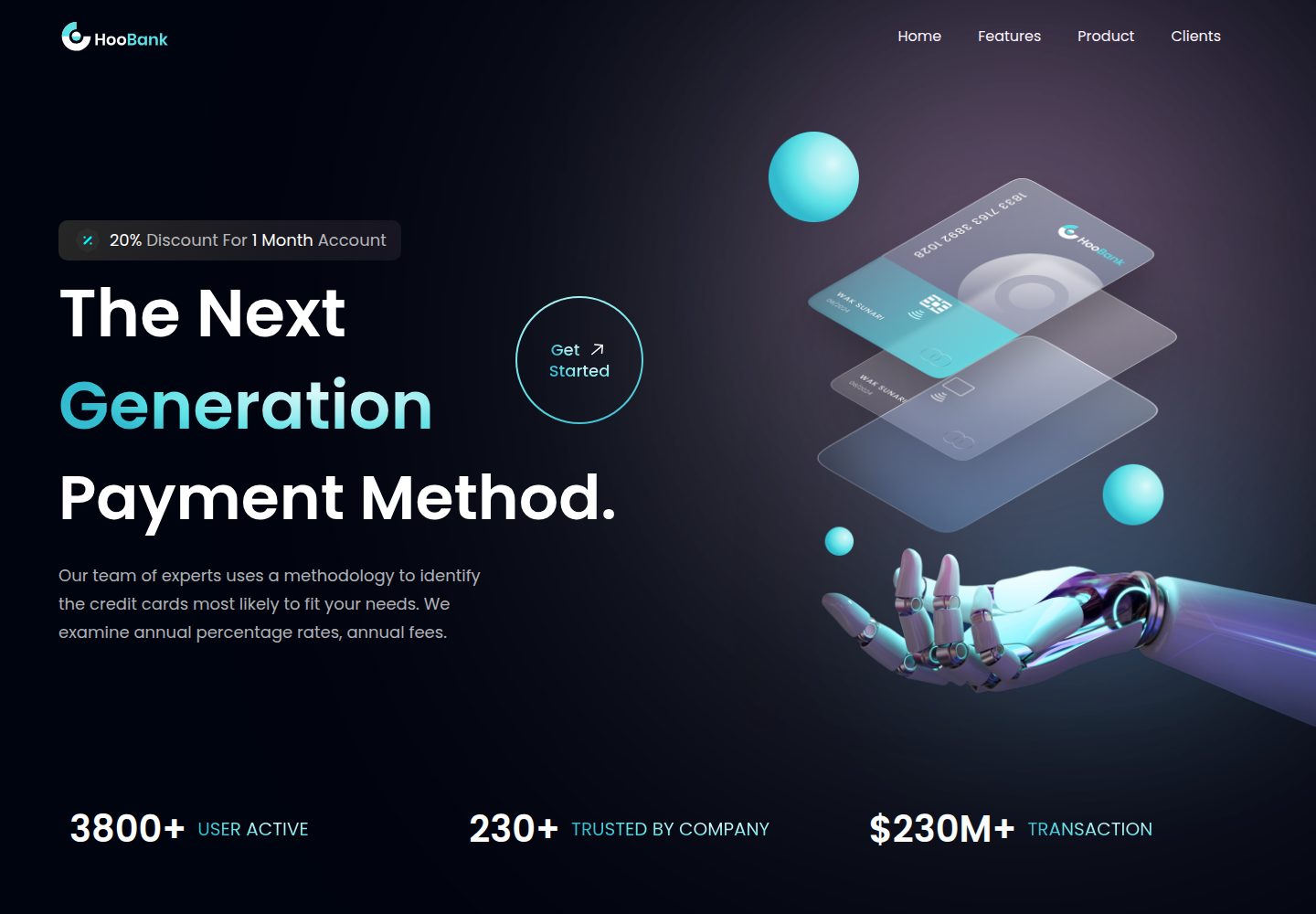
business-website-template
A React, Tailwind CSS, and Vite corporate website template with a single-page structure covering header, hero, features, billing, product showcase, testimonials, clients, call-to-action, and footer.
Vite · Corporate Website

kiaalap
Kiaalap is a free, open-source admin template from Colorlib for education, online courses, and school management.
Vite · Admin dashboard

react-vite-admin
A backend management starter built on Vite and React, integrating Recoil, React Query, TypeScript, and Axios, with Ant Design-style interface screenshots. Suitable as a starting point for management-side projects, licensed under MIT, with Chinese documentation and common scripts.
Vite · Admin dashboard
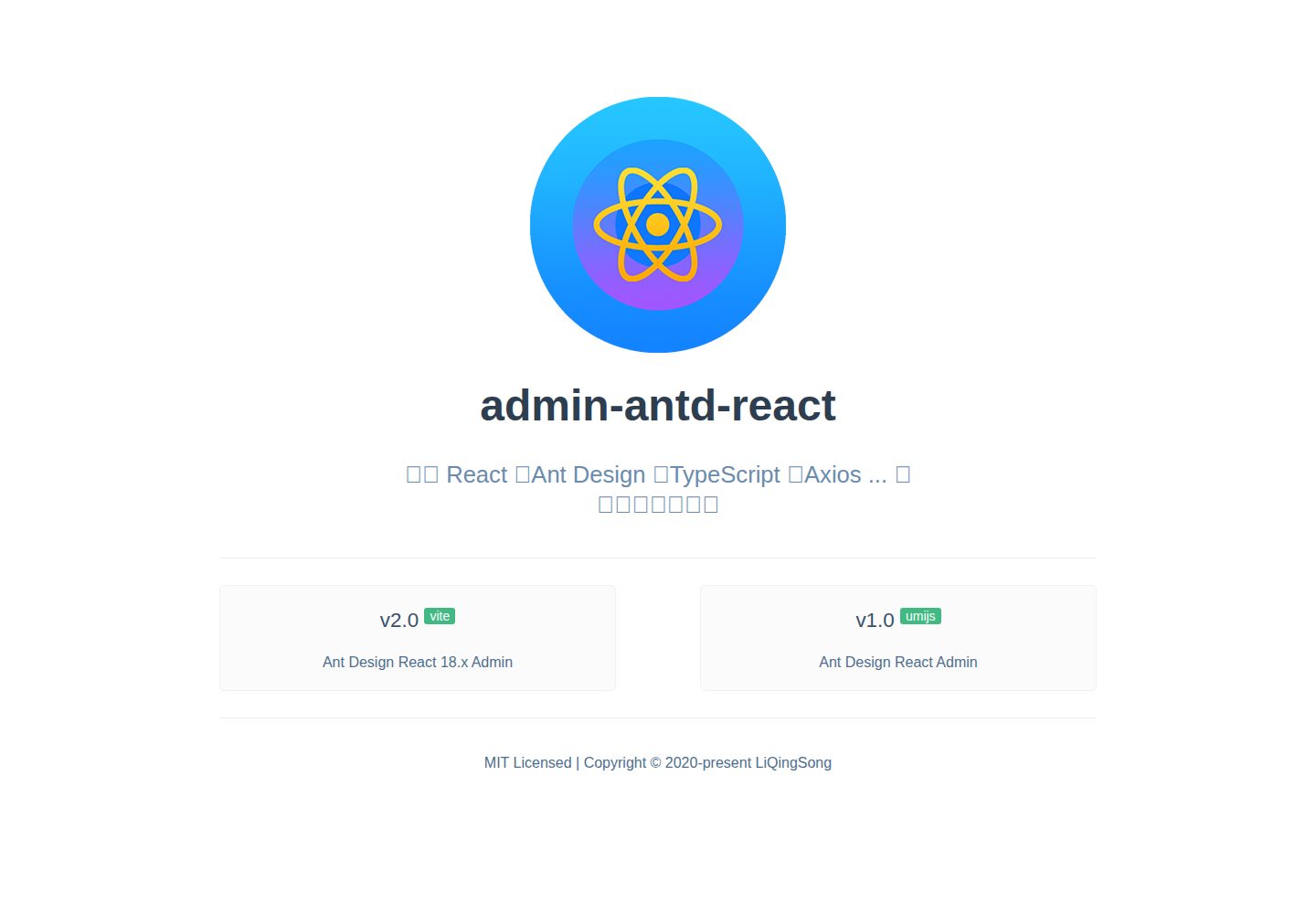
admin-antd-react
A Vite + React 18 admin template using Ant Design and Recoil, with login, logout, and registration flows; page, button, and permission configuration verification; internationalization; dynamic sidebar and breadcrumbs; Svg Sprite icons; Mock data; and list, form, and detail page examples.
Vite · Admin dashboard
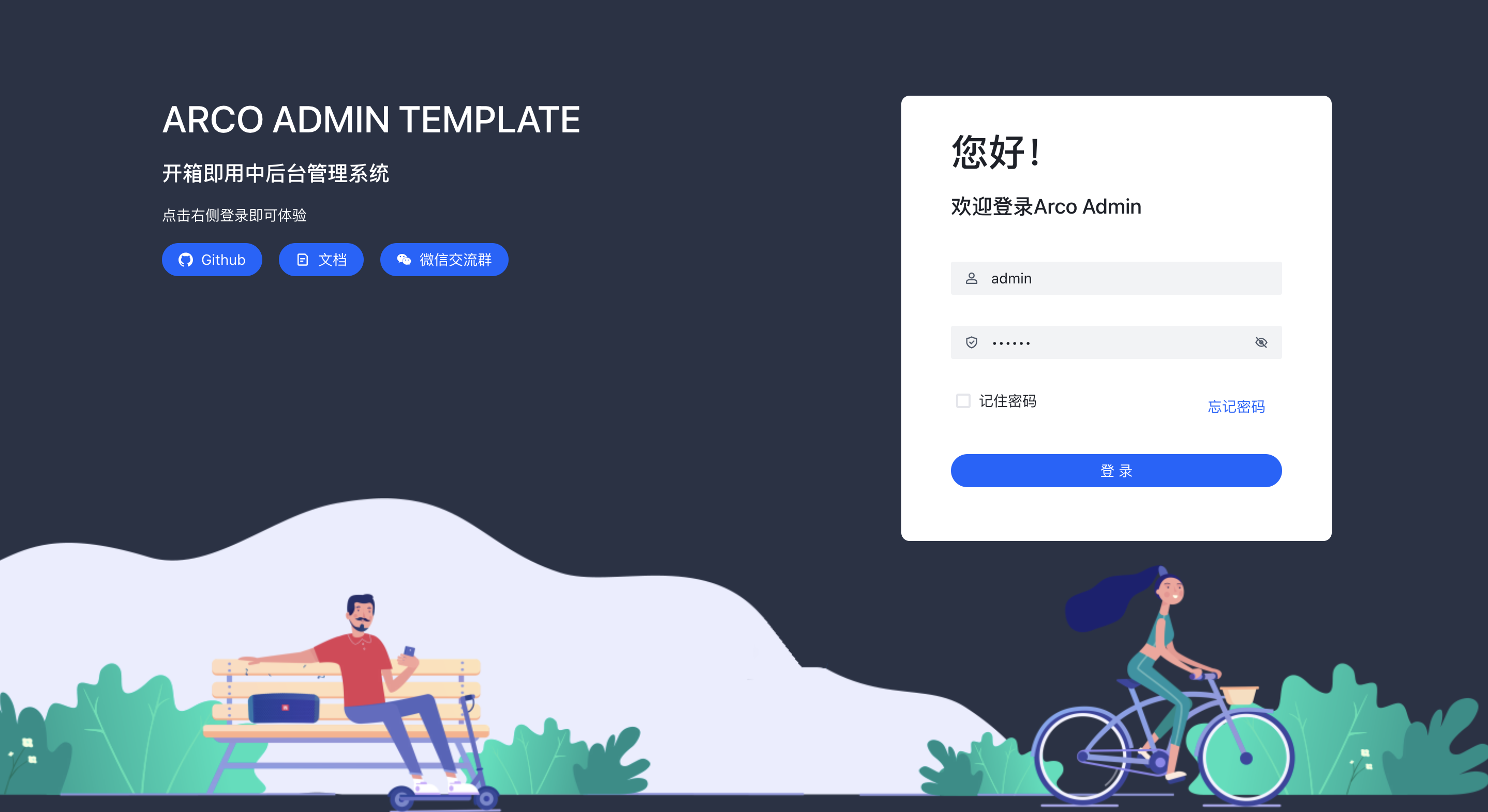
arco-admin-template
A Vite + React mid-to-back-office template using Arco Design, react-router-dom v6, mockjs, and less, with internationalization, theme customization, and light/dark switching. Includes login, dashboard, resource, component examples, settings, and 404 pages.
Vite · Admin dashboard
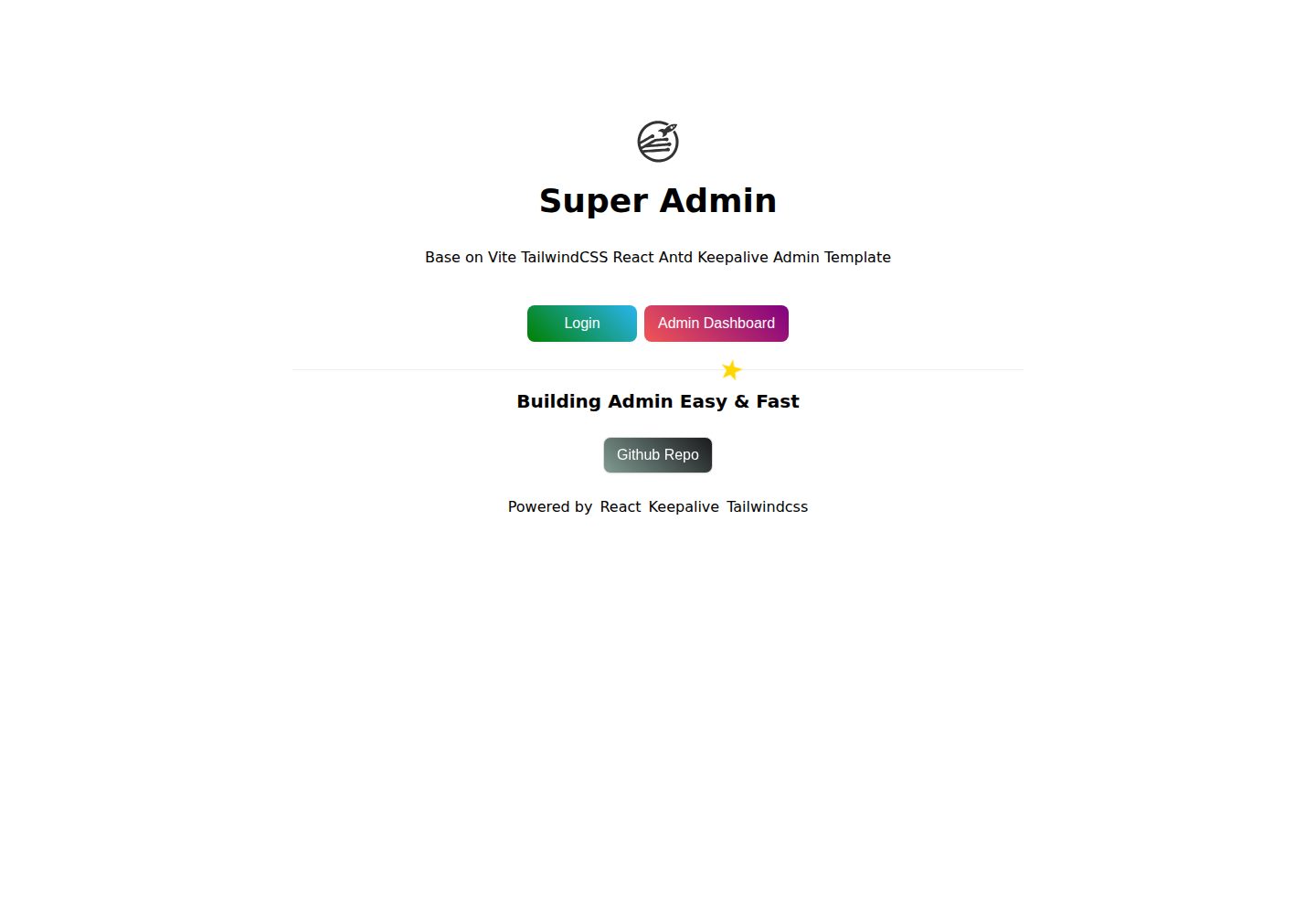
super-admin
A React, Vite, and Antd admin template that implements multi-tab route caching similar to Vue keepalive and route-based permission control.
Vite · Admin dashboard