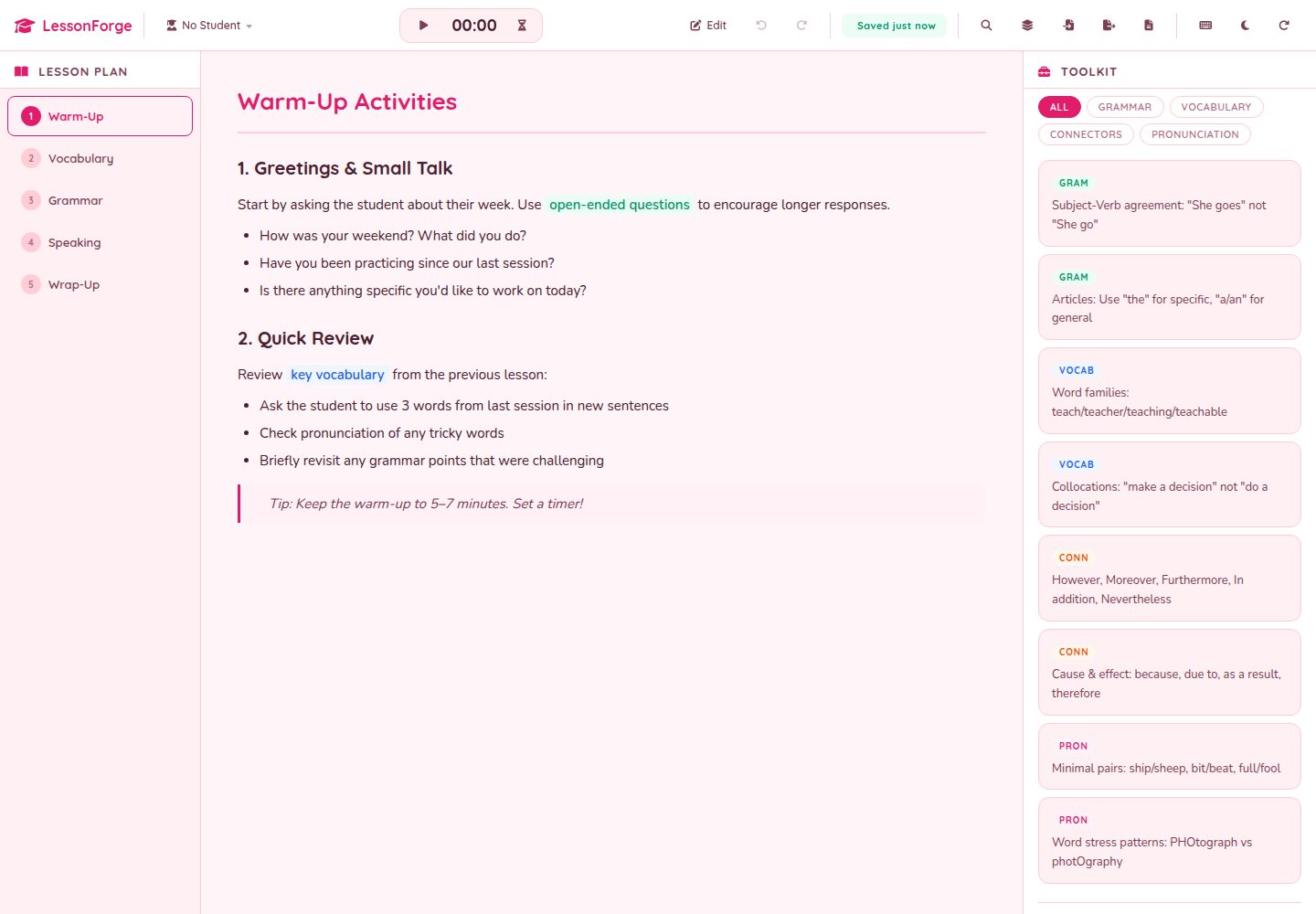
多页课程标签,编辑模式下可拖拽排序,每页富文本内容自动保存到 localStorage
ViteHTML后台企业官网
LessonForge — Vite 后台模板
作者 hatimhtm
面向语言家教的纯前端教学仪表盘,支持多页课程、模板、计时器、学生档案与 JSON/Markdown 导出,数据存于 localStorage。
看看你的网站会是什么样
浏览真实页面截图,比较内容排版与手机效果。点击下方缩略图切换,放大查看整页细节。
全部页面与视图 2
截图用于了解视觉与布局,交互效果请以实际项目为准。
采集于 2026-10-02查看来源
值得关注的模板亮点
从已有项目资料中,快速了解它的特点。
右侧分类工具卡片(语法、词汇、发音等),支持筛选与自定义类别
内置秒表与倒计时计时器,倒计时结束有 Web Audio 提示音和屏幕提示
学生档案面板与每节课清单,重置会话只清除清单和计时器,不影响课程计划
⌘K 命令面板可跳转页面、学生、工具卡片,并执行导出、切换主题、插入模板等动作
JSON 与 Markdown 双格式导出,支持跨机器往返和分享课程计划
模板详细介绍
LessonForge 是一个面向语言家教的教学仪表盘模板,使用 Vite 构建,采用原生 JavaScript 与 HTML/CSS,无框架、无运行时依赖。它把一节课的组织方式做成多页标签结构(如热身、词汇、语法、练习、总结),每页配有 contenteditable 富文本编辑区,支持加粗、斜体、下划线、高亮和列表;页面标签在编辑模式下可拖拽排序。右侧栏提供分类的工具卡片(语法规则、词汇、连接词、发音提示、变位等),可按类别筛选并新增自定义类别;下方是学生档案面板和每节课的清单。工具栏包含秒表与倒计时计时器、编辑模式开关、撤销/重做、重置会话、打印、JSON 导入导出以及主题切换。
数据持久化完全依赖浏览器 localStorage,没有后端、没有账号与同步;每次编辑自动保存,工具栏显示保存状态。撤销/重做使用 50 步环形缓冲。导出支持 JSON(完整状态)和 Markdown(课程计划,便于分享),可在不同机器间往返。内置 ⌘K 命令面板,可跳转到页面、学生或工具卡片,也可执行导出 Markdown、切换主题、插入模板等动作。六个课程模板(会话、语法重点、商务英语、考试准备、零基础、少儿)可一键追加为新页面。
项目包含 PWA 与 service worker,首次加载后可离线使用;提供打印样式表,可只打印当前课程页。主题为樱花粉浅色与深梅色深色两套,偏好持久保存。键盘快捷键包括 ⌘K、⌘Z/⌘⇧Z、⌘S、E、1-9、0、?。构建产物为静态文件,可部署到任意静态托管。
限制方面:这是单教师、单设备的设计,没有多用户或云同步;数据只存在当前浏览器的 localStorage 中,清除浏览器数据会丢失内容。仓库为 MIT 许可,但演示图片、字体、图标等第三方素材需按各自许可核对;FontAwesome 通过 CDN 加载,可替换为其他图标库。
ViteHTML后台企业官网
适合你的项目吗?
适用场景
- 语言家教在课前用模板快速搭建一节课的多页教学计划
- 上课时用计时器控制练习或轮换环节的时间,并在富文本区记录学生回答
- 为不同学生保存档案和备注,切换当前学生查看对应信息
- 把课程计划导出为 Markdown 交给同事,或导出 JSON 在另一台设备继续编辑
- 在无网络的教室中离线打开已安装的 PWA 继续上课
适合人群
- 一对一或小班语言家教,需要轻量课程组织工具的个人教师
- 偏好纯前端、无后端、数据留在本地的使用者
- 希望基于 MIT 许可代码二次开发教学仪表盘的开发者
- 需要打印课程页作为课堂讲义的教学场景
上手与定制指南
结合仓库当前版本的说明,按下面的资料检查内容、配置与运行要求。
- 1
克隆仓库后执行 npm install,再用 npm run dev 启动 Vite 开发服务器
- 2
npm run build 生成静态产物到 dist/,可部署到任意静态托管
- 3
默认课程、工具卡片和清单在 src/data.js 中定义,首次运行后改为从 localStorage 读取
- 4
主题颜色、圆角、阴影等通过 src/styles/variables.css 中的 CSS 自定义属性调整
- 5
FontAwesome 通过 CDN 加载,可替换为其他图标库,需同时修改 index.html 与图标类名
授权与来源资料
使用条件与限制
免费使用 · 保留许可声明本次收录的是公开仓库中采用 MIT 许可的免费版本;免费范围为该版本代码,不代表外部服务或第三方素材免费。
使用时需要遵守
- 允许免费使用、修改、商用和分发该版本代码。
- 分发代码副本或实质性部分时,保留原作者版权声明和完整 MIT 许可声明。
- 代码按现状提供;担保与责任限制以原许可证及适用法律为准。
额外费用与待核对事项
- 设计为单教师、单设备使用,无账号、无云同步、无服务器;所有数据仅保存在当前浏览器的 localStorage 中,清除浏览器数据会丢失内容,无法多设备或多用户共享。
- 图标通过 FontAwesome CDN 加载,属于外部服务依赖;离线或无法访问 CDN 时图标可能无法显示,可自行替换为其他图标库。
- 内容与默认数据面向语言教学场景硬编码,用于其他学科需自行修改默认课程、工具卡片等数据。
- 演示图片、字体、图标及其他第三方素材需按各自许可核对,不能仅凭代码的 MIT 许可判断。
- 域名、托管、数据库、支付或 AI 等外部服务可能另外收费。
查看原文依据
Permission is hereby granted, free of charge
许可证原文
Built for **one teacher**, **one device**, **no signups, no sync, no servers**: just `localStorage` and a print stylesheet for when you need a paper copy.
README 原文
the FontAwesome CDN load can be swapped for Lucide / Phosphor / Heroicons by editing two lines in `index.html` and the icon classes throughout.
README 原文
https://github.com/hatimhtm/LessonForge/blob/main/LICENSEhttps://github.com/hatimhtm/LessonForge/blob/main/README.mdit's hardcoded for languages but the bones are general
README 原文
DeepSeek 根据仓库许可证和 README 整理 ·2026-10-02。结果仅覆盖已读取资料,依赖、图片、字体及后续条款变更以各自原文为准。
项目核对记录与介绍依据
模板资料
- 来源平台
- GitHub
- 资料与维护参考分
- 资料较完整 · 88 / 100
- 技术栈
- Vite · HTML
- 网站类型
- 后台 · 企业官网
这个分数如何计算
本站按许可资料(最高30分)、演示链接(12分)、预览图(10分)、Star数(15分)、记录的维护时间(15分)、描述完整度(8分)、功能记录(5分)和分类资料(5分)计算。它不是代码、安全或性能测试,也不是 Google 评分;有链接不代表已实测可用。
这个项目需要核对什么
- 记录的仓库更新时间
- 2026-10-01
- 截图检查日期
- 2026-10-02
已收录演示链接。请用你的内容与屏幕尺寸检查;有演示不代表表单、认证或支付已经可用。
目录记录的主要技术栈是 Vite。请通过依赖清单和锁文件核对实际版本与托管要求。这些说明基于收录资料,不代表代码审计或部署实测。
查看具体选型方法 →介绍的制作与核对状态
介绍由 AI 辅助整理目录与仓库资料。仓库作者不等于这篇介绍的审核者。
已完成服务器许可规则与 AI 来源核对;未经过人工编辑审核。
查看当时使用的来源资料
SHA-256: ca961d2b6b994377b4d83b200796b440545f00779ce80cb7ea3d0e9fd43937ee
2026-10-02T15:32:38.523Z
来源文件 / 仓库<p align="center">
<picture>
<source media="(prefers-color-scheme: dark)" srcset="assets-readme/hero-banner-dark.svg" />
<img src="assets-readme/hero-banner.svg" alt="LessonForge" width="100%" />
</picture>
</p>
<p align="center">
<a href="https://github.com/hatimhtm/LessonForge/actions/workflows/ci.yml"><img src="https://img.shields.io/github/actions/workflow/status/hatimhtm/LessonForge/ci.yml?style=flat-square&label=CI&branch=main&labelColor=14151A&color=2E4FD6" alt="CI" /></a>
<img src="https://img.shields.io/badge/Vite-6-2E4FD6?style=flat-square&logo=vite&logoColor=white&labelColor=14151A&color=2E4FD6" alt="Vite 6" />
<img src="https://img.shields.io/badge/Vanilla_JS-2E4FD6?style=flat-square&logo=javascript&logoColor=white&labelColor=14151A&color=2E4FD6" alt="Vanilla JS" />
<img src="https://img.shields.io/badge/Offline_First-2E4FD6?style=flat-square&logo=html5&logoColor=white&labelColor=14151A&color=2E4FD6" alt="Offline-first" />
<a href="LICENSE"><img src="https://img.shields.io/badge/LICENSE-MIT-2E4FD6?style=flat-square&labelColor=14151A&color=2E4FD6" alt="MIT" /></a>
</p>
<p align="center">
<em>A teaching dashboard for language tutors. Multi-page lessons, a built-in timer, student profiles, drag-and-drop reordering, a categorised toolkit of grammar / vocab / pronunciation cards, undo/redo history, and JSON import/export, all running in a browser tab with zero backend and full offline persistence via <code>localStorage</code>. ~2,500 LOC of vanilla JS on Vite, no framework, no dependencies in the wheel.</em>
</p>
## What it is
```
┌─────────────────────────────────────────────────────────────────┐
│ TOOLBAR │
│ ▸ Page tabs (drag to reorder in edit mode) │
│ ▸ Toolkit filters · Timer (stopwatch / countdown) │
│ ▸ Edit mode · Undo / Redo · Reset session · Print │
│ ▸ Import / Export JSON · Theme toggle │
├──────────────────┬──────────────────────────────────────────────┤
│ CONTENT │ TOOLKIT (right rail) │
│ ▸ Rich-text page │ ▸ Categorised reference cards │
│ (B / I / U / │ ▸ Filter by category │
│ highlights / │ ▸ Custom categories │
│ lists) │ ▸ Add / edit / delete in edit mode │
│ ▸ Auto-saves to │ │
│ localStorage │ STUDENT PANEL │
│ on every edit │ ▸ Per-student profile + notes │
│ │ ▸ Active-student indicator │
│ │ │
│ │ CHECKLIST │
│ │ ▸ Per-session checkbox state │
│ │ ▸ Cleared on "Reset session" │
└──────────────────┴──────────────────────────────────────────────┘
```
## Why it exists
Most lesson-prep tools either lock you into a SaaS subscription or expect you to live inside Google Docs / Notion. LessonForge fits the actual tutoring workflow: open a tab between Zoom calls, swipe through the lesson plan, click "next page" mid-class, hit space to start the timer, scribble in the rich-text editor while the student is talking, undo a wrong edit, export the whole plan as JSON when the lesson's done.
Built for **one teacher**, **one device**, **no signups, no sync, no servers**: just `localStorage` and a print stylesheet for when you need a paper copy.
## Highlights
| | |
|---|---|
| **Multi-page lessons** | Tabs for Warm-Up / Vocab / Grammar / Practice / Wrap-Up. Drag the tab order in edit mode. Per-page rich-text content survives reloads. |
| **Rich-text editor** | `contenteditable` body with bold / italic / underline / highlight / lists. No external editor lib: just `document.execCommand` for the basics. |
| **Toolkit cards** | Categorised reference cards (grammar rules, vocab, connectors, pronunciation tips, conjugations). Filter by category. Add custom categories. |
| **Built-in timer** | Stopwatch + countdown modes. Survives tab switches via `setInterval`. |
| **Student profiles** | Per-student name, level, notes. Active-student indicator at the top of the right rail. |
| **Session checklist** | Per-session todos (warm-up done, homework collected, etc.). One-click "Reset session" clears boxes + timer + temporary notes, but not your lesson plan. |
| **Undo / Redo history** | 50-step ring buffer in `state.js`. Every meaningful change snapshots. Keyboard shortcuts `Ctrl/⌘+Z` and `Ctrl/⌘+Shift+Z`. |
| **Import / Export** | One click for JSON (full state) or Markdown (lesson plan, share-ready). Round-trip between machines, hand a printable to a co-teacher. |
| **⌘K command palette** | Single keystroke jumps to any page, student, or toolkit card. Run actions ("Export Markdown", "Toggle theme", "Insert template") without leaving the keyboard. |
| **Starter templates** | Six archetypes (conversation, grammar focus, business English, exam prep (IELTS/TOEFL), absolute beginner, young learners) append as new pages with one click. |
| **PWA / Service worker** | Installable on iPad or desktop, fully offline after first load. No CDN round-trip when you open a new lesson between Zoom calls. |
| **Save indicator** | Toolbar pill shows "Saved · 3s ago" so you always know `localStorage` caught the last edit. |
| **Timer chime** | Web Audio API ding-ding-ding on countdown zero + on-screen toast: never miss the end of a 5-minute round-robin. |
| **Dark mode** | Sakura-pink light theme + deep-plum dark theme. Preference persists across reloads. |
| **Print stylesheet** | Dedicated `print.css` strips the chrome and prints the active lesson page cleanly for in-class handouts. |
| **Keyboard shortcuts** | `⌘K` palette · `⌘Z` / `⌘⇧Z` undo / redo · `⌘S` export · `E` edit mode · `1`-`9` page · `0` timer · `?` shortcuts. |
## Project layout
```
LessonForge/
├── index.html single-page shell - toolbar + content + sidebar
├── package.json vite only - zero runtime deps
├── vite.config.js
├── src/
│ ├── main.js app controller - render · events · drag · timer
│ ├── state.js StateManager - localStorage · undo/redo · snapshots
│ ├── data.js default lessons + cards + categories + checklist
│ └── styles/
│ ├── variables.css tokens - colors, fonts, spacing, radii, shadows
│ ├── layout.css page grid + toolbar layout
│ ├── toolbar.css action buttons, dropdowns, timer chip
│ ├── content.css rich-text editor + page tabs
│ ├── toolkit.css right-rail cards + filter chips
│ ├── sidebar.css student panel + session checklist
│ ├── shortcuts.css keyboard-shortcut hint chip
│ └── print.css print-only stylesheet (strips chrome)
└── assets-readme/ banner SVGs (light + dark)
```
## Local dev
```bash
git clone https://github.com/hatimhtm/LessonForge.git
cd LessonForge
npm install
npm run dev # vite dev server → http://localhost:5173
npm run build # production bundle → dist/
npm run preview # serve dist/ → http://localhost:4173
```
Static output: drop `dist/` on any host (Vercel, Netlify, GitHub Pages, S3, your own teacher portal).
## Customisation
- **Theme:** edit `src/styles/variables.css`. CSS custom properties drive every color, radius, shadow, font stack.
- **Default lessons:** edit `src/data.js`. `defaultPages` / `defaultTools` / `defaultCategories` / `defaultChecklist` populate the first run; subsequent sessions load from `localStorage`.
- **Add a category:** in edit mode, click the "+" next to the category chips. State persists automatically.
- **Replace the icons:** the FontAwesome CDN load can be swapped for Lucide / Phosphor / Heroicons by editing two lines in `index.html` and the icon classes throughout.
## 2.0: overhaul
The 2.0 release pushed past polish into the actual product surface:
- **Custom `<dialog>` modal system** replaces every native `prompt` / `confirm` / `alert`. Focus-trapped, Esc-closes, screen-reader friendly, and finally consistent with the theme.
- **PWA + service worker**. `manifest.webmanifest` + an offline-first cache layer means LessonForge installs to the home screen and survives no-wifi classrooms.
- **⌘K command palette** spans pages, students, toolkit cards, and one-shot actions (Insert template, Export Markdown, Toggle theme).
- **Starter-lesson templates**: six teaching archetypes append as new pages.
- **Save-status indicator** in the toolbar (`Saved · 3s ago`): never wonder if the last edit hit `localStorage`.
- **Markdown export** alongside JSON for share-ready handouts.
- **Web Audio chime** + on-screen toast when a countdown hits zero.
- **Persisted dark theme** (deep-plum) alongside the original sakura light theme.
- **Brutalist house-style README**, light/dark hero banners, OG + Twitter cards, `theme-color`, inline SVG favicon, **CI** that builds + sanity-checks `dist/` on every push.
## Status
🟢 **Live**: [hatimhtm.github.io/LessonForge](https://hatimhtm.github.io/LessonForge/)
Auto-deploys to GitHub Pages on every push to `main` via `.github/workflows/deploy-pages.yml` (Vite static build, `base: "/LessonForge/"`).
## License
[MIT](LICENSE). Fork it, ship your own teacher dashboard, change the colour palette, re-skin it for any subject (it's hardcoded for languages but the bones are general). Just keep the copyright line.
---
<p align="center">
<a href="https://hatimelhassak.is-a.dev">Portfolio</a> ·
<a href="https://cal.com/hatimelhassak/engineering-discovery">Book a call</a> ·
<a href="https://www.linkedin.com/in/hatim-elhassak/">LinkedIn</a> ·
<a href="mailto:[email protected]">Email</a>
</p>
看看同类模板
对比同技术栈与用途的模板,找到更适合的视觉与内容结构。
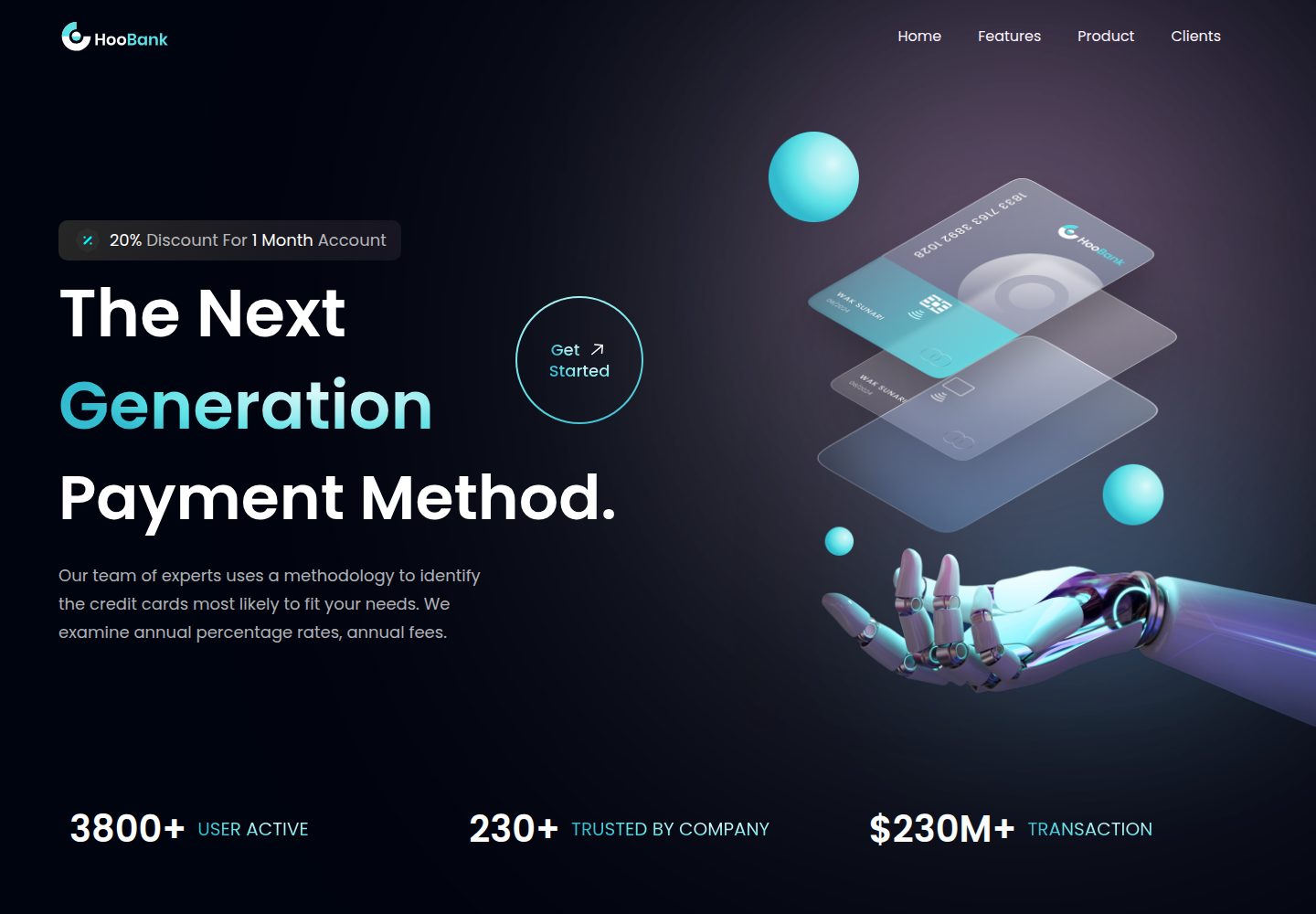
business-website-template
Modern UI/UX business website design made with React.
Vite · 企业官网

kiaalap
Free admin dashboard template focused on education, online course and school management. Build using Bootstrap…
Vite · 后台

react-vite-admin
This Starter utilizes React, Recoil, React Query, React Hooks, Typescript, Axios And Vite. 全新技术栈的后台管理系统
Vite · 后台
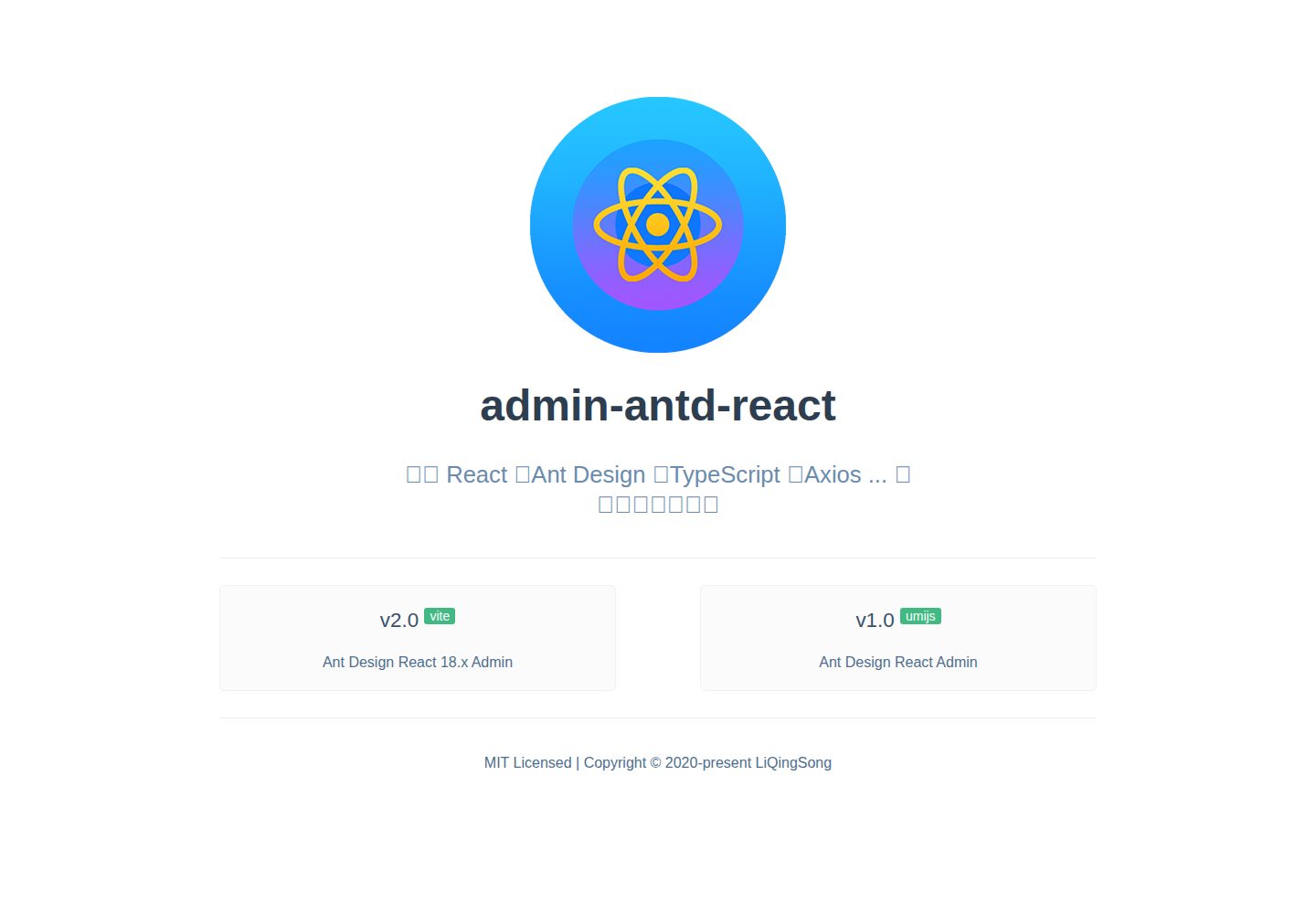
admin-antd-react
React + Ant Design Admin template
Vite · 后台
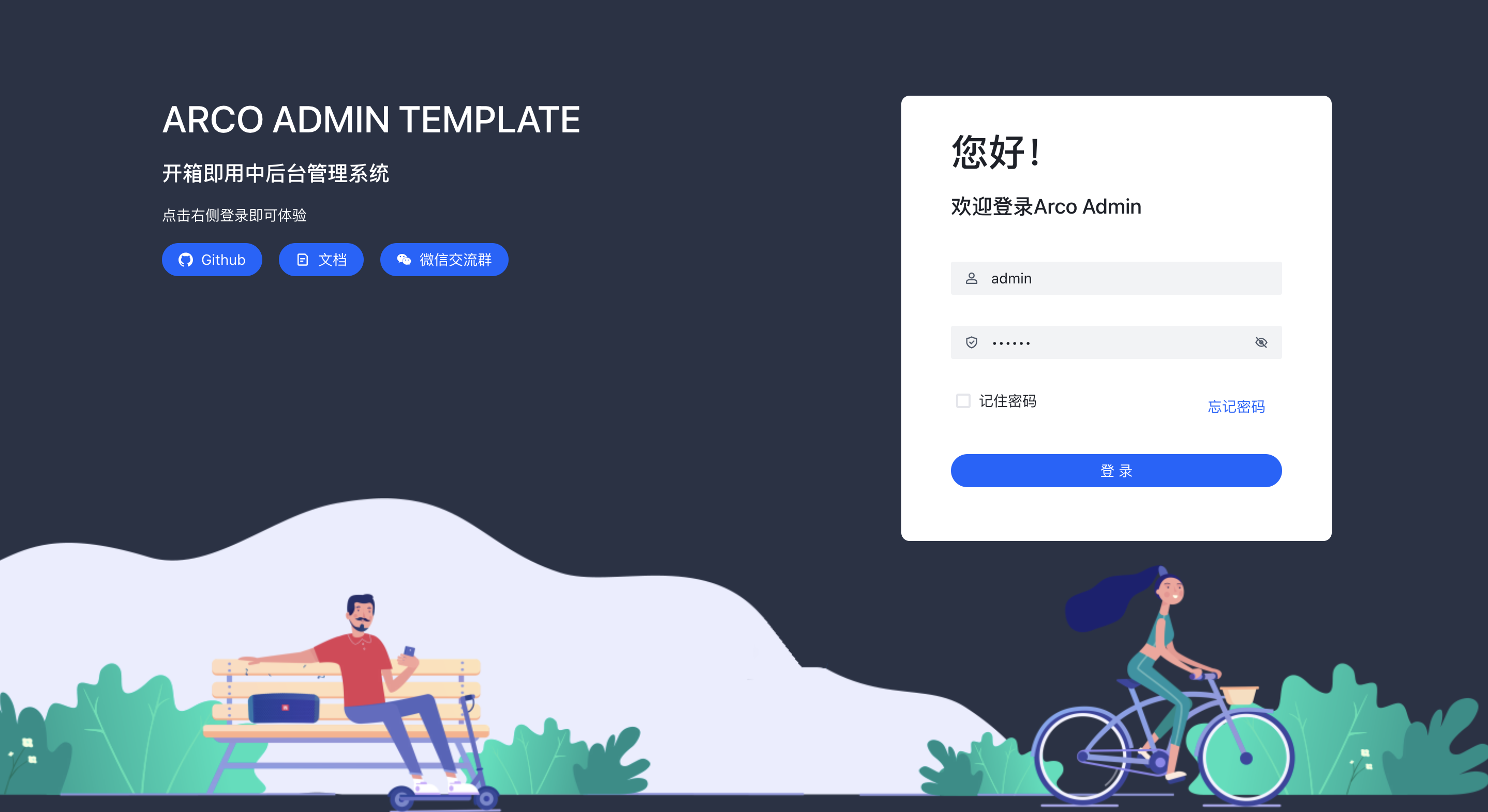
arco-admin-template
🔥基于 vite构建的react后台模版 使用: acro-design + react-router-dom v6 + mockjs + less,支持国际化,亮色暗色切换等
Vite · 后台
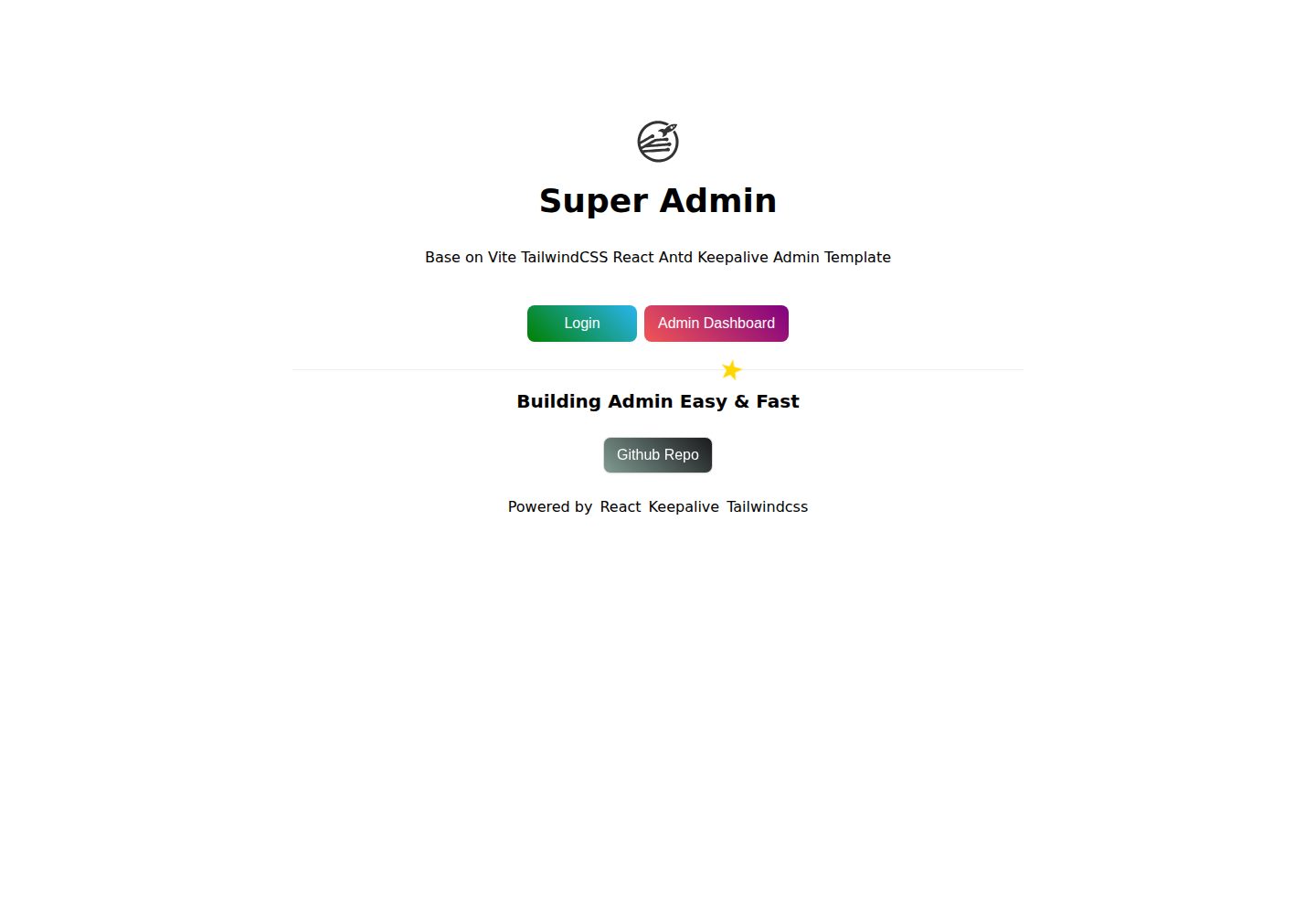
super-admin
React Admin template with multiple cached tabs 🔨... 管理后台多tab缓存标签页解决方案,正在建设中 🔨...
Vite · 后台