Configure homepage section order and enabled state through TOML files in the data directory
HugoPortfolio
theme — Hugo Portfolio Template
By hugo-porto
hugo-porto is a minimalist Hugo theme for personal portfolios, configuring homepage sections, navigation, and footer social links through TOML files in the data directory.
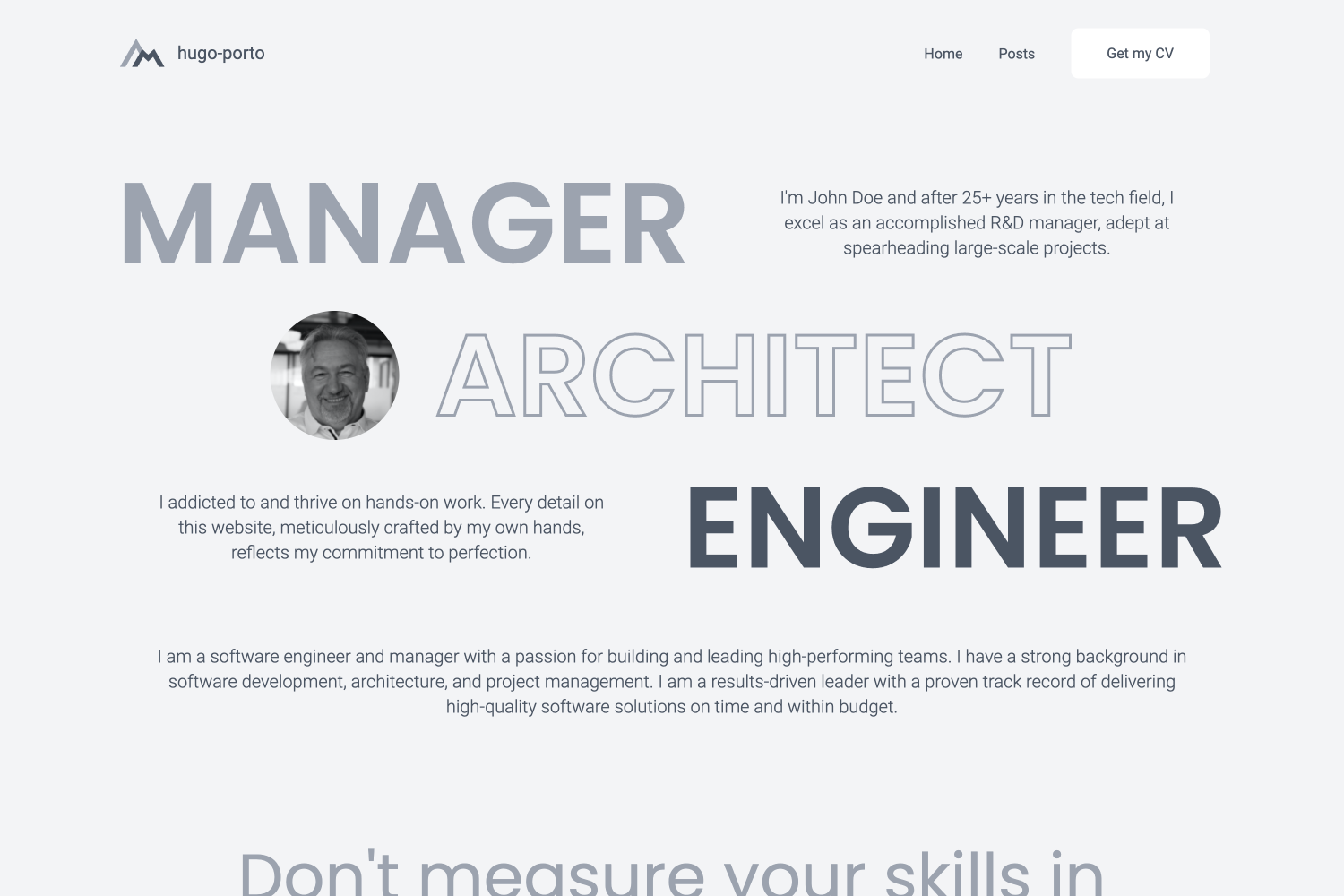
Explore the design
Compare the page layouts and mobile experience. Open any screenshot for a closer look.
Author preview
Author-provided previewTop of page
Preview provided in the project README.
One original preview is available. Open the full image to inspect the design.
Screenshots show visual appearance; interactive behavior may differ.
Recorded 2026-10-01View source
What stands out
A quick read of the recorded project description.
Navbar supports a three-state theme toggle (follow system / dark / light), with the preference written to localStorage
Uses Tailwind CSS for styling, making it easy to adjust the appearance
Footer can configure social platform links such as GitHub, LinkedIn, and Dribbble
Supports installation via Hugo Modules, requiring Hugo 0.116.0 or higher
README lists Google Analytics integration and code syntax highlighting
Template Details
hugo-porto is a personal portfolio theme for Hugo, positioned to showcase projects and personal experience. The theme uses a minimalist design and is suitable for developers, designers, and creative professionals building personal portfolio sites.
The theme is configured through TOML files in the data directory: data/home.toml controls the enabled state and order of homepage sections, data/sections/*.toml provides content for each section, data/navbar.toml configures the site title, logo, navigation menu, and buttons, and data/footer.toml configures social links. The navbar supports a built-in three-state theme toggle (follow system / dark / light), with the preference saved under the theme key in localStorage, and exposes __getPreferredTheme, __setPreferredTheme, and __cyclePreferredTheme for programmatic control.
The theme uses Tailwind CSS for styling. Features listed in the README include responsive layout, social links, Google Analytics integration, and code syntax highlighting. The README also states that the theme is still under development, with a roadmap including Open Graph and SEO metadata, default mock data, more configuration options, more examples and documentation, and a dark mode toggle that are not yet complete, so some capabilities may not yet be implemented.
There are two installation methods: first, fork the example repository hugo-porto/web and modify the configuration; second, install from scratch via Hugo Modules, which requires Hugo 0.116.0 or higher, importing github.com/hugo-porto/theme via module.imports in the configuration file, then running hugo mod tidy. After installation, you need to add configuration files yourself following the data directory in the example repository. The README also provides troubleshooting instructions when the logo does not display, as well as a contribution workflow based on Conventional Commits and semantic-release.
HugoPortfolio
Is it right for your project?
Use Cases
- Developers building a personal portfolio site to showcase personal projects and skills
- Designers or creative professionals creating a personal homepage with sections for experience, skills, and testimonials
- Personal websites that need light / dark theme switching
- Personal pages published as a Hugo static site and hosted on platforms such as Netlify
Suitable For
- Users who use Hugo and want content organization driven by configuration files
- Individuals who need a minimalist personal portfolio rather than a blog or corporate site
- Users willing to write TOML configuration files in the data directory themselves
- Users who accept that the theme is still under development and some roadmap features are not yet complete
Getting started & customization
Use these recorded setup notes alongside the repository instructions for your chosen version.
- 1
Hugo must be installed first; the README requires version 0.116.0 or higher.
- 2
The simplest approach is to fork the example repository hugo-porto/web and modify the configuration.
- 3
For installation from scratch, import github.com/hugo-porto/theme via Hugo Modules, then run hugo mod tidy.
- 4
After installation, you must add configuration files such as home.toml, navbar.toml, and footer.toml yourself following the data directory in the example repository.
- 5
If the logo renders incorrectly, check the logo configuration in data/navbar.toml, which supports a local asset path, an external URL, or an empty string.
License & source material
Usage conditions & limitations
Free to use · keep license noticeThis entry covers the free version under the MIT license in the public repository; the free scope is the code of that version and does not mean external services or third-party assets are free.
Must comply with when using
- Free use, modification, commercial use, and distribution of that version's code are permitted.
- When distributing copies or substantial portions of the code, retain the original author's copyright notice and the complete MIT license notice.
- The code is provided as is; warranties and limitations of liability are governed by the original license and applicable law.
Additional costs & items to verify
- Using this theme requires Hugo 0.116.0 or higher; lower versions cannot be installed as described in the README.
- The simplest usage recommended in the README is to fork the example repository hugo-porto/web rather than use the theme repository directly.
- After installation, you must add configuration files yourself in the data directory (such as home.toml, navbar.toml, and footer.toml); the theme does not provide out-of-the-box default configuration.
- The theme is under active development, features may change, and some capabilities in the README roadmap are not yet implemented.
- Demo images, fonts, icons, and other third-party assets must be checked against their respective licenses and cannot be judged solely by the code's MIT license.
- External services such as domains, hosting, databases, payments, or AI may incur separate charges.
View Original Text Basis
Permission is hereby granted, free of charge
Original License Text
You need version 0.116.0 or higher.
Original README
The simplest method to use this theme is by forking the [web](https://github.com/hugo-porto/web) sample repository.
Original README
Now you have to add configuration files to your data folder according your needs.
Original README
https://github.com/hugo-porto/theme/blob/main/LICENSEhttps://github.com/hugo-porto/theme/blob/main/README.mdThe theme is under active development, and new features are being added regularly.
Original README
Compiled by DeepSeek based on repository license and README ·2026-10-01. Results only cover the materials read; dependencies, images, fonts, and subsequent term changes are subject to their respective original texts.
Project checks & description sources
Template Information
- Source platforms
- GitHub
- Documentation and maintenance reference score
- More documented · 75 / 100
- Technologies
- Hugo
- Website type
- Portfolio
How this score is calculated
Our heuristic uses license records (up to 30), a demo link (12), a preview (10), stars (15), recorded maintenance (15), description completeness (8), feature records (5) and classification data (5). It is not a code, security or performance test, or a Google score. A link does not establish tested functionality.
What to verify for this project
- Repository update recorded
- 2026-02-18
- Screenshot last checked
- 2026-10-01
No demo link is recorded. Use the repository instructions to evaluate the project locally; the screenshot alone cannot establish interactive behavior.
The catalog identifies Hugo as the primary stack. Check the actual dependency manifest and lockfile for versions and hosting requirements. These notes use recorded metadata, not a code audit or a deployment test.
Use a selection guide →How this description was prepared
AI-assisted description based on catalog records and repository material. Repository authors are not automatically the reviewers of this description.
Automatically checked against source and license rules; no manual editorial review.
Inspect the recorded source material
SHA-256: f67eb987780c15734c708fa541d8b2edeb41540d55553c232d8ca023a7289d7e
2026-10-01T00:52:42.342Z
Source file / repository# hugo-porto theme [](https://app.codacy.com/gh/hugo-porto/theme/dashboard?utm_source=gh&utm_medium=referral&utm_content=&utm_campaign=Badge_grade) The `hugo-porto` is a personal portfolio theme for Hugo. It features a minimalist design that focuses on showcasing your projects and achievements. This theme is perfect for developers, designers, and creatives who want to create a simple yet powerful online portfolio. The theme is under active development, and new features are being added regularly. If you have any suggestions or feature requests, please open an [issue](https://github.com/hugo-porto/theme/issues) on the GitHub repository. I would love to hear your feedback and ideas for improving the theme. ## Screenshots 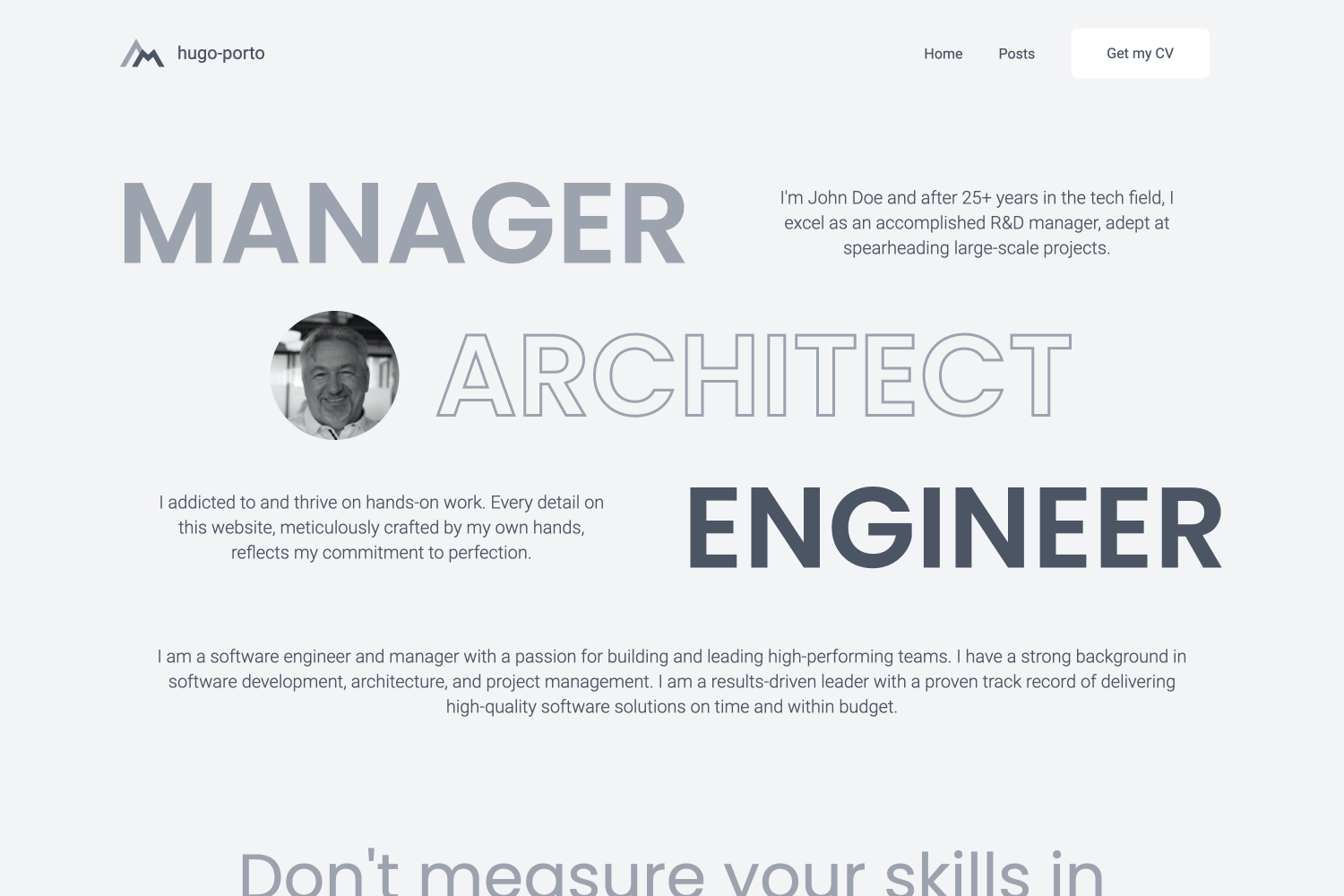 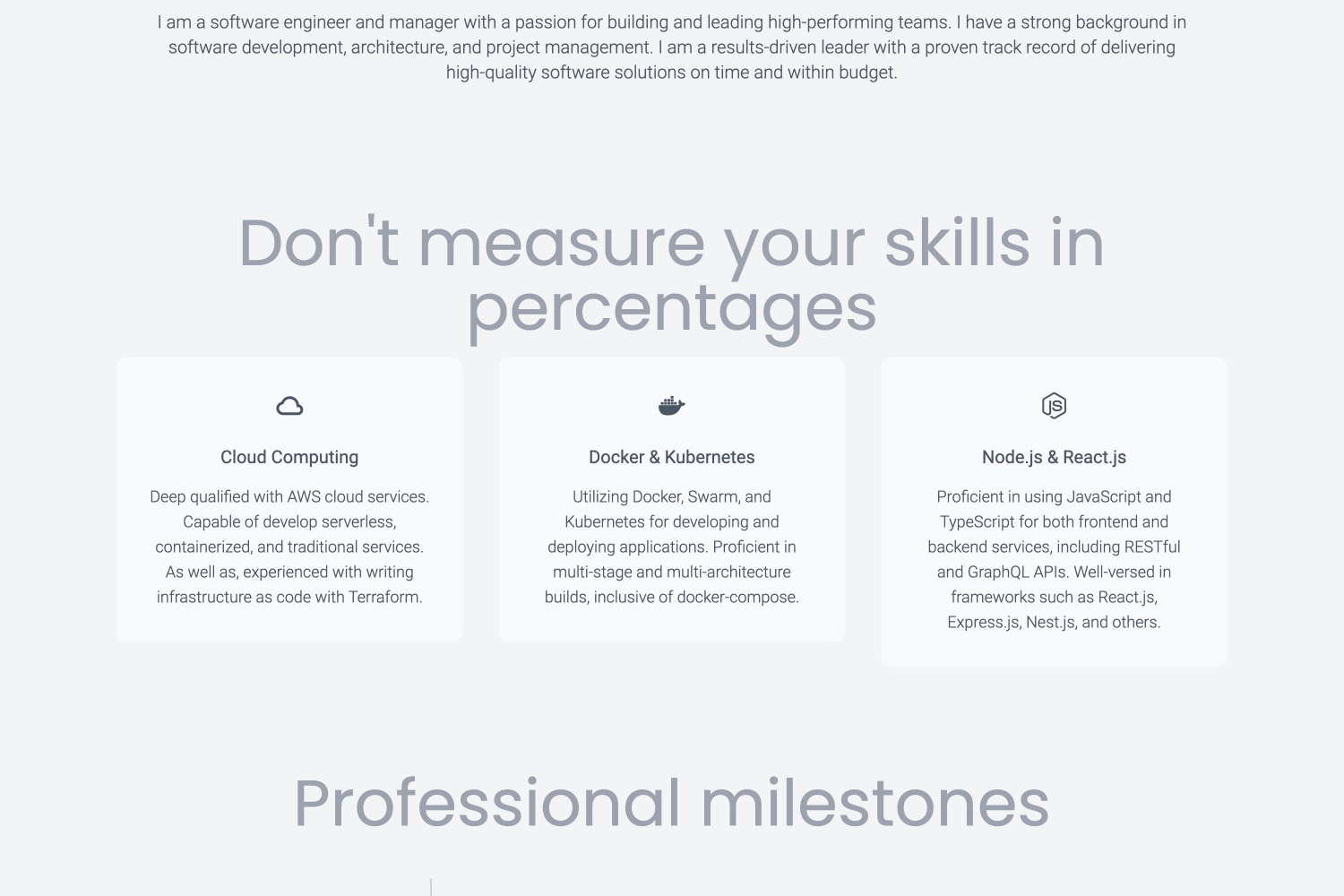 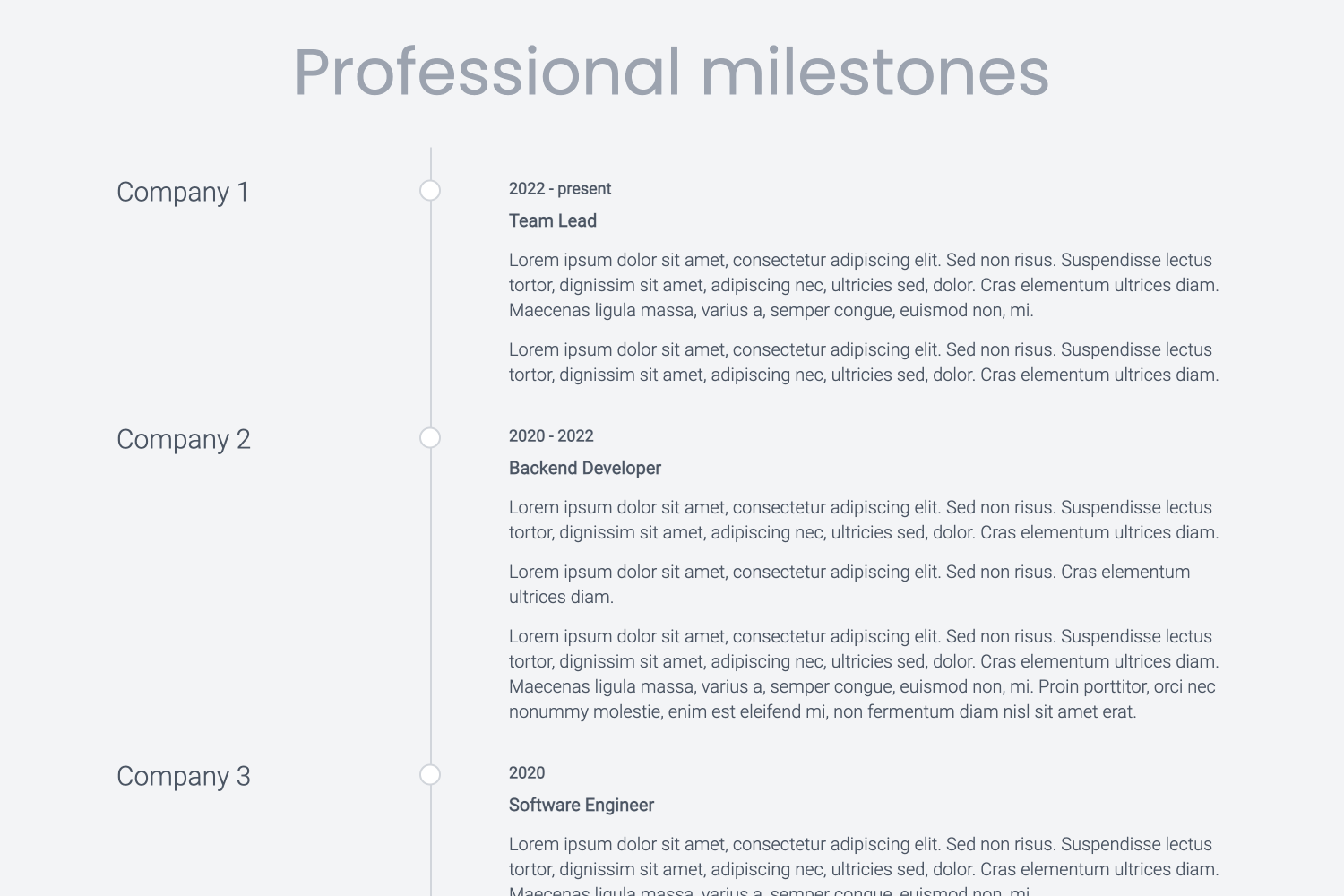 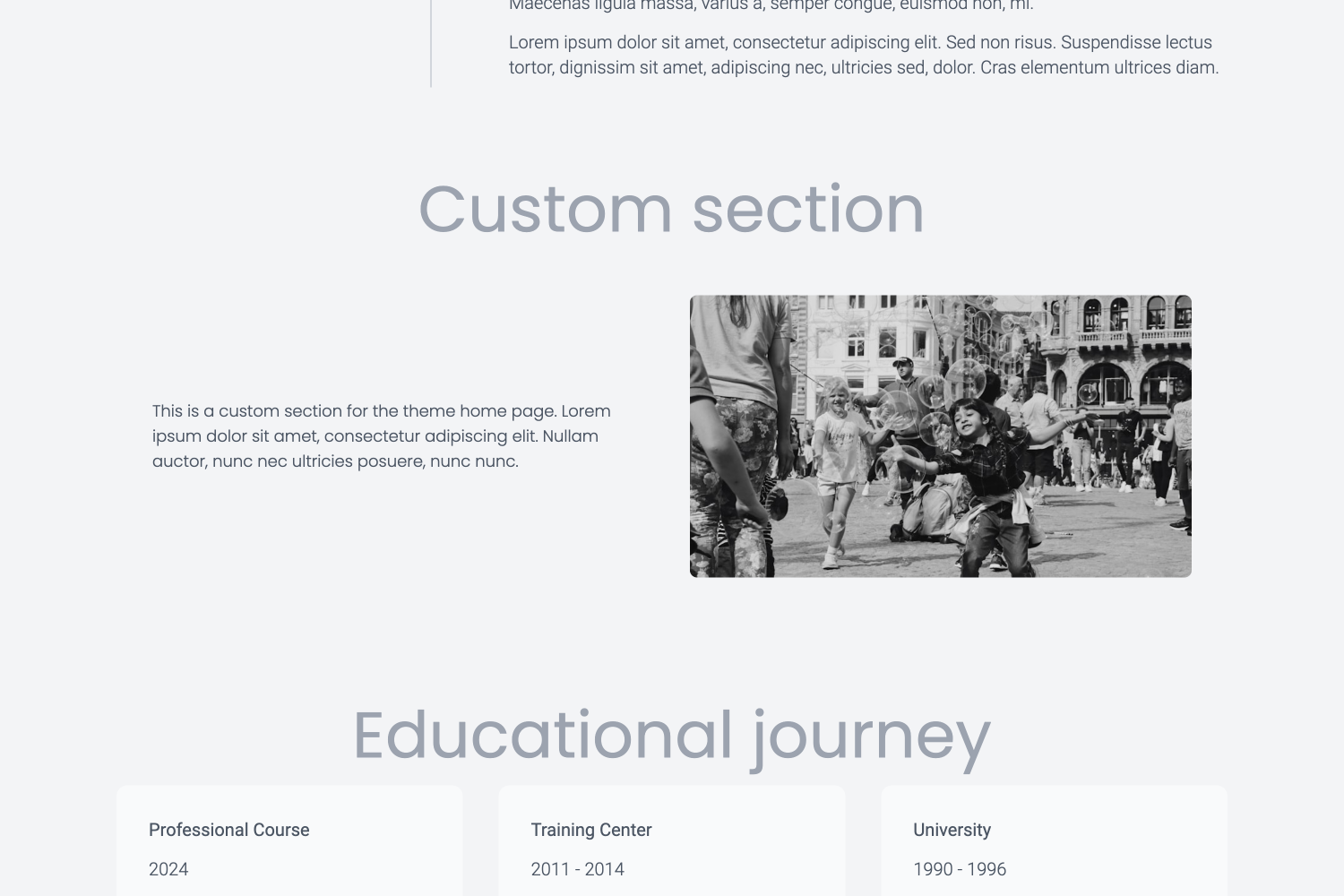 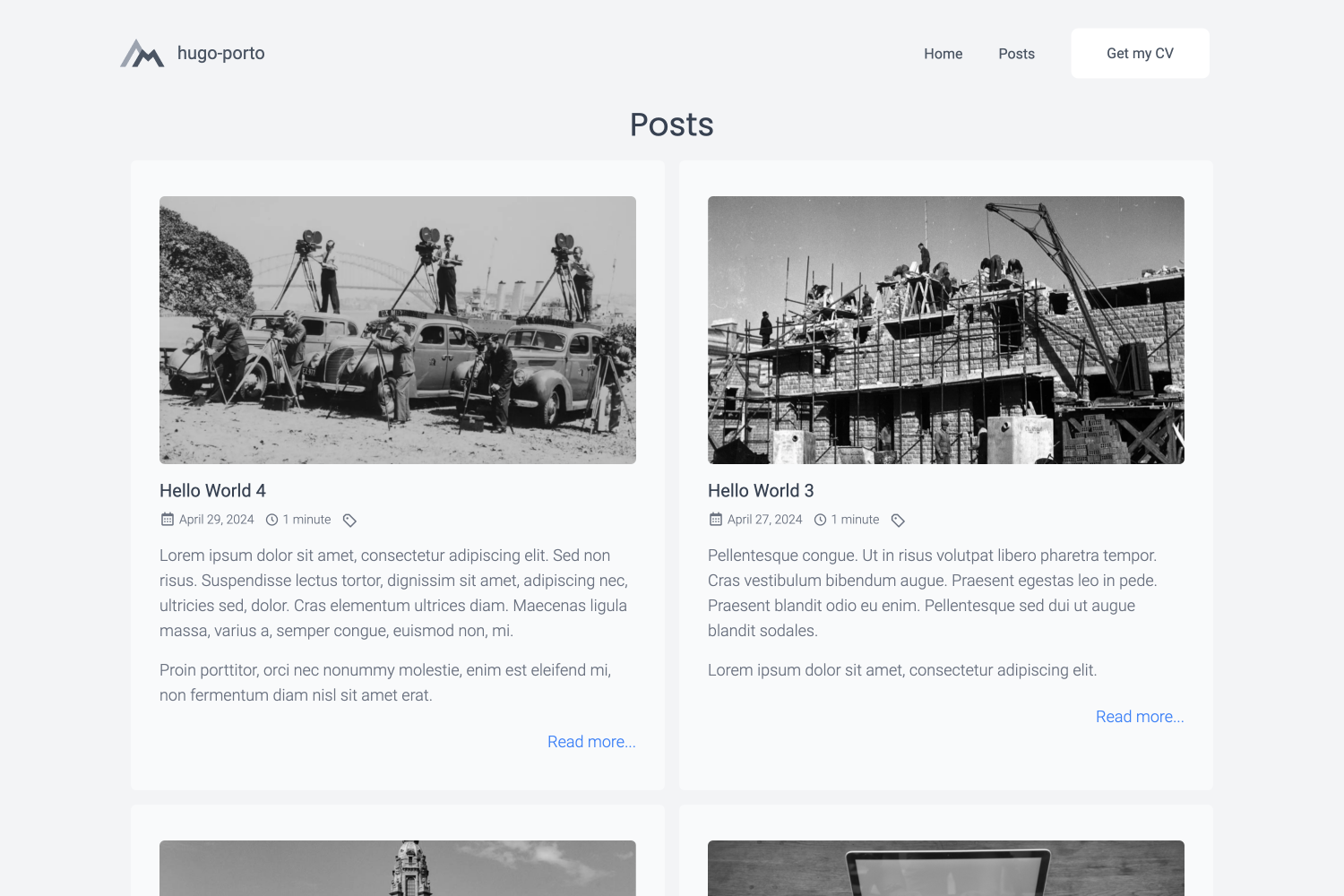 ## Features - **Responsive Design**: The theme is fully responsive and works on all devices, including smartphones, tablets, and desktops. - **Customizable**: The theme is highly customizable and allows you to configure various aspects of your website. - **Lightweight**: The theme is lightweight and optimized for performance, ensuring fast load times. - **SEO Friendly**: The theme is SEO friendly and includes meta tags and structured data to help search engines index your site. - **Social Media Integration**: The theme includes social media integration, allowing you to link to your social media profiles. - **Google Analytics**: The theme includes Google Analytics integration, allowing you to track visitors to your site. - **Syntax Highlighting**: The theme includes syntax highlighting for code snippets, making it easy to showcase your code. - **Tailwind CSS**: The theme uses Tailwind CSS for styling, making it easy to customize the design of your site. ## Roadmap I'm constantly working on improving and expanding the features of this theme. If you find that a feature you need is missing, please feel free to contact me. I'm open to dialogue and would be happy to discuss potential additions to the theme. Features planned to implement in the nearest future: - Opengraph and SEO meta information - Default mock data to easy install and implementaton - More configuration options - More examples and documentation - Dark mode switcher If you have any suggestions or feature requests, please open an issue on the GitHub repository. I would love to hear your feedback and ideas for improving the theme. ## Demo For a live demonstration of the theme in action, please visit the demo website at [https://hugo-porto.netlify.app/](https://hugo-porto.netlify.app/). This demo site showcases all the features and design elements that the `hugo-porto` theme has to offer, providing a comprehensive overview of its capabilities. You can find the source code for the demo website at [https://github.com/hugo-porto/web](https://github.com/hugo-porto/web). In addition, you can find a real-world example of the theme in action on my personal website at [https://andrew.molyuk.com](https://andrew.molyuk.com). The source code for my website is available at [https://github.com/andrewmolyuk/andrew.molyuk.com](https://github.com/andrewmolyuk/andrew.molyuk.com) ## Prerequisites - [Hugo](https://gohugo.io/getting-started/installing/) - a popular open-source static site generator written in Go. ## Installation The simplest method to use this theme is by forking the [web](https://github.com/hugo-porto/web) sample repository. Afterwards, adjust the configurations to suit your requirements. If you want to install the theme from scratch using Hugo modules, follow these steps: 1. First, ensure that you have [Hugo](https://gohugo.io/getting-started/installing/) installed on your system. You need version 0.116.0 or higher. 2. Create a new Hugo site if you haven't already. You can do this by running the following command in your terminal: ```bash hugo new site mysite ``` Replace `mysite` with the name of your site. 3. Navigate to the root directory of your new site: ```bash cd mysite ``` 4. Initialize Hugo modules: ```shell hugo mod init github.com/<your username>/<your repo name> ``` 5. Add the `hugo-porto` theme as a Hugo module in your configuration file: ```toml [module] [[module.imports]] path = "github.com/hugo-porto/theme" ``` 6. Download latest version of the theme: ```shell hugo mod tidy ``` 7. Finally, start your Hugo server: ```bash hugo server ``` You should now be able to see your new site at `http://localhost:1313`. 8. Now you have to add configuration files to your data folder according your needs. You can see example files at [https://github.com/hugo-porto/web/tree/main/data](https://github.com/hugo-porto/web/tree/main/data). ## Configuration The `hugo-porto` theme is highly customizable and allows you to configure various aspects of your website. You can find the configuration files in the `data` folder of the sample repository. You can adjust any setting to suit your needs. So here is a list and the customizable content of the of configuration data files: ### `data/home.toml` This file define the order of the sections on the home page. You can add or remove sections and change the order of the sections. ```toml [[section]] id = "hero" enabled = true weight = 1 ... [[section]] id = "testimonials" enabled = true weight = 6 ``` Each section has three properties: - `id` is the unique identifier of the section and should match the filename of the section template. For example, the `hero` section id corresponds to the `data/sections/hero.toml` configuration file. - `enabled` is a boolean value to enable or disable the section. - `weight` is the order of the section. ### `data/footer.toml` This file contains the footer configuration. You can add your social media links and other information here. ```toml [[social]] type = "github" url = "add your GitHub profile link here" ``` The `social` section contains the following properties: - `type` is the name of the social media platform. The following values allowed: - `facebook` - `linkedin` - `github` - `instagram` - `youtube` - `dribbble` - `behance` - `medium` - `telegram` - `whatsapp` - `id`: is the profile id or username on the social media platform. ### `data/navbar.toml` This file contains the navigation bar configuration. You can add or remove menu items here. ```toml [[menu]] text = "Home" description = "Welcome to my personal website" link = "/" target = "_self" ``` The `menu` section contains the following properties: - `text` is the text of the menu item. - `description` is the description of the menu item. - `link` is the URL of the menu item. - `target` is the target attribute of the menu item. Additionally, you can configure the following properties in the `navbar.toml` file: ```toml title = "#andrewmolyuk" logo = "img/logo.svg" [button] enabled = true text = "Get my CV" link = "files/Andrew Molyuk.pdf" target = "_blank" ``` Where: - `title` is the title of the website. - `logo` is the path to the logo image (supports both local asset paths like `"img/logo.svg"` and external URLs). - `button` is the configuration of the button in the navigation bar. - `enabled` is a boolean value to enable or disable the button. - `text` is the text of the button. - `link` is the URL of the button. - `target` is the target attribute of the button. ### Theme toggle You can enable a built-in 3-state theme toggle (system / dark / light) by adding the following to `data/navbar.toml`: ```toml [themeToggle] enabled = true ``` When enabled, the toggle appears in the navbar and the mobile menu. The preference is persisted to `localStorage` under the key `theme`. The theme script also exposes helpers for programmatic control: `__getPreferredTheme()`, `__setPreferredTheme(mode)`, and `__cyclePreferredTheme()`. ## Troubleshooting ### Logo Not Displaying If you encounter issues with logo rendering (e.g., "nil pointer evaluating resource.Resource.RelPermalink"), ensure your `data/navbar.toml` file has a valid logo configuration: ```toml # Use a local asset (preferred) logo = "img/logo.svg" # Or use an external URL logo = "https://example.com/logo.png" # Or use an empty string to use the default logo = "" ``` The theme includes robust error handling to prevent rendering failures regardless of logo configuration. ## Real-world usage If you want to see a real-world example of the theme in action, you can check out the following websites: - [andrew.molyuk.com](https://andrew.molyuk.com) - my personal website, which uses the `hugo-porto` theme. If you are using the `hugo-porto` theme on your website and would like to be featured here, please let me know. I would be happy to include your website in the list of real-world examples. ## Contributing If you have any suggestions, feature requests, or bug reports, please open an issue on the GitHub repository. I am open to contributions and would be happy to discuss potential improvements to the theme. If you would like to contribute to the theme, please fork the repository and submit a pull request. I will review any pull requests and merge them if they provide value to the theme. ### Development Workflow This project uses [semantic-release](https://semantic-release.gitbook.io/) for automated version management and releases. **Commit Message Format:** Follow [Conventional Commits](https://www.conventionalcommits.org/) specification. Commit messages are automatically validated using commitlint: - `feat:` - new features (triggers minor version bump) - `fix:` - bug fixes (triggers patch version bump) - `docs:` - documentation changes - `style:` - formatting, missing semicolons, etc. - `refactor:` - code changes that neither fix bugs nor add features - `perf:` - performance improvements - `test:` - adding missing tests - `build:` - changes that affect the build system - `ci:` - changes to CI configuration files - `chore:` - maintenance tasks **Examples:** ```bash feat: add dark mode toggle fix: resolve navbar mobile menu issue docs: update installation instructions ``` **Breaking Changes:** Add `BREAKING CHANGE:` in the commit body or use `!` after the type (e.g., `feat!:`) to trigger a major version bump. **Release Process:** Releases are fully automated through GitHub Actions: 1. **On Pull Request**: CI workflow runs linting, building, and commit message validation 2. **On Push to Main**: CI workflow runs first, then release workflow triggers 3. **Semantic Release**: Analyzes commit messages to determine version bump type 4. **Automated Tasks**: Updates `package.json`, creates git tag, and publishes GitHub release with generated notes **CI/CD Pipeline:** - **Linting**: Markdown and SCSS validation - **Building**: TailwindCSS compilation and Hugo static site generation - **Commit Validation**: Commitlint ensures conventional commit format - **Release**: Automatic versioning and GitHub release creation **Local Testing:** ```bash # Test what the next release would be (dry-run) make release-dry # Run CI checks locally make build make lint ``` I appreciate any contributions and would like to thank you in advance for your support. ## License This theme is distributed under the MIT License. See [LICENSE](https://raw.githubusercontent.com/hugo-porto/theme/main/LICENSE) for more information.
Explore similar templates
Compare previews and descriptions within the same stack and category.

hugo-PaperMod
A fast, clean, responsive Hugo theme for blogs and lightweight portfolios, with three layout modes (Regular, Home-Info, Profile), automatic and manual light/dark themes, Fuse.js client-side search, multilingual support, and built-in Open Graph, Twitter Cards, and Schema.org data.
Hugo · Portfolio

Congo
Congo is a minimal Hugo content theme built on Tailwind CSS 3.0, designed for blogs, portfolios, and lightweight content sites. It offers multiple homepage layouts, customizable dark mode, multilingual support including RTL, and built-in client-side search, Mermaid, Chart.js, and KaTeX.
Hugo · Blog

toha
Toha is a Hugo theme for personal portfolios, featuring a minimalist, responsive design with configurable homepage sections such as about, experience timeline, and achievements gallery.
Hugo · Portfolio

hugo-profile
hugo-profile is a mobile-first Hugo theme for personal portfolios and blogs, with multilingual support, light/dark themes, categories and tags, Google Analytics, Disqus comments, and Formspree contact forms.
Hugo · Portfolio

hugo-theme-introduction
Introduction is a minimal Hugo theme that can be configured as a single-page site or a full site with multiple sections. Homepage sections are generated from Markdown files under content/home/, with weight sorting and optional images.
Hugo · Portfolio

hugo-theme-console
A minimalist, responsive Hugo theme inspired by the system terminal and built on Terminal CSS. It includes blog posts, photo galleries, and custom pages, with light/dark theming and style overrides via CSS variables.
Hugo · Portfolio