
通过 data 目录下的 TOML 文件配置首页区块顺序与启用状态
Hugo作品集
theme — Hugo 作品集模板
作者 hugo-porto
hugo-porto 是一个面向个人作品集的 Hugo 主题,采用极简设计,通过 data 目录下的 TOML 文件配置首页区块、导航栏与页脚社交链接。
看看你的网站会是什么样
浏览真实页面截图,比较内容排版与手机效果。点击下方缩略图切换,放大查看整页细节。
目前有 1 张原始预览,可打开完整图片查看设计细节。
截图用于了解视觉与布局,交互效果请以实际项目为准。
采集于 2026-10-01查看来源
值得关注的模板亮点
从已有项目资料中,快速了解它的特点。
导航栏支持三态主题切换(跟随系统 / 深色 / 浅色),偏好写入 localStorage
使用 Tailwind CSS 处理样式,便于调整外观
页脚可配置 GitHub、LinkedIn、Dribbble 等社交平台链接
支持通过 Hugo Modules 安装,要求 Hugo 0.116.0 或更高版本
README 列出 Google Analytics 集成与代码语法高亮
模板详细介绍
hugo-porto 是一个用于 Hugo 的个人作品集主题,定位是展示项目与个人经历。主题采用极简设计,适合开发者、设计师和创意工作者搭建个人作品集站点。
主题通过 data 目录下的 TOML 文件进行配置:data/home.toml 控制首页各区块的启用状态与排序,data/sections/*.toml 提供各区块内容,data/navbar.toml 配置站点标题、Logo、导航菜单和按钮,data/footer.toml 配置社交链接。导航栏支持内置的三态主题切换(跟随系统 / 深色 / 浅色),偏好保存在 localStorage 的 theme 键下,并暴露 __getPreferredTheme、__setPreferredTheme、__cyclePreferredTheme 供程序化控制。
主题使用 Tailwind CSS 进行样式处理,README 中列出的特性包括响应式布局、社交链接、Google Analytics 集成和代码语法高亮。README 同时说明主题仍在开发中,路线图包含 Opengraph 与 SEO 元信息、默认模拟数据、更多配置项、更多示例与文档、深色模式切换器等尚未完成的内容,因此部分能力可能尚未落地。
安装方式有两种:一是 fork 示例仓库 hugo-porto/web 后修改配置;二是通过 Hugo Modules 从零安装,需要 Hugo 0.116.0 或更高版本,在配置文件中以 module.imports 引入 github.com/hugo-porto/theme,再执行 hugo mod tidy。安装后需要自行按示例仓库的 data 目录添加配置文件。README 还提供了 Logo 不显示时的排查说明,以及基于 Conventional Commits 与 semantic-release 的贡献流程。
Hugo作品集
适合你的项目吗?
适用场景
- 开发者搭建展示个人项目与技能的个人作品集站点
- 设计师或创意工作者制作包含经历、技能与推荐语区块的个人主页
- 需要浅色 / 深色主题切换的个人网站
- 以 Hugo 静态站点方式发布并托管在 Netlify 等平台上的个人页面
适合人群
- 使用 Hugo 并希望以配置文件驱动内容组织的用户
- 需要极简风格个人作品集而非博客或企业站点的个人
- 愿意自行编写 data 目录 TOML 配置文件的用户
- 接受主题仍在开发中、部分路线图功能尚未完成的用户
上手与定制指南
结合仓库当前版本的说明,按下面的资料检查内容、配置与运行要求。
- 1
需要先安装 Hugo,README 要求版本 0.116.0 或更高。
- 2
最简单的方式是 fork 示例仓库 hugo-porto/web 并修改配置。
- 3
从零安装时通过 Hugo Modules 引入 github.com/hugo-porto/theme,然后执行 hugo mod tidy。
- 4
安装后需按示例仓库的 data 目录自行添加 home.toml、navbar.toml、footer.toml 等配置文件。
- 5
Logo 渲染异常时可检查 data/navbar.toml 中的 logo 配置,支持本地资源路径、外部 URL 或空字符串。
授权与来源资料
使用条件与限制
免费使用 · 保留许可声明本次收录的是公开仓库中采用 MIT 许可的免费版本;免费范围为该版本代码,不代表外部服务或第三方素材免费。
使用时需要遵守
- 允许免费使用、修改、商用和分发该版本代码。
- 分发代码副本或实质性部分时,保留原作者版权声明和完整 MIT 许可声明。
- 代码按现状提供;担保与责任限制以原许可证及适用法律为准。
额外费用与待核对事项
- 使用该主题需要 Hugo 0.116.0 或更高版本,低于此版本无法按 README 说明安装。
- README 推荐的最简使用方式是 fork 示例仓库 hugo-porto/web,而非直接使用主题仓库。
- 安装后必须自行在 data 目录添加配置文件(如 home.toml、navbar.toml、footer.toml),主题不提供开箱即用的默认配置。
- 主题仍在积极开发中,功能可能变动,README 路线图中的部分能力尚未实现。
- 演示图片、字体、图标及其他第三方素材需按各自许可核对,不能仅凭代码的 MIT 许可判断。
- 域名、托管、数据库、支付或 AI 等外部服务可能另外收费。
查看原文依据
Permission is hereby granted, free of charge
许可证原文
You need version 0.116.0 or higher.
README 原文
The simplest method to use this theme is by forking the [web](https://github.com/hugo-porto/web) sample repository.
README 原文
Now you have to add configuration files to your data folder according your needs.
README 原文
https://github.com/hugo-porto/theme/blob/main/LICENSEhttps://github.com/hugo-porto/theme/blob/main/README.mdThe theme is under active development, and new features are being added regularly.
README 原文
DeepSeek 根据仓库许可证和 README 整理 ·2026-10-01。结果仅覆盖已读取资料,依赖、图片、字体及后续条款变更以各自原文为准。
项目核对记录与介绍依据
模板资料
- 来源平台
- GitHub
- 资料与维护参考分
- 资料较完整 · 75 / 100
- 技术栈
- Hugo
- 网站类型
- 作品集
这个分数如何计算
本站按许可资料(最高30分)、演示链接(12分)、预览图(10分)、Star数(15分)、记录的维护时间(15分)、描述完整度(8分)、功能记录(5分)和分类资料(5分)计算。它不是代码、安全或性能测试,也不是 Google 评分;有链接不代表已实测可用。
这个项目需要核对什么
- 记录的仓库更新时间
- 2026-02-18
- 截图检查日期
- 2026-10-01
目前没有记录演示链接。请依据仓库说明在本地评估;仅凭截图无法确认交互行为。
目录记录的主要技术栈是 Hugo。请通过依赖清单和锁文件核对实际版本与托管要求。这些说明基于收录资料,不代表代码审计或部署实测。
查看具体选型方法 →介绍的制作与核对状态
介绍由 AI 辅助整理目录与仓库资料。仓库作者不等于这篇介绍的审核者。
已完成服务器许可规则与 AI 来源核对;未经过人工编辑审核。
查看当时使用的来源资料
SHA-256: f67eb987780c15734c708fa541d8b2edeb41540d55553c232d8ca023a7289d7e
2026-10-01T00:52:42.342Z
来源文件 / 仓库# hugo-porto theme [](https://app.codacy.com/gh/hugo-porto/theme/dashboard?utm_source=gh&utm_medium=referral&utm_content=&utm_campaign=Badge_grade) The `hugo-porto` is a personal portfolio theme for Hugo. It features a minimalist design that focuses on showcasing your projects and achievements. This theme is perfect for developers, designers, and creatives who want to create a simple yet powerful online portfolio. The theme is under active development, and new features are being added regularly. If you have any suggestions or feature requests, please open an [issue](https://github.com/hugo-porto/theme/issues) on the GitHub repository. I would love to hear your feedback and ideas for improving the theme. ## Screenshots  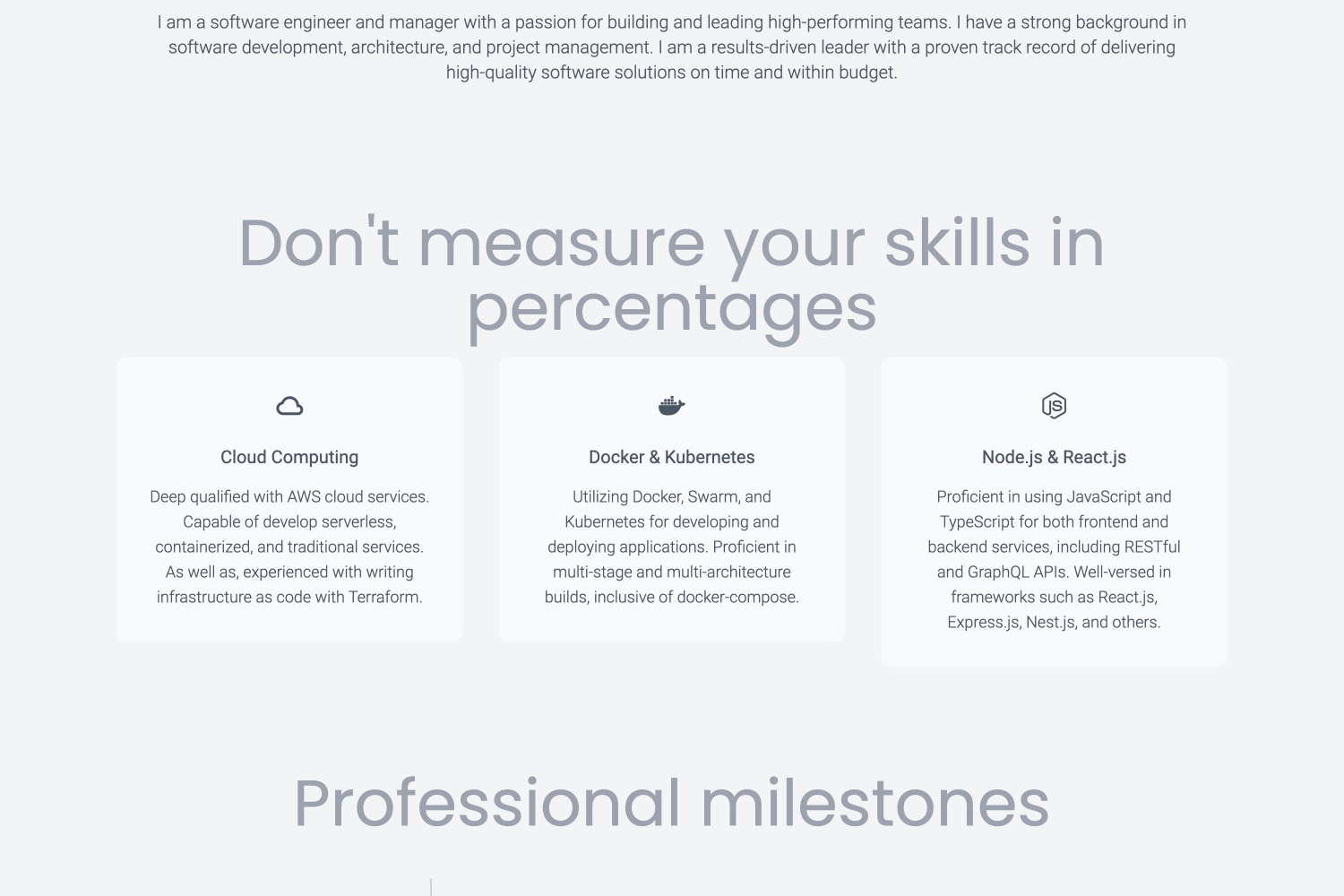 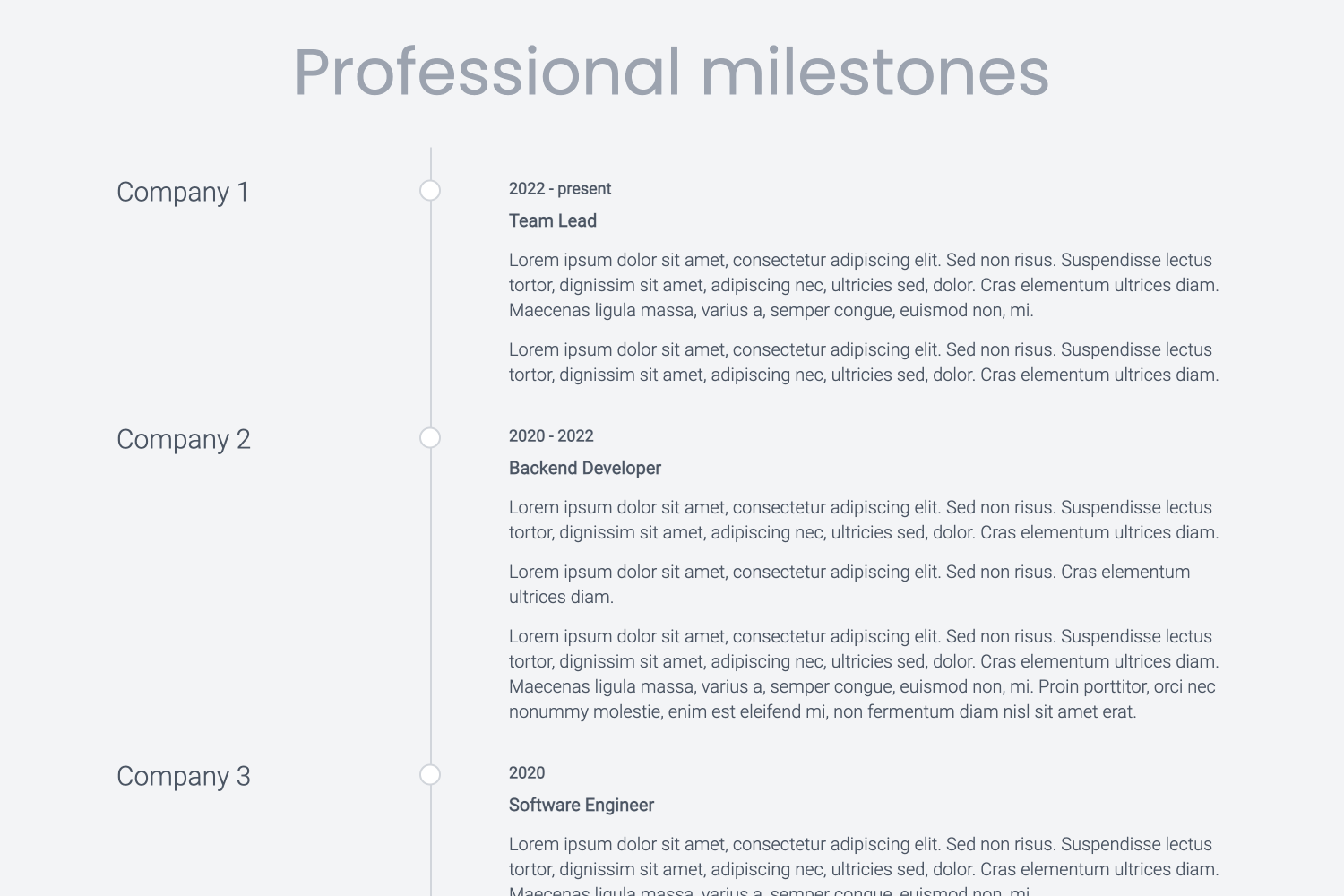 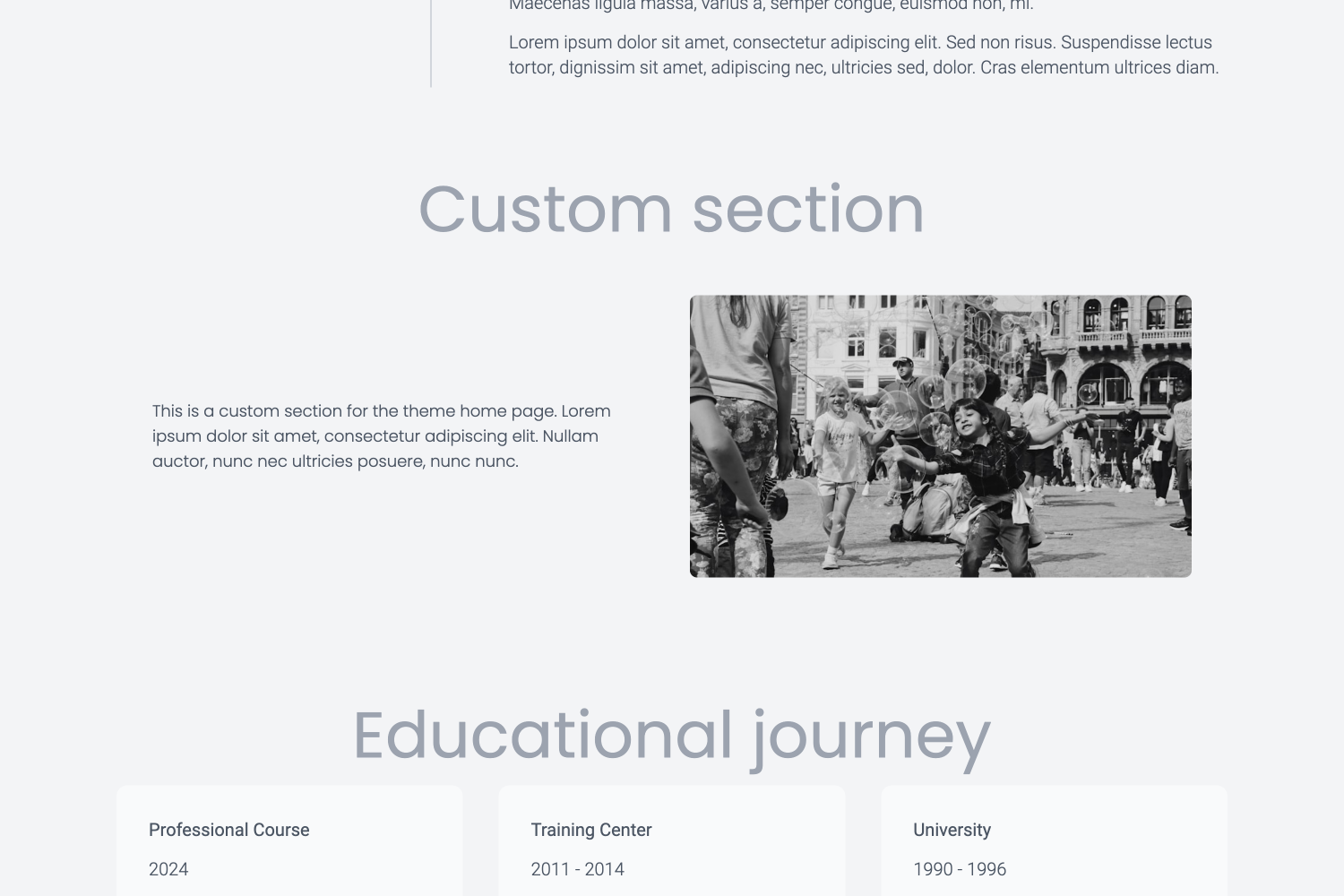 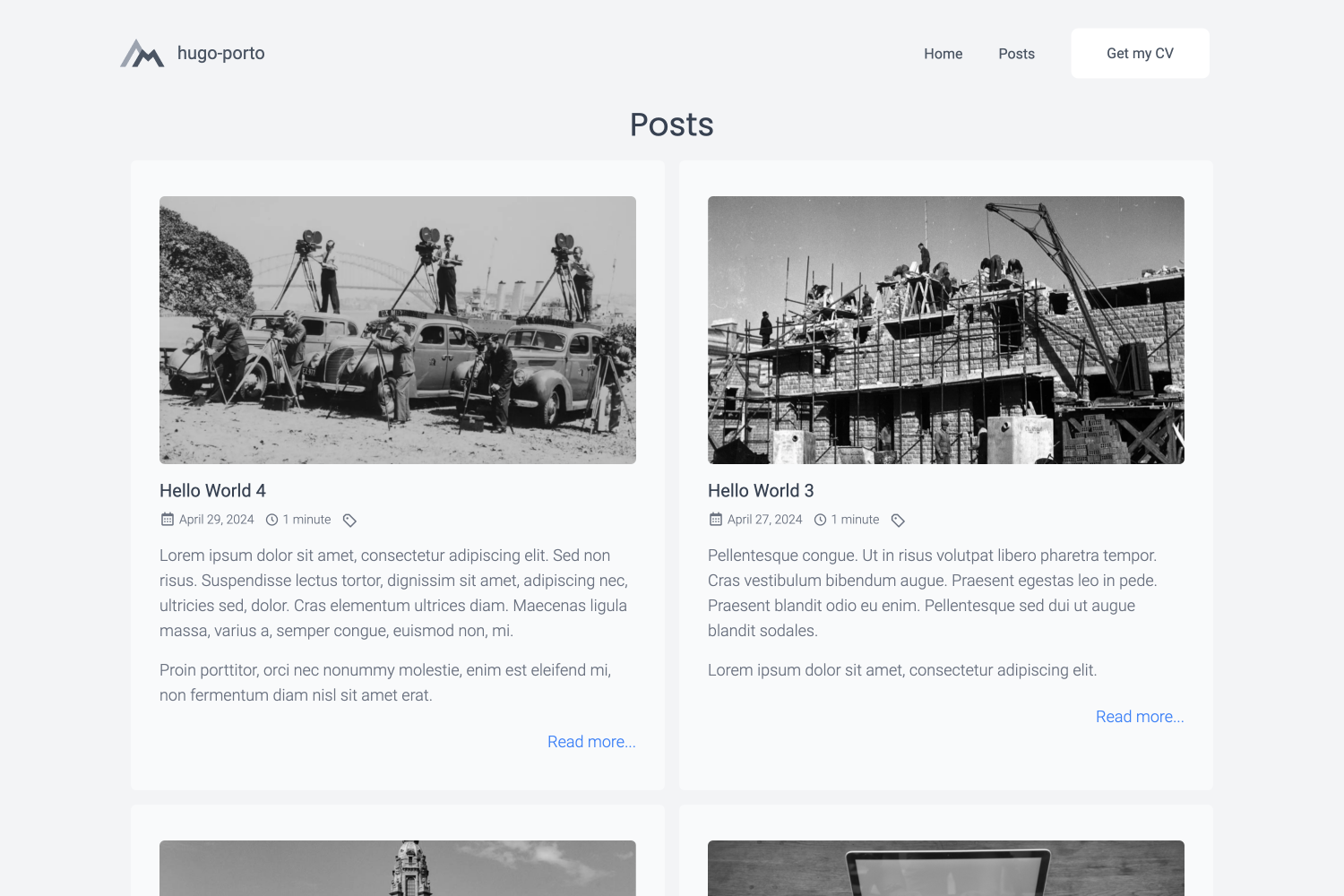 ## Features - **Responsive Design**: The theme is fully responsive and works on all devices, including smartphones, tablets, and desktops. - **Customizable**: The theme is highly customizable and allows you to configure various aspects of your website. - **Lightweight**: The theme is lightweight and optimized for performance, ensuring fast load times. - **SEO Friendly**: The theme is SEO friendly and includes meta tags and structured data to help search engines index your site. - **Social Media Integration**: The theme includes social media integration, allowing you to link to your social media profiles. - **Google Analytics**: The theme includes Google Analytics integration, allowing you to track visitors to your site. - **Syntax Highlighting**: The theme includes syntax highlighting for code snippets, making it easy to showcase your code. - **Tailwind CSS**: The theme uses Tailwind CSS for styling, making it easy to customize the design of your site. ## Roadmap I'm constantly working on improving and expanding the features of this theme. If you find that a feature you need is missing, please feel free to contact me. I'm open to dialogue and would be happy to discuss potential additions to the theme. Features planned to implement in the nearest future: - Opengraph and SEO meta information - Default mock data to easy install and implementaton - More configuration options - More examples and documentation - Dark mode switcher If you have any suggestions or feature requests, please open an issue on the GitHub repository. I would love to hear your feedback and ideas for improving the theme. ## Demo For a live demonstration of the theme in action, please visit the demo website at [https://hugo-porto.netlify.app/](https://hugo-porto.netlify.app/). This demo site showcases all the features and design elements that the `hugo-porto` theme has to offer, providing a comprehensive overview of its capabilities. You can find the source code for the demo website at [https://github.com/hugo-porto/web](https://github.com/hugo-porto/web). In addition, you can find a real-world example of the theme in action on my personal website at [https://andrew.molyuk.com](https://andrew.molyuk.com). The source code for my website is available at [https://github.com/andrewmolyuk/andrew.molyuk.com](https://github.com/andrewmolyuk/andrew.molyuk.com) ## Prerequisites - [Hugo](https://gohugo.io/getting-started/installing/) - a popular open-source static site generator written in Go. ## Installation The simplest method to use this theme is by forking the [web](https://github.com/hugo-porto/web) sample repository. Afterwards, adjust the configurations to suit your requirements. If you want to install the theme from scratch using Hugo modules, follow these steps: 1. First, ensure that you have [Hugo](https://gohugo.io/getting-started/installing/) installed on your system. You need version 0.116.0 or higher. 2. Create a new Hugo site if you haven't already. You can do this by running the following command in your terminal: ```bash hugo new site mysite ``` Replace `mysite` with the name of your site. 3. Navigate to the root directory of your new site: ```bash cd mysite ``` 4. Initialize Hugo modules: ```shell hugo mod init github.com/<your username>/<your repo name> ``` 5. Add the `hugo-porto` theme as a Hugo module in your configuration file: ```toml [module] [[module.imports]] path = "github.com/hugo-porto/theme" ``` 6. Download latest version of the theme: ```shell hugo mod tidy ``` 7. Finally, start your Hugo server: ```bash hugo server ``` You should now be able to see your new site at `http://localhost:1313`. 8. Now you have to add configuration files to your data folder according your needs. You can see example files at [https://github.com/hugo-porto/web/tree/main/data](https://github.com/hugo-porto/web/tree/main/data). ## Configuration The `hugo-porto` theme is highly customizable and allows you to configure various aspects of your website. You can find the configuration files in the `data` folder of the sample repository. You can adjust any setting to suit your needs. So here is a list and the customizable content of the of configuration data files: ### `data/home.toml` This file define the order of the sections on the home page. You can add or remove sections and change the order of the sections. ```toml [[section]] id = "hero" enabled = true weight = 1 ... [[section]] id = "testimonials" enabled = true weight = 6 ``` Each section has three properties: - `id` is the unique identifier of the section and should match the filename of the section template. For example, the `hero` section id corresponds to the `data/sections/hero.toml` configuration file. - `enabled` is a boolean value to enable or disable the section. - `weight` is the order of the section. ### `data/footer.toml` This file contains the footer configuration. You can add your social media links and other information here. ```toml [[social]] type = "github" url = "add your GitHub profile link here" ``` The `social` section contains the following properties: - `type` is the name of the social media platform. The following values allowed: - `facebook` - `linkedin` - `github` - `instagram` - `youtube` - `dribbble` - `behance` - `medium` - `telegram` - `whatsapp` - `id`: is the profile id or username on the social media platform. ### `data/navbar.toml` This file contains the navigation bar configuration. You can add or remove menu items here. ```toml [[menu]] text = "Home" description = "Welcome to my personal website" link = "/" target = "_self" ``` The `menu` section contains the following properties: - `text` is the text of the menu item. - `description` is the description of the menu item. - `link` is the URL of the menu item. - `target` is the target attribute of the menu item. Additionally, you can configure the following properties in the `navbar.toml` file: ```toml title = "#andrewmolyuk" logo = "img/logo.svg" [button] enabled = true text = "Get my CV" link = "files/Andrew Molyuk.pdf" target = "_blank" ``` Where: - `title` is the title of the website. - `logo` is the path to the logo image (supports both local asset paths like `"img/logo.svg"` and external URLs). - `button` is the configuration of the button in the navigation bar. - `enabled` is a boolean value to enable or disable the button. - `text` is the text of the button. - `link` is the URL of the button. - `target` is the target attribute of the button. ### Theme toggle You can enable a built-in 3-state theme toggle (system / dark / light) by adding the following to `data/navbar.toml`: ```toml [themeToggle] enabled = true ``` When enabled, the toggle appears in the navbar and the mobile menu. The preference is persisted to `localStorage` under the key `theme`. The theme script also exposes helpers for programmatic control: `__getPreferredTheme()`, `__setPreferredTheme(mode)`, and `__cyclePreferredTheme()`. ## Troubleshooting ### Logo Not Displaying If you encounter issues with logo rendering (e.g., "nil pointer evaluating resource.Resource.RelPermalink"), ensure your `data/navbar.toml` file has a valid logo configuration: ```toml # Use a local asset (preferred) logo = "img/logo.svg" # Or use an external URL logo = "https://example.com/logo.png" # Or use an empty string to use the default logo = "" ``` The theme includes robust error handling to prevent rendering failures regardless of logo configuration. ## Real-world usage If you want to see a real-world example of the theme in action, you can check out the following websites: - [andrew.molyuk.com](https://andrew.molyuk.com) - my personal website, which uses the `hugo-porto` theme. If you are using the `hugo-porto` theme on your website and would like to be featured here, please let me know. I would be happy to include your website in the list of real-world examples. ## Contributing If you have any suggestions, feature requests, or bug reports, please open an issue on the GitHub repository. I am open to contributions and would be happy to discuss potential improvements to the theme. If you would like to contribute to the theme, please fork the repository and submit a pull request. I will review any pull requests and merge them if they provide value to the theme. ### Development Workflow This project uses [semantic-release](https://semantic-release.gitbook.io/) for automated version management and releases. **Commit Message Format:** Follow [Conventional Commits](https://www.conventionalcommits.org/) specification. Commit messages are automatically validated using commitlint: - `feat:` - new features (triggers minor version bump) - `fix:` - bug fixes (triggers patch version bump) - `docs:` - documentation changes - `style:` - formatting, missing semicolons, etc. - `refactor:` - code changes that neither fix bugs nor add features - `perf:` - performance improvements - `test:` - adding missing tests - `build:` - changes that affect the build system - `ci:` - changes to CI configuration files - `chore:` - maintenance tasks **Examples:** ```bash feat: add dark mode toggle fix: resolve navbar mobile menu issue docs: update installation instructions ``` **Breaking Changes:** Add `BREAKING CHANGE:` in the commit body or use `!` after the type (e.g., `feat!:`) to trigger a major version bump. **Release Process:** Releases are fully automated through GitHub Actions: 1. **On Pull Request**: CI workflow runs linting, building, and commit message validation 2. **On Push to Main**: CI workflow runs first, then release workflow triggers 3. **Semantic Release**: Analyzes commit messages to determine version bump type 4. **Automated Tasks**: Updates `package.json`, creates git tag, and publishes GitHub release with generated notes **CI/CD Pipeline:** - **Linting**: Markdown and SCSS validation - **Building**: TailwindCSS compilation and Hugo static site generation - **Commit Validation**: Commitlint ensures conventional commit format - **Release**: Automatic versioning and GitHub release creation **Local Testing:** ```bash # Test what the next release would be (dry-run) make release-dry # Run CI checks locally make build make lint ``` I appreciate any contributions and would like to thank you in advance for your support. ## License This theme is distributed under the MIT License. See [LICENSE](https://raw.githubusercontent.com/hugo-porto/theme/main/LICENSE) for more information.
看看同类模板
对比同技术栈与用途的模板,找到更适合的视觉与内容结构。

hugo-PaperMod
PaperMod 是 Hugo 生态里知名度较高的主题之一,定位很明确:给博客和轻量作品集站点提供一套干净、响应式的阅读界面。
Hugo · 作品集

Congo
Congo 是一款为 Hugo 设计的现代内容主题,核心定位是让内容本身成为页面焦点。 它基于 Tailwind CSS 3.0 构建,整体布局完全响应式,视觉风格干净且克制,没有多余装饰。
Hugo · 博客

toha
Toha 是一款面向个人作品集场景的 Hugo 主题,以极简设计和响应式布局为核心,适合用来搭建个人主页、作品展示或技术博客。
Hugo · 作品集

hugo-profile
A highly customizable and mobile first Hugo template for personal portfolio and blog.
Hugo · 作品集

hugo-theme-introduction
Minimal, single page, smooth-scrolling theme for Hugo static site generator.
Hugo · 作品集

hugo-theme-console
hugo-theme-console 是一款以系统终端为灵感的极简 Hugo 主题,基于 Terminal CSS 构建,整体视觉干净利落,强调快速加载与响应式布局。
Hugo · 作品集