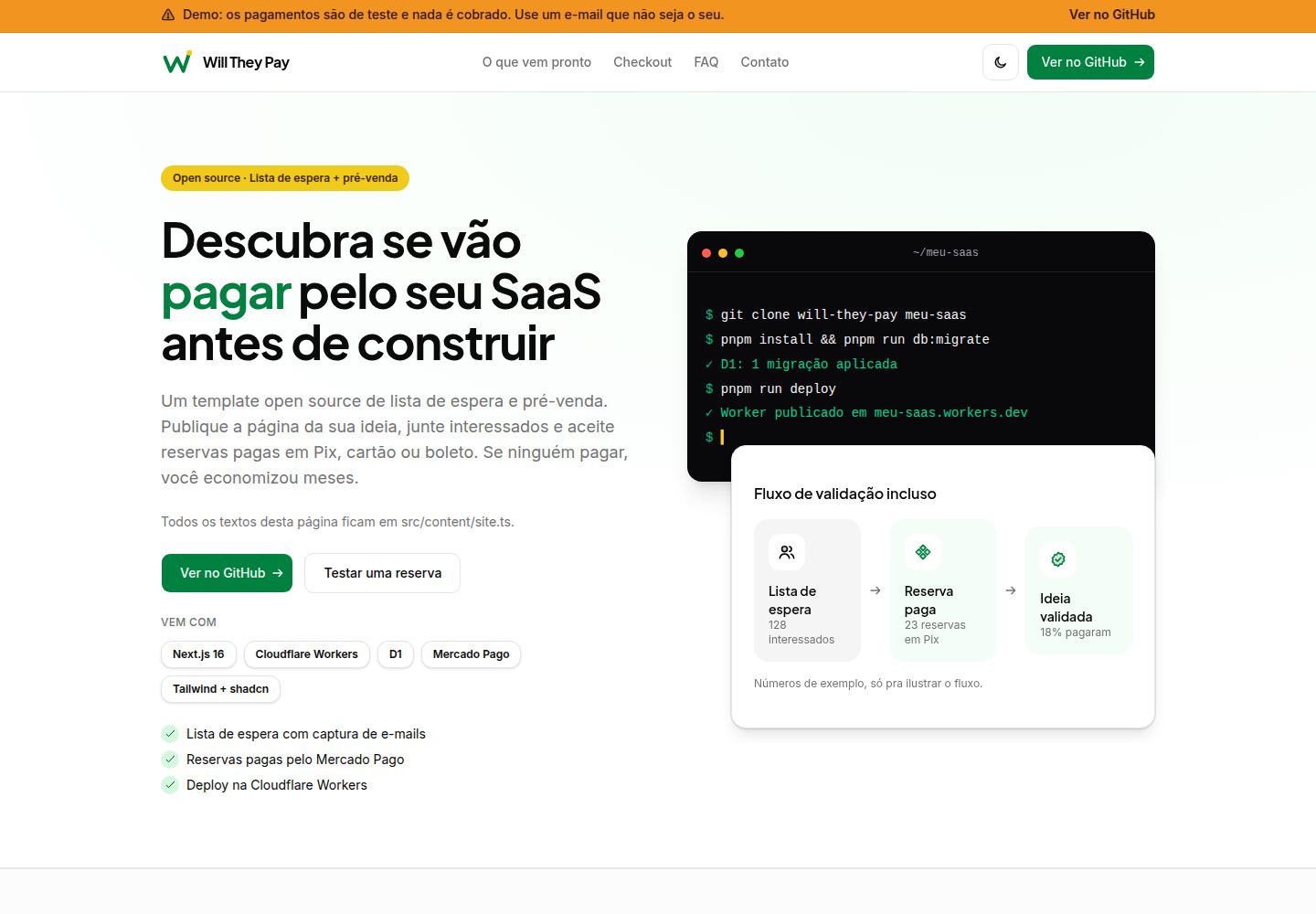
Includes a marketing landing page, waitlist lead form, and demo pricing plans, so you can try the Checkout Pro flow directly
Next.jsReactSaaS
will-they-pay — Next.js SaaS Template
By hugomendonca98
An open-source template for validating SaaS ideas, offering waitlist collection and a paid pre-sales flow through Mercado Pago (Pix, credit card, boleto), built on Next.js and deployed on Cloudflare Workers with D1.
Explore the design
Compare the page layouts and mobile experience. Open any screenshot for a closer look.
Desktop homepage1 / 2
Desktop captureTop of page
Actual screenshot captured by the server browser.
All pages & views 2
Screenshots show visual appearance; interactive behavior may differ.
Recorded 2026-10-11View source
What stands out
A quick read of the recorded project description.
Leads are validated with Zod and written to Cloudflare D1 via server actions
The payment flow creates an order in D1 and generates a Mercado Pago preference, supporting Pix, credit card, and boleto
Provides a /api/webhooks/mercadopago callback endpoint that verifies x-signature with HMAC-SHA256 and updates order status
Uses Drizzle ORM to manage D1 schema and migrations, with local and remote migration scripts
Tests use Vitest + MSW and do not call the real Mercado Pago API; CI runs lint, typecheck, and tests
Template Details
Will They Pay is an open-source template designed to validate whether users are willing to pay before building the product. It combines a marketing landing page, a waitlist lead form, and a paid pre-sales flow: visitors can leave their name, email, phone, and message, or choose a demo pricing plan and complete payment through Mercado Pago Checkout Pro.
Technically, the project uses Next.js (App Router) and deploys to Cloudflare Workers via @opennextjs/cloudflare, with data stored in Cloudflare D1, Drizzle ORM managing schema and migrations, and styling via Tailwind CSS and shadcn/ui. Lead submissions go through Zod validation and server actions; the payment flow creates an order in D1, creates a Mercado Pago preference, and redirects to the checkout page, with success, failure, and pending return pages. Payment callbacks are handled by POST /api/webhooks/mercadopago, which verifies the x-signature using HMAC-SHA256 before updating the order and payment status.
UI copy is in Brazilian Portuguese, while code, identifiers, and comments are in English. The project includes Vitest + MSW tests (which do not call the real Mercado Pago API) and a GitHub Actions workflow for lint, typecheck, and test, with optional automatic deployment to Cloudflare Workers on pushes to main.
Before use, you need your own Cloudflare account, a Mercado Pago developer application (test credentials for local/sandbox use), and the Wrangler CLI. The database_id in the template repository is a placeholder; local D1 works directly, but production requires creating a real D1 database and replacing it. The Mercado Pago webhook must be configured manually in the dashboard; the deployment script does not register it automatically.
Next.jsSaaS
Is it right for your project?
Use Cases
- Collect potential user leads with a landing page and waitlist before writing code
- Charge paid pre-sales via Mercado Pago Pix, credit card, or boleto to validate willingness to pay
- Use as a reference project for learning the Next.js + Cloudflare Workers + D1 + Drizzle combination
- For SaaS validation pages that need a Brazilian Portuguese interface and Brazilian payment methods
Suitable For
- Indie developers or small teams who want to quickly validate willingness to pay for a SaaS idea
- Projects using Cloudflare Workers and D1 as their deployment and database solution
- Brazilian market products that need to integrate Mercado Pago Checkout Pro
- Developers who want a reference for running Next.js on Cloudflare
Getting started & customization
Use these recorded setup notes alongside the repository instructions for your chosen version.
- 1
Requires Node.js 22+ and pnpm (can be enabled via corepack enable), and scripts are invoked with pnpm run <script>
- 2
Copy .dev.vars.example to .dev.vars and fill in Mercado Pago test credentials; keep secrets and Worker variables in .dev.vars rather than committing them to the repository
- 3
Run pnpm run db:migrate before local development to apply D1 migrations; for production, first run pnpm wrangler d1 create and write the database_id into wrangler.jsonc
- 4
In production, set MERCADOPAGO_ACCESS_TOKEN and MERCADOPAGO_WEBHOOK_SECRET via pnpm wrangler secret put, and configure public variables such as APP_URL in wrangler.jsonc
- 5
The Mercado Pago webhook must be configured manually in the dashboard to point to https://YOUR_DOMAIN/api/webhooks/mercadopago; the deployment script does not register it automatically
License & source material
Usage conditions & limitations
Free to use · keep license noticeThis listing covers the free version available in the public repository under the MIT license; the free scope applies to that version's code and does not imply that external services or third-party assets are free.
Must comply with when using
- You may use, modify, commercialize, and distribute this version's code for free.
- When distributing copies or substantial portions of the code, retain the original author's copyright notice and the full MIT license notice.
- The code is provided as is; warranties and limitations of liability are governed by the original license and applicable law.
Additional costs & items to verify
- Demo images, fonts, icons, and other third-party assets must be checked against their respective licenses; the code's MIT license alone is not sufficient to judge them.
- External services such as domains, hosting, databases, payments, or AI may incur separate charges.
- Before use, you must register and prepare a Cloudflare account (with Workers enabled) and a Mercado Pago developer application; otherwise deployment and the payment flow cannot be completed.
- The payment feature depends on the third-party service Mercado Pago Checkout Pro; you must apply for an account and credentials yourself, as it is not a free payment capability built into the template.
- You must log in to Wrangler (Cloudflare account) before remote D1 operations and deployment; otherwise remote migrations or publishing cannot be performed.
- In production, you must create a real D1 database and replace the placeholder database_id; the template default is only suitable for local development.
- The deployment script does not automatically register or configure the Mercado Pago webhook; you must manually set the callback URL and events in the dashboard.
- Testing the webhook locally requires a public HTTPS address, so a tunneling tool (such as Cloudflare Tunnel or ngrok) is necessary to receive callbacks.
- Prices in the demo pricing plans are for illustrative purposes only and do not constitute a real product or price commitment; you must replace them with actual plans.
- Next.js is pinned to 16.3.8; upgrading to a newer 16.4.x may break the OpenNext Cloudflare adapter, so upgrades should be done with caution.
- Cache Components are currently not enabled; enabling them under this OpenNext version may cause the local Worker to hang, which is a known usage limitation.
- There is a known high-severity security advisory in the dependency chain (braces) that affects only development dependencies; the runtime and deployed Worker are not affected, but you should be aware of it.
- Mercado Pago tokens must not be placed in GitHub; secrets must be set on the Worker via wrangler secret put.
- Do not commit real tokens, secrets, account IDs, or D1 database IDs to the repository; keep them secure yourself.
View Original Text Basis
Permission is hereby granted, free of charge
Original License Text
**Accounts you need:**
Original README
Mercado Pago **Checkout Pro** (Pix, card, boleto)
Original README
**Wrangler CLI** (included as a dev dependency). Log in before remote D1 or deploy:
Original README
`wrangler.jsonc` ships with a **placeholder** `database_id` (`00000000-0000-0000-0000-000000000000`). Local D1 works with that placeholder. For **production**:
Original README
`pnpm run deploy` **does not** register or configure webhooks in the Mercado Pago dashboard. You must do this yourself:
Original README
For **local** webhook testing, Mercado Pago needs a public HTTPS URL — use a tunnel (e.g. Cloudflare Tunnel, ngrok) and point the panel URL at your tunnel.
Original README
Demo plan prices are defined in `src/content/site.ts` (`site.pricing.plans`); they are for illustration only.
Original README
**Next.js pinned to 16.3.8** — Newer 16.4.x releases can break `@opennextjs/[email protected]`
Original README
**Cache Components** — Not enabled: enabling Cache Components with this OpenNext version can hang the local Worker.
Original README
**`pnpm audit` reports `braces` (high)** — The advisory affects a dev-only dependency chain
Original README
Do **not** put Mercado Pago tokens in GitHub. Keep using `pnpm wrangler secret put` on the Worker.
Original README
https://github.com/hugomendonca98/will-they-pay/blob/main/LICENSEhttps://github.com/hugomendonca98/will-they-pay/blob/main/README.md**Never commit real tokens, secrets, account IDs, or D1 database IDs.**
Original README
Compiled by DeepSeek based on repository license and README ·2026-10-11. Results only cover the materials read; dependencies, images, fonts, and subsequent term changes are subject to their respective original texts.
Project checks & description sources
Template Information
- Source platforms
- GitHub
- Documentation and maintenance reference score
- More documented · 80 / 100
- Technologies
- Next.js · React
- Website type
- SaaS
How this score is calculated
Our heuristic uses license records (up to 30), a demo link (12), a preview (10), stars (15), recorded maintenance (15), description completeness (8), feature records (5) and classification data (5). It is not a code, security or performance test, or a Google score. A link does not establish tested functionality.
What to verify for this project
- Repository update recorded
- 2026-10-11
- Screenshot last checked
- 2026-10-11
A demo link is listed. Check it with your own content and viewport sizes; its presence does not confirm that forms, authentication or payments work.
The catalog identifies Next.js as the primary stack. Check the actual dependency manifest and lockfile for versions and hosting requirements. These notes use recorded metadata, not a code audit or a deployment test.
Use a selection guide →How this description was prepared
AI-assisted description based on catalog records and repository material. Repository authors are not automatically the reviewers of this description.
Review declaration: [email protected] · 2026-10-11
Inspect the recorded source material
SHA-256: d855db43f106ab451e7fde9eb1ae5aea11ea331806da566cf954a06248750401
2026-10-11T02:05:35.767Z
Source file / repository
**[Read in Brazilian Portuguese (README.pt-BR.md)](README.pt-BR.md)** · [](LICENSE)
**Find out if people will pay for your SaaS before you build it.**
Will They Pay is an open source waitlist and pre-sale template. Launch a page for your idea, collect sign-ups, and take paid reservations via Pix, card, or boleto with Mercado Pago. Built with Next.js 16 on Cloudflare Workers and D1.
This repository is public. **Never commit real tokens, secrets, account IDs, or D1 database IDs.**
## What you get
- Marketing landing page (copy in `src/content/site.ts`) with waitlist lead form and **demo** checkout plans to try Checkout Pro.
- Lead capture (name, email, phone, message) with Zod validation, server actions, and D1 persistence.
- Checkout Pro flow: creates an order in D1, creates a Mercado Pago preference, redirects to checkout, and handles `success` / `failure` / `pending` return pages.
- `POST /api/webhooks/mercadopago` with `x-signature` validation (HMAC-SHA256) and order/payment updates in D1.
- Typed payment layer, Vitest + MSW (no real Mercado Pago calls in tests).
- GitHub Actions CI: lint, typecheck, and tests; optional auto-deploy to Cloudflare Workers on push to `main`.
UI copy is **Brazilian Portuguese**. Code, identifiers, and comments are **English**.
## Stack and requirements
| Piece | Version / notes |
| --- | --- |
| **Runtime** | Node.js **22+** (`engines` in `package.json`) |
| **Package manager** | **pnpm** (`packageManager` in `package.json`; enable with `corepack enable`) |
| **Framework** | Next.js **16.3.8** (App Router) |
| **Deploy target** | Cloudflare Workers via [`@opennextjs/cloudflare`](https://github.com/opennextjs/cloudflare) |
| **Database** | Cloudflare **D1** + **Drizzle ORM** |
| **Payments** | Mercado Pago **Checkout Pro** (Pix, card, boleto) |
| **Styling** | Tailwind CSS 4 + shadcn/ui |
**Accounts you need:**
1. [Cloudflare](https://dash.cloudflare.com/) account with Workers enabled.
2. [Mercado Pago Developers](https://www.mercadopago.com.br/developers/panel/app) application (test credentials for local/sandbox).
3. **Wrangler CLI** (included as a dev dependency). Log in before remote D1 or deploy:
```bash
pnpm wrangler login
```
## Scripts
| Command | What it does |
| --- | --- |
| `pnpm run dev` | `next dev` — local Next.js with Cloudflare bindings via OpenNext dev integration |
| `pnpm run build` | `next build` |
| `pnpm run preview` | `opennextjs-cloudflare build` + `opennextjs-cloudflare preview` (Workers runtime locally) |
| `pnpm run deploy` | `opennextjs-cloudflare build` + `opennextjs-cloudflare deploy` |
| `pnpm run test` | Vitest (single run) |
| `pnpm run test:watch` | Vitest watch mode |
| `pnpm run typecheck` | `tsc --noEmit` |
| `pnpm run lint` | ESLint |
| `pnpm run format` | Prettier write |
| `pnpm run format:check` | Prettier check |
| `pnpm run db:generate` | `drizzle-kit generate` → SQL in `./drizzle` |
| `pnpm run db:migrate` | Apply migrations to **local** D1 (alias of `db:migrate:local`) |
| `pnpm run db:migrate:local` | `wrangler d1 migrations apply DB --local` |
| `pnpm run db:migrate:remote` | `wrangler d1 migrations apply DB --remote` |
| `pnpm run cf-typegen` | Regenerate `cloudflare-env.d.ts` from Wrangler bindings |
Use `pnpm run <script>` for package scripts. pnpm ships a built-in `deploy` command (workspace deploy), so plain `pnpm deploy` does **not** run the `deploy` script in `package.json` and may fail with `ERR_PNPM_NOTHING_TO_DEPLOY`.
## Run locally (step by step)
### 1. Clone and install
```bash
git clone https://github.com/hugomendonca98/will-they-pay.git
cd will-they-pay
corepack enable
pnpm install
```
### 2. Local environment file
```bash
cp .dev.vars.example .dev.vars
```
Edit `.dev.vars` with your **Mercado Pago test** credentials (see [Configure](#configure-the-project)). `.dev.vars` is gitignored.
Optional: copy `.env.example` to `.env.local` if you need Next-specific tooling; **secrets and Worker vars belong in `.dev.vars`**, not in git.
### 3. Apply D1 migrations (local)
```bash
pnpm run db:migrate
```
This uses the placeholder `database_id` in `wrangler.jsonc` — that is expected for **local** D1. Tables are created in Wrangler’s local D1 store.
### 4. Start the dev server
```bash
pnpm run dev
```
Open [http://localhost:3000](http://localhost:3000). In development, `next.config.ts` calls `initOpenNextCloudflareForDev()` so D1 and vars from `.dev.vars` are available to server code.
### 5. Preview on the Workers runtime (optional)
```bash
pnpm run preview
```
This builds the OpenNext output and runs Wrangler’s dev server. Check the terminal for the URL (commonly `http://localhost:8787`). If tables are missing, run `pnpm run db:migrate:local` again against that local D1.
Set `APP_URL` in `.dev.vars` to match the URL you use for checkout return links (no trailing slash).
### 6. Quality checks
```bash
pnpm run lint
pnpm run typecheck
pnpm run test
```
CI runs the same three commands; tests use in-memory SQLite and MSW — they do **not** read `.dev.vars` or call Mercado Pago.
## Configure the project
### Environment variables and secrets
| Name | Kind | Local | Production |
| --- | --- | --- | --- |
| `NEXTJS_ENV` | var | `.dev.vars` — use `development` for `pnpm run dev` | Not required for deploy |
| `APP_URL` | public var | `.dev.vars` — e.g. `http://localhost:3000` | `vars` in `wrangler.jsonc` (HTTPS URL, no trailing slash) |
| `MERCADOPAGO_SANDBOX` | public var | `.dev.vars` — `true` for sandbox | `vars` in `wrangler.jsonc` — `true` or `false` |
| `DEMO_MODE` | public var (optional) | `.dev.vars` — omit or `false` (default off) | `vars` in `wrangler.jsonc` or Cloudflare dashboard — set `"true"` only on a public demo deploy |
| `MERCADOPAGO_ACCESS_TOKEN` | **secret** | `.dev.vars` | `pnpm wrangler secret put MERCADOPAGO_ACCESS_TOKEN` |
| `MERCADOPAGO_WEBHOOK_SECRET` | **secret** | `.dev.vars` | `pnpm wrangler secret put MERCADOPAGO_WEBHOOK_SECRET` |
**Where to get Mercado Pago values**
1. Open [Your integrations](https://www.mercadopago.com.br/developers/panel/app) and create or select an application.
2. **Credentials** → copy the **test** Access Token (`TEST-…`) into `MERCADOPAGO_ACCESS_TOKEN` for local/sandbox. Use the **production** token only as a Worker secret when you go live.
3. **Webhooks** → configure notifications (see below) → reveal the **secret** and set `MERCADOPAGO_WEBHOOK_SECRET`.
The app treats placeholder values (e.g. `replace-with-your-test-access-token`) as missing so checkout fails closed (`src/lib/env.ts`).
`APP_URL` drives Checkout Pro `back_urls` and the `notification_url` sent when creating a preference (`{APP_URL}/api/webhooks/mercadopago`). `auto_return` is only sent when `APP_URL` starts with `https://` (`src/lib/payments/service.ts`).
### Public demo banner (optional)
`DEMO_MODE` is evaluated **at runtime** from the Worker environment (`getCloudflareContext`), not at build time — the same deploy artifact can be toggled without rebuilding.
- **Default:** off (omit `DEMO_MODE` or set it to `false`). The template `wrangler.jsonc` does not enable it, so clones do not inherit the banner.
- **Local / preview:** add `DEMO_MODE=true` to `.dev.vars` (commented in `.dev.vars.example`).
- **Cloudflare:** set `DEMO_MODE` to `"true"` under `vars` in `wrangler.jsonc` for a demo/staging Worker only, or add the variable in the [Cloudflare dashboard](https://dash.cloudflare.com/) → **Workers & Pages** → your worker → **Settings** → **Variables**. Banner copy is in `site.demoBanner` (`src/content/site.ts`).
### D1 database
`wrangler.jsonc` ships with a **placeholder** `database_id` (`00000000-0000-0000-0000-000000000000`). Local D1 works with that placeholder. For **production**:
```bash
pnpm wrangler d1 create will-they-pay
```
Copy the printed `database_id` into `wrangler.jsonc` under `d1_databases` for a private fork, or keep the placeholder and set GitHub secret `D1_DATABASE_ID` for auto-deploy (see [Automatic deploy](#automatic-deploy-to-cloudflare-workers)). Do not commit real IDs in a shared template.
After schema changes:
```bash
pnpm run db:generate # optional: generate SQL from Drizzle schema
pnpm run db:migrate:local # local
pnpm run db:migrate:remote # remote (requires wrangler login or CLOUDFLARE_API_TOKEN)
```
### Mercado Pago webhook (manual — not automatic)
`pnpm run deploy` **does not** register or configure webhooks in the Mercado Pago dashboard. You must do this yourself:
1. Deploy (or use a tunnel) so `https://YOUR_DOMAIN/api/webhooks/mercadopago` is reachable.
2. In Mercado Pago → **Webhooks** → configure notifications:
- **URL:** `https://YOUR_DOMAIN/api/webhooks/mercadopago`
- **Event:** Payments (and any others you need)
3. Save and copy the **webhook secret** into `MERCADOPAGO_WEBHOOK_SECRET`.
For **local** webhook testing, Mercado Pago needs a public HTTPS URL — use a tunnel (e.g. Cloudflare Tunnel, ngrok) and point the panel URL at your tunnel. Set `APP_URL` to that public origin.
The handler validates `x-signature` (`ts=…,v1=…`), builds the manifest `id:{data.id};request-id:{x-request-id};ts:{ts};`, and compares HMAC-SHA256 in constant time before fetching the payment and updating D1.
### Test a payment in sandbox
1. Keep `MERCADOPAGO_SANDBOX=true` and a **test** access token in `.dev.vars`.
2. Run `pnpm run dev` (or `pnpm run preview` with matching `APP_URL`).
3. On the home page, use **Testar uma reserva** (scrolls to demo plans) or open `/#precos`, pick a plan, and complete Checkout Pro.
4. Use Mercado Pago [test users](https://www.mercadopago.com.br/developers/en/docs/your-integrations/test/accounts) and [test cards](https://www.mercadopago.com.br/developers/en/docs/checkout-pro/additional-content/test-cards) as documented by Mercado Pago.
Demo plan prices are defined in `src/content/site.ts` (`site.pricing.plans`); they are for illustration only.
## Deploy to Cloudflare (step by step)
1. `pnpm wrangler login`
2. Create a D1 database and set `database_id` in `wrangler.jsonc` (see [D1](#d1-database)).
3. Set public vars in `wrangler.jsonc`, at minimum:
- `APP_URL` — your Worker HTTPS URL (custom domain or `*.workers.dev`)
- `MERCADOPAGO_SANDBOX` — `true` until you switch to live credentials
4. Set secrets (interactive; do not paste secrets into shell history on shared machines):
```bash
pnpm wrangler secret put MERCADOPAGO_ACCESS_TOKEN
pnpm wrangler secret put MERCADOPAGO_WEBHOOK_SECRET
```
5. Apply migrations to production D1:
```bash
pnpm run db:migrate:remote
```
6. Deploy:
```bash
pnpm run deploy
```
7. In the Mercado Pago panel, configure the webhook URL for your **deployed** domain (see [Mercado Pago webhook](#mercado-pago-webhook-manual--not-automatic)).
8. When going live, set production credentials, set `MERCADOPAGO_SANDBOX` to `false`, and redeploy.
To publish on every push to `main` instead of running these steps locally, see [Automatic deploy](#automatic-deploy-to-cloudflare-workers).
## After using this template
When you create a repo from **Use this template**, replace upstream-specific values before your first deploy:
1. **Marketing URLs and GitHub links** — In `src/content/site.ts`, set `repoUrl` and `issuesUrl` to your repository (and any other `href: "repoUrl"` / `"issuesUrl"` CTAs you keep).
2. **Cloudflare Worker name (three places, keep them in sync)** — In `wrangler.jsonc`:
- top-level `"name"` (Worker script name),
- `services[0].service` under `WORKER_SELF_REFERENCE` (must match the Worker name),
- `d1_databases[0].database_name` (logical D1 name; usually the same string as the Worker).
After `pnpm wrangler d1 create <your-name>`, set `database_id` to the UUID Wrangler prints (or keep the placeholder for local-only work).
3. **`APP_URL`** — Local: `http://localhost:3000` in `.dev.vars` (from `.dev.vars.example`). Deployed: HTTPS origin with no trailing slash in `wrangler.jsonc` `vars` (and match it in the Mercado Pago webhook panel).
4. **Mercado Pago secrets** — Never commit tokens. Local: `MERCADOPAGO_ACCESS_TOKEN` and `MERCADOPAGO_WEBHOOK_SECRET` in `.dev.vars`. Production: `pnpm wrangler secret put` on your Worker.
5. **GitHub auto-deploy (optional)** — CI deploy runs only on push to `main` when all of `CLOUDFLARE_API_TOKEN`, `CLOUDFLARE_ACCOUNT_ID`, and `D1_DATABASE_ID` are set, plus `APP_URL` as a variable. Forks/clones with **no** Cloudflare secrets skip deploy (green workflow). To disable deploy on your repo while keeping secrets for other uses, set GitHub variable `CLOUDFLARE_AUTO_DEPLOY` to `false`.
6. **Brand assets** — Replace files under `public/brand/` and update paths in `site.brand` (`src/content/site.ts`). Adjust colors in `src/app/globals.css` if needed.
## Customize branding and copy
| What | Where |
| --- | --- |
| Product name, URLs, marketing copy, demo plan labels | `src/content/site.ts` |
| Colors and typography tokens | `src/app/globals.css` |
| Logos and favicons | `public/brand/` (paths in `site.brand`) |
| Hero illustration (terminal + validation flow) | `src/components/marketing/hero-visual.tsx` — swap for a product screenshot if you prefer |
## Project structure
```
src/content/ Marketing copy and demo checkout plans (site.ts)
src/app/ App Router pages, actions, webhook route
src/components/ UI (shadcn), marketing sections, forms
src/lib/db/ Drizzle schema and D1 client
src/lib/leads/ Lead validation and persistence
src/lib/payments/ Mercado Pago client, webhook, checkout service
drizzle/ Versioned SQL migrations
public/brand/ Brand assets
docs/ README banners and docs assets
```
**UI routes:** `/` (landing), `/checkout/success`, `/checkout/failure`, `/checkout/pending`.
**API:** `POST /api/webhooks/mercadopago`.
## Continuous integration
Workflow: `.github/workflows/ci.yml`.
### Quality checks
On every push to `main` and on pull requests:
- `pnpm run lint`
- `pnpm run typecheck`
- `pnpm run test`
No Mercado Pago or Cloudflare credentials are required for this job.
### Production build
After quality checks pass, a separate job runs on every push and pull request:
- `pnpm run build`
- `pnpm exec opennextjs-cloudflare build`
No secrets are required. This catches production-only build failures that lint/typecheck/tests might miss.
### Automatic deploy to Cloudflare Workers
After the quality and production build jobs **pass**, a deploy job runs **only on push to `main`** (not on pull requests). It is **skipped** (the workflow stays green) when the Cloudflare GitHub secrets are missing — that is expected for forks and clones.
Do **not** put Mercado Pago tokens in GitHub. Keep using `pnpm wrangler secret put` on the Worker. Wrangler deploys never delete Worker secrets (`MERCADOPAGO_ACCESS_TOKEN`, `MERCADOPAGO_WEBHOOK_SECRET`).
**GitHub Actions secrets** (Settings → Secrets and variables → Actions → Secrets):
| Secret | Purpose |
| --- | --- |
| `CLOUDFLARE_API_TOKEN` | Wrangler authentication |
| `CLOUDFLARE_ACCOUNT_ID` | Cloudflare account that owns the Worker and D1 database |
| `D1_DATABASE_ID` | Production D1 UUID. Injected into `wrangler.jsonc` on the runner only — never committed |
**GitHub Actions variables** (Settings → Secrets and variables → Actions → Variables). A secret of the same name also works; variables are the better fit because these values are not credentials:
| Variable | Purpose |
| --- | --- |
| `APP_URL` | Public HTTPS origin of the Worker (no trailing slash), e.g. `https://will-they-pay.<subdomain>.workers.dev`. **Required** when auto-deploy is enabled. CI rewrites `vars.APP_URL` in `wrangler.jsonc` before deploy so Wrangler does not publish the committed `http://localhost:3000` default. |
| `DEMO_MODE` | Optional. `true` shows the public-demo banner; `false` forces it off. When unset, CI does not add `DEMO_MODE` to the Wrangler config and passes `--keep-vars`, so a dashboard value is left as-is. |
| `CLOUDFLARE_AUTO_DEPLOY` | Optional kill switch. Set to `false` to skip auto-deploy even when the Cloudflare secrets exist. |
**Minimum API token permissions**
Create a token at [Account API tokens](https://dash.cloudflare.com/profile/api-tokens):
1. Use the **Edit Cloudflare Workers** template (Workers Scripts Edit + Account Settings Read).
2. Add **Account → D1 → Edit** so remote migrations can run.
**Enable:** create the three secrets and `APP_URL`, then push to `main`.
**Disable:** set `CLOUDFLARE_AUTO_DEPLOY` to `false`, or delete all three Cloudflare secrets. If only some of those secrets are set, the job **fails** so a partial setup is visible.
The deploy job:
1. Rewrites `database_id`, `APP_URL`, and optionally `DEMO_MODE` in `wrangler.jsonc` on the runner (nothing sensitive is committed).
2. Applies remote D1 migrations (`pnpm run db:migrate:remote`). Already-applied SQL is skipped — safe and idempotent.
3. Builds with OpenNext and deploys with `opennextjs-cloudflare deploy -- --keep-vars` so dashboard-only vars are not wiped, while the rewritten `APP_URL` is what Wrangler uploads.
Deploys share a concurrency group so two pushes cannot publish at the same time.
## Troubleshooting
**Next.js pinned to 16.3.8** — Newer 16.4.x releases can break `@opennextjs/[email protected]` (e.g. `preview-props.json`; see [opennextjs/cloudflare#1355](https://github.com/opennextjs/opennextjs-cloudflare/issues/1355)). This repo includes a `pnpm` patch under `patches/` for the adapter; revisit when upgrading.
**Cache Components** — Not enabled: enabling Cache Components with this OpenNext version can hang the local Worker. See comments in `next.config.ts`.
**Checkout fails immediately** — Check `.dev.vars` for real test tokens (not placeholders) and that `pnpm run db:migrate` has been run. On the deployed Worker, stream logs with `npx wrangler tail will-they-pay` (replace with your Worker name from `wrangler.jsonc`). Checkout failures log a single JSON line with `"event":"checkout_start_failed"` plus a stable `code` and, for Mercado Pago HTTP errors, `mpStatus` (no secrets).
**Checkout modal shows a full-page server error** — In production, a `"use server"` file must only export async functions. Exporting initial form state or other objects from `src/app/actions/*.ts` throws at runtime (`invalid-use-server-value`). Keep shared state in a sibling module without `"use server"` (for example `checkout-state.ts`). CI runs a Vitest guard in `use-server-exports.test.ts`.
**Webhook never updates orders** — Confirm the URL and secret in the Mercado Pago panel match production, and that the endpoint is HTTPS and publicly reachable.
**`ERR_PNPM_NOTHING_TO_DEPLOY` when deploying** — You ran pnpm’s built-in `deploy` instead of the package script. Use `pnpm run deploy`.
**`pnpm audit` reports `braces` (high)** — The advisory affects a dev-only dependency chain (`eslint-config-next` → `fast-glob` → `micromatch` → `braces`). npm’s latest `braces` release is still flagged; there is no upstream patched version yet. Runtime and deployed Workers are unaffected.
## Contributing
Issues and pull requests are welcome on [GitHub](https://github.com/hugomendonca98/will-they-pay). Keep secrets out of the tree; run `pnpm run lint`, `pnpm run typecheck`, and `pnpm run test` before opening a PR.
## License
This project is licensed under the [MIT License](LICENSE).
Explore similar templates
Compare previews and descriptions within the same stack and category.

Next.js SaaS Starter
The official Next.js SaaS starter template, integrating email/password authentication, Stripe Checkout subscriptions, a dashboard with user/team CRUD, basic Owner/Member RBAC, and activity logging.
Next.js · SaaS

SaaS-Boilerplate
SaaS-Boilerplate is an open-source SaaS starter template built with Next.js App Router, React 19, TypeScript, Tailwind CSS, and Shadcn UI.
Next.js · SaaS

create-t3-turbo
A full-stack TypeScript monorepo starter from T3 OSS, listed in the Vercel template directory. It splits apps for Next.js, Expo and optional TanStack Start, with shared packages for tRPC v11, better-auth, Drizzle + Supabase and shadcn/ui.
Next.js · Starter

saas-starter-kit
BoxyHQ's open-source Next.js enterprise SaaS starter template provides a reusable foundation with authentication, team management, SAML SSO, directory sync, webhooks, audit logs, and Stripe payments.
Next.js · SaaS
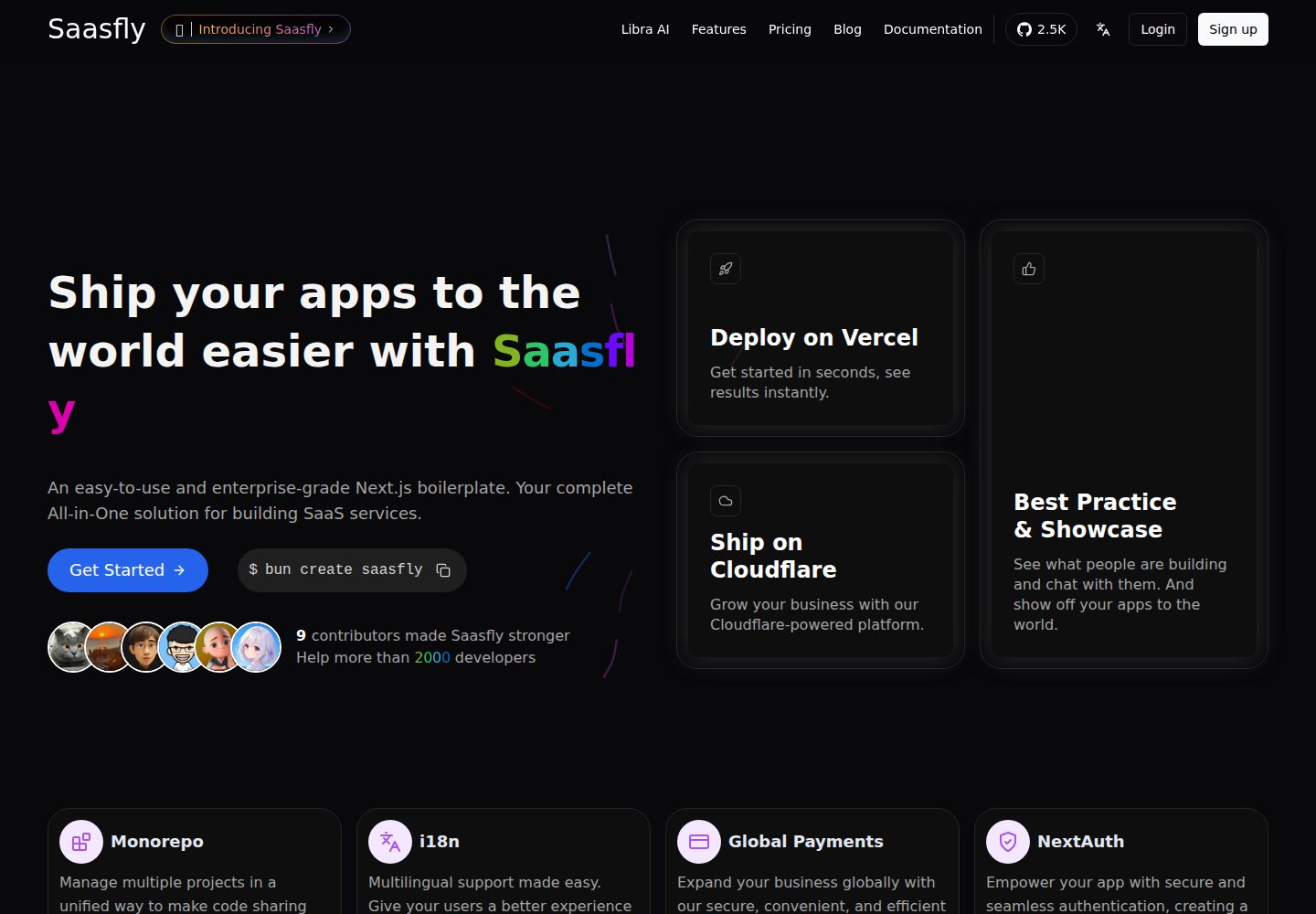
saasfly
Saasfly is an MIT-licensed Next.js SaaS starter template with built-in Clerk authentication, Stripe payment, PostgreSQL, Resend email, internationalization, SEO, tRPC, and Zustand. It is created via `bun create saasfly` and deployable on Vercel.
Next.js · SaaS

next-saas-starter
A free Next.js SaaS marketing landing page template from Blazity, using static generation and styled-components with no extra UI library.
Next.js · SaaS