Angular-based single-page application (SPA) blog theme
AngularHexoBlog
hexo-theme-inside — Angular Blog Template
By ikeq
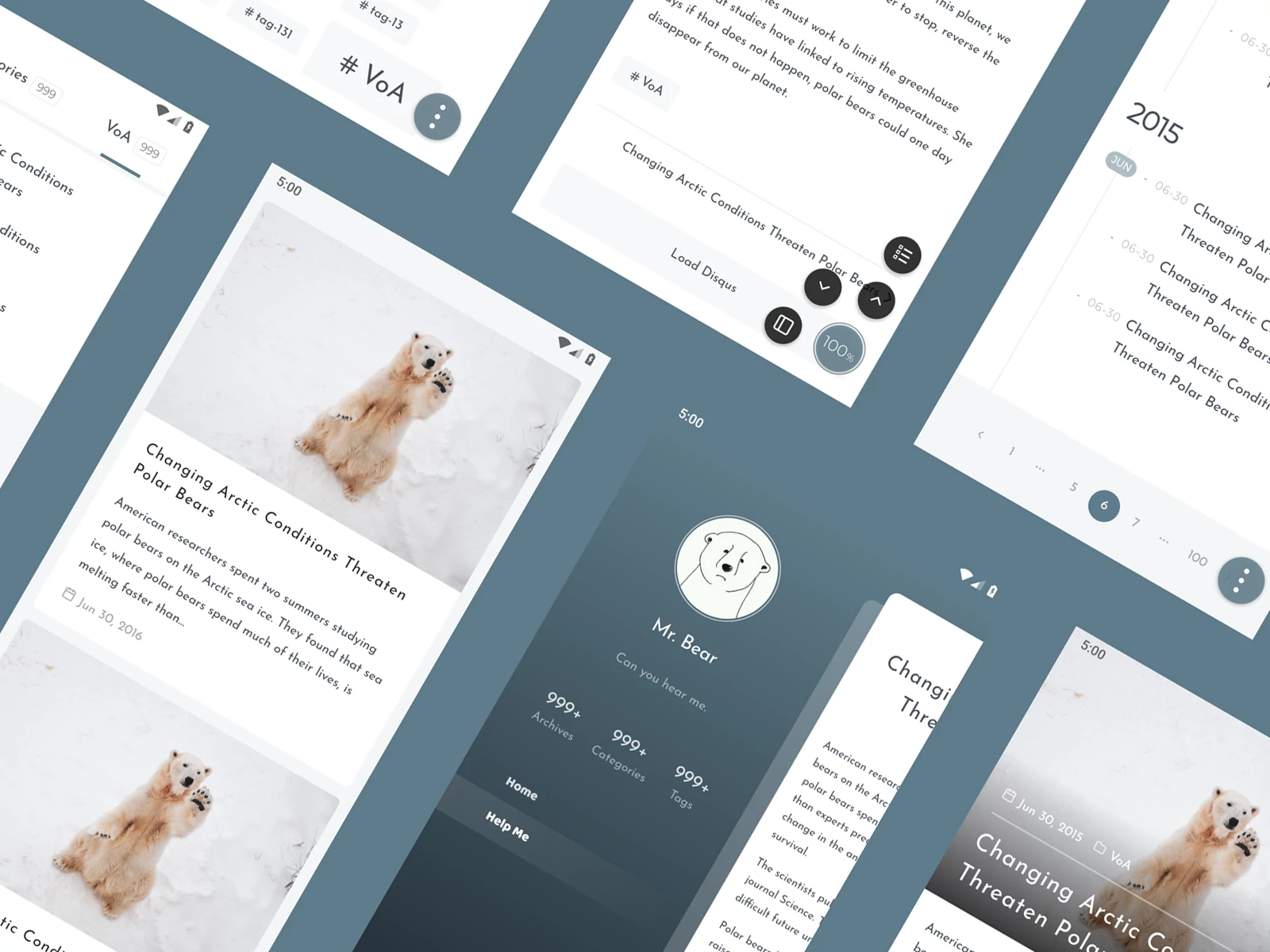
hexo-theme-inside is a single-page application theme for Hexo built with Angular, featuring a flat design, custom theming, built-in search and Disqus comments, and a plugin mechanism to extend content presentation.
Explore the design
Compare the page layouts and mobile experience. Open any screenshot for a closer look.
Author preview
Author-provided previewTop of page
Preview provided in the project README.
One original preview is available. Open the full image to inspect the design.
Screenshots show visual appearance; interactive behavior may differ.
Recorded 2026-10-01View source
What stands out
A quick read of the recorded project description.
Flat, clean visual style with custom theming support
Built-in search and Disqus comments
Plugin mechanism to extend content presentation
Content add-ons: collapsible sections, timelines, content encryption
Supports PWA, SSR, sitemap, and print friendliness
Template Details
hexo-theme-inside is a blog theme for Hexo that uses Angular to deliver a single-page application (SPA) experience with an overall flat, clean visual style. The theme is installed via the npm package hexo-theme-inside; in the Hexo project's _config.yml, set theme to inside, and copy the theme's bundled _config.yml to _config.inside.yml for configuration. Full documentation is available on the author's blog at the theme-inside page.
Functionally, the theme provides custom theming, built-in search, built-in Disqus comments, and a flexible plugin mechanism. For content presentation, it includes rewards, copyright notices, image zoom, handling for headerless tables and long tables, and built-in content add-ons such as collapsible sections, timelines, and content encryption. Other features include PWA (immersive design and workbox-based offline support), SEO (SSR, sitemap), and print friendliness.
Known limitations: the README does not specify browser compatibility ranges, build artifact sizes, or performance metrics; the front-end source code is hosted in a separate Bitbucket repository, hexo-theme-inside-ng, not in the main GitHub repository; before use, confirm the Hexo and Node.js version requirements (the README badges indicate Hexo 7.0+ and Node.js 18+, specific version numbers are not expanded here).
AngularHexoBlog
Is it right for your project?
Use Cases
- Building a personal blog with Hexo and wanting an SPA-style browsing experience
- Needing to integrate site search and Disqus comments into a blog
- Organizing long-form content through components such as collapsible sections, timelines, and content encryption
- Needing PWA offline access, SSR, and sitemap for SEO-related capabilities
Suitable For
- Developers using Hexo as a static blog generator
- Users who prefer a flat, clean design and are willing to adjust the theme through configuration files
- Blog authors who need search, comments, and content add-ons
Getting started & customization
Use these recorded setup notes alongside the repository instructions for your chosen version.
- 1
Run npm install hexo-theme-inside in the Hexo project directory to install the theme
- 2
Set theme to inside in the project's _config.yml
- 3
Copy the theme's _config.yml to the project's _config.inside.yml and configure it according to the documentation
- 4
The front-end source code is in the Bitbucket repository hexo-theme-inside-ng, not in the main GitHub repository
- 5
Before use, check the Hexo and Node.js version requirements indicated by the README badges
License & source material
Usage conditions & limitations
Free to use · keep license noticeThis entry covers the free version in the public repository under the MIT license; the free scope applies to that version's code and does not imply that external services or third-party assets are free.
Must comply with when using
- Permits free use, modification, commercial use, and distribution of that version's code.
- When distributing copies or substantial portions of the code, retain the original author's copyright notice and the full MIT license notice.
- The code is provided as is; warranties and limitations of liability are governed by the original license and applicable law.
Additional costs & items to verify
- The built-in comment feature relies on the third-party Disqus service; it requires a Disqus account and a configured site shortname, and comment data is hosted by Disqus, potentially subject to its terms of service and network availability.
- The front-end source code is hosted in a separate Bitbucket repository, hexo-theme-inside-ng, not in the main GitHub repository; accessing or modifying the front-end source requires visiting that external repository.
- Demo images, fonts, icons, and other third-party assets must be checked against their respective licenses and cannot be judged solely by the code's MIT license.
- External services such as domains, hosting, databases, payments, or AI may incur additional charges.
View Original Text Basis
Permission is hereby granted, free of charge
Original License Text
Built-in [Disqus](https://disqus.com)
Original README
https://github.com/ikeq/hexo-theme-inside/blob/master/LICENSEhttps://github.com/ikeq/hexo-theme-inside/blob/master/README.mdhttps://bitbucket.org/ikeq/hexo-theme-inside-ng
Original README
Compiled by DeepSeek based on repository license and README ·2026-10-01. Results only cover the materials read; dependencies, images, fonts, and subsequent term changes are subject to their respective original texts.
Project checks & description sources
Template Information
- Source platforms
- GitHub
- Documentation and maintenance reference score
- More documented · 84 / 100
- Technologies
- Angular · Hexo
- Website type
- Blog
How this score is calculated
Our heuristic uses license records (up to 30), a demo link (12), a preview (10), stars (15), recorded maintenance (15), description completeness (8), feature records (5) and classification data (5). It is not a code, security or performance test, or a Google score. A link does not establish tested functionality.
What to verify for this project
- Repository update recorded
- 2026-05-12
- Screenshot last checked
- 2026-10-01
No demo link is recorded. Use the repository instructions to evaluate the project locally; the screenshot alone cannot establish interactive behavior.
The catalog identifies Angular as the primary stack. Check the actual dependency manifest and lockfile for versions and hosting requirements. These notes use recorded metadata, not a code audit or a deployment test.
Use a selection guide →How this description was prepared
AI-assisted description based on catalog records and repository material. Repository authors are not automatically the reviewers of this description.
Automatically checked against source and license rules; no manual editorial review.
Inspect the recorded source material
SHA-256: 3d882bd3cb384903e4829b5b926c1d62bc0885404d31bce20791055f7bb86ad2
2026-10-01T03:17:37.235Z
Source file / repository<div align="right"> Language: EN <a title="中文" href="README_zh-Hans.md">中文</a> </div> <h1 align="center">INSIDE</h1> <p align="center">🌈 SPA, Flat and clean theme for Hexo, built with <a href="https://angular.io">Angular</a>.</p> <p align="center"> <img src="https://img.shields.io/npm/v/hexo-theme-inside.svg?label=NPM&color=limegreen&style=flat-square" /> <img src="https://img.shields.io/badge/Hexo-7.0%2B-blue?style=flat-square"> <img src="https://img.shields.io/badge/Node.js-18%2B-blue?style=flat-square"> </p> <p align="center"> <img src="https://blog.oniuo.com/screenshot.webp"> </p> ## Preview - https://blog.oniuo.com - https://blog.oniuo.com/post/inside-theme-showcase ## Features - Custom theming - Built-in Search - Built-in [Disqus](https://disqus.com) - Flexible plugin mechanism - Enhanced content display - Reward, Copyright notice, Picture zooming - Table (headless table, long table) - Content addons, out of the box (Collapse, Timeline, Content Crypto) - Misc - [PWA](https://developers.google.com/web/progressive-web-apps) (Immersive design, Offline support ([workbox](https://developers.google.com/web/tools/workbox/))) - SEO (SSR、sitemap) - Print friendly ## Quick start 1\. Locate to `project/` and run ```bash npm install hexo-theme-inside ``` 2\. Config `project/_config.yml` ```yaml theme: inside ``` 3\. Copy [_config.yml](https://github.com/ikeq/hexo-theme-inside/blob/master/_config.yml) to `project/_config.inside.yml`, see [here](https://blog.oniuo.com/theme-inside) for full documentation. ## Changelog [releases](https://github.com/ikeq/hexo-theme-inside/releases) ## FAQ - Where to find front-end source code? https://bitbucket.org/ikeq/hexo-theme-inside-ng ## License [MIT](LICENSE)
Explore similar templates
Compare previews and descriptions within the same stack and category.
Artist-Studio-Portfolio-Website
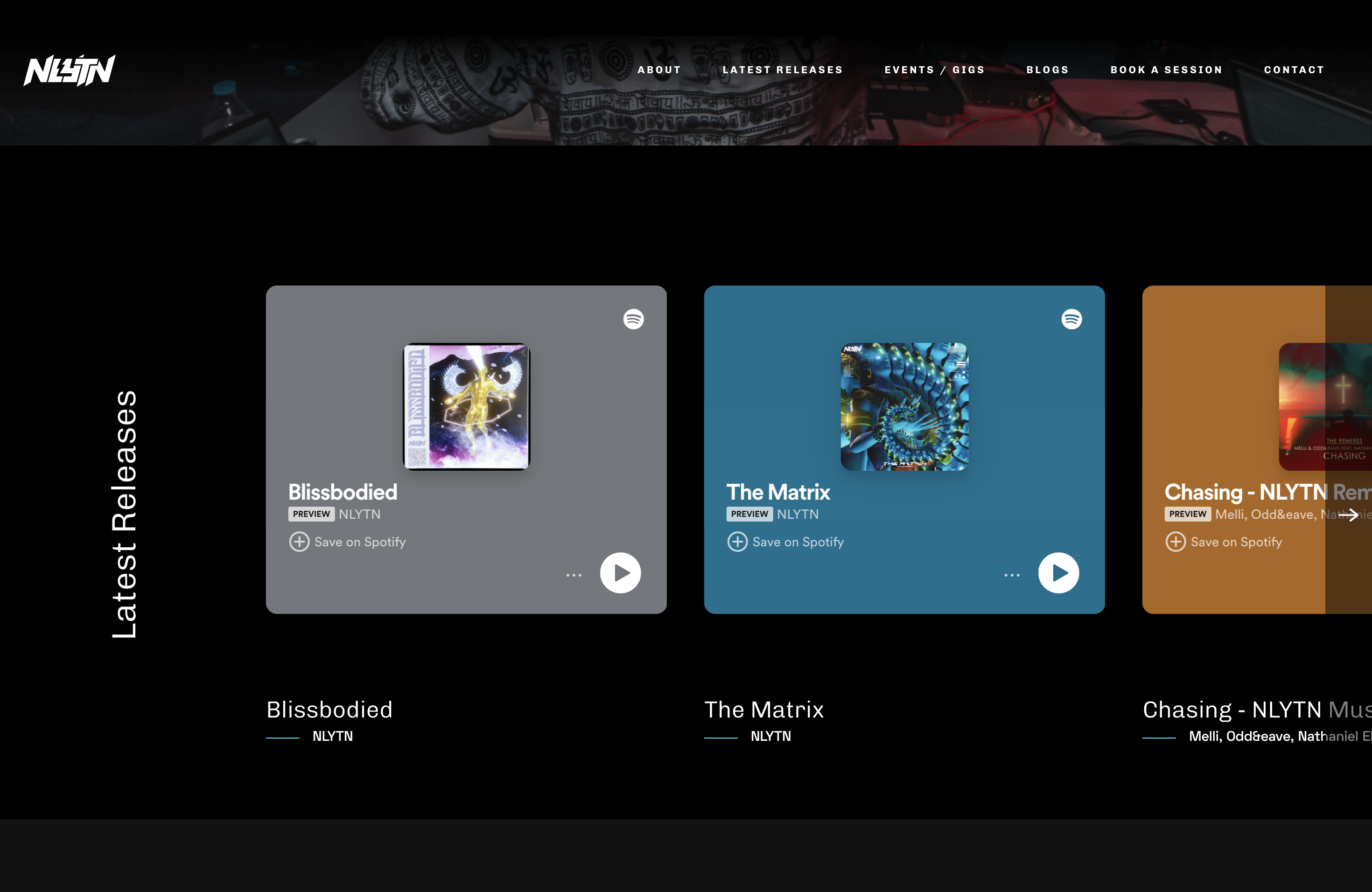
A Django-based open-source website template originally built for musician nlytnmusic (Siddhesh Parekh), integrating song and album showcases, performance event announcements and bookings, blog publishing, and music studio rentals.
Angular · Portfolio

Wanderlust-Chronicles-Website
Wanderlust Chronicles is a travel blog template maintained by JohnDev19 under the MIT license. It uses AngularJS for dynamic content and data binding, with vanilla JavaScript, GSAP, and AOS for smooth scrolling, scroll-triggered animations, and parallax effects.
Angular · Blog

hexo-theme-matery
hexo-theme-matery is a Material Design, responsive Hexo blog theme with homepage carousel, waterfall post list, timeline archive, word cloud tags, radar chart categories, and an about page.
Hexo · Blog

hexo-theme-cactus
Cactus is a responsive Hexo theme for personal websites and blogs, maintained by probberechts. It offers four color schemes (dark, light, white, classic), configurable navigation, homepage post lists, project lists, social links, and copyright year ranges.
Hexo · Blog

hexo-theme-volantis
Volantis is a blog theme for Hexo, distributed as the npm package hexo-theme-volantis and enabled by setting theme to volantis in the Hexo site's _config.yml. It requires Hexo 7.3+, hexo-cli 4.3+, Node.js 22.x LTS+, and npm 10.x LTS+.
Hexo · Blog

hexo-theme-aurora
Hexo Theme Aurora is a futuristic Hexo blog theme built around aurora gradients and a magazine-style grid layout.
Hexo · Blog