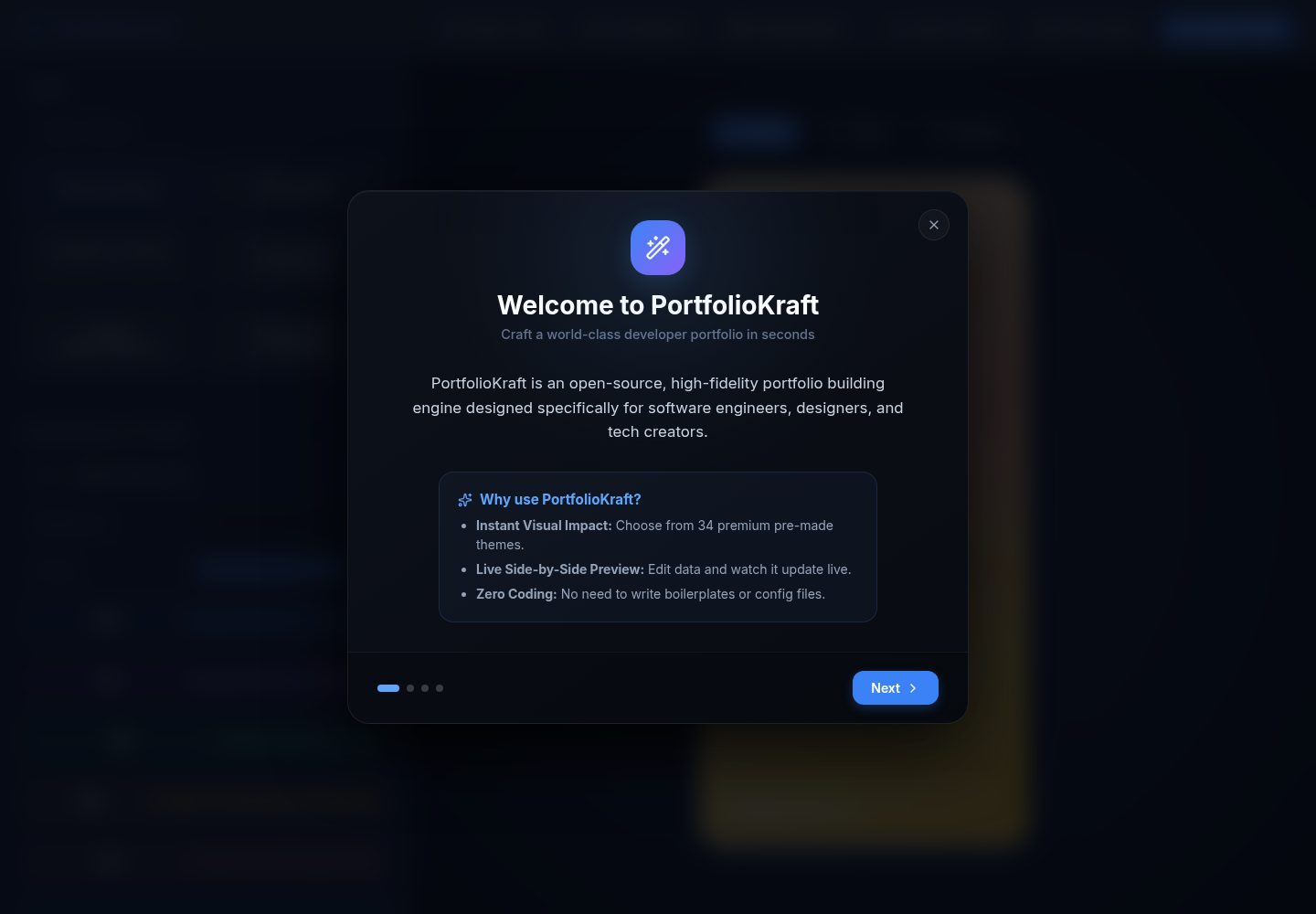
34 preset themes, covering styles such as Glassmorphism, Cyberpunk, Terminal Retro, and Dracula Pro
HTMLPortfolio
PortfolioKraft — HTML Portfolio Template
By jeswintesting-spec
PortfolioKraft is an open-source portfolio builder based on React and Vite, offering 34 themes, a drag-and-drop custom section engine, and multiple visual effects, ultimately exporting as a single standalone HTML file.
Explore the design
Compare the page layouts and mobile experience. Open any screenshot for a closer look.
Desktop homepage1 / 2
Desktop captureTop of page
Actual screenshot captured by the server browser.
All pages & views 2
Screenshots show visual appearance; interactive behavior may differ.
Recorded 2026-10-13View source
What stands out
A quick read of the recorded project description.
Custom section engine: add, rename, reorder, and delete sections and their sub-items
Drag-and-drop sorting based on @dnd-kit, covering skills, projects, experiences, achievements, social links, etc.
Stackable visual effects: particles, 3D card tilt, typewriter headings, scroll fade-in, reading progress bar
Avatars and favicons converted to inline data, with 8 URL-encoded presets for favicons
Export a single standalone HTML file, and support exporting workspace state as a .json backup
Template Details
PortfolioKraft is an open-source portfolio building tool, with the repository under the MIT license. It consists of two parts: a locally run React + Vite builder application, and the single-file HTML portfolio page exported by the builder.
In the builder, you can choose from 34 preset themes (such as Glassmorphism, Cyberpunk, Terminal Retro, Ethereal Dream, Warm Brew, Dracula Pro, etc.), and drag-and-drop to reorder skills, projects, experiences, achievements, custom sections, and social links via @dnd-kit. In addition to fixed sections, you can add, rename, reorder, or delete custom sections and their sub-items. Avatars and favicons are converted to inline data, with 8 URL-encoded presets available for favicons. Markdown rendering is supported for summaries, experiences, projects, and custom section details. Workspace state can be exported as a .json configuration file for backup and restoration.
Visual effects are provided as stackable toggles: interactive particles (responding to mouse hover and click), 3D card tilt (with glass reflection on hover), typewriter headings, scroll fade-in animations, and a top reading progress bar.
The export result is a single index.html containing data, styles, assets, and visual configurations, which can be opened without a server; the README provides two deployment methods: drag-and-drop upload to Netlify Drop and GitHub Pages. The exported page loads scripts such as Particles.js, Vanilla-Tilt.js, Typed.js, and AOS via CDN.
Limitations: The builder requires a local Node.js environment to run and is not an online visual editor; the exported page relies on CDN scripts, and these interactive effects may be unavailable when opened offline; third-party assets such as demo images, fonts, and icons need to be checked separately under their respective licenses and cannot be judged solely based on the code's MIT license.
HTMLPortfolio
Is it right for your project?
Use Cases
- Individual developers or designers creating a single-page portfolio and deploying it to static hosting
- Quickly switching themes and section order for different job search directions, generating multiple portfolio versions
- Delivering an offline-distributable HTML resume page without a backend or database
Suitable For
- Developers and designers who need a single-file portfolio page that can be directly uploaded to static hosting
- Non-frontend users who want to organize skills, projects, experiences, etc. via drag-and-drop
- Users who accept running the Node.js builder locally and completing the export and deployment process themselves
Getting started & customization
Use these recorded setup notes alongside the repository instructions for your chosen version.
- 1
To run the builder locally, first install Node.js, then execute git clone, npm install, npm run dev, and access http://localhost:5173 by default
- 2
After export, a single index.html is obtained, which can be drag-and-drop uploaded to Netlify Drop, or committed to a GitHub repository and deployed via Pages from the root directory of the main branch
- 3
The interactive effects of the exported page rely on CDN scripts; in offline environments or when the CDN is unreachable, the related effects may fail
- 4
The repository code is under the MIT license; when distributing, the copyright notice and license notice must be retained; third-party assets such as demo images, fonts, and icons need to be checked separately for licensing
License & source material
Usage conditions & limitations
Free to use · keep license noticeThis entry covers the free version under the MIT license in the public repository; the free scope is the code of this version and does not mean that external services or third-party assets are free.
Must comply with when using
- Free use, modification, commercial use, and distribution of this version's code are allowed.
- When distributing copies or substantial portions of the code, retain the original author's copyright notice and the full MIT license notice.
- The code is provided as is; warranties and limitations of liability are governed by the original license and applicable law.
Additional costs & items to verify
- Demo images, fonts, icons, and other third-party assets need to be checked under their respective licenses and cannot be judged solely based on the code's MIT license.
- External services such as domains, hosting, databases, payments, or AI may incur additional charges.
- The builder requires a local Node.js environment to run and is not a purely online visual editor.
- The exported HTML loads scripts such as Particles.js, Vanilla-Tilt.js, Typed.js, and AOS via CDN; when offline or the CDN is unreachable, the related interactive effects may fail.
- Deployment examples rely on third-party hosting services such as Netlify or GitHub Pages, and you need to register an account yourself and comply with their terms of service and fee policies.
View Original Text Basis
Permission is hereby granted, free of charge
Original License Text
Ensure you have [Node.js](https://nodejs.org/) installed, then follow these simple steps to run the builder locally:
Original README
The exported `.html` template packages zero-configuration CDN scripts so that the final exported file size remains tiny (~20KB)
Original README
https://github.com/jeswintesting-spec/PortfolioKraft/blob/main/LICENSEhttps://github.com/jeswintesting-spec/PortfolioKraft/blob/main/README.mdGo to [Netlify Drop](https://app.netlify.com/drop).
Original README
Compiled by DeepSeek based on repository license and README ·2026-10-13. Results only cover the materials read; dependencies, images, fonts, and subsequent term changes are subject to their respective original texts.
Project checks & description sources
Template Information
- Source platforms
- GitHub
- Documentation and maintenance reference score
- More documented · 83 / 100
- Technologies
- HTML
- Website type
- Portfolio
How this score is calculated
Our heuristic uses license records (up to 30), a demo link (12), a preview (10), stars (15), recorded maintenance (15), description completeness (8), feature records (5) and classification data (5). It is not a code, security or performance test, or a Google score. A link does not establish tested functionality.
What to verify for this project
- Repository update recorded
- 2026-06-07
- Screenshot last checked
- 2026-10-13
A demo link is listed. Check it with your own content and viewport sizes; its presence does not confirm that forms, authentication or payments work.
The catalog identifies HTML as the primary stack. Check the actual dependency manifest and lockfile for versions and hosting requirements. These notes use recorded metadata, not a code audit or a deployment test.
Use a selection guide →How this description was prepared
AI-assisted description based on catalog records and repository material. Repository authors are not automatically the reviewers of this description.
Review declaration: [email protected] · 2026-10-13
Inspect the recorded source material
SHA-256: 9b79ec3b342b907341cde6f63a1571d6852feebb60e471b6d09c8d52d07d7bcb
2026-10-13T07:53:19.860Z
Source file / repository# ✦ PortfolioKraft ✦
> **The most powerful, feature-rich, open-source portfolio builder on the web.**
⚡ **[Try it Live! Live Demo at portfoliokraft.pages.dev](https://portfoliokraft.pages.dev/)**







Build a stunning, high-fidelity, fully responsive, and portable single-file portfolio website — zero servers, zero subscriptions, zero hosting required. Export a single `.html` file containing everything, ready to upload to Netlify, GitHub Pages, or any server.
---
## 🚀 Key Features
* **🎨 34 Premium Themes**: Choose from a library of 34 handcrafted, professionally styled themes (including **Glassmorphism**, **Cyberpunk**, **Terminal Retro**, **Ethereal Dream**, **Warm Brew**, and **Dracula Pro**).
* **🧩 Custom Section Engine**: Go beyond static layouts. Add, rename, reorder, or delete custom sections (e.g., Publications, Research, Tools) and their child items dynamically.
* **🛠️ Stackable Visual Effects**: Enable and stack professional effects:
* *Interactive Particles* (reacts to mouse hover and clicks)
* *3D Card Tilt* (with dynamic glass glare on hover)
* *Typewriter Title* (animates your roles with customizable cursor)
* *Scroll Reveal Animations* (fade-in effects on scroll)
* *Reading Progress Indicator* (sleek scroll progress bar at the top)
* **🔀 Drag-and-Drop Sorting**: Seamlessly reorder skills, projects, experience, achievements, custom sections, and social links using integrated `@dnd-kit` controls.
* **🖼️ Embedded Asset System**: Upload your avatar and choose from **8 URL-encoded favicon presets** (or upload your own). Everything is converted to inline data, ensuring a truly zero-dependency single-file HTML export.
* **✍️ Rich Content Support**: Full Markdown rendering support in Bio, Experience, Projects, and Custom Section details.
* **📦 Local Import/Export**: Save your workspace state as a `.json` configuration file, allowing you to back up and restore your draft at any time.
---
## 🎨 Theme Gallery & Presets
PortfolioKraft offers an extensive collection of 34 distinct themes. Here is a highlight of some of the most popular layouts:
| Theme Name | Style Archetype | Best Suited For | Typography & Palette |
| :--- | :--- | :--- | :--- |
| **Ethereal Dream** | Elegant luxury, pastel gradient | Designers, Writers, Creatives | Serif (Playfair Display) + Lilac mist |
| **Cyberpunk** | Futuristic neon grid, glow | Game Developers, Hackers | Orbitron + Magenta/Cyan neon |
| **Glassmorphism** | Modern glossy cards | UI/UX Designers, Frontend Devs | Inter + Vibrant translucent panels |
| **Terminal Retro** | command-line monochrome | System Administrators, Backend Eng | Fira Code + Neon green |
| **Warm Brew** | Cozy coffee house aesthetic | Writers, Photographers, Artists | Playfair Display + Latte/Cream |
| **Royal Navy** | Prestigious corporate, gold borders | Financial analysts, Executives | Cinzel + Gold/Navy blue |
| **Dracula Pro** | Classic dark coder environment | Software Engineers, DevOps | Fira Code + Dracula purple/green |
| **Nord Frost** | Crisp Scandinavian minimalism | Minimalists, Researchers | Plus Jakarta Sans + Ice blue |
---
## 📦 Tech Stack & Software Used
PortfolioKraft is built with modern, ultra-lightweight React tools to ensure blazing-fast build times, high performance, and seamless user interactions.
### 🛠️ Builder Tooling (React App)
| Core Framework | Build Tool | Drag & Drop | Icons | Markdown | Package Manager |
| :---: | :---: | :---: | :---: | :---: | :---: |
|  |  |  |  |  |  |
| React 18 | Vite 5 | @dnd-kit/core | lucide-react | marked | npm |
### 🎨 Exported Portfolio Site Libraries
The exported `.html` template packages zero-configuration CDN scripts so that the final exported file size remains tiny (~20KB) while delivering premium visual layouts and interactive components:
| HTML5 Structure | CSS3 Styling | JavaScript Logic | Interactive Particles | 3D Card Tilt | Animated Titles | Scroll Reveal |
| :---: | :---: | :---: | :---: | :---: | :---: | :---: |
|  |  |  |  |  |  |  |
| Semantic Tags | Vanilla CSS | Pure ES6+ JS | Particles.js | Vanilla-Tilt.js | Typed.js | AOS |
---
## 🚀 Quick Start
Ensure you have [Node.js](https://nodejs.org/) installed, then follow these simple steps to run the builder locally:
```bash
# 1. Clone the repository
git clone https://github.com/jeswintesting-spec/PortfolioKraft.git
cd PortfolioKraft
# 2. Install dependencies
npm install
# 3. Spin up the dev server
npm run dev
```
Open your browser to `http://localhost:5173` to start building!
---
## 📖 How to Deploy Your Exported HTML
Once you click **Export HTML** in the builder header, you will receive a single `index.html` file containing all of your data, styling, assets, and visual configurations.
### Option A: Drag & Drop Hosting (Netlify Drop)
1. Go to [Netlify Drop](https://app.netlify.com/drop).
2. Rename your exported file to `index.html` (if it isn't already).
3. Drag the file directly onto the upload zone.
4. Done! Your portfolio is live in 5 seconds with an SSL certificate.
### Option B: GitHub Pages
1. Create a new public repository on GitHub (e.g., `my-portfolio`).
2. Clone it locally, name your exported file `index.html`, and place it in the folder:
```bash
git init
git add index.html
git commit -m "Deploy portfolio website"
git branch -M main
git remote add origin https://github.com/yourusername/my-portfolio.git
git push -u origin main
```
3. In your GitHub repository settings, navigate to **Pages** under the "Code and automation" section.
4. Set the Source to **Deploy from a branch** and select the `/root` directory of the `main` branch.
5. Save, and your site will be live at `https://yourusername.github.io/my-portfolio/`.
---
## 🤝 Contributing
Contributions make the open-source community an amazing place! If you have suggestions, new themes, or feature additions:
1. **Fork** the Project.
2. Create your Feature Branch (`git checkout -b feature/AmazingFeature`).
3. **Commit** your Changes (`git commit -m 'Add some AmazingFeature'`).
4. **Push** to the Branch (`git push origin feature/AmazingFeature`).
5. Open a **Pull Request**.
---
## 📄 License
Distributed under the MIT License. See `LICENSE` for more information.
<p align="center">Made with ❤️ for developers, designers, and creators everywhere.</p>
Explore similar templates
Compare previews and descriptions within the same stack and category.

simplefolio
Simplefolio is a minimal single-page portfolio template for developers, built with HTML, Bootstrap, SCSS, and Parcel under the MIT license. It includes Hero, About, Projects, Contact, and Footer sections, with content edited in /src/index.html and theme colors controlled by two SCSS variables.
HTML · Portfolio

Freelancer
A bright, single-page Bootstrap portfolio template for freelancers, designers, and small studios. It includes a responsive portfolio grid with modal detail windows and an SB Forms contact form that requires an API token.
HTML · Portfolio

Resume
A single-page resume and CV template from Start Bootstrap, built on Bootstrap with a fixed sidebar and content sections.
HTML · Portfolio

Creative
A single-page marketing template by Start Bootstrap for creative agencies and product services, built on Bootstrap with SCSS, featuring a portfolio grid and call-to-action sections. It includes pre-set SB Forms markers for form integration and npm build scripts for source customization.
HTML · Corporate Website

Grayscale
A dark single-page Bootstrap template from Start Bootstrap for photography, events and brand storytelling, with a large hero and clearly separated sections.
HTML · Corporate Website

startbootstrap-stylish-portfolio
A one-page Bootstrap portfolio theme from Start Bootstrap with multiple content sections and an off-canvas navigation menu. Basic use means editing HTML/CSS under dist and opening index.html; advanced use relies on npm with Pug and SCSS build scripts.
HTML · Portfolio