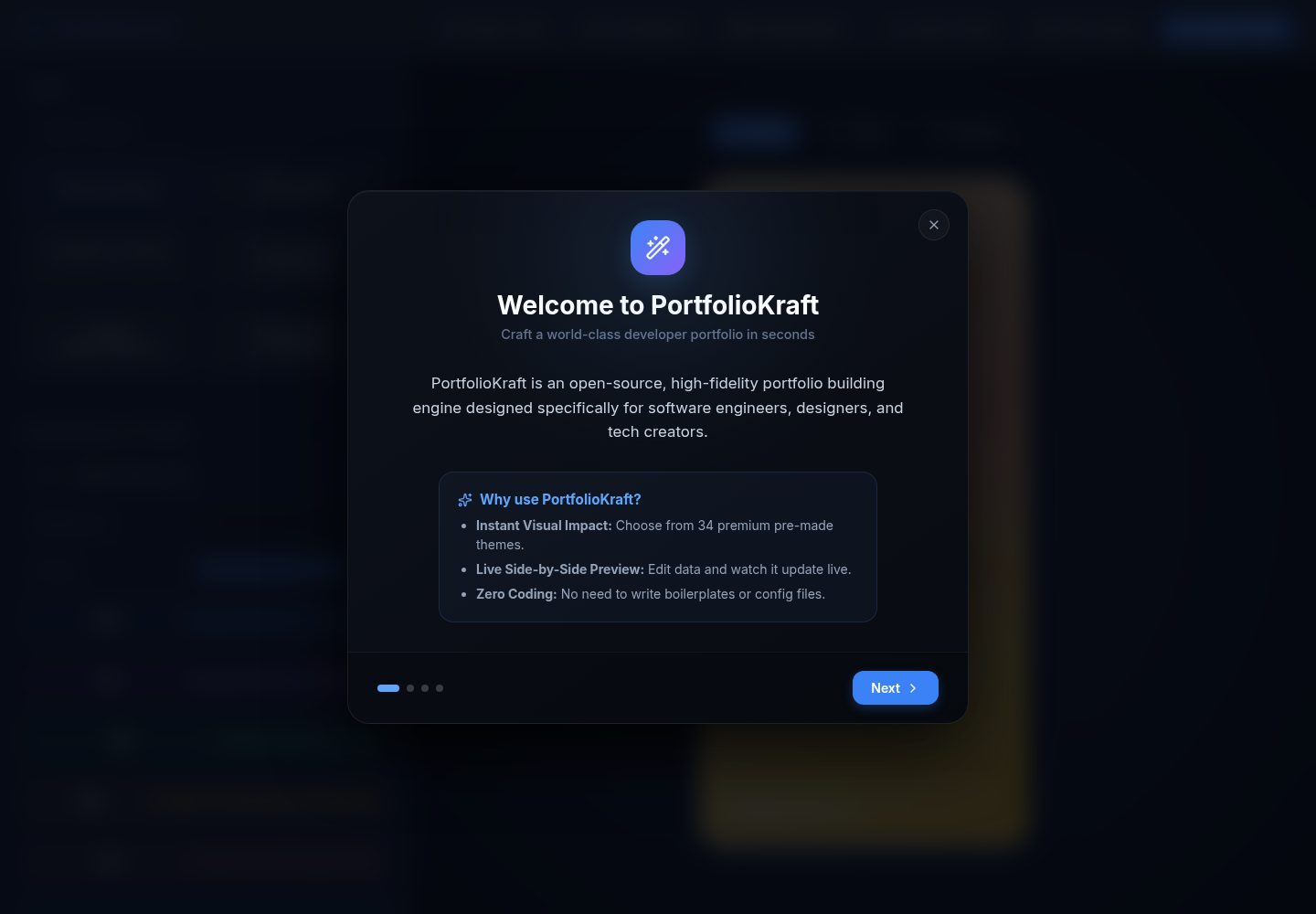
34 套预设主题,涵盖 Glassmorphism、Cyberpunk、Terminal Retro、Dracula Pro 等风格
HTML作品集
PortfolioKraft — HTML 作品集模板
作者 jeswintesting-spec
PortfolioKraft 是一个基于 React 与 Vite 的开源作品集构建器,提供 34 套主题、可拖拽排序的自定义区块引擎和多种视觉效果,最终导出为单个独立 HTML 文件。
看看你的网站会是什么样
浏览真实页面截图,比较内容排版与手机效果。点击下方缩略图切换,放大查看整页细节。
全部页面与视图 2
截图用于了解视觉与布局,交互效果请以实际项目为准。
采集于 2026-10-13查看来源
值得关注的模板亮点
从已有项目资料中,快速了解它的特点。
自定义区块引擎:可新增、重命名、重排、删除区块及其子项
基于 @dnd-kit 的拖拽排序,覆盖技能、项目、经历、成就、社交链接等
可叠加的视觉效果:粒子、3D 卡片倾斜、打字机标题、滚动渐显、阅读进度条
头像与 favicon 转为内联数据,favicon 提供 8 个 URL 编码预设
导出单个独立 HTML 文件,并支持工作区状态导出为 .json 备份
模板详细介绍
PortfolioKraft 是一个开源的作品集构建工具,仓库采用 MIT 许可。它由两部分组成:本地运行的 React + Vite 构建器应用,以及构建器导出的单文件 HTML 作品集页面。
在构建器中,你可以选择 34 套预设主题(如 Glassmorphism、Cyberpunk、Terminal Retro、Ethereal Dream、Warm Brew、Dracula Pro 等),通过 @dnd-kit 拖拽排序技能、项目、经历、成就、自定义区块和社交链接。除固定区块外,还可以新增、重命名、重排或删除自定义区块及其子项。头像与 favicon 会被转换为内联数据,favicon 另有 8 个 URL 编码预设可选。简介、经历、项目和自定义区块详情支持 Markdown 渲染。工作区状态可导出为 .json 配置文件,便于备份与恢复。
视觉效果以可叠加开关的形式提供:交互式粒子(响应鼠标悬停与点击)、3D 卡片倾斜(悬停时带玻璃反光)、打字机标题、滚动渐显动画和顶部阅读进度条。
导出结果为单个 index.html,包含数据、样式、资源与视觉配置,无需服务器即可打开;README 给出了 Netlify Drop 拖拽上传和 GitHub Pages 两种部署方式。导出的页面通过 CDN 引入 Particles.js、Vanilla-Tilt.js、Typed.js 和 AOS 等脚本。
限制方面:构建器需要本地 Node.js 环境运行,并非在线可视化编辑器;导出页面依赖 CDN 脚本,离线打开时这些交互效果可能不可用;演示图片、字体、图标等第三方素材需按各自许可单独核对,不能仅凭代码的 MIT 许可判断。
HTML作品集
适合你的项目吗?
适用场景
- 个人开发者或设计师制作单页作品集并部署到静态托管
- 为不同求职方向快速切换主题与区块顺序,生成多份作品集版本
- 在无后端、无数据库的前提下交付一个可离线分发的 HTML 简历页面
适合人群
- 需要单文件、可直接上传静态托管的作品集页面的开发者与设计师
- 希望用拖拽方式组织技能、项目、经历等内容的非前端用户
- 接受本地运行 Node.js 构建器、自行完成导出与部署流程的用户
上手与定制指南
结合仓库当前版本的说明,按下面的资料检查内容、配置与运行要求。
- 1
本地运行构建器需先安装 Node.js,然后执行 git clone、npm install、npm run dev,默认访问 http://localhost:5173
- 2
导出后得到单个 index.html,可拖拽上传到 Netlify Drop,或提交到 GitHub 仓库并在 Pages 中从 main 分支根目录部署
- 3
导出页面的交互效果依赖 CDN 脚本,离线环境或 CDN 不可达时相关效果可能失效
- 4
仓库代码采用 MIT 许可,分发时需保留版权声明与许可声明;演示图片、字体、图标等第三方素材需单独核对许可
授权与来源资料
使用条件与限制
免费使用 · 保留许可声明本次收录的是公开仓库中采用 MIT 许可的免费版本;免费范围为该版本代码,不代表外部服务或第三方素材免费。
使用时需要遵守
- 允许免费使用、修改、商用和分发该版本代码。
- 分发代码副本或实质性部分时,保留原作者版权声明和完整 MIT 许可声明。
- 代码按现状提供;担保与责任限制以原许可证及适用法律为准。
额外费用与待核对事项
- 演示图片、字体、图标及其他第三方素材需按各自许可核对,不能仅凭代码的 MIT 许可判断。
- 域名、托管、数据库、支付或 AI 等外部服务可能另外收费。
- 构建器需在本地安装 Node.js 环境运行,并非纯在线可视化编辑器。
- 导出的 HTML 通过 CDN 引入 Particles.js、Vanilla-Tilt.js、Typed.js、AOS 等脚本,离线或 CDN 不可达时相关交互效果可能失效。
- 部署示例依赖 Netlify 或 GitHub Pages 等第三方托管服务,需自行注册账号并遵守其服务条款与费用政策。
查看原文依据
Permission is hereby granted, free of charge
许可证原文
Ensure you have [Node.js](https://nodejs.org/) installed, then follow these simple steps to run the builder locally:
README 原文
The exported `.html` template packages zero-configuration CDN scripts so that the final exported file size remains tiny (~20KB)
README 原文
https://github.com/jeswintesting-spec/PortfolioKraft/blob/main/LICENSEhttps://github.com/jeswintesting-spec/PortfolioKraft/blob/main/README.mdGo to [Netlify Drop](https://app.netlify.com/drop).
README 原文
DeepSeek 根据仓库许可证和 README 整理 ·2026-10-13。结果仅覆盖已读取资料,依赖、图片、字体及后续条款变更以各自原文为准。
项目核对记录与介绍依据
模板资料
- 来源平台
- GitHub
- 资料与维护参考分
- 资料较完整 · 83 / 100
- 技术栈
- HTML
- 网站类型
- 作品集
这个分数如何计算
本站按许可资料(最高30分)、演示链接(12分)、预览图(10分)、Star数(15分)、记录的维护时间(15分)、描述完整度(8分)、功能记录(5分)和分类资料(5分)计算。它不是代码、安全或性能测试,也不是 Google 评分;有链接不代表已实测可用。
这个项目需要核对什么
- 记录的仓库更新时间
- 2026-06-07
- 截图检查日期
- 2026-10-13
已收录演示链接。请用你的内容与屏幕尺寸检查;有演示不代表表单、认证或支付已经可用。
目录记录的主要技术栈是 HTML。请通过依赖清单和锁文件核对实际版本与托管要求。这些说明基于收录资料,不代表代码审计或部署实测。
查看具体选型方法 →介绍的制作与核对状态
介绍由 AI 辅助整理目录与仓库资料。仓库作者不等于这篇介绍的审核者。
审核声明: [email protected] · 2026-10-13
查看当时使用的来源资料
SHA-256: 9b79ec3b342b907341cde6f63a1571d6852feebb60e471b6d09c8d52d07d7bcb
2026-10-13T07:53:19.860Z
来源文件 / 仓库# ✦ PortfolioKraft ✦
> **The most powerful, feature-rich, open-source portfolio builder on the web.**
⚡ **[Try it Live! Live Demo at portfoliokraft.pages.dev](https://portfoliokraft.pages.dev/)**







Build a stunning, high-fidelity, fully responsive, and portable single-file portfolio website — zero servers, zero subscriptions, zero hosting required. Export a single `.html` file containing everything, ready to upload to Netlify, GitHub Pages, or any server.
---
## 🚀 Key Features
* **🎨 34 Premium Themes**: Choose from a library of 34 handcrafted, professionally styled themes (including **Glassmorphism**, **Cyberpunk**, **Terminal Retro**, **Ethereal Dream**, **Warm Brew**, and **Dracula Pro**).
* **🧩 Custom Section Engine**: Go beyond static layouts. Add, rename, reorder, or delete custom sections (e.g., Publications, Research, Tools) and their child items dynamically.
* **🛠️ Stackable Visual Effects**: Enable and stack professional effects:
* *Interactive Particles* (reacts to mouse hover and clicks)
* *3D Card Tilt* (with dynamic glass glare on hover)
* *Typewriter Title* (animates your roles with customizable cursor)
* *Scroll Reveal Animations* (fade-in effects on scroll)
* *Reading Progress Indicator* (sleek scroll progress bar at the top)
* **🔀 Drag-and-Drop Sorting**: Seamlessly reorder skills, projects, experience, achievements, custom sections, and social links using integrated `@dnd-kit` controls.
* **🖼️ Embedded Asset System**: Upload your avatar and choose from **8 URL-encoded favicon presets** (or upload your own). Everything is converted to inline data, ensuring a truly zero-dependency single-file HTML export.
* **✍️ Rich Content Support**: Full Markdown rendering support in Bio, Experience, Projects, and Custom Section details.
* **📦 Local Import/Export**: Save your workspace state as a `.json` configuration file, allowing you to back up and restore your draft at any time.
---
## 🎨 Theme Gallery & Presets
PortfolioKraft offers an extensive collection of 34 distinct themes. Here is a highlight of some of the most popular layouts:
| Theme Name | Style Archetype | Best Suited For | Typography & Palette |
| :--- | :--- | :--- | :--- |
| **Ethereal Dream** | Elegant luxury, pastel gradient | Designers, Writers, Creatives | Serif (Playfair Display) + Lilac mist |
| **Cyberpunk** | Futuristic neon grid, glow | Game Developers, Hackers | Orbitron + Magenta/Cyan neon |
| **Glassmorphism** | Modern glossy cards | UI/UX Designers, Frontend Devs | Inter + Vibrant translucent panels |
| **Terminal Retro** | command-line monochrome | System Administrators, Backend Eng | Fira Code + Neon green |
| **Warm Brew** | Cozy coffee house aesthetic | Writers, Photographers, Artists | Playfair Display + Latte/Cream |
| **Royal Navy** | Prestigious corporate, gold borders | Financial analysts, Executives | Cinzel + Gold/Navy blue |
| **Dracula Pro** | Classic dark coder environment | Software Engineers, DevOps | Fira Code + Dracula purple/green |
| **Nord Frost** | Crisp Scandinavian minimalism | Minimalists, Researchers | Plus Jakarta Sans + Ice blue |
---
## 📦 Tech Stack & Software Used
PortfolioKraft is built with modern, ultra-lightweight React tools to ensure blazing-fast build times, high performance, and seamless user interactions.
### 🛠️ Builder Tooling (React App)
| Core Framework | Build Tool | Drag & Drop | Icons | Markdown | Package Manager |
| :---: | :---: | :---: | :---: | :---: | :---: |
|  |  |  |  |  |  |
| React 18 | Vite 5 | @dnd-kit/core | lucide-react | marked | npm |
### 🎨 Exported Portfolio Site Libraries
The exported `.html` template packages zero-configuration CDN scripts so that the final exported file size remains tiny (~20KB) while delivering premium visual layouts and interactive components:
| HTML5 Structure | CSS3 Styling | JavaScript Logic | Interactive Particles | 3D Card Tilt | Animated Titles | Scroll Reveal |
| :---: | :---: | :---: | :---: | :---: | :---: | :---: |
|  |  |  |  |  |  |  |
| Semantic Tags | Vanilla CSS | Pure ES6+ JS | Particles.js | Vanilla-Tilt.js | Typed.js | AOS |
---
## 🚀 Quick Start
Ensure you have [Node.js](https://nodejs.org/) installed, then follow these simple steps to run the builder locally:
```bash
# 1. Clone the repository
git clone https://github.com/jeswintesting-spec/PortfolioKraft.git
cd PortfolioKraft
# 2. Install dependencies
npm install
# 3. Spin up the dev server
npm run dev
```
Open your browser to `http://localhost:5173` to start building!
---
## 📖 How to Deploy Your Exported HTML
Once you click **Export HTML** in the builder header, you will receive a single `index.html` file containing all of your data, styling, assets, and visual configurations.
### Option A: Drag & Drop Hosting (Netlify Drop)
1. Go to [Netlify Drop](https://app.netlify.com/drop).
2. Rename your exported file to `index.html` (if it isn't already).
3. Drag the file directly onto the upload zone.
4. Done! Your portfolio is live in 5 seconds with an SSL certificate.
### Option B: GitHub Pages
1. Create a new public repository on GitHub (e.g., `my-portfolio`).
2. Clone it locally, name your exported file `index.html`, and place it in the folder:
```bash
git init
git add index.html
git commit -m "Deploy portfolio website"
git branch -M main
git remote add origin https://github.com/yourusername/my-portfolio.git
git push -u origin main
```
3. In your GitHub repository settings, navigate to **Pages** under the "Code and automation" section.
4. Set the Source to **Deploy from a branch** and select the `/root` directory of the `main` branch.
5. Save, and your site will be live at `https://yourusername.github.io/my-portfolio/`.
---
## 🤝 Contributing
Contributions make the open-source community an amazing place! If you have suggestions, new themes, or feature additions:
1. **Fork** the Project.
2. Create your Feature Branch (`git checkout -b feature/AmazingFeature`).
3. **Commit** your Changes (`git commit -m 'Add some AmazingFeature'`).
4. **Push** to the Branch (`git push origin feature/AmazingFeature`).
5. Open a **Pull Request**.
---
## 📄 License
Distributed under the MIT License. See `LICENSE` for more information.
<p align="center">Made with ❤️ for developers, designers, and creators everywhere.</p>
看看同类模板
对比同技术栈与用途的模板,找到更适合的视觉与内容结构。

simplefolio
⚡️ A minimal portfolio template for Developers
HTML · 作品集

Freelancer
Freelancer 是 Start Bootstrap 出品的单页作品集模板,专为自由职业者、设计师和小型工作室设计。 页面结构清晰,包含多个内容区块、响应式作品集网格,每个作品项目配有模态窗口展示详情。
HTML · 作品集

Resume
Resume 是 Start Bootstrap 推出的简历与 CV 主题,基于 Bootstrap 构建,采用固定侧边栏加内容区块的结构。
HTML · 作品集

Creative
Creative 是 Start Bootstrap 团队维护的一款单页营销模板,定位明确:为创意机构或产品服务提供一个以作品展示和行动号召为核心的落地页。
HTML · 企业官网

Grayscale
Grayscale 是 Start Bootstrap 出品的深色系单页 HTML 模板,基于 Bootstrap 构建。 它的视觉重心放在大尺寸首屏和清晰的内容分区上,整体氛围偏暗,适合摄影、活动或品牌叙事类网站。
HTML · 企业官网

startbootstrap-stylish-portfolio
Stylish Portfolio 是 Start Bootstrap 维护的单页作品集主题,基于 Bootstrap 构建,采用多个内容区块加离屏导航菜单的结构。
HTML · 作品集