Implements an MCP server in the Next.js App Router, with the HTTP MCP endpoint at /api/mcp and a public health check endpoint at /api/health
Next.jsReactStarter
nextjs-mcp-server — Next.js Starter Template
By kamolc4
An MCP server template built on the Next.js App Router that lets MCP clients such as Claude Desktop and Cursor call tools through an API key-protected HTTP endpoint to analyze a Next.js project's routing structure, API routes, and build performance.
Explore the design
Compare the page layouts and mobile experience. Open any screenshot for a closer look.
Desktop homepage1 / 3
Desktop captureTop of page
Actual screenshot captured by the server browser.
All pages & views 3
Screenshots show visual appearance; interactive behavior may differ.
Recorded 2026-10-14View source
What stands out
A quick read of the recorded project description.
Provides three MCP tools: analyze_nextjs_project, inspect_api_routes, and audit_performance_budget
Uses x-api-key or Authorization: Bearer for API key authentication and applies in-memory rate limiting to MCP requests
Includes Pino structured logging, Zod environment variable validation, a Jest test suite, and a GitHub Actions CI workflow
Provides MCP server configuration examples for Claude Desktop and Cursor, plus Docker support
Template Details
This template implements a Model Context Protocol (MCP) server within the Next.js App Router, exposing an HTTP endpoint at /api/mcp along with a public health check endpoint at /api/health. It targets developers who want MCP-compatible clients such as Claude Desktop, Cursor, and Windsurf to safely inspect a Next.js codebase, and it provides three MCP tools: analyze_nextjs_project returns the routing types used by the project, the Next.js version, dependencies, scripts, and project metadata; inspect_api_routes scans App Router and Pages Router routes, including API routes and dynamic segments; audit_performance_budget reads .next/build-manifest.json after a build to find pages that exceed the JavaScript budget.
On security and engineering practices, the README states that the template includes API key authentication based on x-api-key and Authorization: Bearer, in-memory rate limiting for MCP requests, Pino structured logging, Zod-based environment variable validation, a Jest test suite, a GitHub Actions CI workflow, and Docker support, and it provides configuration examples for Claude Desktop and Cursor.
The README also explicitly notes that although this template is more secure than a minimal demo, it still requires hardening before production use, and it lists recommended measures such as storing MCP_API_KEY in a managed secrets service, rotating keys regularly, limiting the exposure scope of NEXTJS_PROJECT_PATH, avoiding exposing secrets or private directories through custom tools, adding per-user or per-workspace authorization for multi-user scenarios, adding audit logs for each tool invocation, using HTTPS in production, adjusting rate limit thresholds, and reviewing every new tool before allowing it to write to project files. The README does not provide information about performance benchmarks, concurrency limits, or specific framework version numbers.
Next.jsStarter
Is it right for your project?
Use Cases
- Letting Claude Desktop or Cursor use MCP tools to inspect a Next.js project's routing types, version, dependencies, and scripts
- Scanning a Next.js project's App Router and Pages Router routes, including API routes and dynamic segments
- Reading .next/build-manifest.json after a build to find pages that exceed the JavaScript budget
- Serving as a security baseline template before a team or agency adds custom AI-assisted development workflows to a Next.js application
Suitable For
- Next.js developers building AI-assisted development workflows
- Teams that want Claude or Cursor to safely inspect a Next.js project
- Platform engineers building internal MCP tools
- Agencies creating reusable MCP server templates for client projects
- Developers who want to learn how to host an MCP server in the Next.js App Router
Getting started & customization
Use these recorded setup notes alongside the repository instructions for your chosen version.
- 1
After cloning the repository, install dependencies with npm ci and copy .env.example to .env.local for configuration
- 2
MCP_API_KEY must be set (at least 16 characters) and can be generated with openssl rand -hex 32; NEXTJS_PROJECT_PATH specifies the project root directory that the tools should inspect, defaulting to the current working directory
- 3
For local runs, use npm run dev; the application listens on http://localhost:3000; you can check health status by accessing /api/health with curl
- 4
Before connecting Claude Desktop or Cursor, run npm run build and npm start first, and fill in the /api/mcp address and Bearer token in the client configuration
- 5
The README recommends hardening before production deployment: store secrets in a managed secrets service, rotate them regularly, limit NEXTJS_PROJECT_PATH, add per-user authorization and audit logs, use HTTPS, and adjust rate limiting
License & source material
Usage conditions & limitations
Free to use · keep license noticeThis entry covers the free version in a public repository under the MIT license; the free scope is the code of that version and does not mean that external services or third-party assets are free.
Must comply with when using
- You may use, modify, commercialize, and distribute the code of this version for free.
- When distributing copies or substantial portions of the code, retain the original author's copyright notice and the complete MIT license notice.
- The code is provided as is; warranties and limitations of liability are governed by the original license and applicable law.
Additional costs & items to verify
- Demo images, fonts, icons, and other third-party assets must be checked against their respective licenses and cannot be judged solely by the code's MIT license.
- External services such as domains, hosting, databases, payments, or AI may incur separate charges.
- MCP_API_KEY must be set (at least 16 characters) to access the /api/mcp endpoint; otherwise MCP functionality cannot be used.
- NEXTJS_PROJECT_PATH specifies the project root directory that MCP tools inspect, defaults to the current working directory, and must be configured as needed.
- Although the template is more secure than a minimal demo, it still requires your own hardening before production use, and the README explicitly does not recommend using it directly in production.
- For production environments, it is recommended to store MCP_API_KEY in a managed secrets service rather than in a plaintext environment variable.
- It is recommended to limit NEXTJS_PROJECT_PATH so that only the intended project directory is exposed, preventing tools from accessing sensitive paths.
- For multi-user access scenarios, you must add per-user or per-workspace authorization mechanisms yourself.
- Production environments require you to configure HTTPS yourself; the template does not provide it.
- The README recommends using the third-party service MCPForge for security validation, which involves an external service.
- Deployment requires you to choose and configure a hosting environment such as Vercel, Railway, Render, Fly.io, AWS, GCP, Azure, or Kubernetes yourself.
View Original Text Basis
Permission is hereby granted, free of charge
Original License Text
| `MCP_API_KEY` | Shared secret required for `/api/mcp`. Minimum 16 characters. | Required |
Original README
| `NEXTJS_PROJECT_PATH` | Project root that MCP tools inspect. Defaults to current working directory. | Optional |
Original README
This template is safer than a minimal demo, but you should harden it before production use.
Original README
- Store `MCP_API_KEY` in a managed secret manager.
Original README
- Restrict `NEXTJS_PROJECT_PATH` to the project directory you intend to expose.
Original README
- Add per-user or per-workspace authorization if multiple users will access the server.
Original README
- Use HTTPS in production.
Original README
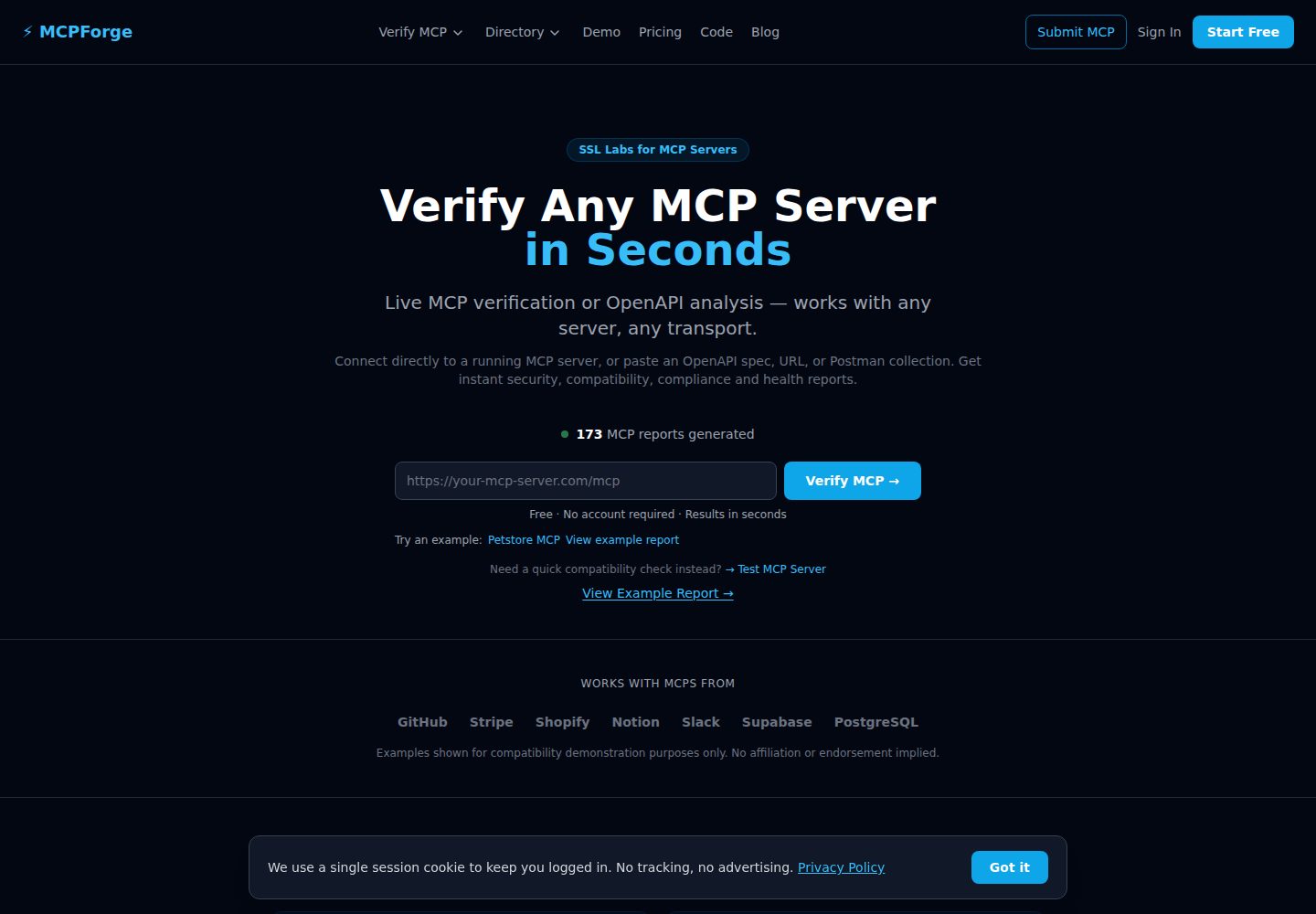
Verify this server with MCPForge:
Original README
https://github.com/kamolc4/nextjs-mcp-server/blob/main/LICENSEhttps://github.com/kamolc4/nextjs-mcp-server/blob/main/README.md1. Deploy this service to Vercel, Railway, Render, Fly.io, AWS, GCP, Azure, or a private Kubernetes cluster.
Original README
Compiled by DeepSeek based on repository license and README ·2026-10-14. Results only cover the materials read; dependencies, images, fonts, and subsequent term changes are subject to their respective original texts.
Project checks & description sources
Template Information
- Source platforms
- GitHub
- Documentation and maintenance reference score
- More documented · 80 / 100
- Technologies
- Next.js · React
- Website type
- Starter
How this score is calculated
Our heuristic uses license records (up to 30), a demo link (12), a preview (10), stars (15), recorded maintenance (15), description completeness (8), feature records (5) and classification data (5). It is not a code, security or performance test, or a Google score. A link does not establish tested functionality.
What to verify for this project
- Repository update recorded
- 2026-07-05
- Screenshot last checked
- 2026-10-14
A demo link is listed. Check it with your own content and viewport sizes; its presence does not confirm that forms, authentication or payments work.
The catalog identifies Next.js as the primary stack. Check the actual dependency manifest and lockfile for versions and hosting requirements. These notes use recorded metadata, not a code audit or a deployment test.
Use a selection guide →How this description was prepared
AI-assisted description based on catalog records and repository material. Repository authors are not automatically the reviewers of this description.
Review declaration: codex-user-requested-batch-review-20261015 · 2026-10-15
Inspect the recorded source material
SHA-256: 74a9aacf09334d6b31d8b91b9c48c9e9bcb13fb5f2f83b67f7163c9a6bceb3ff
2026-10-14T22:24:09.923Z
Source file / repository# Next.js MCP Server
[](https://github.com/kamolc4/nextjs-mcp-server/actions/workflows/ci.yml)
[](https://www.mcpforge.tech/verified/nextjs-mcp-server)
[](LICENSE)
A production-ready **Next.js MCP Server** template for the Model Context Protocol.
This template lets Claude Desktop, Cursor, Windsurf, and other MCP-compatible clients inspect a Next.js codebase, analyze App Router and Pages Router structure, discover API routes, and audit build performance through controlled MCP tools.
Built as a starter template for developers and teams that want a secure baseline before adding custom AI-powered development workflows to a Next.js application.
The template follows production engineering practices and can be used as a starting point for enterprise Next.js AI integrations using the Model Context Protocol.
## Who this is for
This repository is useful for:
- Next.js developers building AI-assisted development workflows,
- teams that want Claude or Cursor to inspect Next.js projects safely,
- platform engineers building internal MCP tooling,
- agencies creating reusable MCP server templates for client projects,
- developers learning how to host an MCP server inside the Next.js App Router.
## Features
- Next.js App Router MCP server
- TypeScript-first implementation
- HTTP MCP endpoint at `/api/mcp`
- Public health endpoint at `/api/health`
- API key authentication with `x-api-key` and `Authorization: Bearer`
- In-memory rate limiting for MCP requests
- Structured Pino logging
- Zod-based environment validation
- MCP tools for Next.js project analysis, API route inspection, and performance audits
- Jest test suite
- GitHub Actions CI workflow
- Docker support
- Claude Desktop and Cursor configuration examples
## Architecture
```text
Claude Desktop / Cursor / Windsurf
│
│ HTTP POST /api/mcp
│ x-api-key or Authorization: Bearer <MCP_API_KEY>
▼
Next.js App Router
│
├── app/api/mcp/route.ts
│ ├── API key validation
│ ├── rate limiting
│ └── MCP transport
│
├── app/api/health/route.ts
│ └── health report
│
▼
MCP Server
│
├── analyze_nextjs_project
├── inspect_api_routes
└── audit_performance_budget
│
▼
Local Next.js project filesystem
```
See the larger diagram in [docs/architecture.md](docs/architecture.md).
## Source Code
The complete production-ready Next.js MCP Server template is available on GitHub.
Repository:
https://github.com/kamolc4/nextjs-mcp-server
The repository includes:
- Complete TypeScript source code
- Next.js App Router MCP endpoint
- Health checks
- Authentication middleware
- Rate limiting
- MCP tools
- GitHub Actions CI
- Jest test suite
- MIT License
- Claude Desktop and Cursor configuration
- Production deployment examples
Fork the repository or download it as a ZIP to start building immediately.
## Available MCP tools
| Tool | Purpose |
|---|---|
| `analyze_nextjs_project` | Analyze a Next.js project and return router type, Next.js version, dependencies, scripts, and project metadata. |
| `inspect_api_routes` | Scan App Router and Pages Router routes, including API routes and dynamic segments. |
| `audit_performance_budget` | Read `.next/build-manifest.json` after a build and identify heavy pages that exceed a JavaScript budget. |
## Quick start
### 1. Clone and install
```bash
# Clone repository
git clone https://github.com/kamolc4/nextjs-mcp-server.git
cd nextjs-mcp-server
# Install dependencies
npm ci
```
### 2. Configure environment
```bash
cp .env.example .env.local
```
Edit `.env.local`:
```bash
MCP_API_KEY=replace-with-a-long-random-secret
MCP_SERVER_NAME=nextjs-mcp-server
MCP_SERVER_VERSION=1.0.0
NODE_ENV=development
LOG_LEVEL=info
NEXTJS_PROJECT_PATH=/absolute/path/to/your/nextjs/project
ALLOWED_ORIGINS=*
RATE_LIMIT_RPM=60
```
Generate a strong API key:
```bash
openssl rand -hex 32
```
### 3. Run locally
```bash
npm run dev
```
The Next.js app starts at:
```text
http://localhost:3000
```
### 4. Check health
```bash
curl http://localhost:3000/api/health
```
### 5. List MCP tools
```bash
curl -X POST http://localhost:3000/api/mcp \
-H 'Content-Type: application/json' \
-H 'Accept: application/json, text/event-stream' \
-H 'x-api-key: replace-with-your-mcp-api-key' \
-d '{"jsonrpc":"2.0","id":1,"method":"tools/list","params":{}}'
```
## Connect to Claude Desktop
Build and start the server:
```bash
npm run build
npm start
```
Then add an MCP server entry in your Claude Desktop configuration:
```json
{
"mcpServers": {
"nextjs": {
"url": "http://localhost:3000/api/mcp",
"headers": {
"Authorization": "Bearer replace-with-your-mcp-api-key"
}
}
}
}
```
Restart Claude Desktop after editing the configuration.
## Connect to Cursor
In Cursor, add a new MCP server using the HTTP endpoint:
```json
{
"name": "nextjs",
"url": "http://localhost:3000/api/mcp",
"headers": {
"Authorization": "Bearer replace-with-your-mcp-api-key"
}
}
```
Then restart Cursor or reload the MCP server list.
## Configuration
| Variable | Description | Required |
|---|---|---|
| `MCP_API_KEY` | Shared secret required for `/api/mcp`. Minimum 16 characters. | Required |
| `MCP_SERVER_NAME` | MCP server name exposed to clients. | Optional |
| `MCP_SERVER_VERSION` | MCP server version exposed to clients. | Optional |
| `NODE_ENV` | Runtime environment: `development`, `production`, or `test`. | Optional |
| `LOG_LEVEL` | Pino log level: `debug`, `info`, `warn`, or `error`. | Optional |
| `NEXTJS_PROJECT_PATH` | Project root that MCP tools inspect. Defaults to current working directory. | Optional |
| `ALLOWED_ORIGINS` | Reserved for production CORS hardening. | Optional |
| `RATE_LIMIT_RPM` | Maximum MCP requests per minute per client. | Optional |
## Security notes
This template is safer than a minimal demo, but you should harden it before production use.
Recommended production changes:
- Store `MCP_API_KEY` in a managed secret manager.
- Rotate `MCP_API_KEY` regularly.
- Restrict `NEXTJS_PROJECT_PATH` to the project directory you intend to expose.
- Avoid exposing secrets, `.env` files, deployment credentials, or private project directories through custom tools.
- Add per-user or per-workspace authorization if multiple users will access the server.
- Add audit logs for every tool call.
- Use HTTPS in production.
- Tune rate limits for your expected load.
- Review every new tool before allowing write access to project files.
## Security Review
Verify this server with MCPForge:
https://www.mcpforge.tech/verify
MCPForge can help review:
- exposed tools,
- authentication behavior,
- health checks,
- compatibility with MCP clients,
- risk level of filesystem access,
- security posture before publishing or deployment.
After verification, you can link your public report from this README:
```md
[](https://www.mcpforge.tech/verified/nextjs-mcp-server)
```
Read the complete guide on MCPForge:
https://www.mcpforge.tech/blog/next-js-mcp-server
Starter template on MCPForge Code Hub:
https://www.mcpforge.tech/code/next-js-mcp-server-template
## Deployment
A common production setup:
1. Deploy this service to Vercel, Railway, Render, Fly.io, AWS, GCP, Azure, or a private Kubernetes cluster.
2. Configure environment variables in the hosting provider.
3. Set `MCP_API_KEY` to a long random value.
4. Set `NEXTJS_PROJECT_PATH` to the project path that tools should inspect.
5. Verify `/api/health` before connecting MCP clients.
6. Verify `/api/mcp` with a valid API key.
7. Run a public or private verification with MCPForge.
### Docker
```bash
docker compose up --build
```
### Production build
```bash
npm run build
npm start
```
## Local development commands
```bash
npm run lint
npm run typecheck
npm test
npm run build
```
## API endpoints
| Method | Path | Description |
|---|---|---|
| `GET` | `/api/health` | Public health check endpoint. |
| `POST` | `/api/mcp` | MCP endpoint protected by API key authentication. |
| `GET` | `/api/mcp` | MCP endpoint for compatible HTTP transports. |
## Testing
```bash
npm test
npm run test:watch
npm run test:coverage
```
The test suite covers:
- `/api/health` response shape,
- missing API key on `/api/mcp`,
- invalid API key on `/api/mcp`,
- valid `x-api-key` authentication,
- valid `Authorization: Bearer` authentication,
- MCP `tools/list`,
- config validation defaults,
- rate limit behavior.
## Releases
Latest stable release:
v1.0.0
See the Releases page for the full changelog.
## Contributing
Contributions are welcome.
If you want to improve this Next.js MCP Server template, open an issue or submit a pull request.
## Related MCP Server Templates
Looking for other production-ready MCP Server templates?
- GitHub MCP Server
- Slack MCP Server
- Stripe MCP Server
- Notion MCP Server
- Shopify MCP Server
- HubSpot MCP Server
- PostgreSQL MCP Server
- Linear MCP Server
Browse the complete collection:
https://www.mcpforge.tech/code
## License
MIT — see [LICENSE](LICENSE).
Explore similar templates
Compare previews and descriptions within the same stack and category.

Next.js SaaS Starter
The official Next.js SaaS starter template, integrating email/password authentication, Stripe Checkout subscriptions, a dashboard with user/team CRUD, basic Owner/Member RBAC, and activity logging.
Next.js · SaaS

Next.js Commerce
Vercel's officially maintained Next.js App Router ecommerce starter with deep Shopify integration, offering a complete product catalog, cart, and checkout flow. Core logic is modular for swapping backends, and community provider versions exist for BigCommerce, Medusa, and Saleor.
Next.js · E-commerce

Next-js-Boilerplate
A developer-first Next.js 16 starter with Tailwind CSS 4 and TypeScript, supporting both App Router and Page Router.
Next.js · Starter

tailwind-nextjs-starter-blog
A Next.js and Tailwind CSS blog starter template using Contentlayer for Markdown/MDX, with built-in SEO, code highlighting, and tags. It targets personal technical blogs and migration from Jekyll/Hugo to React, and supports one-click Vercel deployment.
Next.js · Blog

next-forge
next-forge is a Turborepo-based Next.js template maintained by Vercel, positioned as a starting point for SaaS products.
Next.js · Starter

SaaS-Boilerplate
SaaS-Boilerplate is an open-source SaaS starter template built with Next.js App Router, React 19, TypeScript, Tailwind CSS, and Shadcn UI.
Next.js · SaaS