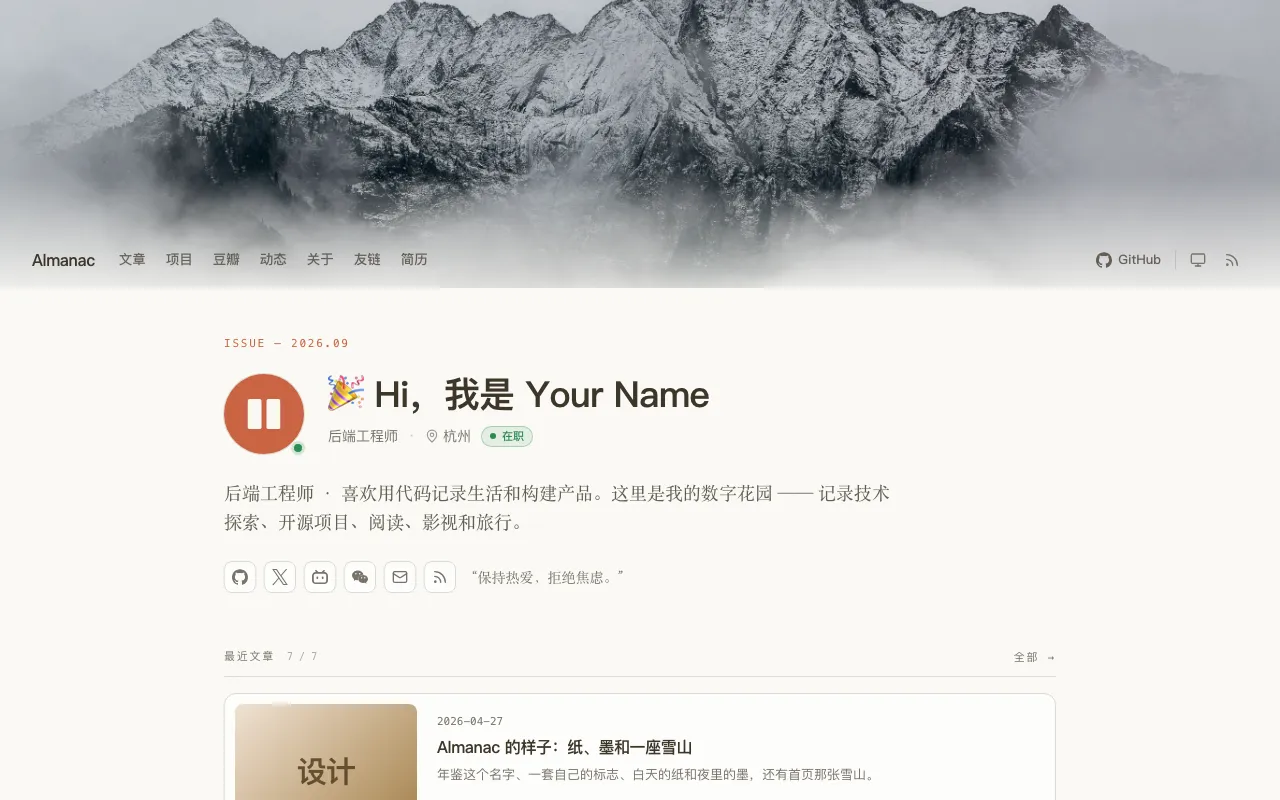
Homepage uses a magazine masthead plus card feed, showing latest articles and an entry to all articles
HTMLPortfolioBlog
theme-almanac — HTML Portfolio Template
By kite-plus
Almanac is a personal homepage theme for Kite, combining a magazine-style masthead with a card feed and providing separate pages for projects, books and films, moments, friend links, and resume, with light and dark modes.
Explore the design
Compare the page layouts and mobile experience. Open any screenshot for a closer look.
Author preview
Author-provided preview
Preview provided in the project README.
One original preview is available. Open the full image to inspect the design.
Screenshots show visual appearance; interactive behavior may differ.
Recorded 2026-10-02View source
What stands out
A quick read of the recorded project description.
Provides standalone layout pages such as about, projects, douban, moments, links, resume, feed, and search
Article pages show category, reading time, word count, update date, table of contents, and reading progress bar
Supports light, dark, and follow-system modes, with the browser remembering the choice
Pages still work without scripts, and third-party resources are not loaded by default unless web fonts are enabled or you embed them yourself
Styles are precompiled Tailwind CSS, so no Node is required to run the site
Template Details
Almanac is a personal hub theme for Kite, organizing the homepage with a magazine masthead and a card feed, and offering multiple standalone page layouts for personal content. The homepage includes a masthead, avatar and status dot, title, location and occupation, bio, social links, and a motto, with the latest article cards and an entry to all articles below. Article pages show category, reading time, word count, and update date, place a table of contents beside the body on wide screens, and have a reading progress bar below the header. The archive page is at /posts/ and groups by year, with tag and category pages also available.
The theme selects special layouts via the layout field in page front matter: about shows profile and social links; projects groups projects by status and displays GitHub data when github_user is set; project is a single project page; douban uses two shelves to display books and films; moments groups short updates by day; links shows friend link cards, application instructions, and a link list; resume is formatted for A4 printing; feed shows subscription addresses and provides a copy button; search provides a button to open the search plugin.
For writing, articles can use cardSize to specify the homepage card style (feature, standard, right, compact, note), cover to specify the cover image, and coverMedium to specify the cover type; if no cover is specified, the first image in the body is used, and cover: false hides the cover. Galleries, logo grids, and Bilibili, YouTube, and NetEase Cloud Music players must be written as HTML in articles and require markdown.unsafeHTML: true in kite.yaml. Search and comments depend on official Kite plugins respectively, and comments can be disabled per article with comments: false.
The theme styles use Tailwind CSS precompiled to static/almanac/almanac.css and committed to the repository, so no Node is required to run the site. During development, the example/ directory is a Kite site that uses the theme via a link; after modifying template class names or src/, run npm install and npm run build to rebuild. Publishing is handled by scripts/package.sh calling kite theme pack to package as dist/almanac-<version>.zip. The theme requires Kite 0.1.4 or higher, and packaging requires Kite 0.1.5 or higher.
HTMLPortfolioBlog
Is it right for your project?
Use Cases
- Build a personal homepage that centrally displays articles, projects, books and films, moments, and friend links
- Add a year-grouped archive page plus tag and category pages to a blog
- Create a personal resume page that can be printed to A4
- Highlight specific articles or notes on the homepage using different card sizes
- Embed Bilibili, YouTube, or NetEase Cloud Music players in articles
Suitable For
- Users building a personal site with Kite
- Personal homepages that need to combine a portfolio and a blog
- Users who want to configure page layouts via front matter without writing templates
- Sites that need light and dark mode switching
Getting started & customization
Use these recorded setup notes alongside the repository instructions for your chosen version.
- 1
Upload the release package to Kite studio's Settings → Theme, or extract it to the site's themes directory and set theme.name to almanac in kite.yaml
- 2
The theme requires Kite 0.1.4 or higher, and packaging requires Kite 0.1.5 or higher
- 3
Special pages require specifying layout in front matter and filling in data fields according to the corresponding layout
- 4
Embedding HTML galleries or players in articles requires setting markdown.unsafeHTML: true in kite.yaml
- 5
Search and comment features require installing the official Kite Search and Comments plugins respectively
License & source material
Usage conditions & limitations
Free to use · keep license noticeThis entry covers the free version under the MIT license in the public repository; the free scope is the code of this version and does not mean external services or third-party assets are free.
Must comply with when using
- You may use, modify, commercially use, and distribute the code of this version for free.
- When distributing copies or substantial portions of the code, retain the original author's copyright notice and the full MIT license notice.
- The code is provided as is; warranties and limitations of liability are governed by the original license and applicable law.
Additional costs & items to verify
- Using this theme requires Kite 0.1.4 or higher; lower versions cannot use it properly.
- Packaging and publishing the theme requires Kite 0.1.5 or higher; the packaging script cannot run on lower versions.
- Embedding HTML galleries or players in articles requires enabling markdown.unsafeHTML: true in kite.yaml, otherwise the embedded content will not render.
- Search and comment features depend on official Kite plugins and require installing the corresponding plugins before use.
- Third-party resources are not loaded by default, but enabling web fonts or embedding external content such as players yourself will introduce third-party requests.
- Demo images, fonts, icons, and other third-party assets must be checked against their respective licenses and cannot be judged solely by the code's MIT license.
- External services such as domains, hosting, databases, payments, or AI may incur additional charges.
View Original Text Basis
Permission is hereby granted, free of charge
Original License Text
Almanac asks for Kite 0.1.4 or later.
Original README
which needs Kite 0.1.5 or later, to pack
Original README
which needs `markdown.unsafeHTML: true` in `kite.yaml`
Original README
Almanac leaves search and comments to Kite's official plugins.
Original README
https://github.com/kite-plus/theme-almanac/blob/main/LICENSEhttps://github.com/kite-plus/theme-almanac/blob/main/README.mdnothing is loaded from a third party unless you turn on web fonts or write an embed yourself.
Original README
Compiled by DeepSeek based on repository license and README ·2026-10-02. Results only cover the materials read; dependencies, images, fonts, and subsequent term changes are subject to their respective original texts.
Project checks & description sources
Template Information
- Source platforms
- GitHub
- Documentation and maintenance reference score
- Partly documented · 73 / 100
- Technologies
- HTML
- Website type
- Portfolio · Blog
How this score is calculated
Our heuristic uses license records (up to 30), a demo link (12), a preview (10), stars (15), recorded maintenance (15), description completeness (8), feature records (5) and classification data (5). It is not a code, security or performance test, or a Google score. A link does not establish tested functionality.
What to verify for this project
- Repository update recorded
- 2026-10-01
- Screenshot last checked
- 2026-10-02
No demo link is recorded. Use the repository instructions to evaluate the project locally; the screenshot alone cannot establish interactive behavior.
The catalog identifies HTML as the primary stack. Check the actual dependency manifest and lockfile for versions and hosting requirements. These notes use recorded metadata, not a code audit or a deployment test.
Use a selection guide →How this description was prepared
AI-assisted description based on catalog records and repository material. Repository authors are not automatically the reviewers of this description.
Automatically checked against source and license rules; no manual editorial review.
Inspect the recorded source material
SHA-256: e0d5b79499723e397558b202c3736100fe8b738514e1523d39994f8877fbdff6
2026-10-02T06:37:28.845Z
Source file / repository# Almanac
A minimal, content-rich personal hub theme for [Kite](https://github.com/kite-plus/kite):
a magazine masthead over a feed of cards, and shelves for projects, books and
films, moments, friend links and a resume, on cream paper by day and warm ink
by night.
English · [简体中文](README.zh-CN.md)

An almanac is a yearly book, a record of dates and small markers of the year
past. This theme is the same: a place to leave traces of what you read, watch,
build and write.
## What it draws
- **A home page**: an issue line, your avatar with a status dot, a headline,
where you are and what you do, an introduction, your social links and a
motto, under a banner the header floats over. Then the newest posts as
cards and a link to all of them.
- **Posts** with their category, reading time, word count and the day they
were updated, a table of contents beside them on a wide screen, and a bar
under the header that shows how far a reader has read.
- **An archive** at `/posts/`, grouped by year, and tag and category pages.
- **Special pages**, each a page that names a layout in its front matter:
about, projects, books and films, moments, friend links, a resume that
prints on A4, a page to subscribe and a page to search.
- **Code blocks** with a bar that names the language and a button that copies
the code, headings with anchors, pictures that open in a viewer, and tables
that scroll.
- **Day and night**: the button in the header steps through day, night and
the reader's system, and the browser remembers the choice.
Every page works without a script, as Kite's preview in the studio shows it,
and nothing is loaded from a third party unless you turn on web fonts or
write an embed yourself.
## Using it
Drop the zip of a release on the upload tile under **Settings → Theme** in
Kite's studio, or unzip it into a site's `themes` folder and set `theme.name`
to `almanac` in `kite.yaml`. Almanac asks for Kite 0.1.4 or later.
Its settings are grouped in the studio as Profile, Look, Navigation, Social,
Home page, Posts, Special pages and Footer.
[The example site's kite.yaml](example/kite.yaml) sets most of them.
The header draws the site's main menu, which Kite keeps in `kite.yaml` and
the studio edits under **Settings → Menus**. A link's `icon` param picks its
icon in the menu of a narrow screen, as `params: {icon: book-open}`, and
otherwise one is guessed from its address. Until the site writes a main menu,
the header shows the links set under Navigation.
### Special pages
A page chooses a layout in its front matter, or from the Template menu in the
editor. The data a layout draws is written in the same front matter:
| Layout | Draws | Front matter |
|---|---|---|
| `about` | Your profile over the page's text, and your social links | none |
| `projects` | Projects grouped by status, with GitHub numbers when `github_user` is set | `projects` |
| `project` | One project's own page, which a projects entry can lead to with `link` | `status`, `summary`, `tech`, `repo`, `homepage`, `demo` |
| `douban` | Books and films on two shelves | `books`, `movies` |
| `moments` | Short entries grouped by day | `moments` |
| `links` | Your site's card to copy, how to ask for a link, and the links | `groups`, `apply` |
| `resume` | A resume laid out to print on A4 | `profile`, `skills`, `experience`, `projects`, `education`, `summary`, `links` |
| `feed` | The feed's address with a button that copies it | none |
| `search` | A button that opens the Search plugin's box | none |
For example, a projects page:
```yaml
---
title: Projects
layout: projects
projects:
- title: fluxa
status: active # maintained, experimental, archived, or any word
summary: A self-hosted gateway for AI models.
tech: [Go, TypeScript]
repo: https://github.com/you/fluxa
homepage: https://fluxa.dev
---
```
Each layout's template starts with the full list of what it reads, and
[the example site](example/content/pages) has a page for each.
### Writing
A post can ask for the card it is drawn with on the home page with
`cardSize`: `feature`, `standard`, `right`, `compact` or `note`, and give a
`cover`, a picture beside it in its folder or an address. The cover's
`coverMedium` is `photo`, `logo` or `shot`. A post that names no cover is
drawn with the first picture of its text, and one with `cover: false`, which
is what the No cover button in Kite's editor writes, with none. Both need
Kite 0.1.2 or later, whose listings carry a post's front matter.
Pictures in a grid, a grid of logos and players from Bilibili, YouTube or
NetEase Cloud Music are written as HTML in a post, which needs
`markdown.unsafeHTML: true` in `kite.yaml`. Leave a blank line around any
Markdown inside:
```html
<div class="gallery" data-cols="3">


</div>
<div class="embed"><iframe src="https://player.bilibili.com/player.html?bvid=BV1uv411q7Mv&autoplay=0" allowfullscreen></iframe></div>
<div class="embed music"><iframe src="https://music.163.com/outchain/player?type=2&id=1974443814&auto=0&height=66"></iframe></div>
<div class="pic-grid" data-cols="3">
<div class="cell"><img src="kite.svg" alt="Kite"><span class="name">Kite</span></div>
<div class="cell"><img src="go.svg" alt="Go"><span class="name">Go</span></div>
<div class="cell"><img src="tailwind.svg" alt="Tailwind CSS"><span class="name">Tailwind CSS</span></div>
</div>
```
### Plugins
Almanac leaves search and comments to Kite's official plugins. With
[Search](https://github.com/kite-plus/plugin-search) on the site, a search box
appears in the header and opens the plugin's search of every post. With
[Comments](https://github.com/kite-plus/plugin-comments), the thread goes under
a post, drawn in the theme's colors; a post leaves it out with
`comments: false`.
## Developing it
[`example/`](example) is a Kite site that uses the theme through a link,
`themes/almanac` to the root of this repository:
```sh
cd example
kite run
```
The stylesheet is Tailwind CSS, compiled ahead of time into
`static/almanac/almanac.css`, which is committed, so a site needs no Node.
After changing a class in a template or anything in `src/`:
```sh
npm install
npm run build
```
A change is ready when both of these pass:
```sh
kite theme verify .
(cd example && kite build --verify)
```
## Releasing
`scripts/package.sh` runs `kite theme pack`, which needs Kite 0.1.5 or
later, to pack `dist/almanac-<version>.zip`: one folder named `almanac`
holding `theme.yaml` and what the theme is made of, which the studio installs
as it is. Set `KITE` to use another kite binary than the one on `PATH`. Tag
the release and attach the zip.
## Design
The theme's pages, settings and look, and what Kite has to add for the rest of
it, are in [docs/design/README.md](docs/design/README.md).
## License
[MIT](LICENSE).
Explore similar templates
Compare previews and descriptions within the same stack and category.

simplefolio
Simplefolio is a minimal single-page portfolio template for developers, built with HTML, Bootstrap, SCSS, and Parcel under the MIT license. It includes Hero, About, Projects, Contact, and Footer sections, with content edited in /src/index.html and theme colors controlled by two SCSS variables.
HTML · Portfolio

Freelancer
A bright, single-page Bootstrap portfolio template for freelancers, designers, and small studios. It includes a responsive portfolio grid with modal detail windows and an SB Forms contact form that requires an API token.
HTML · Portfolio

Casper
Casper is Ghost's official classic blog theme, long used as the default and still maintained.
HTML · Magazine

Resume
A single-page resume and CV template from Start Bootstrap, built on Bootstrap with a fixed sidebar and content sections.
HTML · Portfolio

Creative
A single-page marketing template by Start Bootstrap for creative agencies and product services, built on Bootstrap with SCSS, featuring a portfolio grid and call-to-action sections. It includes pre-set SB Forms markers for form integration and npm build scripts for source customization.
HTML · Corporate Website
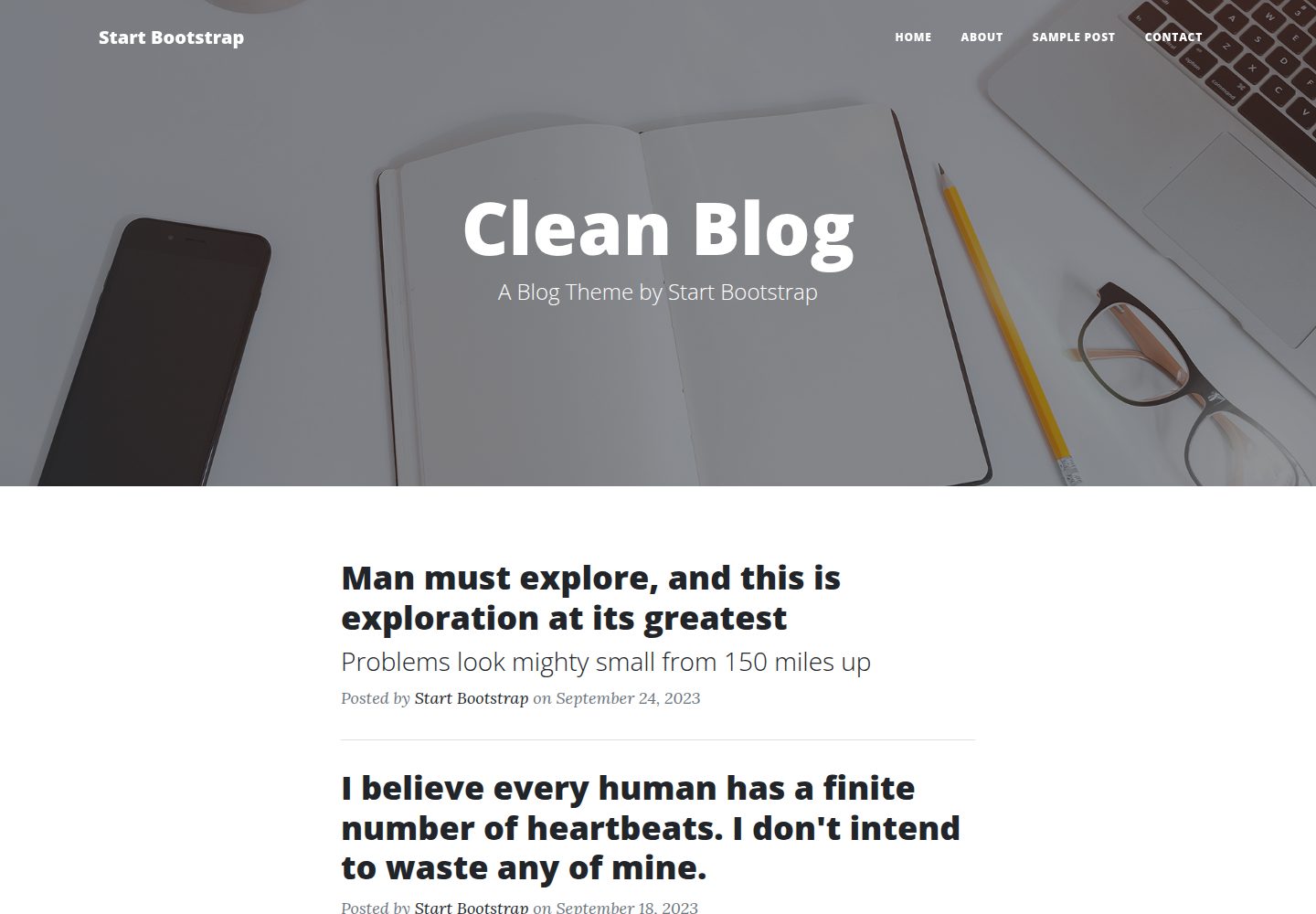
startbootstrap-clean-blog
Clean Blog by Start Bootstrap is a responsive Bootstrap blog theme with a home page, about page, contact page, and sample post page, plus a working PHP contact form preconfigured for SB Forms.
HTML · Blog