Frontend-backend separation: Laravel + GraphQL API separated from the Quasar client, with an additional client-backend that relays OAUTH2 credentials
LaravelAdmin dashboardStarter
laqul — Laravel Admin dashboard Template
By laqul
Laqul is a full-stack starter kit based on Laravel and Quasar, with a GraphQL API backend, a data dashboard-style client frontend, and reserved Firebase integration.
Explore the design
Compare the page layouts and mobile experience. Open any screenshot for a closer look.
Desktop homepage1 / 2
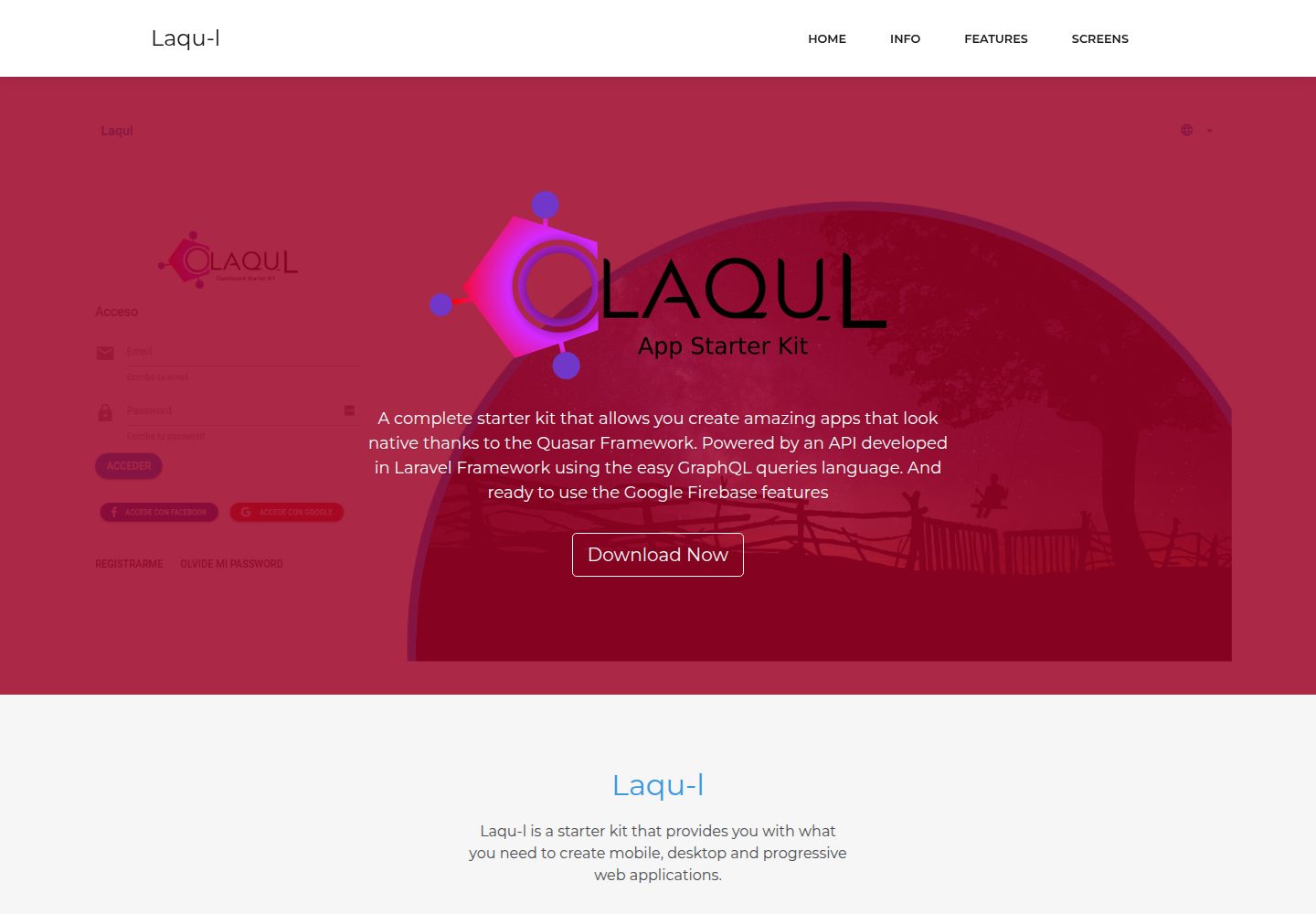
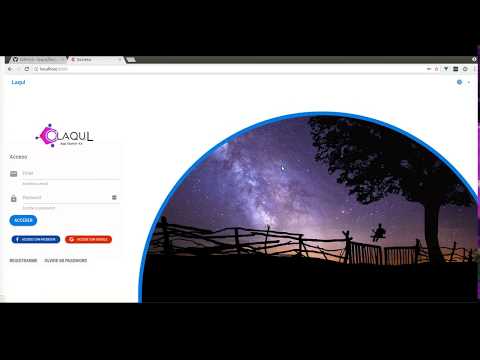
Desktop captureTop of page
Actual screenshot captured by the server browser.
All pages & views 2
Screenshots show visual appearance; interactive behavior may differ.
Recorded 2026-10-01View source
What stands out
A quick read of the recorded project description.
Multiple authentication methods: OAUTH 2, password login, Google and Facebook social login, with email verification for both registration and password reset
The client can be built as a SPA, PWA, desktop app, or mobile app
Integrates Firebase Authentication and Firebase Cloud Messaging notifications
Built-in multilingual support, XSRF protection, user roles, user avatar, timezone detection, and terms/privacy policy pages
Template Details
Laqul is a backend/starter kit template whose repository is divided into three parts: api, client, and client-backend. The api is a Laravel-based GraphQL API using OAUTH 2 authentication; the client is a dashboard client built with the Quasar Framework that can be built as a SPA, PWA, desktop app, or mobile app; client-backend is a PHP script used to securely store the API's client-id and client-secret and to handle the OAUTH2 authentication and refresh token flow.
Features cover multilingual support, XSRF protection, terms and privacy policy pages, Google and Facebook social login, password login, registration with email verification and password reset, user avatar, change password and username, logout, user roles, user timezone detection, and Firebase Authentication and Firebase Cloud Messaging notifications.
Usage limitations: the project depends on a LAMP environment, Node/npm, quasar-cli, composer, and git; you need to create the database yourself and configure SMTP, Firebase service account and private key, Firebase AUD, FCM server key and sender ID, and Google and Facebook OAuth credentials. The README lists framework versions as Quasar 0.16 and Laravel 5.6, which are older versions; you should verify dependency compatibility yourself before actual use.
LaravelBackendStarter kit
Is it right for your project?
Use Cases
- A starting project for a backend admin interface with OAUTH2 and social login
- Projects that want to use GraphQL as the frontend-backend data interaction method
- Applications that need to output Web, desktop, or mobile clients simultaneously
- Projects planning to use Firebase authentication and push notifications
Suitable For
- Developers familiar with Laravel, GraphQL, and Quasar
- Backend projects that need ready-made authentication and user management flows
- Teams that can configure the database, SMTP, and Firebase themselves
- Scenarios for secondary development based on MIT-licensed code
Getting started & customization
Use these recorded setup notes alongside the repository instructions for your chosen version.
- 1
Requires a LAMP environment, Node/npm, quasar-cli, composer, and git
- 2
On the API side, clone the repository, run composer install, generate the application key and Passport keys, and configure the database connection, migrations, and seed data
- 3
Configure SMTP, Firebase service account and private key, Firebase AUD, FCM server key and sender ID, and Google/Facebook OAuth credentials in .env
- 4
client-backend must be started with php -S localhost:8001 as the OAUTH2 relay between the client and the API
- 5
On the client side, run npm install and fill in the Firebase project parameters in src/config/index.js, then run quasar dev
License & source material
Usage conditions & limitations
Free to use · keep license noticeThis entry covers the free version under the MIT license in the public repository; the free scope is the code of that version and does not mean external services or third-party assets are free.
Must comply with when using
- You may freely use, modify, commercialize, and distribute the code of this version.
- When distributing copies or substantial portions of the code, retain the original author's copyright notice and the full MIT license notice.
- The code is provided as is; warranties and limitations of liability are governed by the original license and applicable law.
Additional costs & items to verify
- Using Firebase Authentication and Cloud Messaging features requires creating your own Firebase project and configuring the service account, private key, AUD, FCM server key, and sender ID; this is an external service dependency.
- Google social login requires applying for your own Google OAuth 2.0 client ID and secret, depending on a Google Developer Console account.
- Facebook social login requires applying for your own Facebook OAuth 2.0 client ID and secret, depending on a Facebook developer account.
- Email features such as registration, email verification, and password reset require configuring a working SMTP mail server yourself.
- The runtime environment requires a LAMP server, and you must prepare the database, Node/npm, quasar-cli, composer, and git yourself.
- The README mentions Firebase integration; before enabling related dynamic features, you must configure it yourself and check Firebase quotas and charges.
- Demo images, fonts, icons, and other third-party assets must be checked against their respective licenses and cannot be judged solely by the code's MIT license.
- External services such as domain, hosting, database, payment, or AI may incur additional charges.
View Original Text Basis
Permission is hereby granted, free of charge
Original License Text
* Create a [Firebase project](https://firebase.google.com)
Original README
* Get your Google Oauth 2.0 Client ID and Client Secret from [Developers Console](https://console.developers.google.com)
Original README
* Get your Facebook Oauth 2.0 Client ID and Client Secret from [Facebook Developers](https://developers.facebook.com)
Original README
* Configure the SMTP server for emails in laqul/api/.env file:
Original README
https://github.com/laqul/laqul/blob/develop/LICENSEhttps://github.com/laqul/laqul/blob/develop/README.md* LAMP Server
Original README
Compiled by DeepSeek based on repository license and README ·2026-10-01. Results only cover the materials read; dependencies, images, fonts, and subsequent term changes are subject to their respective original texts.
Project checks & description sources
Template Information
- Source platforms
- GitHub
- Documentation and maintenance reference score
- More documented · 81 / 100
- Technologies
- Laravel
- Website type
- Admin dashboard · Starter
How this score is calculated
Our heuristic uses license records (up to 30), a demo link (12), a preview (10), stars (15), recorded maintenance (15), description completeness (8), feature records (5) and classification data (5). It is not a code, security or performance test, or a Google score. A link does not establish tested functionality.
What to verify for this project
- Repository update recorded
- 2020-08-16
- Screenshot last checked
- 2026-10-01
A demo link is listed. Check it with your own content and viewport sizes; its presence does not confirm that forms, authentication or payments work.
The catalog identifies Laravel as the primary stack. Check the actual dependency manifest and lockfile for versions and hosting requirements. These notes use recorded metadata, not a code audit or a deployment test.
Use a selection guide →How this description was prepared
AI-assisted description based on catalog records and repository material. Repository authors are not automatically the reviewers of this description.
Automatically checked against source and license rules; no manual editorial review.
Inspect the recorded source material
SHA-256: 89d98a1b186ada6cd3532037ae2d8d5d1086432192399c8a1cbcbe532c2d170f
2026-10-01T02:32:08.675Z
Source file / repository
# Laqu-l
<a href="https://github.com/quasarframework/quasar">
<img alt="Made with Quasar" src="https://img.shields.io/badge/made with-Quasar-2fa4cf.svg">
</a>
<a href="https://github.com/graphql">
<img alt="Powered by GraphQL" src="https://img.shields.io/badge/powered by-GraphQL-e572d9.svg">
</a>
<a href="https://github.com/laravel/laravel">
<img alt="uses Laravel" src="https://img.shields.io/badge/uses-Laravel-ff5d0e.svg">
</a>
<a href="https://github.com/firebase">
<img alt="Ready for Firebase" src="https://img.shields.io/badge/ready for-Firebase-f6bc00.svg">
</a>
> A complete starter kit that allows you create amazing apps that look native thanks to the Quasar Framework. Powered by an API developed in Laravel Framework using the easy GraphQL query language. And ready to use the Google Firebase features.
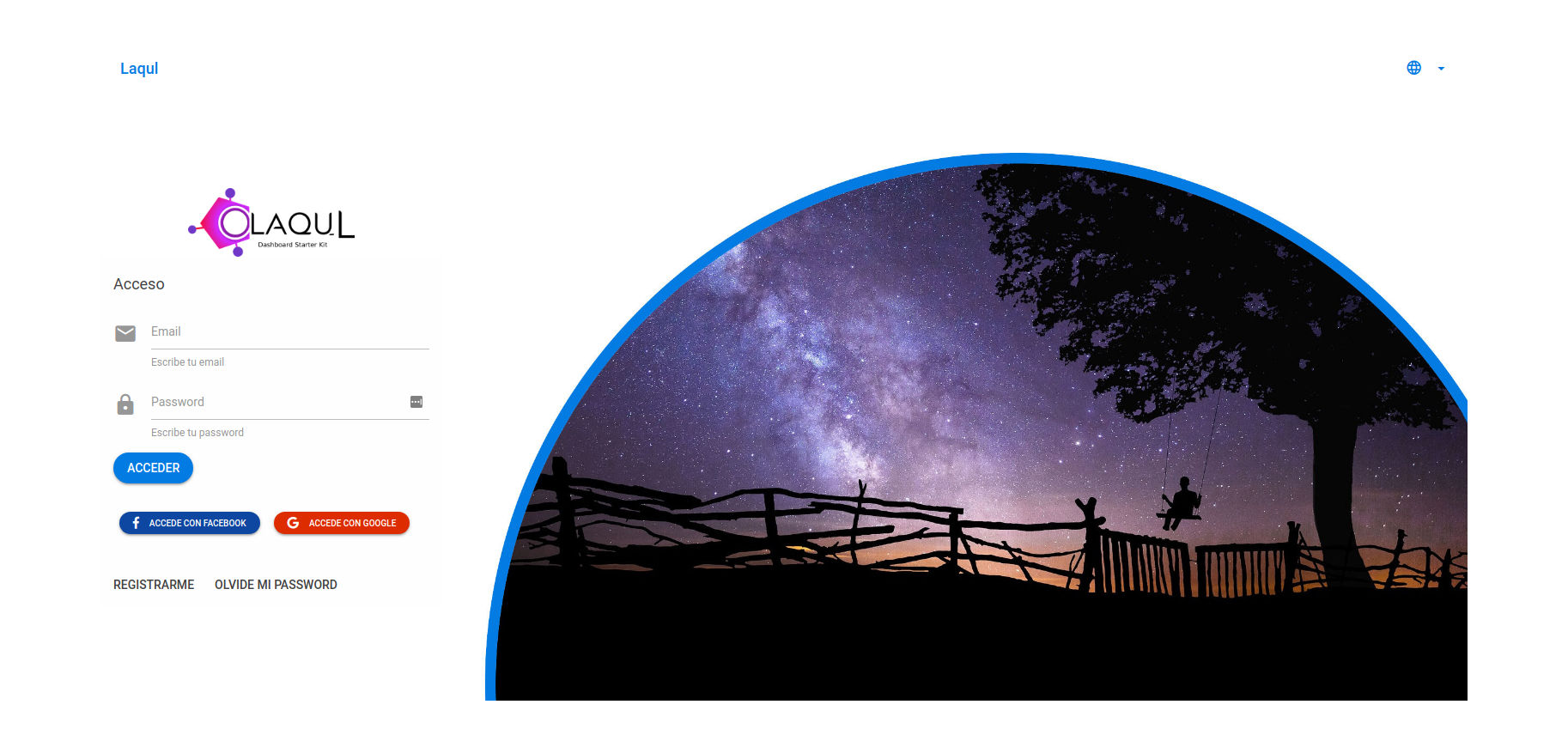
### Login Screen
[](https://laqul.github.io)
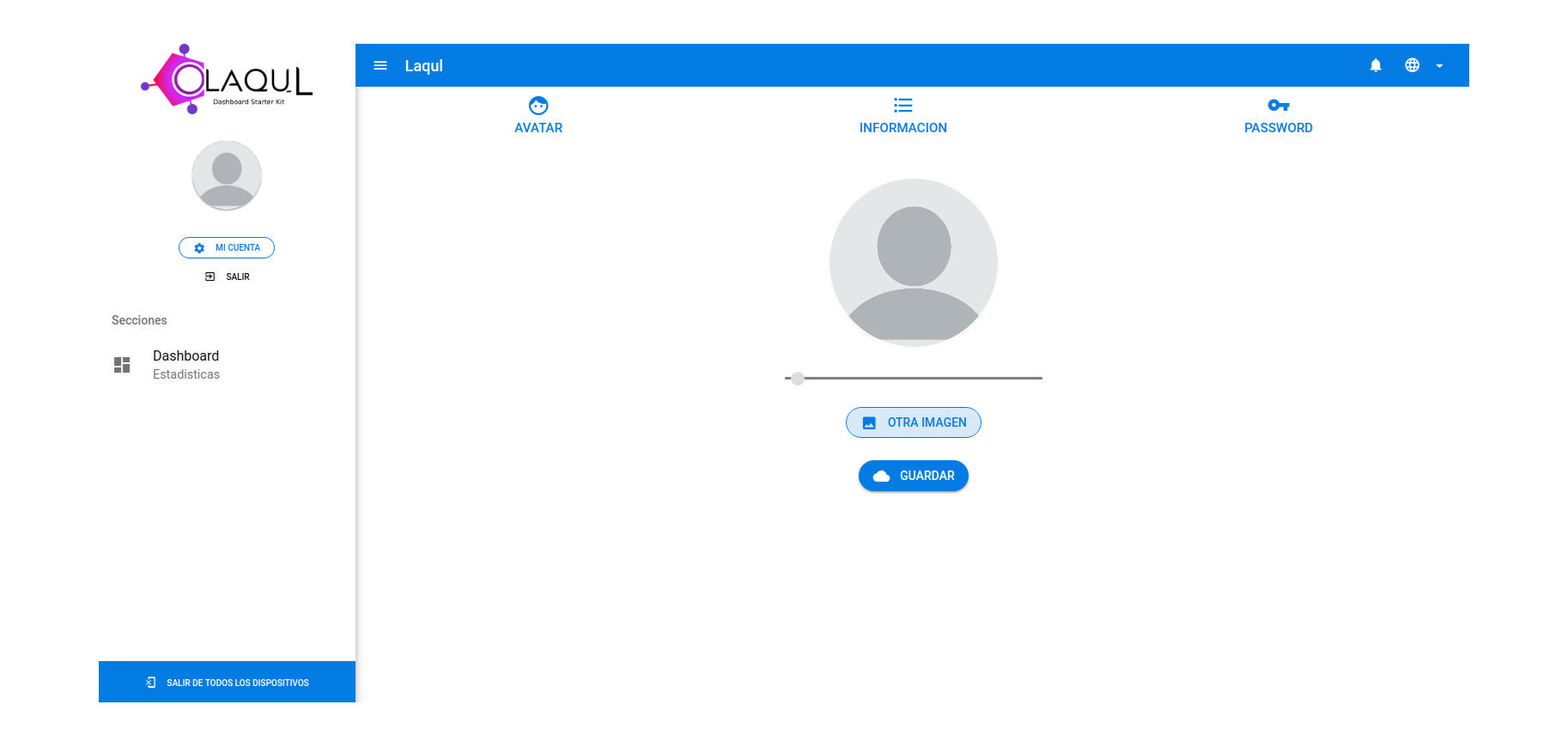
### Admin Screen
[](https://laqul.github.io)
# Features
* Multilanguage capability
* XSRF protection in client and client-backend comunication.
* Use as SPA, PWA, DESKTOP APP, MOBILE APP, thanks to Quasar Framework
* Area for Terms and Conditions and Privacy Policy
* Social login (Google and Facebook by default)
* OAUTH 2 Authentication
* Password login
* User registration with password and email verification
* Reset password with email verification
* User avatar
* Update password
* Update user name
* Logout
* Firebase Authentication with custom generated token that allows using all Firebase features
* Firebase Cloud Messaging for app notifications
* User timezone detection for process related to user's time
* User roles
# Components
### API
OAUTH 2 Laravel API Powered with GraphQl
### Client
Dashboard with a basic features developed with Quasar Framework
### Client-Backend
PHP script that allows securely storing the API client-id and client-secret and managing the OAUTH2 authentication and refresh tokens process
## Requirements
* LAMP Server
* Terminal
* node
* npm
* quasar-cli
* [composer](https://github.com/composer/composer)
* git
## Installation
### Video Tutorial
[](https://youtu.be/x5yF3bAbPzY)
### API Setup
Prepare the Laravel API for the initial setup
* In your terminal type:
```
git clone https://github.com/laqul/laqul.git
cd laqul/api
composer install
cp .env.example .env
php artisan key:generate
php artisan passport:keys
```
* Create a database using [phpmyadmin](https://www.phpmyadmin.net/) or terminal:
```
mysql -u root -e "create database testdb";
```
If you have an existing mysql password, add -p above. You will be prompted for your password.
* Put your data connection in laqul/api/.env file:
```
DB_DATABASE=YOUR_DATABASE
DB_USERNAME=YOUR_DATABASE_USER
DB_PASSWORD=YOUR_DATABASE_PASSWORD
```
* Migrate data base
```
php artisan migrate --seed
```
* Configure the SMTP server for emails in laqul/api/.env file:
```
[email protected]
MAIL_FROM_NAME='Laqul'
MAIL_DRIVER=smtp
MAIL_HOST=SMTP_HOST
MAIL_PORT=SMTP_PORT
MAIL_USERNAME=SMTP_USERNAME
MAIL_PASSWORD=SMTP_PASSWORD
MAIL_ENCRYPTION=tls
```
* Create a [Firebase project](https://firebase.google.com)
* Go to project settings and get a service account then paste it in laqul/api/.env file
```
FIREBASE_SERVICE_ACCOUNT=YOUR_FIREBASE_SERVICE_ACCOUNT
```
* Into the Firebase project settings in service account option generate a private key, one file was downloaded, rename the key file to firebase-private.key and move it to laqul/api/storage folder
* Get the Firebase AUD and paste it in laqul/api/.env file [More Info](https://firebase.google.com/docs/auth/admin/create-custom-tokens)
```
FIREBASE_AUD=YOUR_FIREBASE_TOKEN_AUD
```
* Into the Firebase project settings in Cloud Messaging option get the server key and the sender id and paste it in laqul/api/.env file
```
FCM_SERVER_KEY=YOUR_FCM_SERVER_KEY
FCM_SENDER_ID=YOUR_FCM_SENDER_ID
```
* Get your Google Oauth 2.0 Client ID and Client Secret from [Developers Console](https://console.developers.google.com) and paste it in laqul/api/.env file
```
SOCIAL_GOOGLE_CLIENTID=YOUR_GOOGLE_CLIENT_ID
SOCIAL_GOOGLE_CLIENTSECRET=YOUR_GOOGLE_CLIENT_SECRET
```
* Get your Facebook Oauth 2.0 Client ID and Client Secret from [Facebook Developers](https://developers.facebook.com) and paste it in laqul/api/.env file
```
SOCIAL_FACEBOOK_CLIENTID=YOUR_FACEBOOK_CLIENT_ID
SOCIAL_FACEBOOK_CLIENTSECRET=YOUR_FACEBOOK_CLIENT_SECRET
```
* Back in your terminal make a sym-link to storage folder in your API folder
```
php artisan storage:link
```
* Run the API
```
php artisan serve
```
### Run The Client Backend
* Open a new terminal in laqul/client-backend folder and run:
```
php -S localhost:8001
```
This creates a server listening in port 8001, this is the intermediary between client and api for the Oauth 2.0 authentication
### Setup Client
* Open a new terminal in laqul/client folder and run:
```
npm install
```
* Go to laqul/client/src/config/index.js file and setup your firebase project data:
```
apiKey: 'YOUR_FIREBASE_API_KEY',
authDomain: 'YOUR_FIREBASE_AUTH_DOMAIN',
databaseURL: 'YOUR_FIREBASE_DATABASE_URL',
projectId: 'YOUR_FIREBASE_PROJECT_ID',
storageBucket: 'YOUR_FIREBASE_STORAGE_BUCKET',
messagingSenderId: 'YOUR_FIREBASE_SENDER_ID'
```
* Back to your terminal and run:
```
quasar dev
```
You are done! make something awesome!
> Spelling and grammar correction are welcome :+1:
## Frameworks Used
* Quasar 0.16: [Official Documentation](http://quasar-framework.org)
* Laravel 5.6: [Official Documentation](https://laravel.com/docs/5.6)
## GraphQL
* Official Site: [GraphQL Info](http://graphql.org)
* Laravel GraphQL implementation: [Folkloreatelier/laravel-graphql](https://github.com/Folkloreatelier/laravel-graphql)
## Contributing
It would be great if you could contribute by adding new features, fixing bugs or showing us the steps to reproduce bugs.
## License
Copyright (c) 2018-present Fabian VR
[MIT License](http://en.wikipedia.org/wiki/MIT_License)
Explore similar templates
Compare previews and descriptions within the same stack and category.

sage
Sage is a WordPress starter theme maintained by Roots, using Laravel Blade components and templates, Vite builds, Tailwind CSS, and built-in block editor support.
Laravel · Starter

wave
Wave is an open-source SaaS starter kit built on Laravel and released under the MIT license.
Laravel · SaaS

coreui-free-laravel-admin-template
A free MIT-licensed Laravel admin template using CoreUI Bootstrap styles, with a sample login account and management examples for users, menus, roles, media, BREAD, and email templates.
Laravel · Admin dashboard

sneat-bootstrap-html-laravel-admin-template-free
Sneat Free is a Laravel admin template with a Bootstrap 5 frontend, MIT-licensed, offering a dashboard, multiple layouts, authentication pages, forms, and tables.
Laravel · Admin dashboard

filament-starter
A Laravel TALL stack starter template maintained by Log1x, with a preconfigured Filament admin panel and plugins including Curator, Gravatar, Exceptions, Jobs Monitor, Breezy, Peek, and Logger.
Laravel · Starter

electrik
Electrik is a Laravel SaaS starter kit installed as a Composer package, with authentication, teams, Stripe subscription billing, and the Slate 3 interface under the Electrik\ namespace rather than copied into App\.
Laravel · SaaS