Built-in Keystatic CMS for visual content editing at the /keystatic path, with content stored as files in the repository
AstroPortfolioBlog
bloomfolio — Astro Portfolio Template
By lauroguedes
Bloomfolio is an Astro-based portfolio and blog template that uses the DaisyUI component library and includes Keystatic CMS and multiple content collections, suitable for building a personal portfolio and article publishing site.
Explore the design
Compare the page layouts and mobile experience. Open any screenshot for a closer look.
Desktop homepage1 / 3
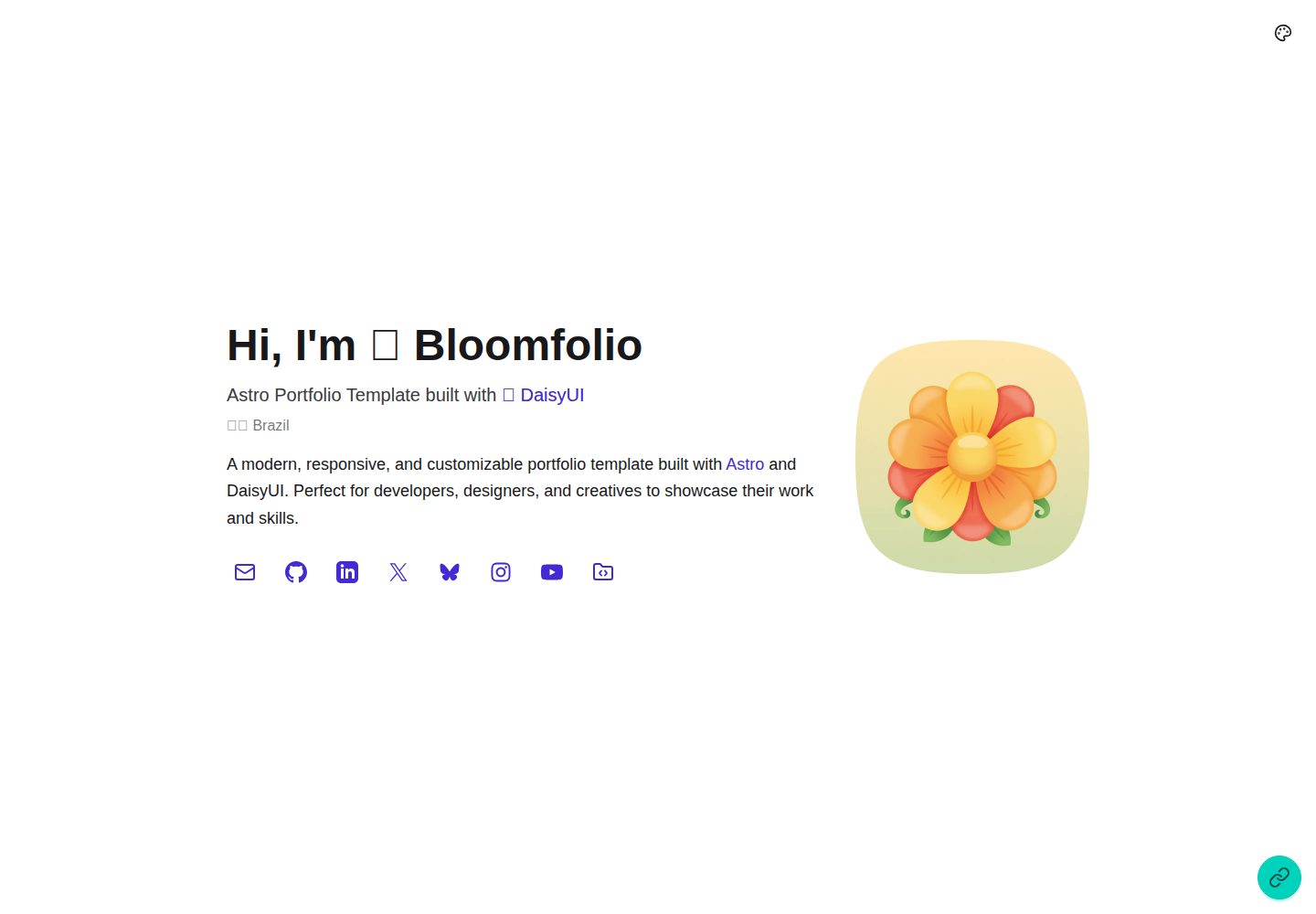
Desktop captureTop of page
Actual screenshot captured by the server browser.
All pages & views 3
Screenshots show visual appearance; interactive behavior may differ.
Recorded 2026-10-04View source
What stands out
A quick read of the recorded project description.
Preset content collections for Blog, Projects, Work, Education, Hackathons, and About, validated with TypeScript schemas
Project listing page offers Grid, Horizontal Tabs, and Sidebar layouts, switchable in General Settings
Blog and project detail pages automatically generate an On this page sidebar navigation based on H1/H2/H3 headings, supporting global defaults and per-page overrides
Six built-in DaisyUI themes: light, dark, synthwave, retro, valentine, and dim, switchable via dropdown or light/dark toggle
Desktop FAB floating menu and mobile bottom Dock navigation, with links and display positions configurable via extraLinks
Template Details
Bloomfolio is a portfolio template aimed at developers, designers, and creative professionals. The repository is MIT-licensed and covers both portfolio and blog use cases. The template is built with Astro, with styling provided by Tailwind CSS and DaisyUI, and content types validated through TypeScript and content collection schemas.
Content management offers two approaches: the built-in Keystatic CMS, accessible at /keystatic under the development server for visual content editing with content stored as files in the repository; or direct editing of files under src/content/. The template includes preset content collections for Hero, About, Blog, Projects, Work, Education, and Hackathons. Visibility of homepage sections can be controlled in General Settings, while the Hero section is always displayed.
The project listing page offers three layouts: Grid, Horizontal Tabs, and Sidebar. Projects can be grouped by custom categories, with uncategorized projects placed under Other. Blog and project detail pages automatically generate an On this page sidebar navigation based on H1, H2, and H3 headings, supporting both global defaults and per-page overrides, with a choice of left or right position. Hero titles and descriptions support inline links using the [link:<url>]text[/link] syntax.
For theming, six DaisyUI themes are built in: light, dark, synthwave, retro, valentine, and dim, switchable via a dropdown selector or a light/dark toggle. Desktop provides an expandable floating action button (FAB) menu, while mobile offers bottom Dock navigation. Additional links can be configured via extraLinks with specified display positions.
Before use, note the following: the runtime requires Node.js 22.12.0 or newer; version numbers mentioned in the README such as Astro 7, Vite 8, Tailwind CSS 4, DaisyUI 5, and TypeScript 6 have not been cross-checked item by item against the dependency manifest, so refer to the repository package.json for actual versions. Licensing of third-party assets such as demo images, fonts, and icons must be confirmed separately; the MIT license for the code does not cover these assets.
AstroPortfolioBlog
Is it right for your project?
Use Cases
- Building a personal portfolio site to showcase projects with the Projects collection and group them by custom categories
- Publishing technical articles or essays, managing posts, cover images, and drafts with the Blog collection
- Presenting timelines of work experience, education, and hackathon participation on the same site
- Maintaining content visually through Keystatic CMS instead of editing Markdown files directly
- Inserting inline links to external sites in Hero titles or descriptions
Suitable For
- Individual site developers who need a combined portfolio and blog
- Front-end developers who prefer the Astro and Tailwind CSS/DaisyUI stack
- Users who want content stored in a Git repository and edited via a visual CMS
- Creators who need to choose different layouts and category display methods on the project listing page
Getting started & customization
Use these recorded setup notes alongside the repository instructions for your chosen version.
- 1
Requires Node.js 22.12.0 or newer; the repository includes .nvmrc for selecting this minimum version
- 2
After cloning the repository, run npm install to install dependencies, then npm run dev to start the development server (default localhost:4321)
- 3
Content can be edited visually via /keystatic or by directly modifying files under src/content/
- 4
After modifying components or content, run npm run check and npm run build to check for template and schema errors
- 5
Framework version numbers listed in the README have not been cross-checked item by item against the dependency manifest; refer to the repository package.json
License & source material
Usage conditions & limitations
Free to use · keep license noticeThis entry covers the free version under the MIT license in the public repository; the free scope is the code of this version and does not imply that external services or third-party assets are free.
Must comply with when using
- Free use, modification, commercial use, and distribution of this version's code are permitted.
- When distributing copies or substantial portions of the code, retain the original author's copyright notice and the full MIT license notice.
- The code is provided as is; warranties and limitations of liability are governed by the original license and applicable law.
Additional costs & items to verify
- Requires Node.js 22.12.0 or newer; earlier versions cannot be used.
- Uses the Vercel adapter by default for server-side rendering deployment; deploying to other platforms requires installing the corresponding adapter and replacing the adapter in astro.config.mjs.
- Remote content editing (GitHub mode) is optional and requires creating a GitHub OAuth App and configuring environment variables such as client ID and secret.
- Spotify, YouTube, and Twitter media embed components apply only to blog posts, and files must use the .mdoc extension rather than .md.
- Demo images, fonts, icons, and other third-party assets must be checked against their respective licenses; they cannot be judged solely by the code's MIT license.
- External services such as domains, hosting, databases, payments, or AI may incur additional charges.
View Original Text Basis
Permission is hereby granted, free of charge
Original License Text
Astro 7 requires Node.js 22.12.0 or newer.
Original README
Bloomfolio uses `output: "server"` with `@astrojs/vercel` because Keystatic needs on-demand routes. To deploy elsewhere, install that platform's Astro 7-compatible adapter, replace the Vercel adapter in `astro.config.mjs`
Original README
For remote content editing from anywhere, you can enable Keystatic's GitHub mode
Original README
https://github.com/lauroguedes/bloomfolio/blob/main/LICENSEhttps://github.com/lauroguedes/bloomfolio/blob/main/README.mdMedia components (Spotify, YouTube, Twitter) are only available in blog posts. Files must use the `.mdoc` extension (not `.md`).
Original README
Compiled by DeepSeek based on repository license and README ·2026-10-04. Results only cover the materials read; dependencies, images, fonts, and subsequent term changes are subject to their respective original texts.
Project checks & description sources
Template Information
- Source platforms
- Astro Themes
- Documentation and maintenance reference score
- More documented · 92 / 100
- Technologies
- Astro
- Website type
- Portfolio · Blog
How this score is calculated
Our heuristic uses license records (up to 30), a demo link (12), a preview (10), stars (15), recorded maintenance (15), description completeness (8), feature records (5) and classification data (5). It is not a code, security or performance test, or a Google score. A link does not establish tested functionality.
What to verify for this project
- Repository update recorded
- 2026-08-14
- Screenshot last checked
- 2026-10-04
A demo link is listed. Check it with your own content and viewport sizes; its presence does not confirm that forms, authentication or payments work.
The catalog identifies Astro as the primary stack. Check the actual dependency manifest and lockfile for versions and hosting requirements. These notes use recorded metadata, not a code audit or a deployment test.
Use a selection guide →How this description was prepared
AI-assisted description based on catalog records and repository material. Repository authors are not automatically the reviewers of this description.
Review declaration: [email protected] · 2026-10-04
Inspect the recorded source material
SHA-256: b38a47b7f0b727b85b4a8d5ef4b6b838e97e87aae6ec7c3cdcd23059ac0d9803
2026-10-04T03:48:34.210Z
Source file / repository# 🌻 Bloomfolio
<div align="center">
A modern, customizable portfolio template built with **Astro 7** and **DaisyUI 5**. A beautiful, fast, and highly customizable portfolio template for developers, designers, and creatives.
[](https://opensource.org/licenses/MIT)
[](https://astro.build)
[](https://tailwindcss.com)
[](https://daisyui.com)
[](https://www.typescriptlang.org/)
</br>
<img width="1920" height="1080" alt="img1" src="https://github.com/user-attachments/assets/b882118c-2070-4b12-85f4-8491ea9517ee" />
</div>
## ✨ Features
- 🎨 **6 Built-in Themes** - Light, Dark, Synthwave, Retro, Valentine, and Dim
- 📝 **6 Content Collections** - Blog, Projects, Work, Education, Hackathons, and About
- 🎨 **Keystatic CMS** - Visual content editor with live preview, GitHub integration, and Astro 7 support
- 🔒 **Type-Safe Content** - Full TypeScript support with validated schemas
- 📱 **Fully Responsive** - Mobile-first design with DaisyUI components
- ⚡ **Fast & Optimized** - Server rendering with automatic image optimization
- 🎭 **Smooth Transitions** - Page transitions using Astro's View Transitions API
- 📦 **Markdoc Support** - Enhanced markdown with custom Spotify, YouTube, and Twitter tags
- 🎯 **Configuration-Driven** - Customize everything through a central config file
- 🌸 **FAB Flower Menu** - Expandable floating action button for extra links (desktop)
- 📱 **Mobile Dock Navigation** - Bottom navigation bar for mobile devices
- ⭐ **Featured Projects** - Highlight your best work on the homepage
- 🏷️ **Project Categories** - Organize projects by custom categories (managed via Keystatic CMS)
- 📐 **3 Projects Page Layouts** - Grid, Horizontal Tabs, or Sidebar layout (configurable in General Settings)
- 🧭 **Content Sidebar** - Sticky H1/H2 article navigation with collapsible H3 sublevels, global defaults, per-page overrides, and a responsive mobile outline
- 📝 **Blog Drafts** - Keep unfinished posts in Keystatic without listing them or exposing their public page
- 🔗 **Inline Links in Hero** - Add clickable links inside Hero title and description using `[link:<url>]text[/link]` syntax
- 🎨 **Modern Stack** - Astro 7 + Vite 8 + Tailwind CSS 4 + DaisyUI 5 + TypeScript 6
- 🔍 **SEO Optimized** - Meta tags, Open Graph, and semantic HTML
- ♿ **Accessible** - Built with accessibility in mind
## 🚀 Quick Start
### Prerequisites
- Node.js 22.12.0 or newer
- npm, pnpm, or yarn
Astro 7 requires Node.js 22.12.0 or newer. The included `.nvmrc` selects that minimum version, and `@keystatic/astro` 5.2 declares Astro 7 compatibility.
Astro 7 uses Vite 8 and its stricter Rust compiler. Run `npm run check` and `npm run build` after changing components or content to catch invalid templates and schema errors.
### Installation
```bash
# Clone the repository
git clone https://github.com/lauroguedes/bloomfolio.git
# Navigate to the project directory
cd bloomfolio
# Install dependencies
npm install
# Start the development server
npm run dev
```
Visit `http://localhost:4321` to see your portfolio!
## 📋 Commands
All commands are run from the root of the project:
| Command | Action |
| :--- | :--- |
| `npm install` | Install dependencies |
| `npm run dev` | Start dev server at `localhost:4321` |
| `npm run build` | Build production site to `./dist/` |
| `npm run preview` | Preview production build locally |
| `npm run check` | Run TypeScript, Astro, and content checks |
| `npm run astro ...` | Run Astro CLI commands |
## ⚙️ Configuration
All site configuration is managed through **Keystatic CMS** or by editing content files directly in `src/content/`.
### Using Keystatic CMS
1. Start the development server: `npm run dev`
2. Navigate to `http://localhost:4321/keystatic`
3. Edit **General Settings** to configure:
- Theme selector (dropdown vs toggle)
- Section visibility
- Extra links (FAB & Dock)
- Content sidebar visibility and left/right position
### Section Visibility
Control which sections appear on your homepage through **General Settings** in Keystatic:
- About section
- Projects showcase (shows up to 3 featured projects)
- Blog posts (shows 3 most recent)
- Work experience timeline
- Education history
- Hackathon participation
- Contact section
The Hero section is always visible.
### Project Categories
Organize your projects by custom categories. Categories are managed via Keystatic CMS as a dedicated collection:
1. Go to `/keystatic` → **Project Categories**
2. Create categories with a name, description, emoji icon, and sort order
3. When editing a **Project**, select its category from the dropdown
Three default categories are included: **🤖 AI Made**, **🚀 Real Projects**, **🧪 Experiments**.
On the `/projects` page, projects are grouped under their category heading. Uncategorized projects appear in an "Other" section.
### Projects Page Layout
Choose from 3 layout styles for the projects listing page in **General Settings** → **Projects Page Layout**:
| Layout | Description |
| :--- | :--- |
| **Grid** (default) | Stacked category sections with card grids |
| **Horizontal Tabs** | DaisyUI `tabs-border` with an **All** tab followed by category tabs |
| **Sidebar** | DaisyUI `menu` with an **All** item followed by category items |
### Content Sidebar
Blog posts and project detail pages automatically build an **On this page** menu from H1, H2, and H3 headings. H3 links are grouped beneath their nearest H2 and start collapsed; use the chevron beside an H2 to reveal them. On desktop the menu stays sticky beside the article and scrolls internally when it reaches its maximum height. On mobile it becomes a compact, collapsible outline above the content.
Configure the defaults in **General Settings**:
- **Show Content Sidebar**: enabled by default
- **Content Sidebar Position**: `right` by default; `left` is also available
Each Blog Post and Project includes **Override Global Content Sidebar** in Keystatic. Enable it to replace both global values for that page. When editing files manually, use:
```yaml
contentSidebar:
discriminant: true
value:
show: true
position: left
```
Omit `contentSidebar` to use the global settings.
### Inline Links in Hero
You can add clickable links inside the Hero section's **Title** and **Description** fields using a simple syntax:
```
[link:<url>]visible text[/link]
```
**Example:**
```
Astro Portfolio Template built with [link:https://daisyui.com]🌼 DaisyUI[/link]
```
Renders as: Astro Portfolio Template built with [🌼 DaisyUI](https://daisyui.com)
### Theme Settings
Choose between a theme selector dropdown or a simple light/dark toggle in General Settings.
**Available Themes**: light, dark, synthwave, retro, valentine, dim
### Extra Links (FAB Flower & Dock)
Configure the floating action button (desktop) and mobile dock navigation:
```yaml
extraLinks:
- link: /blog/guide
icon: BookOpen
label: Guide
displayOn: both # Options: both, dock, fab
- link: /resume.pdf
icon: FileText
label: Resume
displayOn: fab # Only show on desktop FAB
```
The `displayOn` option controls where each link appears:
- `both` - Shows on both FAB (desktop) and Dock (mobile)
- `fab` - Only shows on the floating action button (desktop)
- `dock` - Only shows on the bottom dock (mobile)
## 📂 Project Structure
```
bloomfolio/
├── public/ # Static assets
│ └── favicon.svg
├── src/
│ ├── assets/ # Images and media
│ │ └── bloomfolio.png
│ ├── components/ # Reusable components
│ │ ├── About.astro
│ │ ├── Blog.astro
│ │ ├── BlogCard.astro
│ │ ├── Contact.astro
│ │ ├── Dock.astro # Mobile bottom navigation
│ │ ├── FabFlower.astro # Desktop floating action button
│ │ ├── Hackathons.astro
│ │ ├── Hero.astro
│ │ ├── ProjectCard.astro
│ │ ├── Projects.astro
│ │ ├── ProjectsLayoutGrid.astro # Grid layout (default)
│ │ ├── ProjectsLayoutTabsHorizontal.astro # Horizontal tabs layout
│ │ ├── ProjectsLayoutTabsVertical.astro # Sidebar menu layout
│ │ ├── SkillBadge.astro
│ │ ├── Spotify.astro
│ │ ├── ThemeSelector.astro
│ │ ├── ThemeToggle.astro
│ │ ├── Timeline.astro
│ │ ├── Twitter.astro
│ │ └── YouTube.astro
│ ├── content/ # Content collections
│ │ ├── about/ # About section (1 file)
│ │ ├── blog/ # Blog posts (.md or .mdoc)
│ │ ├── education/ # Education history
│ │ ├── general/ # General settings
│ │ ├── hackathons/# Hackathon entries
│ │ ├── projectCategories/ # Project category definitions
│ │ ├── projects/ # Portfolio projects
│ │ └── work/ # Work experience
│ ├── layouts/ # Page layouts
│ │ ├── Layout.astro
│ │ ├── BlogLayout.astro
│ │ └── ProjectLayout.astro
│ ├── pages/ # File-based routing
│ │ ├── index.astro
│ │ ├── blog/
│ │ │ ├── index.astro
│ │ │ └── [...slug].astro
│ │ └── projects/
│ │ ├── index.astro
│ │ └── [...slug].astro
│ ├── styles/
│ │ └── global.css # Tailwind + DaisyUI + Typography
│ ├── utils/
│ │ ├── iconMapper.ts
│ │ └── parseInlineLinks.ts # [link:<url>]text[/link] parser
│ └── content.config.ts # Content schemas
├── astro.config.mjs # Astro configuration
├── keystatic.config.ts # Keystatic CMS configuration
├── package.json
├── tsconfig.json
└── README.md
```
## 📝 Content Management
Bloomfolio offers two powerful ways to manage your content: the **Keystatic CMS** for a visual editing experience, or **direct file editing** for developers who prefer working with code.
### Option 1: Keystatic CMS (Recommended)
Keystatic is a modern, Git-based headless CMS that provides a user-friendly interface for managing your content without touching code.
#### Accessing the Editor
1. Start the development server:
```bash
npm run dev
```
2. Navigate to the admin panel:
```
http://localhost:4321/keystatic
```
3. Start creating and editing content through the visual interface!
#### What is Keystatic?
Keystatic is a **Git-based CMS** that:
- Stores content as files in your repository (not in a database)
- Provides a beautiful visual editor with live preview
- Works with local development and GitHub/GitLab workflows
- Generates type-safe content with full TypeScript support
- Integrates seamlessly with Astro's Content Collections
**Learn more:** [Keystatic Documentation](https://keystatic.com/docs)
#### Content Types in Keystatic
**Singletons** (one-per-site content):
- **Hero Section** - Your name, title, avatar, social links
- **About Section** - Personal bio with photo (supports Markdown)
**Collections** (multiple entries):
- **Blog Posts** - Published articles and unlisted drafts with cover images, tags, and rich media embeds
- **Projects** - Portfolio items with screenshots, descriptions, and tech stacks
- **Work Experience** - Timeline of employment history
- **Education** - Academic background
- **Hackathons** - Competitive coding events and achievements
#### Using the Keystatic Editor
1. **Create New Entries**
- Click "Create entry" in any collection
- Fill out the form fields (Keystatic validates required fields)
- For Blog Posts, leave **Published** unchecked until the article is ready
- Use the rich text editor for Markdown content
- Upload images directly through the interface
2. **Edit Existing Content**
- Select any entry from the collection list
- Make changes in the visual editor
- See live preview of your content
3. **Rich Media Embeds** (Blog posts only)
- Click the "+" button in the content editor
- Select from available components: Spotify, YouTube, Twitter
- Paste the URL and Keystatic handles the rest
> **⚠️ Important:** Media components (Spotify, YouTube, Twitter) are only available in blog posts. Files must use the `.mdoc` extension (not `.md`). To extend components to other collections, see the technical guide in [CLAUDE.md](CLAUDE.md).
4. **Save Changes**
- All changes are saved as file edits in `src/content/`
- Changes are automatically detected by Astro's dev server
- Commit and push your changes like any other code
#### Deployment Modes
**Local Mode (Current Setup)**
- Content stored in `src/content/` directory
- Changes saved as file system edits
- Perfect for personal portfolios and single-user sites
**GitHub/Cloud Mode** (Future upgrade)
- Content synced with GitHub repository
- Enable collaboration with non-technical users
- Manage content from anywhere via hosted admin panel
- See [Keystatic Cloud documentation](https://keystatic.com/docs/cloud) for setup
### Option 2: Direct File Editing
If you prefer working directly with files, all content is stored in `src/content/` as Markdown, YAML, or Markdoc files.
#### Blog Posts
Create a new file in `src/content/blog/`:
```markdown
---
title: "Your Post Title"
description: "Brief description for SEO"
image: "./featured-image.png"
published: true
publishDate: "2024-01-25"
tags: ["Tag1", "Tag2"]
---
Your content here...
```
Set `published: false` to keep the article as a draft. Drafts remain editable in Keystatic but are excluded from the homepage, the Blog page, and direct public access.
**File Extensions:**
- `.md` - Standard Markdown for regular blog posts
- `.mdoc` - Markdoc with component support (required for media embeds)
**Rich Media Embeds** (`.mdoc` files only):
> **Note:** Media components only work in blog collection currently.
```markdown
# Spotify Embed
{% Spotify url="https://open.spotify.com/track/..." /%}
# YouTube Video
{% YouTube url="https://youtube.com/watch?v=..." /%}
# Twitter/X Post
{% Twitter url="https://x.com/username/status/..." /%}
```
#### Projects
Create a new file in `src/content/projects/`:
```markdown
---
featured: true # Show on homepage (max 3 featured projects)
category: real-projects # Category slug (managed in Project Categories)
title: "Project Name"
description: "Brief description"
image: "./screenshot.png"
startDate: "2023-01-15"
endDate: "2023-06-30" # Optional (omit for ongoing)
skills: ["React", "Node.js", "MongoDB"]
demoLink: "https://demo.example.com" # Optional
sourceLink: "https://github.com/..." # Optional
---
Detailed project description...
```
Set `featured: true` to display the project on the homepage. Up to 3 featured projects are shown, sorted by most recent. The `category` field references a slug from the **Project Categories** collection.
#### Work Experience
Create a new file in `src/content/work/`:
```markdown
---
title: "Company Name"
subtitle: "Job Title"
location: "City, Country" # Optional
startDate: "2020-01-15"
endDate: "2023-06-30" # Optional (omit for current position)
logo: "https://company-logo-url.com" # Optional
link: "https://company-website.com" # Optional
skills: ["React", "TypeScript", "Node.js"] # Optional
---
Job description and achievements...
```
The timeline displays duration automatically and skills are shown in modal dialogs.
#### Education
Create a new file in `src/content/education/`:
```markdown
---
title: "Institution Name"
subtitle: "Degree/Course"
startDate: "2015-09-01"
endDate: "2019-06-30" # Optional
logo: "https://institution-logo-url.com" # Optional
link: "https://institution.edu" # Optional
---
Educational details and achievements...
```
#### Hackathons
Create a new file in `src/content/hackathons/`:
```markdown
---
title: "Hackathon Name"
location: "City, State or Virtual"
description: "Brief hackathon summary"
startDate: "2023-11-23"
endDate: "2023-11-25" # Optional
logo: "https://hackathon-logo-url.com" # Optional
sourceLink: "https://github.com/..." # Optional
---
Detailed information about the hackathon and your project...
```
#### Singletons (Hero & About)
**Hero** (`src/content/hero/index.yaml`):
```yaml
name: Your Name
title: "Your Title with [link:https://example.com]a link[/link]"
description: Brief description of your portfolio
avatar: "./avatar.png"
location: 🌍 Your Location
socialLinks:
- url: https://github.com/username
icon: GitHub
label: GitHub
# ... other social links
```
**About** (`src/content/about/index.md`):
```markdown
---
title: "About Me"
photo: "./photo.png"
link: "https://linkedin.com/in/username" # Optional - used for "More Work Experience" button
---
Your about content with **Markdown** formatting...
```
### Content Tips
**Image Paths:**
- Use relative paths like `"./image.png"` for local images
- Images are automatically optimized by Astro
- Supported formats: PNG, JPG, WEBP, AVIF, SVG
**Dates:**
- Format: `YYYY-MM-DD` (e.g., "2024-01-15")
- Leave `endDate` empty for ongoing positions/projects
**Skills/Tags:**
- Arrays of strings: `["React", "TypeScript", "Node.js"]`
- Display as badges in the UI
### Resources
- **[Keystatic Documentation](https://keystatic.com/docs)** - Complete CMS guide
- **[Keystatic Content Components](https://keystatic.com/docs/content-components)** - Creating custom components
- **[Astro Content Collections](https://docs.astro.build/en/guides/content-collections/)** - Type-safe content schemas
- **[Markdoc Syntax](https://markdoc.dev/docs/syntax)** - Enhanced Markdown format
### Setting Up GitHub Mode (Optional)
For remote content editing from anywhere, you can enable Keystatic's GitHub mode:
#### Prerequisites
- GitHub account
- Repository hosted on GitHub
#### Steps
1. **Create GitHub OAuth App**
Visit [GitHub Developer Settings](https://github.com/settings/apps) and create a new Github App:
- **Application name:** Bloomfolio Keystatic
- **Homepage URL:** `http://localhost:4321` (for local development)
- **Authorization callback URL:** `http://localhost:4321/api/keystatic/github/oauth/callback`
For production, use your deployed URL instead.
2. **Set Environment Variables**
Copy `.env.example` to `.env`:
```bash
cp .env.example .env
```
Fill in your values:
```bash
KEYSTATIC_GITHUB_CLIENT_ID=your_client_id_here
KEYSTATIC_GITHUB_CLIENT_SECRET=your_client_secret_here
KEYSTATIC_SECRET=$(openssl rand -base64 32)
PUBLIC_KEYSTATIC_REPO_OWNER=your-github-username
PUBLIC_KEYSTATIC_REPO_NAME=bloomfolio
PUBLIC_KEYSTATIC_GITHUB_APP_SLUG=your-github-app-slug
```
3. **Restart Development Server**
```bash
npm run dev
```
4. **Access Keystatic**
Navigate to `http://localhost:4321/keystatic` and sign in with GitHub.
#### Production Setup
For production deployment (Vercel, Netlify, etc.):
1. Add all environment variables to your hosting platform's environment settings
2. Update OAuth App callback URL to your production domain
3. Set `PUBLIC_KEYSTATIC_GITHUB_APP_SLUG` (optional, for GitHub App mode)
**Learn more:** [Keystatic GitHub Mode Documentation](https://keystatic.com/docs/github-mode)
#### Switching Between Modes
- **GitHub Mode:** Set environment variables (content synced with GitHub)
- **Local Mode:** Remove/unset environment variables (content stored locally)
The configuration automatically detects which mode to use based on environment variables.
## 🎨 Customization
### Changing Themes
Edit theme settings via Keystatic CMS at `/keystatic` or directly in `src/content/general/index.yaml`:
```yaml
enableThemeSelector: true # Dropdown with 6 themes (false = simple toggle)
```
To change available themes, edit `src/styles/global.css`:
```css
@plugin "daisyui" {
themes: light --default, dark --prefersdark, synthwave, retro, valentine, dim;
}
```
### Adding Custom Styles
Add custom CSS in component `<style>` tags or extend `src/styles/global.css`:
```css
@import "tailwindcss";
@plugin "@tailwindcss/typography";
@plugin "daisyui" { ... };
/* Your custom styles here */
```
### Creating New Sections
1. Create a new component in `src/components/`
2. Import and add to `src/pages/index.astro`
3. Add a visibility toggle in `keystatic.config.ts` (general singleton)
4. Update `src/content.config.ts` schema to match
## 🚀 Deployment
### Build for Production
```bash
npm run build
```
Output is generated in `dist/` directory.
### Deploy to Vercel
[](https://vercel.com/new/clone?repository-url=https://github.com/lauroguedes/bloomfolio)
1. Connect your GitHub repository
2. Vercel auto-detects Astro
3. Deploy!
### Other Platforms
Bloomfolio uses `output: "server"` with `@astrojs/vercel` because Keystatic needs on-demand routes. To deploy elsewhere, install that platform's Astro 7-compatible adapter, replace the Vercel adapter in `astro.config.mjs`, and follow the platform's server-rendered deployment instructions.
## 🛠️ Tech Stack
- **[Astro 7](https://astro.build)** - Server-rendered web framework with component islands
- **[Tailwind CSS 4](https://tailwindcss.com)** - Utility-first CSS framework
- **[Tailwind Typography](https://tailwindcss.com/docs/typography-plugin)** - Beautiful prose styling
- **[DaisyUI 5](https://daisyui.com)** - Component library for Tailwind
- **[TypeScript](https://www.typescriptlang.org/)** - Type safety
- **[Markdoc](https://markdoc.dev/)** - Enhanced Markdown with components
- **[Keystatic](https://keystatic.com)** - Git-based CMS with Astro 7 support
- **[Lucide Icons](https://lucide.dev/)** - Icon library
## 📚 Documentation
- **[Complete Guide](https://bloomfolio-astro.vercel.app/blog/guides/bloomfolio-complete-guide-building-your-portfolio)** - Comprehensive setup and customization guide
- **[Content Collections Guide](https://bloomfolio-astro.vercel.app/blog/guides/content-collections-guide)** - Learn about Astro Content Collections
- **[Markdown Guide](https://bloomfolio-astro.vercel.app/blog/guides/markdown-guide)** - Master Markdown and Markdoc syntax
- **[Astro Docs](https://docs.astro.build)** - Official Astro documentation
- **[Tailwind CSS Docs](https://tailwindcss.com/docs)** - Tailwind CSS documentation
- **[DaisyUI Docs](https://daisyui.com/docs)** - DaisyUI component documentation
## 🤝 Contributing
Contributions are welcome! Please feel free to submit a Pull Request.
1. Fork the repository
2. Create your feature branch (`git checkout -b feature/AmazingFeature`)
3. Commit your changes (`git commit -m 'Add some AmazingFeature'`)
4. Push to the branch (`git push origin feature/AmazingFeature`)
5. Open a Pull Request
## 📄 License
This project is licensed under the MIT License - see the [LICENSE](LICENSE) file for details.
## 🙏 Acknowledgments
- Built with [Astro](https://astro.build)
- Styled with [Tailwind CSS](https://tailwindcss.com) and [DaisyUI](https://daisyui.com)
- Icons from [Lucide](https://lucide.dev)
- Inspired by modern portfolio designs and the developer community
## 💬 Support
- 📖 [Documentation](https://bloomfolio-astro.vercel.app/blog/guides/bloomfolio-complete-guide)
- 🐛 [Report Issues](https://github.com/lauroguedes/bloomfolio/issues)
- 💬 [Discussions](https://github.com/lauroguedes/bloomfolio/discussions)
---
Please if you find this project helpful, consider giving it a ⭐ on GitHub!
Crafted by an Artisan ⛏️ [Lauro Guedes](https://lauroguedes.dev)
Explore similar templates
Compare previews and descriptions within the same stack and category.

astrowind
AstroWind is a free, open-source Astro starter theme using Astro and Tailwind CSS, released under the MIT license.
Astro · Blog

astro-paper
AstroPaper is a minimal, responsive, accessible, and SEO-friendly Astro blog theme. Articles are stored as Markdown/MDX in src/content/posts/, with subdirectories affecting URLs.
Astro · Blog

fuwari
Fuwari is a static blog template built with Astro and Tailwind CSS for personal blogs. It manages posts as Markdown files in src/content/posts/, with frontmatter for title, date, description, cover, tags, categories, draft status, and language.
Astro · Blog

Firefly
Firefly is a clean personal blog theme forked from Astro and Fuwari, offering four background modes, single/double sidebar and list/grid layouts, Pagefind client-side full-text search, and a six-language UI.
Astro · Blog

astro-theme-cactus
Astro Cactus is an Astro-based blog and portfolio theme that uses Markdown/MDX content collections to manage posts, notes, and tags, with frontmatter type-checked by a schema.
Astro · Portfolio

astrofy
Astrofy is a free and open-source personal portfolio website template built with Astro and TailwindCSS, with built-in blog, CV timeline, project showcase, store, and RSS feed modules.
Astro · Portfolio