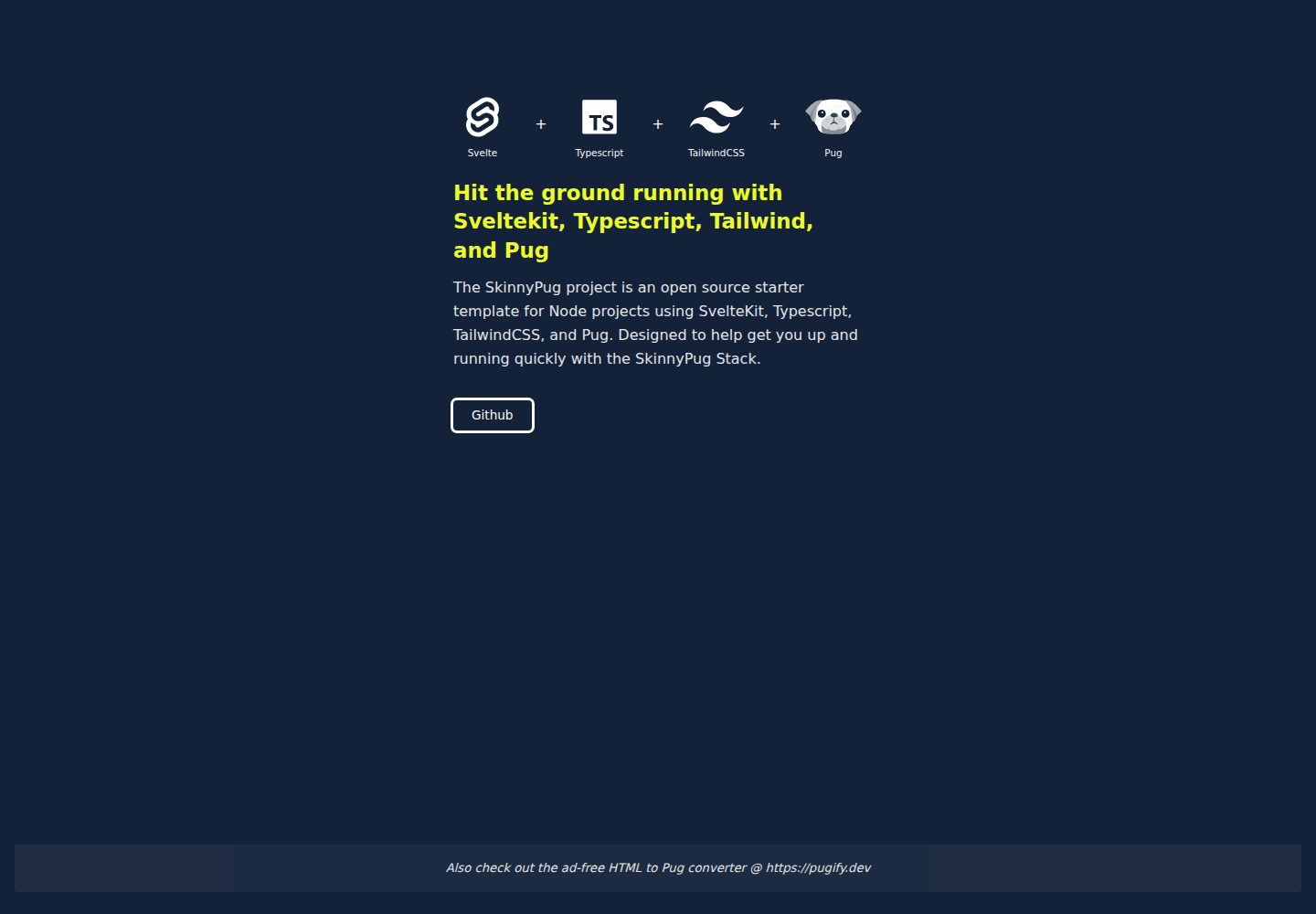
Combines SvelteKit, TypeScript, TailwindCSS, and Pug
SvelteStarter
svelte-typescript-tailwind-pug-starter — Svelte Starter Template
By lightning-jar
A project starter template based on SvelteKit, TypeScript, TailwindCSS, and Pug, with preconfigured ESLint, Prettier, Vitest, and VSCode settings, and adapted for Vercel deployment.
Explore the design
Compare the page layouts and mobile experience. Open any screenshot for a closer look.
Desktop homepage1 / 2
Desktop captureTop of page
Actual screenshot captured by the server browser.
All pages & views 2
Screenshots show visual appearance; interactive behavior may differ.
Recorded 2026-10-02View source
What stands out
A quick read of the recorded project description.
Preconfigured ESLint, Prettier (with Pug/Svelte plugins), and Vitest
Provides path aliases for atoms, molecules, organisms, stores, utils, etc.
Includes .vscode preset configuration and recommended extensions list
Adapted for Vercel deployment by default, can switch to Auto adapter
MIT licensed, allows commercial use and distribution
Template Details
This is a starter template for new projects that combines SvelteKit, TypeScript, TailwindCSS, and Pug, which the author calls the "Skinnypug" stack. The template was originally developed internally for the Lightning Jar team to quickly get into new project development.
At the build and framework level, the template uses Svelte as the component framework, SvelteKit as the application framework, and Vite as the frontend build tool; at the scripting level, it uses TypeScript and tslib; at the templating level, it uses Pug; at the styling level, it uses TailwindCSS along with PostCSS and Autoprefixer. Tailwind's typography and forms plugins are marked as optional in the documentation.
On the engineering side, the template comes with Prettier (including Pug and Svelte plugins), ESLint (including prettier compatibility config, TypeScript parser and plugin), and Vitest unit testing. The template also provides a set of path aliases covering directories such as components (atoms, molecules, organisms), assets, data, stores, tools, types, utils, etc., and includes a .vscode folder with presets.
Writing Svelte templates with Pug requires special syntax: svelte-preprocess provides mixins like +if, +each, +await to represent Svelte's block syntax; attributes need != to avoid HTML entity escaping; template strings cannot be used as attribute values; spreading props requires wrapping {...object} in quotes. These limitations are documented with specific examples in the README.
For deployment, the template is adapted for Vercel by default, using Vite's Vercel adapter; for a more generic deployment, you can switch back to the Auto adapter in svelte.config.js. Regarding package managers, the template is tested with PNPM, and the documentation states that NPM or Yarn can also be used. The test environment is Node 20.0.0, but the engine version is not pinned.
Regarding licensing, the repository uses the MIT license, allowing free use, modification, commercial use, and distribution of this version of the code, provided that the copyright notice and license notice are retained when distributing. Third-party assets such as demo images, fonts, and icons need to be checked separately under their respective licenses. External services such as domains and hosting may incur additional charges.
SvelteStarter
Is it right for your project?
Use Cases
- Frontend development that needs to quickly start a new project based on SvelteKit
- Teams that want to write templates with Pug in Svelte components
- Projects that need TypeScript and TailwindCSS configured out of the box
- SvelteKit applications planned for deployment on Vercel
- Team projects that need unified ESLint, Prettier, and unit test configuration
Suitable For
- Frontend developers familiar with Svelte or willing to learn SvelteKit
- Developers who prefer Pug's indentation-based template syntax
- Projects using TypeScript and TailwindCSS
- Teams that need ready-made lint, format, and test configurations
Getting started & customization
Use these recorded setup notes alongside the repository instructions for your chosen version.
- 1
Install dependencies with npm install, pnpm install, or yarn, then run npm run dev to start the development server
- 2
Use npm run build to build the production version, and npm run preview for local preview
- 3
Writing Pug in Svelte templates requires following svelte-preprocess's special syntax, such as +if, +each mixins, and using != for attributes to avoid escaping
- 4
If using the VSCode ESLint extension, set eslint.experimental.useFlatConfig to true to read eslint.config.js
- 5
Uses the Vercel adapter by default; for generic deployment, switch back to the Auto adapter in svelte.config.js
License & source material
Usage conditions & limitations
Free to use · keep license noticeThis entry covers the free version under the MIT license from the public repository; the free scope is the code of this version and does not imply that external services or third-party assets are free.
Must comply with when using
- Free use, modification, commercial use, and distribution of this version of the code are allowed.
- When distributing copies or substantial portions of the code, retain the original author's copyright notice and the full MIT license notice.
- The code is provided as is; warranties and limitations of liability are governed by the original license and applicable law.
Additional costs & items to verify
- The template is adapted for Vercel deployment by default, using Vite's Vercel adapter; if deploying to other platforms, you need to switch back to the Auto adapter in svelte.config.js, otherwise the build may fail.
- The template is only tested with PNPM; NPM or Yarn are considered usable by the documentation but are unverified, and using non-PNPM package managers may encounter dependency or script issues.
- The template is tested in a Node 20.0.0 environment; other Node versions may be incompatible; the engine version is not pinned, so you need to confirm your runtime environment.
- Recommended VSCode extensions include Svelte, ESLint, Prettier, Tailwind CSS Intellisense, Playwright, etc.; to use the ESLint extension, you also need to set eslint.experimental.useFlatConfig to true to read eslint.config.js.
- Using Pug in Svelte templates must follow svelte-preprocess's special syntax: block syntax requires mixins like +if, +each; attributes require != to avoid HTML entity escaping; template strings cannot be used as attribute values; spreading props requires wrapping {...object} in quotes.
- Demo images, fonts, icons, and other third-party assets need to be checked under their respective licenses; they cannot be judged solely by the code's MIT license.
- External services such as domains, hosting, databases, payments, or AI may incur additional charges.
View Original Text Basis
Permission is hereby granted, free of charge
Original License Text
This starter is optimized for quick deployment of your projects to Vercel using the [Vercel for GitHub](https://vercel.com/github) integration.
Original README
It is tested with PNPM, but should work with NPM or Yarn as well.
Original README
the starter is tested with Node 20.0.0.
Original README
If you are using VSCode, we recommend these extensions:
Original README
https://github.com/lightning-jar/svelte-typescript-tailwind-pug-starter/blob/master/LICENSEhttps://github.com/lightning-jar/svelte-typescript-tailwind-pug-starter/blob/master/README.md**Note: Special syntax is required to write Pug inside Svelte templates.**
Original README
Compiled by DeepSeek based on repository license and README ·2026-10-02. Results only cover the materials read; dependencies, images, fonts, and subsequent term changes are subject to their respective original texts.
Project checks & description sources
Template Information
- Source platforms
- GitHub
- Documentation and maintenance reference score
- Partly documented · 72 / 100
- Technologies
- Svelte
- Website type
- Starter
How this score is calculated
Our heuristic uses license records (up to 30), a demo link (12), a preview (10), stars (15), recorded maintenance (15), description completeness (8), feature records (5) and classification data (5). It is not a code, security or performance test, or a Google score. A link does not establish tested functionality.
What to verify for this project
- Repository update recorded
- 2024-05-02
- Screenshot last checked
- 2026-10-02
A demo link is listed. Check it with your own content and viewport sizes; its presence does not confirm that forms, authentication or payments work.
The catalog identifies Svelte as the primary stack. Check the actual dependency manifest and lockfile for versions and hosting requirements. These notes use recorded metadata, not a code audit or a deployment test.
Use a selection guide →How this description was prepared
AI-assisted description based on catalog records and repository material. Repository authors are not automatically the reviewers of this description.
Automatically checked against source and license rules; no manual editorial review.
Inspect the recorded source material
SHA-256: a022c28169de67e0cd1436f3092d9e3bbacb7df4ffd5ff2c3d1be4beea2bcd59
2026-10-02T17:27:56.801Z
Source file / repository# Svelte Typescript Tailwind Pug Starter Template
A starter template to help you quickly launch a new project with Svelte / Sveltekit, Typescript, TailwindCSS, Pug. I call it the "Skinnypug" stack.
## 0. Contents
1. [About this Template](#1-about-this-template)
2. [Dependencies](#2-dependencies)
3. [Getting Started](#3-getting-started)
4. [About Sveltekit](#4-about-sveltekit)
5. [Using Pug with Svelte](#5-using-pug-with-svelte)
6. [Folder Shortcuts](#6-folder-shortcuts)
7. [Editor & Extensions](#7-editor--extensions)
8. [Deploying](#8-deploying)
9. [Engine & Package Manager](#9-engine--package-manager)
## 1. About This Template
This starter was developed for the [Lightning Jar](https://lightningjar.com) team. It's designed to get one up and running quickly on a new project using the core technologies Svelte, Sveltekit, Typescript, TailwindCSS, Pug + a few other bells and whistles ( see the full breakdown below).
## 2. Dependencies
### A. Frameworks & Build
* **[Svelte](https://svelte.dev/)** - _component framework_
* **[Sveltekit](https://kit.svelte.dev/)** - _application framework_
* **[Vite](https://vitejs.dev/)** - _front-end build tool_
<!-- * #### Adapters & Plugins
* * [sveltejs/adapter-auto](https://github.com/sveltejs/kit/tree/master/packages/adapter-auto)
* * [svelte-check](https://github.com/sveltejs/language-tools/tree/master/packages/svelte-check)
* * [svelte-preprocess](https://github.com/sveltejs/eslint-plugin-svelte3) -->
### B. Scripting / Typescript
* **[Typescript](https://www.typescriptlang.org/)** - _JS preprocessor_
* **[tslib](https://github.com/Microsoft/tslib)** - _TS runtime library_
### C. Templating / Pug
* **[Pug](https://pugjs.org/api/getting-started.html)** - _HTML template engine_
### D. CSS / TailwindCSS
* **[Autoprefixer](https://github.com/postcss/autoprefixer)** - _CSS vendor prefixing_
* **[PostCSS](https://postcss.org/)** - _CSS transformations_
* **[TailwindCSS](https://tailwindcss.com/)** - _CSS framework_
* #### Tailwind Plugins (optional)
* [tailwindcss/typography](https://github.com/tailwindlabs/tailwindcss-typography) - _prose styling_
* [tailwindcss/forms](https://github.com/tailwindlabs/tailwindcss-forms) - _form styling_
### E. Formatting / Prettier
* **[Prettier](https://prettier.io/)** - _formatter_
* #### Prettier Plugins
* [@prettier/plugin-pug](https://github.com/prettier/plugin-pug) - _Pug formatting_<br />
* [prettier-plugin-svelte](https://github.com/sveltejs/prettier-plugin-svelte) - _Svelte formatting_<br />
### F. Linting / ESLint
* **[ESLint](https://eslint.org/)** - _linter_
* #### ESLint Parsers & Plugins
* [eslint-config-prettier](https://github.com/prettier/eslint-config-prettier) - _compatibility w/ prettier_
* [typescript-eslint/parser](https://github.com/typescript-eslint/typescript-eslint/tree/main/packages/parser) - _TS parsing_
* [typescript-eslint/eslint-plugin](https://github.com/typescript-eslint/typescript-eslint/tree/main/packages/) - _TS_
### G. Testing
* **[Vitest](https://vitest.dev/)** - _unit testing_
## 3. Getting Started
### A. Developing
Once you've created a project and installed dependencies with `npm install` (or `pnpm install` or `yarn`), start a development server:
```console
npm run dev
# or start the server and open the app in a new browser tab
npm run dev -- --open
```
### B. Building
To create a production version of your app:
```console
npm run build
```
### C. Preview
You can preview the production build with `npm run preview`.
## 4. About SvelteKit
Sveltekit is a new framework for building web applications. It's built on top of Svelte, which is a component framework for building user interfaces. Sveltekit is a great tool for building modern web applications.
If you get stuck working with SvelteKit you can reach out for help in the [SvelteKit Discord chatroom](https://svelte.dev/chat).
## 5. Using Pug with Svelte
I love Pug, and the first thing I figured out when I started working with Svelte, was how to use Pug inside Svelte files. Thankfully other devs had already solved the technical challenges for me.
This starter uses the [svelte-preprocess](https://github.com/sveltejs/svelte-preprocess) package.It is a Svelte preprocessor with sensible defaults and support for: PostCSS, SCSS, Less, Stylus, CoffeeScript, TypeScript, Pug and much more.
**Note: Special syntax is required to write Pug inside Svelte templates.** Some basics are included below. You can learn more [here](https://github.com/sveltejs/svelte-preprocess/blob/HEAD/docs/preprocessing.md#preprocessors).\*\*
### A. How to write Svelte's Template Syntax using Pug Mixins
Because some of Svelte's template syntax is invalid in Pug `svelte-preprocess` provides some pug mixins to represent svelte's `{#...}{/...}` blocks: `+if()`, `+else()`, `+elseif()`, `+each()`, `+key()`, `+await()`, `+then()`, `+catch()`, `+html()`, `+const()`, `+debug()`.
```pug
ul
+if('posts && posts.length > 1')
+each('posts as post')
li
a(
href="blog/{post.slug}",
rel="prefetch") { post.title }
+else
span No posts :c
```
### B. Svelte Element Attributes and Callbacks Using Pug
Pug encodes everything inside an element attribute to html entities, so `attr="{foo && bar}"` becomes `attr="foo && bar"`. To prevent this from happening, instead of using the `=` operator use `!=` which won't encode your attribute value:
```pug
button(disabled!="{ foo && bar }")
```
This is also necessary to pass callbacks:
```pug
button(on:click!="{ (e) => doTheThing(e) }")
```
It is not possible to use template literals for attribute values. You can't write `` attr=`Hello ${value ? 'Foo' : 'Bar'}` ``, instead write `attr="Hello {value ? 'Foo' : 'Bar'}"`.
### C. Spreading props in Svelte using Pug
To spread props into a pug element, wrap the `{...object}` expression with quotes `"`.
This:
```pug
button.big(
disabled,
type="button",
{...slide.props}) Send
```
Becomes:
```svelte
<button
class="big"
type="button"
disabled
{...slide.props}
>
Send
</button>
```
### D. Svelte Element Directives using Pug
Syntax to use Svelte Element directives with Pug
```pug
input(bind:value="{ foo }")
input(on:input="{ bar }")
```
## 6. Folder Shortcuts
The following shortcuts and corresponding folders come pre-configured in this template:
- $atoms: './src/lib/components/atoms'
- $assets: "./src/lib/assets",
- $components: './src/lib/components'
- $data: '.src/lib/data'
- $lib: './src/lib'
- $molecules: './src/lib/components/molecules'
- $organisms: './src/lib/components/organisms'
- $stores: './src/lib/stores'
- $tools: './src/lib/tools'
- $types: './src/lib/types'
- $utils: './src/lib/utils'
## 7. Editor & Extensions
If you are using VSCode, we recommend these extensions:
- [Svelte for VS Code](https://marketplace.visualstudio.com/items?itemName=svelte.svelte-vscode)
- [ESLint](https://marketplace.visualstudio.com/items?itemName=dbaeumer.vscode-eslint)
- [Prettier](https://marketplace.visualstudio.com/items?itemName=esbenp.prettier-vscode)
- [Tailwind CSS Intellisense](https://marketplace.visualstudio.com/items?itemName=bradlc.vscode-tailwindcss)
- [Playwright Test for VSCode](https://marketplace.visualstudio.com/items?itemName=ms-playwright.playwright)
* note: This template includes a `.vscode` folder with some pre-configured settings for VSCode. Set `"editor.formatOnSave": true` to activate formatting on save.
* note: Tf you are using the ESLint extension, you will need to set `
"eslint.experimental.useFlatConfig": true` in your VSCode settings, so the extension can read the 'eslint.config.js' file used in this project.
## 8. Deploying
This starter is optimized for quick deployment of your projects to Vercel using the [Vercel for GitHub](https://vercel.com/github) integration. You can learn more in the [Vercel documentation](https://vercel.com/docs).
This starter uses the [Vite adapter for Vercel](https://kit.svelte.dev/docs/adapter-vercel).
For more universal use, switch back to the [Auto adapter](https://kit.svelte.dev/docs#adapters-auto) by changing the adapter in the `svelte.config.js` file.
## 9. Engine & Package Manager
This starter can be used with multiple package managers. It is tested with PNPM, but should work with NPM or Yarn as well. The engine is not set in stone, but the starter is tested with Node 20.0.0.Explore similar templates
Compare previews and descriptions within the same stack and category.

CMSaasStarter
CMSaasStarter is an MIT-licensed SaaS starter template built with SvelteKit, TailwindCSS, DaisyUI, and Supabase, with Stripe Checkout and Stripe Portal for payments.
Svelte · Admin dashboard
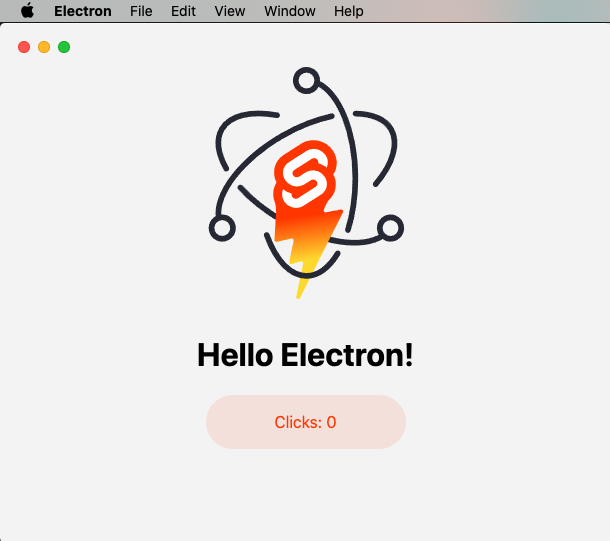
sveltekit-electron
A minimal SvelteKit + Electron starter template for cross-platform desktop applications. It provides clone, install, development, and build commands, with build targets adjustable in package.json and defaulting to Mac, Windows, and Linux.
Svelte · Starter
tauri-sveltekit
A minimal Tauri 2 and SvelteKit desktop starter template that builds the frontend as a static SPA via @sveltejs/adapter-static and loads it in Tauri's WebView.
Svelte · Starter
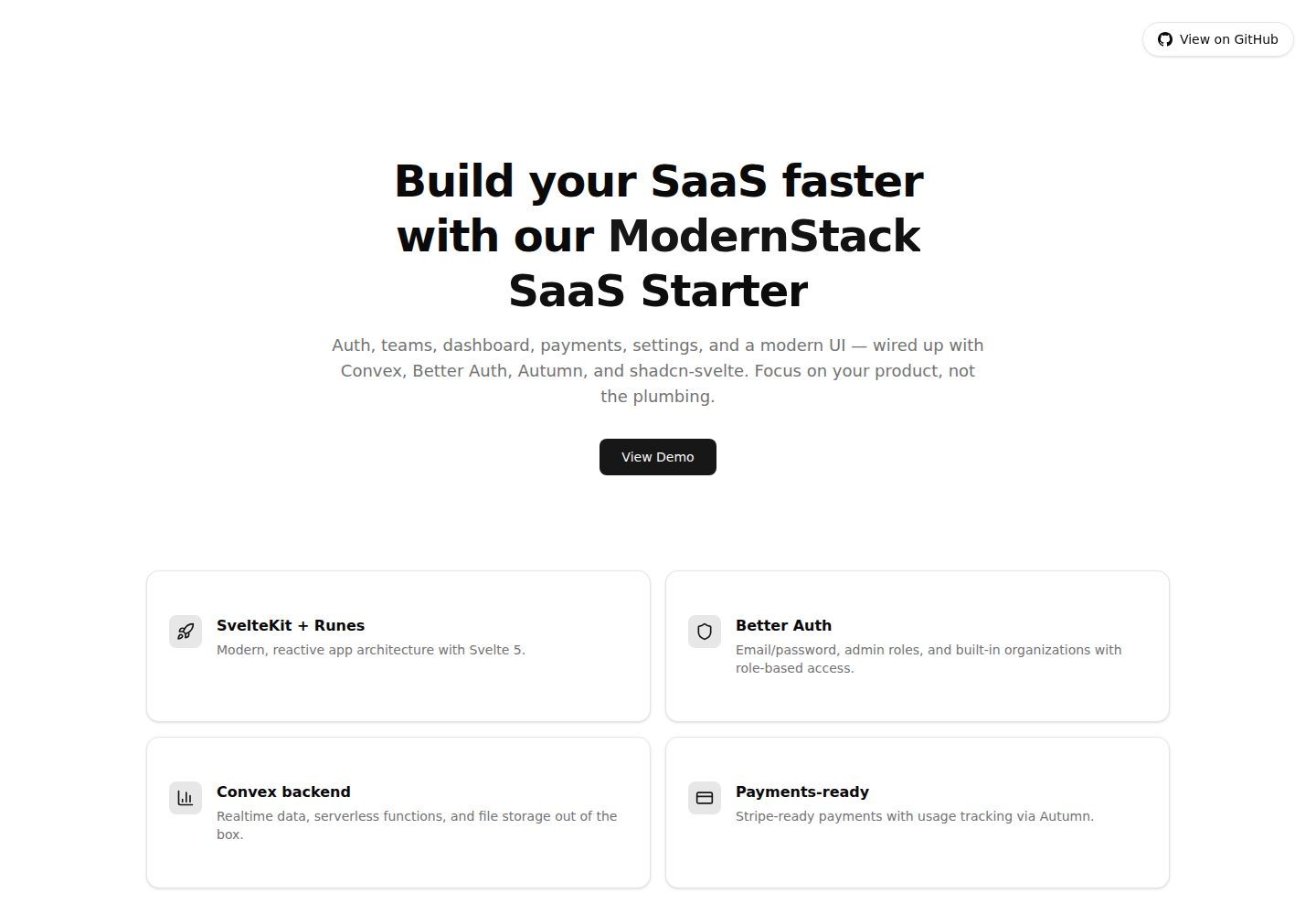
modernstack-saas
A SaaS starter template built with SvelteKit, Convex, Better Auth, and shadcn-svelte. It includes subscription billing via Autumn/Stripe, user and admin dashboards, user settings, organization multi-tenancy with roles and invitations, and a waitlist mode that can disable public registration.
Svelte · Admin dashboard

sveltekit-mdsvex-blog-template
A SvelteKit and MDsveX blog starter for Markdown writing with embedded Svelte components, Tailwind CSS typography, tags, dark mode, SEO metadata, and Cloudflare Workers deployment configuration. Requires Node.js 22.12+ and pnpm 11.17.0; third-party demo assets need separate license verification.
Svelte · Portfolio
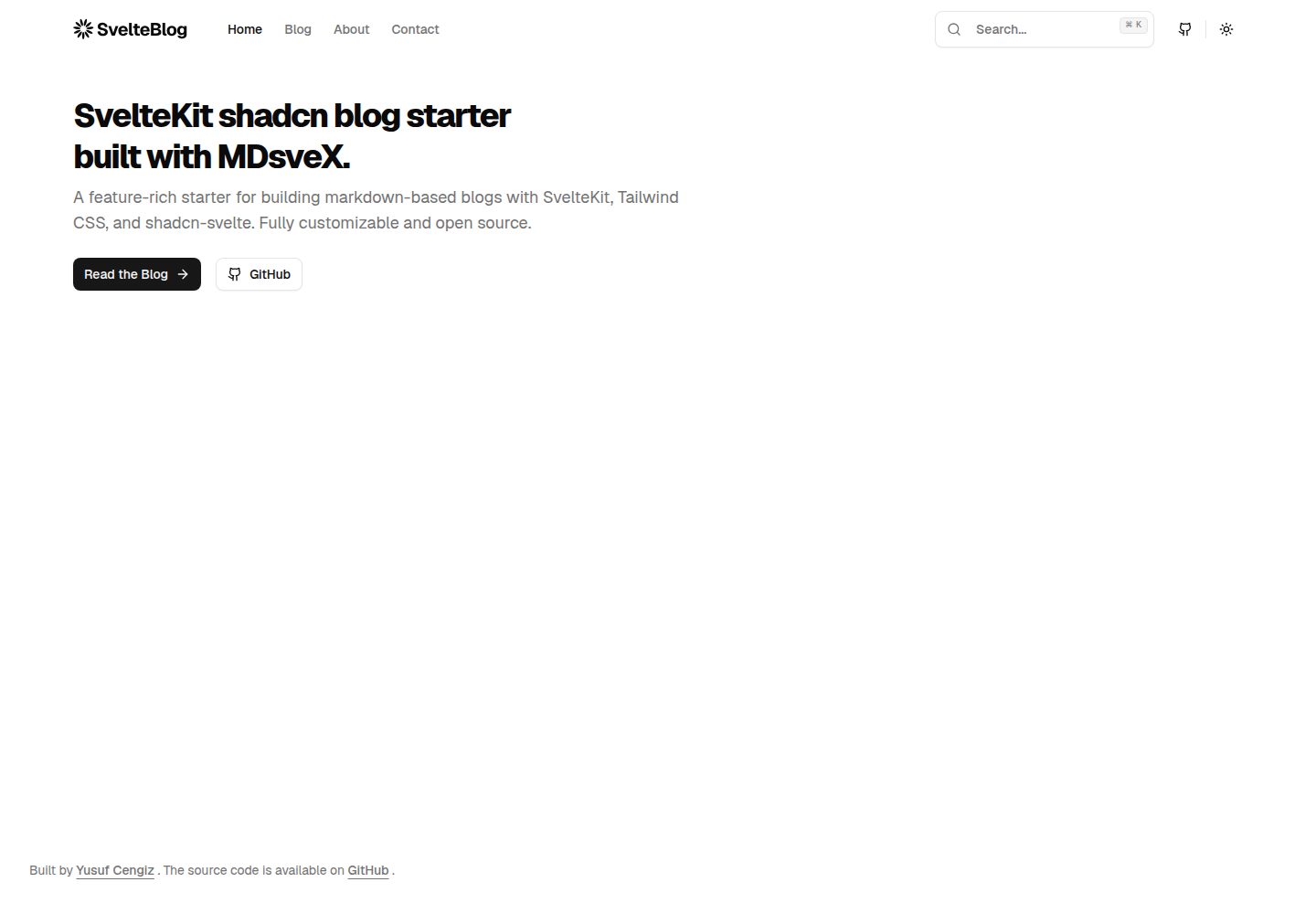
sveltekit-shadcn-blog-starter
A SvelteKit blog starter that combines shadcn-svelte, Tailwind CSS, MDsveX, and TypeScript, offering multi-author support, tag archives, built-in search, light/dark themes, and automatic sitemap and RSS generation.
Svelte · Blog