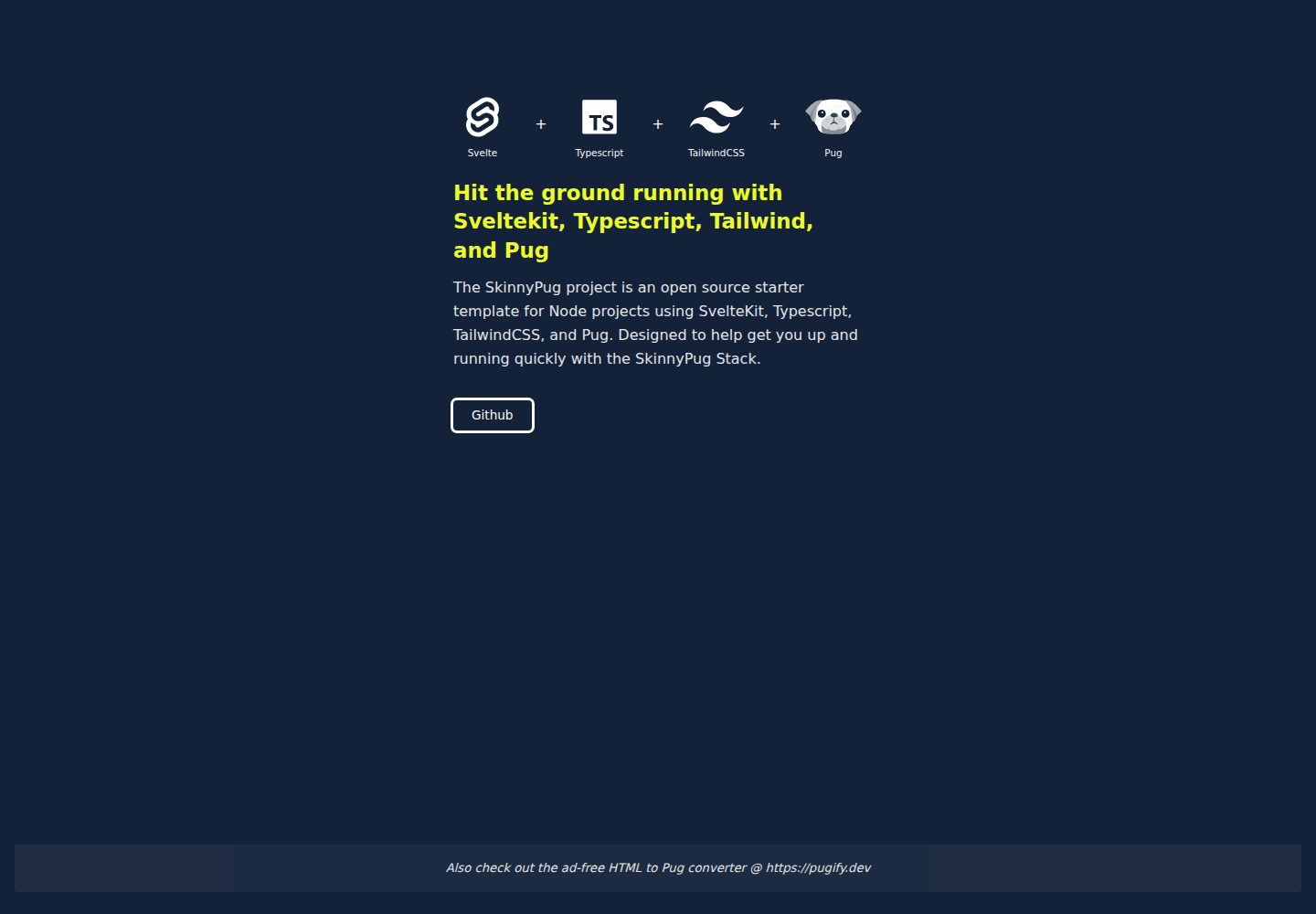
组合 SvelteKit、TypeScript、TailwindCSS 与 Pug 四种技术
Svelte启动器
svelte-typescript-tailwind-pug-starter — Svelte 启动器模板
作者 lightning-jar
基于 SvelteKit、TypeScript、TailwindCSS 与 Pug 的项目启动模板,预置 ESLint、Prettier、Vitest 与 VSCode 配置,并针对 Vercel 部署做了适配。
看看你的网站会是什么样
浏览真实页面截图,比较内容排版与手机效果。点击下方缩略图切换,放大查看整页细节。
全部页面与视图 2
截图用于了解视觉与布局,交互效果请以实际项目为准。
采集于 2026-10-02查看来源
值得关注的模板亮点
从已有项目资料中,快速了解它的特点。
预置 ESLint、Prettier(含 Pug/Svelte 插件)与 Vitest
提供 atoms、molecules、organisms、stores、utils 等路径别名
附带 .vscode 预设配置与推荐扩展列表
默认适配 Vercel 部署,可切换为 Auto adapter
采用 MIT 许可,允许商用与分发
模板详细介绍
这是一个面向新项目的启动模板,把 SvelteKit、TypeScript、TailwindCSS 和 Pug 组合在一起,作者称之为 “Skinnypug” 技术栈。模板最初为 Lightning Jar 团队内部开发,用于快速进入新项目开发状态。
在构建与框架层面,模板使用 Svelte 作为组件框架、SvelteKit 作为应用框架、Vite 作为前端构建工具;脚本层面使用 TypeScript 与 tslib;模板层面使用 Pug;样式层面使用 TailwindCSS,并配合 PostCSS 与 Autoprefixer。Tailwind 的 typography 与 forms 插件在文档中标注为可选。
工程化方面,模板预置了 Prettier(含 Pug 与 Svelte 插件)、ESLint(含 prettier 兼容配置、TypeScript 解析器与插件)以及 Vitest 单元测试。模板还提供了一组路径别名,覆盖组件(atoms、molecules、organisms)、assets、data、stores、tools、types、utils 等目录,并附带一个包含预设项的 .vscode 文件夹。
使用 Pug 编写 Svelte 模板需要特殊语法:svelte-preprocess 提供了 +if、+each、+await 等 mixin 来表示 Svelte 的块语法;属性中需要用 != 避免 HTML 实体转义;不能使用模板字符串作为属性值;展开 props 时需要用引号包裹 {...object}。这些限制在 README 中有具体示例。
部署方面,模板默认针对 Vercel 做了适配,使用 Vite 的 Vercel adapter;如需更通用的部署方式,可在 svelte.config.js 中切换回 Auto adapter。包管理器方面,模板在 PNPM 下测试,文档说明也可使用 NPM 或 Yarn,测试环境为 Node 20.0.0,但引擎版本并未固定。
许可方面,仓库采用 MIT 许可,允许免费使用、修改、商用和分发该版本代码,分发时需保留版权声明与许可声明。演示图片、字体、图标等第三方素材需按各自许可单独核对,域名、托管等外部服务可能另外收费。
Svelte启动器
适合你的项目吗?
适用场景
- 需要以 SvelteKit 为基础快速开始新项目的前端开发
- 希望在 Svelte 组件中使用 Pug 编写模板的团队
- 需要 TypeScript 与 TailwindCSS 开箱配置的项目
- 计划部署到 Vercel 的 SvelteKit 应用
- 需要统一 ESLint、Prettier 与单元测试配置的团队项目
适合人群
- 熟悉 Svelte 或愿意学习 SvelteKit 的前端开发者
- 偏好 Pug 缩进式模板语法的开发者
- 使用 TypeScript 与 TailwindCSS 的项目
- 需要现成 lint、format、test 配置的团队
上手与定制指南
结合仓库当前版本的说明,按下面的资料检查内容、配置与运行要求。
- 1
使用 npm install、pnpm install 或 yarn 安装依赖,然后运行 npm run dev 启动开发服务器
- 2
构建生产版本使用 npm run build,本地预览使用 npm run preview
- 3
在 Svelte 模板中写 Pug 需要遵循 svelte-preprocess 的特殊语法,如 +if、+each 等 mixin,属性使用 != 避免转义
- 4
若使用 VSCode 的 ESLint 扩展,需设置 eslint.experimental.useFlatConfig 为 true 以读取 eslint.config.js
- 5
默认使用 Vercel adapter,如需通用部署可在 svelte.config.js 中改回 Auto adapter
授权与来源资料
使用条件与限制
免费使用 · 保留许可声明本次收录的是公开仓库中采用 MIT 许可的免费版本;免费范围为该版本代码,不代表外部服务或第三方素材免费。
使用时需要遵守
- 允许免费使用、修改、商用和分发该版本代码。
- 分发代码副本或实质性部分时,保留原作者版权声明和完整 MIT 许可声明。
- 代码按现状提供;担保与责任限制以原许可证及适用法律为准。
额外费用与待核对事项
- 模板默认针对 Vercel 部署做了适配,使用 Vite 的 Vercel adapter;若部署到其他平台,需在 svelte.config.js 中改回 Auto adapter,否则可能无法正常构建。
- 模板仅在 PNPM 下经过测试,NPM 或 Yarn 虽被文档认为可用,但未经验证,使用非 PNPM 包管理器可能遇到依赖或脚本问题。
- 模板在 Node 20.0.0 环境下测试,使用其他 Node 版本可能不兼容;引擎版本未固定,需自行确认运行环境。
- 推荐安装 Svelte、ESLint、Prettier、Tailwind CSS Intellisense、Playwright 等 VSCode 扩展;使用 ESLint 扩展还需设置 eslint.experimental.useFlatConfig 为 true 才能读取 eslint.config.js。
- 在 Svelte 模板中使用 Pug 必须遵循 svelte-preprocess 的特殊语法:块语法需用 +if、+each 等 mixin,属性需用 != 避免 HTML 实体转义,不能使用模板字符串作为属性值,展开 props 需用引号包裹 {...object}。
- 演示图片、字体、图标及其他第三方素材需按各自许可核对,不能仅凭代码的 MIT 许可判断。
- 域名、托管、数据库、支付或 AI 等外部服务可能另外收费。
查看原文依据
Permission is hereby granted, free of charge
许可证原文
This starter is optimized for quick deployment of your projects to Vercel using the [Vercel for GitHub](https://vercel.com/github) integration.
README 原文
It is tested with PNPM, but should work with NPM or Yarn as well.
README 原文
the starter is tested with Node 20.0.0.
README 原文
If you are using VSCode, we recommend these extensions:
README 原文
https://github.com/lightning-jar/svelte-typescript-tailwind-pug-starter/blob/master/LICENSEhttps://github.com/lightning-jar/svelte-typescript-tailwind-pug-starter/blob/master/README.md**Note: Special syntax is required to write Pug inside Svelte templates.**
README 原文
DeepSeek 根据仓库许可证和 README 整理 ·2026-10-02。结果仅覆盖已读取资料,依赖、图片、字体及后续条款变更以各自原文为准。
项目核对记录与介绍依据
模板资料
- 来源平台
- GitHub
- 资料与维护参考分
- 资料一般 · 72 / 100
- 技术栈
- Svelte
- 网站类型
- 启动器
这个分数如何计算
本站按许可资料(最高30分)、演示链接(12分)、预览图(10分)、Star数(15分)、记录的维护时间(15分)、描述完整度(8分)、功能记录(5分)和分类资料(5分)计算。它不是代码、安全或性能测试,也不是 Google 评分;有链接不代表已实测可用。
这个项目需要核对什么
- 记录的仓库更新时间
- 2024-05-02
- 截图检查日期
- 2026-10-02
已收录演示链接。请用你的内容与屏幕尺寸检查;有演示不代表表单、认证或支付已经可用。
目录记录的主要技术栈是 Svelte。请通过依赖清单和锁文件核对实际版本与托管要求。这些说明基于收录资料,不代表代码审计或部署实测。
查看具体选型方法 →介绍的制作与核对状态
介绍由 AI 辅助整理目录与仓库资料。仓库作者不等于这篇介绍的审核者。
已完成服务器许可规则与 AI 来源核对;未经过人工编辑审核。
查看当时使用的来源资料
SHA-256: a022c28169de67e0cd1436f3092d9e3bbacb7df4ffd5ff2c3d1be4beea2bcd59
2026-10-02T17:27:56.801Z
来源文件 / 仓库# Svelte Typescript Tailwind Pug Starter Template
A starter template to help you quickly launch a new project with Svelte / Sveltekit, Typescript, TailwindCSS, Pug. I call it the "Skinnypug" stack.
## 0. Contents
1. [About this Template](#1-about-this-template)
2. [Dependencies](#2-dependencies)
3. [Getting Started](#3-getting-started)
4. [About Sveltekit](#4-about-sveltekit)
5. [Using Pug with Svelte](#5-using-pug-with-svelte)
6. [Folder Shortcuts](#6-folder-shortcuts)
7. [Editor & Extensions](#7-editor--extensions)
8. [Deploying](#8-deploying)
9. [Engine & Package Manager](#9-engine--package-manager)
## 1. About This Template
This starter was developed for the [Lightning Jar](https://lightningjar.com) team. It's designed to get one up and running quickly on a new project using the core technologies Svelte, Sveltekit, Typescript, TailwindCSS, Pug + a few other bells and whistles ( see the full breakdown below).
## 2. Dependencies
### A. Frameworks & Build
* **[Svelte](https://svelte.dev/)** - _component framework_
* **[Sveltekit](https://kit.svelte.dev/)** - _application framework_
* **[Vite](https://vitejs.dev/)** - _front-end build tool_
<!-- * #### Adapters & Plugins
* * [sveltejs/adapter-auto](https://github.com/sveltejs/kit/tree/master/packages/adapter-auto)
* * [svelte-check](https://github.com/sveltejs/language-tools/tree/master/packages/svelte-check)
* * [svelte-preprocess](https://github.com/sveltejs/eslint-plugin-svelte3) -->
### B. Scripting / Typescript
* **[Typescript](https://www.typescriptlang.org/)** - _JS preprocessor_
* **[tslib](https://github.com/Microsoft/tslib)** - _TS runtime library_
### C. Templating / Pug
* **[Pug](https://pugjs.org/api/getting-started.html)** - _HTML template engine_
### D. CSS / TailwindCSS
* **[Autoprefixer](https://github.com/postcss/autoprefixer)** - _CSS vendor prefixing_
* **[PostCSS](https://postcss.org/)** - _CSS transformations_
* **[TailwindCSS](https://tailwindcss.com/)** - _CSS framework_
* #### Tailwind Plugins (optional)
* [tailwindcss/typography](https://github.com/tailwindlabs/tailwindcss-typography) - _prose styling_
* [tailwindcss/forms](https://github.com/tailwindlabs/tailwindcss-forms) - _form styling_
### E. Formatting / Prettier
* **[Prettier](https://prettier.io/)** - _formatter_
* #### Prettier Plugins
* [@prettier/plugin-pug](https://github.com/prettier/plugin-pug) - _Pug formatting_<br />
* [prettier-plugin-svelte](https://github.com/sveltejs/prettier-plugin-svelte) - _Svelte formatting_<br />
### F. Linting / ESLint
* **[ESLint](https://eslint.org/)** - _linter_
* #### ESLint Parsers & Plugins
* [eslint-config-prettier](https://github.com/prettier/eslint-config-prettier) - _compatibility w/ prettier_
* [typescript-eslint/parser](https://github.com/typescript-eslint/typescript-eslint/tree/main/packages/parser) - _TS parsing_
* [typescript-eslint/eslint-plugin](https://github.com/typescript-eslint/typescript-eslint/tree/main/packages/) - _TS_
### G. Testing
* **[Vitest](https://vitest.dev/)** - _unit testing_
## 3. Getting Started
### A. Developing
Once you've created a project and installed dependencies with `npm install` (or `pnpm install` or `yarn`), start a development server:
```console
npm run dev
# or start the server and open the app in a new browser tab
npm run dev -- --open
```
### B. Building
To create a production version of your app:
```console
npm run build
```
### C. Preview
You can preview the production build with `npm run preview`.
## 4. About SvelteKit
Sveltekit is a new framework for building web applications. It's built on top of Svelte, which is a component framework for building user interfaces. Sveltekit is a great tool for building modern web applications.
If you get stuck working with SvelteKit you can reach out for help in the [SvelteKit Discord chatroom](https://svelte.dev/chat).
## 5. Using Pug with Svelte
I love Pug, and the first thing I figured out when I started working with Svelte, was how to use Pug inside Svelte files. Thankfully other devs had already solved the technical challenges for me.
This starter uses the [svelte-preprocess](https://github.com/sveltejs/svelte-preprocess) package.It is a Svelte preprocessor with sensible defaults and support for: PostCSS, SCSS, Less, Stylus, CoffeeScript, TypeScript, Pug and much more.
**Note: Special syntax is required to write Pug inside Svelte templates.** Some basics are included below. You can learn more [here](https://github.com/sveltejs/svelte-preprocess/blob/HEAD/docs/preprocessing.md#preprocessors).\*\*
### A. How to write Svelte's Template Syntax using Pug Mixins
Because some of Svelte's template syntax is invalid in Pug `svelte-preprocess` provides some pug mixins to represent svelte's `{#...}{/...}` blocks: `+if()`, `+else()`, `+elseif()`, `+each()`, `+key()`, `+await()`, `+then()`, `+catch()`, `+html()`, `+const()`, `+debug()`.
```pug
ul
+if('posts && posts.length > 1')
+each('posts as post')
li
a(
href="blog/{post.slug}",
rel="prefetch") { post.title }
+else
span No posts :c
```
### B. Svelte Element Attributes and Callbacks Using Pug
Pug encodes everything inside an element attribute to html entities, so `attr="{foo && bar}"` becomes `attr="foo && bar"`. To prevent this from happening, instead of using the `=` operator use `!=` which won't encode your attribute value:
```pug
button(disabled!="{ foo && bar }")
```
This is also necessary to pass callbacks:
```pug
button(on:click!="{ (e) => doTheThing(e) }")
```
It is not possible to use template literals for attribute values. You can't write `` attr=`Hello ${value ? 'Foo' : 'Bar'}` ``, instead write `attr="Hello {value ? 'Foo' : 'Bar'}"`.
### C. Spreading props in Svelte using Pug
To spread props into a pug element, wrap the `{...object}` expression with quotes `"`.
This:
```pug
button.big(
disabled,
type="button",
{...slide.props}) Send
```
Becomes:
```svelte
<button
class="big"
type="button"
disabled
{...slide.props}
>
Send
</button>
```
### D. Svelte Element Directives using Pug
Syntax to use Svelte Element directives with Pug
```pug
input(bind:value="{ foo }")
input(on:input="{ bar }")
```
## 6. Folder Shortcuts
The following shortcuts and corresponding folders come pre-configured in this template:
- $atoms: './src/lib/components/atoms'
- $assets: "./src/lib/assets",
- $components: './src/lib/components'
- $data: '.src/lib/data'
- $lib: './src/lib'
- $molecules: './src/lib/components/molecules'
- $organisms: './src/lib/components/organisms'
- $stores: './src/lib/stores'
- $tools: './src/lib/tools'
- $types: './src/lib/types'
- $utils: './src/lib/utils'
## 7. Editor & Extensions
If you are using VSCode, we recommend these extensions:
- [Svelte for VS Code](https://marketplace.visualstudio.com/items?itemName=svelte.svelte-vscode)
- [ESLint](https://marketplace.visualstudio.com/items?itemName=dbaeumer.vscode-eslint)
- [Prettier](https://marketplace.visualstudio.com/items?itemName=esbenp.prettier-vscode)
- [Tailwind CSS Intellisense](https://marketplace.visualstudio.com/items?itemName=bradlc.vscode-tailwindcss)
- [Playwright Test for VSCode](https://marketplace.visualstudio.com/items?itemName=ms-playwright.playwright)
* note: This template includes a `.vscode` folder with some pre-configured settings for VSCode. Set `"editor.formatOnSave": true` to activate formatting on save.
* note: Tf you are using the ESLint extension, you will need to set `
"eslint.experimental.useFlatConfig": true` in your VSCode settings, so the extension can read the 'eslint.config.js' file used in this project.
## 8. Deploying
This starter is optimized for quick deployment of your projects to Vercel using the [Vercel for GitHub](https://vercel.com/github) integration. You can learn more in the [Vercel documentation](https://vercel.com/docs).
This starter uses the [Vite adapter for Vercel](https://kit.svelte.dev/docs/adapter-vercel).
For more universal use, switch back to the [Auto adapter](https://kit.svelte.dev/docs#adapters-auto) by changing the adapter in the `svelte.config.js` file.
## 9. Engine & Package Manager
This starter can be used with multiple package managers. It is tested with PNPM, but should work with NPM or Yarn as well. The engine is not set in stone, but the starter is tested with Node 20.0.0.看看同类模板
对比同技术栈与用途的模板,找到更适合的视觉与内容结构。

CMSaasStarter
A modern SaaS template/boilerplate built with SvelteKit, Tailwind, and Supabase. Includes marketing page, blog…
Svelte · 后台
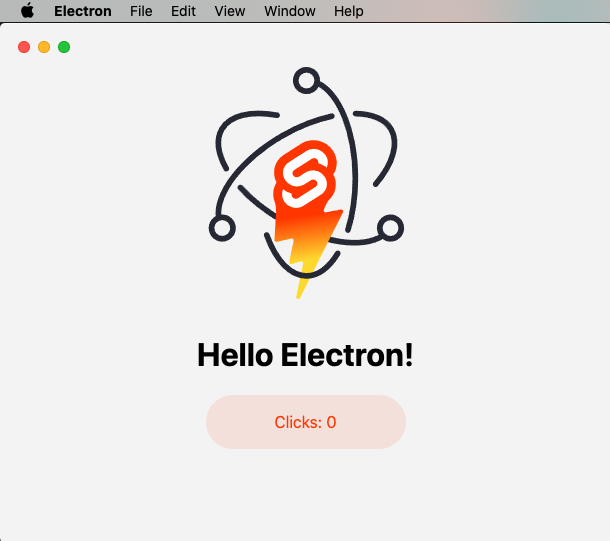
sveltekit-electron
Minimal Sveltekit + Electron starter template.
Svelte · 启动器
tauri-sveltekit
A minimal Tauri & SvelteKit starter template
Svelte · 启动器
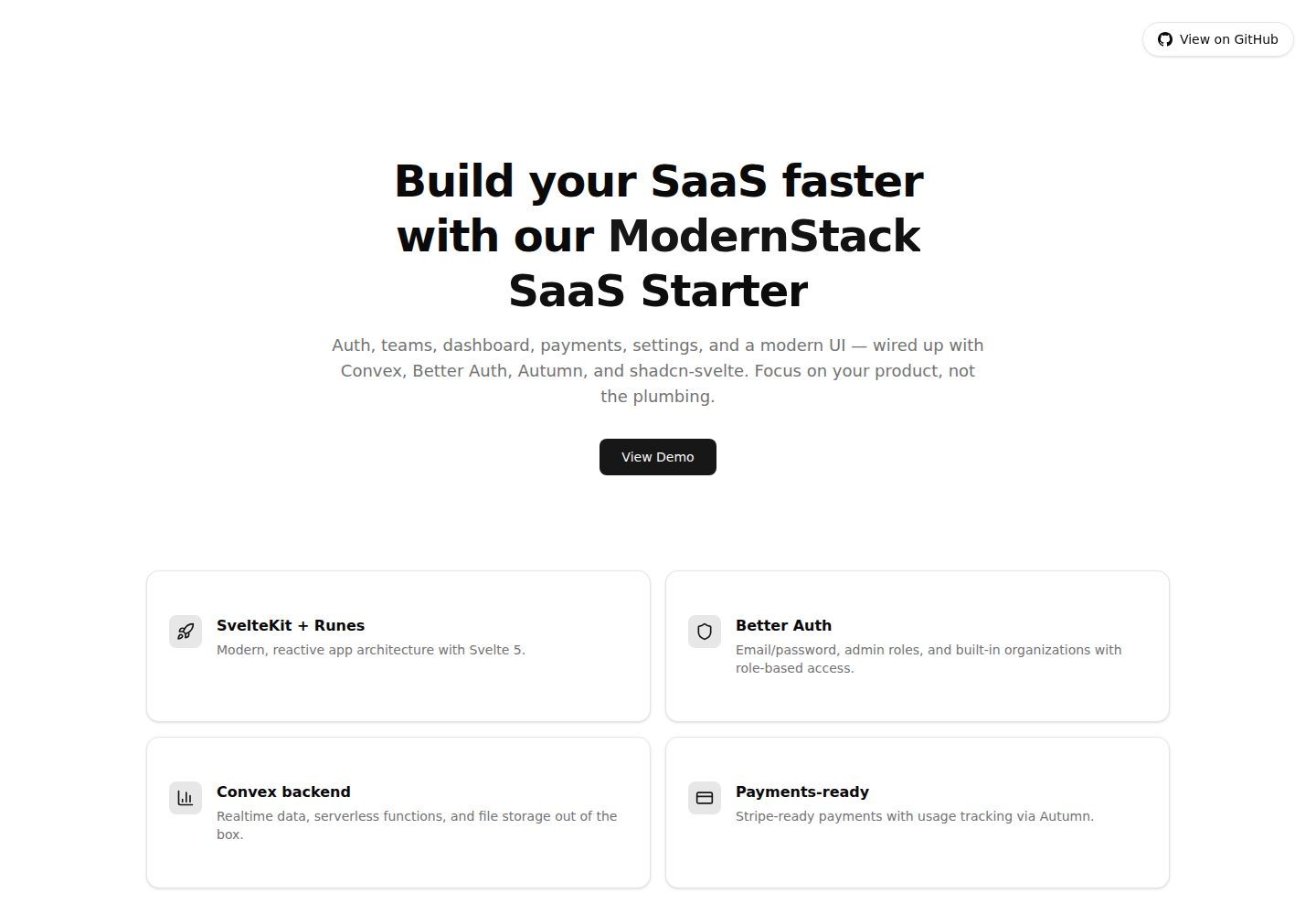
modernstack-saas
A modern SaaS template/boilerplate built with SvelteKit, Convex, Better Auth, and shadcn-svelte. Includes subs…
Svelte · 后台

sveltekit-mdsvex-blog-template
MDsveX blog starter template built with Sveltekit & Tailwind
Svelte · 作品集
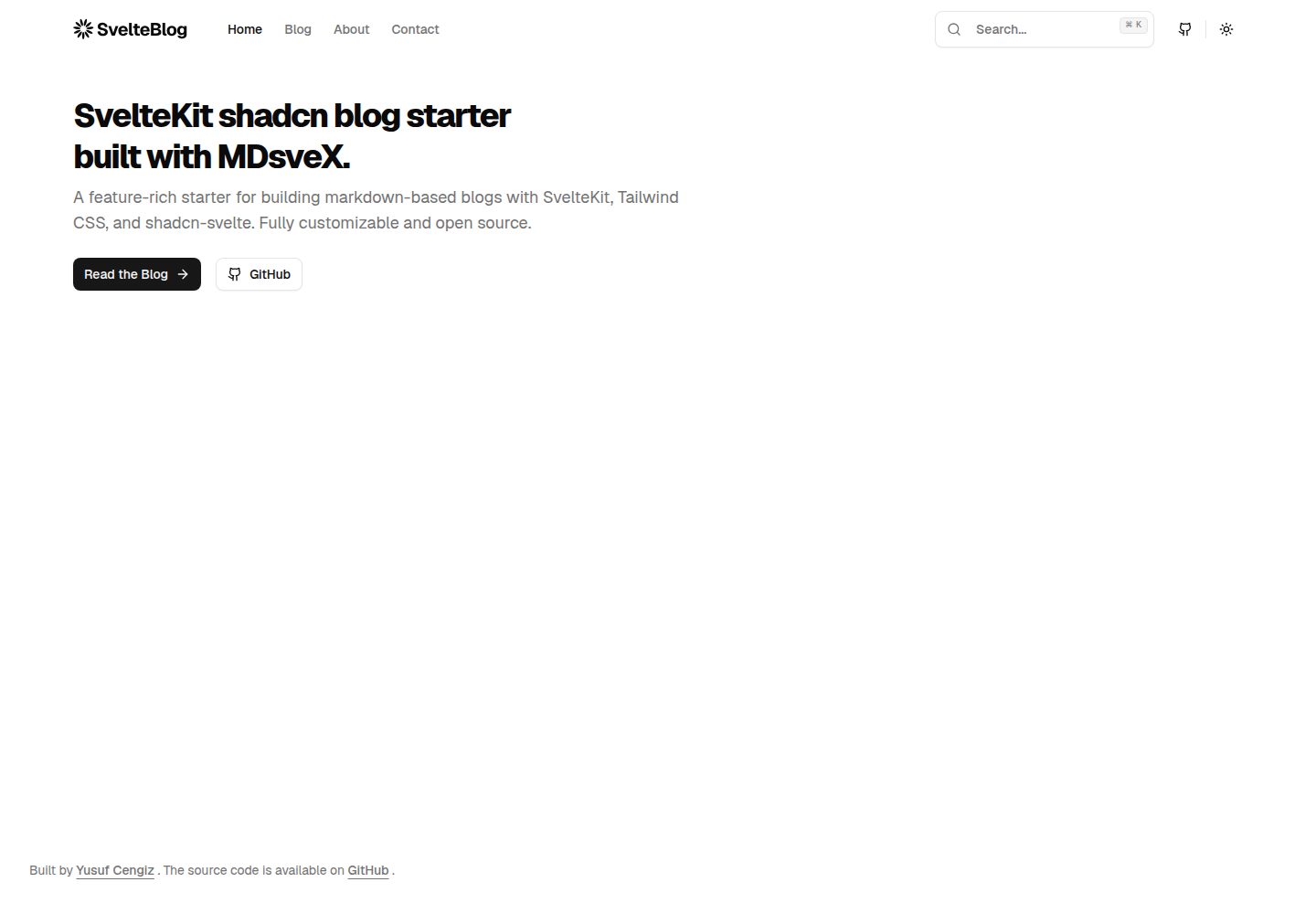
sveltekit-shadcn-blog-starter
Production-ready SvelteKit blog starter featuring shadcn-svelte UI, MDsveX for Markdown, Tailwind CSS styling,…
Svelte · 博客