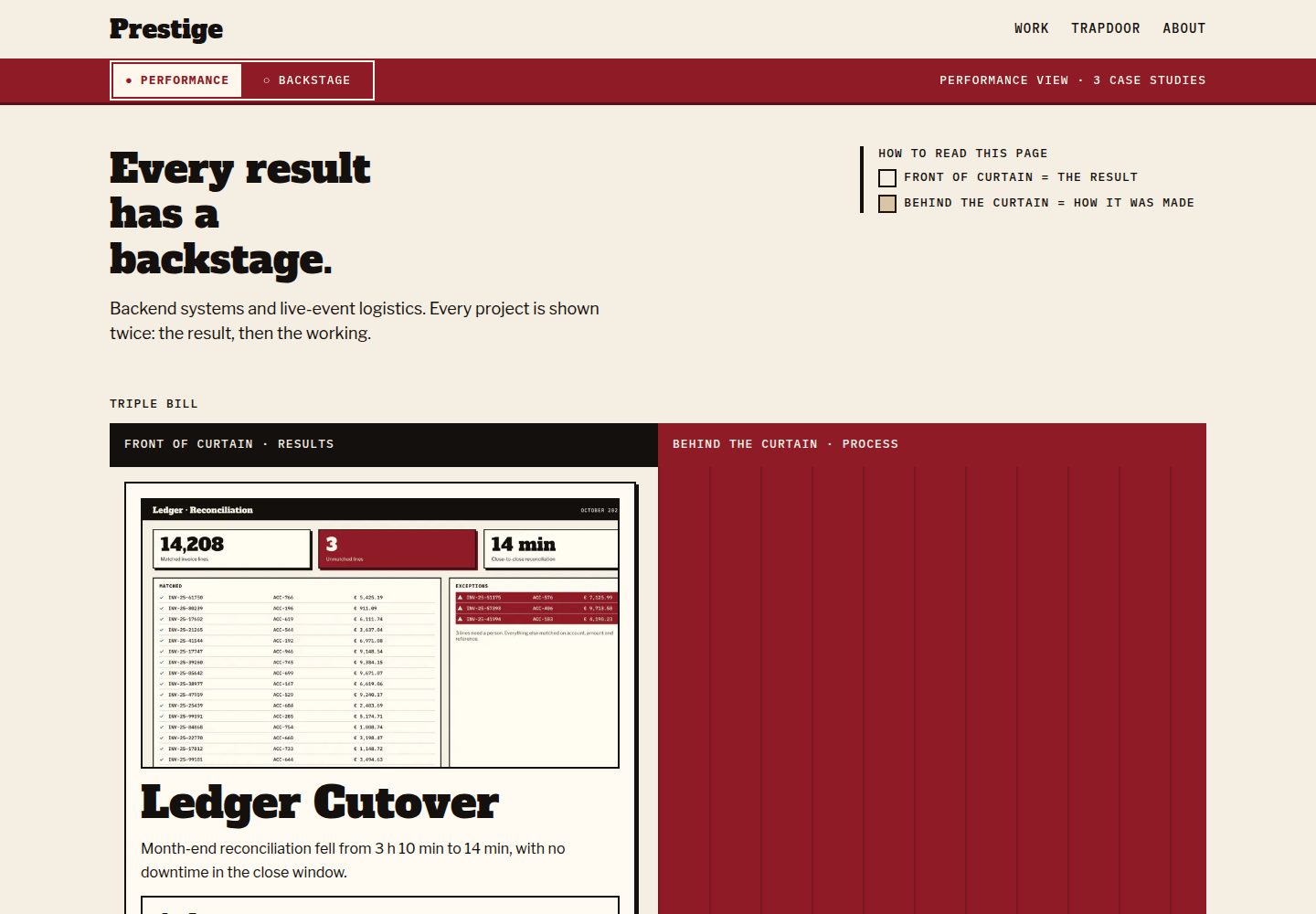
Each case study is divided into a Performance outcomes layer and a Backstage numbered process layer, with failed experiences placed in the Trapdoor section
HugoPortfolio
Prestige — Hugo Portfolio Template
By m0hss
Prestige is a Hugo portfolio theme that splits each project into two layers: Performance (outcomes) and Backstage (a numbered production process), with failed cases placed in a separate Trapdoor section.
Explore the design
Compare the page layouts and mobile experience. Open any screenshot for a closer look.
Desktop homepage1 / 3
Desktop captureTop of page
Actual screenshot captured by the server browser.
All pages & views 3
Screenshots show visual appearance; interactive behavior may differ.
Recorded 2026-10-07View source
What stands out
A quick read of the recorded project description.
Steps support seven types: problem, constraints, hypotheses, rejected, implementation, result, and note, with field structure validated at build time
Provides shortcodes such as metric, ba-metric, ba-image, ba-code, aside, and stepref for displaying metrics, before-and-after comparisons, and step references
Includes no analytics, third-party scripts, or cookies, and stores only mode and color scheme preferences in localStorage
Outputs robots.txt, sitemap, RSS feed, and a Netlify _headers file with a strict CSP
All content remains browsable in reading order when JavaScript is disabled, targeting WCAG 2.2 AA
Template Details
Prestige is aimed at case-study portfolios: each project is organized as a page bundle, with index.md carrying the Performance layer that presents project outcomes; backstage.md and the steps/ directory together form the Backstage layer, recording the production process as numbered steps. Both can be omitted at the same time, and a case that keeps only Performance is equally valid. Failed experiences are placed separately in the Trapdoor content area, and each entry includes fields such as severity, cause, cost, changes, and lessons.
The theme requires Hugo extended 0.146.0 or later, and builds were tested on 0.146.0 and 0.167.0. Installation supports Hugo Module or git submodule. Because Hugo does not merge the theme's [markup], [taxonomies], or [outputs] configuration, you need to copy the relevant configuration from the example site into your own hugo.toml, including the three taxonomies discipline, stack, and lesson, the permalink rules for work and trapdoor, and the main menu.
At the content level, case studies declare fields in front matter such as title, summary, brief, date, role, discipline, stack, cover, barcode information, result metrics, and links; step files are numbered consecutively by n starting from 1, with kind placed under params and one of seven optional types: problem, constraints, hypotheses, rejected, implementation, result, or note, each with different additional fields. The build validates this structure, and when required items are missing it errors out directly and gives the file path. Trapdoor entries require title, date, severity, what, cause, cost, changed, and at least one lessons item.
The theme includes no analytics scripts, third-party scripts, or cookies, and uses only localStorage to save the visitor's mode and color scheme choices. It outputs robots.txt, sitemap, RSS feed, and Netlify's _headers security header file; the CSP uses a strict policy, with only two places of inline code on the page: the first-screen script for setting the mode and the @font-face rules. New inline code must be written into the specified template file, otherwise it will be blocked by the policy. For accessibility, the target is WCAG 2.2 AA, and each layer and step is plain HTML arranged in reading order, remaining readable when JavaScript is disabled. Browser support covers Chrome and Edge 123+, Firefox 120+, and Safari 17.5+; older browsers only show the Performance color scheme in light mode. The fonts are self-hosted Alfa Slab One, Libre Franklin, and IBM Plex Mono, under the SIL Open Font License 1.1.
HugoPortfolio
Is it right for your project?
Use Cases
- Building a case-study portfolio with outcome displays and production process records for design, development, or consulting projects
- Organizing project failures and lessons into separate entries and linking them to the corresponding case studies
- A content site that needs to browse work by discipline, stack, and lesson taxonomy
- Deploying on Netlify and wanting to use the strict security response headers generated directly by the theme
Suitable For
- Individuals or teams using Hugo who are willing to write front matter and step files according to the theme schema
- Creators who present project processes as case studies rather than a simple image wall
- Site maintainers who value accessibility and readability without JavaScript
- Portfolio sites that need RSS feeds and taxonomy navigation
Getting started & customization
Use these recorded setup notes alongside the repository instructions for your chosen version.
- 1
Requires Hugo extended 0.146.0 or later, with builds tested on 0.146.0 and 0.167.0
- 2
After installing via Hugo Module or git submodule, copy the example site's [markup], [taxonomies], [outputs], and menu configuration into your own hugo.toml
- 3
Case studies use a page bundle structure: index.md is the Performance layer, while backstage.md and steps/ are the optional Backstage layer
- 4
Trapdoor entries must include title, date, severity, what, cause, cost, changed, and at least one lessons item
- 5
New inline scripts or styles must be written into layouts/_partials/lib/inline-assets.html, otherwise they will be blocked by the CSP
License & source material
Usage conditions & limitations
Free to use · keep license noticeThis entry covers the free version under the MIT license in the public repository; the free scope is the code of that version and does not mean that external services or third-party assets are free.
Must comply with when using
- You may use, modify, commercialize, and distribute the code of this version for free.
- When distributing copies or substantial portions of the code, retain the original author's copyright notice and the complete MIT license notice.
- The code is provided as is; warranties and limitations of liability are governed by the original license and applicable law.
Additional costs & items to verify
- Demo images, fonts, icons, and other third-party assets must be checked against their respective licenses and cannot be judged solely by the code's MIT license.
- External services such as domains, hosting, databases, payments, or AI may incur separate charges.
- Using this theme requires Hugo extended 0.146.0 or later; standard Hugo cannot build it.
- Hugo does not automatically merge the theme's [markup], [taxonomies], or [outputs] configuration, so you must manually copy them into the site hugo.toml for normal use.
- Security response headers depend on Netlify's _headers file; when switching to another hosting platform, you must copy the generated headers into the platform configuration yourself.
- New inline scripts or styles must be written into layouts/_partials/lib/inline-assets.html, otherwise they will be blocked by the strict CSP and the check script will also fail.
- Generating PNG icons requires installing Playwright separately.
- Generating directory screenshots requires installing Playwright and ImageMagick separately.
- Only Chrome/Edge 123+, Firefox 120+, and Safari 17.5+ are supported; older browsers can only show the Performance color scheme in light mode.
- The design specification and its design export files are not in the repository; they are outside the theme and are not provided with it.
View Original Text Basis
Permission is hereby granted, free of charge
Original License Text
Hugo **extended 0.146.0 or later**. Builds are tested on 0.146.0 and 0.167.0.
Original README
Hugo does not merge a theme's `[markup]`, `[taxonomies]` or `[outputs]` into your site, so copy these into your `hugo.toml`
Original README
The `headers` output format writes a Netlify `_headers` file
Original README
Add any new inline code there, or the policy blocks it; `tools/check-csp.sh` fails when an inline block or a `style` attribute is not covered.
Original README
node tools/render-favicons.mjs # PNG icons from static/favicon.svg (needs Playwright)
Original README
node tools/capture-screenshots.mjs # catalogue images (needs Playwright and ImageMagick)
Original README
Chrome and Edge 123+, Firefox 120+, Safari 17.5+. Older browsers get the Performance palette in the light scheme only.
Original README
https://github.com/m0hss/Prestige/blob/master/LICENSEhttps://github.com/m0hss/Prestige/blob/master/README.mdThe design source of truth is the [Prestige design specification](https://github.com/m0hss/Prestige/blob/4e31e696a2a006be096ba2612a26f602dae78017/stitch_markdown_prestige_system_designer/prestige_design.md). It is not part of the theme: the specification and its design exports live outside the repository
Original README
Compiled by DeepSeek based on repository license and README ·2026-10-07. Results only cover the materials read; dependencies, images, fonts, and subsequent term changes are subject to their respective original texts.
Project checks & description sources
Template Information
- Source platforms
- GitHub
- Documentation and maintenance reference score
- More documented · 80 / 100
- Technologies
- Hugo
- Website type
- Portfolio
How this score is calculated
Our heuristic uses license records (up to 30), a demo link (12), a preview (10), stars (15), recorded maintenance (15), description completeness (8), feature records (5) and classification data (5). It is not a code, security or performance test, or a Google score. A link does not establish tested functionality.
What to verify for this project
- Repository update recorded
- 2026-10-07
- Screenshot last checked
- 2026-10-07
A demo link is listed. Check it with your own content and viewport sizes; its presence does not confirm that forms, authentication or payments work.
The catalog identifies Hugo as the primary stack. Check the actual dependency manifest and lockfile for versions and hosting requirements. These notes use recorded metadata, not a code audit or a deployment test.
Use a selection guide →How this description was prepared
AI-assisted description based on catalog records and repository material. Repository authors are not automatically the reviewers of this description.
Review declaration: [email protected] · 2026-10-08
Inspect the recorded source material
SHA-256: 93d4f5acfa85ac417f37339703b85fa354c0b075eb1e5603ca3250e39979590a
2026-10-07T15:39:15.944Z
Source file / repository# Prestige
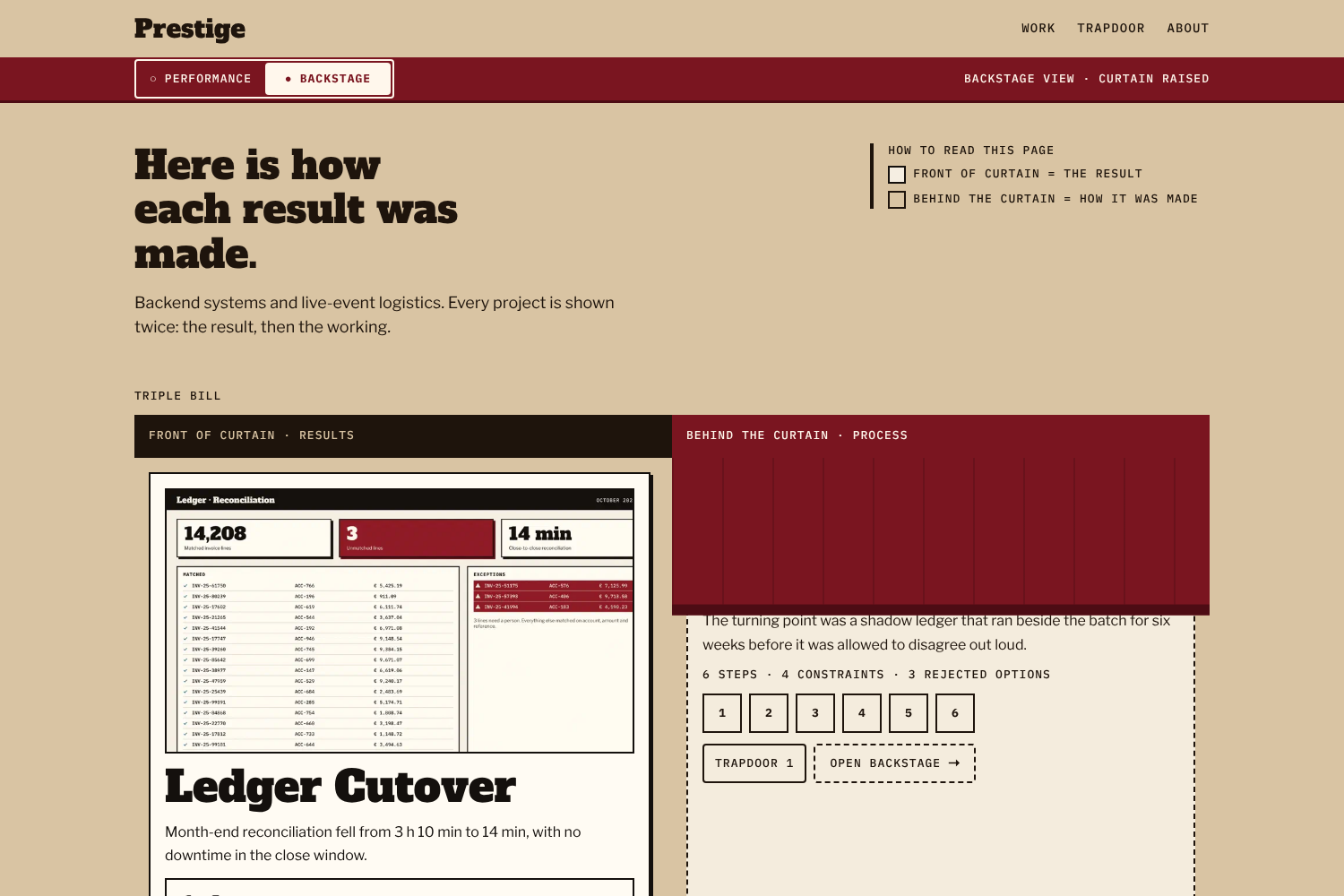
A Hugo theme for case-study portfolios: every project is shown as its polished result (**Performance**) and as a numbered account of how it was made (**Backstage**), with failures filed in their own section (**Trapdoor**).
[](https://github.com/m0hss/Prestige/blob/master/LICENSE) [](https://gohugo.io)
> Live demo: <https://prestige-hugo.netlify.app/>. The screenshot is a staged frame with the curtain frozen mid-raise (see `tools/capture-screenshots.mjs`); visitors see it either down or up.
## Requirements
Hugo **extended 0.146.0 or later**. Builds are tested on 0.146.0 and 0.167.0. On Hugo 0.158 and later the stylesheet is bundled with `css.Build`; on older releases the theme assembles the same bundle itself.
## Installation
As a Hugo Module:
```bash
hugo mod init github.com/you/your-site
```
```toml
[module]
[[module.imports]]
path = "github.com/m0hss/Prestige"
```
Or as a git submodule:
```bash
git submodule add https://github.com/m0hss/Prestige.git themes/prestige
```
```toml
theme = "prestige"
```
## Minimal configuration
Hugo does not merge a theme's `[markup]`, `[taxonomies]` or `[outputs]` into your site, so copy these into your `hugo.toml` (the permalinks keep slugs equal to folder and file names). The complete example is [`exampleSite/hugo.toml`](https://github.com/m0hss/Prestige/blob/master/exampleSite/hugo.toml).
```toml
enableRobotsTXT = true # robots.txt with a Sitemap: line
[outputs]
home = ["html", "rss", "headers"] # "headers" writes Netlify's _headers; see Security headers
[taxonomies]
discipline = "disciplines"
stack = "stack"
lesson = "lessons"
[permalinks.page]
work = "/work/:contentbasename/"
trapdoor = "/trapdoor/:contentbasename/"
[markup.goldmark.parser]
wrapStandAloneImageWithinParagraph = false # lets standalone images become <figure>
[markup.highlight]
noClasses = false
[[menus.main]]
name = "Work"
pageRef = "/work"
weight = 10
[[menus.main]]
name = "Trapdoor"
pageRef = "/trapdoor"
weight = 20
[[menus.main]]
name = "About"
pageRef = "/about"
weight = 30
[params]
description = "One sentence about you and your work."
[params.author]
name = "Your Name"
role = "What you do"
location = "" # optional, shown on the About page
portrait = "" # optional, a path under assets/; 96 px, About page only
[params.contact]
email = "[email protected]"
availability = "" # optional, e.g. "Booking from March 2027"
# [[params.contact.links]]
# label = "Code"
# url = "https://example.org"
[params.links]
schemes = ["http", "https", "mailto", "tel"] # URL schemes allowed in any link (the default)
[params.stage]
default_mode = "performance" # or "backstage": the mode for a first-time visitor
programme_from = 5 # add the Programme list to the homepage from this many case studies
trapdoor_on_home = true
[params.scheme]
switch = true # footer Auto / Light / Dark switch
[params.footer]
description = "" # optional, two short lines under the footer email; replaces contact links there
note = ""
credit = true # "Built with Prestige by FixByte" in the footer
```
Prestige ships no analytics, no third-party scripts and no cookies. It stores the visitor's mode and colour scheme in `localStorage` only.
## Search, feeds and security headers
- **Descriptions.** `<meta name="description">` and `og:description` use the page's `description:` front matter when it is set, then `summary` (case studies), `what` (Trapdoor entries) or `lede` (sections and About). Taxonomy and term pages without one get a sentence naming the term, so no two term pages share a description. `params.description` is the last fallback.
- **Feed.** `index.xml` lists case studies and Trapdoor entries, newest first, up to `services.rss.limit`. Each item carries its one-line description (never the full text) and its terms as categories. Sections and terms get their own feeds.
- **Robots and sitemap.** With `enableRobotsTXT = true`, `robots.txt` allows everything and points at `sitemap.xml`.
- **Icons.** `favicon.svg`, plus `favicon-32.png` and a 180 px `apple-touch-icon.png` rendered from it by `tools/render-favicons.mjs`. Put your own files of the same names in your site's `static/` to replace them.
- **Security headers.** The `headers` output format writes a Netlify `_headers` file with a strict Content-Security-Policy (`default-src 'none'`, same-origin scripts, styles, fonts and images, plus `data:` images for the CSS arrow glyphs), `nosniff`, a referrer policy, a permissions policy, frame denial and long caching for the fingerprinted `/css/`, `/js/` and `/fonts/` files. The page has exactly two inline blocks, the head script that sets the mode before first paint and the `@font-face` rules. Both are built in `layouts/_partials/lib/inline-assets.html`, which also hashes them for the policy, so the hashes always match the build. Add any new inline code there, or the policy blocks it; `tools/check-csp.sh` fails when an inline block or a `style` attribute is not covered. On another host, copy the headers from the generated `_headers` into its configuration.
## Writing a case study
```bash
hugo new content work/my-project
hugo new content trapdoor/my-failure.md
```
A case study is a page bundle. `index.md` is the Performance layer; `backstage.md` and `steps/` are optional together, and a bundle without steps is a valid Performance-only case study. Paths in front matter and shortcodes are relative to the bundle folder, including from inside a step.
```
content/work/my-project/
├── index.md # Performance: front matter + narrative
├── backstage.md # Backstage: status, planned, updated + optional preface (≤ 80 words)
├── steps/
│ ├── 01-problem.md
│ └── 02-constraints.md
├── snippets/ # text files for {{< ba-code >}}
├── cover.jpg
└── shots/ # images for the body, steps and {{< ba-image >}}
```
### `index.md` front matter
| Field | Required | Notes |
|---|---|---|
| `title` | yes | ≤ 48 characters |
| `description` | no | Search and social description; defaults to `summary` |
| `summary` | yes | The result as one sentence, ≤ 140 characters |
| `backstage_title` | no | H1 shown in Backstage view; defaults to “Backstage: <title>” (`i18n` key `backstage_title`). Only used when the case has steps |
| `brief` | yes | The problem as one sentence, ≤ 160 characters |
| `date` | yes | Project end date; its year feeds the `PRS-<year>-<NNN>` reference |
| `weight`, `headliner` | no | Lower weight sorts first (default 100). One `headliner: true` per site |
| `role`, `client` | `role` yes | |
| `disciplines`, `stack` | `disciplines` yes | Taxonomies |
| `cover.image`, `cover.alt`, `cover.focus` | image and alt yes | `focus` is a Hugo anchor such as `TopLeft` |
| `barcode.duration`, `barcode.team`, `barcode.outcome.value`, `.unit`, `.label`, `barcode.ref` | yes, except `unit` and `ref` | `team` is a whole number of at least 1 ("4 people") or a string |
| `result.headline`, `result.metrics` (1 to 3), `result.outcome` | yes | Each metric: `value`, `unit`, `label`, `context` |
| `links` | no | `label`, `url`, `kind` (`live`, `repo`, `writeup`) |
| `backstage.teaser` | when steps exist | The turning point, ≤ 140 characters |
| `backstage.note`, `og_image` | no | |
### Steps
One file per step in `steps/`, numbered with `n` from 1 without gaps. Hugo reserves a top-level `kind`, so the step kind goes under `params`:
```yaml
---
title: "Three ways the numbers could be wrong"
n: 3
params:
kind: hypotheses
gist: "Duplicates, slow matching, ordering: two confirmed, one refuted."
when: "Weeks 2–4"
hypotheses:
- { id: "H1", claim: "…", test: "…", verdict: "confirmed", evidence: "…" }
---
```
| Kind | Code | Extra fields |
|---|---|---|
| `problem` | PRB | `statement` (required), `evidence` list of `{label, value}` |
| `constraints` | CON | `constraints` list of `{name, limit, type: hard/soft/assumed, source}` |
| `hypotheses` | HYP | `hypotheses` list of `{id, claim, test, verdict: confirmed/refuted/inconclusive/untested, evidence}` |
| `rejected` | REJ | `options` list of `{name, why, revisit: low/medium/high}` |
| `implementation` | IMP | `decisions` list of `{decision, because}` (optional) |
| `result` | RES | `metrics` list of `{label, before, after, unit, better, before_text, after_text}`, `verdict`, `caveat` |
| `note` | NTE | none |
The build checks this schema and stops with the file path when something required is missing.
### Trapdoor entries
`content/trapdoor/<slug>.md` with `title`, `date`, `severity` (`minor`, `major`, `critical`), `what`, `cause`, `cost`, `changed`, `lessons` (at least one) and an optional `case` naming a case-study folder. An optional `description` replaces `what` as the search description. The `TD-<NNN>` reference is the entry's position by date, so it moves when an earlier entry is added or a draft is published. Add `ref: "TD-007"` to pin it once it has been cited anywhere; the build stops if two entries share a reference. (Case studies pin theirs with `barcode.ref`.)
### Shortcodes
| Shortcode | Purpose |
|---|---|
| `{{< metric value="14" unit="min" label="…" context="…" size="xl" >}}` | One headline figure |
| `{{< ba-metric label="…" before="190" after="14" unit="min" before_text="3 h 10 min" after_text="14 min" >}}` | Before/after figure with computed change |
| `{{< ba-image before="shots/a.png" before_alt="…" after="shots/b.png" after_alt="…" caption="…" >}}` | Two images compared |
| `{{< ba-code before="snippets/a.sql" after="snippets/b.sql" lang="sql" hl_before="4-9" hl_after="2-6" >}}` | Two code snippets compared |
| `{{< aside label="Cost of being wrong" >}}…{{< /aside >}}` | A margin note |
| `{{< stepref n="5" text="How the cutover ran" >}}` | A link to a Backstage step |
Markdown links, case-study `links` and `params.contact.links` may use `http`, `https`, `mailto` and `tel` (change the list with `params.links.schemes`); any other scheme (such as `javascript:`) stops the build with the file path. A site path such as `/work/missing/` that matches no page prints a warning with the file name.
Markdown images take a fragment for width: ``; `#bleed` spans the viewport in the Performance layer when the image stands on its own in the body (inside a list item, quote or aside, and in Backstage, it is an ordinary figure); `#decorative` allows empty alt text.
## Accessibility
Prestige targets WCAG 2.2 AA. Every layer and every step is plain HTML in reading order, so the whole site is readable with JavaScript disabled; the script only hides the inactive layer, remembers the choice and runs the step accordion. The curtain toggle is a native radio group, mode changes are announced through a polite status region, targets are at least 44 px, and the four palettes meet the contrast pairs listed in the design specification. Report accessibility problems as issues on the repository.
## Browser support
Chrome and Edge 123+, Firefox 120+, Safari 17.5+. Older browsers get the Performance palette in the light scheme only.
## Fonts and licences
Self-hosted, Latin and Latin Extended subsets, under the SIL Open Font License 1.1 (texts in [`assets/fonts/`](https://github.com/m0hss/Prestige/tree/master/assets/fonts)):
- Alfa Slab One by JM Solé
- Libre Franklin by Impallari Type
- IBM Plex Mono by IBM
## Development
`exampleSite/` is a demo for a fictional person; every name, client, figure and failure in it is invented, and its images are original illustrations dedicated to the public domain (CC0).
`exampleSite/content/work/stress-fixture/` is a draft layout stress test (full-bleed images, wide tables, awkward code fences, repeated step titles and headings). It builds only with `-D`, so `hugo server` shows it and the deployed demo does not.
```bash
cd exampleSite && hugo server # http://localhost:1313/
cd .. && tools/check-budgets.sh # CSS ≤ 51,200 bytes, JS ≤ 30,720 bytes
tools/check-csp.sh # every inline block is hashed in the generated CSP
node tools/render-favicons.mjs # PNG icons from static/favicon.svg (needs Playwright)
node tools/capture-screenshots.mjs # catalogue images (needs Playwright and ImageMagick)
```
The repository is a Hugo Module (`github.com/m0hss/Prestige`). `exampleSite/hugo.toml` imports it by that path and maps the path to the local checkout (`replacements = "github.com/m0hss/Prestige -> ../.."`), so the demo runs from any clone, whatever its folder is called, without Go installed and without a `themes/` folder.
The demo is deployed to Netlify by `netlify.toml`: it builds `exampleSite/` against the same commit's theme with Hugo extended and overrides the demo's placeholder `baseURL` with the URL Netlify gives each deploy, so deploy previews work too. It is published at <https://prestige-hugo.netlify.app/>; the build settings come from `netlify.toml`, and its security headers from the generated `_headers` file.
The design source of truth is the [Prestige design specification](https://github.com/m0hss/Prestige/blob/4e31e696a2a006be096ba2612a26f602dae78017/stitch_markdown_prestige_system_designer/prestige_design.md). It is not part of the theme: the specification and its design exports live outside the repository (the `stitch_markdown_prestige_system_designer/` folder is gitignored), and the link points at the last commit that contained them.
## Licence
MIT. See [LICENSE](https://github.com/m0hss/Prestige/blob/master/LICENSE).
Explore similar templates
Compare previews and descriptions within the same stack and category.

hugo-PaperMod
A fast, clean, responsive Hugo theme for blogs and lightweight portfolios, with three layout modes (Regular, Home-Info, Profile), automatic and manual light/dark themes, Fuse.js client-side search, multilingual support, and built-in Open Graph, Twitter Cards, and Schema.org data.
Hugo · Portfolio

Congo
Congo is a minimal Hugo content theme built on Tailwind CSS 3.0, designed for blogs, portfolios, and lightweight content sites. It offers multiple homepage layouts, customizable dark mode, multilingual support including RTL, and built-in client-side search, Mermaid, Chart.js, and KaTeX.
Hugo · Blog

toha
Toha is a Hugo theme for personal portfolios, featuring a minimalist, responsive design with configurable homepage sections such as about, experience timeline, and achievements gallery.
Hugo · Portfolio

hugo-profile
hugo-profile is a mobile-first Hugo theme for personal portfolios and blogs, with multilingual support, light/dark themes, categories and tags, Google Analytics, Disqus comments, and Formspree contact forms.
Hugo · Portfolio

hugo-theme-introduction
Introduction is a minimal Hugo theme that can be configured as a single-page site or a full site with multiple sections. Homepage sections are generated from Markdown files under content/home/, with weight sorting and optional images.
Hugo · Portfolio

hugo-theme-console
A minimalist, responsive Hugo theme inspired by the system terminal and built on Terminal CSS. It includes blog posts, photo galleries, and custom pages, with light/dark theming and style overrides via CSS variables.
Hugo · Portfolio