Self-hosted authentication: email/password login and Google, GitHub OAuth; OAuth exchange, PBKDF2 password hashing, and JWT session signing are all completed within the application
Next.jsReactSaaSCorporate WebsiteStarter
saas-startup — Next.js SaaS Template
By mailkite
A SaaS starter template built on the Next.js App Router, with self-hosted authentication, Stripe subscriptions, and team management, using PostgreSQL and Drizzle ORM.
Explore the design
Compare the page layouts and mobile experience. Open any screenshot for a closer look.
Desktop homepage1 / 2
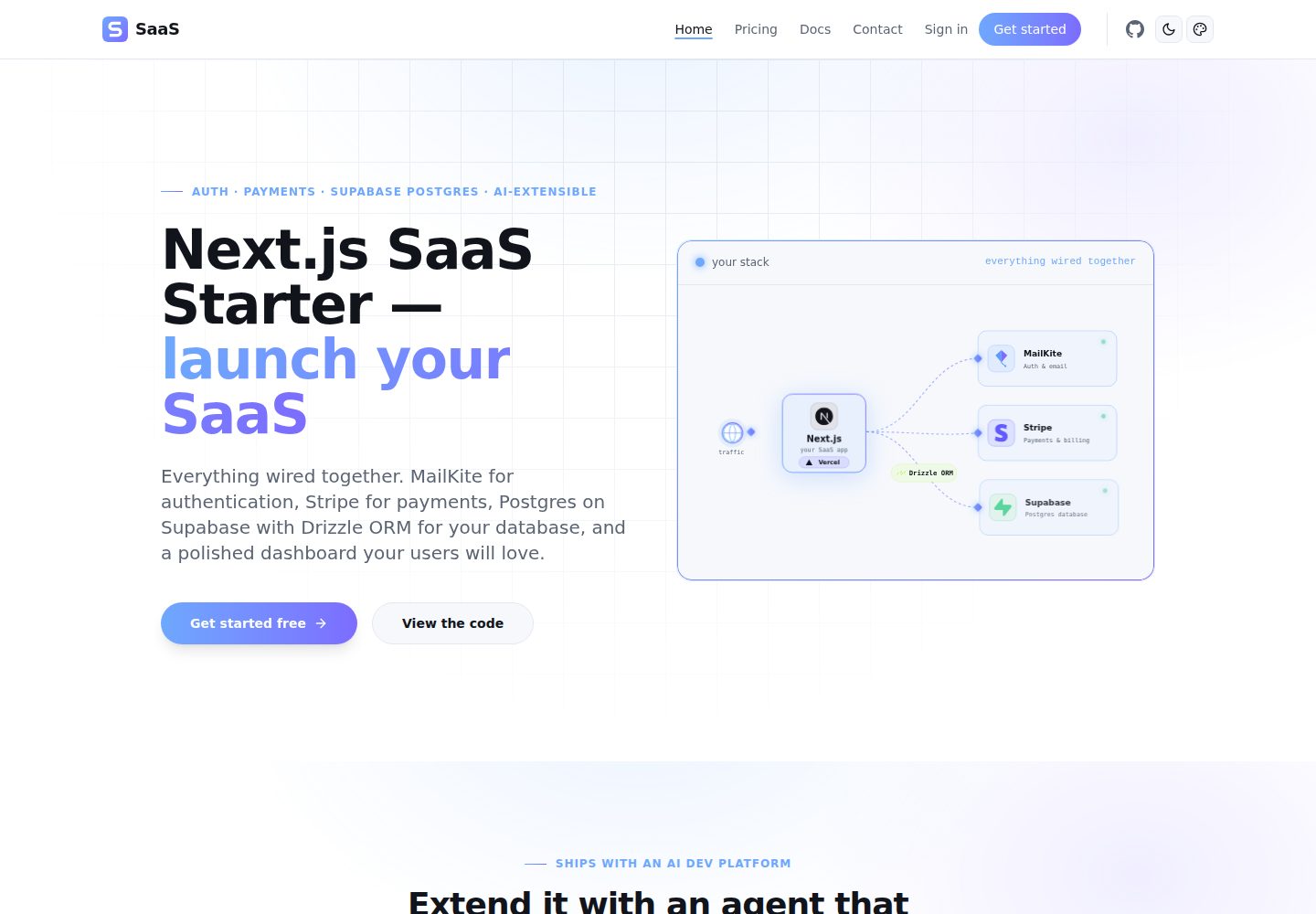
Desktop captureTop of page
Actual screenshot captured by the server browser.
All pages & views 2
Screenshots show visual appearance; interactive behavior may differ.
Recorded 2026-10-01View source
What stands out
A quick read of the recorded project description.
Stripe integration: includes Checkout, Customer Portal, Webhooks, and subscription lifecycle handling
Team management: supports inviting members, managing permissions, and shared workspaces
The data layer uses PostgreSQL and Drizzle ORM, providing typed schemas, migrations, and seed scripts
The interface is dark-first, including dynamic backgrounds, gradient cards, light/dark switching, and a theme color picker
Brand icons are generated by a single script, allowing unified replacement of the glyph and accent color
Template Details
This template is aimed at developers who need to quickly build a SaaS product, providing a complete foundational skeleton from sign-up and login to subscription billing and team collaboration. The authentication portion runs entirely on the application's own Next.js server: OAuth authorization code exchange, password hashing (PBKDF2, based on WebCrypto), and JWT session signing (jose) are all performed locally, without relying on an external authentication service. The only external dependency is MailKite for email sending, and it is optional; when no API key is configured, the application skips the welcome email without throwing an error.
On the payment side, it integrates Stripe Checkout, Customer Portal, and Webhooks, covering the subscription lifecycle; team features support inviting members, managing permissions, and shared workspaces. The data layer uses PostgreSQL with Drizzle ORM, including typed schemas, migrations, and seed scripts. The interface is dark-first, with dynamic backgrounds, gradient cards, light/dark switching, and a theme color picker.
The project structure is concentrated in the apps/web directory, including (dashboard), (login), auth callbacks, and api routes, as well as modules such as lib/auth, lib/mailkite-auth, and lib/db. Brand icons are generated uniformly by a script, and can be regenerated after modifying the glyph and accent color. The template is MIT licensed and can be used, modified, commercialized, and distributed for free, but third-party assets such as demo images, fonts, and icons need to be checked separately for licensing, and external services such as domains, hosting, databases, and payments may incur additional charges.
Next.jsSaaSCorporate websiteStarter
Is it right for your project?
Use Cases
- Building a SaaS product from scratch that needs sign-up/login, subscription billing, and team collaboration
- Adding self-hosted authentication and a Stripe subscription flow to an existing Next.js project
- An admin backend or product dashboard that needs a dark-first interface and switchable theme colors
- Wanting to manage typed data models and migrations with PostgreSQL and Drizzle ORM
Suitable For
- Full-stack developers familiar with the Next.js App Router and React
- Independent developers or small teams that need to quickly validate a SaaS product form
- Projects that accept configuring external services such as PostgreSQL and Stripe themselves
Getting started & customization
Use these recorded setup notes alongside the repository instructions for your chosen version.
- 1
After cloning the repository, run pnpm install, and copy .env.example to .env to fill in the required variables
- 2
Required environment variables include AUTH_SECRET, POSTGRES_URL, STRIPE_SECRET_KEY, and STRIPE_WEBHOOK_SECRET
- 3
Run npx drizzle-kit migrate in the apps/web directory to complete database migration, then run pnpm run dev to start
- 4
Google and GitHub OAuth require registering callback URLs <BASE_URL>/auth/google/callback and <BASE_URL>/auth/github/callback respectively
- 5
MAILKITE_API_KEY is optional; when not configured, the application skips the welcome email; rotating AUTH_SECRET invalidates all sessions
License & source material
Usage conditions & limitations
Free to use · keep license noticeThis listing covers the free version in the public repository under the MIT license; the free scope is the code of this version and does not mean that external services or third-party assets are free.
Must comply with when using
- The code of this version may be used, modified, commercialized, and distributed for free.
- When distributing copies or substantial portions of the code, retain the original author's copyright notice and the complete MIT license notice.
- The code is provided as is; warranties and limitations of liability are governed by the original license and applicable law.
Additional costs & items to verify
- Email sending depends on the external service MailKite, requiring registration and an API key; when MAILKITE_API_KEY is not configured, the application skips the welcome email rather than throwing an error.
- Payment functionality depends on the external service Stripe, requiring STRIPE_SECRET_KEY and STRIPE_WEBHOOK_SECRET, and you must register a Stripe account yourself.
- You must provide your own PostgreSQL database connection (such as Neon, Supabase, or self-hosted); database hosting may incur additional charges.
- Using Google or GitHub OAuth requires registering an application on the corresponding platform and configuring callback URLs, involving third-party accounts and credentials.
- AUTH_SECRET must be set as the JWT signing key; rotating this key invalidates all existing sessions.
- Demo images, fonts, icons, and other third-party assets need to be checked under their respective licenses and cannot be judged solely by the code's MIT license.
- External services such as domains, hosting, databases, payments, or AI may incur additional charges.
View Original Text Basis
Permission is hereby granted, free of charge
Original License Text
The only outbound dependency is [MailKite](https://mailkite.dev) for sending email — and that's optional; without an API key the app simply skips the welcome mail.
Original README
| `STRIPE_SECRET_KEY` | Yes | Stripe secret key (`sk_test_...`) |
Original README
| `POSTGRES_URL` | Yes | PostgreSQL connection ([Neon](https://neon.tech), Supabase, or any Postgres) |
Original README
Register these callback URLs with each provider:
Original README
https://github.com/mailkite/saas-startup/blob/main/LICENSEhttps://github.com/mailkite/saas-startup/blob/main/README.md| `AUTH_SECRET` | Yes | JWT signing key — `openssl rand -base64 32`. Rotating it invalidates every session |
Original README
Compiled by DeepSeek based on repository license and README ·2026-10-01. Results only cover the materials read; dependencies, images, fonts, and subsequent term changes are subject to their respective original texts.
Project checks & description sources
Template Information
- Source platforms
- GitHub
- Documentation and maintenance reference score
- More documented · 77 / 100
- Technologies
- Next.js · React
- Website type
- SaaS · Corporate Website · Starter
How this score is calculated
Our heuristic uses license records (up to 30), a demo link (12), a preview (10), stars (15), recorded maintenance (15), description completeness (8), feature records (5) and classification data (5). It is not a code, security or performance test, or a Google score. A link does not establish tested functionality.
What to verify for this project
- Repository update recorded
- 2026-09-16
- Screenshot last checked
- 2026-10-01
A demo link is listed. Check it with your own content and viewport sizes; its presence does not confirm that forms, authentication or payments work.
The catalog identifies Next.js as the primary stack. Check the actual dependency manifest and lockfile for versions and hosting requirements. These notes use recorded metadata, not a code audit or a deployment test.
Use a selection guide →How this description was prepared
AI-assisted description based on catalog records and repository material. Repository authors are not automatically the reviewers of this description.
Automatically checked against source and license rules; no manual editorial review.
Inspect the recorded source material
SHA-256: cd5486ee04ea85398ce80a3359123df284c9871e134d7d3786a75dbcc2b367e7
2026-10-01T01:16:56.922Z
Source file / repository<p align="center">
<img src="apps/web/public/brand/logo.svg" alt="SaaS Starter" width="264" />
</p>
# Next.js SaaS Starter
The **Next.js SaaS Starter** is a production-ready template to launch your SaaS. It wires together **authentication** (self-contained, JWT sessions), **payments** (Stripe subscriptions and customer portal), **team management**, and a polished dark-first dashboard — so you can skip the boilerplate and ship your product.
**Auth runs entirely in your app.** There is no external auth service to sign up for: the OAuth code exchange, password hashing and session signing all happen in your own Next.js server, against your own database. The only outbound dependency is [MailKite](https://mailkite.dev) for sending email — and that's optional; without an API key the app simply skips the welcome mail.
- **Auth** — Email/password + Google and GitHub OAuth, self-contained. PBKDF2 hashing via WebCrypto (no native module), JWT sessions via `jose`
- **Payments** — Stripe Checkout, Customer Portal, webhooks, and subscription lifecycle
- **Team** — Invite members, manage permissions, shared workspace
- **UI** — Dark-first, animated backgrounds, gradient cards, light/dark toggle, color theme picker
- **DB** — PostgreSQL with Drizzle ORM (type-safe schema, migrations, seed scripts)
<br>
[](https://vercel.com/new/clone?repository-url=https%3A%2F%2Fgithub.com%2Fmailkite%2Fsaas-startup&root-directory=apps%2Fweb&env=AUTH_SECRET,STRIPE_SECRET_KEY,STRIPE_WEBHOOK_SECRET&envDescription=Required%20environment%20variables&project-name=my-saas&repository-name=my-saas)
**[Live demo →](https://saas-startup.mailkite.dev)**
## Stack
| Layer | Technology |
|-------|-----------|
| Framework | [Next.js 15](https://nextjs.org) (App Router) |
| Auth | Self-contained — JWT sessions ([jose](https://github.com/panva/jose)), OAuth, PBKDF2 passwords |
| Email | [MailKite](https://mailkite.dev) — transactional send (optional) |
| Payments | [Stripe](https://stripe.com) — checkout, portal, webhooks |
| Database | [PostgreSQL](https://www.postgresql.org) + [Drizzle ORM](https://orm.drizzle.team) |
| UI | [Tailwind CSS v4](https://tailwindcss.com), [shadcn/ui](https://ui.shadcn.com) |
| Platform | [Vercel](https://vercel.com) (deploys anywhere) |
## Quick Start
```bash
git clone https://github.com/mailkite/saas-startup
cd saas-startup
pnpm install
cp .env.example .env # then fill in AUTH_SECRET, POSTGRES_URL, STRIPE_SECRET_KEY
cd apps/web
npx drizzle-kit migrate
pnpm run dev # http://localhost:3000
```
## Deploy
[](https://vercel.com/new/clone?repository-url=https%3A%2F%2Fgithub.com%2Fmailkite%2Fsaas-startup&root-directory=apps%2Fweb&env=AUTH_SECRET,STRIPE_SECRET_KEY,STRIPE_WEBHOOK_SECRET&envDescription=Required%20environment%20variables&project-name=my-saas&repository-name=my-saas)
## Env vars
| Variable | Required | Purpose |
|----------|----------|---------|
| `AUTH_SECRET` | Yes | JWT signing key — `openssl rand -base64 32`. Rotating it invalidates every session |
| `POSTGRES_URL` | Yes | PostgreSQL connection ([Neon](https://neon.tech), Supabase, or any Postgres) |
| `BASE_URL` | Prod | Public origin, e.g. `https://example.com`. OAuth `redirect_uri` is built from it; on Vercel it falls back to `VERCEL_PROJECT_PRODUCTION_URL` |
| `STRIPE_SECRET_KEY` | Yes | Stripe secret key (`sk_test_...`) |
| `STRIPE_WEBHOOK_SECRET` | Yes | Stripe webhook secret (`whsec_...`) |
| `MAILKITE_API_KEY` | No | Sends the welcome email. Omit and email is skipped, not failed |
| `NEXT_PUBLIC_GOOGLE_CLIENT_ID` | No | Google OAuth — enables the button (build-time inlined) |
| `GOOGLE_CLIENT_SECRET` | No | Google OAuth — required for the code exchange |
| `NEXT_PUBLIC_GITHUB_CLIENT_ID` | No | GitHub OAuth — enables the button (build-time inlined) |
| `GITHUB_CLIENT_SECRET` | No | GitHub OAuth — required for the code exchange |
Register these callback URLs with each provider:
| Provider | Callback URL |
|----------|--------------|
| Google | `<BASE_URL>/auth/google/callback` |
| GitHub | `<BASE_URL>/auth/github/callback` |
## Project Structure
```
apps/web/
├── app/
│ ├── (dashboard)/ # Landing, pricing, dashboard pages
│ ├── (login)/ # Sign in, sign up
│ ├── auth/ # OAuth callbacks — code exchange happens here
│ └── api/ # API routes (stripe, user, team)
├── components/ # React components
├── lib/
│ ├── auth/
│ │ ├── oauth/ # GitHub + Google exchange, identity, account upsert
│ │ ├── password.ts # PBKDF2 hash/verify (WebCrypto)
│ │ └── local.ts # Email/password sign-in + sign-up
│ ├── mailkite-auth/ # Sessions, config, middleware, MailKite email
│ └── db/ # Drizzle schema + migrations
├── middleware.ts # Route protection
└── vercel.json # Vercel deploy config
```
## Brand assets
Every icon is generated from one path definition in `apps/web/scripts/generate-icons.mjs`. Change the glyph or the accent colours there and re-run:
```bash
cd apps/web
pnpm run brand:icons
```
| File | Purpose |
|------|---------|
| `app/icon.svg` | Primary favicon — modern browsers prefer this |
| `app/favicon.ico` | Legacy favicon (16/32/48) |
| `app/apple-icon.png` | iOS home screen (180px, full bleed — iOS applies its own mask) |
| `app/opengraph-image.png` | Social preview (1200×630) |
| `app/twitter-image.png` | Twitter/X summary card |
| `public/brand/icon.svg` | The mark, standalone |
| `public/brand/icon-mono.svg` | Single-colour mark; inherits `currentColor` |
| `public/brand/logo.svg` | Mark + wordmark; adapts to light/dark automatically |
| `public/brand/logo-mono.svg` | Single-colour lockup |
| `public/brand/icon-{192,512}.png` | PWA manifest icons |
| `public/brand/icon-maskable-512.png` | Android maskable (glyph inside the 80% safe zone) |
| `public/brand/mask-icon.svg` | Safari pinned tab |
The in-app `<Logo />` component draws its tile with a CSS gradient rather than a baked SVG one, so the mark follows whichever accent the theme picker is set to. The static files above bake the default Ocean palette.
## License
[MIT](https://opensource.org/licenses/MIT) — use for anything. Attribution appreciated.
Designed by [MailKite](https://mailkite.dev).
Explore similar templates
Compare previews and descriptions within the same stack and category.

Next.js SaaS Starter
The official Next.js SaaS starter template, integrating email/password authentication, Stripe Checkout subscriptions, a dashboard with user/team CRUD, basic Owner/Member RBAC, and activity logging.
Next.js · SaaS

Next.js Commerce
Vercel's officially maintained Next.js App Router ecommerce starter with deep Shopify integration, offering a complete product catalog, cart, and checkout flow. Core logic is modular for swapping backends, and community provider versions exist for BigCommerce, Medusa, and Saleor.
Next.js · E-commerce

Next-js-Boilerplate
A developer-first Next.js 16 starter with Tailwind CSS 4 and TypeScript, supporting both App Router and Page Router.
Next.js · Starter

tailwind-nextjs-starter-blog
A Next.js and Tailwind CSS blog starter template using Contentlayer for Markdown/MDX, with built-in SEO, code highlighting, and tags. It targets personal technical blogs and migration from Jekyll/Hugo to React, and supports one-click Vercel deployment.
Next.js · Blog

next-forge
next-forge is a Turborepo-based Next.js template maintained by Vercel, positioned as a starting point for SaaS products.
Next.js · Starter

SaaS-Boilerplate
SaaS-Boilerplate is an open-source SaaS starter template built with Next.js App Router, React 19, TypeScript, Tailwind CSS, and Shadcn UI.
Next.js · SaaS