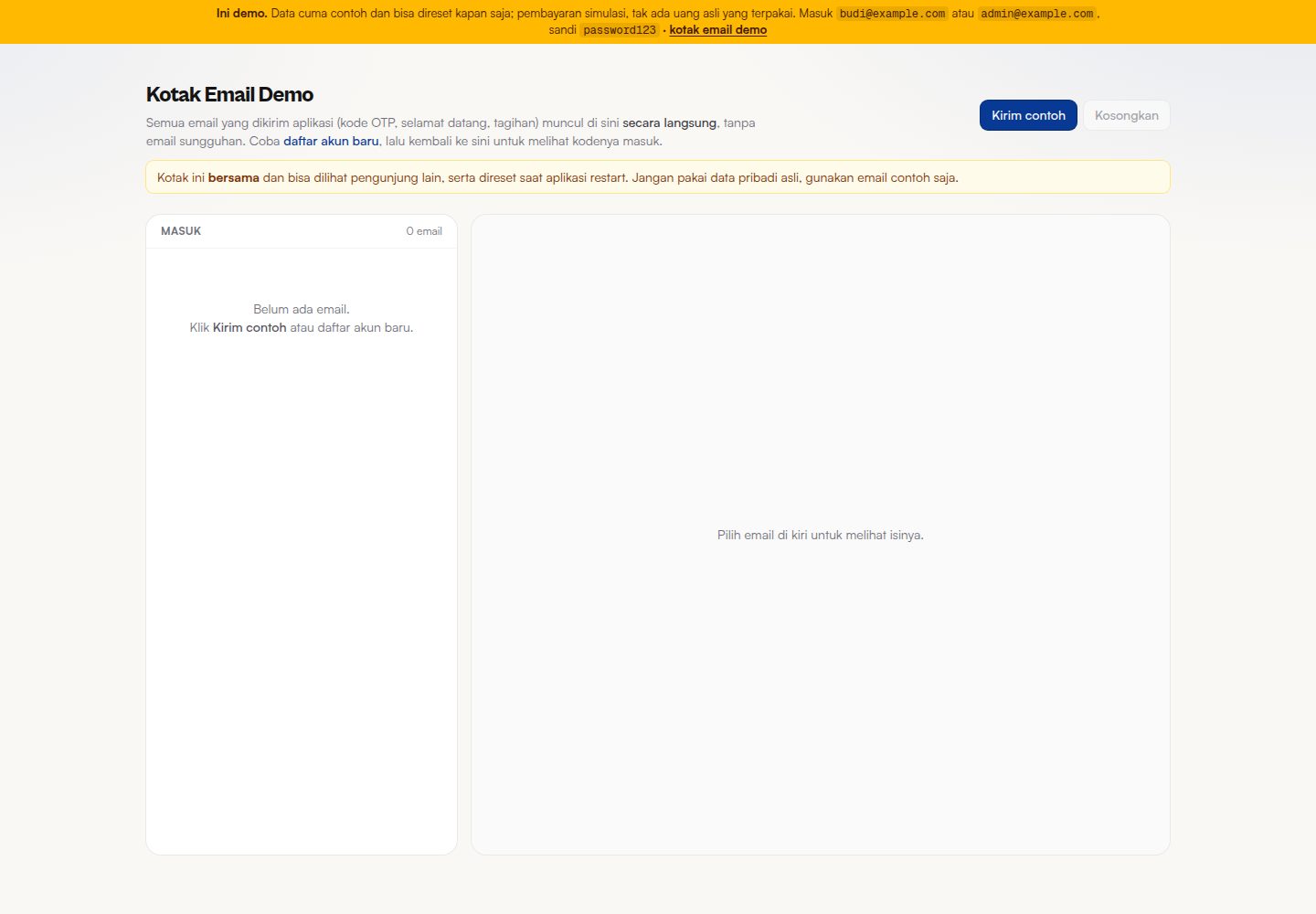
Custom Midtrans Core API payment page supporting QRIS, GoPay, ShopeePay, Virtual Account, Mandiri Bill, and card payments with 3DS
Next.jsReactStarter
account-center-starter — Next.js Starter Template
By maubisa-id
A Next.js-based account center template integrating login, subscription management, access control, and a custom Midtrans payment page; the README states it is used in the akun.maubisa.id production environment.
Explore the design
Compare the page layouts and mobile experience. Open any screenshot for a closer look.
Desktop homepage1 / 2
Desktop captureTop of page
Actual screenshot captured by the server browser.
All pages & views 2
Screenshots show visual appearance; interactive behavior may differ.
Recorded 2026-10-14View source
What stands out
A quick read of the recorded project description.
Account security features include email OTP verification, 2FA, device login management, password change, and Cloudflare Turnstile anti-bot
Subscription management supports viewing status and term, stopping at period end, changing plans, and automatic (card) or manual (QRIS/VA) renewal
Server-side pricing: other products only send a product code, prices are calculated server-side, and access is granted after the webhook verifies the payment is settled
Admin panel based on the ADMIN_EMAILS whitelist, with revenue overview, user queries, Payment Links, event registration CSV export, and audit logs
Provides a purchase-before-registration flow that automatically creates an account after payment and sends a password setup link, plus privacy features such as data download and account deletion
Template Details
This is an account center starter template. The README states that its code is actually used at akun.maubisa.id and is open for others to reuse. Its core purpose is to build a unified account page for multiple products: user registration and login, email OTP verification, forgot password, two-factor authentication (2FA), viewing and logging out of logged-in devices, changing password, plus subscription status and term management, stopping renewals, changing plans, automatic or manual renewal, and single sign-on (SSO)-based access permission details.
The payment part uses a custom page rather than the standard Midtrans Snap page, implemented on the Midtrans Core API. The README lists support for QRIS, GoPay, ShopeePay, Virtual Account (BCA, BNI, BRI, Permata, CIMB), Mandiri Bill, and credit/debit cards with 3D Secure OTP verification, and provides payment links and automatic subscriptions. The README emphasizes that prices are always calculated server-side; other products only need to send a product code rather than a price, and access is granted only after the Midtrans webhook confirms the payment is settled and verifies its authenticity.
The template also includes automatic emails (OTP, welcome, post-payment access information, pending payment reminders, receipts, payment failure notifications), purchase before registration (automatically creating an account after payment and sending a password setup link), privacy features (downloading data as JSON and deleting the account in accordance with UU PDP), a provisioning channel for other systems to securely create accounts, and an admin panel based on an email whitelist (ADMIN_EMAILS), with revenue and outstanding overviews, user and subscription/billing/permission queries, creating Payment Links, event registration management and CSV export, invoice printing, global search, filtering by service line, manually granting/revoking permissions, and audit logs.
On the tech stack, the README lists Next.js 16 (App Router, Server Components, Turbopack), React 19, Tailwind CSS v4, TypeScript (strict), Prisma 6 (SQLite for development, MySQL or PostgreSQL for production), Better Auth 1.6, Midtrans Core API, Nodemailer, an optional Directus event content source, and Sentry (errors only). The README does not provide information on performance, concurrency, or the degree of production readiness, nor does it give test coverage information beyond the CI badge.
Next.jsStarter
Is it right for your project?
Use Cases
- Build a unified login and account center for multiple products, implementing SSO and access permission detail management
- Integrate Midtrans payments into a branded page, covering QRIS, VA, e-wallets, and 3DS card payments
- Manage the subscription lifecycle, including viewing terms, stopping renewals, changing plans, and renewing
- Operators use the admin panel to view revenue and outstanding amounts, create Payment Links, manage event registrations, and export CSV
- Other websites or applications securely create accounts after purchase through the provisioning channel
Suitable For
- Teams that need a unified account and login entry point for multiple products
- Developers who want to build a branded Midtrans payment page instead of using the standard Snap page
- SaaS or online services that need subscription, permission, and billing management capabilities
- Operations teams that need an admin backend with audit logs and 2FA
Getting started & customization
Use these recorded setup notes alongside the repository instructions for your chosen version.
- 1
Requires Node 22 (see .nvmrc); run npm install, copy .env.example to .env, and at minimum fill in BETTER_AUTH_SECRET (openssl rand -base64 32)
- 2
Run npx prisma db push to create dev.db and the table schema, then run npm run seed to generate sample data and demo accounts, and finally npm run dev to start
- 3
Demo accounts: user [email protected] or admin [email protected], both with password password123; when Midtrans keys are not configured, payment features show as "not yet provided" rather than throwing an error
- 4
When deploying to Vercel, the build runs prisma db push, so the database must be prepared in advance; the README notes that file:./dev.db with sqlite means data is temporary in serverless and is only suitable for previews
- 5
In production, TURNSTILE_SECRET_KEY must be configured (otherwise the application cannot start), and MIDTRANS_*, MAIL_*, PROVISION_SECRET, DIRECTUS_*, and other variables should be filled in as needed
License & source material
Usage conditions & limitations
Free to use · keep license noticeThis entry covers the free version in the public repository under the MIT license; the free scope is the code of this version and does not mean that external services or third-party assets are free.
Must comply with when using
- You may use, modify, commercialize, and distribute the code of this version for free.
- When distributing copies or substantial portions of the code, retain the original author's copyright notice and the full MIT license notice.
- The code is provided as is; warranties and limitations of liability are governed by the original license and applicable law.
Additional costs & items to verify
- Demo images, fonts, icons, and other third-party assets must be checked against their respective licenses and cannot be judged solely by the code's MIT license.
- External services such as domains, hosting, databases, payments, or AI may incur separate charges.
- Using payment features requires applying for and configuring the Midtrans server key (MIDTRANS_SERVER_KEY) yourself, which is an external service credential requirement.
- Credit card and 3DS payments require configuring the Midtrans client key (NEXT_PUBLIC_MIDTRANS_CLIENT_KEY).
- In production, the Cloudflare Turnstile anti-bot key must be configured, otherwise the application cannot start.
- Sending emails requires configuring an external SMTP (MAIL_*) email service; when not configured, emails are only printed to the console in the development environment.
- The event content feature depends on the optional Directus external CMS service and requires DIRECTUS_URL and DIRECTUS_TOKEN.
- Deploying to Vercel requires a managed database (Neon, Supabase, PlanetScale, Railway, etc.) to ensure data persistence.
- When using SQLite in a serverless environment, data is temporary and only suitable for previews, not for production.
- Keys must be obtained from the Midtrans console, using Sandbox for testing and Production for launch, which is an external account and credential requirement.
- Maubisa's logo and name remain the property of PT Litera Edu Solusi and must be replaced with your own brand when used.
View Original Text Basis
Permission is hereby granted, free of charge
Original License Text
| `MIDTRANS_SERVER_KEY` | untuk bayar | server key (rahasia) |
Original README
| `NEXT_PUBLIC_MIDTRANS_CLIENT_KEY` | untuk kartu | client key (wajib untuk kartu dan 3DS) |
Original README
| `TURNSTILE_SECRET_KEY` | di produksi | anti-bot; wajib di produksi (app tidak boot tanpa kunci) |
Original README
| `MAIL_*` | untuk email | SMTP; kalau kosong, email dicetak ke konsol saat dev |
Original README
| `DIRECTUS_URL` / `DIRECTUS_TOKEN` | untuk acara | sumber data acara (opsional) |
Original README
- `DATABASE_URL` dan `DB_PROVIDER` — pakai database terkelola (Neon, Supabase, PlanetScale,
Original README
serverless datanya sementara (tiap invocation terisolasi) — cukup untuk pratinjau, bukan produksi.
Original README
5. **Isi kunci Midtrans Anda.** Dari [dashboard Midtrans](https://dashboard.midtrans.com/), pakai
Original README
https://github.com/maubisa-id/account-center-starter/blob/main/LICENSEhttps://github.com/maubisa-id/account-center-starter/blob/main/README.mdnama "Maubisa" tetap milik PT Litera Edu Solusi; ganti dengan merek Anda sendiri saat memakai.
Original README
Compiled by DeepSeek based on repository license and README ·2026-10-14. Results only cover the materials read; dependencies, images, fonts, and subsequent term changes are subject to their respective original texts.
Project checks & description sources
Template Information
- Source platforms
- GitHub
- Documentation and maintenance reference score
- More documented · 83 / 100
- Technologies
- Next.js · React
- Website type
- Starter
How this score is calculated
Our heuristic uses license records (up to 30), a demo link (12), a preview (10), stars (15), recorded maintenance (15), description completeness (8), feature records (5) and classification data (5). It is not a code, security or performance test, or a Google score. A link does not establish tested functionality.
What to verify for this project
- Repository update recorded
- 2026-10-09
- Screenshot last checked
- 2026-10-14
A demo link is listed. Check it with your own content and viewport sizes; its presence does not confirm that forms, authentication or payments work.
The catalog identifies Next.js as the primary stack. Check the actual dependency manifest and lockfile for versions and hosting requirements. These notes use recorded metadata, not a code audit or a deployment test.
Use a selection guide →How this description was prepared
AI-assisted description based on catalog records and repository material. Repository authors are not automatically the reviewers of this description.
Review declaration: codex-user-requested-batch-review-20261015 · 2026-10-15
Inspect the recorded source material
SHA-256: f812824a00f240c2316c0090aad4e5c70a2263815b1b70cfed0717815ff6b28b
2026-10-14T17:09:18.002Z
Source file / repository<div align="center"> <picture> <source media="(prefers-color-scheme: dark)" srcset="./.github/assets/maubisa-logo-white.png"> <img alt="Maubisa" src="./.github/assets/maubisa-logo.png" height="52"> </picture> # Account Center Starter **Satu halaman akun untuk semua produk Anda, lengkap dengan halaman pembayarannya sendiri.** Bangun pusat akun sekali, pakai di semua layanan: satu login untuk semua produk, kelola langganan dan hak akses, plus halaman bayar (Midtrans) yang tampilannya mengikuti merek Anda. Kode ini kami pakai sungguhan di `akun.maubisa.id`, lalu kami buka agar Anda tidak perlu mulai dari nol. <p> <a href="https://demo-akun.maubisa.id"><img alt="Demo langsung" src="https://img.shields.io/badge/Demo%20langsung-demo--akun.maubisa.id-0a48b7?logo=vercel&logoColor=white"></a> <a href="https://github.com/maubisa-id/account-center-starter/generate"><img alt="Gunakan template ini" src="https://img.shields.io/badge/Gunakan%20template%20ini-2ea44f?logo=github&logoColor=white"></a> </p> [](https://vercel.com/new/clone?repository-url=https://github.com/maubisa-id/account-center-starter&env=DATABASE_URL,DB_PROVIDER,BETTER_AUTH_SECRET,BETTER_AUTH_URL,NEXT_PUBLIC_DEMO_MODE&envDescription=Database%20terkelola%20%2B%20rahasia%20auth%20(build%20menjalankan%20prisma%20db%20push)&envLink=https://github.com/maubisa-id/account-center-starter/blob/main/.env.example) <p> <a href="https://github.com/maubisa-id/account-center-starter/actions/workflows/ci.yml"><img alt="Status CI" src="https://github.com/maubisa-id/account-center-starter/actions/workflows/ci.yml/badge.svg"></a> <a href="https://github.com/maubisa-id/account-center-starter/releases/latest"><img alt="Rilis terbaru" src="https://img.shields.io/github/v/release/maubisa-id/account-center-starter?color=3FB950&label=rilis"></a> <a href="./LICENSE"><img alt="Lisensi" src="https://img.shields.io/github/license/maubisa-id/account-center-starter?color=3FB950"></a> <a href="https://github.com/maubisa-id/account-center-starter/commits/main"><img alt="Commit terakhir" src="https://img.shields.io/github/last-commit/maubisa-id/account-center-starter"></a> </p> <p> <a href="https://nextjs.org/"><img alt="Next.js" src="https://img.shields.io/badge/Next.js-16-000000?logo=nextdotjs&logoColor=white"></a> <a href="https://react.dev/"><img alt="React" src="https://img.shields.io/badge/React-19-149ECA?logo=react&logoColor=white"></a> <a href="https://www.typescriptlang.org/"><img alt="TypeScript" src="https://img.shields.io/badge/TypeScript-5-3178C6?logo=typescript&logoColor=white"></a> <a href="https://tailwindcss.com/"><img alt="Tailwind CSS" src="https://img.shields.io/badge/Tailwind-v4-38BDF8?logo=tailwindcss&logoColor=white"></a> <a href="https://www.prisma.io/"><img alt="Prisma" src="https://img.shields.io/badge/Prisma-6-2D3748?logo=prisma&logoColor=white"></a> <a href="https://www.better-auth.com/"><img alt="Better Auth" src="https://img.shields.io/badge/Better%20Auth-1.6-000000"></a> <a href="https://docs.midtrans.com/"><img alt="Midtrans" src="https://img.shields.io/badge/Midtrans-Core%20API-0B7BE9"></a> </p> <br/> <img src="./.github/assets/og.png" alt="Account Center Starter" width="840"> </div> --- > [!TIP] > **Coba dulu sebelum dipakai: [demo-akun.maubisa.id](https://demo-akun.maubisa.id).** > Masuk sebagai user `[email protected]` atau admin `[email protected]` (sandi `password123` untuk > keduanya), atau daftar akun baru lalu buka [kotak email demo](https://demo-akun.maubisa.id/demo/kotak) > untuk melihat email yang masuk (kode OTP, ucapan selamat datang). Semua pembayaran memakai mode > sandbox, jadi aman dicoba tanpa uang asli. ## Untuk siapa ini Pakai starter ini kalau Anda butuh salah satu dari berikut: - Halaman akun untuk pelanggan: login, profil, keamanan. - Dashboard langganan dan hak akses. - Halaman pembayaran sendiri (kartu, QRIS, Virtual Account, e-wallet) yang tampilannya sama di semua produk. Anda tidak perlu jadi ahli pembayaran. Bagian yang paling rawan, yaitu checkout dan pengecekan bayar, sudah kami tangani. Anda tinggal ganti merek, isi produk, dan pasang kunci Midtrans. ## Kenapa ada Membuat halaman akun yang utuh itu makan waktu: login, keamanan dua langkah, kelola langganan, tagihan, dan yang paling sulit, sistem pembayaran yang tidak gampang diakali. Semua itu sudah jadi di sini, siap Anda pakai ulang. > [!NOTE] > Halaman bayar dibuat sendiri memakai **Midtrans Core API**, bukan halaman standar "Snap" bawaan > Midtrans, jadi tampilannya benar-benar menyatu dengan merek Anda. Metode yang didukung: QRIS, > GoPay, ShopeePay, Virtual Account (BCA, BNI, BRI, Permata, CIMB), Mandiri Bill, dan kartu > kredit/debit dengan verifikasi OTP (3D Secure). Tersedia juga link pembayaran dan langganan > otomatis. ## Fitur - **Login dan keamanan akun.** Daftar dan masuk, verifikasi email lewat OTP, lupa kata sandi, keamanan dua langkah (2FA), lihat dan keluarkan perangkat yang sedang login, dan ganti kata sandi. Sudah termasuk pelindung anti-bot (Cloudflare Turnstile). - **Halaman bayar sendiri.** Tampilan bayar yang menyatu dengan merek Anda, untuk pengguna yang sudah login maupun tamu. QR atau nomor Virtual Account tampil langsung di halaman, status dicek otomatis, verifikasi kartu (3D Secure) tanpa pindah halaman, simpan kartu untuk sekali klik, dan deteksi bank dari nomor kartu. - **Langganan.** Lihat status dan masa aktif, berhenti di akhir periode, ganti paket, dan perpanjang otomatis (kartu) atau manual (QRIS dan VA). - **Hak akses.** Satu login untuk semua layanan (SSO), plus rincian apa saja yang bisa diakses. - **Email otomatis.** Kode OTP, ucapan selamat datang, info akses setelah bayar, pengingat menunggu bayar, struk, dan pemberitahuan saat bayar gagal. Tidak ada email dobel. - **Beli tanpa daftar dulu.** Orang bisa langsung bayar. Akunnya dibuat otomatis setelah lunas, lalu dikirim tautan untuk mengatur kata sandi sendiri. - **Privasi (UU PDP).** Pengguna bisa mengunduh datanya (JSON) dan menghapus akun. - **Buat akun dari sistem lain.** Jalur aman agar website atau aplikasi lain bisa membuatkan akun setelah pembelian. - **Panel admin.** Dibuka lewat allowlist email (`ADMIN_EMAILS`): ringkasan pendapatan dan tunggakan, telusuri pengguna beserta langganan/tagihan/akses, buat Payment Link, pendaftar acara (gabungan gratis dari CMS dan berbayar) dengan ekspor CSV, cetak invoice pelanggan, pencarian global, dan filter per lini layanan. Bisa beri/cabut hak akses manual, semua tercatat di **jejak audit**. - **Keamanan operator.** Verifikasi dua langkah (2FA) untuk akses admin bersifat fail-closed di produksi (`ADMIN_REQUIRE_MFA`), dan jejak audit mencatat aksi sensitif (beri/cabut akses, buat Payment Link, ekspor data, hapus akun) selaras dengan PCI DSS, ISO 27001, SOC 2, dan UU PDP. ## Cara kerjanya ``` Web / App / Kelas --"Beli"--> Account Center --charge--> Midtrans Core API (kirim kode barang, (hitung harga, (QRIS / VA / e-wallet / bukan harga) proses checkout) kartu 3DS) ^ | | webhook (dicek | +---- keaslian + anti -----+ dobel) akses dibuka setelah bayar benar-benar lunas ``` Aturan intinya: produk lain cukup mengirim kode barang, bukan harga. Harga selalu dihitung di server ini, pembayaran diproses, lalu akses dibuka hanya setelah Midtrans memastikan bayarnya lunas. ## Tech stack | Bagian | Teknologi | |--------|-----------| | Framework | [Next.js 16](https://nextjs.org/) (App Router, Server Components, Turbopack) | | UI | [React 19](https://react.dev/) + [Tailwind CSS v4](https://tailwindcss.com/) | | Bahasa | [TypeScript](https://www.typescriptlang.org/) (strict) | | ORM | [Prisma 6](https://www.prisma.io/) (SQLite untuk dev, MySQL atau PostgreSQL untuk produksi) | | Auth | [Better Auth 1.6](https://www.better-auth.com/) (email + password, 2FA, OTP) | | Pembayaran | [Midtrans Core API](https://docs.midtrans.com/) plus Payment Link dan Subscription | | Email | [Nodemailer](https://nodemailer.com/) (transaksional) | | Konten acara | [Directus](https://directus.io/) (opsional, ada fallback contoh) | | Monitoring | [Sentry](https://sentry.io/) (errors-only, hemat kuota) | ## Mulai cepat Pilih salah satu cara memakai kode ini: - **Tombol "Use this template"** (paling gampang): bikin repo baru milik Anda dengan riwayat bersih, [buka di sini](https://github.com/maubisa-id/account-center-starter/generate). - **Salin langsung jadi folder baru** (tanpa membawa riwayat git): ```bash npx degit maubisa-id/account-center-starter nama-proyek-anda cd nama-proyek-anda ``` - **Fork lewat tombol di GitHub** kalau ingin tetap terhubung ke sumbernya, supaya gampang menarik pembaruan nanti. Lalu jalankan: ```bash npm install cp .env.example .env # minimal isi BETTER_AUTH_SECRET (openssl rand -base64 32) npx prisma db push # buat dev.db + tabel dari prisma/schema.prisma npm run seed # data contoh + akun demo npm run dev # http://localhost:3000 ``` **Akun demo:** user `[email protected]` (punya langganan, tagihan, dan hak akses contoh) atau admin `[email protected]` (login lalu mendarat di `/admin`). Sandi keduanya `password123`. Butuh Node 22 (lihat [`.nvmrc`](./.nvmrc)). Tanpa kunci Midtrans pun aplikasi tetap jalan: fitur pembayaran menampilkan status "belum tersedia", bukan error. ## Environment Semua variabel dijelaskan di [`.env.example`](./.env.example). Yang paling penting: | Variabel | Wajib | Keterangan | |----------|:-----:|------------| | `DATABASE_URL` + `DB_PROVIDER` | ya | `file:./dev.db` (dev) atau `mysql://` / `postgresql://` (produksi) | | `BETTER_AUTH_SECRET` / `BETTER_AUTH_URL` | ya | rahasia acak plus origin app | | `MIDTRANS_SERVER_KEY` | untuk bayar | server key (rahasia) | | `NEXT_PUBLIC_MIDTRANS_CLIENT_KEY` | untuk kartu | client key (wajib untuk kartu dan 3DS) | | `TURNSTILE_SECRET_KEY` | di produksi | anti-bot; wajib di produksi (app tidak boot tanpa kunci) | | `MAIL_*` | untuk email | SMTP; kalau kosong, email dicetak ke konsol saat dev | | `PROVISION_SECRET` | untuk provisioning | shared secret dari sistem yang memanggil | | `DIRECTUS_URL` / `DIRECTUS_TOKEN` | untuk acara | sumber data acara (opsional) | > [!IMPORTANT] > **Harga selalu ditentukan di server, bukan dari halaman atau browser.** Nilai bayar tidak pernah > diambil dari sisi pengguna, jadi tidak bisa diakali. Akses baru terbuka setelah Midtrans mengabari > bahwa pembayaran benar-benar lunas, dan pesan itu dicek keasliannya lebih dulu. ## Deploy ke Vercel Klik tombol **Deploy with Vercel** di atas. Saat impor, Vercel otomatis meminta env **wajib** berikut (build menjalankan `prisma db push`, jadi database harus siap sejak build pertama): - `DATABASE_URL` dan `DB_PROVIDER` — pakai database terkelola (Neon, Supabase, PlanetScale, Railway) untuk deploy yang persisten. `file:./dev.db` + `sqlite` bisa untuk demo cepat, tapi di serverless datanya sementara (tiap invocation terisolasi) — cukup untuk pratinjau, bukan produksi. - `BETTER_AUTH_SECRET` (rahasia acak) dan `BETTER_AUTH_URL` (isi domain Vercel final setelah rilis pertama, lalu deploy ulang). - `NEXT_PUBLIC_DEMO_MODE` — isi `1` untuk demo publik (checkout sandbox, mailbox demo), kosongkan untuk produksi. Env opsional lain (isi dari `.env.example` sesuai kebutuhan) bisa ditambahkan di Settings → Environment Variables kapan saja: - `MIDTRANS_IS_PRODUCTION`, `MIDTRANS_SERVER_KEY`, `NEXT_PUBLIC_MIDTRANS_CLIENT_KEY` untuk pembayaran - `TURNSTILE_SECRET_KEY` dan `NEXT_PUBLIC_TURNSTILE_SITE_KEY` untuk proteksi form di produksi - `MAIL_HOST`, `MAIL_PORT`, `MAIL_USERNAME`, `MAIL_PASSWORD`, `MAIL_FROM_*`, `MAIL_REPLYTO_*` untuk email - `DIRECTUS_URL`, `DIRECTUS_TOKEN`, `DIRECTUS_EVENTS_COLLECTION` bila memakai CMS acara - `PROVISION_SECRET`, `ADMIN_EMAILS`, `NEXT_PUBLIC_*_URL`, dan `NEXT_PUBLIC_*_ENABLED` sesuai layanan `vercel.json` sudah menjalankan `node scripts/db-provider.mjs && prisma generate && prisma db push && next build`. Setelah rilis pertama, set `BETTER_AUTH_URL` ke domain Vercel final lalu deploy ulang. > [!WARNING] > **Tidak bisa login / error 500 di Vercel?** Dua penyebab paling umum: > > 1. **SQLite tidak jalan di serverless.** `DATABASE_URL=file:./dev.db` hanya untuk lokal — > filesystem Vercel bersifat sementara & read-only, jadi Better Auth gagal menulis sesi > (endpoint `/api/auth/*` balas 500). Pakai database terkelola (mis. [Neon](https://neon.tech) > gratis), lalu set `DATABASE_URL=postgresql://...` + `DB_PROVIDER=postgresql` + > `BETTER_AUTH_SECRET` (acak) + `BETTER_AUTH_URL=https://<domain-vercel-anda>`, dan deploy ulang. > 2. **Belum ada akun.** `prisma db push` hanya membuat tabel, bukan data. Untuk akun demo > (`[email protected]` / `[email protected]`, sandi `password123`), jalankan seed **sekali** > menunjuk ke DB terkelola Anda: > ```bash > DATABASE_URL="postgresql://...anda..." DB_PROVIDER=postgresql npm run seed > ``` > Atau lewati seed dan daftar akun baru di `/daftar` (pakai sandi kuat — `password123` ditolak > saat daftar karena masuk daftar sandi lemah; ia hanya dipakai akun demo hasil seed). Untuk > akses admin, isi `ADMIN_EMAILS` dengan email yang Anda daftarkan. ## Buat jadi milik Anda Repo tetap membawa identitas Maubisa sebagai asal template, sementara isi produk demo sudah netral. Untuk menjadikannya milik sendiri: 1. **Ganti merek aplikasi.** Logo lewat `NEXT_PUBLIC_LOGO_URL` (atau aset di [`.github/assets/`](./.github/assets) untuk repo), warna `brand-*` di `src/app/globals.css`, serta nama pengirim email di `MAIL_FROM_*`. Untuk kartu social preview, ubah `CARDS` di [`scripts/make-og.mjs`](./scripts/make-og.mjs) lalu jalankan `npm run og`. 2. **Sesuaikan sinyal kepercayaan.** Badan hukum, nomor WhatsApp, dan testimoni di `src/components/pay/checkout-trust.tsx` serta `src/lib/testimonials.ts`. 3. **Ganti lini layanan.** Label scope internal ada di `src/lib/service-lines.ts`; kunci `thesis|app|kelas|book` sengaja tetap agar seed, DB, dan katalog tidak pecah. 4. **Atur katalog dan harga.** Produk contoh ada di `prisma/seed.ts` (`membership-pro`, `webinar-sample`, `consult-basic`, `consult-plus`, `course-sample`), metadata kartu di `src/lib/catalog.ts`, dan harga produksi di database. Harga tetap dihitung di server. 5. **Isi kunci Midtrans Anda.** Dari [dashboard Midtrans](https://dashboard.midtrans.com/), pakai Sandbox untuk uji dan Production saat rilis, lalu masukkan ke `.env`. 6. **Deploy.** Cara tercepat: tombol **Deploy with Vercel** di atas. Bawa database terkelola sendiri (misalnya [Neon](https://neon.tech) atau [Supabase](https://supabase.com)); `vercel.json` sudah mengatur `prisma db push` dan `next build` otomatis. Setelah rilis pertama, set `BETTER_AUTH_URL` ke domain final Anda lalu deploy ulang. Untuk MySQL/PostgreSQL manual atau Docker, lihat [docs/produksi-mysql.md](./docs/produksi-mysql.md); `Dockerfile` tersedia di root. > [!TIP] > [`PRODUCT.md`](./PRODUCT.md) dan [`DESIGN.md`](./DESIGN.md) berisi konteks produk dan sistem desain > Maubisa sebagai contoh. Ganti dengan milik Anda supaya keputusan tampilan tetap konsisten. Panduan kontribusi dan standar kode ada di [CONTRIBUTING.md](./CONTRIBUTING.md). ## Struktur proyek ``` src/ app/ (app)/ # area login: ringkasan, profil, keamanan, langganan, # metode-pembayaran, pembayaran, acara, akses, notifikasi, privasi beli, checkout, bayar/[orderId], terima-kasih # alur checkout (tamu dan login) masuk, daftar, lupa-password, reset-password, 2fa api/ auth/[...all] # Better Auth pay/ # charge, charge/guest, status, cancel, bin, link, resend webhook/midtrans # aktivasi akses (signature + idempotent; sekali bayar dan berulang) provision # dipanggil sistem lain setelah pembelian payment-methods # kartu tersimpan (One Click) components/ # shell, ui, dashboard/*, pay/*, shared-assets/credit-card/* lib/ # auth, prisma, midtrans/* (Core API + subscription + link + bin), # midtrans-card (3DS), order-id, payment-methods, recurring, email, format prisma/ # schema.prisma, seed.ts test/ # Vitest (unit): signature, order-id, safe-redirect, status, guest-order ``` ## Skrip | Skrip | Fungsi | |-------|--------| | `npm run dev` | server pengembangan (Turbopack) | | `npm run build` / `npm start` | build dan jalankan produksi | | `npm run lint` | ESLint | | `npm run test` | Vitest (unit) | | `npm run seed` | isi data contoh dan akun demo | | `npm run test:webhook` | uji webhook Midtrans lokal (end-to-end, tanpa tunnel) | ## Keamanan Bagian pembayaran dibuat ekstra hati-hati: setiap pemberitahuan dari Midtrans dicek keasliannya dulu, proses yang sama tidak dihitung dua kali, status pembayaran tidak bisa mundur, dan nominalnya selalu dicocokkan dengan tagihan. Nomor kartu dan CVV tidak pernah kami simpan, karena pemrosesan kartu sepenuhnya ditangani Midtrans. Detail teknis dan cara melapor ada di [SECURITY.md](./SECURITY.md). ## Dokumentasi | Dokumen | Isi | |---------|-----| | [PANDUAN-DEMO.md](./PANDUAN-DEMO.md) | Cara memasang demo online (database, Sandbox, reset) | | [PRODUCT.md](./PRODUCT.md) | Konteks produk dan audiens | | [DESIGN.md](./DESIGN.md) | Sistem desain dan keputusan visual | | [SECURITY.md](./SECURITY.md) | Kebijakan keamanan dan checklist produksi | | [SUPPORT.md](./SUPPORT.md) | Cara mendapat bantuan dan melapor masalah | | [SENTRY-RUNBOOK.md](./SENTRY-RUNBOOK.md) | Runbook monitoring error | | [docs/produksi-mysql.md](./docs/produksi-mysql.md) | Deploy ke MySQL atau PostgreSQL | | [CONTRIBUTING.md](./CONTRIBUTING.md) | Cara berkontribusi dan standar kode | | [CHANGELOG.md](./CHANGELOG.md) | Riwayat perubahan | ## Kredit & Atribusi Template ini berasal dari [`maubisa-id/account-center-starter`](https://github.com/maubisa-id/account-center-starter) oleh Maubisa / PT Litera Edu Solusi. Kalau Anda memakai atau memodifikasi starter ini, kami akan senang kalau atribusi dan tautan asalnya tetap dicantumkan agar pengguna lain bisa menemukan sumbernya. ## Lisensi [MIT](./LICENSE), hak cipta 2026 PT Litera Edu Solusi (Maubisa). Singkatnya: bebas dipakai, diubah, dan disebarkan, termasuk untuk usaha komersial. Cukup sertakan salinan teks lisensinya. Logo dan nama "Maubisa" tetap milik PT Litera Edu Solusi; ganti dengan merek Anda sendiri saat memakai. --- <div align="center"> <sub>Dibuat oleh <a href="https://maubisa.id">Maubisa</a>. Menggerakkan <a href="https://akun.maubisa.id">akun.maubisa.id</a>.</sub> </div>
Explore similar templates
Compare previews and descriptions within the same stack and category.

Next.js SaaS Starter
The official Next.js SaaS starter template, integrating email/password authentication, Stripe Checkout subscriptions, a dashboard with user/team CRUD, basic Owner/Member RBAC, and activity logging.
Next.js · SaaS

Next.js Commerce
Vercel's officially maintained Next.js App Router ecommerce starter with deep Shopify integration, offering a complete product catalog, cart, and checkout flow. Core logic is modular for swapping backends, and community provider versions exist for BigCommerce, Medusa, and Saleor.
Next.js · E-commerce

Next-js-Boilerplate
A developer-first Next.js 16 starter with Tailwind CSS 4 and TypeScript, supporting both App Router and Page Router.
Next.js · Starter

tailwind-nextjs-starter-blog
A Next.js and Tailwind CSS blog starter template using Contentlayer for Markdown/MDX, with built-in SEO, code highlighting, and tags. It targets personal technical blogs and migration from Jekyll/Hugo to React, and supports one-click Vercel deployment.
Next.js · Blog

next-forge
next-forge is a Turborepo-based Next.js template maintained by Vercel, positioned as a starting point for SaaS products.
Next.js · Starter

SaaS-Boilerplate
SaaS-Boilerplate is an open-source SaaS starter template built with Next.js App Router, React 19, TypeScript, Tailwind CSS, and Shadcn UI.
Next.js · SaaS