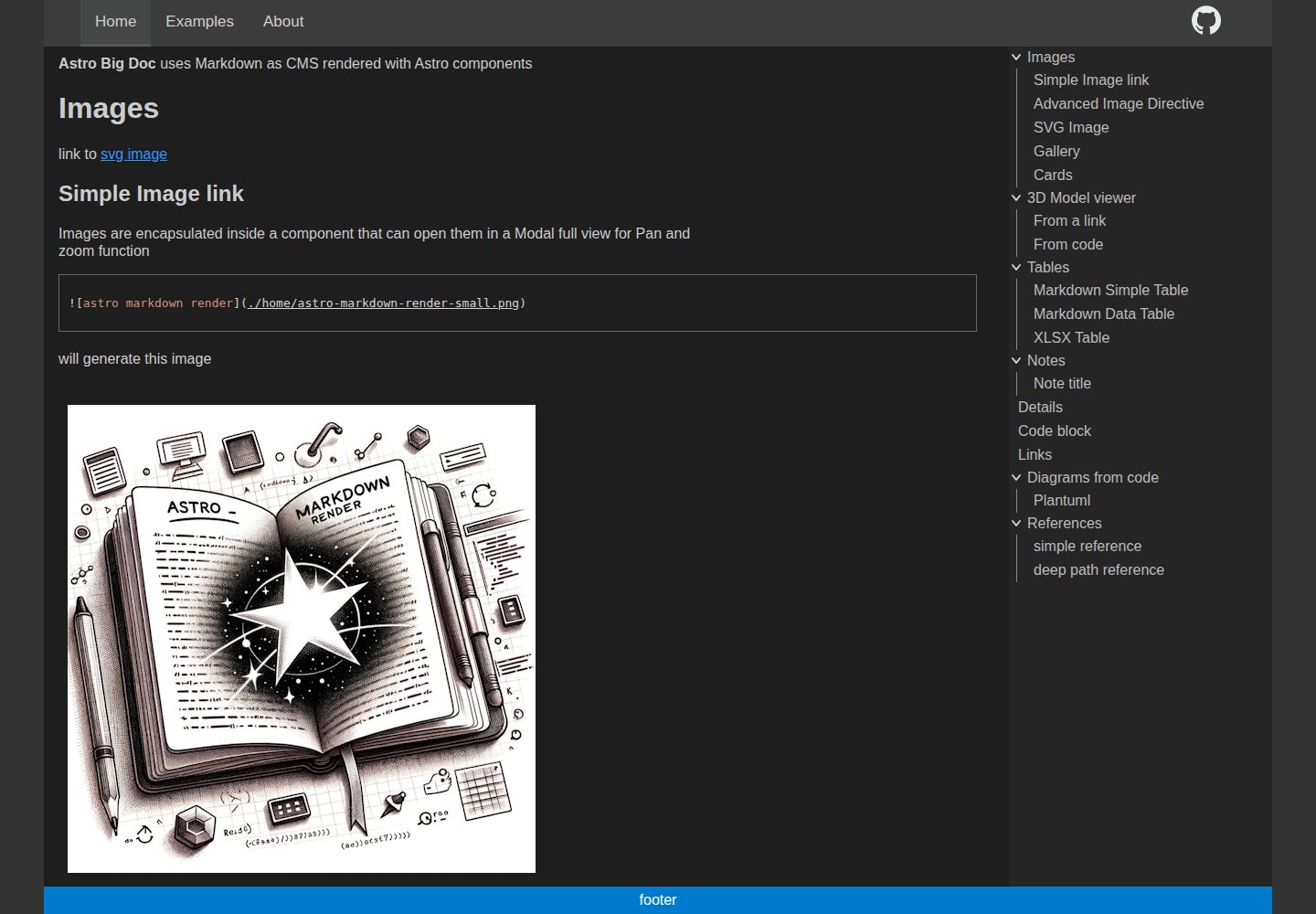
Automatically generates a hierarchical menu and table of contents from the file directory structure, with no manual menu configuration
AstroDocumentationTool Site
astro-big-doc — Astro Documentation Template
By MicroWebStacks
astro-big-doc is an Astro-based documentation site theme that renders standard Markdown with a zero-config hierarchical menu and table of contents, and adds interactivity to images, code, diagrams, 3D models and tables through Astro components.
Explore the design
Compare the page layouts and mobile experience. Open any screenshot for a closer look.
Desktop homepage1 / 3
Desktop captureTop of page
Actual screenshot captured by the server browser.
All pages & views 3
Screenshots show visual appearance; interactive behavior may differ.
Recorded 2026-10-01View source
What stands out
A quick read of the recorded project description.
Renders standard Markdown and can extend images, code, diagrams, 3D models and tables with Astro components
Markdown images support panzoom, popups, URL parameter positioning and galleries
Code blocks support VSCode-like highlighting, a copy button, and PlantUML and Kroki diagram rendering
Tables can be turned into interactive DataTables, with data coming from Markdown tables or xlsx file links
Provides an optional Express server that can layer on GitHub OAuth authentication, CORS and HTTPS
Template Details
astro-big-doc targets large documentation websites. Its core approach treats standard Markdown files as the content source, automatically generating a hierarchical page menu and table of contents (ToC) from the file directory structure, with no additional menu configuration required. It supports using custom Astro components directly in .md files, adding panzoom and popups as well as galleries to Markdown images, providing VSCode-like highlighting and a copy button for code blocks, rendering PlantUML and Kroki diagrams for code blocks or code file links, and loading 3D models from .glb links or yaml parameters. Tables can be turned into interactive DataTables, and can also be generated from xlsx file links. The side menu is collapsible and its width can be adjusted with the mouse. The content directory, output directory, site base path and Kroki service address are configured through environment variables. The repository also includes an optional Express server for hosting the generated static site, and can add a GitHub OAuth authentication layer through Express passport, while providing configuration options such as CORS and HTTPS certificates. The README also contains a list of developer ideas, which are pending or exploratory directions and do not represent current features.
AstroDocumentationTool site
Is it right for your project?
Use Cases
- Large product documentation or knowledge base sites maintained with Markdown files
- Technical manuals that need embedded zoomable images, interactive tables, diagrams or 3D models in the documentation
- Documentation projects that want navigation and table of contents automatically generated from the file directory, reducing manual configuration
- Internal documentation scenarios that need to add access authentication or cross-origin API capabilities to a static documentation site
Suitable For
- Documentation projects that use Astro and want Markdown as the primary content format
- Documentation sites that need hierarchical menus, a table of contents and rich Markdown extension capabilities
- Developers who can accept configuring the content directory, output directory and site base through environment variables
- Teams that need an optional authentication layer to host static documentation
Getting started & customization
Use these recorded setup notes alongside the repository instructions for your chosen version.
- 1
Install dependencies with pnpm install, start development with pnpm run dev, and build with pnpm run build
- 2
Environment variables can be written into a .env file; refer to .env.example. OUT_DIR, PUBLIC_BASE, CONTENT, STRUCTURE, KROKI_SERVER and others are uniformly exported by config.js
- 3
Markdown content is placed in the content directory by default, and readme.md or README.md in the root directory is used as the homepage
- 4
The optional Express server is located at server/server.js. Authentication-related variables include ENABLE_AUTH, GITHUB_CLIENT_ID, GITHUB_CLIENT_SECRET, SESSION_SECRET and others
- 5
The code uses the MIT license; third-party assets such as demo images, fonts and icons need to be checked separately for licensing
License & source material
Usage conditions & limitations
Free to use · keep license noticeThis entry covers the free version under the MIT license in the public repository; the free scope is the code of this version and does not mean that external services or third-party assets are free.
Must comply with when using
- Allows free use, modification, commercial use and distribution of this version of the code.
- When distributing copies or substantial portions of the code, retain the original author's copyright notice and the complete MIT license notice.
- The code is provided as is; warranties and limitations of liability are governed by the original license and applicable law.
Additional costs & items to verify
- The optional Express server is used to host the generated static site and can layer on an authentication layer through Express passport; not using this server does not affect the static site itself.
- Enabling GitHub OAuth authentication requires configuring credentials such as GITHUB_CLIENT_ID, GITHUB_CLIENT_SECRET and SESSION_SECRET, and you need to register an OAuth application on GitHub yourself.
- Rendering Kroki/PlantUML diagrams depends on the external service https://kroki.io by default, and can also be changed to a self-hosted local Kroki server.
- Using Let's Encrypt certificates requires a publicly accessible host to complete domain validation, so it is not suitable for internal domains and LAN hosts.
- Demo images, fonts, icons and other third-party assets need to be checked against their respective licenses and cannot be judged solely by the MIT license of the code.
- External services such as domains, hosting, databases, payments or AI may incur additional charges.
View Original Text Basis
Permission is hereby granted, free of charge
Original License Text
Express js server in `server\server.js` can optionally be used to serve the generated static site. It adds an authentication layer on top using Express js passport.
Original README
`GITHUB_CLIENT_ID` : Express passport Github strategy configuration
Original README
`KROKI_SERVER` : supports local kroki server, defaults to https://kroki.io
Original README
https://github.com/MicroWebStacks/astro-big-doc/blob/main/LICENSEhttps://github.com/MicroWebStacks/astro-big-doc/blob/main/README.mdfor 'Let's Encrypt' certificates, ownership has to be proven by visibility of the host from the public internet which makes it not usable for internal domains and local network hosts
Original README
Compiled by DeepSeek based on repository license and README ·2026-10-01. Results only cover the materials read; dependencies, images, fonts, and subsequent term changes are subject to their respective original texts.
Project checks & description sources
Template Information
- Source platforms
- GitHub
- Documentation and maintenance reference score
- More documented · 92 / 100
- Technologies
- Astro
- Website type
- Documentation · Tool Site
How this score is calculated
Our heuristic uses license records (up to 30), a demo link (12), a preview (10), stars (15), recorded maintenance (15), description completeness (8), feature records (5) and classification data (5). It is not a code, security or performance test, or a Google score. A link does not establish tested functionality.
What to verify for this project
- Repository update recorded
- 2026-07-04
- Screenshot last checked
- 2026-10-01
A demo link is listed. Check it with your own content and viewport sizes; its presence does not confirm that forms, authentication or payments work.
The catalog identifies Astro as the primary stack. Check the actual dependency manifest and lockfile for versions and hosting requirements. These notes use recorded metadata, not a code audit or a deployment test.
Use a selection guide →How this description was prepared
AI-assisted description based on catalog records and repository material. Repository authors are not automatically the reviewers of this description.
Automatically checked against source and license rules; no manual editorial review.
Inspect the recorded source material
SHA-256: 08f777dd42befcf5b8de8ff788ad502539cf9b56ceb942d9ad1d08f7e097c46b
2026-10-01T01:14:09.652Z
Source file / repository# astro big doc
Live demo : https://microwebstacks.github.io/astro-big-doc/
Astro Theme for big documentation websites. A pure standard Markdown renderer with zero config.
Hierarchical pages menu from files structure and table of content, Markdown rendered as CMS with Astro components for panzoom, 3D, links, interactive tables, diagrams from code, VSCode like highlighter.
Enhances native markdown '.md' files with Astro components, enables parsing of content from a configurable directory in the file system, and allows relative assets paths usage.
User friendly side menus collapsible and width adjustable with the mouse.
Deepwiki : https://deepwiki.com/MicroWebStacks/astro-big-doc
## Features
- Render standard markdown .md with custom Astro components
- Panzoom and Modal on Markdown images
- URL params auto open Modal
- URL params text focus : move to, zoom, then animate glow text (supports xhtml SVG foreign objects)
- URL params updated with pan/zoom and restored from the URL
- Markdown image directive for centering and image size defintion
- Markdown image galleries
- SVG images gallery with open close expand
- Photoswipe gallery with transition open
- Markdown tables become interactive with data tables with [DataTables](https://datatables.net/)
- from Markdown table
- from xlsx file link
- Markdown Code blocks
- VSCode like highlighting using [Shikiji](https://github.com/antfu/shikiji)
- code copy button
- Markdown diagrams rendering
- from code block
- from code file link
- swap between diagram and highlighted code
- support text to diagram with plantuml, and all formats supported by [kroki](https://kroki.io/)
- Markdown 3D Model viewer
- from .glb link
- from yaml code block parameters
- Markdown Note aside (Note, Tip, Caution, Danger)
- Markdown Details collapse block
- Markdown assets
- relative assets referencing with zero copy in dev
- absolute assets referencing from content root and from a public folder (with auto detection)
- Markdown external links identification and rendering with an arrow
- Meta data can be provided in a yaml file to make the SVG interactive with
- links : a list of `{label,link}` to add links to SVG text matches
- highlights : a list of `{label,highlights[]}`, for each label hover, a corresponding list of text gets highlighted with font color and weight
- Meta data yaml file can be added to
- An SVG diagram by placing a yaml file with the same name e.g. for `diagram.svg` a `diagram.yaml`
- A code link and then simply the same as the code filename e.g. for `diagram.puml` a `diagram.yaml`
- A code block by using the code block first param e.g. for ```` ```plantuml filename```` a `filename.yaml`
-
# User guide
```
pnpm install
pnpm run dev
pnpm run build
```
## Environment variables
This project uses unified environment variables that can be configured in a `.env` file, see `.env.example`. All variables will be captured in a `config` structure exported from `config.js` and then used in `astro.config.mjs`, in the express `server.js` and can be imported from any file. A `client_config.js` exports variables that can be used by client code e.g. `PUBLIC_BASE`.
* `OUT_DIR` : directory where the build will be genrated, defaults to `dist`
* `PUBLIC_BASE` : base url for the website, defaults to ""
* `CONTENT` : input directory for the markdown content, defaults to `content`
* `STRUCTURE` : output directory markdown parser content-structure, defaults to `.structure`
* `KROKI_SERVER` : supports local kroki server, defaults to https://kroki.io
## Markdown content
* `icons.yaml` can contain an icon with a link to be placed on the App bar right side
* `url_type` will be automatically defined to `dir` or `file` so that e.g. `./example/readme.md` as type `dir` will be served on `/example`
* `readme.md` or `REAMDME.md` on the content root will be considered as home page served on url root `/`
* markdown front-matter
* `title` : will be used for the menu as well as a browser page title. For url_type file, the title can also derive the slug, but not for url_type folder.
* `slug` : if not available, a slug can be derived from the title of file name. Slug is unused in url_type folder to keep child pages paths similar in file system and url.
* `order` : defines the menu order of the pages
## Express js Server
Express js server in `server\server.js` can optionally be used to serve the generated static site. It adds an authentication layer on top using Express js passport.
* `PORT` : used for the express server and also needed by the auth callback when auth is enabled, defaults to `3001`
* `HOST` : used for the express server and also needed by the auth callback when auth is enabled, defaults to `0.0.0.0` to listen on all interfaces when no auth is enabled
* `PROTOCOL` : either of http or https, defaults to `http`
* `ENABLE_AUTH` : activates the express atuhentication router, not enabled when not defined
* `ENABLE_CORS` : allows cross origns resource sharing, if you want other websites to use your APIs, not allowed when not defined
* `CERT_FILE` : ssl certificate file path, required when https is used
* `KEY_FILE` : key file for the ssl certificate, required when https is used
* `GITHUB_CLIENT_ID` : Express passport Github strategy configuration
* `GITHUB_CLIENT_SECRET` : Express passport Github strategy configuration
* `SESSION_SECRET` : used by 'express-session' handler
# Developper guide
## Ideas
- PanZoom
- URL params, multiple hits counter
- favicon support different icon types (.svg, .ico, .png) and allow it in content root
- watch and regenerate .structure on save for modified files only
- menus
- ToC with content type icons (table, diagram, code,...) with filter
- pages types and icons
- store menu scroll position
- store menus width
- use view transition to give menu persistence impression on page navigation
- ToC auto-expand : open scroll spy, close all others
- Left and right : min (disabled) or expand to level slider or selector
- Left and right : auto expand depth adjust to available vertical space (all level or nothing)
- open close side on nav-resize click
- Code
- keep separate plantuml and kroki (due to perf reason)
- check potential replacement of scrollspy with intersection Observer API
- enhance intersection to cover a path of all visible sections from the page in the toc : start heading, stop heading
- sync with Astro utilities for url resolution and astro image integration
- light and dark mode toggle
- Gallery
- dynamic adjust on container resize
- scale items
- for SVG table of images, use thumbnails to avoid double hits on search
- click opens original SVG for pan zoom in Modal
- content Structure
- parse yaml tags and orgnaize menu with tags order hierarchy
- caching
- SSR render on page hash condition, using ETag
- page hash with depndencies hashes, include assets hash as attribute
## assets management
* User content can be placed in a configurable relative path to the repo root usually `./content` set in these variables
* config.content_path
* config.collect_content.contentdir
* Zerop copy assets management
* during dev, an API endpoint exposes `./content/*` under `/assets/*`
* Generated content by pages frontmatter (e.g. svg diagrams from code and text code for highlighter client copy) :
* `./public/codes/*` during dev, served under `/codes/*` with `./src/pages/codes/[...path].js`
* `./dist/codes` during build, served under `/codes/*`
* Note : since Astro4/Vite5 `./public/*` does not watch and serve newly generated content by pages frontmatter, that's why an endpoint API is needed
* Generated content by integrations
* if only needed by the integration or pages build then gets generated in `.structure/` folder (e.g.`documents_list.json`,...)
* the menu needed by the client gets generated in config.collect_content.out_menu `./public/menu.json` for both dev and build served on `/menu.json`
* Note : integrations cannot directly generate on `dist` because they cannot persist there before start of build
## Notes
- SVGs
- if missing viewbox canot be resized
- should not have `preserveAspectRatio="none"`
- menu config allows index pages but do not use them to keep consistent nav menu of folders/items
- adding interactive SVGs that can be styled with css is challenging
- `svg.astro` uses the innerHTML fragment which breaks visibility of `style` tag no longer scoping imported SVG
- import of `rightarrow.astro` still requires style to be either global or inline
- Tree menu collapse transition :
- display block/none does not animate the height
- scaleY does not bring the height down to 0 due to remaining padding margin
- height can be animated but must be set initially
- max-height can be animated but must be set to max value which breaks the transition timing
- max-height adjusting with js requires high complexity depending on state of expanded children hierarchy
- clip also needs defined start stop
- flex can also animate but then the flex container height must be set explicitely
## local github action
- test locally with https://nektosact.com/installation/index.html
# content-structure Development
for development of content-structure it is possible to replace the registry version with the submodule version
```json
"content-structure": "file:packages/content-structure",
```
## authentication doc
- Github OAuth : https://docs.github.com/en/developers/apps/building-oauth-apps/authorizing-oauth-apps
- express-session :
- repo https://github.com/expressjs/session
- doc https://expressjs.com/en/resources/middleware/session.html
- passport OAuth doc : http://www.passportjs.org/concepts/authentication/oauth/
- passport-github : https://github.com/jaredhanson/passport-github
- passport-github doc : http://www.passportjs.org/packages/passport-github/
- passport example : https://github.com/passport/todos-express-facebook/blob/master/app.js
- jwo example : https://gist.github.com/jwo/ea79620b5229e7821e4ae61055899cf9
- using self signed keys with `server/create.sh` result in browser warning 'your connection is not private' (NET::ERR_CERT_AUTHORITY_INVALID)
- for 'Let's Encrypt' certificates, ownership has to be proven by visibility of the host from the public internet which makes it not usable for internal domains and local network hosts
# References
* https://github.com/syntax-tree/mdast
* https://github.com/syntax-tree/mdast#code
* https://github.com/syntax-tree/mdast#html
* https://github.com/remarkjs/remark/blob/main/doc/plugins.md
* https://github.com/syntax-tree/unist-util-visit
* https://github.com/akebifiky/remark-simple-plantuml
## images
- https://www.svgrepo.com/svg/19947/folders
- https://www.svgrepo.com/svg/400563/openfilefolder
- https://freesvg.org/1542512156 : tree
- https://www.svgrepo.com/svg/75085/full-screen
- https://uxwing.com/text-file-icon/
# License
- MIT
Explore similar templates
Compare previews and descriptions within the same stack and category.

astrowind
AstroWind is a free, open-source Astro starter theme using Astro and Tailwind CSS, released under the MIT license.
Astro · Blog

astro-paper
AstroPaper is a minimal, responsive, accessible, and SEO-friendly Astro blog theme. Articles are stored as Markdown/MDX in src/content/posts/, with subdirectories affecting URLs.
Astro · Blog

astro-theme-cactus
Astro Cactus is an Astro-based blog and portfolio theme that uses Markdown/MDX content collections to manage posts, notes, and tags, with frontmatter type-checked by a schema.
Astro · Portfolio

astrofy
Astrofy is a free and open-source personal portfolio website template built with Astro and TailwindCSS, with built-in blog, CV timeline, project showcase, store, and RSS feed modules.
Astro · Portfolio
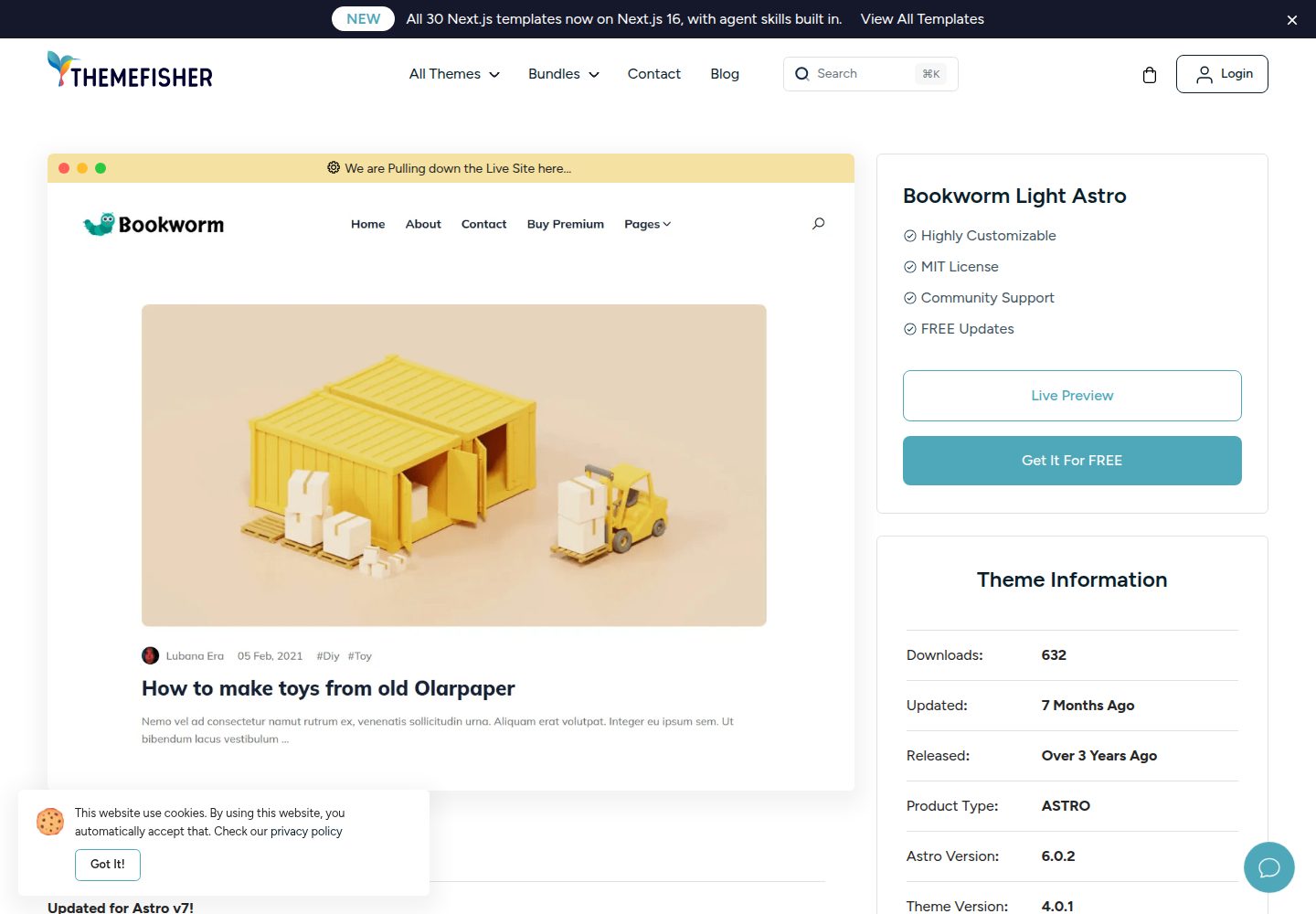
bookworm-light-astro
Bookworm Light Astro is a free, MIT-licensed Astro blog theme by Themefisher for personal or multi-author sites. It offers minimal Tailwind CSS styling, author list and individual author pages, tags, categories, related posts, social sharing, and FuseJS site search.
Astro · Blog

qwind
Qwind is a free and open-source website template built on Qwik and Tailwind CSS, featuring directory-based routing via QwikCity, a Markdown blog, dark mode, and static deployment configuration.
Astro · Tool Site