Built-in blog system supporting Markdown and MDX, Content Collections type validation, category and tag archives, and pagination
AstroTool SiteStarter
astro-starter — Astro Tool Template
By mnyorba
A free Astro-based starter template integrating Tailwind CSS and DaisyUI, with built-in blog, search, contact form, and SEO configuration, suitable for quickly building content-focused sites.
Explore the design
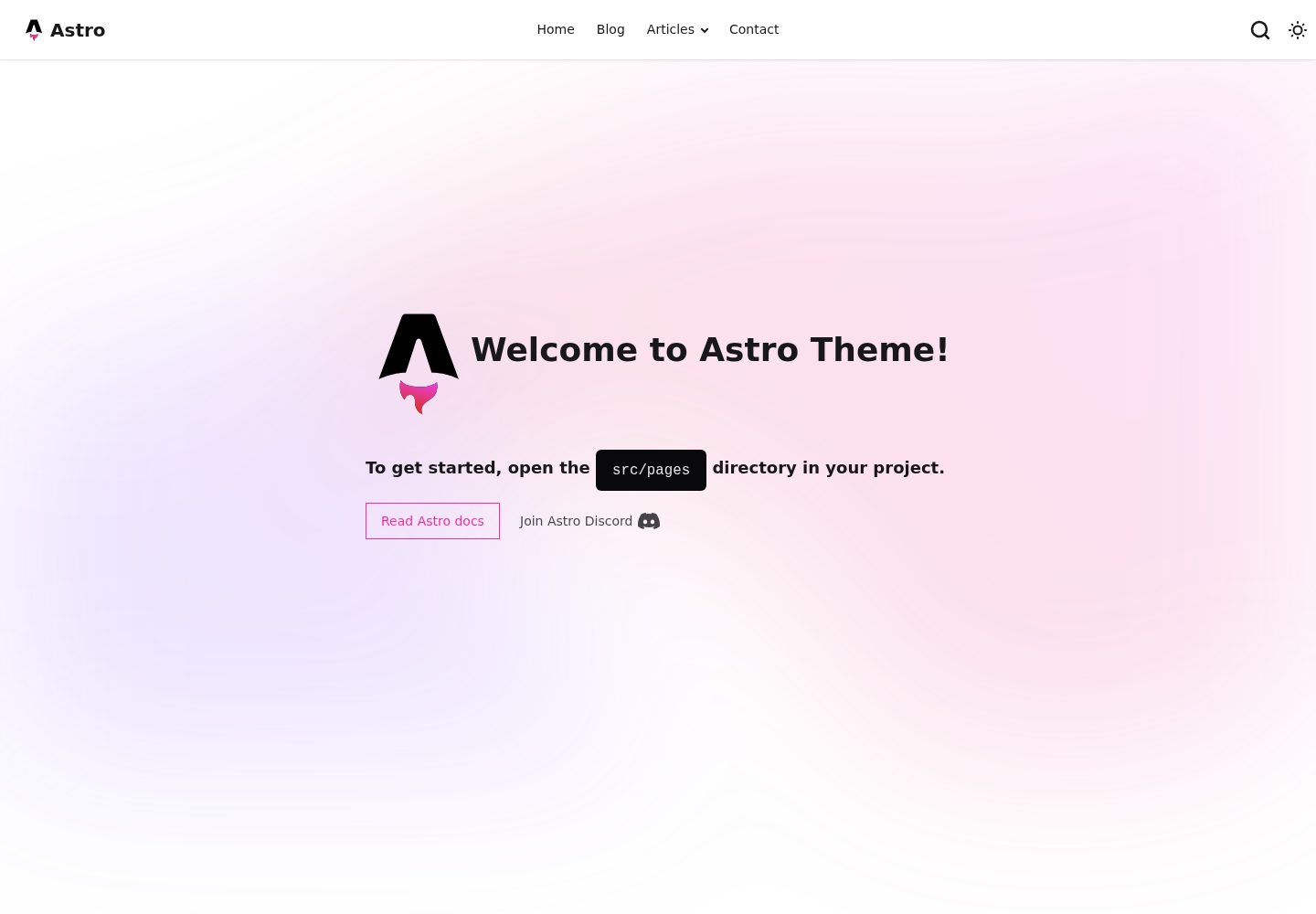
Compare the page layouts and mobile experience. Open any screenshot for a closer look.
Desktop homepage1 / 3
Desktop captureTop of page
Actual screenshot captured by the server browser.
All pages & views 3
Screenshots show visual appearance; interactive behavior may differ.
Recorded 2026-10-02View source
What stands out
A quick read of the recorded project description.
Integrates Pagefind static search, generating an index at build time that must be deployed with the site
Provides SEO meta tags, Open Graph, Twitter Cards, automatic sitemap, and RSS feed
Supports dark/light mode switching, mobile-first responsive layout, and a custom 404 page
Contact form offers multiple integration methods including Formspree, Netlify Forms, EmailJS, and server-side processing
Uses TypeScript and integrates Prettier, with a preconfigured GitHub Actions deployment workflow
Template Details
This is an Astro starter template for content-focused websites, with code hosted on GitHub and licensed under MIT. The template includes a built-in blog system supporting Markdown and MDX writing, Content Collections type validation, category and tag archive pages, automatic table of contents generation, and pagination. At the site level, it provides SEO meta tags, Open Graph, Twitter Cards, automatic sitemap and RSS feed, and integrates Pagefind static search, which generates an index at build time and must be deployed with the site. The theme supports dark/light mode switching, mobile-first responsive layouts, and a custom 404 page.
The contact and social sections offer multiple form integration methods, including Formspree, Netlify Forms, EmailJS, and server-side processing. Contact information is maintained in a JSON file, and social icons are automatically recognized. For developer experience, it uses TypeScript, integrates Prettier formatting, and includes a preconfigured GitHub Actions deployment workflow.
Usage limitations: Form services like Formspree mentioned in the README require you to configure endpoints yourself, and their quotas and fees must be checked separately. The licenses for third-party assets such as demo images, fonts, and icons must be confirmed according to their respective sources and cannot be determined solely by the code's MIT license. External services like domains and hosting may incur additional charges. The repository has a low star count, so the template's maturity and long-term maintenance should be evaluated independently.
AstroTool siteStarter
Is it right for your project?
Use Cases
- Building a personal blog or technical writing site, managing articles with Markdown/MDX
- Creating a static site for showcasing a portfolio or project introductions
- Building a corporate website or product introduction page that requires a contact form and social links
- Using as a starting point for an Astro project to further customize pages and components
Suitable For
- Front-end developers familiar with Astro or willing to learn it
- Content site authors who need ready-made blog, search, and SEO configuration
- Users planning to deploy to platforms like GitHub Pages, Netlify, or Vercel
- Individuals or teams who want to freely modify and use commercially under the MIT license
Getting started & customization
Use these recorded setup notes alongside the repository instructions for your chosen version.
- 1
Create the project via npm create astro@latest -- --template mnyorba/astro-starter and install dependencies
- 2
Modify the site title, description, author, site URL, and base path in src/consts.ts
- 3
Configure email, phone, and social links in src/data/contacts.json
- 4
If using services like Formspree for the contact form, you must configure the service endpoint yourself and check its quotas and fees
- 5
The Pagefind search index is generated at build time; when deploying, the index files must be published along with the site
License & source material
Usage conditions & limitations
Free to use · keep license noticeThis entry covers the free version under the MIT license in the public repository; the free scope applies to this version's code and does not imply that external services or third-party assets are free.
Must comply with when using
- You are allowed to freely use, modify, commercialize, and distribute this version's code.
- When distributing copies or substantial portions of the code, retain the original author's copyright notice and the full MIT license notice.
- The code is provided as-is; warranties and limitations of liability are governed by the original license and applicable law.
Additional costs & items to verify
- If the contact form uses the Formspree integration, you must register an account and configure the form endpoint yourself; its free quota and paid plans are determined solely by Formspree and may incur costs.
- Using EmailJS to send forms requires registering an EmailJS account and configuring the service and public key; its free quota and pricing are determined solely by EmailJS.
- The Pagefind search index is generated at build time; when deploying, the index files must be published along with the site, otherwise the search function will not work.
- Enabling Google Analytics and Tag Manager requires you to provide tracking IDs yourself and is subject to Google's relevant terms of service and privacy policy.
- The README mentions the Formspree form service; actual submissions require configuring a service endpoint, and its usage quotas and fees must be checked separately.
- Demo images, fonts, icons, and other third-party assets must be checked according to their respective licenses and cannot be determined solely by the code's MIT license.
- External services such as domains, hosting, databases, payments, or AI may incur additional charges.
View Original Text Basis
Permission is hereby granted, free of charge
Original License Text
Formspree (recommended for static sites)
Original README
EmailJS client-side sending
Original README
the build generates an index that must be deployed with your site
Original README
https://github.com/mnyorba/astro-starter/blob/main/LICENSEhttps://github.com/mnyorba/astro-starter/blob/main/README.mdGoogle Analytics & Tag Manager via Partytown
Original README
Compiled by DeepSeek based on repository license and README ·2026-10-02. Results only cover the materials read; dependencies, images, fonts, and subsequent term changes are subject to their respective original texts.
Project checks & description sources
Template Information
- Source platforms
- GitHub
- Documentation and maintenance reference score
- More documented · 88 / 100
- Technologies
- Astro
- Website type
- Tool Site · Starter
How this score is calculated
Our heuristic uses license records (up to 30), a demo link (12), a preview (10), stars (15), recorded maintenance (15), description completeness (8), feature records (5) and classification data (5). It is not a code, security or performance test, or a Google score. A link does not establish tested functionality.
What to verify for this project
- Repository update recorded
- 2026-02-20
- Screenshot last checked
- 2026-10-02
A demo link is listed. Check it with your own content and viewport sizes; its presence does not confirm that forms, authentication or payments work.
The catalog identifies Astro as the primary stack. Check the actual dependency manifest and lockfile for versions and hosting requirements. These notes use recorded metadata, not a code audit or a deployment test.
Use a selection guide →How this description was prepared
AI-assisted description based on catalog records and repository material. Repository authors are not automatically the reviewers of this description.
Automatically checked against source and license rules; no manual editorial review.
Inspect the recorded source material
SHA-256: 7bf348cacb8faf117e074fbddf467a5b5db3b5693ecfc85746db34884d5bc535
2026-10-02T16:57:27.270Z
Source file / repository# Astro Starter Theme
[](https://opensource.org/licenses/MIT)
[](https://astro.build)
[](https://tailwindcss.com)
[](https://daisyui.com/)
---
[](https://codesandbox.io/s/github/mnyorba/astro-starter)
[](https://gitpod.io/#https://github.com/mnyorba/astro-starter)
[](https://stackblitz.com/github/mnyorba/astro-starter)
A modern, feature-rich Astro starter template powered by the latest web technologies. Built with Astro 5, Tailwind CSS 4, and DaisyUI for creating fast, beautiful, and accessible websites.
Perfect for blogs, portfolios, business sites, and personal projects with comprehensive documentation and multiple deployment options.
**Live Demo:** [https://mnyorba.github.io/astro-starter/](https://mnyorba.github.io/astro-starter/)
---
## Key Features
### Framework & Styling
- **Astro 5** - Latest web framework with optimal performance
- **Tailwind CSS 4** - Modern utility-first CSS framework
- **DaisyUI** - Beautiful, accessible component library
- **Dark/Light Mode** - Automatic theme switching with user preference
### Search
- **Pagefind Integration** - Static site search powered by Pagefind — the build generates an index that must be deployed with your site.
### Content Management
- **MDX & Markdown Support** - Write content in `.md` or `.mdx` files
- **Content Collections** - Type-safe blog posts with frontmatter validation
- **Categories & Tags** - Organized content with dedicated archive pages
- **Table of Contents** - Auto-generated TOC for long-form content
- **Pagination** - SEO-friendly blog pagination
### Contact & Communication
- **Flexible Contact Forms** - Multiple integration options:
- Formspree (recommended for static sites)
- Netlify Forms
- EmailJS client-side sending
- Server-side processing with validation
- **Contact Data Management** - JSON-based contact information with flexible formatting
- **Social Media Integration** - Automatic icon detection and links
### SEO & Performance
- **SEO Optimized** - Meta tags, Open Graph, Twitter Cards
- **Automatic Sitemap** - Generated on build
- **RSS Feed** - Automatic blog feed generation
- **Performance Optimized** - Image optimization, lazy loading
- **Analytics Ready** - Google Analytics & Tag Manager via Partytown
### Developer Experience
- **TypeScript Support** - Full type safety throughout
- **Accessible & Semantic** - WCAG compliant components
- **Mobile Responsive** - Mobile-first design approach
- **Custom 404 Page** - Better user experience
- **Prettier Integration** - Consistent code formatting
- **GitHub Actions CI/CD** - Pre-configured deployment workflow
## Quick Start
### Installation
```bash
# Create from template
npm create astro@latest -- --template mnyorba/astro-starter
# Install dependencies
cd your-new-project
npm install
# Start development server
npm run dev
```
Your site will be available at `http://localhost:4321`.
### Essential Configuration
1. **Update site settings** in `src/consts.ts`:
```typescript
export const metadata = {
title: "Your Site Title",
description: "Your site description",
author: "Your Name",
};
export const config = {
url: "https://your-domain.com",
base: "/", // or "/repo-name/" for GitHub Pages
};
```
2. **Configure contact information** in `src/data/contacts.json`:
```json
{
"general": {
"email": ["email", "[email protected]", "Contact Email"],
"phone": ["phone", "tel:+1234567890", "+1 234 567 890"]
},
"social": {
"github": ["https://github.com/username", "GitHub"],
"linkedin": ["https://linkedin.com/in/username", "LinkedIn"]
}
}
```
3. **Customize navigation** in `src/components/navigation/NavbarMenuItems.astro`:
```astro
const mainMenu = [
{ label: "Home", href: "/" },
{ label: "Blog", href: "/blog/" },
{ label: "Contact", href: "/contact/" }
];
```
## Available Commands
| Command | Action |
|---------|--------|
| `npm install` | Install dependencies |
| `npm run dev` | Start dev server at `localhost:4321` |
| `npm run build` | Build production site to `./dist/` |
| `npm run preview` | Preview build locally |
| `npm run format` | Format code with Prettier |
| `npm run astro ...` | Run Astro CLI commands |
## Project Structure
```text
src/
├── components/ # Reusable UI components
│ ├── common/ # Generic components
│ ├── contact/ # Contact form components
│ └── navigation/ # Header, navigation components
├── data/ # Content collections & contact data
│ ├── blog/ # Blog posts (markdown)
│ └── contacts.json # Contact information
├── layouts/ # Page layouts
├── pages/ # Routes and API endpoints
├── styles/ # Global styles
└── consts.ts # Site configuration
docs/ # Comprehensive documentation
├── index.md # Getting started guide
├── configuration.md # Configuration options
├── contact-form.md # Contact form setup
├── components.md # Component documentation
└── deployment.md # Deployment guide
```
## Deployment Options
### One-Click Deployment
[](https://app.netlify.com/start/deploy?repository=https://github.com/mnyorba/astro-starter)
[](https://vercel.com/new/clone?repository-url=https://github.com/mnyorba/astro-starter)
### GitHub Pages (Pre-configured)
[](https://github.com/mnyorba/astro-starter/generate)
1. [Use this template](https://github.com/mnyorba/astro-starter/generate) to create a new repository
2. Update `config.base` in `src/consts.ts` with your repository name
3. Go to Repository Settings → Pages
4. Set Source to "GitHub Actions"
5. Push to main branch - automatic deployment starts
[](./docs/deployment.md#github-pages-pre-configured)
### Other Platforms
The starter supports deployment to:
- Cloudflare Pages
- AWS Amplify
- Railway
- DigitalOcean App Platform
- Custom VPS/servers
## Documentation
Comprehensive documentation is available in the `/docs` directory:
| Guide | Description |
|-------|-------------|
| **[Getting Started](./docs/index.md)** | Quick start and overview |
| **[Configuration](./docs/configuration.md)** | Complete setup and customization |
| **[Contact Form](./docs/contact-form.md)** | Form integration options |
| **[Components](./docs/components.md)** | Component API and usage |
| **[Deployment](./docs/deployment.md)** | Deployment to various platforms |
| **[Search](./docs/search.md)** | How to configure the search functionality |
## Contributing
Contributions are welcome! Please read our contributing guidelines and submit pull requests for any improvements.
## License
This project is licensed under the MIT License - see the [LICENSE](LICENSE) file for details.
---
**Ready to build something amazing?** Start with the [documentation](./docs/index.md) and deploy in minutes!
**Built with modern web technologies for optimal performance and developer experience.**Explore similar templates
Compare previews and descriptions within the same stack and category.

astrowind
AstroWind is a free, open-source Astro starter theme using Astro and Tailwind CSS, released under the MIT license.
Astro · Blog

astro-paper
AstroPaper is a minimal, responsive, accessible, and SEO-friendly Astro blog theme. Articles are stored as Markdown/MDX in src/content/posts/, with subdirectories affecting URLs.
Astro · Blog

astro-theme-cactus
Astro Cactus is an Astro-based blog and portfolio theme that uses Markdown/MDX content collections to manage posts, notes, and tags, with frontmatter type-checked by a schema.
Astro · Portfolio

astrofy
Astrofy is a free and open-source personal portfolio website template built with Astro and TailwindCSS, with built-in blog, CV timeline, project showcase, store, and RSS feed modules.
Astro · Portfolio
accessible-astro-starter
An accessibility-focused Astro 6 starter template with WCAG 2.2 AA practices, Tailwind CSS 4, TypeScript, Prettier, ESLint, form validation, blog and portfolio examples, and preference toggles for dark mode, high contrast, and reduced motion.
Astro · Blog

astro-erudite
astro-erudite is an opinionated, unstyled static blog template built with Astro and native CSS, with no UI or CSS framework and minimal dependencies.
Astro · Portfolio