内置博客系统,支持 Markdown 与 MDX、内容集合类型校验、分类标签归档与分页
Astro工具站启动器
astro-starter — Astro 工具站模板
作者 mnyorba
基于 Astro 的免费启动模板,集成 Tailwind CSS 与 DaisyUI,内置博客、搜索、联系表单与 SEO 配置,适合快速搭建内容型站点。
看看你的网站会是什么样
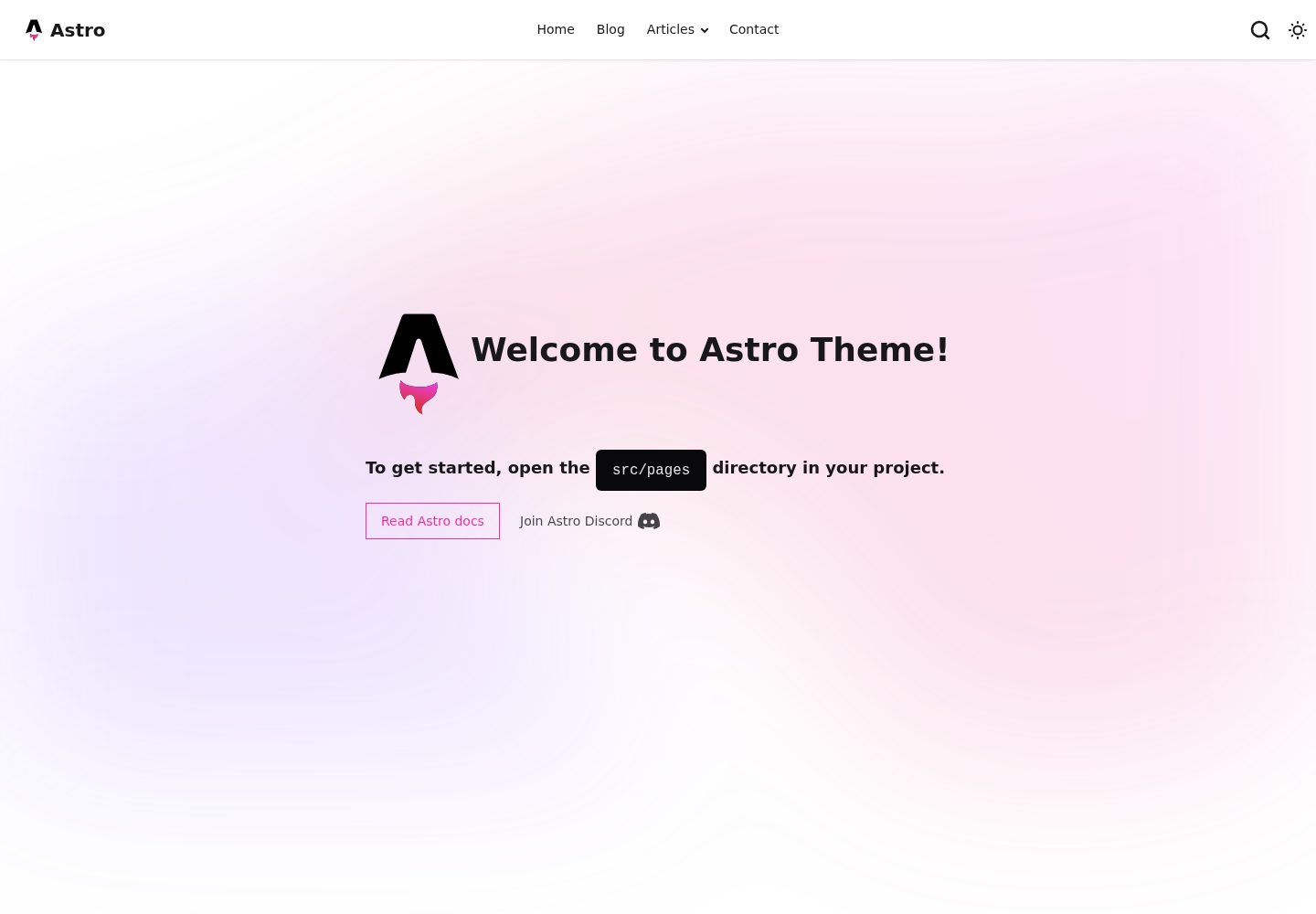
浏览真实页面截图,比较内容排版与手机效果。点击下方缩略图切换,放大查看整页细节。
全部页面与视图 3
截图用于了解视觉与布局,交互效果请以实际项目为准。
采集于 2026-10-02查看来源
值得关注的模板亮点
从已有项目资料中,快速了解它的特点。
集成 Pagefind 静态搜索,构建时生成索引并需随站点部署
提供 SEO 元标签、Open Graph、Twitter Cards、自动 sitemap 与 RSS 订阅
支持深色/浅色模式切换,移动端优先的响应式布局与自定义 404 页面
联系表单提供 Formspree、Netlify Forms、EmailJS 及服务端处理等多种接入方式
使用 TypeScript 并集成 Prettier,预置 GitHub Actions 部署工作流
模板详细介绍
这是一个面向内容型网站的 Astro 启动模板,代码托管在 GitHub 上,采用 MIT 许可。模板内置博客系统,支持 Markdown 与 MDX 写作、内容集合(Content Collections)类型校验、分类与标签归档页、自动生成目录以及分页。站点层面提供 SEO 元标签、Open Graph、Twitter Cards、自动 sitemap 与 RSS 订阅,并集成 Pagefind 静态搜索,构建时生成索引,需随站点一起部署。主题支持深色/浅色模式切换,页面为移动端优先的响应式布局,并提供自定义 404 页面。
联系与社交部分提供多种表单接入方式,包括 Formspree、Netlify Forms、EmailJS 以及服务端处理,联系信息以 JSON 文件维护,社交图标可自动识别。开发者体验方面使用 TypeScript,集成 Prettier 格式化,并预置 GitHub Actions 部署工作流。
使用限制:README 中提到的 Formspree 等表单服务需要自行配置端点,其额度与费用需单独核对;演示图片、字体、图标等第三方素材的许可需按各自来源确认,不能仅凭代码的 MIT 许可判断;域名、托管等外部服务可能另外收费。仓库的 star 数较少,模板的成熟度与长期维护情况需自行评估。
Astro工具站启动器
适合你的项目吗?
适用场景
- 搭建个人博客或技术写作站点,使用 Markdown/MDX 管理文章
- 制作用于展示作品集或项目介绍的静态站点
- 构建企业官网或产品介绍页,需要联系表单与社交链接
- 作为 Astro 项目起点,在其基础上继续定制页面与组件
适合人群
- 熟悉 Astro 或愿意学习 Astro 的前端开发者
- 需要现成博客、搜索与 SEO 配置的内容型站点作者
- 计划部署到 GitHub Pages、Netlify 或 Vercel 等平台的用户
- 希望以 MIT 许可自由修改并商用的个人或团队
上手与定制指南
结合仓库当前版本的说明,按下面的资料检查内容、配置与运行要求。
- 1
通过 npm create astro@latest -- --template mnyorba/astro-starter 创建项目并安装依赖
- 2
在 src/consts.ts 中修改站点标题、描述、作者以及站点 URL 与 base 路径
- 3
在 src/data/contacts.json 中配置邮箱、电话与社交链接
- 4
联系表单若使用 Formspree 等服务,需自行配置服务端点并核对其额度与费用
- 5
Pagefind 搜索索引在构建时生成,部署时需将索引文件一并发布
授权与来源资料
使用条件与限制
免费使用 · 保留许可声明本次收录的是公开仓库中采用 MIT 许可的免费版本;免费范围为该版本代码,不代表外部服务或第三方素材免费。
使用时需要遵守
- 允许免费使用、修改、商用和分发该版本代码。
- 分发代码副本或实质性部分时,保留原作者版权声明和完整 MIT 许可声明。
- 代码按现状提供;担保与责任限制以原许可证及适用法律为准。
额外费用与待核对事项
- 联系表单若采用 Formspree 集成,需自行注册账号并配置表单端点,其免费额度与付费方案由 Formspree 单独决定,可能产生费用。
- 使用 EmailJS 发送表单需注册 EmailJS 账号并配置服务与公钥,其免费额度与收费方案由 EmailJS 单独规定。
- Pagefind 搜索索引在构建时生成,部署时必须将索引文件随站点一并发布,否则搜索功能不可用。
- 启用 Google Analytics 与 Tag Manager 需自行提供跟踪 ID,并受 Google 相关服务条款与隐私政策约束。
- README 提及 Formspree 表单服务;真实提交需配置服务端点,其使用额度与费用需单独核对。
- 演示图片、字体、图标及其他第三方素材需按各自许可核对,不能仅凭代码的 MIT 许可判断。
- 域名、托管、数据库、支付或 AI 等外部服务可能另外收费。
查看原文依据
Permission is hereby granted, free of charge
许可证原文
Formspree (recommended for static sites)
README 原文
EmailJS client-side sending
README 原文
the build generates an index that must be deployed with your site
README 原文
https://github.com/mnyorba/astro-starter/blob/main/LICENSEhttps://github.com/mnyorba/astro-starter/blob/main/README.mdGoogle Analytics & Tag Manager via Partytown
README 原文
DeepSeek 根据仓库许可证和 README 整理 ·2026-10-02。结果仅覆盖已读取资料,依赖、图片、字体及后续条款变更以各自原文为准。
项目核对记录与介绍依据
模板资料
- 来源平台
- GitHub
- 资料与维护参考分
- 资料较完整 · 88 / 100
- 技术栈
- Astro
- 网站类型
- 工具站 · 启动器
这个分数如何计算
本站按许可资料(最高30分)、演示链接(12分)、预览图(10分)、Star数(15分)、记录的维护时间(15分)、描述完整度(8分)、功能记录(5分)和分类资料(5分)计算。它不是代码、安全或性能测试,也不是 Google 评分;有链接不代表已实测可用。
这个项目需要核对什么
- 记录的仓库更新时间
- 2026-02-20
- 截图检查日期
- 2026-10-02
已收录演示链接。请用你的内容与屏幕尺寸检查;有演示不代表表单、认证或支付已经可用。
目录记录的主要技术栈是 Astro。请通过依赖清单和锁文件核对实际版本与托管要求。这些说明基于收录资料,不代表代码审计或部署实测。
查看具体选型方法 →介绍的制作与核对状态
介绍由 AI 辅助整理目录与仓库资料。仓库作者不等于这篇介绍的审核者。
已完成服务器许可规则与 AI 来源核对;未经过人工编辑审核。
查看当时使用的来源资料
SHA-256: 7bf348cacb8faf117e074fbddf467a5b5db3b5693ecfc85746db34884d5bc535
2026-10-02T16:57:27.270Z
来源文件 / 仓库# Astro Starter Theme
[](https://opensource.org/licenses/MIT)
[](https://astro.build)
[](https://tailwindcss.com)
[](https://daisyui.com/)
---
[](https://codesandbox.io/s/github/mnyorba/astro-starter)
[](https://gitpod.io/#https://github.com/mnyorba/astro-starter)
[](https://stackblitz.com/github/mnyorba/astro-starter)
A modern, feature-rich Astro starter template powered by the latest web technologies. Built with Astro 5, Tailwind CSS 4, and DaisyUI for creating fast, beautiful, and accessible websites.
Perfect for blogs, portfolios, business sites, and personal projects with comprehensive documentation and multiple deployment options.
**Live Demo:** [https://mnyorba.github.io/astro-starter/](https://mnyorba.github.io/astro-starter/)
---
## Key Features
### Framework & Styling
- **Astro 5** - Latest web framework with optimal performance
- **Tailwind CSS 4** - Modern utility-first CSS framework
- **DaisyUI** - Beautiful, accessible component library
- **Dark/Light Mode** - Automatic theme switching with user preference
### Search
- **Pagefind Integration** - Static site search powered by Pagefind — the build generates an index that must be deployed with your site.
### Content Management
- **MDX & Markdown Support** - Write content in `.md` or `.mdx` files
- **Content Collections** - Type-safe blog posts with frontmatter validation
- **Categories & Tags** - Organized content with dedicated archive pages
- **Table of Contents** - Auto-generated TOC for long-form content
- **Pagination** - SEO-friendly blog pagination
### Contact & Communication
- **Flexible Contact Forms** - Multiple integration options:
- Formspree (recommended for static sites)
- Netlify Forms
- EmailJS client-side sending
- Server-side processing with validation
- **Contact Data Management** - JSON-based contact information with flexible formatting
- **Social Media Integration** - Automatic icon detection and links
### SEO & Performance
- **SEO Optimized** - Meta tags, Open Graph, Twitter Cards
- **Automatic Sitemap** - Generated on build
- **RSS Feed** - Automatic blog feed generation
- **Performance Optimized** - Image optimization, lazy loading
- **Analytics Ready** - Google Analytics & Tag Manager via Partytown
### Developer Experience
- **TypeScript Support** - Full type safety throughout
- **Accessible & Semantic** - WCAG compliant components
- **Mobile Responsive** - Mobile-first design approach
- **Custom 404 Page** - Better user experience
- **Prettier Integration** - Consistent code formatting
- **GitHub Actions CI/CD** - Pre-configured deployment workflow
## Quick Start
### Installation
```bash
# Create from template
npm create astro@latest -- --template mnyorba/astro-starter
# Install dependencies
cd your-new-project
npm install
# Start development server
npm run dev
```
Your site will be available at `http://localhost:4321`.
### Essential Configuration
1. **Update site settings** in `src/consts.ts`:
```typescript
export const metadata = {
title: "Your Site Title",
description: "Your site description",
author: "Your Name",
};
export const config = {
url: "https://your-domain.com",
base: "/", // or "/repo-name/" for GitHub Pages
};
```
2. **Configure contact information** in `src/data/contacts.json`:
```json
{
"general": {
"email": ["email", "[email protected]", "Contact Email"],
"phone": ["phone", "tel:+1234567890", "+1 234 567 890"]
},
"social": {
"github": ["https://github.com/username", "GitHub"],
"linkedin": ["https://linkedin.com/in/username", "LinkedIn"]
}
}
```
3. **Customize navigation** in `src/components/navigation/NavbarMenuItems.astro`:
```astro
const mainMenu = [
{ label: "Home", href: "/" },
{ label: "Blog", href: "/blog/" },
{ label: "Contact", href: "/contact/" }
];
```
## Available Commands
| Command | Action |
|---------|--------|
| `npm install` | Install dependencies |
| `npm run dev` | Start dev server at `localhost:4321` |
| `npm run build` | Build production site to `./dist/` |
| `npm run preview` | Preview build locally |
| `npm run format` | Format code with Prettier |
| `npm run astro ...` | Run Astro CLI commands |
## Project Structure
```text
src/
├── components/ # Reusable UI components
│ ├── common/ # Generic components
│ ├── contact/ # Contact form components
│ └── navigation/ # Header, navigation components
├── data/ # Content collections & contact data
│ ├── blog/ # Blog posts (markdown)
│ └── contacts.json # Contact information
├── layouts/ # Page layouts
├── pages/ # Routes and API endpoints
├── styles/ # Global styles
└── consts.ts # Site configuration
docs/ # Comprehensive documentation
├── index.md # Getting started guide
├── configuration.md # Configuration options
├── contact-form.md # Contact form setup
├── components.md # Component documentation
└── deployment.md # Deployment guide
```
## Deployment Options
### One-Click Deployment
[](https://app.netlify.com/start/deploy?repository=https://github.com/mnyorba/astro-starter)
[](https://vercel.com/new/clone?repository-url=https://github.com/mnyorba/astro-starter)
### GitHub Pages (Pre-configured)
[](https://github.com/mnyorba/astro-starter/generate)
1. [Use this template](https://github.com/mnyorba/astro-starter/generate) to create a new repository
2. Update `config.base` in `src/consts.ts` with your repository name
3. Go to Repository Settings → Pages
4. Set Source to "GitHub Actions"
5. Push to main branch - automatic deployment starts
[](./docs/deployment.md#github-pages-pre-configured)
### Other Platforms
The starter supports deployment to:
- Cloudflare Pages
- AWS Amplify
- Railway
- DigitalOcean App Platform
- Custom VPS/servers
## Documentation
Comprehensive documentation is available in the `/docs` directory:
| Guide | Description |
|-------|-------------|
| **[Getting Started](./docs/index.md)** | Quick start and overview |
| **[Configuration](./docs/configuration.md)** | Complete setup and customization |
| **[Contact Form](./docs/contact-form.md)** | Form integration options |
| **[Components](./docs/components.md)** | Component API and usage |
| **[Deployment](./docs/deployment.md)** | Deployment to various platforms |
| **[Search](./docs/search.md)** | How to configure the search functionality |
## Contributing
Contributions are welcome! Please read our contributing guidelines and submit pull requests for any improvements.
## License
This project is licensed under the MIT License - see the [LICENSE](LICENSE) file for details.
---
**Ready to build something amazing?** Start with the [documentation](./docs/index.md) and deploy in minutes!
**Built with modern web technologies for optimal performance and developer experience.**看看同类模板
对比同技术栈与用途的模板,找到更适合的视觉与内容结构。

astrowind
⭕️ AstroWind: A free template using Astro v7 and Tailwind CSS v4. Astro starter theme.
Astro · 博客

astro-paper
A minimal, accessible and SEO-friendly Astro blog theme.
Astro · 博客

astro-theme-cactus
A simple Astro theme. Use it to create your blog or website.
Astro · 作品集

astrofy
Astrofy is a free and open-source template for your Personal Portfolio Website built with Astro and TailwindCS…
Astro · 作品集
accessible-astro-starter
Accessible Astro Starter 是一个以无障碍为核心理念的 Astro 6 启动模板,由 incluud 团队维护。
Astro · 博客

astro-erudite
An opinionated, unstyled static blogging template built with Astro and native CSS.
Astro · 作品集