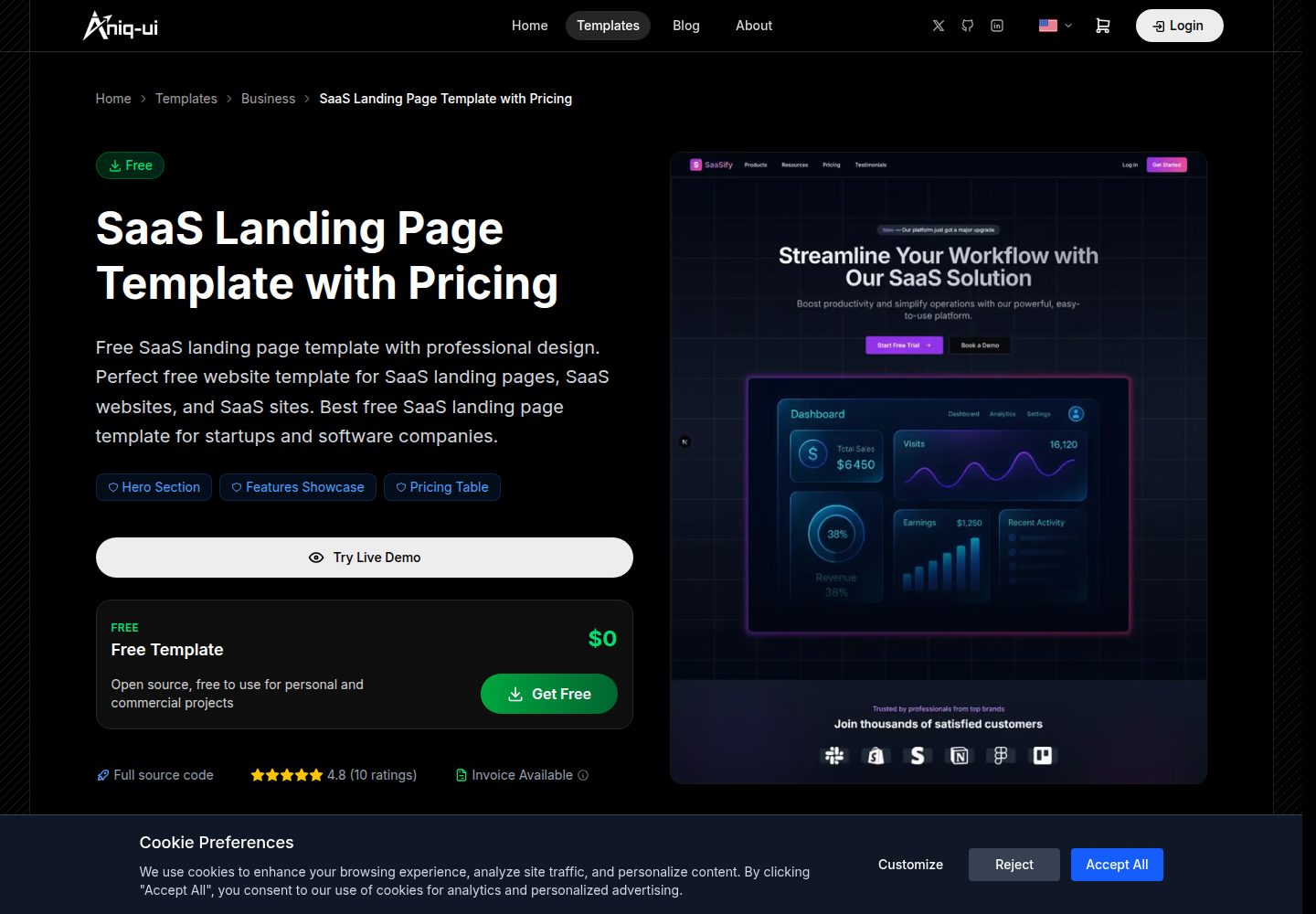
Built on the Next.js App Router with TypeScript and Tailwind CSS
Next.jsSolidJSReactCorporate WebsiteStarter
landing-page-template-2 — Next.js Business Template
By MohamedDjoudir
A SaaS landing page template built on the Next.js App Router, with built-in English and Arabic bilingual support and RTL, constructed with TypeScript and Tailwind CSS.
Explore the design
Compare the page layouts and mobile experience. Open any screenshot for a closer look.
Desktop homepage1 / 3
Desktop captureTop of page
Actual screenshot captured by the server browser.
All pages & views 3
Screenshots show visual appearance; interactive behavior may differ.
Recorded 2026-10-03View source
What stands out
A quick read of the recorded project description.
Provides en and ar bilingual routing via next-intl, with Arabic rendered RTL
Copy, aria labels, alt text, and metadata are centralized in the messages directory for unified maintenance
Data fetching is layered into lib/api and services (TanStack Query), and components do not fetch directly
Includes a newsletter subscription form using React Hook Form and Zod validation
Theme tokens are defined as CSS variables, supporting light and dark modes, defaulting to dark
Template Details
This is a landing page template for SaaS products. The repository is named landing-page-template-2, and the README calls it SAASPRO. It uses the Next.js App Router to organize pages, combines TypeScript and Tailwind CSS for the interface and styling, and integrates next-intl for multilingual routing.
The template provides two locales by default, en and ar, with locale-prefixed routes (/en, /ar); visiting the root path redirects to /en. The lang and dir attributes of <html> change with the locale, and Arabic renders right-to-left. All visible copy, aria labels, alt text, and page metadata are stored in messages/en.json and messages/ar.json, and the two files must keep identical keys. Styling uses logical direction utility classes so the layout mirrors automatically in Arabic.
In terms of page structure, src/app/[locale]/page.tsx composes the sections, and src/features/home/ contains per-section directories, each with index.tsx and subdirectories such as components, constants, types, hooks, and utils. The data-fetching convention is that src/lib/api handles endpoint calls, src/services provides TanStack Query-based hooks, and components do not call fetch directly. The only API included with the template is the newsletter subscription form, which submits { "email": string } to the address pointed to by NEXT_PUBLIC_API_BASE_URL; when that variable is empty, the form only displays an error message and does not send a request. The form uses React Hook Form and Zod validation built from translated copy.
For theming, globals.css defines theme tokens as CSS variables, supports light and dark modes, and defaults to dark via next-themes. Animations use Framer Motion, primitives such as the accordion come from Radix UI, and icons come from Lucide React. The repository also includes Header and Footer layouts, a LocaleSwitcher language-switching component, and providers related to theme and queries.
Regarding usage constraints, the README states that Node.js 18.17 or higher is required, and Yarn 4 is pinned via packageManager, so corepack enable must be run first; both the development and production start scripts listen on port 3030. Dependencies are pinned to exact versions and yarn.lock is committed, so upgrades require manually changing versions, reinstalling, and verifying the build. The repository uses the MIT license, but third-party assets such as demo images, fonts, and icons must be checked separately under their respective licenses, and external services such as domains, hosting, databases, payments, or AI may incur separate charges.
Next.jsSolidJSCorporate websiteStarter
Is it right for your project?
Use Cases
- Building a marketing landing page with multilingual support for a SaaS product
- Sites that need English and Arabic bilingual support and RTL layout
- Using the Next.js App Router as a starting point to organize a homepage split by sections
- Pages that need to connect to a newsletter subscription API and perform form validation
Suitable For
- Developers familiar with Next.js and TypeScript who want to edit section content directly
- Projects that need bilingual or RTL layout capabilities such as English and Arabic
- Teams that accept organizing page sections in the features directory
- Projects using Yarn 4 as the package manager
Getting started & customization
Use these recorded setup notes alongside the repository instructions for your chosen version.
- 1
Requires Node.js 18.17 or higher, and corepack enable must be run first to enable the repository-pinned Yarn 4
- 2
Run yarn install, copy .env.example to .env.local, then yarn dev; both the development and production start scripts listen on port 3030
- 3
Configure NEXT_PUBLIC_API_BASE_URL to point to the API that receives newsletter subscriptions; when empty, the form only displays an error message and does not send a request
- 4
Dependencies are pinned to exact versions and yarn.lock is committed; upgrades require manually changing versions, reinstalling, and verifying the build
- 5
Third-party assets such as demo images, fonts, and icons must be checked under their respective licenses, and external services may incur separate charges
License & source material
Usage conditions & limitations
Free to use · keep license noticeThis entry covers the free version in a public repository under the MIT license; the free scope is the code of that version and does not mean external services or third-party assets are free.
Must comply with when using
- Free use, modification, commercial use, and distribution of this version's code are permitted.
- When distributing copies or substantial portions of the code, retain the original author's copyright notice and the full MIT license notice.
- The code is provided as is; warranties and limitations of liability are governed by the original license and applicable law.
Additional costs & items to verify
- Usage requires Node.js 18.17 or higher, and Yarn 4 is pinned via packageManager, so corepack enable must be run first.
- Both the development and production start scripts listen on port 3030 rather than the default port.
- The newsletter subscription form depends on an external API and requires configuring NEXT_PUBLIC_API_BASE_URL to point to the endpoint that receives subscriptions; when that variable is empty, the form only displays an error message and does not send a request.
- Dependencies are pinned to exact versions and yarn.lock is committed; upgrades require manually changing versions, reinstalling, and verifying the build.
- Demo images, fonts, icons, and other third-party assets must be checked under their respective licenses and cannot be judged solely by the code's MIT license.
- External services such as domains, hosting, databases, payments, or AI may incur separate charges.
View Original Text Basis
Permission is hereby granted, free of charge
Original License Text
Requires Node.js 18.17 or later and [Yarn](https://yarnpkg.com) (the repository pins Yarn 4 through `packageManager`; run `corepack enable` once).
Original README
The dev and start scripts serve on [http://localhost:3030](http://localhost:3030).
Original README
Base URL of the API that receives newsletter sign-ups. The form posts `{ "email": string }` to `${NEXT_PUBLIC_API_BASE_URL}/newsletter/subscribe`. When it is empty the form shows its error message and sends nothing.
Original README
https://github.com/MohamedDjoudir/landing-page-template-2/blob/main/LICENSEhttps://github.com/MohamedDjoudir/landing-page-template-2/blob/main/README.mdEvery dependency is pinned to an exact version and `yarn.lock` is committed. Upgrade on purpose: edit the version, run `yarn install`, then verify the build.
Original README
Compiled by DeepSeek based on repository license and README ·2026-10-03. Results only cover the materials read; dependencies, images, fonts, and subsequent term changes are subject to their respective original texts.
Project checks & description sources
Template Information
- Source platforms
- GitHub
- Documentation and maintenance reference score
- More documented · 92 / 100
- Technologies
- Next.js · SolidJS · React
- Website type
- Corporate Website · Starter
How this score is calculated
Our heuristic uses license records (up to 30), a demo link (12), a preview (10), stars (15), recorded maintenance (15), description completeness (8), feature records (5) and classification data (5). It is not a code, security or performance test, or a Google score. A link does not establish tested functionality.
What to verify for this project
- Repository update recorded
- 2026-09-26
- Screenshot last checked
- 2026-10-03
A demo link is listed. Check it with your own content and viewport sizes; its presence does not confirm that forms, authentication or payments work.
The catalog identifies Next.js as the primary stack. Check the actual dependency manifest and lockfile for versions and hosting requirements. These notes use recorded metadata, not a code audit or a deployment test.
Use a selection guide →How this description was prepared
AI-assisted description based on catalog records and repository material. Repository authors are not automatically the reviewers of this description.
Review declaration: [email protected] · 2026-10-04
Inspect the recorded source material
SHA-256: a2a5322c92183fd5ce5f6a77db9d395e32c9d12e063e1244aee28bfa8903327a
2026-10-03T20:59:04.354Z
Source file / repository# SAASPRO – SaaS Landing Page Template
**SAASPRO** is a modern SaaS landing page template built with **Next.js 15**, **TypeScript** and **Tailwind CSS**, available in **English** and **Arabic** (right-to-left).
**Live Demo & Details:** [aniq-ui.com SaaS Dashboard Template](https://www.aniq-ui.com/en/templates/saas-dashboard-nextjs-app-template)
---
## Getting Started
Requires Node.js 18.17 or later and [Yarn](https://yarnpkg.com) (the repository pins Yarn 4 through `packageManager`; run `corepack enable` once).
```sh
yarn install
cp .env.example .env.local
yarn dev
```
The dev and start scripts serve on [http://localhost:3030](http://localhost:3030). Visiting `/` redirects to `/en`.
| Script | What it does |
| ---------------- | ----------------------------------- |
| `yarn dev` | Development server on port 3030 |
| `yarn build` | Production build |
| `yarn start` | Serve the production build on 3030 |
| `yarn typecheck` | Run the TypeScript compiler |
Every dependency is pinned to an exact version and `yarn.lock` is committed. Upgrade on purpose: edit the version, run `yarn install`, then verify the build.
---
## Environment variables
| Variable | Purpose |
| -------------------------- | ------------------------------------------------------------------------------------------------------------ |
| `NEXT_PUBLIC_API_BASE_URL` | Base URL of the API that receives newsletter sign-ups. The form posts `{ "email": string }` to `${NEXT_PUBLIC_API_BASE_URL}/newsletter/subscribe`. When it is empty the form shows its error message and sends nothing. |
---
## Languages
Locales are `en` (default) and `ar`. Routes are prefixed with the locale (`/en`, `/ar`), and `<html lang dir>` follows it, so Arabic renders right-to-left.
- `messages/en.json` and `messages/ar.json` hold every visible string, aria label, alt text and the page metadata. Both files must keep the same keys.
- `src/i18n/` holds the routing (`routing.ts`), request config (`request.ts`), locale-aware navigation helpers and the text direction helper.
- `src/middleware.ts` negotiates the locale.
- Constants only carry keys, routes, icons and numbers. Components resolve the text with `useTranslations` from those keys.
- Styling uses logical utilities (`ms-*`, `pe-*`, `start-*`, `text-start`, `rtl:rotate-180` on directional icons) so the layout mirrors in Arabic.
To add a language, add it to `locales` in `src/i18n/routing.ts`, add `messages/<locale>.json`, and add its name under `LocaleSwitcher.names` in every messages file.
---
## Project structure
```
messages/ en.json, ar.json
src/
├── app/[locale]/ layout.tsx (html, providers, metadata) and page.tsx (the page composition)
├── components/ Shared UI: ui/, backgrounds/, Logo, SectionHeader, LocaleSwitcher
├── config/ Site constants (name, URL, social links)
├── features/home/ One folder per page section
│ └── <Section>/ index.tsx, components/, constants/, types/, hooks/ and utils/ where needed
├── hooks/ Shared hooks (one per file)
├── i18n/ next-intl routing, request config, navigation
├── layouts/ Header and Footer, each with components/, hooks/, constants/, types/
├── lib/
│ ├── api/ The only place that calls an endpoint (fetch + URL)
│ └── utils.ts cn() helper
├── providers/ Theme and TanStack Query providers
├── services/ TanStack Query hooks and keys per domain, built on lib/api
├── styles/ globals.css
├── types/ Shared types (ApiResponse, route params)
└── middleware.ts Locale routing
```
Conventions:
- `page.tsx` composes sections; each section folder has an `index.tsx` and everything else in subfolders.
- One component per file, one hook per file in `hooks/`, one helper per file in `utils/`. `index.ts` files only re-export.
- Data flows `src/lib/api` (endpoint) -> `src/services` (TanStack Query hook) -> feature. Components never call `fetch` directly.
- The newsletter form uses React Hook Form with a Zod schema built from translated messages.
### Adding a section
1. Create `src/features/home/<Section>/` with `index.tsx`, `components/` and `constants/`.
2. Add its texts under a new namespace in both `messages/*.json` files and read them with `useTranslations`.
3. Export it from `src/features/home/index.ts` and place it in `src/app/[locale]/page.tsx`.
---
## Styling
Tailwind CSS with CSS variables for the theme tokens in `src/styles/globals.css` (light and dark, dark by default through `next-themes`). Cards and sections separate from the page by fill; borders are kept for inputs, dividers and outlined buttons. Hover states change colour rather than scale, and entrance animations only fade.
---
## Tech Stack
| Technology | Purpose |
| -------------- | ---------------------------------- |
| Next.js 15 | React framework with App Router |
| TypeScript | Type safety |
| Tailwind CSS | Utility-first styling |
| next-intl | Internationalisation and routing |
| TanStack Query | Server requests (newsletter) |
| React Hook Form + Zod | Forms and validation |
| Framer Motion | Animations |
| Radix UI | Accordion and slot primitives |
| Lucide React | Icons |
| next-themes | Theme management |
---
## Support
For questions or support, contact the [Aniq UI team](https://www.aniq-ui.com/#contact).
---
## License
This project is licensed under the MIT License - see the [LICENSE](LICENSE) file for details.
---
Created by [Aniq UI](https://www.aniq-ui.com), premium Next.js templates for modern web apps.
Explore similar templates
Compare previews and descriptions within the same stack and category.

Next.js SaaS Starter
The official Next.js SaaS starter template, integrating email/password authentication, Stripe Checkout subscriptions, a dashboard with user/team CRUD, basic Owner/Member RBAC, and activity logging.
Next.js · SaaS

Next.js Commerce
Vercel's officially maintained Next.js App Router ecommerce starter with deep Shopify integration, offering a complete product catalog, cart, and checkout flow. Core logic is modular for swapping backends, and community provider versions exist for BigCommerce, Medusa, and Saleor.
Next.js · E-commerce

Next-js-Boilerplate
A developer-first Next.js 16 starter with Tailwind CSS 4 and TypeScript, supporting both App Router and Page Router.
Next.js · Starter

tailwind-nextjs-starter-blog
A Next.js and Tailwind CSS blog starter template using Contentlayer for Markdown/MDX, with built-in SEO, code highlighting, and tags. It targets personal technical blogs and migration from Jekyll/Hugo to React, and supports one-click Vercel deployment.
Next.js · Blog

next-forge
next-forge is a Turborepo-based Next.js template maintained by Vercel, positioned as a starting point for SaaS products.
Next.js · Starter

SaaS-Boilerplate
SaaS-Boilerplate is an open-source SaaS starter template built with Next.js App Router, React 19, TypeScript, Tailwind CSS, and Shadcn UI.
Next.js · SaaS