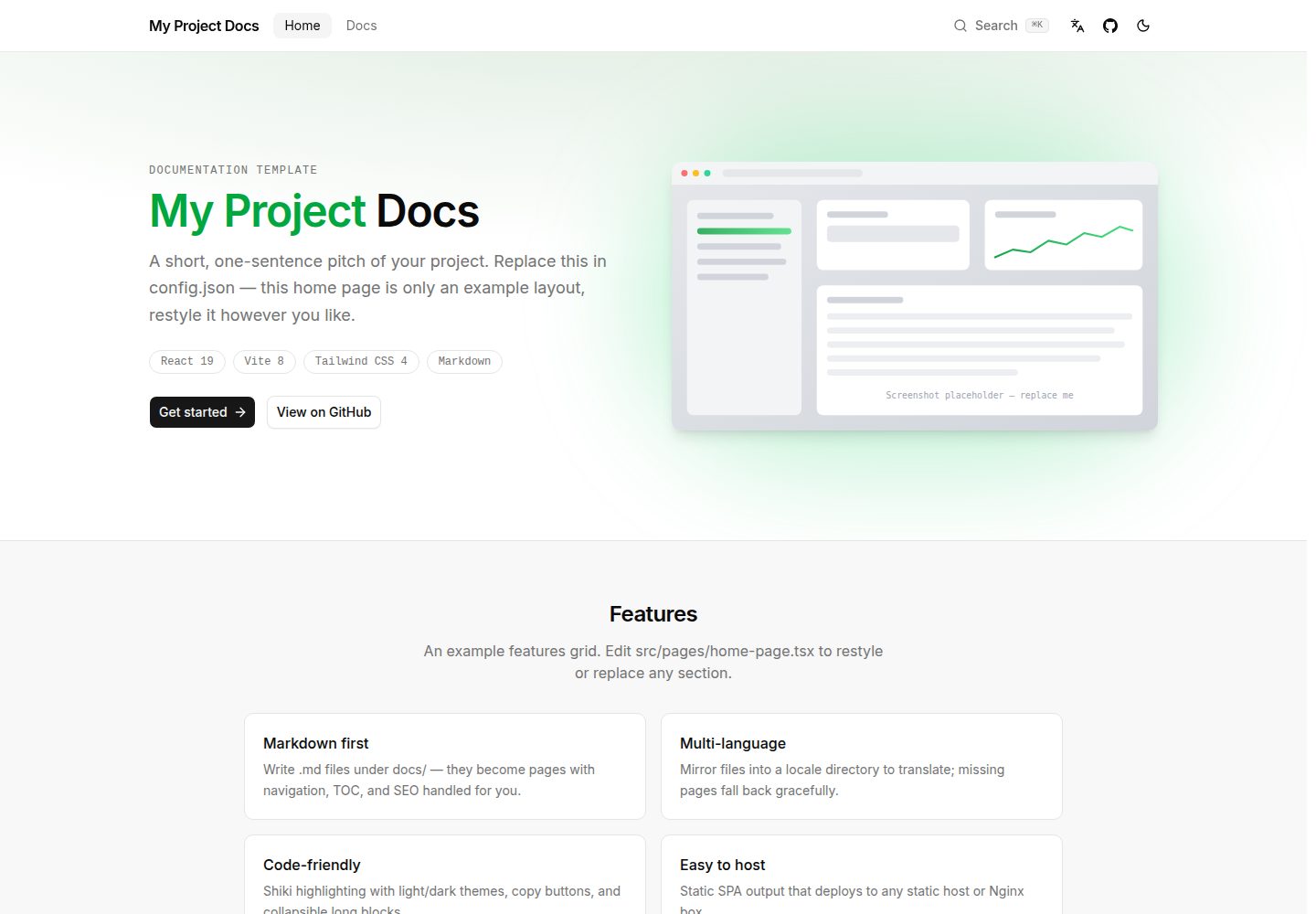
Built with React + Vite + Tailwind CSS 4, outputs a static SPA
ViteReactDocumentation
mosona-docs — Vite Documentation Template
By mosona-labs
A documentation site template based on React, Vite and Tailwind CSS 4 that builds Markdown content into a static site with multilingual support, sidebar navigation, in-page table of contents, code highlighting and Pagefind full-text search.
Explore the design
Compare the page layouts and mobile experience. Open any screenshot for a closer look.
Desktop homepage1 / 2
Desktop captureTop of page
Actual screenshot captured by the server browser.
All pages & views 2
Screenshots show visual appearance; interactive behavior may differ.
Recorded 2026-10-18View source
What stands out
A quick read of the recorded project description.
Write documentation in Markdown with support for GFM tables, task lists and raw HTML
Multilingual support: translation files mirror the default language paths; missing translations fall back and display a language selection card
Built-in Pagefind client-side full-text search with ⌘K / Ctrl+K shortcuts
Shiki code highlighting (light and dark themes), copy button and automatic collapse for blocks over 14 lines
Centralized configuration of site name, SEO, UI strings and edit-this-page link via config.json
Template Details
mosona-docs is a documentation site template built with React + Vite + Tailwind CSS 4. It reads Markdown files from the docs/ directory, generates documentation pages, and supports multilingual content, sidebar navigation, in-page table of contents (TOC), Shiki code highlighting, ⌘K full-text search (based on Pagefind), dark mode and an edit-this-page link. Site identity, SEO metadata, UI strings and language configuration are centralized in config.json at the root. The sidebar structure is defined by docs/nav.yaml; pages not listed there are automatically grouped under More. At build time, default-language pages are prerendered to static HTML and a Pagefind search index is generated, outputting a static SPA that requires static hosting with SPA fallback configured. The README does not provide performance data or information on production readiness.
ViteReactDocumentation
Is it right for your project?
Use Cases
- Writing multilingual documentation sites for open-source projects or products
- Documentation scenarios that require static hosting and include client-side full-text search
- Teams that want to manage content in Markdown and customize sidebar navigation
- Documentation reading experiences that require dark mode and an in-page table of contents
Suitable For
- Front-end developers familiar with React and Vite
- Open-source project maintainers who need to quickly set up a documentation site
- Teams that want to manage documentation content with Markdown at the core
Getting started & customization
Use these recorded setup notes alongside the repository instructions for your chosen version.
- 1
Install dependencies with pnpm install and start the development server with pnpm dev
- 2
Configure site name, SEO, languages and UI strings in config.json
- 3
Place Markdown content in the docs/ directory and define the sidebar structure via docs/nav.yaml
- 4
Set VITE_SITE_URL at build time to generate correct canonical/OG URLs, sitemap.xml and robots.txt
- 5
The build output is a static SPA in dist/, which must be deployed to a static hosting service that supports SPA fallback (all routes point to index.html)
License & source material
Usage conditions & limitations
Free to use · keep license noticeThis listing covers the free version under the MIT license in the public repository; the free scope is the code of this version and does not mean external services or third-party assets are free.
Must comply with when using
- Free use, modification, commercial use and distribution of this version's code are permitted.
- When distributing copies or substantial portions of the code, retain the original author's copyright notice and the complete MIT license notice.
- The code is provided as is; warranties and limitations of liability are governed by the original license and applicable law.
Additional costs & items to verify
- Demo images, fonts, icons and other third-party assets must be checked against their respective licenses and cannot be judged solely by the code's MIT license.
- External services such as domains, hosting, databases, payments or AI may incur separate charges.
- Before publishing a branch, replace [Your Name] in the copyright line of LICENSE with your own name to retain the correct copyright notice.
- Optional: set VITE_SITE_URL at build time to generate correct canonical/OG URLs, sitemap.xml and the Sitemap line in robots.txt.
- docs/zh-CN/guides/deployment.md is intentionally omitted to demonstrate missing-translation fallback; add it yourself if a complete translation is needed.
- The build output is a static SPA and must be deployed to a static hosting service that supports SPA fallback (all routes point to index.html).
- Search is unavailable in development mode; run a production build first to generate the Pagefind index.
- You must replace public/og.png (1200×630) with your own social sharing image and configure static assets such as the favicon.
View Original Text Basis
Permission is hereby granted, free of charge
Original License Text
5. **`LICENSE`** — replace `[Your Name]` in the copyright line before you publish a fork.
Original README
6. Optional: set `VITE_SITE_URL` at build time for correct canonical/OG URLs, `sitemap.xml`, and the `Sitemap` line in `robots.txt`.
Original README
- `docs/zh-CN/guides/deployment.md` is **intentionally omitted** so the missing-translation fallback is visible out of the box. Add a translation when you no longer want that demo.
Original README
The build output is a static SPA in `dist/`. Serve it from any static host with an SPA fallback (all routes → `index.html`). See [docs/guides/deployment.md](docs/guides/deployment.md).
Original README
Search covers all slugs: every page exists in the default locale by design, so the default-locale index is the whole site. In dev mode the dialog explains that search requires a production build. `dist/pagefind/` deploys like any other static asset — no host configuration needed.
Original README
https://github.com/mosona-labs/mosona-docs/blob/main/LICENSEhttps://github.com/mosona-labs/mosona-docs/blob/main/README.md4. **`index.html` / `public/`** — favicon and any static assets. Title and description in `index.html` are rewritten from `config.json` at build time. Replace `public/og.png` (1200×630) with your own social image.
Original README
Compiled by DeepSeek based on repository license and README ·2026-10-18. Results only cover the materials read; dependencies, images, fonts, and subsequent term changes are subject to their respective original texts.
Project checks & description sources
Template Information
- Source platforms
- GitHub
- Documentation and maintenance reference score
- More documented · 85 / 100
- Technologies
- Vite · React
- Website type
- Documentation
How this score is calculated
Our heuristic uses license records (up to 30), a demo link (12), a preview (10), stars (15), recorded maintenance (15), description completeness (8), feature records (5) and classification data (5). It is not a code, security or performance test, or a Google score. A link does not establish tested functionality.
What to verify for this project
- Repository update recorded
- 2026-08-21
- Screenshot last checked
- 2026-10-18
A demo link is listed. Check it with your own content and viewport sizes; its presence does not confirm that forms, authentication or payments work.
The catalog identifies Vite as the primary stack. Check the actual dependency manifest and lockfile for versions and hosting requirements. These notes use recorded metadata, not a code audit or a deployment test.
Use a selection guide →How this description was prepared
AI-assisted description based on catalog records and repository material. Repository authors are not automatically the reviewers of this description.
Review declaration: codex-user-requested-batch-review-20261018 · 2026-10-18
Inspect the recorded source material
SHA-256: 9dc9cba47e5cd6f23b2cc6bbb372e0633f3ec787dd97306f579a36b3b2be7af5
2026-10-18T00:23:26.040Z
Source file / repository# Mosona Docs Template
<img width="49.5%" alt="md1" src="https://github.com/user-attachments/assets/2e0b4617-fd20-4a77-b7dc-6489d39d47a0" />
<img width="49.5%" alt="md2" src="https://github.com/user-attachments/assets/3bce5c99-fc8a-44d6-b979-83d135f853c9" />
A docs site template built with React + Vite + Tailwind CSS 4. Markdown in, documentation site out — with multi-language support, sidebar navigation, a page TOC, Shiki code highlighting, ⌘K full-text search (Pagefind), dark mode, and "Edit this page" links.
## Quick start
```bash
pnpm install
pnpm dev
```
## Make it yours
1. **`config.json`** (repo root) — the single place to customize:
- `site.name`, `site.github`, `site.footerLinks`
- `seo.defaultTitle`, `seo.description`, `seo.keywords`, `seo.author`, `seo.ogImage`, `seo.ogImageAlt`
- `locales` + `messages` (UI strings per locale, incl. all home-page copy)
- `docsGithub` — repository/branch/directory for "Edit this page" links
2. **`docs/`** — your Markdown content. `index.md` is the landing doc at `/docs`.
3. **`docs/nav.yaml`** — sidebar sections and item order. Items are paths relative to the docs root without the `.md` extension (`index` = the landing page). Pages not listed appear under an auto-generated "More" section.
4. **`index.html` / `public/`** — favicon and any static assets. Title and description in `index.html` are rewritten from `config.json` at build time. Replace `public/og.png` (1200×630) with your own social image.
5. **`LICENSE`** — replace `[Your Name]` in the copyright line before you publish a fork.
6. Optional: set `VITE_SITE_URL` at build time for correct canonical/OG URLs, `sitemap.xml`, and the `Sitemap` line in `robots.txt`.
See [CONTRIBUTING.md](CONTRIBUTING.md) if you want to change the template itself.
## Writing docs
- Default-locale pages live directly under `docs/`; translations mirror the same paths inside a locale directory (`docs/zh-CN/guides/foo.md` ↔ `docs/guides/foo.md`). Missing translations fall back to the original with a language picker card.
- `docs/zh-CN/guides/deployment.md` is **intentionally omitted** so the missing-translation fallback is visible out of the box. Add a translation when you no longer want that demo.
- Links ending in `.md` are rewritten to internal router links.
- Fenced code blocks get Shiki highlighting (light/dark), a copy button, and collapse when longer than 14 lines. Supported languages: `src/lib/shiki.ts`.
- `##`/`###` headings feed the right-hand table of contents automatically.
- GFM tables, task lists, and raw HTML are supported.
## Search
Full-text search is powered by [Pagefind](https://pagefind.app/) and runs entirely client-side against a static index — no server needed:
1. `pnpm build` pre-renders every default-locale doc page to static HTML inside `dist/` (`scripts/build-search.mjs`), then runs the Pagefind indexer to produce `dist/pagefind/`.
2. At runtime, the header Search button (or <kbd>⌘K</kbd> / <kbd>Ctrl</kbd>+<kbd>K</kbd>) queries that index via the Pagefind JS API (`src/components/search/docs-search-dialog.tsx`).
3. Results link back into the SPA routes via each page's canonical URL.
Search covers all slugs: every page exists in the default locale by design, so the default-locale index is the whole site. In dev mode the dialog explains that search requires a production build. `dist/pagefind/` deploys like any other static asset — no host configuration needed.
Alternatives (Algolia DocSearch, a client-side filter over `src/lib/docs.ts`) can replace this if your project outgrows Pagefind.
## Scripts
| Script | Purpose |
| ----------------- | ----------------------------- |
| `pnpm dev` | Dev server |
| `pnpm build` | Type-check + production build + Pagefind index |
| `pnpm preview` | Preview the production build |
| `pnpm check` | Biome lint + format check |
| `pnpm fix` | Biome autofix |
| `pnpm test` | Unit tests |
| `pnpm test:watch` | Unit tests in watch mode |
| `pnpm typecheck` | `tsc --noEmit` |
## Deployment
The build output is a static SPA in `dist/`. Serve it from any static host with an SPA fallback (all routes → `index.html`). See [docs/guides/deployment.md](docs/guides/deployment.md).
## Project structure
```text
├── config.json # Site identity, locales, messages, SEO, docs GitHub
├── docs/ # Your Markdown content + nav.yaml
│ └── <locale>/ # Translations mirroring default-locale paths
├── public/ # Static assets (favicon, og.png, robots.txt)
├── scripts/
│ └── build-search.mjs # Prerenders docs HTML + runs Pagefind (post-build)
└── src/
├── components/
│ ├── docs/ # Sidebar, mobile nav, TOC, markdown renderer,
│ │ # collapsible code block, missing-translation card
│ ├── search/ # ⌘K search dialog (Pagefind JS API)
│ └── ui/ # Button (shadcn-style)
├── hooks/ # usePageSeo
├── lib/
│ ├── docs.ts # Loads docs/, parses slugs/headings, builds nav
│ ├── i18n.ts # Locale detection & messages (from config.json)
│ ├── seo.ts # Per-page meta tags
│ └── shiki.ts # Code highlighting config
├── pages/ # Home page, docs page, 404
└── search/ # prerender-docs.tsx (Pagefind index source)
```
## License
MIT — see [LICENSE](LICENSE).
Explore similar templates
Compare previews and descriptions within the same stack and category.
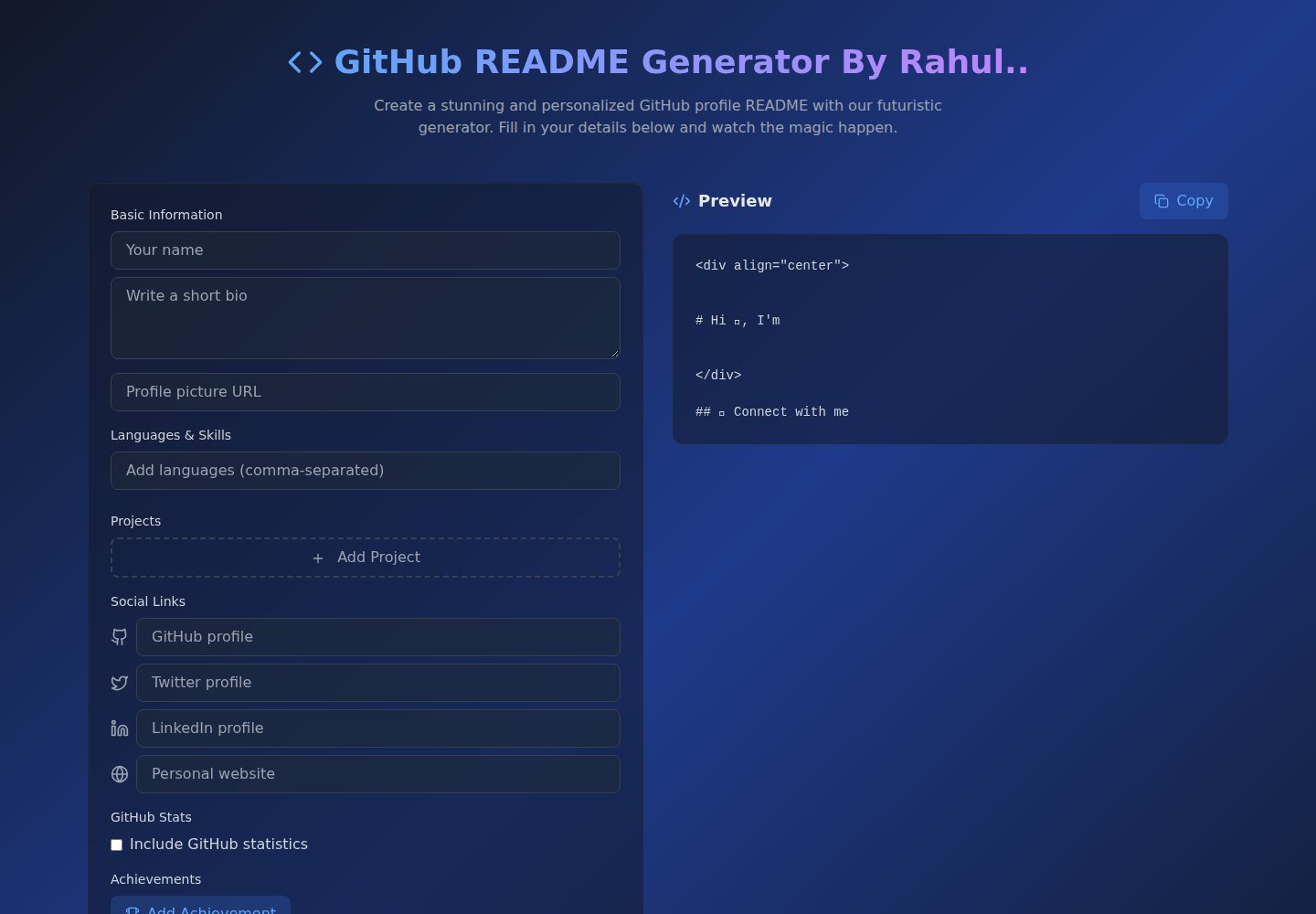
Github-Readme-Generator
A React and TypeScript web tool for generating GitHub project READMEs, with template selection, real-time Markdown preview, dark/light mode, responsive design, and export to multiple formats.
Vite · Documentation
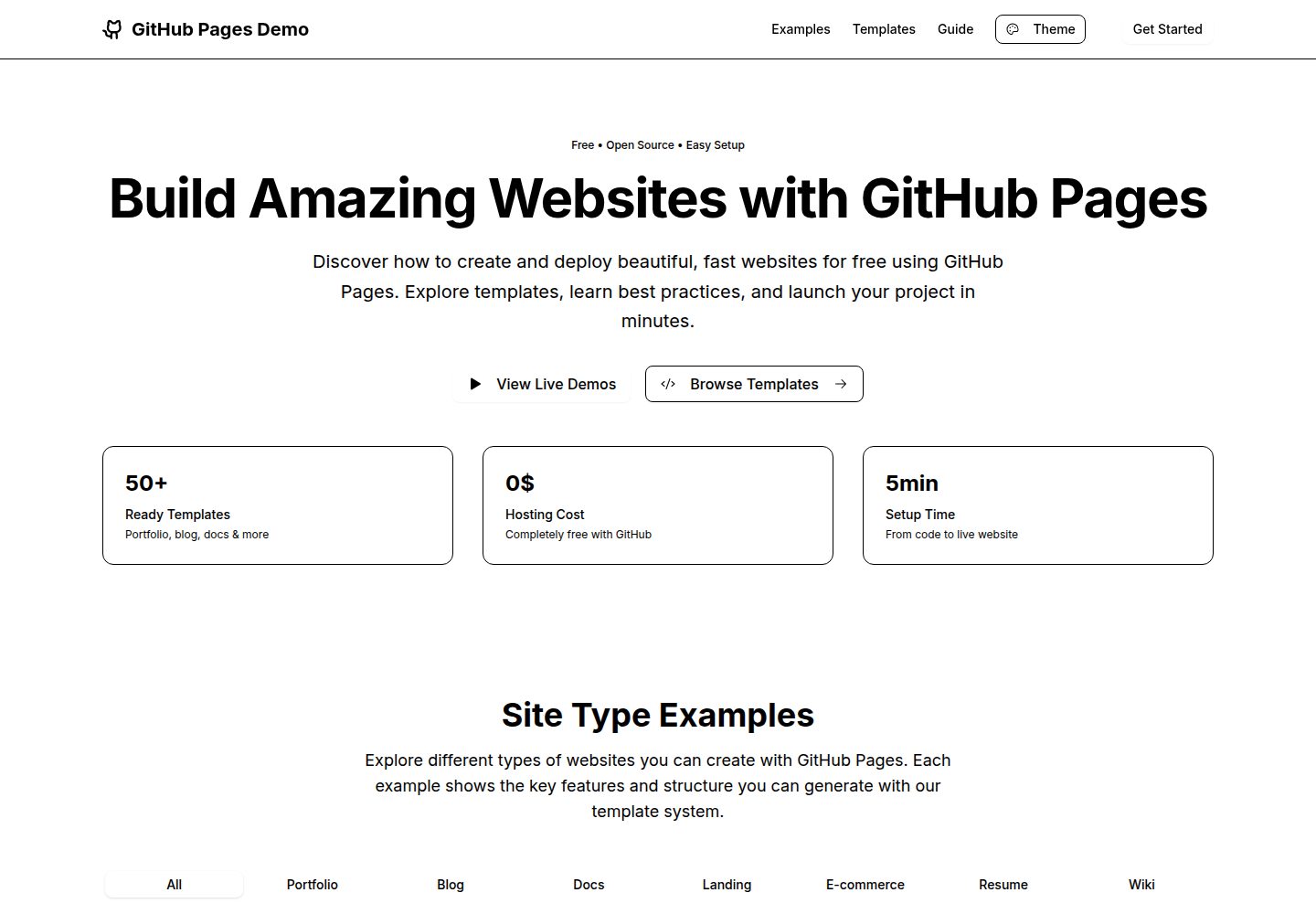
github-pages-demo-si
A GitHub Pages demo and template repository by TMHSDigital that shows how to build a modern React 19 + Vite + TypeScript app and deploy it to GitHub Pages via GitHub Actions.
Vite · Portfolio

nextjs-prisma-boilerplate
A production-grade full stack starter built on Next.js 12, React 18, Prisma 4, and Postgres, with layered frontend and backend architecture, Jest and Cypress testing, next-auth authentication, Docker and Gitpod development environments, GitHub Actions CI/CD, and Traefik-based production deployment.
Next.js · Documentation
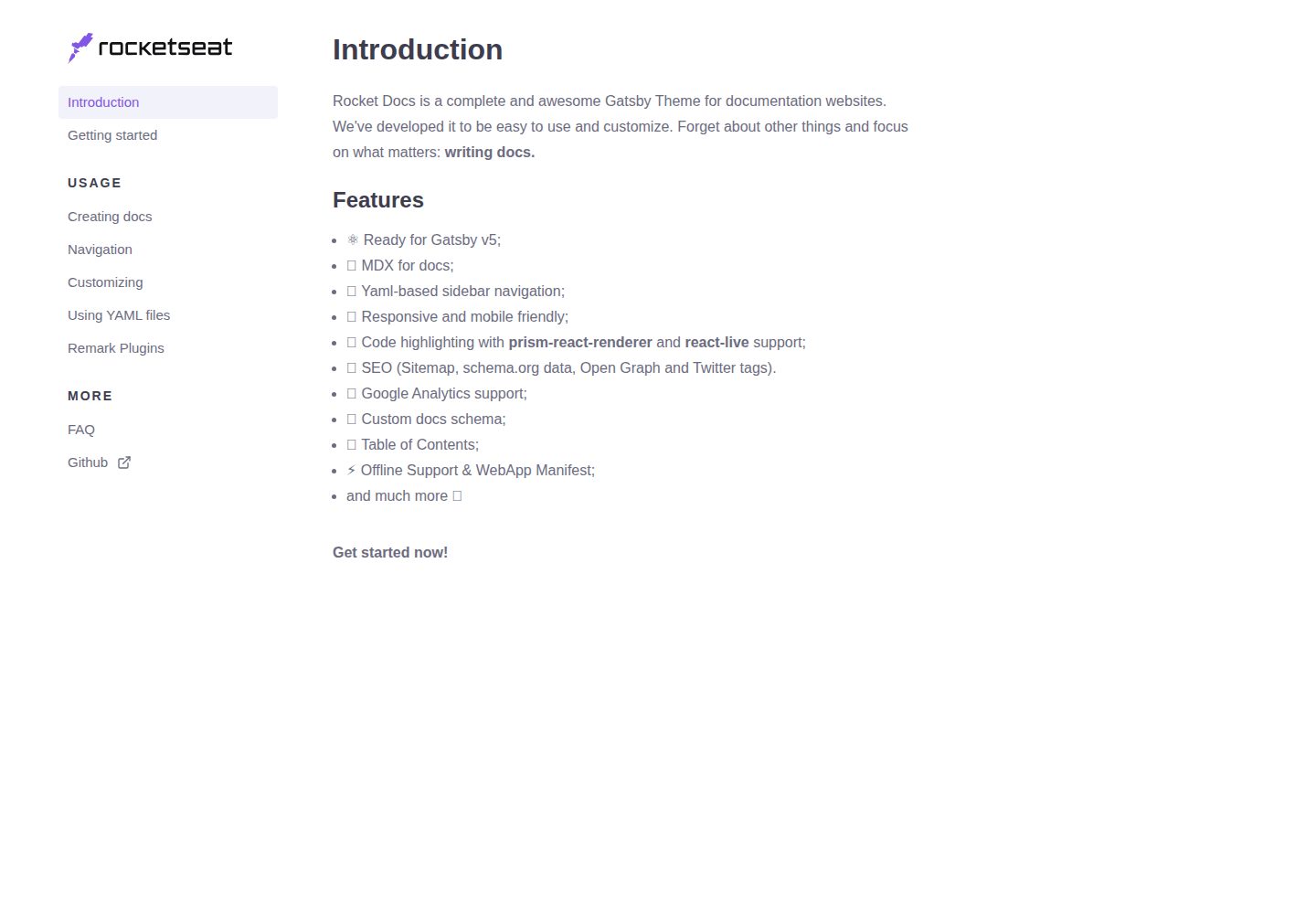
rocketdocs
rocketdocs is a Gatsby-based documentation website theme by jpedroschmitz, split into gatsby-theme-docs-core for the data layer and gatsby-theme-docs for a ready-to-use documentation site.
Gatsby · Documentation

rubix-documents
A Next.js and React documentation site starter template for product docs, technical manuals and knowledge bases.
Next.js · Documentation
shadcn-nuxt-starter
A Nuxt 3 starter template using Shadcn-vue, UnoCSS, and TypeScript, with Vite as the build tool. It supports three rendering modes from one codebase: SSR for SaaS, SSG for documentation, and CSR for admin dashboards.
Nuxt · Admin dashboard