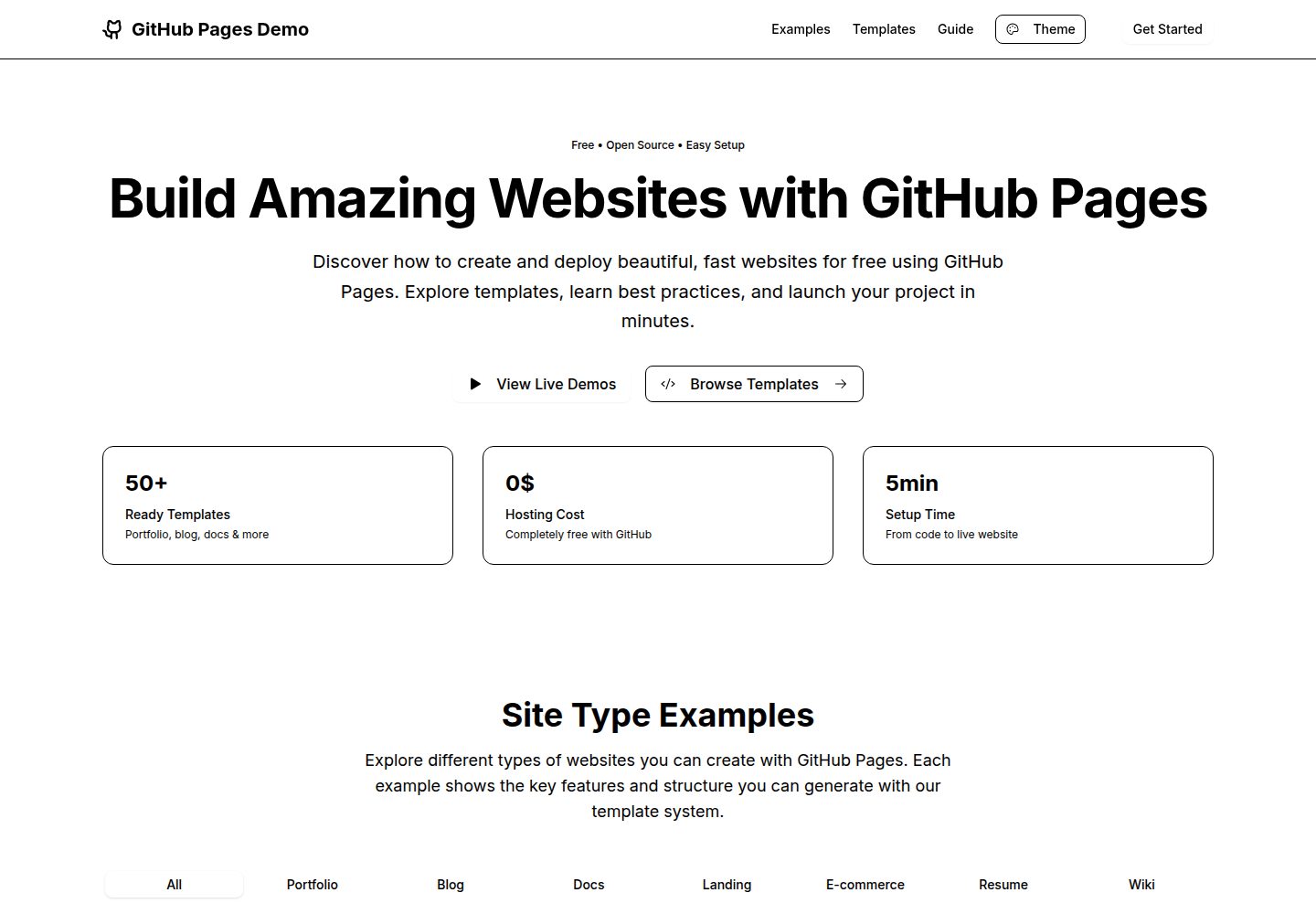
Provides 7 types of website demos: portfolio, blog, documentation, landing page, e-commerce, resume, and Wiki
ViteReactPortfolioBlogDocumentationTool Site
github-pages-demo-si — Vite Portfolio Template
By TMHSDigital
A template repository demonstrating how to build an app with React, Vite, and TypeScript and automatically deploy it to GitHub Pages via GitHub Actions, including interactive demos, a template generator, a code editor, and multiple themes.
Explore the design
Compare the page layouts and mobile experience. Open any screenshot for a closer look.
Desktop homepage1 / 2
Desktop captureTop of page
Actual screenshot captured by the server browser.
All pages & views 2
Screenshots show visual appearance; interactive behavior may differ.
Recorded 2026-10-16View source
What stands out
A quick read of the recorded project description.
Built-in template generator that allows editing generated code in an interactive code editor with live preview
Supports downloading the template or copying it to the clipboard
Provides 5 theme color schemes: Light, Dark, Blue, Green, and Purple
Uses React 19, TypeScript, Vite, Tailwind CSS v4, and shadcn/ui components
Includes a GitHub Actions workflow that automatically builds and deploys to GitHub Pages after pushing to the main branch
Template Details
This repository is a GitHub Pages demo and template project provided by TMHSDigital. The README states its goal is to show how to build a modern React + Vite app and automatically deploy it to GitHub Pages with GitHub Actions. The project includes 7 types of website demos (portfolio, blog, documentation, landing page, e-commerce, resume, Wiki) and offers a customizable template generator that supports editing the generated code in an interactive code editor with live preview, and allows downloading or copying the template. For themes, it provides 5 color schemes: Light, Dark, Blue, Green, and Purple. The tech stack includes React 19, TypeScript, Vite, Tailwind CSS v4, shadcn/ui components, and Phosphor Icons. The repository includes a GitHub Actions deployment workflow that automatically builds and publishes the dist directory after pushing to the main branch. The README does not provide information about performance, browser compatibility, accessibility, test coverage, or production readiness, nor does it list specific version numbers beyond the dependencies mentioned above.
ViteReactPortfolioBlogDocumentationUtility site
Is it right for your project?
Use Cases
- As a reference example for the GitHub Pages deployment process, to learn how to automatically publish a React + Vite app with GitHub Actions
- To browse demo styles for 7 types of websites: portfolio, blog, documentation, landing page, e-commerce, resume, and Wiki
- To use the template generator to quickly generate and export an HTML template, then modify it as needed
- To start your own project based on this template in a local development environment and push it to GitHub Pages
Suitable For
- Developers who want to learn the GitHub Actions workflow for deploying to GitHub Pages
- Front-end developers who need a React + Vite + TypeScript project starter template
- Designers or developers who want to reference multiple types of website demos and theme color schemes
Getting started & customization
Use these recorded setup notes alongside the repository instructions for your chosen version.
- 1
Click Use this template on the repository to create your own repository
- 2
In the repository Settings → Pages, set Source to GitHub Actions
- 3
For local development, run npm install to install dependencies, then run npm run dev to start the development server
- 4
After pushing code to the main branch, the GitHub Action will automatically build and deploy
- 5
The deployed site URL is https://TMHSDigital.github.io/github-pages-demo-si/
License & source material
Usage conditions & limitations
Free to use · keep license noticeThis entry covers the free version of the public repository under the MIT license; the free scope applies to that version's code and does not mean external services or third-party assets are free.
Must comply with when using
- Permits free use, modification, commercial use, and distribution of that version's code.
- When distributing copies or substantial portions of the code, retain the original author's copyright notice and the full MIT license notice.
- The code is provided as is; warranties and limitations of liability are governed by the original license and applicable law.
Additional costs & items to verify
- Demo images, fonts, icons, and other third-party assets must be checked against their respective licenses; they cannot be judged solely by the code's MIT license.
- External services such as domains, hosting, databases, payments, or AI may incur separate charges.
View Original Text Basis
https://github.com/TMHSDigital/github-pages-demo-si/blob/main/LICENSEhttps://github.com/TMHSDigital/github-pages-demo-si/blob/main/README.mdPermission is hereby granted, free of charge
Original License Text
Compiled by DeepSeek based on repository license and README ·2026-10-16. Results only cover the materials read; dependencies, images, fonts, and subsequent term changes are subject to their respective original texts.
Project checks & description sources
Template Information
- Source platforms
- GitHub
- Documentation and maintenance reference score
- More documented · 85 / 100
- Technologies
- Vite · React
- Website type
- Portfolio · Blog · Documentation · Tool Site
How this score is calculated
Our heuristic uses license records (up to 30), a demo link (12), a preview (10), stars (15), recorded maintenance (15), description completeness (8), feature records (5) and classification data (5). It is not a code, security or performance test, or a Google score. A link does not establish tested functionality.
What to verify for this project
- Repository update recorded
- 2025-10-28
- Screenshot last checked
- 2026-10-16
A demo link is listed. Check it with your own content and viewport sizes; its presence does not confirm that forms, authentication or payments work.
The catalog identifies Vite as the primary stack. Check the actual dependency manifest and lockfile for versions and hosting requirements. These notes use recorded metadata, not a code audit or a deployment test.
Use a selection guide →How this description was prepared
AI-assisted description based on catalog records and repository material. Repository authors are not automatically the reviewers of this description.
Review declaration: codex-user-requested-batch-review-20261017 · 2026-10-16
Inspect the recorded source material
SHA-256: 5c493066100716fa192ffd3488d50cf557b81af18854f606ff6bb529f90c917f
2026-10-16T16:06:04.854Z
Source file / repository# GitHub Pages Demo Repository
[](https://github.com/TMHSDigital/github-pages-demo-si/actions/workflows/deploy.yml)
[](https://github.com/TMHSDigital/github-pages-demo-si/commits/main)
[](https://github.com/TMHSDigital/github-pages-demo-si/blob/main/LICENSE)
[](https://github.com/TMHSDigital/github-pages-demo-si)
A comprehensive template and demonstration platform for deploying modern web applications to GitHub Pages using GitHub Actions. Features interactive demos, customizable templates, live code editing, and multiple theme options.
## What's This?
This repository showcases how to:
- Build a modern React + Vite application with TypeScript
- Deploy automatically to GitHub Pages using GitHub Actions
- Create interactive demos across multiple site categories
- Generate customizable templates with live code editing
- Implement comprehensive theming with multiple color schemes
- Set up a professional development workflow
## Tech Stack
- **Framework**: React 19 with TypeScript
- **Build Tool**: Vite
- **Styling**: Tailwind CSS v4 + shadcn/ui components
- **Deployment**: GitHub Actions → GitHub Pages
- **Icons**: Phosphor Icons
## Features
### Interactive Demo Showcase
Browse and explore 7 different website categories with inspirational examples:
- **Portfolio**: Personal and professional portfolio sites with project galleries and skills sections
- **Blog**: Personal blogs and content publishing with article archives and categories
- **Documentation**: API docs and project documentation with endpoint listings and examples
- **Landing Pages**: SaaS and product landing pages with feature showcases and pricing
- **E-commerce**: Online stores and product catalogs with shopping carts and payments
- **Resume**: Interactive resume and CV websites with timelines and downloadable PDFs
- **Wiki**: Knowledge bases and organizational wikis with structured content and search
### Customizable Template Generator
Generate production-ready HTML templates with:
- **7 Template Types**: Portfolio, blog, API docs, SaaS landing, e-commerce, resume, and wiki
- **Interactive Code Editor**: Edit generated code with live preview
- **Multiple Features**: Responsive design, dark mode, contact forms, SEO, analytics, and more
- **Export Options**: Download templates or copy to clipboard
### Comprehensive Theming
Choose from 5 professionally designed color schemes:
- **Light**: Clean and minimal design
- **Dark**: Modern dark theme
- **Blue**: Professional blue accent theme
- **Green**: Nature-inspired green theme
- **Purple**: Creative purple theme
### Developer Experience
- **GitHub Actions Integration**: Automated deployment on every push
- **TypeScript Support**: Full type safety throughout the application
- **Responsive Design**: Mobile-first approach with Tailwind CSS
- **Component Library**: shadcn/ui components for consistent UI
## Quick Start
### 1. Use This Template
Click "Use this template" to create your own repository.
### 2. Enable GitHub Pages
1. Go to your repository's **Settings** tab
2. Navigate to **Pages** in the sidebar
3. Under **Source**, choose **GitHub Actions**
4. That's it! Your site will deploy automatically on the next push to main.
### 3. Local Development
```bash
# Clone your repository
git clone https://github.com/TMHSDigital/github-pages-demo-si.git
cd github-pages-demo-si
# Install dependencies
npm install
# Start development server
npm run dev
```
### 4. Deploy Changes
Simply push to the `main` branch:
```bash
git add .
git commit -m "Update site"
git push origin main
```
The GitHub Action will automatically build and deploy your changes!
## 📁 Project Structure
```
├── .github/workflows/
│ └── deploy.yml # GitHub Actions deployment workflow
├── src/
│ ├── components/ # React components
│ │ └── ui/ # shadcn/ui components
│ ├── App.tsx # Main application component
│ ├── main.tsx # Application entry point
│ └── index.css # Global styles and theme
├── index.html # HTML template
└── vite.config.ts # Vite configuration
```
## 🎨 Customization
### Theming
Edit `src/index.css` to customize colors, fonts, and spacing:
```css
:root {
--primary: oklch(0.35 0.15 250);
--background: oklch(1 0 0);
/* ... more theme variables */
}
```
### Components
All shadcn/ui components are pre-installed in `src/components/ui/`. Use them directly:
```tsx
import { Button } from "@/components/ui/button"
import { Card } from "@/components/ui/card"
```
## GitHub Actions Workflow
The deployment workflow (`.github/workflows/deploy.yml`) automatically:
1. Installs Node.js and dependencies
2. Builds the application with `npm run build:github`
3. Deploys the `dist/` folder to GitHub Pages
4. Runs on every push to `main` branch
## Live Demo
Once deployed, your site will be available at:
`https://TMHSDigital.github.io/github-pages-demo-si/`
## 🤝 Contributing
Feel free to submit issues and pull requests to improve this template!
## 📄 License
The Spark Template files and resources from GitHub are licensed under the terms of the MIT license, Copyright GitHub, Inc.Explore similar templates
Compare previews and descriptions within the same stack and category.

vituum
Vituum is a static site generator for Vite, provided as a Vite plugin. It integrates template engines into Vite for rapid prototyping and static page development such as email templates.
Vite · Tool Site

tropical
Tropical is a Vite-based static site template for HTML-first sites with client-side JS islands where interactivity is needed. It supports React components, includes dev, build, stories, page, and component scripts, outputs builds to dist/static, and is MIT licensed.
Vite · Tool Site
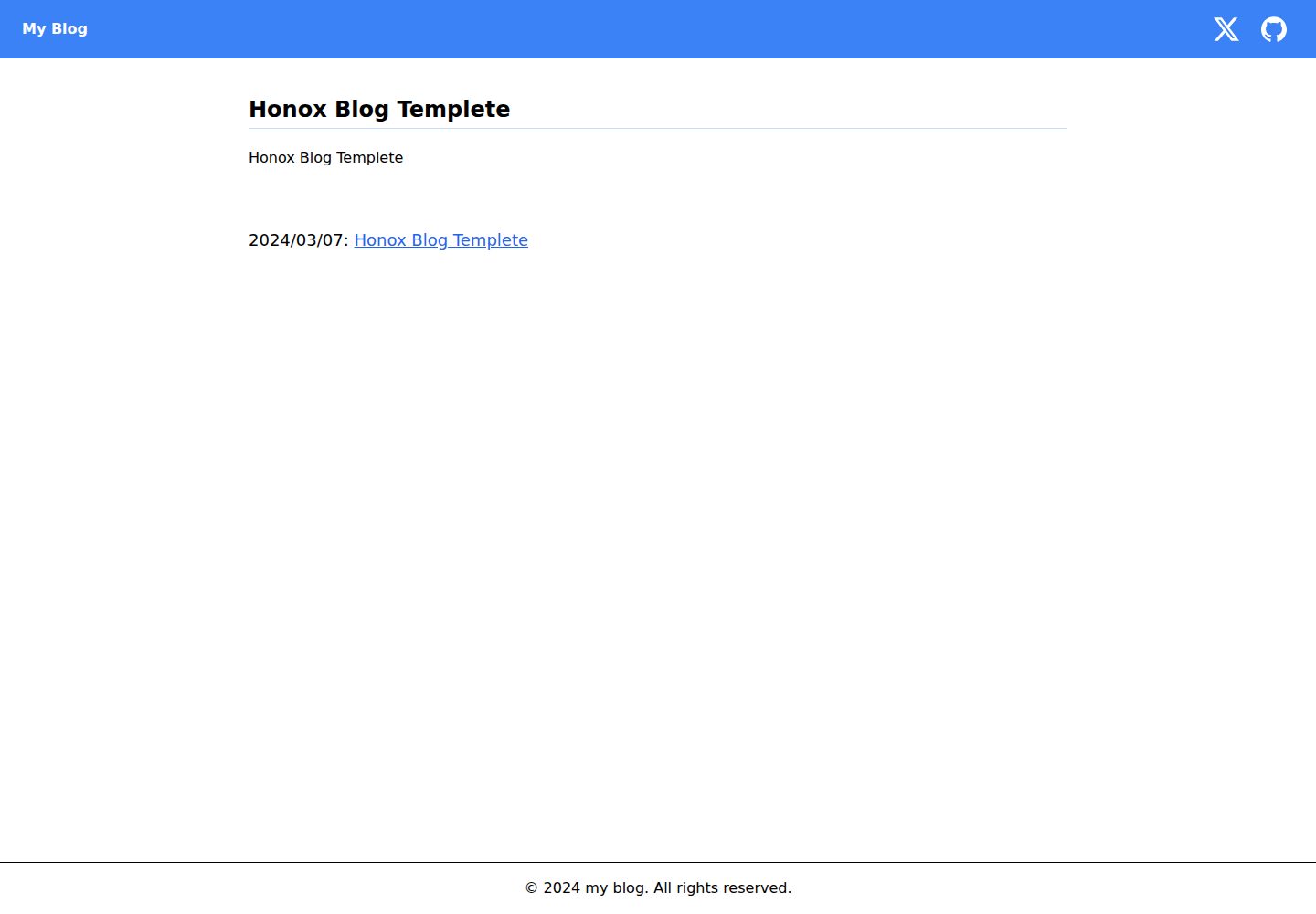
honox-blog-templete
A blog template repository built on HonoX and Vite, integrating Biome, highlight.js, and Tailwind CSS. It supports local development, production build preview, and an npm run create:post script that generates MDX articles through interactive prompts.
Vite · Blog

Resumify
Resumify is a browser-based resume builder built with React, TypeScript, and Vite.
Vite · Portfolio

showlit
Showlit is a personal website template built with React, Vite, TypeScript, Tailwind CSS, and shadcn/ui.
Vite · Portfolio
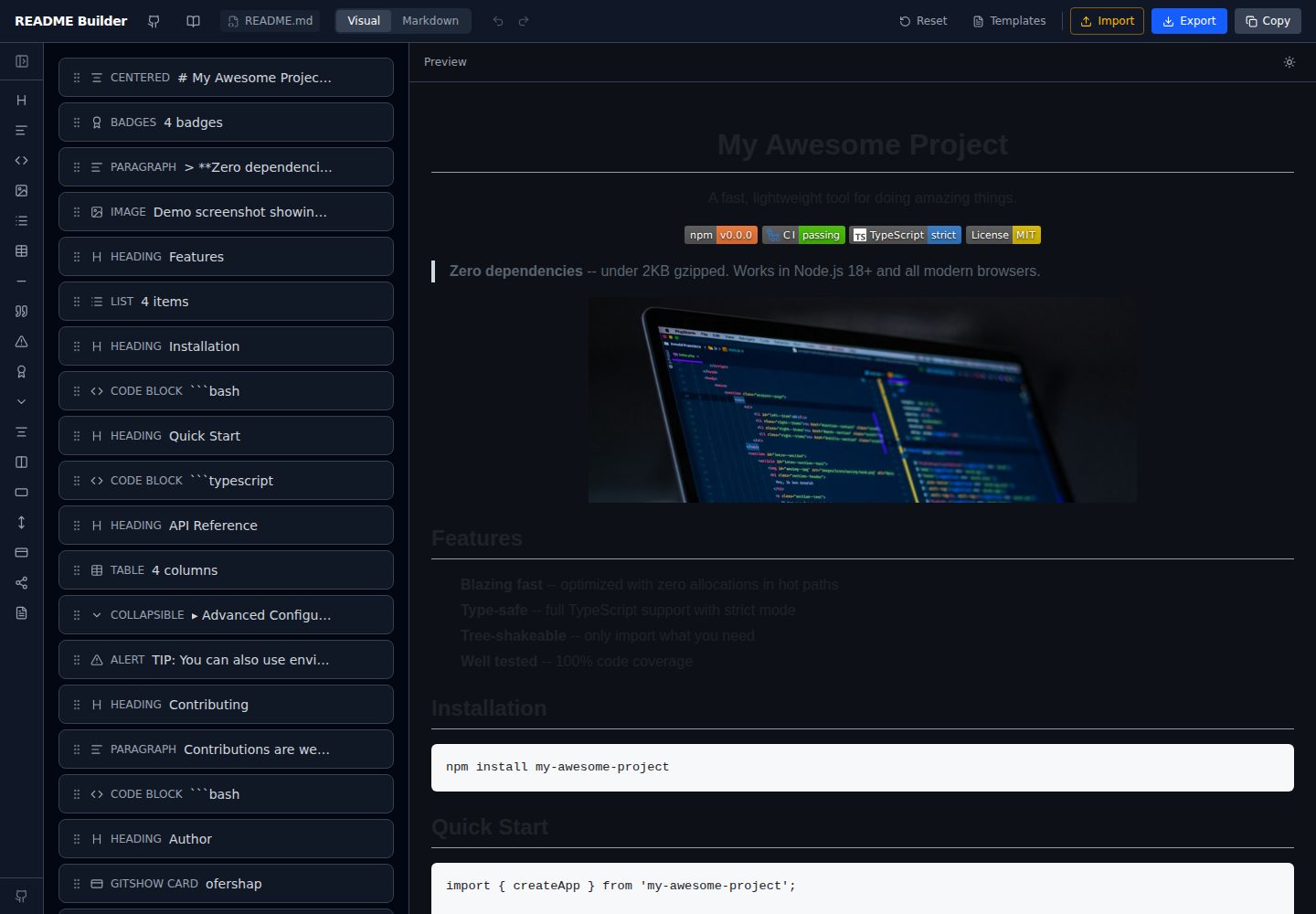
readme-builder
A purely front-end README visual editor built on Vite and React. It generates GitHub-flavored Markdown by dragging blocks, with live preview, four templates, badge editing, Markdown import/export, undo/redo, and localStorage autosave.
Vite · Tool Site