
Built on React and Vite, using TypeScript, Tailwind CSS, and shadcn/ui components
ViteReactPortfolio
showlit — Vite Portfolio Template
By pm25
Showlit is a personal website template built on React and Vite that manages site information, personal profile, sidebar, and articles through YAML configuration files, suitable for quickly building a portfolio or personal homepage.
Explore the design
Compare the page layouts and mobile experience. Open any screenshot for a closer look.
Desktop homepage1 / 2
Desktop captureTop of page
Actual screenshot captured by the server browser.
All pages & views 2
Screenshots show visual appearance; interactive behavior may differ.
Recorded 2026-10-03View source
What stands out
A quick read of the recorded project description.
Site information, personal profile, sidebar, comments, and publications list are configured through YAML files in the config directory
Articles are stored as Markdown in public/articles, automatically included and indexed with the {slug}/{slug}.md structure
Supports automatic build and deployment to GitHub Pages via GitHub Actions, with no local development environment required
Integrates Giscus as the article comment solution and provides optional publications list configuration
Under the MIT license, allowing free use, modification, commercial use, and distribution of the code
Template Details
Showlit is a portfolio-style template for personal websites, built with React and Vite and using TypeScript, Tailwind CSS, and shadcn/ui components. Its core idea is to separate site content from the interface: site title and metadata, personal profile, sidebar layout, Giscus comments, and an optional publications list are placed in site.yaml, profile.yaml, sidebar.yaml, giscus.yaml, and publications.yaml under the config directory. Modifying these YAML files updates the website content, taking effect automatically during build or deployment.
Article functionality is implemented through the public/articles directory. Each article requires a folder named the same as the Markdown file, i.e., /public/articles/{slug}/{slug}.md. During build, articles with the correct structure are automatically included and indexed. The template offers two usage approaches: one requires no local development environment—modify the configuration directly on GitHub and commit, and GitHub Actions handles the build and deploys to GitHub Pages; the other is local development with manual deployment.
The template is under the MIT license, allowing free use, modification, commercial use, and distribution of the code, but third-party assets such as demo images, fonts, and icons must be checked separately under their respective licenses, and external services such as domains and hosting may incur costs. The repository does not provide information on browser compatibility ranges, accessibility levels, or production environment performance; these aspects need to be verified independently.
ViteReactPortfolio
Is it right for your project?
Use Cases
- Building a personal portfolio website to showcase projects and personal profile
- Creating a personal blog with an article list and Giscus comments
- Modifying YAML configuration directly on GitHub and pushing, with Actions automatically publishing the site
- Personal homepage for researchers or students who need to display a publications list
- Using the local Vite development environment to further customize the template
Suitable For
- Front-end developers with basic React knowledge who want to quickly build a personal website
- Content creators who need a portfolio or blog page and accept the YAML configuration approach
- Users who want to host a static personal site for free via GitHub Pages
- Students or researchers who need to display a publications list
Getting started & customization
Use these recorded setup notes alongside the repository instructions for your chosen version.
- 1
When creating a repository from the GitHub template, check Include all branches, and in the repository Settings → Pages set the branch to gh-pages and the directory to /(root)
- 2
Modify site.yaml, profile.yaml, sidebar.yaml, giscus.yaml, and publications.yaml under the config directory as needed
- 3
When adding an article, create {slug}/{slug}.md under public/articles; the folder name must match the Markdown file name
- 4
After pushing to the main branch, GitHub Actions automatically builds and deploys; the site address is https://<username>.github.io/<repository-name>
- 5
Third-party assets such as demo images, fonts, and icons must be checked for licenses separately; external services such as domains and hosting may incur additional charges
License & source material
Usage conditions & limitations
Free to use · keep license noticeThis entry covers the free version under the MIT license in the public repository; the free scope is the code of this version and does not mean external services or third-party assets are free.
Must comply with when using
- Allows free use, modification, commercial use, and distribution of this version's code.
- When distributing copies or substantial portions of the code, retain the original author's copyright notice and the full MIT license notice.
- The code is provided as is; warranties and limitations of liability are governed by the original license and applicable law.
Additional costs & items to verify
- The article comment feature relies on Giscus and requires configuring Giscus-related parameters in config/giscus.yaml; comment data is hosted by Giscus (based on GitHub Discussions), which is an external service.
- The quick deployment approach relies on GitHub Actions and GitHub Pages, requiring a GitHub account and a public repository; the site is hosted on GitHub Pages.
- Custom design requires basic React knowledge and is not completely no-code.
- Demo images, fonts, icons, and other third-party assets must be checked under their respective licenses and cannot be judged solely by the code's MIT license.
- External services such as domains, hosting, databases, payments, or AI may incur additional charges.
View Original Text Basis
Permission is hereby granted, free of charge
Original License Text
Giscus (article comments) configuration
Original README
GitHub Actions will handle the build and deployment automatically
Original README
https://github.com/pm25/showlit/blob/main/LICENSEhttps://github.com/pm25/showlit/blob/main/README.mdEasily adjust the design (basic react skills required)
Original README
Compiled by DeepSeek based on repository license and README ·2026-10-03. Results only cover the materials read; dependencies, images, fonts, and subsequent term changes are subject to their respective original texts.
Project checks & description sources
Template Information
- Source platforms
- GitHub
- Documentation and maintenance reference score
- More documented · 92 / 100
- Technologies
- Vite · React
- Website type
- Portfolio
How this score is calculated
Our heuristic uses license records (up to 30), a demo link (12), a preview (10), stars (15), recorded maintenance (15), description completeness (8), feature records (5) and classification data (5). It is not a code, security or performance test, or a Google score. A link does not establish tested functionality.
What to verify for this project
- Repository update recorded
- 2026-06-01
- Screenshot last checked
- 2026-10-03
A demo link is listed. Check it with your own content and viewport sizes; its presence does not confirm that forms, authentication or payments work.
The catalog identifies Vite as the primary stack. Check the actual dependency manifest and lockfile for versions and hosting requirements. These notes use recorded metadata, not a code audit or a deployment test.
Use a selection guide →How this description was prepared
AI-assisted description based on catalog records and repository material. Repository authors are not automatically the reviewers of this description.
Automatically checked against source and license rules; no manual editorial review.
Inspect the recorded source material
SHA-256: babfc41666f4f450fbf9376feaf0cac53ce409233c18232f74583603f070c1d2
2026-10-03T00:10:21.159Z
Source file / repository<!--
origin repo: https://github.com/pm25/Showlit
author: Pin-Yen Huang
-->
<a id="readme-top"></a>
<!-- PROJECT LOGO -->
<br />
<div align="center">
<a href="https://github.com/pm25/showlit">
<img src="/public/images/full_logo.png" alt="Logo" width="640">
</a>
<h3 align="center">Showlit – A Modern and Clean Personal Website Template</h3>
<p align="center">
Build your personal website effortlessly with <strong>✨Showlit</strong>! <br>
This fully customizable React-based template is perfect for showcasing your portfolio with ease.
<br />
<br />
<a href="https://pm25.github.io/showlit">🌐 Live Demo</a>
·
<a href="https://github.com/pm25/showlit/issues/new?labels=bug&template=bug-report---.md">🐞 Report Bug</a>
·
<a href="./CHANGELOG.md">📄 Update Log</a>
</p>
</div>
<!-- TABLE OF CONTENTS -->
<details>
<summary>Table of Contents</summary>
<ol>
<li><a href="#about-the-template">About The Template</a></li>
<li><a href="#preview">Preview</a></li>
<li><a href="#getting-started">Getting Started</a></li>
<li><a href="#usage">Usage</a></li>
<li><a href="#license">License</a></li>
<li><a href="#contact">Contact</a></li>
<li><a href="#acknowledgments">Acknowledgments</a></li>
</ol>
</details>
<!-- ABOUT THE PROJECT -->
## About The Template
**✨Showlit** is a React-based personal website template designed for quick setup and easy customization. It offers modern UI components, useful built-in features, and flexible customization options. Showlit strikes a balance between simplicity and flexibility, letting you get started quickly while still tailoring your site to your style.
**Why Showlit?**
- ⚡ **Quick Setup** – Get your site running in minutes.
- 🎨 **Customizable** – Easily adjust the design (basic react skills required).
- 🔧 **Built-in Features** – Includes a blog, automatic project fetching, and more.
- 👥 **Beginner-Friendly** – No advanced coding needed to get started.
**Found this project useful?** Give it a ⭐ to support the project!
### 🛠️ Built With
This project is primarily built using the following frameworks and libraries:
- [![React][React.js]][React-url]
- [![Vite][Vite]][Vite-url]
- [![Tailwind CSS][Tailwind.css]][Tailwind-url]
- [![Typescript][Typescript]][Typescript-url]
- [![shadcn/ui][shadcn.ui]][shadcn-url]
<p align="right"><a href="#readme-top">⬆️ Back to top</a></p>
## Preview
See how ✨Showlit looks in both light and dark themes:
### 🌞 Light Mode
![Light Mode][screenshot-light]
### 🌚 Dark Mode
![Dark Mode][screenshot-dark]
<p align="right"><a href="#readme-top">⬆️ Back to top</a></p>
<!-- GETTING STARTED -->
## Getting Started
There are two ways to use this template:
1. 🚀 [Quick Setup](https://pm25.github.io/showlit/#/articles/quick-setup) - no local development required
2. 🧑💻 [Local Development & Manual Deployment](https://pm25.github.io/showlit/#/articles/manual-setup)
### 🚀 Quick Setup (Simplified)
This option **does not require local development**. Simply update the configuration files → commit → push. GitHub Actions will handle the build and deployment automatically.
Below is a **simplified guide**. For **detailed instructions with screenshots**, see the [Quick Setup guide](https://pm25.github.io/showlit/#/articles/quick-setup).
---
**1️⃣ Create Your Repository**
Click **"Use this template"** → **"Create a new repository"**.
On the **Create a new repository** page:
- Enable **"Include all branches"**
- Enter a repository name
- Set the visibility to **Public** (default is Public already)
- Click **"Create repository"**
---
**2️⃣ Enable GitHub Pages**
Go to your **Repository Settings** → **Pages**, then configure:
- **Branch:** `gh-pages`
- **Folder:** `/(root)`
Click **Save**.
---
**3️⃣ Update Configuration Files**
- [`site.yaml`](/config/site.yaml) — website title, metadata, etc.
- [`profile.yaml`](/config/profile.yaml) — your name, email, profile image, etc.
- [`sidebar.yaml`](/config/sidebar.yaml) — sidebar layout
- [`giscus.yaml`](/config/giscus.yaml) — Giscus (article comments) configuration
- [`publications.yaml`](/config/publications.yaml) — (optional) research publications list
---
**4️⃣ Commit and Push Changes**
Once your changes are pushed (or merged) to `main` branch, GitHub Actions will automatically:
- Build the project
- Deploy to GitHub Pages
- Publish your website 🎉
After a few minutes, your website will be available at:
```sh
https://<your-github-username>.github.io/<your-repo-name>
```
<p align="right"><a href="#readme-top">⬆️ Back to top</a></p>
<!-- USAGE -->
## Usage
### ✏️ Customize Content
You can personalize the website by updating the configuration files located in the [config](config) folder. Any changes will be automatically applied when the site is built or deployed.
For example, in [config/profile.yaml](config/profile.yaml), you can update the information with your owns:
```yaml
profile:
name: "Pin-Yen Huang"
headline: "Student @ National Taiwan University"
email: "[email protected]"
profileImage: "https://github.com/pm25.png"
# ...other fields
```
Other configurable files include:
- Website Information: [config/site.yaml](config/site.yaml)
- Profile Information: [config/profile.yaml](config/profile.yaml)
- Sidebar Layout: [config/sidebar.yaml](config/sidebar.yaml)
- Giscus Comments: [config/giscus.yaml](config/giscus.yaml)
- Publications: [config/publications.yaml](config/publications.yaml)
### 📝 Add Articles
To add a article, create a folder and Markdown file inside [public/articles](public/articles) following this structure:
```sh
# 💡 the folder name and Markdown filename must be the same
/public/articles/{slug}/{slug}.md
```
You can use [public/articles/template/template.md](public/articles/template/template.md) as a reference.
When the site is built or deployed, any properly structured articles will be automatically included and indexed.
<p align="right"><a href="#readme-top">⬆️ Back to top</a></p>
<!-- LICENSE -->
## License
Distributed under the MIT License. See [`LICENSE`](./LICENSE) for more information.
<p align="right"><a href="#readme-top">⬆️ Back to top</a></p>
<!-- CONTACT -->
## Contact
Pin-Yen Huang - [[email protected]](mailto:[email protected])
<p align="right"><a href="#readme-top">⬆️ Back to top</a></p>
<!-- ACKNOWLEDGMENTS -->
## Acknowledgments
I am deeply grateful for the following tools and resources that contributed to the development of this project:
- [giscus](https://giscus.app)
- [React Icons](https://react-icons.github.io/react-icons)
- [Best README Template](https://github.com/othneildrew/Best-README-Template)
<p align="right"><a href="#readme-top">⬆️ Back to top</a></p>
<!-- MARKDOWN LINKS & IMAGES -->
<!-- https://www.markdownguide.org/basic-syntax/#reference-style-links -->
[screenshot-light]: preview/showlit-light.png
[screenshot-dark]: preview/showlit-dark.png
[React.js]: https://img.shields.io/badge/React-20232A?style=for-the-badge&logo=react&logoColor=61DAFB
[React-url]: https://react.dev
[shadcn.ui]: https://img.shields.io/badge/shadcn/ui-000000?style=for-the-badge&logo=shadcn/ui&logoColor=white
[shadcn-url]: https://ui.shadcn.com
[Tailwind.css]: https://img.shields.io/badge/Tailwind_CSS-grey?style=for-the-badge&logo=tailwind-css&logoColor=38B2AC
[Tailwind-url]: https://tailwindcss.com
[Typescript]: https://img.shields.io/badge/TypeScript-3178C6?style=for-the-badge&logo=typescript&logoColor=white
[Typescript-url]: https://www.typescriptlang.org
[Vite]: https://img.shields.io/badge/Vite-646CFF?style=for-the-badge&logo=Vite&logoColor=white
[Vite-url]: https://vite.dev
Explore similar templates
Compare previews and descriptions within the same stack and category.

Resumify
Resumify is a browser-based resume builder built with React, TypeScript, and Vite.
Vite · Portfolio

folium
A developer portfolio template built with Vite, React, TypeScript, and Tailwind CSS.
Vite · Portfolio

kurizu-discord
A personal portfolio website built with React and Vite that mimics the Discord desktop app, organizing projects, skills, and experience into customizable channels, threads, a member list, and emoji reactions.
Vite · Portfolio

about-me-personal-portfolio-website-template
AboutMe is a free personal website template built with Bootstrap and Vite, released under the MIT license. It provides a single-page index.html with organized src directories for images, JavaScript, and SCSS, along with npm scripts for development and build.
Vite · Portfolio
HackFolio
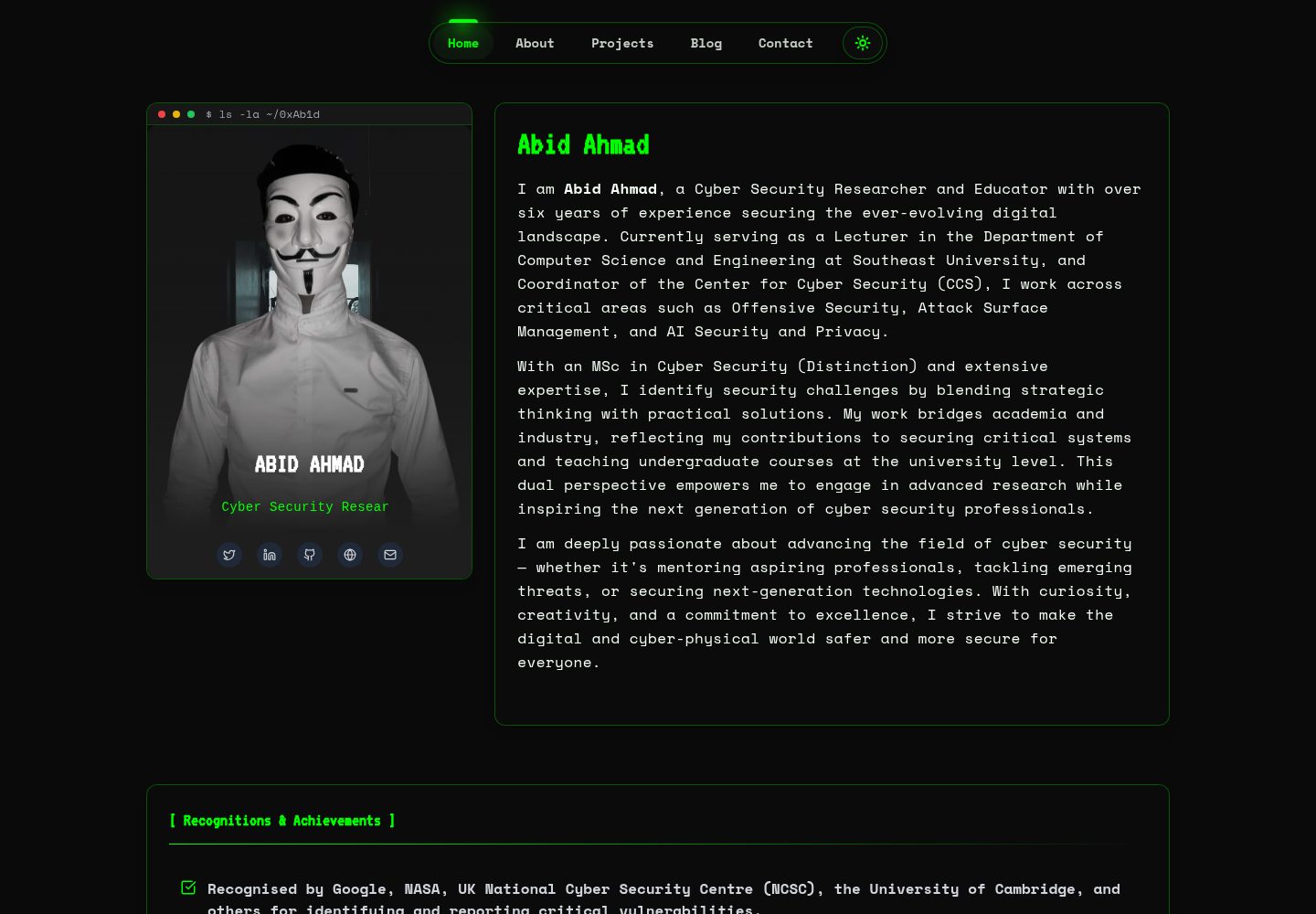
HackFolio is a hacker-style personal portfolio template for ethical hackers, penetration testers, bug bounty hunters, red teamers, and cybersecurity professionals.
Vite · Portfolio
portfolio-main
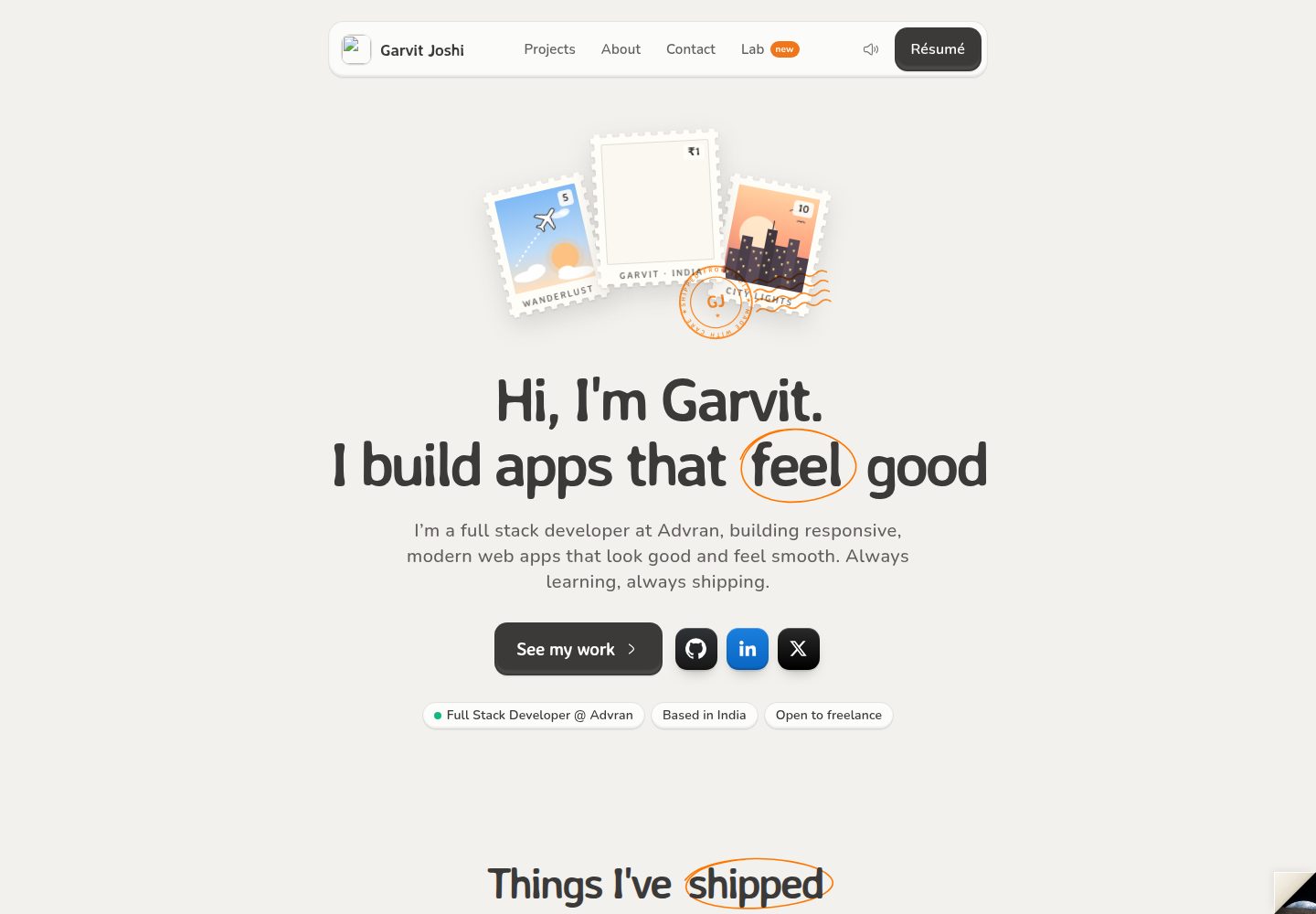
A React, Vite, and TailwindCSS portfolio template for Garvit Joshi with a warm postal-themed homepage and a free in-browser Lab.
Vite · Portfolio