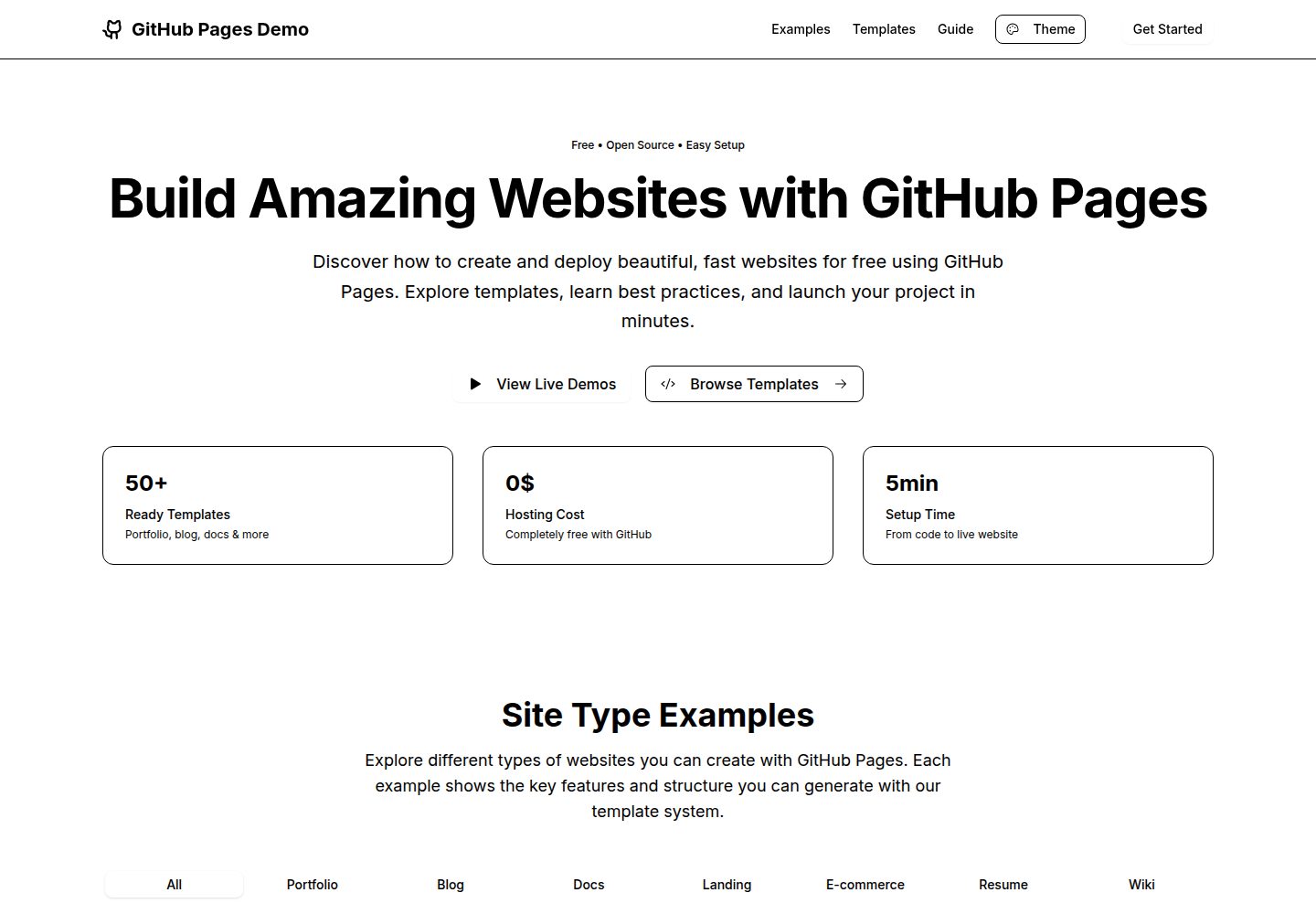
提供 7 类网站演示:作品集、博客、文档、落地页、电商、简历和 Wiki
ViteReact作品集博客文档工具站
github-pages-demo-si — Vite 作品集模板
作者 TMHSDigital
一个用于演示如何用 React、Vite 和 TypeScript 构建应用并通过 GitHub Actions 自动部署到 GitHub Pages 的模板仓库,包含交互式演示、模板生成器、代码编辑器与多套主题。
看看你的网站会是什么样
浏览真实页面截图,比较内容排版与手机效果。点击下方缩略图切换,放大查看整页细节。
全部页面与视图 2
截图用于了解视觉与布局,交互效果请以实际项目为准。
采集于 2026-10-16查看来源
值得关注的模板亮点
从已有项目资料中,快速了解它的特点。
内置模板生成器,可在交互式代码编辑器中编辑生成代码并实时预览
支持下载模板或复制到剪贴板
提供 Light、Dark、Blue、Green、Purple 五套主题配色
使用 React 19、TypeScript、Vite、Tailwind CSS v4 和 shadcn/ui 组件
包含 GitHub Actions 工作流,推送 main 分支后自动构建并部署到 GitHub Pages
模板详细介绍
该仓库是 TMHSDigital 提供的 GitHub Pages 演示与模板项目,README 说明其目标为展示如何构建现代 React + Vite 应用并借助 GitHub Actions 自动部署到 GitHub Pages。项目内置 7 类网站演示(作品集、博客、文档、落地页、电商、简历、Wiki),并提供可自定义的模板生成器,支持在交互式代码编辑器中修改生成代码并实时预览,可下载或复制模板。主题方面提供 Light、Dark、Blue、Green、Purple 五套配色方案。技术栈包括 React 19、TypeScript、Vite、Tailwind CSS v4、shadcn/ui 组件和 Phosphor Icons。仓库包含 GitHub Actions 部署工作流,推送 main 分支后自动构建并发布 dist 目录。README 未提供关于性能、浏览器兼容性、可访问性、测试覆盖或生产就绪程度的说明,也未列出除上述依赖外的具体版本号。
ViteReact作品集博客文档工具站
适合你的项目吗?
适用场景
- 作为 GitHub Pages 部署流程的参考示例,了解如何用 GitHub Actions 自动发布 React + Vite 应用
- 浏览作品集、博客、文档、落地页、电商、简历和 Wiki 七类网站的演示样式
- 使用模板生成器快速生成并导出 HTML 模板,再按需修改
- 在本地开发环境中基于该模板启动自己的项目并推送到 GitHub Pages
适合人群
- 希望学习 GitHub Actions 部署 GitHub Pages 工作流的开发者
- 需要 React + Vite + TypeScript 项目起步模板的前端开发者
- 想参考多类网站演示与主题配色方案的设计或开发人员
上手与定制指南
结合仓库当前版本的说明,按下面的资料检查内容、配置与运行要求。
- 1
点击仓库的 Use this template 创建自己的仓库
- 2
在仓库 Settings → Pages 中将 Source 设为 GitHub Actions
- 3
本地开发需执行 npm install 安装依赖,再运行 npm run dev 启动开发服务器
- 4
推送代码到 main 分支后,GitHub Action 会自动构建并部署
- 5
部署后的站点地址为 https://TMHSDigital.github.io/github-pages-demo-si/
授权与来源资料
使用条件与限制
免费使用 · 保留许可声明本次收录的是公开仓库中采用 MIT 许可的免费版本;免费范围为该版本代码,不代表外部服务或第三方素材免费。
使用时需要遵守
- 允许免费使用、修改、商用和分发该版本代码。
- 分发代码副本或实质性部分时,保留原作者版权声明和完整 MIT 许可声明。
- 代码按现状提供;担保与责任限制以原许可证及适用法律为准。
额外费用与待核对事项
- 演示图片、字体、图标及其他第三方素材需按各自许可核对,不能仅凭代码的 MIT 许可判断。
- 域名、托管、数据库、支付或 AI 等外部服务可能另外收费。
查看原文依据
https://github.com/TMHSDigital/github-pages-demo-si/blob/main/LICENSEhttps://github.com/TMHSDigital/github-pages-demo-si/blob/main/README.mdPermission is hereby granted, free of charge
许可证原文
DeepSeek 根据仓库许可证和 README 整理 ·2026-10-16。结果仅覆盖已读取资料,依赖、图片、字体及后续条款变更以各自原文为准。
项目核对记录与介绍依据
模板资料
- 来源平台
- GitHub
- 资料与维护参考分
- 资料较完整 · 85 / 100
- 技术栈
- Vite · React
- 网站类型
- 作品集 · 博客 · 文档 · 工具站
这个分数如何计算
本站按许可资料(最高30分)、演示链接(12分)、预览图(10分)、Star数(15分)、记录的维护时间(15分)、描述完整度(8分)、功能记录(5分)和分类资料(5分)计算。它不是代码、安全或性能测试,也不是 Google 评分;有链接不代表已实测可用。
这个项目需要核对什么
- 记录的仓库更新时间
- 2025-10-28
- 截图检查日期
- 2026-10-16
已收录演示链接。请用你的内容与屏幕尺寸检查;有演示不代表表单、认证或支付已经可用。
目录记录的主要技术栈是 Vite。请通过依赖清单和锁文件核对实际版本与托管要求。这些说明基于收录资料,不代表代码审计或部署实测。
查看具体选型方法 →介绍的制作与核对状态
介绍由 AI 辅助整理目录与仓库资料。仓库作者不等于这篇介绍的审核者。
审核声明: codex-user-requested-batch-review-20261017 · 2026-10-16
查看当时使用的来源资料
SHA-256: 5c493066100716fa192ffd3488d50cf557b81af18854f606ff6bb529f90c917f
2026-10-16T16:06:04.854Z
来源文件 / 仓库# GitHub Pages Demo Repository
[](https://github.com/TMHSDigital/github-pages-demo-si/actions/workflows/deploy.yml)
[](https://github.com/TMHSDigital/github-pages-demo-si/commits/main)
[](https://github.com/TMHSDigital/github-pages-demo-si/blob/main/LICENSE)
[](https://github.com/TMHSDigital/github-pages-demo-si)
A comprehensive template and demonstration platform for deploying modern web applications to GitHub Pages using GitHub Actions. Features interactive demos, customizable templates, live code editing, and multiple theme options.
## What's This?
This repository showcases how to:
- Build a modern React + Vite application with TypeScript
- Deploy automatically to GitHub Pages using GitHub Actions
- Create interactive demos across multiple site categories
- Generate customizable templates with live code editing
- Implement comprehensive theming with multiple color schemes
- Set up a professional development workflow
## Tech Stack
- **Framework**: React 19 with TypeScript
- **Build Tool**: Vite
- **Styling**: Tailwind CSS v4 + shadcn/ui components
- **Deployment**: GitHub Actions → GitHub Pages
- **Icons**: Phosphor Icons
## Features
### Interactive Demo Showcase
Browse and explore 7 different website categories with inspirational examples:
- **Portfolio**: Personal and professional portfolio sites with project galleries and skills sections
- **Blog**: Personal blogs and content publishing with article archives and categories
- **Documentation**: API docs and project documentation with endpoint listings and examples
- **Landing Pages**: SaaS and product landing pages with feature showcases and pricing
- **E-commerce**: Online stores and product catalogs with shopping carts and payments
- **Resume**: Interactive resume and CV websites with timelines and downloadable PDFs
- **Wiki**: Knowledge bases and organizational wikis with structured content and search
### Customizable Template Generator
Generate production-ready HTML templates with:
- **7 Template Types**: Portfolio, blog, API docs, SaaS landing, e-commerce, resume, and wiki
- **Interactive Code Editor**: Edit generated code with live preview
- **Multiple Features**: Responsive design, dark mode, contact forms, SEO, analytics, and more
- **Export Options**: Download templates or copy to clipboard
### Comprehensive Theming
Choose from 5 professionally designed color schemes:
- **Light**: Clean and minimal design
- **Dark**: Modern dark theme
- **Blue**: Professional blue accent theme
- **Green**: Nature-inspired green theme
- **Purple**: Creative purple theme
### Developer Experience
- **GitHub Actions Integration**: Automated deployment on every push
- **TypeScript Support**: Full type safety throughout the application
- **Responsive Design**: Mobile-first approach with Tailwind CSS
- **Component Library**: shadcn/ui components for consistent UI
## Quick Start
### 1. Use This Template
Click "Use this template" to create your own repository.
### 2. Enable GitHub Pages
1. Go to your repository's **Settings** tab
2. Navigate to **Pages** in the sidebar
3. Under **Source**, choose **GitHub Actions**
4. That's it! Your site will deploy automatically on the next push to main.
### 3. Local Development
```bash
# Clone your repository
git clone https://github.com/TMHSDigital/github-pages-demo-si.git
cd github-pages-demo-si
# Install dependencies
npm install
# Start development server
npm run dev
```
### 4. Deploy Changes
Simply push to the `main` branch:
```bash
git add .
git commit -m "Update site"
git push origin main
```
The GitHub Action will automatically build and deploy your changes!
## 📁 Project Structure
```
├── .github/workflows/
│ └── deploy.yml # GitHub Actions deployment workflow
├── src/
│ ├── components/ # React components
│ │ └── ui/ # shadcn/ui components
│ ├── App.tsx # Main application component
│ ├── main.tsx # Application entry point
│ └── index.css # Global styles and theme
├── index.html # HTML template
└── vite.config.ts # Vite configuration
```
## 🎨 Customization
### Theming
Edit `src/index.css` to customize colors, fonts, and spacing:
```css
:root {
--primary: oklch(0.35 0.15 250);
--background: oklch(1 0 0);
/* ... more theme variables */
}
```
### Components
All shadcn/ui components are pre-installed in `src/components/ui/`. Use them directly:
```tsx
import { Button } from "@/components/ui/button"
import { Card } from "@/components/ui/card"
```
## GitHub Actions Workflow
The deployment workflow (`.github/workflows/deploy.yml`) automatically:
1. Installs Node.js and dependencies
2. Builds the application with `npm run build:github`
3. Deploys the `dist/` folder to GitHub Pages
4. Runs on every push to `main` branch
## Live Demo
Once deployed, your site will be available at:
`https://TMHSDigital.github.io/github-pages-demo-si/`
## 🤝 Contributing
Feel free to submit issues and pull requests to improve this template!
## 📄 License
The Spark Template files and resources from GitHub are licensed under the terms of the MIT license, Copyright GitHub, Inc.看看同类模板
对比同技术栈与用途的模板,找到更适合的视觉与内容结构。

vituum
⚡⚙️ Fast Prototyping with Template Engines in Vite. Small and fast static site generator for Vite.
Vite · 工具站

tropical
Fast, mostly-just-HTML static sites with islands of client-side JS. Click the "Use this template" button ↖️
Vite · 工具站
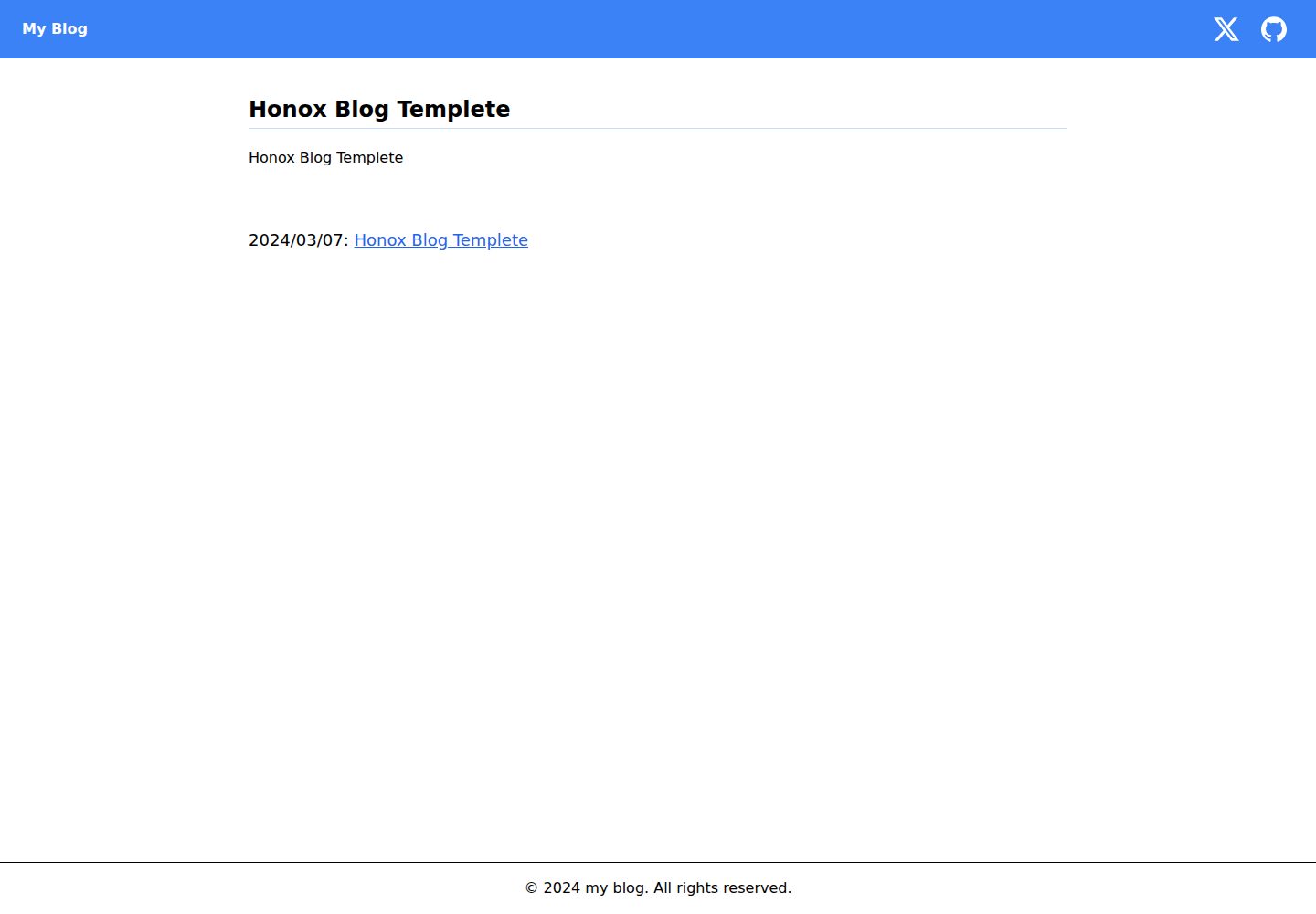
honox-blog-templete
A Template Repository for Easily Creating a Blog Site with HonoX
Vite · 博客

Resumify
Free, privacy-first resume builder — 6 ATS-friendly templates, full customization, JSON import/export. No sign…
Vite · 作品集

showlit
✨ Showlit - A modern and clean template for creating a personal website
Vite · 作品集
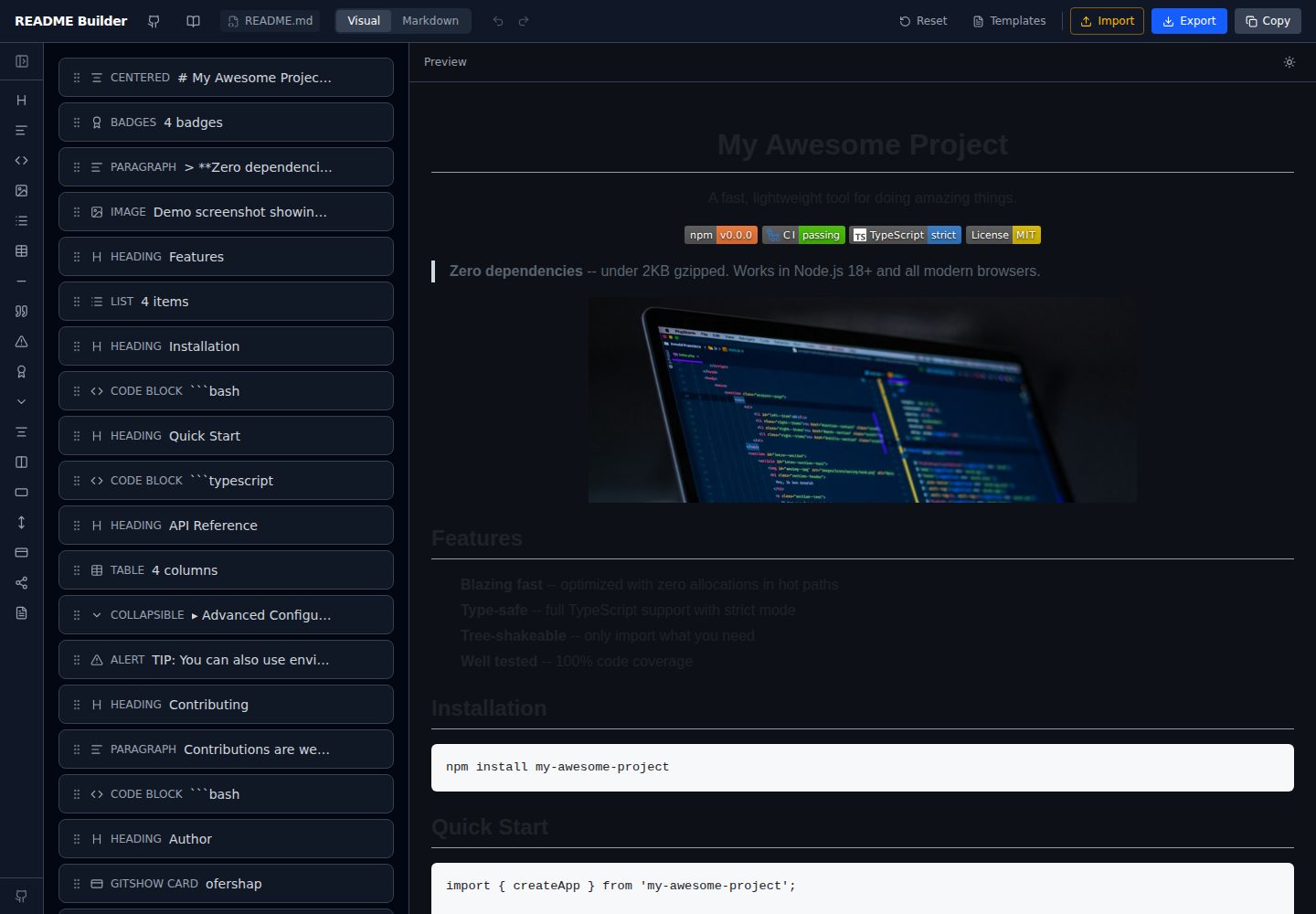
readme-builder
Visual drag-and-drop README editor with live GitHub-flavored preview. SEO-optimized templates, 15+ block types…
Vite · 工具站