Built with Vue 3 Composition API, Vite, TypeScript, and Tailwind CSS
VueViteAdmin dashboard
neobrutalism-dashboard-template — Vue Admin dashboard Template
By MuhArdhan
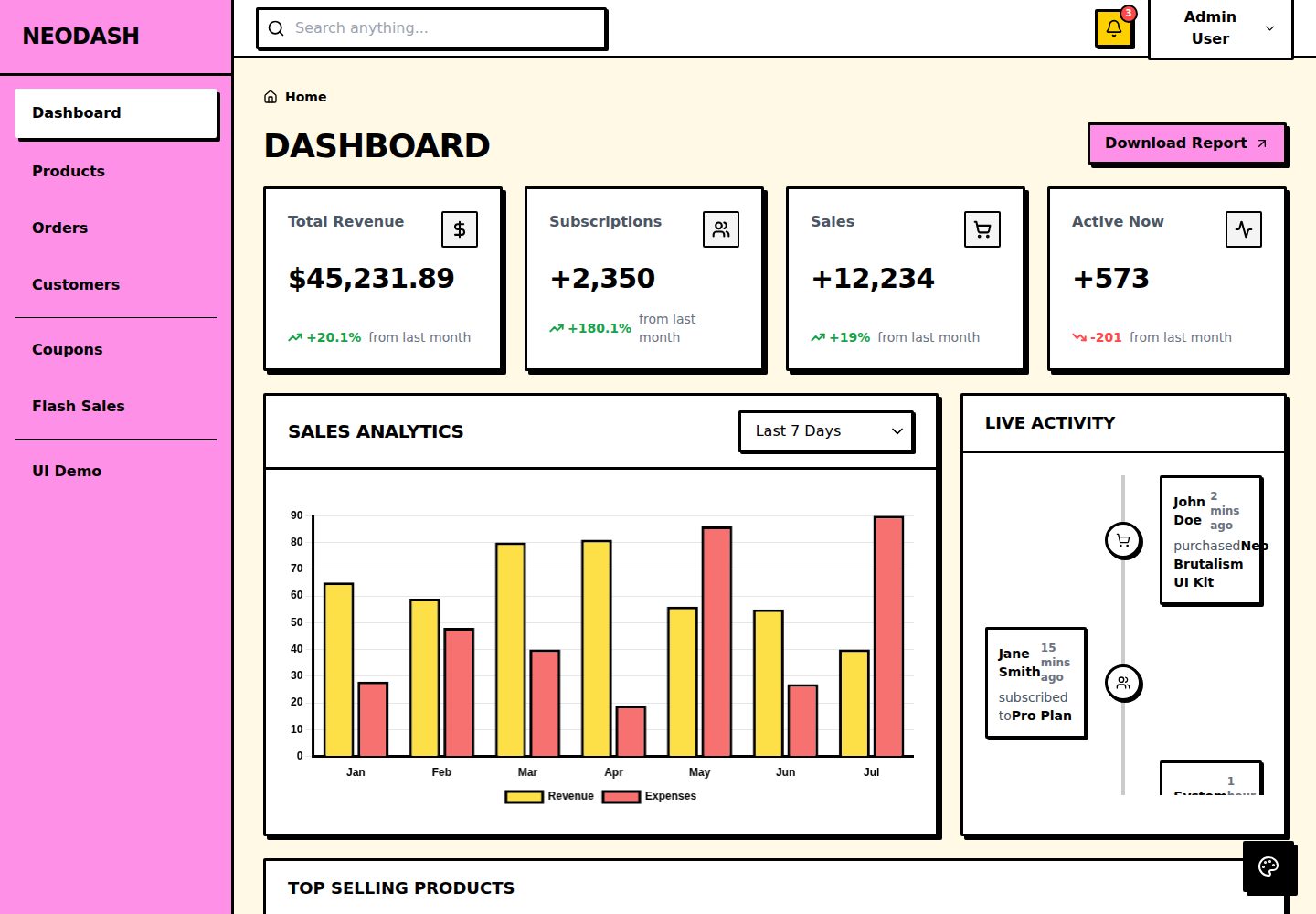
A Neo-Brutalism style admin dashboard template built with Vue 3, Vite, TypeScript, and Tailwind CSS, including pages for dashboard, products, orders, customers, and marketing.
Explore the design
Compare the page layouts and mobile experience. Open any screenshot for a closer look.
Desktop homepage1 / 3
Desktop captureTop of page
Actual screenshot captured by the server browser.
All pages & views 3
Screenshots show visual appearance; interactive behavior may differ.
Recorded 2026-10-15View source
What stands out
A quick read of the recorded project description.
Provides Neo-Brutalism style custom UI components, including buttons, inputs, cards, tables, tabs, steppers, badges, and modals
Includes Dashboard, Products, Orders, Customers, Marketing (Coupons and Flash Sales) pages
Responsive layout, using a drawer-style sidebar on mobile
Built-in interactive states such as loading animations, empty states, and form validation feedback
Centrally controls colors, borders, and shadow styles through CSS variables and tailwind.config.js
Template Details
This is an admin dashboard template adopting the Neo-Brutalism visual style. The README describes its characteristics as bold typography, high-contrast colors, 3px black thick borders, and hard-edged drop shadows. The tech stack is Vue 3 (Composition API), Vite, TypeScript, and Tailwind CSS, with styles defined through CSS variables in src/assets/index.css working together with tailwind.config.js.
The template provides custom UI components (buttons, inputs, cards, tables, tabs, steppers, badges, modals, etc.) and includes pages such as Dashboard, Products, Orders, Customers, Marketing (Coupons and Flash Sales), as well as interactive states like loading animations, empty states, and form validation feedback. The layout is responsive, using a drawer-style sidebar on mobile.
The project structure is divided into directories such as assets, components (layout and ui), data (mock data index.ts), router (lazy-loaded routes), and views. The README explains that you can adjust the primary color by modifying variables such as --color-primary in index.css, adjust border width and shadow-neo, shadow-neo-sm shadow offsets via tailwind.config.js, and register new routes in router/index.ts and add links in Sidebar.vue.
The README does not explain how to connect the data source to a real backend, authentication methods, testing, or state management solutions, nor does it provide deployment details beyond Vercel, Netlify, or static hosting.
VueViteAdmin dashboard
Is it right for your project?
Use Cases
- Building an admin management interface with a distinct Neo-Brutalism visual style
- Serving as a frontend starting point for e-commerce admin pages (products, orders, customers, marketing)
- Referencing custom UI components and Tailwind style organization in a Vue 3 project
- Quickly replacing theme colors, shadows, and border styles by modifying CSS variables
Suitable For
- Frontend projects using Vue 3 and Tailwind CSS
- Developers who need an admin interface with a Neo-Brutalism visual style
- Teams looking to quickly build an e-commerce admin prototype based on existing page structures
Getting started & customization
Use these recorded setup notes alongside the repository instructions for your chosen version.
- 1
Requires Node.js (README recommends v16 or above)
- 2
After entering the project directory, run npm install to install dependencies
- 3
Run npm run dev to start the development server, accessible by default at http://localhost:5173/
- 4
Run npm run build to generate a production build, output to the dist/ directory
- 5
The README states it can be deployed to Vercel, Netlify, or any static hosting service
License & source material
Usage conditions & limitations
Free to use · keep license noticeThis entry covers the free version under the MIT license in a public repository; the free scope is the code of that version and does not mean external services or third-party assets are free.
Must comply with when using
- Free use, modification, commercial use, and distribution of that version's code are permitted.
- When distributing copies or substantial portions of the code, retain the original author's copyright notice and the full MIT license notice.
- The code is provided as-is; warranties and limitations of liability are governed by the original license and applicable law.
Additional costs & items to verify
- Demo images, fonts, icons, and other third-party assets must be checked against their respective licenses and cannot be judged solely by the code's MIT license.
- External services such as domains, hosting, databases, payments, or AI may incur additional charges.
View Original Text Basis
Compiled by DeepSeek based on repository license and README ·2026-10-15. Results only cover the materials read; dependencies, images, fonts, and subsequent term changes are subject to their respective original texts.
Project checks & description sources
Template Information
- Source platforms
- GitHub
- Documentation and maintenance reference score
- More documented · 85 / 100
- Technologies
- Vue · Vite
- Website type
- Admin dashboard
How this score is calculated
Our heuristic uses license records (up to 30), a demo link (12), a preview (10), stars (15), recorded maintenance (15), description completeness (8), feature records (5) and classification data (5). It is not a code, security or performance test, or a Google score. A link does not establish tested functionality.
What to verify for this project
- Repository update recorded
- 2026-08-12
- Screenshot last checked
- 2026-10-15
A demo link is listed. Check it with your own content and viewport sizes; its presence does not confirm that forms, authentication or payments work.
The catalog identifies Vue as the primary stack. Check the actual dependency manifest and lockfile for versions and hosting requirements. These notes use recorded metadata, not a code audit or a deployment test.
Use a selection guide →How this description was prepared
AI-assisted description based on catalog records and repository material. Repository authors are not automatically the reviewers of this description.
Review declaration: codex-user-requested-batch-review-20261017 · 2026-10-16
Inspect the recorded source material
SHA-256: ffa2a176b63f21a3f1748ae96a553d2f50167bf05379b8cecd3c28b890585abf
2026-10-15T10:04:49.862Z
Source file / repository<div align="center">
# Neo-Brutalism Vue Dashboard Template
A striking, highly-opinionated dashboard template built for modern web applications. Designed following the **Neo-Brutalism** aesthetic: characterized by bold typography, high-contrast colors, harsh 3px black borders, and hard-edged drop shadows.
<br />
<p align="center">
<img src="https://img.shields.io/badge/Vue.js-35495E?style=for-the-badge&logo=vue.js&logoColor=4FC08D" alt="Vue.js" />
<img src="https://img.shields.io/badge/Vite-B73BFE?style=for-the-badge&logo=vite&logoColor=FFD62E" alt="Vite" />
<img src="https://img.shields.io/badge/TypeScript-007ACC?style=for-the-badge&logo=typescript&logoColor=white" alt="TypeScript" />
<img src="https://img.shields.io/badge/Tailwind_CSS-38B2AC?style=for-the-badge&logo=tailwind-css&logoColor=white" alt="Tailwind CSS" />
</p>
<br />

</div>
## Features
- **Neo-Brutalism UI Components**: Fully custom, accessible, and uniquely styled components (Buttons, Inputs, Cards, Tables, Tabs, Steppers, Badges, Modals, etc.).
- **Vite & Vue 3 (Composition API)**: Blazing fast development server and modern Vue patterns.
- **Tailwind CSS**: Strict, predefined styling following brutalist principles (via `index.css`).
- **Responsive Layout**: Works flawlessly on mobile, tablet, and desktop with a mobile-drawer sidebar.
- **Full Application Flow**: Includes pages for Dashboard, Products, Orders, Customers, and Marketing (Coupons & Flash Sales).
- **Interactive States**: Animated loading spinners, empty states, and built-in form validation feedback.
## Quick Start
### Prerequisites
Make sure you have [Node.js](https://nodejs.org/) (v16+ recommended) installed.
### Installation
1. Clone the repository and navigate into the directory:
```bash
cd neobrutalism-dashboard-template
```
2. Install dependencies:
```bash
npm install
```
3. Start the development server:
```bash
npm run dev
```
4. Open your browser and visit `http://localhost:5173/`.
### Building for Production
To create an optimized production build:
```bash
npm run build
```
This will compile the application into the `dist/` folder, ready to be deployed to Vercel, Netlify, or any static hosting service.
## Folder Structure
```
.
├── src/
│ ├── assets/ # Static assets (images, fonts, global CSS like index.css)
│ ├── components/ # Reusable Vue components
│ │ ├── layout/ # Layout elements (Sidebar, Topbar, PageHeader)
│ │ └── ui/ # Neo-Brutalism UI elements (Button, Card, Input, Table, etc.)
│ ├── data/ # Mock data files for development (index.ts)
│ ├── router/ # Vue Router configuration (lazy-loaded routes)
│ ├── views/ # Page-level components (Dashboard, Products, Orders, etc.)
│ ├── App.vue # Root component
│ └── main.ts # Application entry point
├── public/ # Public static files
├── index.html # HTML template
├── tailwind.config.js# Tailwind configuration (colors, fonts, box-shadows)
└── package.json # Dependencies and scripts
```
## How to Customize
### Modifying Colors
The template relies on CSS custom properties (variables) defined in `src/assets/index.css` and mapped in `tailwind.config.js`.
To change the primary color (default is yellow):
1. Open `src/assets/index.css`.
2. Locate the `:root` pseudo-class.
3. Change the `--color-primary` value (e.g., to a neon green: `#39ff14`).
```css
:root {
--color-primary: #39ff14; /* Your new color */
--color-secondary: #c084fc;
--color-background: #fdfbf7;
/* ... */
}
```
### Modifying the Brutalist Shadows & Borders
Neo-Brutalism heavily relies on thick borders and solid drop-shadows. These are defined globally:
- **Borders**: Most components use Tailwind's `border-3 border-black`. You can change the border width via `tailwind.config.js` or directly in component templates.
- **Shadows**: Custom shadows (`shadow-neo`, `shadow-neo-sm`) are defined in `tailwind.config.js`. You can tweak the X/Y offsets (currently `4px 4px 0px 0px rgba(0,0,0,1)`).
### Adding New Routes
1. Create a new view component in `src/views/` (e.g., `SettingsView.vue`).
2. Register it in `src/router/index.ts` using dynamic imports (lazy loading):
```typescript
{
path: '/settings',
name: 'settings',
component: () => import('../views/SettingsView.vue'),
}
```
3. Add a link to the `src/components/layout/Sidebar.vue` component.
## License
This project is open-source and available under the [MIT License](LICENSE).
Explore similar templates
Compare previews and descriptions within the same stack and category.

vuestic-admin
Vuestic Admin is an open-source Vue 3 admin template maintained by Epicmax, built on Vuestic UI with Vite, Pinia, and Tailwind CSS. It provides a ready-to-run dashboard with a dark theme, global configuration, i18n internationalization, and responsive layout.
Vue · Admin dashboard

v3-admin-vite
v3-admin-vite is an AI-friendly Vue3 admin template built on Vue3, Vite, TypeScript, and Element Plus. It keeps a lean structure with detailed comments, supports backend-controlled dynamic route permissions, page-level and button-level permissions, multiple themes and layouts, and mobile compatibility.
Vue · Admin dashboard

vue-typescript-admin-template
A Vue 2.6 + TypeScript + Element UI admin template ported from vue-element-admin, offering type safety and enterprise features like permission authentication, internationalization, dynamic themes, editors, charts, Excel/PDF handling, and PWA support.
Vue · Admin dashboard

vue-antd-admin
Vue Antd Admin is the Vue implementation of Ant Design Pro, providing an out-of-the-box front-end and design solution for admin dashboards.
Vue · Admin dashboard

coreui-free-vue-admin-template
CoreUI's official free Vue admin template, MIT licensed, built on Vue 3 and the CoreUI component library with Vue Router, Pinia, and Vite.
Vue · Admin dashboard
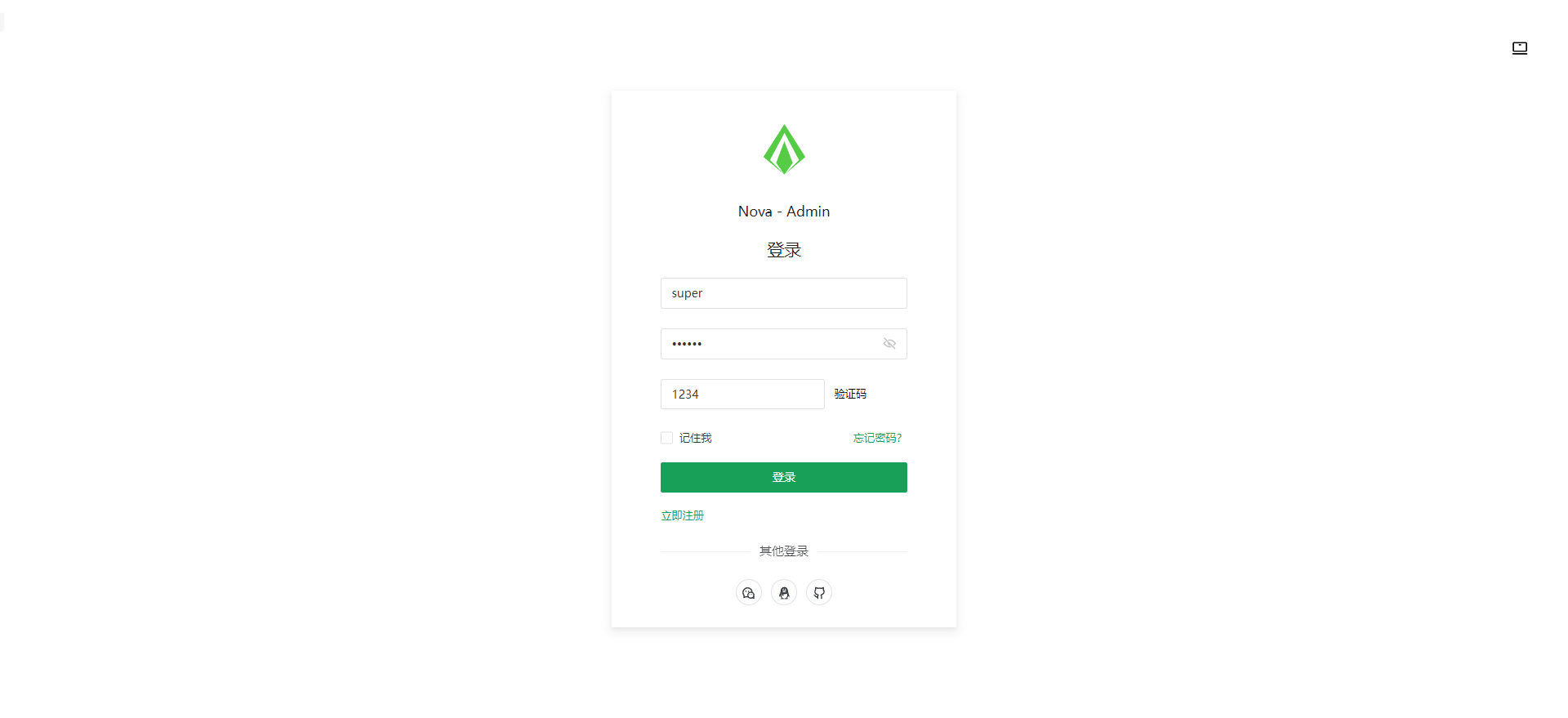
nova-admin
Nova Admin is an admin template built on Vue3, Vite, TypeScript, and Naive UI, with Unocss for styling.
Vue · Admin dashboard