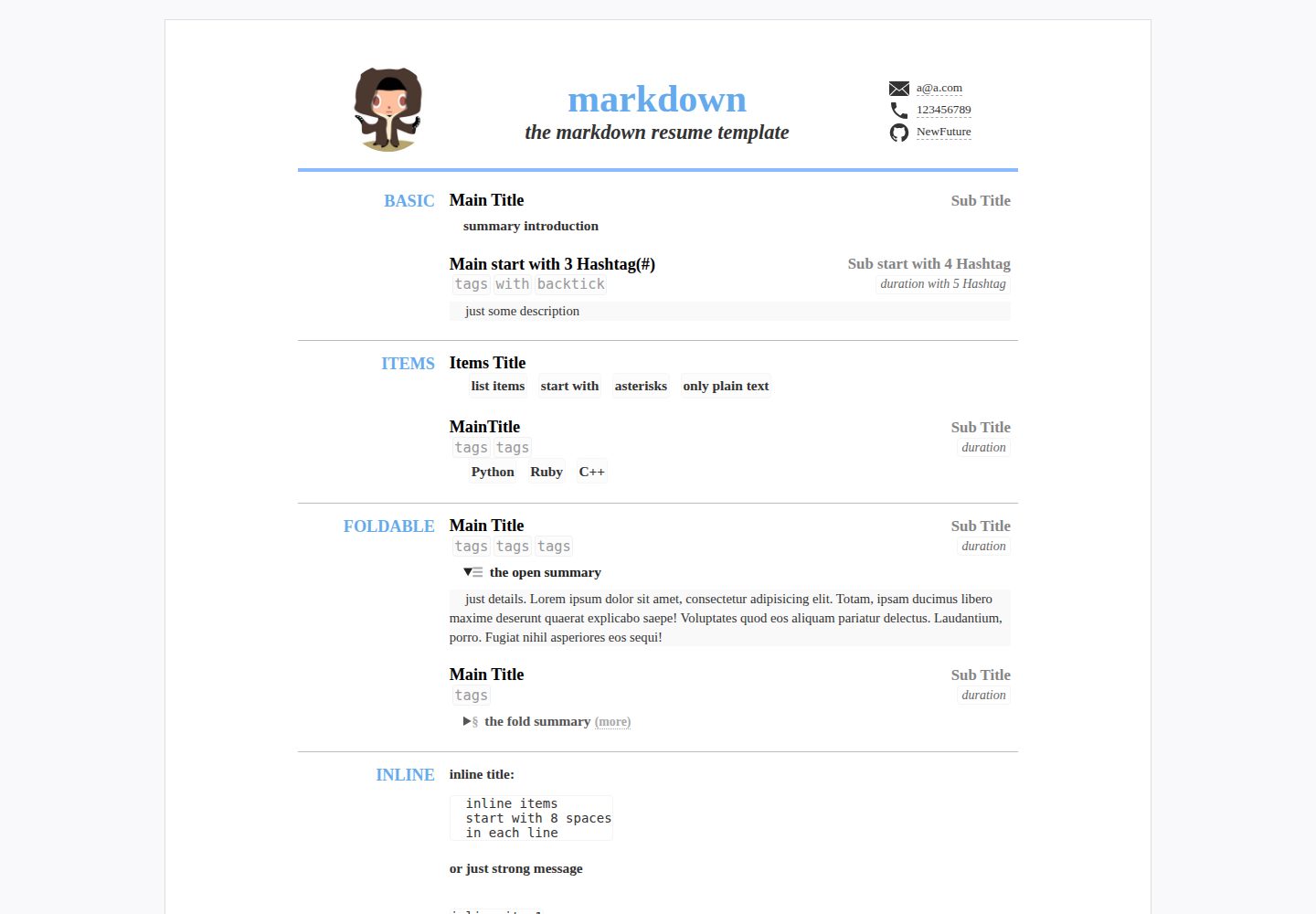
Supports three resume data formats: Markdown, YAML, and JSON
JekyllHTMLPortfolio
CV — Jekyll Portfolio Template
By NewFuture
A Jekyll-based online resume template that uses Markdown, YAML, or JSON to write resume data, automatically generates a GitHub Pages website, and supports print-to-PDF export.
Explore the design
Compare the page layouts and mobile experience. Open any screenshot for a closer look.
Desktop homepage1 / 2
Desktop captureTop of page
Actual screenshot captured by the server browser.
All pages & views 2
Screenshots show visual appearance; interactive behavior may differ.
Recorded 2026-10-02View source
What stands out
A quick read of the recorded project description.
Automatically builds a static GitHub Pages site via Jekyll
Includes mobile adaptation and print styles, with PDF export
Compresses HTML and CSS during build and outputs HTML5 semantic structure
Splits styles into separate SCSS files for default, mobile, and print
Template Details
This template is aimed at users who need to publish a personal resume on GitHub Pages. Resume content is written in one of three formats—Markdown, YAML, or JSON—and built into a static website by Jekyll. YAML is easy for humans to read and write and supports complex nesting, JSON is convenient for programmatic conversion, and Markdown is convenient for direct writing. The template includes mobile adaptation, print style optimization (for PDF export), HTML and CSS compression, HTML5 semantic output, and supports simple Markdown nesting.
To use it, generate a repository on GitHub via Use this template, edit _data/resume.yml (or resume.json), commit the changes, and wait for GitHub Pages to compile automatically. The resume is then accessible at {your-github-id}.github.io/repository-name. To export a PDF, click print at the bottom of the page in the browser and select Print to PDF. Print layout, font size, margins, and other settings can be configured in _config.yml.
Styles can be modified separately in _sass/resume.scss (default styles), _sass/mobile.scss (mobile adaptation), and _sass/print.scss (print styles). For a custom domain, add a CNAME file and point the domain's CNAME record to {YOUR-github-ID}.github.io. For local debugging, install Jekyll and run jekyll serve. The browser compatibility listed in the README includes Chrome, the built-in Android browser, Edge, IE7 and above, Safari, and Firefox.
JekyllHTMLPortfolio
Is it right for your project?
Use Cases
- Publishing a personal online resume on GitHub Pages
- Maintaining resume data in YAML or JSON and automatically generating a web page
- Exporting the resume to PDF via the browser's print function
- Configuring a custom domain for the resume
- Debugging and previewing the resume page locally with Jekyll
Suitable For
- Developers who have a GitHub account and want to publish a resume using GitHub Pages
- Users who prefer to manage resume content in Markdown, YAML, or JSON
- People who need both a web version and a printable PDF version of their resume
- Front-end users who want to adjust the resume styles themselves
Getting started & customization
Use these recorded setup notes alongside the repository instructions for your chosen version.
- 1
On GitHub, click Use this template to generate your own repository; the repository name determines the final access path
- 2
Edit _data/resume.yml or resume.json to fill in the resume content, taking care to keep the YAML or JSON format valid
- 3
After committing the changes, wait for GitHub Pages to compile automatically, then visit {your-github-id}.github.io/repository-name to see the result
- 4
To export a PDF, click print at the bottom of the page in the browser and select Print to PDF; print settings can be adjusted in _config.yml
- 5
For local debugging, install Jekyll first, then run jekyll serve
License & source material
Usage conditions & limitations
Free to use · keep license noticeThis entry covers the free version under the MIT license in the public repository; the free scope is the code of that version and does not mean that external services or third-party assets are free.
Must comply with when using
- You may use, modify, commercialize, and distribute the code of this version for free.
- When distributing copies or substantial portions of the code, retain the original author's copyright notice and the full MIT license notice.
- The code is provided as is; warranties and limitations of liability are governed by the original license and applicable law.
Additional costs & items to verify
- Using this template requires a GitHub account and login to generate a repository via Use this template; automatic building and publishing of the resume depends on the GitHub Pages service.
- Local debugging requires installing a Jekyll environment yourself and then running jekyll serve; without installation, you can only rely on GitHub Pages online building.
- Using a custom domain requires preparing the domain yourself, adding a CNAME file, and configuring a DNS CNAME record; domain registration and resolution may incur external costs.
- Demo images, fonts, icons, and other third-party assets must be checked against their respective licenses and cannot be judged solely by the code's MIT license.
- External services such as domain, hosting, database, payment, or AI may incur additional charges.
View Original Text Basis
Permission is hereby granted, free of charge
Original License Text
登录github, 点击[`Use this template`按钮](https://github.com/NewFuture/CV/generate)使用此模板
Original README
安装[jekyll](http://jekyllcn.com/docs/installation/)
Original README
https://github.com/NewFuture/CV/blob/gh-pages/LICENSEhttps://github.com/NewFuture/CV/blob/gh-pages/README.md添加[`CNAME`](https://github.com/NewFuture/CV/new/gh-pages/CNAME)文件,一行你的域名
Original README
Compiled by DeepSeek based on repository license and README ·2026-10-02. Results only cover the materials read; dependencies, images, fonts, and subsequent term changes are subject to their respective original texts.
Project checks & description sources
Template Information
- Source platforms
- GitHub
- Documentation and maintenance reference score
- More documented · 77 / 100
- Technologies
- Jekyll · HTML
- Website type
- Portfolio
How this score is calculated
Our heuristic uses license records (up to 30), a demo link (12), a preview (10), stars (15), recorded maintenance (15), description completeness (8), feature records (5) and classification data (5). It is not a code, security or performance test, or a Google score. A link does not establish tested functionality.
What to verify for this project
- Repository update recorded
- 2019-06-29
- Screenshot last checked
- 2026-10-02
A demo link is listed. Check it with your own content and viewport sizes; its presence does not confirm that forms, authentication or payments work.
The catalog identifies Jekyll as the primary stack. Check the actual dependency manifest and lockfile for versions and hosting requirements. These notes use recorded metadata, not a code audit or a deployment test.
Use a selection guide →How this description was prepared
AI-assisted description based on catalog records and repository material. Repository authors are not automatically the reviewers of this description.
Automatically checked against source and license rules; no manual editorial review.
Inspect the recorded source material
SHA-256: af7a29cddce211b0c872e2c0ab63bac83078cad911fc33962dd52ba46d117231
2026-10-02T16:01:30.862Z
Source file / repository# CV(简历)自动生成
简历模板自动生成gh-pages. A resume template auto builds in github-pages by Jekyll
数据格式:
* [x] `markdown`方便书写([预览](https://newfuture.github.io/CV/markdown))
* [x] `yaml`(方便人读写,支持复杂嵌套)
* [x] `json`(方便程序转换)
* [x] 手机端适配
* [x] 打印格式优化(可导PDF)
* [x] html和css压缩
* [x] [HTML5语义化支持](https://validator.w3.org/nu/?doc=https%3A%2F%2Fnewfuture.github.io%2FCV%2F&showoutline=yes)
* [x] 简单markdown嵌套
浏览器兼容:
* [x] Chrome
* [x] Andoroid (系统内置浏览器,微信等)
* [x] Edge (Windows 10)
* [x] >=IE7 (支持IE: 7 8 9 10 11)(Windows vista,7及以上系统)
* [x] IE6 显示基本一致可读(Windows XP默认版本,显示略有差别)
* [x] Safari (包括Mac, iPhone和iPad)
* [x] FireFox
更多示例: [examples](https://github.com/NewFuture/CV/issues/1)
## 在线使用
1. 应用此模板: 登录github, 点击[`Use this template`按钮](https://github.com/NewFuture/CV/generate)使用此模板
2. 设置`Repository name`仓库名如`CV`(仓库名与最后网站一致,可自行选择私有公开),然后在自己的仓库下进行此操作
3. 修改: 打开[\_data/resume.yml](\_data/resume.yml)(或者resume.json)点击编辑(`Edit`)图标(内容和条目根据需要参考注释删减)
4. 保存: 点击`Commit changes` (会自动commit)注意yaml格式(或者json格式)无误
5. 稍等片刻(自动编译生成github pages),打开[{your-github-id}.github.io/CV/](https://newfuture.github.io/CV/) (命名与项目名一致)查看效果
## contribution
> 如果你想改进此模板
1. 可[`fork`](https://github.com/NewFuture/CV/fork)此模板
2. 在fork后的仓库修改和预览
3. 提交[`pull requests`](https://github.com/NewFuture/CV/pulls)
## 效果截图(点击展开)
不同系统和不同浏览器截图可[在此处查看](https://developer.microsoft.com/en-us/microsoft-edge/tools/screenshots/?url=https%3A%2F%2Fnewfuture.github.io%2FCV%2F)
<details>
<summary> 1. 标准PC版(宽度> 1024)</summary>

</details>
<details open>
<summary>2. iPad Pro或窄屏笔记本( 1024 >= width >= 768)</summary>

</details>
<details open>
<summary>3. iPad mini或宽屏Note( 768 >= width > 450)</summary>

</details>
<details open>
<summary>4. 标准手机版( width <= 450)</summary>

</details>
<details open>
<summary>5. 打印版 (可配置样式和导出PDF)</summary>

</details>
## 高级用法
### 导出 PDF
1. 浏览器(推荐chrome)点击页面底部`打印`
2. 选择打印为PDF文档
3. 配置打印设置(布局样式,字体大小,边距等) [_config.yml](https://github.com/NewFuture/CV/blob/gh-pages/_config.yml#L6)
### 本地调试
1. 安装[jekyll](http://jekyllcn.com/docs/installation/)
2. `jekyll serve` 启动本地服务
### 自定义域名
1. 添加[`CNAME`](https://github.com/NewFuture/CV/new/gh-pages/CNAME)文件,一行你的域名,[更多关于域名添加的问题](https://help.github.com/articles/adding-or-removing-a-custom-domain-for-your-github-pages-site/)
2. 修改该域名的DNS的CNAME记录为`{YOUR-github-ID}.github.io`
### 自定义样式
* [`_sass/resume.scss`](_sass/resume.scss) 默认样式
* [`_sass/mobile.scss`](_sass/mobile.scss) 移动端适配
* [`_sass/print.scss`](_sass/print.scss) 打印样式
## 参考
* 简历模板 https://github.com/crispgm/resume
* jekyll简历模板 https://github.com/nternetinspired/jekyll-resume
* html压缩 https://github.com/penibelst/jekyll-compress-html
* svg 压缩 `svgo`
Explore similar templates
Compare previews and descriptions within the same stack and category.

al-folio
A Jekyll academic homepage theme for scholars and researchers, with a clean responsive design and out-of-the-box support for publication lists, project showcases, CVs, and blogs.
Jekyll · Portfolio

minimal-mistakes
Minimal Mistakes is a two-column Jekyll theme for personal sites, blogs, project documentation, or portfolios.
Jekyll · Portfolio

Beautiful Jekyll
Beautiful Jekyll is a mature, easy-to-use Jekyll blog theme maintained by Dean Attali since 2015, with over 50,000 users.
Jekyll · Blog

So Simple
A minimal reading-oriented Jekyll theme by Michael Rose for personal blogs, portfolios, and long-form reading. It offers multiple layouts, microformat markup, Disqus comments, Google Analytics, Jekyll SEO Tag, three skins, and aggregation by year, category, and tag with a grid view.
Jekyll · Blog
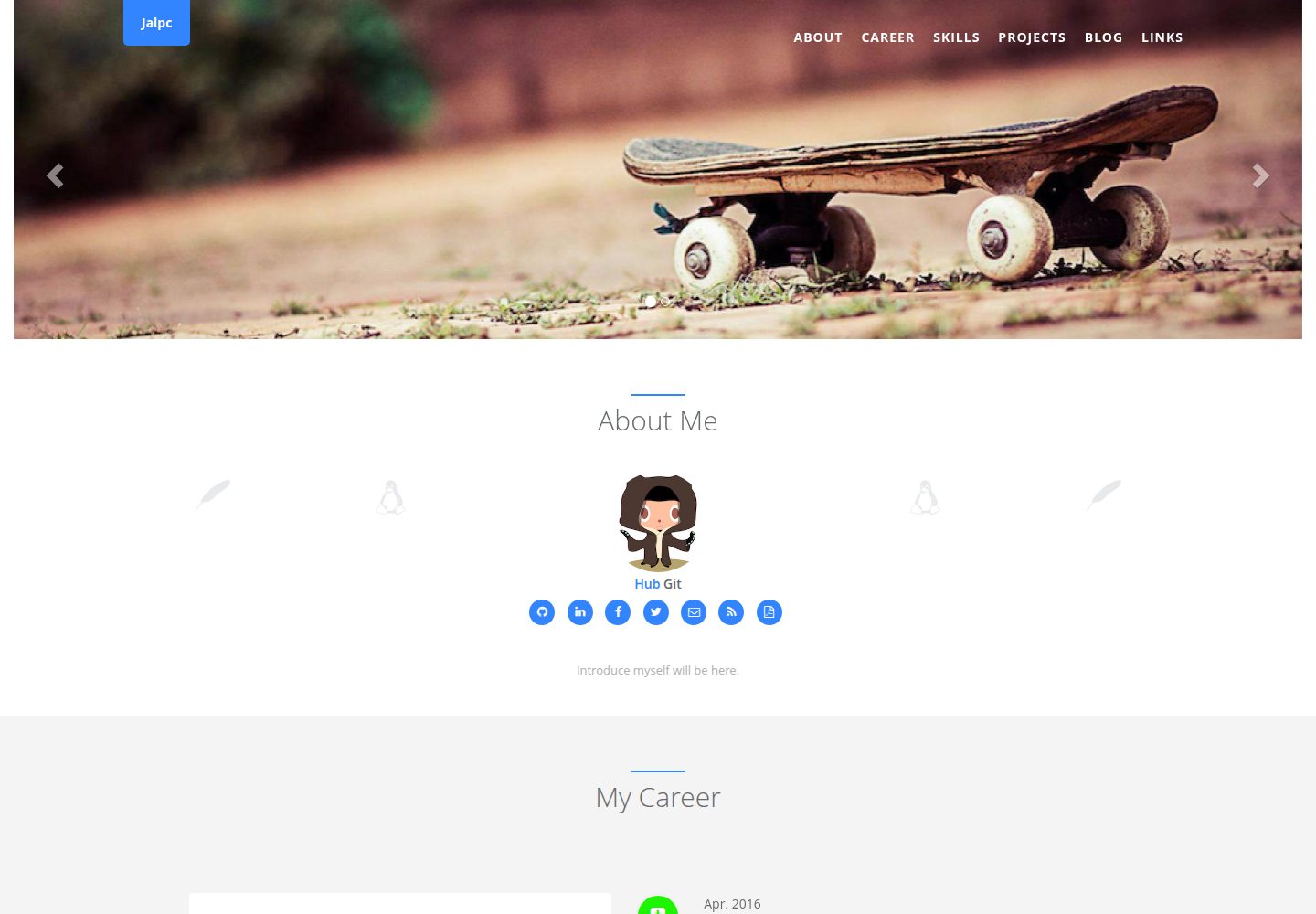
Jalpc
Jalpc is a Jekyll theme for a combined personal homepage and blog. The homepage is split into sections driven by YAML files under _data, so content changes usually do not require editing HTML.
Jekyll · Portfolio
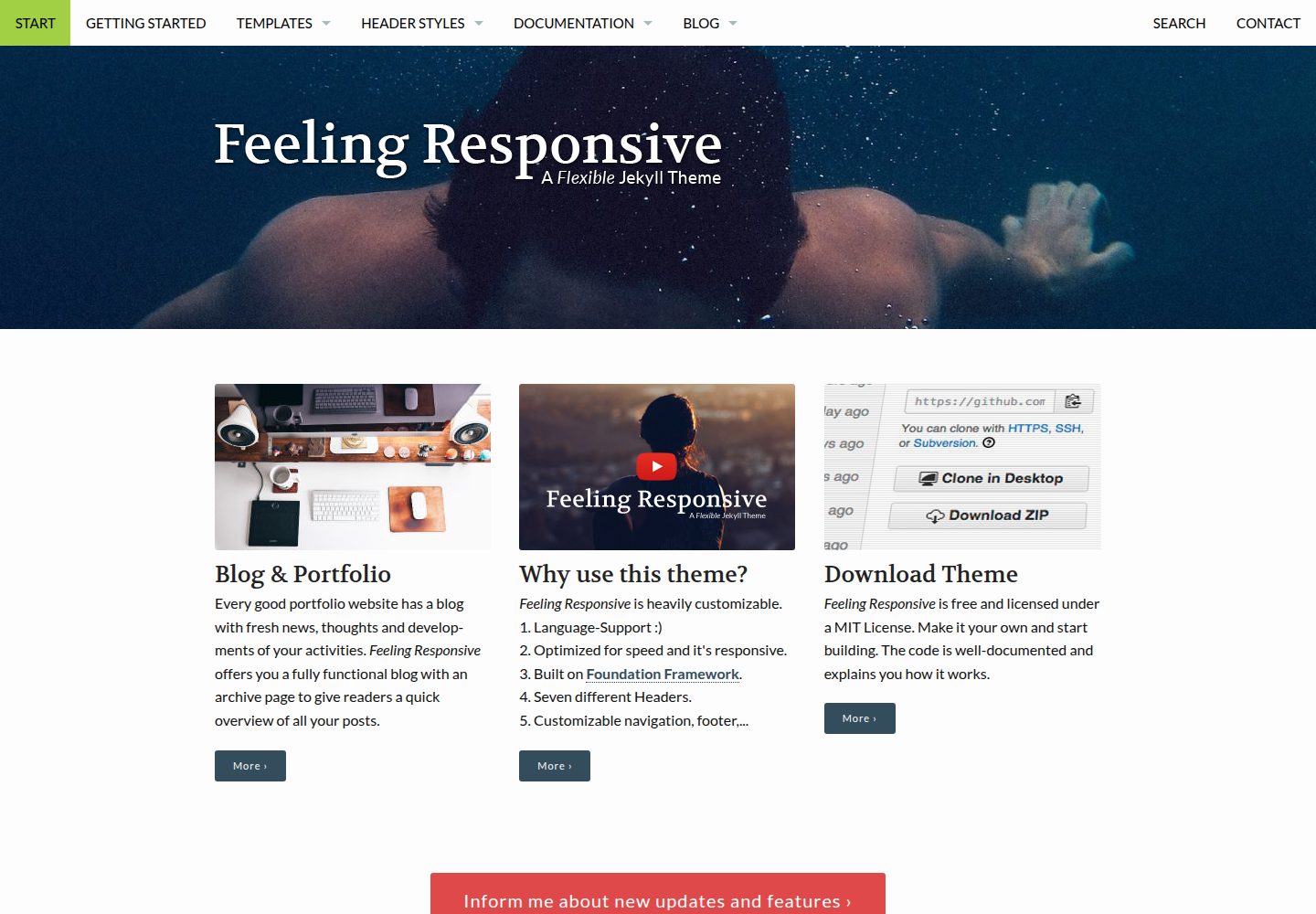
feeling-responsive
A free responsive Jekyll theme built on the Foundation framework, suitable for company sites, portfolios, or blogs. It offers language support, six header styles, customizable navigation and footer, plus documentation and an online demo.
Jekyll · Portfolio