Built-in Better Auth email-password authentication, including scrypt password hashing, 7-day sessions and cookie caching; /dashboard validates the session on the server
Next.jsReactStarter
create-next-app — Next.js Starter Template
By nimbuslab
A full-stack template based on the Next.js App Router, integrating Better Auth email-password authentication, Drizzle ORM and PostgreSQL, and providing an interactive initialization script and AI assistant configuration file generation.
Explore the design
Compare the page layouts and mobile experience. Open any screenshot for a closer look.
Desktop homepage1 / 2
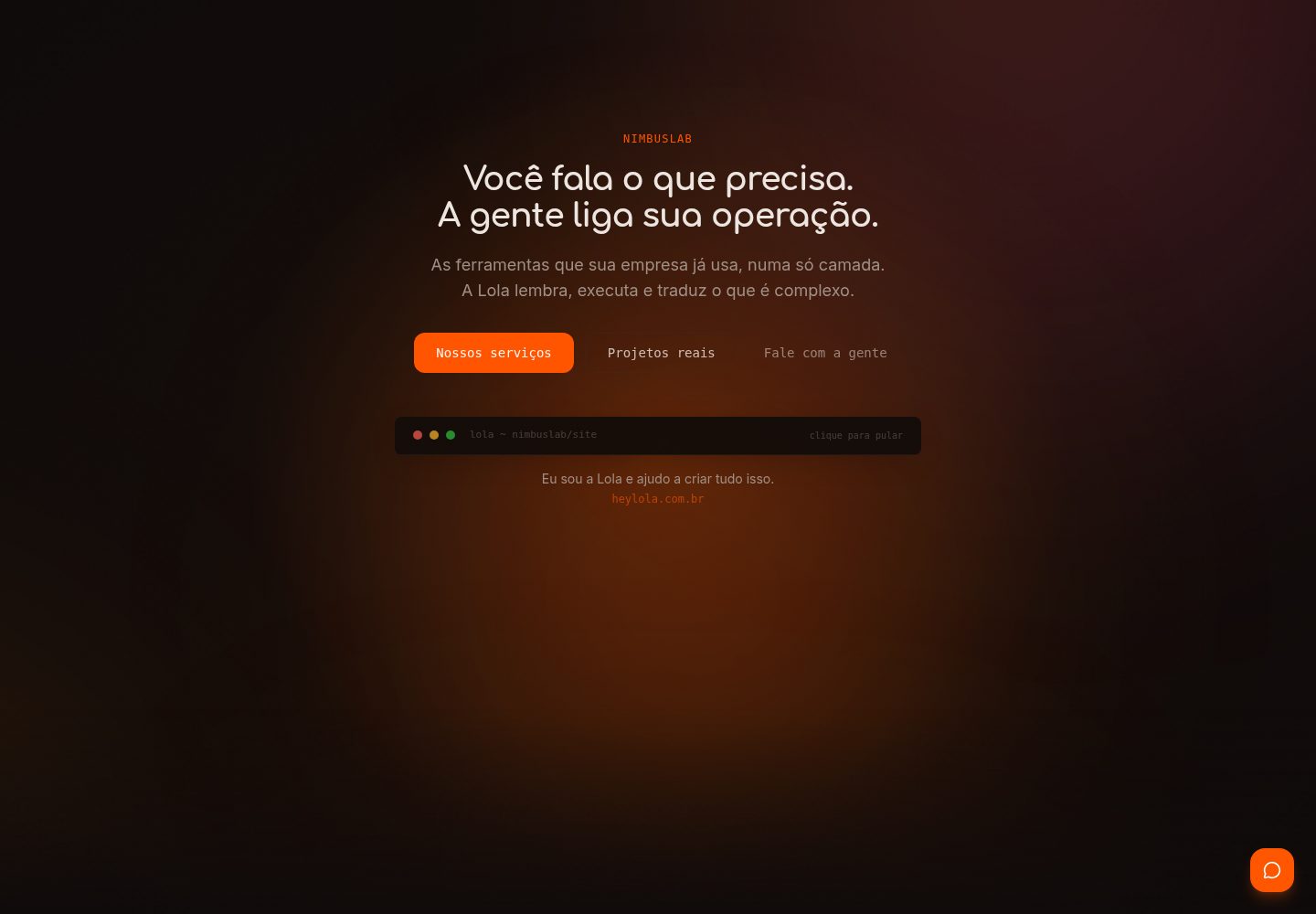
Desktop captureTop of page
Actual screenshot captured by the server browser.
All pages & views 2
Screenshots show visual appearance; interactive behavior may differ.
Recorded 2026-10-14View source
What stands out
A quick read of the recorded project description.
Drizzle ORM connects to PostgreSQL, with the schema centralized in src/db/schema.ts, including user, session, account, and verification tables
bun run setup interactive initialization: detects Docker, starts the database, applies the schema, creates a demo user, and optionally creates a GitHub repository
Can generate corresponding AI assistant context files for Claude Code, Cursor, Gemini CLI, GitHub Copilot, and Windsurf
Server Components by default, using "use client" only when state, events, or browser APIs are needed
Tailwind CSS and shadcn/ui (new-york style), with next-themes supporting light, dark, and system-following themes
Template Details
This template is a starting point for a Next.js full-stack project. It uses the App Router and Server Components, and defaults to TypeScript strict mode. Authentication is provided by Better Auth, supporting email-password registration and login. Sessions default to 7 days and are renewed after 24 hours, with cookies cached for 5 minutes; the protected /dashboard route reads the session on the server and redirects to /login when not logged in. The data layer uses Drizzle ORM to connect to PostgreSQL, with the schema centralized in src/db/schema.ts, containing four tables: user, session, account, and verification. The UI is based on Tailwind CSS and shadcn/ui (new-york style), with light, dark, and system-following themes provided via next-themes.
The project provides a bun run setup interactive initialization script that can detect Docker, start PostgreSQL, apply the schema, create a demo user, and optionally create a GitHub repository; you can also manually run bun install, copy .env.example, docker compose up -d, bun run db:push, and bun run seed. The seed script creates the demo account [email protected] / demo1234. The database can use either PostgreSQL 16 in local Docker or a hosted PostgreSQL such as Neon or Supabase, switching by modifying DATABASE_URL and running migrations.
The README explicitly lists features not yet implemented: password recovery, email verification, OAuth providers (Google, GitHub), src/middleware.ts for protecting routes, a Dockerfile with output: "standalone", and automated tests in CI. These are all in the Roadmap; auth.ts does not configure the corresponding logic, and the template does not include an email service provider. Regarding deployment, the README states it can run on any Next.js platform that supports Node (such as Vercel, Railway, Render), requiring configuration of DATABASE_URL, BETTER_AUTH_SECRET, and BETTER_AUTH_URL, and running db:generate and db:migrate on the production database.
Next.jsReactStarter
Is it right for your project?
Use Cases
- Quickly setting up a Next.js full-stack project with email-password authentication and a PostgreSQL data layer
- Automatically generating AI programming assistant context files during project initialization to unify collaboration conventions between the team and assistants
- Running PostgreSQL locally with Docker, or switching to hosted PostgreSQL such as Neon or Supabase for development
- As a starting point for protected backend pages that require server-side session validation (such as /dashboard)
Suitable For
- Next.js developers using Bun as the runtime and package manager
- Full-stack projects requiring TypeScript strict mode and Drizzle ORM typed queries
- Projects that want to build interfaces with shadcn/ui and Tailwind CSS and support theme switching
- Teams that accept that authentication currently covers only email-password, with other authentication capabilities still on the Roadmap
Getting started & customization
Use these recorded setup notes alongside the repository instructions for your chosen version.
- 1
Recommended process: bun install, bun run setup, bun run dev; manual process: bun install, cp .env.example .env, docker compose up -d, bun run db:push, bun run seed, bun run dev
- 2
DATABASE_URL, BETTER_AUTH_SECRET, and BETTER_AUTH_URL must be configured; BETTER_AUTH_SECRET can be generated with openssl rand -base64 32
- 3
The local Docker PostgreSQL uses postgres/postgres/app credentials, for development only, and should not be carried into production
- 4
After modifying src/db/schema.ts, run bun run db:generate to generate migrations; in development, bun run db:push can be used to apply them directly
- 5
Use bun run <script> to execute scripts; bun build without run invokes Bun's own bundler rather than the project script
License & source material
Usage conditions & limitations
Free to use · keep license noticeThis entry covers the free version under the MIT license in the public repository; the free scope is the code of this version and does not mean that external services or third-party assets are free.
Must comply with when using
- Free use, modification, commercial use, and distribution of this version's code are permitted.
- When distributing copies or substantial portions of the code, retain the original author's copyright notice and the complete MIT license notice.
- The code is provided as is; warranties and limitations of liability are governed by the original license and applicable law.
Additional costs & items to verify
- Demo images, fonts, icons, and other third-party assets must be checked against their respective licenses; the code's MIT license alone cannot be used to judge this.
- External services such as domains, hosting, databases, payments, or AI may incur separate charges.
- The PostgreSQL in docker-compose.yml uses postgres/postgres/app credentials, for local development only, and should not be carried into production.
- The template does not include an email service provider; password recovery, email verification, and OAuth providers are not configured and must be implemented separately.
- You need to copy .env.example to .env and adjust the configuration yourself; other .env files will not enter Git.
- BETTER_AUTH_SECRET is required and must be generated yourself with openssl rand -base64 32.
- Deployment requires a platform that supports running Next.js on Node, such as Vercel, Railway, or Render.
- Before production deployment, run db:generate to generate migrations for the production database and db:migrate to apply them.
View Original Text Basis
Permission is hereby granted, free of charge
Original License Text
O `docker-compose.yml` sobe um PostgreSQL 16 em `localhost:5432` com usuário `postgres`, senha `postgres` e banco `app`. São credenciais de desenvolvimento local e não devem ir para produção. O `.env.example` já vem com a `DATABASE_URL` correspondente.
Original README
O que **não** vem pronto e está no [Roadmap](#roadmap): recuperação de senha, verificação de e-mail e provedores OAuth. Nenhum dos três está configurado no `auth.ts` e o template não traz provedor de e-mail.
Original README
Copie o `.env.example` para `.env` e ajuste. Nenhum outro arquivo `.env` entra no Git.
Original README
| `BETTER_AUTH_SECRET` | sim | Segredo de assinatura das sessões. Gere com `openssl rand -base64 32` |
Original README
Funciona em qualquer plataforma que rode Next.js em Node, como Vercel, Railway ou Render. O caminho é o mesmo:
Original README
https://github.com/nimbuslab/create-next-app/blob/main/LICENSEhttps://github.com/nimbuslab/create-next-app/blob/main/README.md3. Gere a migração com `bun run db:generate` e aplique com `bun run db:migrate` contra o banco de produção
Original README
Compiled by DeepSeek based on repository license and README ·2026-10-14. Results only cover the materials read; dependencies, images, fonts, and subsequent term changes are subject to their respective original texts.
Project checks & description sources
Template Information
- Source platforms
- GitHub
- Documentation and maintenance reference score
- More documented · 85 / 100
- Technologies
- Next.js · React
- Website type
- Starter
How this score is calculated
Our heuristic uses license records (up to 30), a demo link (12), a preview (10), stars (15), recorded maintenance (15), description completeness (8), feature records (5) and classification data (5). It is not a code, security or performance test, or a Google score. A link does not establish tested functionality.
What to verify for this project
- Repository update recorded
- 2026-09-10
- Screenshot last checked
- 2026-10-14
A demo link is listed. Check it with your own content and viewport sizes; its presence does not confirm that forms, authentication or payments work.
The catalog identifies Next.js as the primary stack. Check the actual dependency manifest and lockfile for versions and hosting requirements. These notes use recorded metadata, not a code audit or a deployment test.
Use a selection guide →How this description was prepared
AI-assisted description based on catalog records and repository material. Repository authors are not automatically the reviewers of this description.
Review declaration: codex-user-requested-batch-review-20261015 · 2026-10-15
Inspect the recorded source material
SHA-256: d45cff09afa8a7a39c264443424c3378408f7ba7dda0bbafcbcc2b5f18fef487
2026-10-14T17:04:49.995Z
Source file / repository<div align="center"> # create-next-app **Template full-stack Next.js com autenticação, banco de dados e configuração pronta para agentes de IA.** Next.js 16 com App Router, React 19, Better Auth, Drizzle ORM sobre PostgreSQL e shadcn/ui. [Read in English](./docs/README.en.md) [](https://github.com/nimbuslab/create-next-app/actions/workflows/ci.yml) [](https://nextjs.org) [](https://react.dev) [](./LICENSE) [Instalação](#instalação) · [Quick start](#quick-start) · [Stack](#stack) · [Scripts](#scripts-disponíveis) · [Roadmap](#roadmap) </div> --- ## Por que create-next-app - **Autenticação funcionando desde o primeiro `bun run dev`**: Better Auth com e-mail e senha, sessão com cache de cookie e `/dashboard` protegido no servidor - **Banco tipado de ponta a ponta**: Drizzle ORM sobre PostgreSQL, com todo o schema em um único arquivo - **Setup interativo**: detecta Docker, sobe o PostgreSQL, aplica o schema, cria o usuário de demonstração e, se você quiser, cria o repositório no GitHub - **Configuração para agentes de IA**: gera o arquivo de contexto do assistente que você usa, com a stack e as convenções do projeto já preenchidas - **Server Components por padrão**: `"use client"` só onde existe estado, evento ou API de navegador - **Tema escuro por padrão**: `next-themes` com alternância entre claro, escuro e a preferência do sistema ## Instalação ### Com a CLI da nimbuslab ```bash bun add -g @nimbuslab/cli nimbus create meu-app --app cd meu-app ``` ### Clonando o template ```bash git clone --depth 1 https://github.com/nimbuslab/create-next-app.git meu-app cd meu-app rm -rf .git ``` ## Quick start Com o setup interativo, que cuida do banco e do arquivo `.env`: ```bash bun install bun run setup bun run dev ``` Se preferir fazer tudo na mão: ```bash bun install cp .env.example .env docker compose up -d bun run db:push bun run seed bun run dev ``` Abra [http://localhost:3000](http://localhost:3000). O `bun run seed` cria um usuário de demonstração: - E-mail: `[email protected]` - Senha: `demo1234` ## Stack As versões abaixo são as declaradas no `package.json` e no `docker-compose.yml` deste repositório. | Peça | Versão | Papel | |---|---|---| | [Next.js](https://nextjs.org) | `16.3.0` | App Router, Server Components, Turbopack | | [React](https://react.dev) | `19.2.8` | Biblioteca de interface | | [TypeScript](https://www.typescriptlang.org) | `^5` | Tipagem estática em modo `strict` | | [Better Auth](https://better-auth.com) | `^1.3.10` | Autenticação e sessões | | [Drizzle ORM](https://orm.drizzle.team) | `^0.44.0` | Consultas tipadas | | [drizzle-kit](https://orm.drizzle.team/docs/kit-overview) | `^0.31.0` | Migrações e Drizzle Studio | | [PostgreSQL](https://www.postgresql.org) | `16-alpine` | Banco relacional (imagem do `docker-compose.yml`) | | [Tailwind CSS](https://tailwindcss.com) | `^4` | Estilização utilitária, configuração via CSS | | [shadcn/ui](https://ui.shadcn.com) | estilo `new-york` | Componentes acessíveis sobre Radix UI | | [Bun](https://bun.sh) | `1.3+` | Runtime e gerenciador de pacotes | O `package.json` não fixa a versão do Bun: `1.3+` é a faixa em que o template é desenvolvido e a CI usa a mais recente. O campo `engines` exige Node `>=18` para quem rodar o build fora do Bun. ## Estrutura do projeto ``` . ├── .github/workflows/ci.yml # typecheck, lint e build ├── docker-compose.yml # PostgreSQL 16 local ├── drizzle.config.ts # configuração do drizzle-kit ├── scripts/ │ ├── ai-configs.ts # modelos de config por assistente de IA │ ├── seed.ts # cria o usuário de demonstração │ └── setup.ts # assistente de configuração inicial └── src/ ├── app/ │ ├── (auth)/ │ │ ├── login/page.tsx │ │ └── register/page.tsx │ ├── api/auth/[...all]/route.ts # handler do Better Auth │ ├── dashboard/ # rota protegida │ ├── globals.css # tokens de tema │ ├── layout.tsx │ └── page.tsx # página pública ├── components/ │ ├── theme-provider.tsx │ └── ui/ # componentes shadcn/ui ├── db/ │ ├── index.ts # cliente Drizzle e pool do pg │ └── schema.ts # tabelas user, session, account, verification └── lib/ ├── auth.ts # configuração do Better Auth (servidor) ├── auth-client.ts # cliente de autenticação (navegador) └── utils.ts # helper cn() ``` ## Scripts disponíveis | Comando | O que faz | |---|---| | `bun run dev` | Servidor de desenvolvimento com Turbopack | | `bun run build` | Build de produção | | `bun run start` | Servidor de produção a partir do build | | `bun run lint` | Verifica o código com ESLint | | `bun run lint:fix` | Aplica as correções automáticas do ESLint | | `bun run typecheck` | `tsc --noEmit` | | `bun run setup` | Assistente de configuração inicial | | `bun run seed` | Cria o usuário de demonstração | | `bun run db:generate` | Gera arquivos de migração a partir do schema | | `bun run db:push` | Aplica o schema direto no banco (desenvolvimento) | | `bun run db:migrate` | Roda as migrações geradas (produção) | | `bun run db:studio` | Abre o Drizzle Studio | Use sempre `bun run <script>`. `bun build` sem o `run` chama o bundler do próprio Bun, não este script. ## Banco de dados ### Local, com Docker ```bash docker compose up -d bun run db:push bun run seed ``` O `docker-compose.yml` sobe um PostgreSQL 16 em `localhost:5432` com usuário `postgres`, senha `postgres` e banco `app`. São credenciais de desenvolvimento local e não devem ir para produção. O `.env.example` já vem com a `DATABASE_URL` correspondente. ### Provedor gerenciado Serve qualquer PostgreSQL, como [Neon](https://neon.tech) ou [Supabase](https://supabase.com). Troque a `DATABASE_URL` no `.env` e rode as migrações: ```bash bun run db:generate bun run db:migrate ``` ### Alterando o schema Edite `src/db/schema.ts` e depois: ```bash bun run db:generate # gera a migração bun run db:push # ou aplique direto, em desenvolvimento ``` ### Drizzle Studio ```bash bun run db:studio ``` Abre em [https://local.drizzle.studio](https://local.drizzle.studio). ## Autenticação Configurada em `src/lib/auth.ts` com [Better Auth](https://better-auth.com) e o adaptador do Drizzle. O que vem pronto: - Cadastro e login com e-mail e senha - Hash de senha com scrypt, o padrão do Better Auth - Sessão de 7 dias, renovada a cada 24 horas, com cache de cookie de 5 minutos - `/dashboard` protegido: `src/app/dashboard/page.tsx` lê a sessão no servidor e redireciona para `/login` quando não existe O que **não** vem pronto e está no [Roadmap](#roadmap): recuperação de senha, verificação de e-mail e provedores OAuth. Nenhum dos três está configurado no `auth.ts` e o template não traz provedor de e-mail. ## Configuração para agentes de IA O `bun run setup` pergunta qual assistente você usa e gera o arquivo de contexto correspondente, com a stack, a estrutura de pastas e as convenções do projeto: | Assistente | Arquivo gerado | |---|---| | Claude Code | `CLAUDE.md` | | Cursor | `.cursorrules` | | Gemini CLI | `.gemini/GEMINI.md` | | GitHub Copilot | `.github/copilot-instructions.md` | | Windsurf | `.windsurfrules` | Os modelos ficam em `scripts/ai-configs.ts`. ## Adicionando componentes ```bash bunx --bun shadcn@latest add dialog bunx --bun shadcn@latest add table ``` O `components.json` já aponta para `src/components/ui` e para os tokens em `src/app/globals.css`. ## Variáveis de ambiente Copie o `.env.example` para `.env` e ajuste. Nenhum outro arquivo `.env` entra no Git. | Variável | Obrigatória | Descrição | |---|---|---| | `DATABASE_URL` | sim | String de conexão do PostgreSQL, lida por `src/db/index.ts` e por `drizzle.config.ts` | | `BETTER_AUTH_SECRET` | sim | Segredo de assinatura das sessões. Gere com `openssl rand -base64 32` | | `BETTER_AUTH_URL` | sim | URL pública da aplicação | | `NEXT_PUBLIC_APP_URL` | não | Base do cliente de autenticação. Sem ela, o padrão é `http://localhost:3000` | | `NODE_ENV` | não | `development` ou `production` | ## Deploy Funciona em qualquer plataforma que rode Next.js em Node, como Vercel, Railway ou Render. O caminho é o mesmo: 1. Provisione um PostgreSQL e pegue a connection string 2. Configure `DATABASE_URL`, `BETTER_AUTH_SECRET` e `BETTER_AUTH_URL` no ambiente 3. Gere a migração com `bun run db:generate` e aplique com `bun run db:migrate` contra o banco de produção 4. Faça o deploy Gere o segredo com: ```bash openssl rand -base64 32 ``` ## Roadmap - [ ] Recuperação de senha - [ ] Verificação de e-mail - [ ] Provedores OAuth (Google e GitHub) - [ ] `src/middleware.ts` com o matcher das rotas protegidas - [ ] `Dockerfile` com `output: "standalone"` para self-hosting - [ ] Testes automatizados na CI ## Contribuindo Leia o [guia de contribuição](./CONTRIBUTING.md) antes de abrir um PR. Em resumo: branch a partir da `main`, commits em português seguindo Conventional Commits, e `bun run typecheck`, `bun run lint` e `bun run build` verdes antes de pedir revisão. O [código de conduta](./CODE_OF_CONDUCT.md) vale para todo mundo que participa do projeto. ## Suporte Dúvidas, bugs e sugestões vão para as [Issues](https://github.com/nimbuslab/create-next-app/issues). Falhas de segurança seguem o processo descrito em [SECURITY.md](./SECURITY.md). ## Licença [MIT](./LICENSE) © [nimbuslab](https://nimbuslab.com.br) --- <div align="center"> Construído em Brasília, DF, Brasil </div>
Explore similar templates
Compare previews and descriptions within the same stack and category.

Next.js SaaS Starter
The official Next.js SaaS starter template, integrating email/password authentication, Stripe Checkout subscriptions, a dashboard with user/team CRUD, basic Owner/Member RBAC, and activity logging.
Next.js · SaaS

Next.js Commerce
Vercel's officially maintained Next.js App Router ecommerce starter with deep Shopify integration, offering a complete product catalog, cart, and checkout flow. Core logic is modular for swapping backends, and community provider versions exist for BigCommerce, Medusa, and Saleor.
Next.js · E-commerce

Next-js-Boilerplate
A developer-first Next.js 16 starter with Tailwind CSS 4 and TypeScript, supporting both App Router and Page Router.
Next.js · Starter

tailwind-nextjs-starter-blog
A Next.js and Tailwind CSS blog starter template using Contentlayer for Markdown/MDX, with built-in SEO, code highlighting, and tags. It targets personal technical blogs and migration from Jekyll/Hugo to React, and supports one-click Vercel deployment.
Next.js · Blog

next-forge
next-forge is a Turborepo-based Next.js template maintained by Vercel, positioned as a starting point for SaaS products.
Next.js · Starter

SaaS-Boilerplate
SaaS-Boilerplate is an open-source SaaS starter template built with Next.js App Router, React 19, TypeScript, Tailwind CSS, and Shadcn UI.
Next.js · SaaS