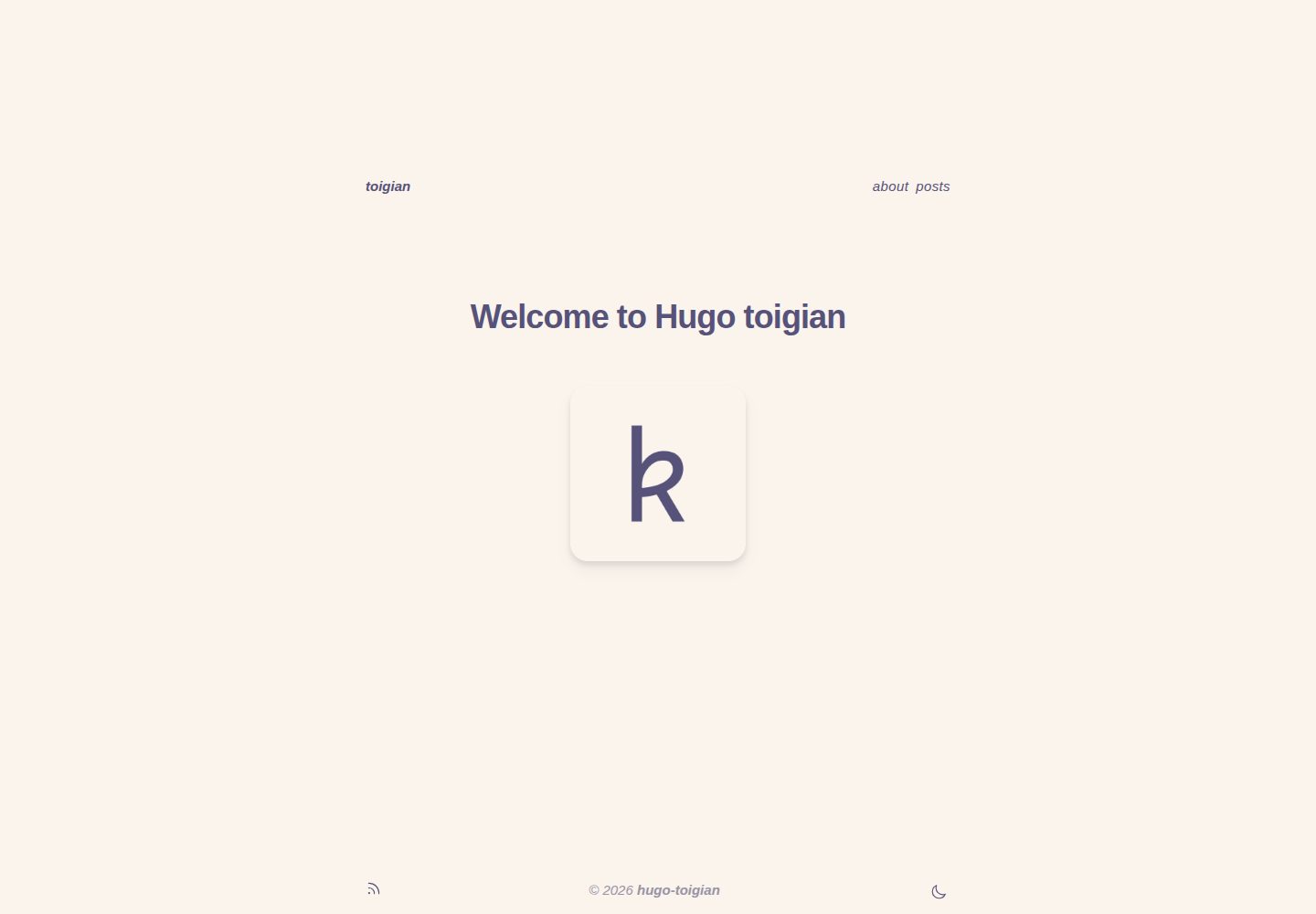
Uses Tailwind CSS and the Rosé Pine color scheme, with light and dark modes
HugoBlogTool Site
hugo-toigian — Hugo Blog Template
By ntk148v
hugo-toigian is a minimal Hugo blog theme built with Tailwind CSS, using the Rosé Pine color scheme, with light and dark modes, a floating side table of contents, comments, and syntax highlighting.
Explore the design
Compare the page layouts and mobile experience. Open any screenshot for a closer look.
Desktop homepage1 / 2
Desktop captureTop of page
Actual screenshot captured by the server browser.
All pages & views 2
Screenshots show visual appearance; interactive behavior may differ.
Recorded 2026-10-03View source
What stands out
A quick read of the recorded project description.
Floating table of contents on the right side of the page, with nested heading numbering
Includes several shortcodes and can enable comments via Disqus
Syntax highlighting uses Hugo's built-in Chroma, with a matching Rosé Pine style
Reserved custom partials and custom.css for overriding fonts and styles
Template Details
hugo-toigian is a Hugo theme the author created while learning Tailwind CSS, positioned as a minimal blog. It uses the Rosé Pine color scheme, offers light and dark modes, has a floating table of contents on the right side of the page, and supports nested heading numbering. The theme includes several shortcodes and can enable comments via Disqus. Code highlighting uses Hugo's built-in Chroma server-side solution; the author submitted a Rosé Pine style to Chroma so the highlighting colors match the overall design.
The theme's customization entry points are clear: under layouts/partials/custom/, three empty partials are reserved for head, content-before, and content-after; layouts/partials/font.html is used to load custom fonts; and assets/css/custom.css is used to override styles. The README provides specific examples for replacing the default monospace font with Overpass and the body font with Inter. Site configuration is centralized in config.toml, where you can set the table of contents toggle, comments toggle, author information, Goldmark rendering options, and the top navigation menu; per-page front matter can override the comments toggle and specify tags.
Before use, note the environment dependencies: Hugo must be the extended version and at least v0.93.0; Hugo Pipes' PostCSS requires postcss-cli and the plugins used (such as autoprefixer); if Hugo is installed via Snap, these Node packages must be installed inside the site directory rather than globally. Installation is done by adding the theme to themes/hugo-toigian via git submodule, then running npm install in the theme directory. The author states they are not a front-end developer, so the code may not be the cleanest; the main goal is to keep things simple and avoid introducing JS when CSS can solve the problem.
HugoBlogTool site
Is it right for your project?
Use Cases
- Building a text-focused personal blog
- Technical article sites that need light and dark modes and a side table of contents
- Projects that want to customize a Hugo theme's styles with Tailwind CSS
- Writing scenarios that use Disqus comments and need code highlighting
Suitable For
- Developers familiar with basic Hugo configuration and command-line operations
- Users willing to adjust the appearance themselves via partials and CSS
- Bloggers who prefer minimal typography and do not need complex front-end interactions
Getting started & customization
Use these recorded setup notes alongside the repository instructions for your chosen version.
- 1
Requires Hugo extended version, at least v0.93.0
- 2
Hugo Pipes' PostCSS depends on postcss-cli and the plugins used, such as autoprefixer
- 3
If using a Snap-installed Hugo, the PostCSS-related Node packages must be installed inside the site directory, not globally with -g
- 4
Add the theme to themes/hugo-toigian via git submodule, and run npm install in the theme directory
- 5
Set theme = "hugo-toigian" in config.toml, and enable toc, comments, and the navigation menu as needed
License & source material
Usage conditions & limitations
Free to use · keep license noticeThis entry covers the free version in the public repository under the Apache-2.0 license; the free scope is the code of that version and does not mean external services or third-party assets are free.
Must comply with when using
- Free use, modification, commercial use, and distribution are permitted; when distributing, the Apache-2.0 license must be included.
- Modified files must be prominently marked as changed, and relevant copyright, patent, trademark, and attribution notices must be retained.
- If the original project includes a NOTICE file, applicable attribution notices in it must be retained when distributing derivative works.
- The license includes an applicable contributor patent grant; initiating patent litigation as described in the license terminates that patent grant, and no trademark rights are granted.
- The code is provided as is; warranties and limitations of liability are governed by the original license and applicable law.
Additional costs & items to verify
- Using this theme requires Hugo extended version, at least v0.93.0; the standard Hugo version cannot build it properly.
- The build depends on postcss-cli and the PostCSS plugins used (such as autoprefixer) in a Node environment, which must be installed separately.
- If Hugo is installed via Snap, PostCSS and its plugins must be installed inside the site directory, not globally with -g.
- The comments feature depends on the third-party Disqus service and requires a Disqus shortname to enable.
- git and npm must be installed locally before use.
- Demo images, fonts, icons, and other third-party assets must be checked against their respective licenses; they cannot be judged solely by the code's Apache-2.0 license.
- External services such as domains, hosting, databases, payments, or AI may incur additional charges.
View Original Text Basis
no-charge, royalty-free, irrevocable copyright license
Original License Text
A minimum Hugo "extended" version of v0.93.0 and above.
Original README
Hugo Pipe’s PostCSS requires the `postcss-cli` JavaScript package to be installed in the environment (`npm install -g postcss postcss-cli`) along with any PostCSS plugin(s) used (e.g., `npm install -g autoprefixer`).
Original README
If you are using the Hugo Snap package, PostCSS and plugin(s) need to be installed locally within your Hugo site directory, e.g., `npm install postcss-cli` without the -g flag.
Original README
# (Optional) If you provide a Disqus shortname, comments will be enabled on # all pages. # disqusShortname = "my-site"
Original README
https://github.com/ntk148v/hugo-toigian/blob/master/LICENSEhttps://github.com/ntk148v/hugo-toigian/blob/master/README.md- `git`, `npm` installed.
Original README
Compiled by DeepSeek based on repository license and README ·2026-10-03. Results only cover the materials read; dependencies, images, fonts, and subsequent term changes are subject to their respective original texts.
Project checks & description sources
Template Information
- Source platforms
- Hugo Themes
- Documentation and maintenance reference score
- More documented · 92 / 100
- Technologies
- Hugo
- Website type
- Blog · Tool Site
How this score is calculated
Our heuristic uses license records (up to 30), a demo link (12), a preview (10), stars (15), recorded maintenance (15), description completeness (8), feature records (5) and classification data (5). It is not a code, security or performance test, or a Google score. A link does not establish tested functionality.
What to verify for this project
- Repository update recorded
- 2026-05-11
- Screenshot last checked
- 2026-10-03
A demo link is listed. Check it with your own content and viewport sizes; its presence does not confirm that forms, authentication or payments work.
The catalog identifies Hugo as the primary stack. Check the actual dependency manifest and lockfile for versions and hosting requirements. These notes use recorded metadata, not a code audit or a deployment test.
Use a selection guide →How this description was prepared
AI-assisted description based on catalog records and repository material. Repository authors are not automatically the reviewers of this description.
Automatically checked against source and license rules; no manual editorial review.
Inspect the recorded source material
SHA-256: 28d85428858949b073bbbdc9986a4863d84232de0d368a417325ed4c19a7088c
2026-10-03T05:14:27.369Z
Source file / repository<div align="center">
<img src="./static/favicon_io/android-chrome-192x192.png">
<h1>Hugo Toigian</h1>
<blockquote align="center">A minimal Hugo theme with Tailwind CSS</blockquote>
<p>
<a href="https://github.com/ntk148v/hugo-toigian/blob/master/LICENSE">
<img alt="GitHub license" src="https://img.shields.io/github/license/ntk148v/hugo-toigian?style=for-the-badge">
</a>
<a href="https://github.com/ntk148v/hugo-toigian/stargazers">
<img alt="GitHub stars" src="https://img.shields.io/github/stars/ntk148v/hugo-toigian?style=for-the-badge">
</a>
<a href="https://gohugo.io">
<img alt="Hugo" src="https://img.shields.io/badge/hugo-0.93.0-blue.svg?style=for-the-badge">
</a>
</p><br>
</div>
> [!Important]
> `Toigian` - `Tối giản` (vietnamese): Minimalist (english)
>
> **Disclaimer**: I'm not a front-end developer, just a guy who like tweaking stuff, so my code may not be pretty/clean. I attempt to learn [Tailwind CSS](https://tailwindcss.com/), and hugo-toigian is the result.
- [0. Showcase](#0-showcase)
- [1. Features](#1-features)
- [2. Prerequisites](#2-prerequisites)
- [3. Installation](#3-installation)
- [3. Configuration](#3-configuration)
- [3.1. Site configuration](#31-site-configuration)
- [3.2. Page configuration](#32-page-configuration)
- [4. Shortcodes](#4-shortcodes)
- [5. Customization](#5-customization)
- [6. Contributing](#6-contributing)
- [7. Credits](#7-credits)
## 0. Showcase
These screenshots may be outdated. Take a look at [demo site](https://ntk148v.github.io/hugo-toigian) for newest.
| Dark | Light |
| ----------------------------------------------------------------------------------------------------------------------------------- | ------------------------------------------------------------------------------------------------------------------------------------- |
| <img src="https://raw.githubusercontent.com/ntk148v/hugo-toigian/master/images/dark-post.png" alt="dark" style="border-radius:1%"/> | <img src="https://raw.githubusercontent.com/ntk148v/hugo-toigian/master/images/light-post.png" alt="dark" style="border-radius:1%" /> |
| <img src="https://raw.githubusercontent.com/ntk148v/hugo-toigian/master/images/dark-home.png" alt="dark" style="border-radius:1%"/> | <img src="https://raw.githubusercontent.com/ntk148v/hugo-toigian/master/images/light-home.png" alt="dark" style="border-radius:1%"/> |
| <img src="https://raw.githubusercontent.com/ntk148v/hugo-toigian/master/images/dark-list.png" alt="dark" style="border-radius:1%"/> | <img src="https://raw.githubusercontent.com/ntk148v/hugo-toigian/master/images/light-list.png" alt="dark" style="border-radius:1%"/> |
## 1. Features
- Minimalist (`tối giản`) design. Highly inspired by [mellow.dev](https://mellow.dev/).
- Use the classy minimalist [Rosé Pine](https://github.com/rose-pine/palette) color palette.
- Customizable.
- Support light/dark mode.
- Nested counters for heading.
- Side floating Table of content.
- Useful shortcodes.
- Comments support.
- Syntax highlighting: use server-side solution (Chroma, hugo built-in), I've added [Rosé Pine styles to Chroma](https://github.com/alecthomas/chroma/pull/689), so everything is the same vibe.
## 2. Prerequisites
- `git`, `npm` installed.
- A minimum Hugo "extended" version of v0.93.0 and above.
```shell
snap install hugo --channel=extended
```
- Hugo Pipe’s PostCSS requires the `postcss-cli` JavaScript package to be installed in the environment (`npm install -g postcss postcss-cli`) along with any PostCSS plugin(s) used (e.g., `npm install -g autoprefixer`). If you are using the Hugo Snap package, PostCSS and plugin(s) need to be installed locally within your Hugo site directory, e.g., `npm install postcss-cli` without the -g flag.
## 3. Installation
- Go to root directory of your Hugo website, or create a new site with:
```shell
hugo new site hugo-example-site
cd hugo-example-site
git init
```
- Add the theme.
```shell
git submodule add https://github.com/ntk148v/hugo-toigian.git themes/hugo-toigian
```
- Install Nodejs modules.
```shell
cd themes/hugo-toigian
npm install
```
- Finally, update theme in your configuration `config.toml` file in the root directory of your Hugo website.
```toml
theme = "hugo-toigian"
```
- Run server to see a live preview of it.
```shell
hugo server -DF --disableFastRender
```
- Build static pages
```shell
hugo --environment production --minify
```
## 3. Configuration
### 3.1. Site configuration
There are a few configuration options that you can add to [config.toml](./exampleSite/config.toml) file.
```toml
baseURL = 'http://example.org/'
languageCode = 'en-us'
title = 'Toigian'
theme = "hugo-toigian"
themesDir = "../.."
# (Optional) If you provide a Disqus shortname, comments will be enabled on
# all pages.
# disqusShortname = "my-site"
[params]
# (Optional, default true): Controls table of contents visibility on right side of pages.
# Start and end levels can be controlled with markup.tableOfContents setting.
toc = true
# (Optional, default true) Enables comments template on pages
# By default partials/docs/comments.html includes Disqus template
# See https://gohugo.io/content-management/comments/#configure-disqus
# Can be overwritten by same param in page frontmatter
comments = true
[params.author]
name = "Kien Nguyen-Tuan"
email = "[email protected]"
[markup]
defaultMarkdownHandler = "goldmark"
# By default, Goldmark trims unsafe outputs which might prevent some shortcodes from rendering.
# It is recommended to set markup.goldmark.renderer.unsafe=true if you encounter problems.
[markup.goldmark]
[markup.goldmark.renderer]
unsafe = true # Enable user to embed HTML snippets in Markdown content.
[markup.highlight]
codeFences = true
guessSyntax = true
lineNos = false
noClasses = false
tabWidth = 4
[markup.tableOfContents]
startLevel = 2
endLevel = 4
ordered = true
# The left side navbar at the top
[menu]
[[menu.nav]]
name = "About"
url = "/about"
weight = 2
[[menu.nav]]
name = "Posts"
url = "/posts"
weight = 3
```
### 3.2. Page configuration
You can specify additional params in the front matter of individual pages.
```md
# Your posts tags
tags = []
# If you have enabled comments for the site, you can disable it for specific pages
comment = true
```
## 4. Shortcodes
Check out [shortcodes](https://ntk148v.github.io/hugo-toigian/posts/shortcodes).
## 5. Customization
- Partials: There are layout partials available for you to easily override components of the theme in `layouts/partials/`.
| Empty partial | Placement | Usage |
| --------------------------------------------- | --------------------------- | ------------------- |
| `layouts/partials/custom/head.html` | Before closing `<head>` tag | Add custom css/js |
| `layouts/partials/custom/content-before.html` | Before page content | |
| `layouts/partials/custom/content-after.html` | After page content | |
| `layouts/partials/font.html` | | Import custom fonts |
- Extra customization:
| File | Description |
| ----------------------- | -------------------------------- |
| `assets/css/custom.css` | Customize or override css styles |
- For example, you don't like the chosen font (Inconsolata), and you want to use your own choice, follow these steps:
- Create `layouts/partials/font.html` to import your fonts:
```html
<!-- load Inter and Overpass fonts -->
<link rel="preconnect" href="https://fonts.googleapis.com" />
<link rel="preconnect" href="https://fonts.gstatic.com" crossorigin />
<link
href="https://fonts.googleapis.com/css2?family=Inter:wght@400;500;700&family=Overpass:wght@400;500&display=swap"
rel="stylesheet"
/>
```
- Create `assets/css/custom.css`:
```scss
// change the default mono font to Overpass
:root {
--font-mono: "Overpass";
--font-serif: "Inter";
}
```
## 6. Contributing
As you already known, I'm not front-end developer. Therefore, if you find anything wrong or want to make improvement, don't hesitate to open an issue/pull request.
Primary goals are:
- Keep it simple.
- Avoid using JS if it can be solved by CSS.
Feel free to open issues if you find missing configuration or customization options.
## 7. Credits
- [hugo-book](https://github.com/alex-shpak/hugo-book)
- [dirkolbrich/hugo-tailwindcss-starter-theme](https://github.com/dirkolbrich/hugo-tailwindcss-starter-theme)
Explore similar templates
Compare previews and descriptions within the same stack and category.

hugo-PaperMod
A fast, clean, responsive Hugo theme for blogs and lightweight portfolios, with three layout modes (Regular, Home-Info, Profile), automatic and manual light/dark themes, Fuse.js client-side search, multilingual support, and built-in Open Graph, Twitter Cards, and Schema.org data.
Hugo · Portfolio

LoveIt
LoveIt is a clean, elegant, and feature-rich Hugo blog theme derived from LeaveIt and KeepIt, MIT-licensed. It offers light/dark modes, responsive layout, multilingual support, and search via Lunr.js or Algolia.
Hugo · Blog

hugo-coder
hugo-coder is a minimalist Hugo blog theme maintained by luizdepra under the MIT license. It provides a clean, text-focused blog appearance, configuration documentation in the docs directory, and a complete exampleSite with hugo.toml.
Hugo · Blog

blowfish
Blowfish is a Hugo personal website and blog theme built with Tailwind CSS 4, focused on lightness, simplicity, and content-first presentation.
Hugo · Blog

hugo-paper
hugo-paper is a simple, clean, and customizable Hugo blog theme configured through config.toml or hugo.toml.
Hugo · Blog

hextra
Hextra is a Hugo theme for documentation and blog sites, built on Hugo and Tailwind CSS with design referencing Nextra.
Hugo · Documentation