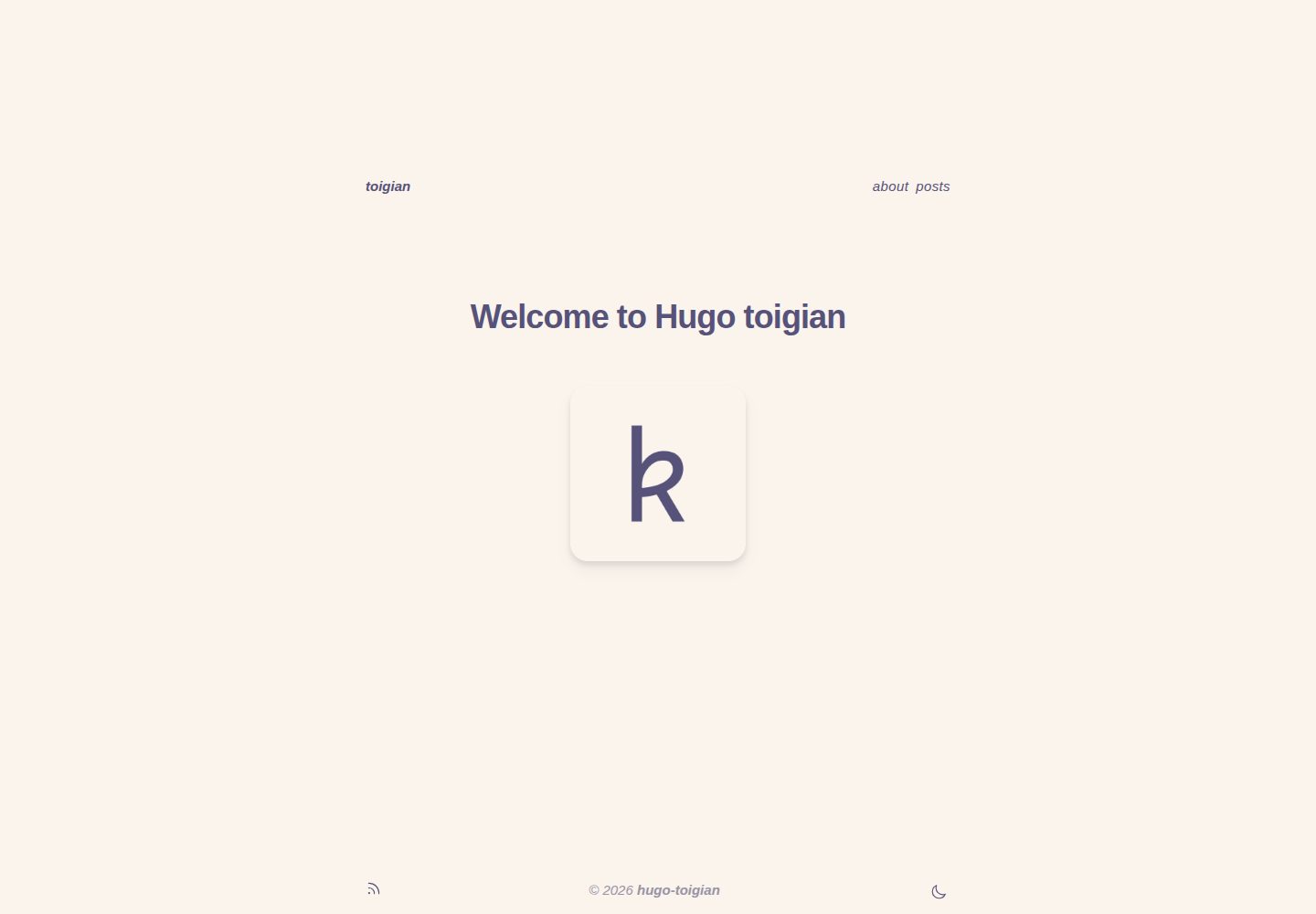
使用 Tailwind CSS 与 Rosé Pine 配色,提供明暗两种模式
Hugo博客工具站
hugo-toigian — Hugo 博客模板
作者 ntk148v
hugo-toigian 是一个使用 Tailwind CSS 构建的极简 Hugo 博客主题,采用 Rosé Pine 配色,支持明暗模式、侧边浮动目录、评论与语法高亮。
看看你的网站会是什么样
浏览真实页面截图,比较内容排版与手机效果。点击下方缩略图切换,放大查看整页细节。
全部页面与视图 2
截图用于了解视觉与布局,交互效果请以实际项目为准。
采集于 2026-10-03查看来源
值得关注的模板亮点
从已有项目资料中,快速了解它的特点。
页面右侧浮动目录,标题支持嵌套计数
内置多个 shortcode,并可通过 Disqus 开启评论
语法高亮使用 Hugo 内置 Chroma,配套 Rosé Pine 样式
预留 custom partial 与 custom.css,便于覆盖字体和样式
模板详细介绍
hugo-toigian 是作者在学习 Tailwind CSS 过程中做出来的 Hugo 主题,定位是极简博客。它使用 Rosé Pine 配色方案,提供明暗两种模式,页面右侧有浮动目录,标题支持嵌套计数。主题内置若干 shortcode,并可通过 Disqus 开启评论。代码高亮走 Hugo 内置的 Chroma 服务端方案,作者为 Chroma 提交了 Rosé Pine 样式,使高亮配色与整体一致。
主题的定制入口比较明确:layouts/partials/custom/ 下预留了 head、content-before、content-after 三个空 partial,layouts/partials/font.html 用于引入自定义字体,assets/css/custom.css 用于覆盖样式。README 给出了把默认等宽字体换成 Overpass、正文字体换成 Inter 的具体示例。站点配置集中在 config.toml,可设置目录开关、评论开关、作者信息、Goldmark 渲染选项和顶部导航菜单;单页 front matter 可覆盖评论开关并填写 tags。
使用前需要留意环境依赖:Hugo 必须是 extended 版本,且版本不低于 v0.93.0;Hugo Pipes 的 PostCSS 需要 postcss-cli 及所用插件(如 autoprefixer),若通过 Snap 安装 Hugo,这些 Node 包要装在站点目录内而非全局。安装方式为 git submodule 加入 themes/hugo-toigian,再进入主题目录执行 npm install。作者自述并非前端开发者,代码可能不够整洁,主要目标是保持简单、能用 CSS 解决就不引入 JS。
Hugo博客工具站
适合你的项目吗?
适用场景
- 搭建以文字为主的个人博客
- 需要明暗模式与侧边目录的技术文章站点
- 希望用 Tailwind CSS 定制 Hugo 主题样式的项目
- 使用 Disqus 评论并需要代码高亮的写作场景
适合人群
- 熟悉 Hugo 基本配置与命令行操作的开发者
- 愿意通过 partial 和 CSS 自行调整外观的用户
- 偏好极简排版、不需要复杂前端交互的博客作者
上手与定制指南
结合仓库当前版本的说明,按下面的资料检查内容、配置与运行要求。
- 1
需要 Hugo extended 版本,且不低于 v0.93.0
- 2
Hugo Pipes 的 PostCSS 依赖 postcss-cli 及所用插件,如 autoprefixer
- 3
若使用 Snap 安装的 Hugo,PostCSS 相关 Node 包需装在站点目录内,不要用 -g 全局安装
- 4
通过 git submodule 将主题加入 themes/hugo-toigian,并在主题目录执行 npm install
- 5
在 config.toml 中设置 theme = "hugo-toigian",按需开启 toc、comments 与导航菜单
授权与来源资料
使用条件与限制
免费使用 · 保留许可声明本次收录的是公开仓库中采用 Apache-2.0 许可的免费版本;免费范围为该版本代码,不代表外部服务或第三方素材免费。
使用时需要遵守
- 允许免费使用、修改、商用和分发;分发时需随附 Apache-2.0 许可证。
- 修改过的文件需显著标明改动,并保留相关版权、专利、商标及归属声明。
- 若原项目附有 NOTICE 文件,分发衍生作品时需保留其中适用的归属声明。
- 许可包含适用的贡献者专利授权;发起许可所述专利诉讼会终止该专利授权,且不授予商标使用权。
- 代码按现状提供;担保与责任限制以原许可证及适用法律为准。
额外费用与待核对事项
- 使用本主题要求 Hugo 为 extended 版本且不低于 v0.93.0,普通版 Hugo 无法正常构建。
- 构建依赖 Node 环境中的 postcss-cli 及所用 PostCSS 插件(如 autoprefixer),需自行安装。
- 若通过 Snap 安装 Hugo,PostCSS 及插件必须装在站点目录内,不能使用 -g 全局安装。
- 评论功能依赖第三方 Disqus 服务,需提供 Disqus shortname 才能启用。
- 使用前需在本机安装 git 与 npm。
- 演示图片、字体、图标及其他第三方素材需按各自许可核对,不能仅凭代码的 Apache-2.0 许可判断。
- 域名、托管、数据库、支付或 AI 等外部服务可能另外收费。
查看原文依据
no-charge, royalty-free, irrevocable copyright license
许可证原文
A minimum Hugo "extended" version of v0.93.0 and above.
README 原文
Hugo Pipe’s PostCSS requires the `postcss-cli` JavaScript package to be installed in the environment (`npm install -g postcss postcss-cli`) along with any PostCSS plugin(s) used (e.g., `npm install -g autoprefixer`).
README 原文
If you are using the Hugo Snap package, PostCSS and plugin(s) need to be installed locally within your Hugo site directory, e.g., `npm install postcss-cli` without the -g flag.
README 原文
# (Optional) If you provide a Disqus shortname, comments will be enabled on # all pages. # disqusShortname = "my-site"
README 原文
https://github.com/ntk148v/hugo-toigian/blob/master/LICENSEhttps://github.com/ntk148v/hugo-toigian/blob/master/README.md- `git`, `npm` installed.
README 原文
DeepSeek 根据仓库许可证和 README 整理 ·2026-10-03。结果仅覆盖已读取资料,依赖、图片、字体及后续条款变更以各自原文为准。
项目核对记录与介绍依据
模板资料
- 来源平台
- Hugo Themes
- 资料与维护参考分
- 资料较完整 · 92 / 100
- 技术栈
- Hugo
- 网站类型
- 博客 · 工具站
这个分数如何计算
本站按许可资料(最高30分)、演示链接(12分)、预览图(10分)、Star数(15分)、记录的维护时间(15分)、描述完整度(8分)、功能记录(5分)和分类资料(5分)计算。它不是代码、安全或性能测试,也不是 Google 评分;有链接不代表已实测可用。
这个项目需要核对什么
- 记录的仓库更新时间
- 2026-05-11
- 截图检查日期
- 2026-10-03
已收录演示链接。请用你的内容与屏幕尺寸检查;有演示不代表表单、认证或支付已经可用。
目录记录的主要技术栈是 Hugo。请通过依赖清单和锁文件核对实际版本与托管要求。这些说明基于收录资料,不代表代码审计或部署实测。
查看具体选型方法 →介绍的制作与核对状态
介绍由 AI 辅助整理目录与仓库资料。仓库作者不等于这篇介绍的审核者。
已完成服务器许可规则与 AI 来源核对;未经过人工编辑审核。
查看当时使用的来源资料
SHA-256: 28d85428858949b073bbbdc9986a4863d84232de0d368a417325ed4c19a7088c
2026-10-03T05:14:27.369Z
来源文件 / 仓库<div align="center">
<img src="./static/favicon_io/android-chrome-192x192.png">
<h1>Hugo Toigian</h1>
<blockquote align="center">A minimal Hugo theme with Tailwind CSS</blockquote>
<p>
<a href="https://github.com/ntk148v/hugo-toigian/blob/master/LICENSE">
<img alt="GitHub license" src="https://img.shields.io/github/license/ntk148v/hugo-toigian?style=for-the-badge">
</a>
<a href="https://github.com/ntk148v/hugo-toigian/stargazers">
<img alt="GitHub stars" src="https://img.shields.io/github/stars/ntk148v/hugo-toigian?style=for-the-badge">
</a>
<a href="https://gohugo.io">
<img alt="Hugo" src="https://img.shields.io/badge/hugo-0.93.0-blue.svg?style=for-the-badge">
</a>
</p><br>
</div>
> [!Important]
> `Toigian` - `Tối giản` (vietnamese): Minimalist (english)
>
> **Disclaimer**: I'm not a front-end developer, just a guy who like tweaking stuff, so my code may not be pretty/clean. I attempt to learn [Tailwind CSS](https://tailwindcss.com/), and hugo-toigian is the result.
- [0. Showcase](#0-showcase)
- [1. Features](#1-features)
- [2. Prerequisites](#2-prerequisites)
- [3. Installation](#3-installation)
- [3. Configuration](#3-configuration)
- [3.1. Site configuration](#31-site-configuration)
- [3.2. Page configuration](#32-page-configuration)
- [4. Shortcodes](#4-shortcodes)
- [5. Customization](#5-customization)
- [6. Contributing](#6-contributing)
- [7. Credits](#7-credits)
## 0. Showcase
These screenshots may be outdated. Take a look at [demo site](https://ntk148v.github.io/hugo-toigian) for newest.
| Dark | Light |
| ----------------------------------------------------------------------------------------------------------------------------------- | ------------------------------------------------------------------------------------------------------------------------------------- |
| <img src="https://raw.githubusercontent.com/ntk148v/hugo-toigian/master/images/dark-post.png" alt="dark" style="border-radius:1%"/> | <img src="https://raw.githubusercontent.com/ntk148v/hugo-toigian/master/images/light-post.png" alt="dark" style="border-radius:1%" /> |
| <img src="https://raw.githubusercontent.com/ntk148v/hugo-toigian/master/images/dark-home.png" alt="dark" style="border-radius:1%"/> | <img src="https://raw.githubusercontent.com/ntk148v/hugo-toigian/master/images/light-home.png" alt="dark" style="border-radius:1%"/> |
| <img src="https://raw.githubusercontent.com/ntk148v/hugo-toigian/master/images/dark-list.png" alt="dark" style="border-radius:1%"/> | <img src="https://raw.githubusercontent.com/ntk148v/hugo-toigian/master/images/light-list.png" alt="dark" style="border-radius:1%"/> |
## 1. Features
- Minimalist (`tối giản`) design. Highly inspired by [mellow.dev](https://mellow.dev/).
- Use the classy minimalist [Rosé Pine](https://github.com/rose-pine/palette) color palette.
- Customizable.
- Support light/dark mode.
- Nested counters for heading.
- Side floating Table of content.
- Useful shortcodes.
- Comments support.
- Syntax highlighting: use server-side solution (Chroma, hugo built-in), I've added [Rosé Pine styles to Chroma](https://github.com/alecthomas/chroma/pull/689), so everything is the same vibe.
## 2. Prerequisites
- `git`, `npm` installed.
- A minimum Hugo "extended" version of v0.93.0 and above.
```shell
snap install hugo --channel=extended
```
- Hugo Pipe’s PostCSS requires the `postcss-cli` JavaScript package to be installed in the environment (`npm install -g postcss postcss-cli`) along with any PostCSS plugin(s) used (e.g., `npm install -g autoprefixer`). If you are using the Hugo Snap package, PostCSS and plugin(s) need to be installed locally within your Hugo site directory, e.g., `npm install postcss-cli` without the -g flag.
## 3. Installation
- Go to root directory of your Hugo website, or create a new site with:
```shell
hugo new site hugo-example-site
cd hugo-example-site
git init
```
- Add the theme.
```shell
git submodule add https://github.com/ntk148v/hugo-toigian.git themes/hugo-toigian
```
- Install Nodejs modules.
```shell
cd themes/hugo-toigian
npm install
```
- Finally, update theme in your configuration `config.toml` file in the root directory of your Hugo website.
```toml
theme = "hugo-toigian"
```
- Run server to see a live preview of it.
```shell
hugo server -DF --disableFastRender
```
- Build static pages
```shell
hugo --environment production --minify
```
## 3. Configuration
### 3.1. Site configuration
There are a few configuration options that you can add to [config.toml](./exampleSite/config.toml) file.
```toml
baseURL = 'http://example.org/'
languageCode = 'en-us'
title = 'Toigian'
theme = "hugo-toigian"
themesDir = "../.."
# (Optional) If you provide a Disqus shortname, comments will be enabled on
# all pages.
# disqusShortname = "my-site"
[params]
# (Optional, default true): Controls table of contents visibility on right side of pages.
# Start and end levels can be controlled with markup.tableOfContents setting.
toc = true
# (Optional, default true) Enables comments template on pages
# By default partials/docs/comments.html includes Disqus template
# See https://gohugo.io/content-management/comments/#configure-disqus
# Can be overwritten by same param in page frontmatter
comments = true
[params.author]
name = "Kien Nguyen-Tuan"
email = "[email protected]"
[markup]
defaultMarkdownHandler = "goldmark"
# By default, Goldmark trims unsafe outputs which might prevent some shortcodes from rendering.
# It is recommended to set markup.goldmark.renderer.unsafe=true if you encounter problems.
[markup.goldmark]
[markup.goldmark.renderer]
unsafe = true # Enable user to embed HTML snippets in Markdown content.
[markup.highlight]
codeFences = true
guessSyntax = true
lineNos = false
noClasses = false
tabWidth = 4
[markup.tableOfContents]
startLevel = 2
endLevel = 4
ordered = true
# The left side navbar at the top
[menu]
[[menu.nav]]
name = "About"
url = "/about"
weight = 2
[[menu.nav]]
name = "Posts"
url = "/posts"
weight = 3
```
### 3.2. Page configuration
You can specify additional params in the front matter of individual pages.
```md
# Your posts tags
tags = []
# If you have enabled comments for the site, you can disable it for specific pages
comment = true
```
## 4. Shortcodes
Check out [shortcodes](https://ntk148v.github.io/hugo-toigian/posts/shortcodes).
## 5. Customization
- Partials: There are layout partials available for you to easily override components of the theme in `layouts/partials/`.
| Empty partial | Placement | Usage |
| --------------------------------------------- | --------------------------- | ------------------- |
| `layouts/partials/custom/head.html` | Before closing `<head>` tag | Add custom css/js |
| `layouts/partials/custom/content-before.html` | Before page content | |
| `layouts/partials/custom/content-after.html` | After page content | |
| `layouts/partials/font.html` | | Import custom fonts |
- Extra customization:
| File | Description |
| ----------------------- | -------------------------------- |
| `assets/css/custom.css` | Customize or override css styles |
- For example, you don't like the chosen font (Inconsolata), and you want to use your own choice, follow these steps:
- Create `layouts/partials/font.html` to import your fonts:
```html
<!-- load Inter and Overpass fonts -->
<link rel="preconnect" href="https://fonts.googleapis.com" />
<link rel="preconnect" href="https://fonts.gstatic.com" crossorigin />
<link
href="https://fonts.googleapis.com/css2?family=Inter:wght@400;500;700&family=Overpass:wght@400;500&display=swap"
rel="stylesheet"
/>
```
- Create `assets/css/custom.css`:
```scss
// change the default mono font to Overpass
:root {
--font-mono: "Overpass";
--font-serif: "Inter";
}
```
## 6. Contributing
As you already known, I'm not front-end developer. Therefore, if you find anything wrong or want to make improvement, don't hesitate to open an issue/pull request.
Primary goals are:
- Keep it simple.
- Avoid using JS if it can be solved by CSS.
Feel free to open issues if you find missing configuration or customization options.
## 7. Credits
- [hugo-book](https://github.com/alex-shpak/hugo-book)
- [dirkolbrich/hugo-tailwindcss-starter-theme](https://github.com/dirkolbrich/hugo-tailwindcss-starter-theme)
看看同类模板
对比同技术栈与用途的模板,找到更适合的视觉与内容结构。

hugo-PaperMod
PaperMod 是 Hugo 生态里知名度较高的主题之一,定位很明确:给博客和轻量作品集站点提供一套干净、响应式的阅读界面。
Hugo · 作品集

LoveIt
❤️A clean, elegant but advanced blog theme for Hugo 一个简洁、优雅且高效的 Hugo 主题
Hugo · 博客

hugo-coder
A minimalist blog theme for hugo.
Hugo · 博客

blowfish
Personal Website & Blog Theme for Hugo
Hugo · 博客

hugo-paper
🪺 A simple, clean, customizable Hugo theme
Hugo · 博客

hextra
Hextra 是一个 Hugo 主题,定位在文档站与博客之间:既提供侧边栏导航、目录、面包屑、分页这类文档站结构,也能承载博客内容。
Hugo · 文档