Every number card has an (i) icon explaining its counting rules and limitations, and the build tool checks and rejects pages missing that explanation.
HTMLAdmin dashboard
plain-board — HTML Admin dashboard Template
By nurah-kamal
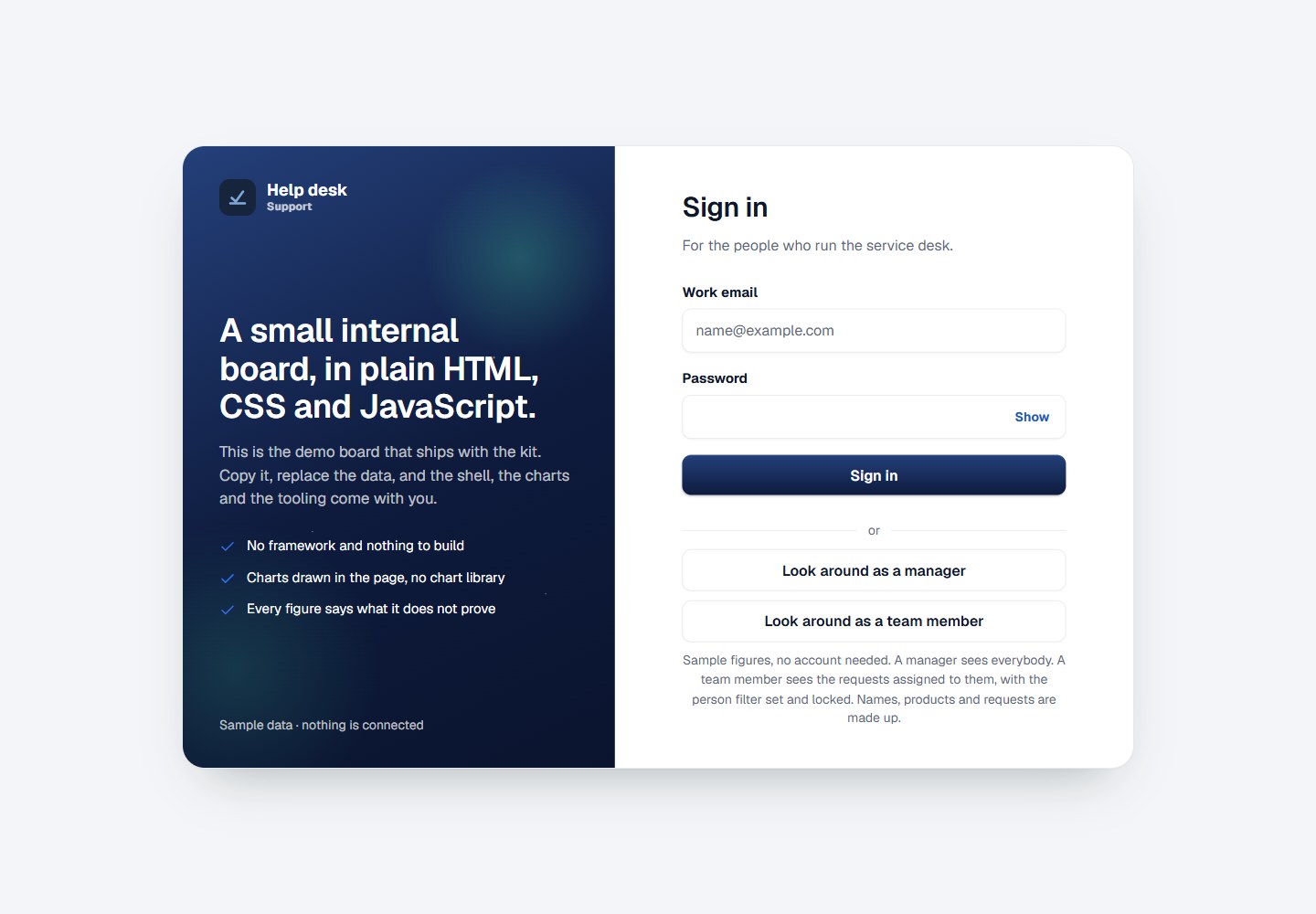
Plain Board is a framework-free, dependency-free internal reporting board template with twelve pages, emphasizing that every number states its counting rules and limitations.
Explore the design
Compare the page layouts and mobile experience. Open any screenshot for a closer look.
Desktop homepage1 / 2
Desktop captureTop of page
Rendered from the fixed source checkout.
All pages & views 2
Screenshots show visual appearance; interactive behavior may differ.
Recorded 2026-10-16View source
What stands out
A quick read of the recorded project description.
Blank is not treated as evidence: a row with no record means nobody wrote anything down, not that nothing happened, and every number counting blanks says so next to it.
Comparisons refuse themselves when there is no reliable period, rather than comparing against a shorter, unfair period.
Percentages are not printed on too small a base, e.g. two requests becoming eight shows as '2 to 8' rather than 300%.
Changes are colored only when the board can judge whether the direction is good or bad; count changes are shown in gray because more arrivals means busier, not better.
Tables show at most 200 rows and state the truncation, but exports still save all data.
Template Details
Plain Board is a small board template for internal team reporting, designed so that every number clearly states what it proves and what it does not. The README states it contains twelve pages, grouped by the questions they answer, such as Today, Waiting for a reply, Note quality, Channels, By person, Workload, Needs a decision, Trends, Sources and coverage, Reading rules, Components and Your data. The template includes 129 fictional requests as demo data and allows uploading CSV or JSON files on the Your data page to use your own data. Files are read and saved in the browser and are not uploaded, because the content security policy only allows connections to 'self'. The README also describes mechanisms such as saved views, custom number lines, and build tools.
On the technical side, the README explicitly states there is no framework, no build step, no dependencies, no chart library, and all charts are drawn with SVG. Each page is generated from a single shell via tools/build-pages.js. The template includes a content security policy that does not allow inline scripts and loads only two external fonts. The demo login only uses localStorage to remember example people and does not constitute a security boundary. The README does not provide information about production readiness, performance or scalability.
HTMLBackend
Is it right for your project?
Use Cases
- A team reads internal reports on Monday morning and needs to quickly see which requests need handling and how key numbers have changed.
- Need to drag and drop a CSV or JSON file onto the page to view your own request data in the browser without uploading to a server.
- Need to save a set of filters as a view to return to later.
- Need to set a custom line on a number and see a prompt when the number crosses that line upon opening the board.
- Need to see how each chart, control and state is drawn on the Components page and its calling code.
Suitable For
- Teams that need an internal reporting board and value honest data caveats.
- Developers who want a static page template with no framework, no dependencies and no build step.
- Users who need to view CSV or JSON data locally in the browser without uploading to a server.
- Maintainers who want to generate multiple pages from a single shell and manage menus and markup centrally.
Getting started & customization
Use these recorded setup notes alongside the repository instructions for your chosen version.
- 1
No installation required; run any static server in the folder, e.g. npx serve ., then open the printed address.
- 2
Rename the board with node tools/new-board.js "Intake board" --team "Admissions"; this command updates the five places the name appears and rebuilds all pages.
- 3
Modify four files in order: assets/js/shared/data.js (demo data), assets/js/shared/board.js (board configuration), tools/build-pages.js (page list and markup), assets/js/pages/*.js (per-page scripts).
- 4
Before committing any changes involving assets/, run node tools/stamp-assets.js to add content hashes to asset links.
- 5
A deployed board can point BOARD.dataFile in assets/js/shared/board.js to a CSV file alongside it, but it must be same-origin because the content security policy only allows connections to 'self'.
License & source material
Usage conditions & limitations
Free to use · keep license noticeThis entry covers the free version under the MIT license in the public repository; the free scope is the code of that version and does not mean external services or third-party assets are free.
Must comply with when using
- Free use, modification, commercial use and distribution of this version's code are allowed.
- When distributing copies or substantial portions of the code, retain the original author's copyright notice and the full MIT license notice.
- The code is provided as is; warranties and liability limitations are governed by the original license and applicable law.
Additional costs & items to verify
- Demo images, fonts, icons and other third-party assets must be checked against their respective licenses and cannot be judged solely by the code's MIT license.
- External services such as domains, hosting, databases, payments or AI may incur separate charges.
- Uploaded CSV/JSON files are only read and saved locally in the browser and are not uploaded to a server; the content security policy only allows connections to 'self'.
- If a deployed board loads a CSV via BOARD.dataFile, the file must be same-origin with the board; the content security policy only allows connections to 'self' by default unless the policy is intentionally relaxed.
- Custom number lines are not alerts: no notifications are sent, there is no server to send them, and they only show when the board is opened.
- Saved views exist only in the current browser and are not shared, synced or backed up.
- The demo login only uses localStorage to remember example people and does not constitute a security boundary; the manager/member role division only determines what is drawn, not permissions.
- All scripts share the same scope with no module system; declaring a const with the same name in shared/ and pages/ will silently break the page.
- Each page has a content security policy: inline scripts are not allowed, styles are set via JavaScript; no external resources are loaded except two fonts.
- Only a light theme is provided; there is no dark mode.
- Tables show at most 200 rows and state the truncation, but exports still save all data.
- Demo data consists of 129 fictional requests; to use your own data, drag and drop a CSV or JSON file on the Your data page.
View Original Text Basis
Permission is hereby granted, free of charge
Original License Text
- **The file is read in this browser and kept in this browser.** It is not uploaded — there is no server to upload it to, and the content security policy on every page would not allow one to be reached.
Original README
- **A board you deploy can carry its own file.** Set `BOARD.dataFile` in `assets/js/shared/board.js` to a CSV sitting beside the board. It must be on the same address: the content security policy allows connections to `'self'` only, which rules out a published sheet or an API unless you widen that policy on purpose.
Original README
- **It is a line, not an alert.** Nothing is sent. There is no server to send it, so a
Original README
- **A saved view lives in that browser.** It is not shared, synced or backed up.
Original README
**The demo sign-in is a demonstration.** It remembers a sample person in `localStorage` and nothing more. Replace `assets/js/shared/session.js` when you connect real accounts, and do not treat the manager/member split as a security boundary — it decides what is drawn, not what is allowed.
Original README
**Every script shares one scope.** There is no module system, so two files declaring the same `const` will silently kill a page. Keep names distinct across `shared/` and `pages/`.
Original README
**There is a content security policy on every page.** No inline scripts, and styles are set through the element from JavaScript rather than injected as text. It is why there is no chart library: nothing external loads except the two fonts.
Original README
**One theme, deliberately.** Light, from the Service Board design system. These boards are read at a desk and on a projector, so there is no dark mode to maintain.
Original README
- **A table caps at 200 rows and names what it capped.** The export still saves everything.
Original README
https://github.com/nurah-kamal/plain-board/blob/main/LICENSEhttps://github.com/nurah-kamal/plain-board/blob/main/README.mdThe demo ships with 129 invented requests. To put your own in front of it, open **Your data** and drop a CSV or JSON file on the page.
Original README
Compiled by DeepSeek based on repository license and README ·2026-10-15. Results only cover the materials read; dependencies, images, fonts, and subsequent term changes are subject to their respective original texts.
Project checks & description sources
Template Information
- Source platforms
- GitHub
- Documentation and maintenance reference score
- Partly documented · 68 / 100
- Technologies
- HTML
- Website type
- Admin dashboard
How this score is calculated
Our heuristic uses license records (up to 30), a demo link (12), a preview (10), stars (15), recorded maintenance (15), description completeness (8), feature records (5) and classification data (5). It is not a code, security or performance test, or a Google score. A link does not establish tested functionality.
What to verify for this project
- Repository update recorded
- 2026-09-27
- Screenshot last checked
- 2026-10-16
No demo link is recorded. Use the repository instructions to evaluate the project locally; the screenshot alone cannot establish interactive behavior.
The catalog identifies HTML as the primary stack. Check the actual dependency manifest and lockfile for versions and hosting requirements. These notes use recorded metadata, not a code audit or a deployment test.
Use a selection guide →How this description was prepared
AI-assisted description based on catalog records and repository material. Repository authors are not automatically the reviewers of this description.
Review declaration: codex-user-requested-batch-review-20261017 · 2026-10-16
Inspect the recorded source material
SHA-256: 05275cfe9a399bb839ca08bbc03e9e1ecc6ec21d635a4d88a43cd84a0a41b701
2026-10-15T13:19:08.956Z
Source file / repository# Plain Board
**A small internal reporting board — the kind of page a team reads on a Monday morning — where every figure says what it does not prove.**
**Live demo:** https://nurah-kamal.github.io/plain-board/ — choose **Look around as a manager**, no account needed.

## What the board shows
Twelve pages, grouped by the question each one answers.
| Page | The question it answers |
| --- | --- |
| **Today** | What needs somebody right now, how the four headline figures moved against the period before, and the last six weeks of each |
| **Waiting for a reply** | Which requests have nothing recorded against them, grouped by how long they have waited |
| **Note quality** | Whether what was written down is enough for the next person to pick the request up |
| **Channels** | Where requests arrive, and how each channel compares with the period before |
| **By person** | What each person was given and what came back on it |
| **Workload** | What is open against each person right now — for balancing, not for judging |
| **Needs a decision** | What is waiting on a manager, grouped by what has to happen next |
| **Trends** | Twelve weeks on every measure the board reports |
| **Sources and coverage** | What the board reads, when it was read, and what it cannot see |
| **Reading rules** | How every figure is counted, and what each one will not prove |
| **Components** | Every chart, control and state the kit ships, drawn once with the call that drew it |
| **Your data** | What the board is reading, and how to point it at your own rows |
## The part worth copying
Most boards overclaim. This one is built not to, and the rules are in the product rather than in a document:
- **A figure says what it does not prove.** Every tile carries an (i) with its counting rule and its limit. A tile without one is not finished — `tools/check-tiles.js` runs inside the build and the stamp step, and refuses to let a page ship without it.
- **Blank is not proof.** A row with nothing recorded means nobody wrote anything down — not that nothing happened. Every figure that counts blanks says so beside itself.
- **A comparison refuses itself** when there is no honest period behind it, rather than comparing against a shorter, unfair stretch.
- **A percentage is not printed off a base too small to support it.** Two requests becoming eight is not a 300% improvement, it is six requests — so the chip reads `2 to 8`.
- **A change is only coloured where the board can call a direction better or worse.** Volume is stated in grey: more arriving is busier, not better.
- **Each fact is said once per page.** One banner with one message, figure cards that are a name, a figure and one line, and no small charts repeating a panel lower down. The rules are in [DESIGN.md](DESIGN.md#say-each-thing-once).
- **A table caps at 200 rows and names what it capped.** The export still saves everything.
- **Nothing scores or ranks a person.** Note quality is measured on length alone, because length is the only thing the text can honestly be read for.
There is a whole page — **Reading rules** — devoted to what the board will not tell you.

## Your own rows
The demo ships with 129 invented requests. To put your own in front of it, open **Your data** and drop a CSV or JSON file on the page.

- **The file is read in this browser and kept in this browser.** It is not uploaded — there is no server to upload it to, and the content security policy on every page would not allow one to be reached.
- **Two columns are needed, and the page says so before you drop anything:** one that names each row (`id`, `ref`, `ticket`, `number`, `case`) and one that says when it arrived (`arrived`, `date`, `opened`, `created`, `received`, `raised`). Everything else is optional and has a sensible default.
- **Nothing has to be renamed.** Headings are matched however they are spelled, cased, spaced, hyphenated or underscored — `Assigned To`, `Hours to reply`, `Received by` are all understood. Anything the board does not read is left alone and named back to you.
- **There is an example file to start from.** The Your data page will hand you a CSV with the right headings and three rows in it, so you can line your own export up against something real rather than against a table.
- **What it refused is reported as carefully as what it took** — how many lines, and why each one was refused. A refused line is left out of every figure rather than counted as a zero.
- **A board you deploy can carry its own file.** Set `BOARD.dataFile` in `assets/js/shared/board.js` to a CSV sitting beside the board. It must be on the same address: the content security policy allows connections to `'self'` only, which rules out a published sheet or an API unless you widen that policy on purpose.
For anything that is not a file, replace `BoardData.load()` in `assets/js/shared/loading.js` and nothing else changes. Every page already goes through waiting, ready and failed — see them on any page with `?state=loading` or `?state=failed`.
## Your own line on a figure
Every tile carries an (i) explaining what it counts. Inside it, **Watch this figure for me**
draws your own line: above or below a number you choose. When the figure crosses it, the
tile says so, *past your line, above 8 hours*, above the board's own line under the figure.
- **It is a line, not an alert.** Nothing is sent. There is no server to send it, so a
line shows when you open the board and at no other time. The board says this every
time you set one rather than letting the word "alert" imply otherwise.
- **The board's rules and yours are kept apart.** The banner says what needs somebody
according to rules the board was built with. A line is yours. They are never merged,
so you can always tell which is which.
- **Where the board knows which direction is worth having**, the control opens on that
side. Where it does not (volume, headcount) it suggests nothing, for the same
reason the movement stays grey on those figures.
- **A figure the board could not read is never past a line.** A dash is not a number.
Lines live in that browser, like saved views.
## Saved views
A selection worth coming back to can be named and kept: the picker behind **More filters**, and one button that says either **Save this view** or **Remove this view**, depending on whether what is on screen is already saved. **More filters** opens by itself when the page is showing a saved view.
- **A saved view lives in that browser.** It is not shared, synced or backed up.
- **To send somebody a view, send them the page link.** The filters are in the address bar already, which is the part that does travel.

## How it is built
No framework. No build step. No dependencies. No chart library. Every chart on those pages is drawn in SVG by one file, with no library behind it.
| | |
| --- | --- |
| **The shell** | Left menu, phone bottom bar, page header, board-wide search, sign-out, toast, footer |
| **Charts** | Ring, donut, area with a key and a pointer reading, paired bars, bar list, column chart |
| **Tables** | Row ticking with export of only the ticked rows, click-to-sort, and cells that carry their own heading on a phone |
| **Controls** | Segmented period picker, filter bar with **More filters** for the rarer filters and saved views, drill-down tiles with the step kept in the address bar, page actions in the header |
| **States** | Waiting, ready and failed, all three drawn — plus a printed form for when the board goes into a meeting |
| **Tooling** | One script to rename the board, one to build every page from a single shell, one to version assets before a commit |
Every one of these is drawn on the **Components** page with the call that drew it underneath. That is the fastest way to see what is in the box.
## Try it on your own machine
Nothing to install. Open a terminal in the folder and run any static server, for example:
```bash
npx serve .
```
Then open the address it prints.
## Making it your own
**Start with the name.** It lives in five places, and a copy that is called two things reads as a copy:
```bash
node tools/new-board.js "Intake board" --team "Admissions"
```
That renames the board, the small word under it in the menu, the page titles and the prefix it remembers choices under, then rebuilds every page.
Then four files, in this order:
**1. `assets/js/shared/data.js`** — the demo rows, and the helpers that read them. Replace them, or leave them and load a file on **Your data** instead.
**2. `assets/js/shared/board.js`** — the board's name, its home page, the footer line, what the phone tab bar holds, and one search function. The shell reads this and follows it.
**3. `tools/build-pages.js`** — the page list, the menu, and the markup of each page. Add a page here rather than writing a new HTML file by hand, then run:
```bash
node tools/build-pages.js
```
**4. `assets/js/pages/*.js`** — one script per page, which fills the markup in. Start from the demo's and work backwards.
Before every commit that touches anything in `assets/`:
```bash
node tools/stamp-assets.js
```
This appends a content hash to every asset link. GitHub Pages lets a browser keep a stylesheet or a script for ten minutes; without this step a visitor can load your new markup beside your old script, and a control that is on screen does nothing. It is the least obvious bug in the whole kit, so the tool exists to make it impossible.
## Things worth knowing
**Every script shares one scope.** There is no module system, so two files declaring the same `const` will silently kill a page. Keep names distinct across `shared/` and `pages/`.
**There is a content security policy on every page.** No inline scripts, and styles are set through the element from JavaScript rather than injected as text. It is why there is no chart library: nothing external loads except the two fonts.
**The demo sign-in is a demonstration.** It remembers a sample person in `localStorage` and nothing more. Replace `assets/js/shared/session.js` when you connect real accounts, and do not treat the manager/member split as a security boundary — it decides what is drawn, not what is allowed.
**Roles are drawn, not hidden.** A team member's person filter is set to their own name and locked rather than removed, and a manager-only page stays in their menu labelled **Managers** rather than vanishing. Showing the rule reads better than quietly leaving a control out.
**A figure formatted for reading does not sort the way it reads.** `1d` is longer than `20h` but sorts before it on text, so a formatted cell carries its raw value: `numberCell('1d', 26)`.
**One theme, deliberately.** Light, from the Service Board design system. These boards are read at a desk and on a projector, so there is no dark mode to maintain.
## Folders
```
index.html sign in
pages/ the signed-in pages, all generated
assets/css/styles.css the whole design
assets/js/shared/ source.js (your rows), data.js (the demo), board.js, app.js (the shell),
charts.js, filters.js, views.js, loading.js, session.js, auth.js
assets/js/pages/ one script per page
assets/img/ the logo and the screenshots above
tools/new-board.js renames the board everywhere it is named
tools/build-pages.js builds every page from one shell
tools/stamp-assets.js versions every asset link before a commit
```
## The design
Written down in [DESIGN.md](DESIGN.md): the colour tokens, the two typefaces, the three corner radii, and the rules about what a chart may and may not say.
## Licence
MIT. Use it for anything, including at work.
Explore similar templates
Compare previews and descriptions within the same stack and category.

AdminLTE
An HTML admin dashboard built with Bootstrap 5 and vanilla JavaScript. Astro builds the documentation; React, Vue and Angular editions live in separate repositories.
HTML · Admin dashboard

gentelella
Gentelella v4 is a free, open-source admin dashboard template maintained by Colorlib, built with vanilla JavaScript, SCSS, and Vite 8 without Bootstrap or jQuery.
HTML · Admin dashboard

coreui-free-bootstrap-admin-template
A free Bootstrap admin template maintained by CoreUI, built on CoreUI's own UI component library. It provides compiled HTML pages and Pug template source code, covering dashboards, authentication, forms, components, icons, and error pages.
HTML · Admin dashboard

dashboards
A collection of responsive dashboard HTML templates open-sourced by Keen IO, built on CSS Grid, offering multiple prebuilt admin data interface layouts.
HTML · Admin dashboard

SB Admin 2
SB Admin 2 is a classic Bootstrap admin template from Start Bootstrap, offering dashboards, charts, tables, and common management pages.
HTML · Admin dashboard

Adminator-admin-dashboard
Adminator 4 is a vanilla HTML, CSS and JavaScript admin dashboard template with a CSS-variable token design system, built-in light and dark themes, no jQuery or Bootstrap dependency, and 18 pages covering dashboards, mail, calendar, charts, forms, tables and error pages.
HTML · Admin dashboard