每个数字卡片都带有一个 (i) 图标,说明其计数规则和局限,构建工具会检查并拒绝缺少该说明的页面。
HTML后台
plain-board — HTML 后台模板
作者 nurah-kamal
Plain Board 是一个无框架、无依赖的内部报告看板模板,包含十二个页面,强调每个数字都说明其计数规则和局限。
看看你的网站会是什么样
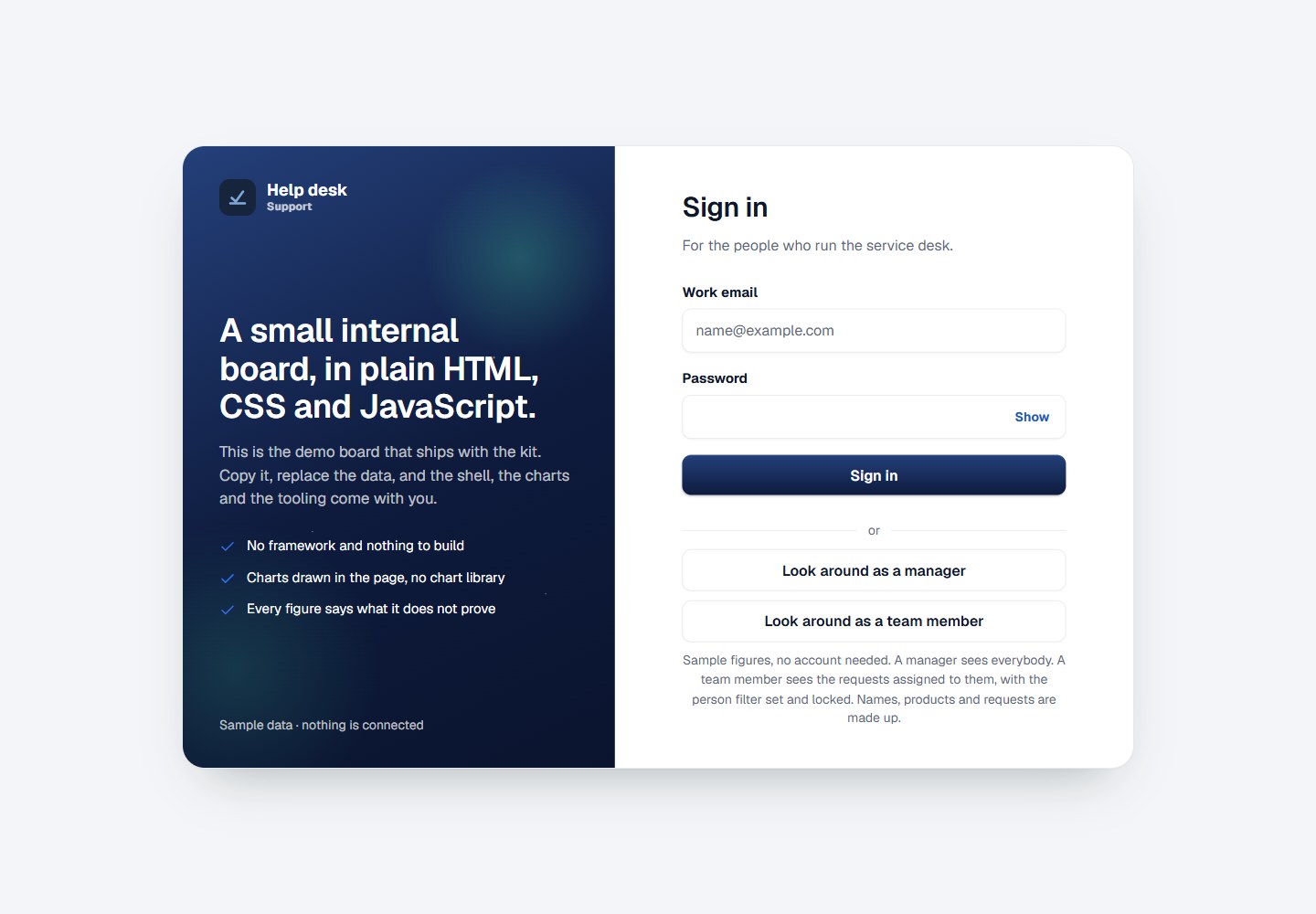
浏览真实页面截图,比较内容排版与手机效果。点击下方缩略图切换,放大查看整页细节。
全部页面与视图 2
截图用于了解视觉与布局,交互效果请以实际项目为准。
采集于 2026-10-16查看来源
值得关注的模板亮点
从已有项目资料中,快速了解它的特点。
空白不被视为证据:没有记录的行表示没有人写下任何内容,而不是没有发生事情,每个统计空白的数字都会在旁边说明。
比较在没有可靠周期时会拒绝自身,而不是与更短、不公平的时段比较。
百分比不会基于过小的基数打印,例如两个请求变成八个会显示为“2 to 8”而不是 300%。
变化只在看板能判断方向好坏时着色,数量变化以灰色显示,因为更多到达意味着更忙,而不是更好。
表格最多显示 200 行并说明截断,但导出仍保存全部数据。
模板详细介绍
Plain Board 是一个用于团队内部报告的小型看板模板,其设计目标是让每个数字都明确说明它证明了什么、不证明什么。README 说明它包含十二个页面,按所回答的问题分组,例如 Today、Waiting for a reply、Note quality、Channels、By person、Workload、Needs a decision、Trends、Sources and coverage、Reading rules、Components 和 Your data。模板内置 129 条虚构请求作为演示数据,并允许通过 Your data 页面上传 CSV 或 JSON 文件来使用自己的数据。文件在浏览器中读取和保存,不会上传,因为内容安全策略只允许连接 'self'。README 还描述了保存视图、自定义数字线、以及构建工具等机制。
在技术实现上,README 明确说明没有框架、没有构建步骤、没有依赖、没有图表库,所有图表由 SVG 绘制。每个页面通过 tools/build-pages.js 从一个外壳生成。模板包含内容安全策略,不允许内联脚本,外部只加载两个字体。演示登录仅使用 localStorage 记住示例人员,不构成安全边界。README 未提供关于生产就绪程度、性能或可扩展性的说明。
HTML后台
适合你的项目吗?
适用场景
- 团队在周一早晨阅读内部报告,需要快速了解哪些请求需要处理以及关键数字的变化。
- 需要将 CSV 或 JSON 文件拖放到页面上,在浏览器中查看自己的请求数据,而不上传到服务器。
- 需要保存一组筛选条件作为视图,以便之后返回查看。
- 需要在某个数字上设置自定义线,当数字越过该线时在打开看板时看到提示。
- 需要查看每个图表、控件和状态在 Components 页面上的绘制方式及其调用代码。
适合人群
- 需要内部报告看板且重视数据诚实说明的团队。
- 希望使用无框架、无依赖、无构建步骤的静态页面模板的开发者。
- 需要在浏览器中本地查看 CSV 或 JSON 数据而不上传到服务器的用户。
- 希望从单一外壳生成多个页面并集中管理菜单和标记的维护者。
上手与定制指南
结合仓库当前版本的说明,按下面的资料检查内容、配置与运行要求。
- 1
无需安装,在文件夹中运行任意静态服务器,例如 npx serve .,然后打开打印出的地址。
- 2
使用 node tools/new-board.js "Intake board" --team "Admissions" 重命名看板,该命令会更新名称出现的五个位置并重建所有页面。
- 3
按顺序修改四个文件:assets/js/shared/data.js(演示数据)、assets/js/shared/board.js(看板配置)、tools/build-pages.js(页面列表和标记)、assets/js/pages/*.js(每页脚本)。
- 4
在提交任何涉及 assets/ 的更改前,运行 node tools/stamp-assets.js 为资源链接添加内容哈希。
- 5
部署的看板可以通过设置 assets/js/shared/board.js 中的 BOARD.dataFile 指向旁边的 CSV 文件,但必须同源,因为内容安全策略只允许连接 'self'。
授权与来源资料
使用条件与限制
免费使用 · 保留许可声明本次收录的是公开仓库中采用 MIT 许可的免费版本;免费范围为该版本代码,不代表外部服务或第三方素材免费。
使用时需要遵守
- 允许免费使用、修改、商用和分发该版本代码。
- 分发代码副本或实质性部分时,保留原作者版权声明和完整 MIT 许可声明。
- 代码按现状提供;担保与责任限制以原许可证及适用法律为准。
额外费用与待核对事项
- 演示图片、字体、图标及其他第三方素材需按各自许可核对,不能仅凭代码的 MIT 许可判断。
- 域名、托管、数据库、支付或 AI 等外部服务可能另外收费。
- 上传的 CSV/JSON 文件仅在浏览器本地读取和保存,不会上传到服务器;内容安全策略只允许连接 'self'。
- 部署的看板若通过 BOARD.dataFile 加载 CSV,文件必须与看板同源;内容安全策略默认只允许连接 'self',除非有意放宽策略。
- 自定义数字线不是警报:不会发送任何通知,没有服务器可发送,仅在打开看板时显示。
- 保存的视图仅存在于当前浏览器中,不会共享、同步或备份。
- 演示登录仅用 localStorage 记住示例人员,不构成安全边界;manager/member 角色划分只决定绘制内容,不决定权限。
- 所有脚本共享同一作用域,没有模块系统;在 shared/ 和 pages/ 中重复声明同名 const 会静默导致页面失效。
- 每个页面都有内容安全策略:不允许内联脚本,样式通过 JavaScript 设置;除两个字体外不加载任何外部资源。
- 仅提供浅色主题,没有暗色模式。
- 表格最多显示 200 行并说明截断,但导出仍保存全部数据。
- 演示数据为 129 条虚构请求;使用自己的数据需在 Your data 页面拖放 CSV 或 JSON 文件。
查看原文依据
Permission is hereby granted, free of charge
许可证原文
- **The file is read in this browser and kept in this browser.** It is not uploaded — there is no server to upload it to, and the content security policy on every page would not allow one to be reached.
README 原文
- **A board you deploy can carry its own file.** Set `BOARD.dataFile` in `assets/js/shared/board.js` to a CSV sitting beside the board. It must be on the same address: the content security policy allows connections to `'self'` only, which rules out a published sheet or an API unless you widen that policy on purpose.
README 原文
- **It is a line, not an alert.** Nothing is sent. There is no server to send it, so a
README 原文
- **A saved view lives in that browser.** It is not shared, synced or backed up.
README 原文
**The demo sign-in is a demonstration.** It remembers a sample person in `localStorage` and nothing more. Replace `assets/js/shared/session.js` when you connect real accounts, and do not treat the manager/member split as a security boundary — it decides what is drawn, not what is allowed.
README 原文
**Every script shares one scope.** There is no module system, so two files declaring the same `const` will silently kill a page. Keep names distinct across `shared/` and `pages/`.
README 原文
**There is a content security policy on every page.** No inline scripts, and styles are set through the element from JavaScript rather than injected as text. It is why there is no chart library: nothing external loads except the two fonts.
README 原文
**One theme, deliberately.** Light, from the Service Board design system. These boards are read at a desk and on a projector, so there is no dark mode to maintain.
README 原文
- **A table caps at 200 rows and names what it capped.** The export still saves everything.
README 原文
https://github.com/nurah-kamal/plain-board/blob/main/LICENSEhttps://github.com/nurah-kamal/plain-board/blob/main/README.mdThe demo ships with 129 invented requests. To put your own in front of it, open **Your data** and drop a CSV or JSON file on the page.
README 原文
DeepSeek 根据仓库许可证和 README 整理 ·2026-10-15。结果仅覆盖已读取资料,依赖、图片、字体及后续条款变更以各自原文为准。
项目核对记录与介绍依据
模板资料
- 来源平台
- GitHub
- 资料与维护参考分
- 资料一般 · 68 / 100
- 技术栈
- HTML
- 网站类型
- 后台
这个分数如何计算
本站按许可资料(最高30分)、演示链接(12分)、预览图(10分)、Star数(15分)、记录的维护时间(15分)、描述完整度(8分)、功能记录(5分)和分类资料(5分)计算。它不是代码、安全或性能测试,也不是 Google 评分;有链接不代表已实测可用。
这个项目需要核对什么
- 记录的仓库更新时间
- 2026-09-27
- 截图检查日期
- 2026-10-16
目前没有记录演示链接。请依据仓库说明在本地评估;仅凭截图无法确认交互行为。
目录记录的主要技术栈是 HTML。请通过依赖清单和锁文件核对实际版本与托管要求。这些说明基于收录资料,不代表代码审计或部署实测。
查看具体选型方法 →介绍的制作与核对状态
介绍由 AI 辅助整理目录与仓库资料。仓库作者不等于这篇介绍的审核者。
审核声明: codex-user-requested-batch-review-20261017 · 2026-10-16
查看当时使用的来源资料
SHA-256: 05275cfe9a399bb839ca08bbc03e9e1ecc6ec21d635a4d88a43cd84a0a41b701
2026-10-15T13:19:08.956Z
来源文件 / 仓库# Plain Board
**A small internal reporting board — the kind of page a team reads on a Monday morning — where every figure says what it does not prove.**
**Live demo:** https://nurah-kamal.github.io/plain-board/ — choose **Look around as a manager**, no account needed.

## What the board shows
Twelve pages, grouped by the question each one answers.
| Page | The question it answers |
| --- | --- |
| **Today** | What needs somebody right now, how the four headline figures moved against the period before, and the last six weeks of each |
| **Waiting for a reply** | Which requests have nothing recorded against them, grouped by how long they have waited |
| **Note quality** | Whether what was written down is enough for the next person to pick the request up |
| **Channels** | Where requests arrive, and how each channel compares with the period before |
| **By person** | What each person was given and what came back on it |
| **Workload** | What is open against each person right now — for balancing, not for judging |
| **Needs a decision** | What is waiting on a manager, grouped by what has to happen next |
| **Trends** | Twelve weeks on every measure the board reports |
| **Sources and coverage** | What the board reads, when it was read, and what it cannot see |
| **Reading rules** | How every figure is counted, and what each one will not prove |
| **Components** | Every chart, control and state the kit ships, drawn once with the call that drew it |
| **Your data** | What the board is reading, and how to point it at your own rows |
## The part worth copying
Most boards overclaim. This one is built not to, and the rules are in the product rather than in a document:
- **A figure says what it does not prove.** Every tile carries an (i) with its counting rule and its limit. A tile without one is not finished — `tools/check-tiles.js` runs inside the build and the stamp step, and refuses to let a page ship without it.
- **Blank is not proof.** A row with nothing recorded means nobody wrote anything down — not that nothing happened. Every figure that counts blanks says so beside itself.
- **A comparison refuses itself** when there is no honest period behind it, rather than comparing against a shorter, unfair stretch.
- **A percentage is not printed off a base too small to support it.** Two requests becoming eight is not a 300% improvement, it is six requests — so the chip reads `2 to 8`.
- **A change is only coloured where the board can call a direction better or worse.** Volume is stated in grey: more arriving is busier, not better.
- **Each fact is said once per page.** One banner with one message, figure cards that are a name, a figure and one line, and no small charts repeating a panel lower down. The rules are in [DESIGN.md](DESIGN.md#say-each-thing-once).
- **A table caps at 200 rows and names what it capped.** The export still saves everything.
- **Nothing scores or ranks a person.** Note quality is measured on length alone, because length is the only thing the text can honestly be read for.
There is a whole page — **Reading rules** — devoted to what the board will not tell you.

## Your own rows
The demo ships with 129 invented requests. To put your own in front of it, open **Your data** and drop a CSV or JSON file on the page.

- **The file is read in this browser and kept in this browser.** It is not uploaded — there is no server to upload it to, and the content security policy on every page would not allow one to be reached.
- **Two columns are needed, and the page says so before you drop anything:** one that names each row (`id`, `ref`, `ticket`, `number`, `case`) and one that says when it arrived (`arrived`, `date`, `opened`, `created`, `received`, `raised`). Everything else is optional and has a sensible default.
- **Nothing has to be renamed.** Headings are matched however they are spelled, cased, spaced, hyphenated or underscored — `Assigned To`, `Hours to reply`, `Received by` are all understood. Anything the board does not read is left alone and named back to you.
- **There is an example file to start from.** The Your data page will hand you a CSV with the right headings and three rows in it, so you can line your own export up against something real rather than against a table.
- **What it refused is reported as carefully as what it took** — how many lines, and why each one was refused. A refused line is left out of every figure rather than counted as a zero.
- **A board you deploy can carry its own file.** Set `BOARD.dataFile` in `assets/js/shared/board.js` to a CSV sitting beside the board. It must be on the same address: the content security policy allows connections to `'self'` only, which rules out a published sheet or an API unless you widen that policy on purpose.
For anything that is not a file, replace `BoardData.load()` in `assets/js/shared/loading.js` and nothing else changes. Every page already goes through waiting, ready and failed — see them on any page with `?state=loading` or `?state=failed`.
## Your own line on a figure
Every tile carries an (i) explaining what it counts. Inside it, **Watch this figure for me**
draws your own line: above or below a number you choose. When the figure crosses it, the
tile says so, *past your line, above 8 hours*, above the board's own line under the figure.
- **It is a line, not an alert.** Nothing is sent. There is no server to send it, so a
line shows when you open the board and at no other time. The board says this every
time you set one rather than letting the word "alert" imply otherwise.
- **The board's rules and yours are kept apart.** The banner says what needs somebody
according to rules the board was built with. A line is yours. They are never merged,
so you can always tell which is which.
- **Where the board knows which direction is worth having**, the control opens on that
side. Where it does not (volume, headcount) it suggests nothing, for the same
reason the movement stays grey on those figures.
- **A figure the board could not read is never past a line.** A dash is not a number.
Lines live in that browser, like saved views.
## Saved views
A selection worth coming back to can be named and kept: the picker behind **More filters**, and one button that says either **Save this view** or **Remove this view**, depending on whether what is on screen is already saved. **More filters** opens by itself when the page is showing a saved view.
- **A saved view lives in that browser.** It is not shared, synced or backed up.
- **To send somebody a view, send them the page link.** The filters are in the address bar already, which is the part that does travel.

## How it is built
No framework. No build step. No dependencies. No chart library. Every chart on those pages is drawn in SVG by one file, with no library behind it.
| | |
| --- | --- |
| **The shell** | Left menu, phone bottom bar, page header, board-wide search, sign-out, toast, footer |
| **Charts** | Ring, donut, area with a key and a pointer reading, paired bars, bar list, column chart |
| **Tables** | Row ticking with export of only the ticked rows, click-to-sort, and cells that carry their own heading on a phone |
| **Controls** | Segmented period picker, filter bar with **More filters** for the rarer filters and saved views, drill-down tiles with the step kept in the address bar, page actions in the header |
| **States** | Waiting, ready and failed, all three drawn — plus a printed form for when the board goes into a meeting |
| **Tooling** | One script to rename the board, one to build every page from a single shell, one to version assets before a commit |
Every one of these is drawn on the **Components** page with the call that drew it underneath. That is the fastest way to see what is in the box.
## Try it on your own machine
Nothing to install. Open a terminal in the folder and run any static server, for example:
```bash
npx serve .
```
Then open the address it prints.
## Making it your own
**Start with the name.** It lives in five places, and a copy that is called two things reads as a copy:
```bash
node tools/new-board.js "Intake board" --team "Admissions"
```
That renames the board, the small word under it in the menu, the page titles and the prefix it remembers choices under, then rebuilds every page.
Then four files, in this order:
**1. `assets/js/shared/data.js`** — the demo rows, and the helpers that read them. Replace them, or leave them and load a file on **Your data** instead.
**2. `assets/js/shared/board.js`** — the board's name, its home page, the footer line, what the phone tab bar holds, and one search function. The shell reads this and follows it.
**3. `tools/build-pages.js`** — the page list, the menu, and the markup of each page. Add a page here rather than writing a new HTML file by hand, then run:
```bash
node tools/build-pages.js
```
**4. `assets/js/pages/*.js`** — one script per page, which fills the markup in. Start from the demo's and work backwards.
Before every commit that touches anything in `assets/`:
```bash
node tools/stamp-assets.js
```
This appends a content hash to every asset link. GitHub Pages lets a browser keep a stylesheet or a script for ten minutes; without this step a visitor can load your new markup beside your old script, and a control that is on screen does nothing. It is the least obvious bug in the whole kit, so the tool exists to make it impossible.
## Things worth knowing
**Every script shares one scope.** There is no module system, so two files declaring the same `const` will silently kill a page. Keep names distinct across `shared/` and `pages/`.
**There is a content security policy on every page.** No inline scripts, and styles are set through the element from JavaScript rather than injected as text. It is why there is no chart library: nothing external loads except the two fonts.
**The demo sign-in is a demonstration.** It remembers a sample person in `localStorage` and nothing more. Replace `assets/js/shared/session.js` when you connect real accounts, and do not treat the manager/member split as a security boundary — it decides what is drawn, not what is allowed.
**Roles are drawn, not hidden.** A team member's person filter is set to their own name and locked rather than removed, and a manager-only page stays in their menu labelled **Managers** rather than vanishing. Showing the rule reads better than quietly leaving a control out.
**A figure formatted for reading does not sort the way it reads.** `1d` is longer than `20h` but sorts before it on text, so a formatted cell carries its raw value: `numberCell('1d', 26)`.
**One theme, deliberately.** Light, from the Service Board design system. These boards are read at a desk and on a projector, so there is no dark mode to maintain.
## Folders
```
index.html sign in
pages/ the signed-in pages, all generated
assets/css/styles.css the whole design
assets/js/shared/ source.js (your rows), data.js (the demo), board.js, app.js (the shell),
charts.js, filters.js, views.js, loading.js, session.js, auth.js
assets/js/pages/ one script per page
assets/img/ the logo and the screenshots above
tools/new-board.js renames the board everywhere it is named
tools/build-pages.js builds every page from one shell
tools/stamp-assets.js versions every asset link before a commit
```
## The design
Written down in [DESIGN.md](DESIGN.md): the colour tokens, the two typefaces, the three corner radii, and the rules about what a chart may and may not say.
## Licence
MIT. Use it for anything, including at work.
看看同类模板
对比同技术栈与用途的模板,找到更适合的视觉与内容结构。

AdminLTE
基于 HTML、Bootstrap 5 和原生 JavaScript 的管理后台模板。Astro 用于构建文档;React、Vue 与 Angular 版本分别位于其他仓库。
HTML · 后台

gentelella
Free admin dashboard template — vanilla JS, SCSS, Vite 8. No Bootstrap, no jQuery.
HTML · 后台

coreui-free-bootstrap-admin-template
Free Bootstrap Admin & Dashboard Template Built for AI-Assisted Development
HTML · 后台

dashboards
Responsive dashboard templates 📊✨
HTML · 后台

SB Admin 2
SB Admin 2 是 Start Bootstrap 推出的开源后台模板,基于 Bootstrap 构建,整体风格偏向经典管理界面。
HTML · 后台

Adminator-admin-dashboard
Adminator is easy to use and well design admin dashboard template with dark mode for web apps, websites, servi…
HTML · 后台