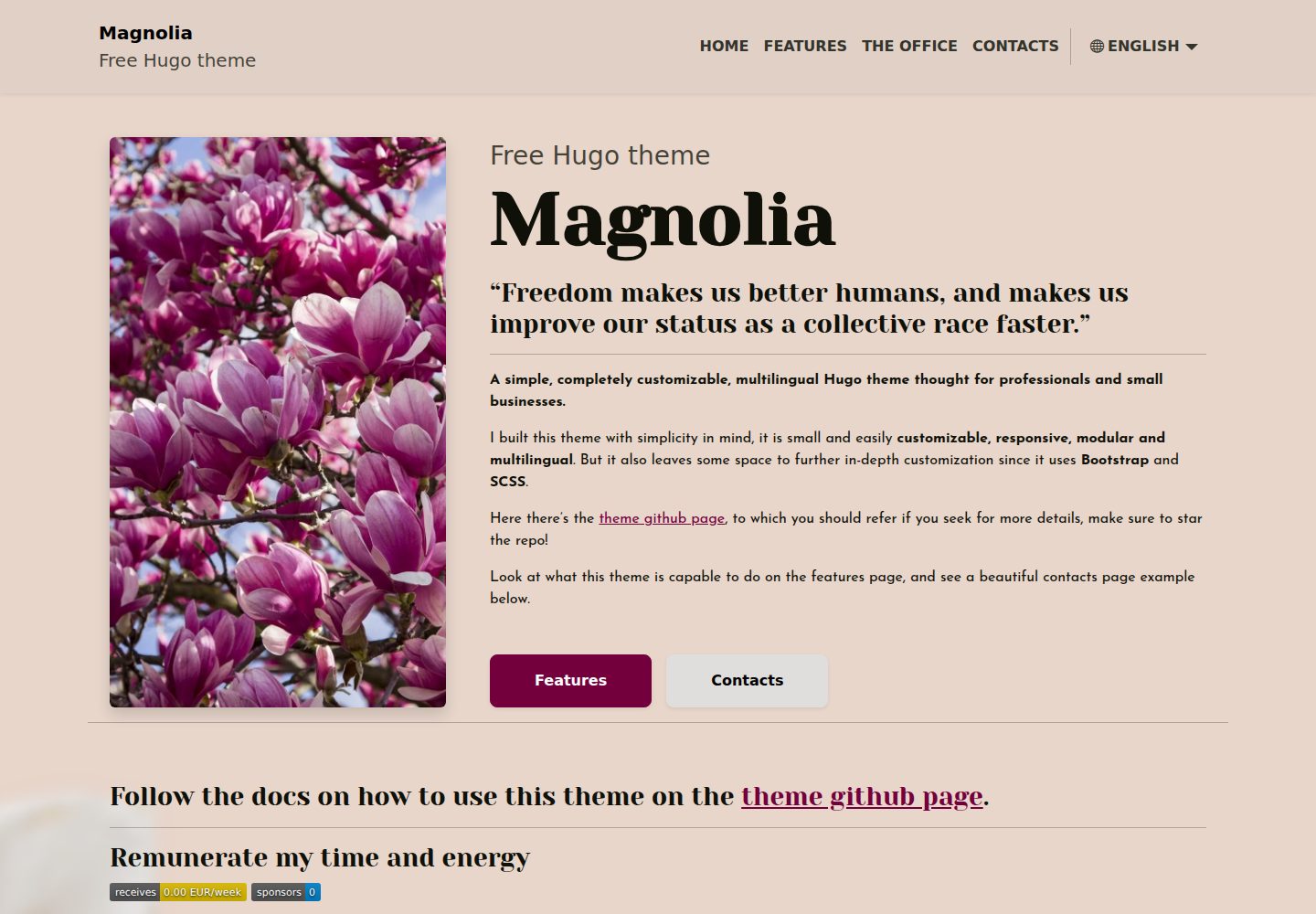
Provides an example site with main pages and most parameters preconfigured, ready to run
HugoPortfolioCorporate Website
magnolia-free-hugo-theme — Hugo Portfolio Template
By ololiuhqui
Magnolia is a free multilingual Hugo theme for individual professionals and small businesses, offering landing, services, office locations, contact, and blog modules.
Explore the design
Compare the page layouts and mobile experience. Open any screenshot for a closer look.
Desktop homepage1 / 3
Desktop captureTop of page
Actual screenshot captured by the server browser.
All pages & views 3
Screenshots show visual appearance; interactive behavior may differ.
Recorded 2026-10-03View source
What stands out
A quick read of the recorded project description.
Supports multiple languages, defaults to English, includes an Italian example and a language switcher dropdown, with localizable permalinks
Includes landing, services, office locations (integrated with Google Maps), and contact (with Formspree form) pages
Blog module supports multilingual posts, featured images, expiry dates, and tags; homepage shows latest posts; tags have separate list pages
Customizable color scheme via Bootstrap variables, with styles written in SCSS
SEO supports per-page custom meta description and unique meta title, and robots can be configured to block AI crawlers
Template Details
Magnolia is a free Hugo theme positioned as a website template for individual professionals and small businesses. It provides an example site where most parameters on the main pages are already configured and ready to use, and supports adjusting colors and some page images via configuration files.
The theme includes a landing page, a services page (with any number of entries), an office locations page (integrated with Google Maps for directions), and a contact page (with a Formspree form and business hours). The blog module supports multilingual publishing, publication dates, featured images, expiry dates, and tags. The homepage displays the latest posts, each tag has its own list page, post pages show related articles based on tags, and headings automatically generate a table of contents. If a blog is not needed, rendering and indexing of posts and tags can be disabled in the configuration.
The theme supports multiple languages, with English as the default content language; any language can be added. The example includes Italian and provides a language switcher dropdown, with localizable permalinks for each language. The theme uses Bootstrap and SCSS, allowing customization of the color scheme by modifying Bootstrap variables. For SEO, each page has a customizable meta description and a unique meta title. Posts can set a featured image; if not set, assets/img/meta-image is used as the meta image for Google, Facebook, and Twitter. A robots.txt pointing to the sitemap is provided, and AI crawlers can be blocked via robots in the configuration. Google Analytics and Google Maps are also supported.
Installation requires Hugo extended first, then downloading the example-site release package, which already includes a compatible version of the theme. Site configuration is located in config/_default, with config.toml as the main configuration file, though most variables are defined in per-language configuration files. To update the theme, go to the themes/Magnolia directory and switch to the appropriate version tag, ensuring the theme version is compatible with the example-site version. Customization can be done by modifying Bootstrap variables in assets/scss/custom-variables.scss, editing config/_default and language configuration files, and changing pages and images in the content directory. Images use Page bundles and can be replaced with any extension as long as the filename remains the same.
Usage limitations: The contact form relies on Formspree; real submissions require configuring a service endpoint, and its usage limits and fees must be checked separately. Demo images, fonts, icons, and other third-party assets must be checked against their respective licenses. External services such as domains and hosting may incur additional charges. A custom 404 page on GitHub Pages requires manually creating a symbolic link after building.
HugoPortfolioBusiness website
Is it right for your project?
Use Cases
- Individual professionals building a showcase website with service descriptions, office locations, and contact details
- Small businesses creating a multilingual landing page and publishing blog posts
- Websites requiring language switching and localized permalinks
- Projects using Hugo that want a quick start and content adjustments via configuration files
Suitable For
- Users familiar with or willing to learn Hugo
- Individuals or small businesses needing a multilingual website
- Developers who want to use a free MIT-licensed theme and configure it themselves
- Websites that combine a landing page with a blog and can disable the blog module
Getting started & customization
Use these recorded setup notes alongside the repository instructions for your chosen version.
- 1
Requires Hugo extended first; no need to run hugo new site—just download the example-site release package
- 2
Site configuration is in config/_default, with config.toml as the main file, though most variables are defined in per-language configuration files
- 3
To update the theme, go to the themes/Magnolia directory and switch to the corresponding version tag, ensuring compatibility with the example-site version
- 4
The contact form uses Formspree; real submissions require configuring a service endpoint, and its usage limits and fees must be checked separately
- 5
A custom 404 page on GitHub Pages requires manually creating a symbolic link after building
License & source material
Usage conditions & limitations
Free to use · keep license noticeThis entry covers the free version under the MIT license in the public repository; the free scope applies to that version's code and does not imply that external services or third-party assets are free.
Must comply with when using
- Free use, modification, commercial use, and distribution of this version's code are permitted.
- When distributing copies or substantial portions of the code, retain the original author's copyright notice and the full MIT license notice.
- The code is provided as is; warranties and limitations of liability are governed by the original license and applicable law.
Additional costs & items to verify
- The contact page form relies on the third-party Formspree service; actual submissions require registering and configuring a Formspree endpoint yourself, and its free quota and paid plans must be checked separately.
- The office locations page's Google Maps directions feature relies on external Google services, which may be subject to Google's terms and may incur charges.
- Google Analytics is an optional external service; you must register an account and obtain a tracking tag yourself, and its use is subject to Google's terms.
- Using a custom 404 page on GitHub Pages requires manually creating a symbolic link after building, and all languages can only share a single 404 page.
- When updating the theme, you must verify compatibility between the theme version and the example-site version yourself, otherwise incompatibility issues may occur.
- The README mentions the Formspree form service; real submissions require configuring a service endpoint, and its usage limits and fees must be checked separately.
- Demo images, fonts, icons, and other third-party assets must be checked against their respective licenses and cannot be assumed to be covered solely by the code's MIT license.
- External services such as domains, hosting, databases, payments, or AI may incur additional charges.
View Original Text Basis
Permission is hereby granted, free of charge
Original License Text
Contacts page with FormSpree connected form and opening hours
Original README
The contact page can be easily customized by adding a google maps link to get directions towards your activity location.
Original README
Insert your Google Analytics tag in the `config.toml` file and be ready to track your site performances easily.
Original README
To create a symlink to the english 404 version, which will then be used as default 404 once hosting, after running `hugo` run `ln -s public/en/404/index.html public/404.html`.
Original README
https://github.com/ololiuhqui/magnolia-free-hugo-theme/blob/main/LICENSE.mdhttps://github.com/ololiuhqui/magnolia-free-hugo-theme/blob/main/README.mdPlease check the releases page to make sure the new version of the theme is compatible with your current example-site release.
Original README
Compiled by DeepSeek based on repository license and README ·2026-10-03. Results only cover the materials read; dependencies, images, fonts, and subsequent term changes are subject to their respective original texts.
Project checks & description sources
Template Information
- Source platforms
- Hugo Themes
- Documentation and maintenance reference score
- More documented · 86 / 100
- Technologies
- Hugo
- Website type
- Portfolio · Corporate Website
How this score is calculated
Our heuristic uses license records (up to 30), a demo link (12), a preview (10), stars (15), recorded maintenance (15), description completeness (8), feature records (5) and classification data (5). It is not a code, security or performance test, or a Google score. A link does not establish tested functionality.
What to verify for this project
- Repository update recorded
- 2025-09-03
- Screenshot last checked
- 2026-10-03
A demo link is listed. Check it with your own content and viewport sizes; its presence does not confirm that forms, authentication or payments work.
The catalog identifies Hugo as the primary stack. Check the actual dependency manifest and lockfile for versions and hosting requirements. These notes use recorded metadata, not a code audit or a deployment test.
Use a selection guide →How this description was prepared
AI-assisted description based on catalog records and repository material. Repository authors are not automatically the reviewers of this description.
Automatically checked against source and license rules; no manual editorial review.
Inspect the recorded source material
SHA-256: 44fd8403ca769edf5fc43717218cd33bcf531024ab1077188a77af3c1ff20ca1
2026-10-03T05:04:16.790Z
Source file / repository<h1 align=center>Hugo Magnolia 🌸 | <a href="https://ololiuhqui.github.io/magnolia-free-hugo-theme/en/" rel="nofollow">Demo</a></h1>
<br>
<div align="center>
[](https://github.com/ololiuhqui/magnolia-free-hugo-theme/actions/workflows/hugo.yaml)
[](https://github.com/gohugoio/hugo/releases/tag/v0.129.0)

</div>
<br>
**A simple, customizable, multilingual Hugo theme thought for professionals and small businesses.**
I decided to give my personal _thank you_ to the Hugo developers and community by making this theme available for everyone.
This theme is actually very "hugo noob" friendly, as it provides an **example site** to be used with the latest version of the theme, the main pages are there to be used as they are, with most of the params already in the config files. you can customize the color palette and some of the pages images. This theme also aims to be _very well documented_ in order to be accessible even from a complete stranger and make your site run asap.
I strongly value the open source community as in these years i've been using many open source projects that made my life better and improved my digital freedom in many ways.
Freedom makes us better humans, and makes us improve our status faster and in an easier way.
**Make sure to <a href="https://github.com/ololiuhqui/magnolia-free-hugo-theme"> star this repo!</a>**
## Features ⚡
I built this theme with simplicity in mind, it is small and easily customizable, responsive, modular and multilingual. But it also leaves some space to further in-depth customization since it uses **Bootstrap** and **SCSS**.
This theme is thought to be used as a personal / business theme, it can provide a great landing page or blog for your activity!
### 1. Responsive
- The theme is fully responsive and shows perfectly on every screen size.
### 2. Modular
- Hide and show some elements easily from the config file.
### 3. Multilingual
- The default content language is english (it can be changed), but you can add as many languages as you want very easily, the theme includes an italian language example and a dropdown menù for easily switching between languages. Permalinks can be localized in each language (eg. you can have `/contacts` for english and `/contatti` for italian).
### 4. Customizable
These are the currently customizable sections:
- Landing page
- "Services" page with arbitrary number of points
- "Office" page with integrated google maps view for directions
- Contacts page with FormSpree connected form and opening hours
### 5. SEO ready
- Every page has an easily customizable meta description and a unique meta title for better and easier indexing. Each post has the option of adding a featured image, and, if not found, `assets/img/meta-image` will be used instead as meta image for Google, Facebook and Twitter. All pages that do not have a featured image will have the `meta-image` by default (eg. homepage, office etc).
There is a `robots.txt` file which indicates the correct location of the sitemap index for faster indexing. There's also an option in config to block AI scrapers via robots, this will increase your website **privacy** as well as **digital resiliency**, and also could help avoid altering your analytics.
### 6. Google Analytics supported
- Insert your Google Analytics tag in the `config.toml` file and be ready to track your site performances easily.
### 7. Google Maps included
- The contact page can be easily customized by adding a google maps link to get directions towards your activity location.
### 8. Ready to Blog
- The theme provides some archetypes and a simple directory structure, you can publish articles/posts in more languages, set a publish date, a featured image, an expiration date and tag your posts. You can create and translate custom tags. Latest posts will appear in the homepage, every tag will have its own list page, and every post will show a list of latest related posts based on tagging. If you include titles in your posts, they will be automatically rendered in a table of contents. SEO is carefully taken care of for posts as well. **You can also disable the blog part of the theme entirely if you don't need it!**
## Quick start: how to install 📥
1. Install hugo extended, follow [the official installation guide](https://gohugo.io/installation/). For using this theme you **DO NOT NEED** to execute `hugo new site`, as you will be cloning an example site in step 2.
2. Get [the latest version of the example site](https://github.com/ololiuhqui/magnolia-free-hugo-theme/releases/latest). Download the archive named example-site, it will automatically come with a compatible version of the magnolia theme.
3. The site configurations will be found in `config/_default`. The main configuration file is `config/_default/config.toml`, but most variables are overwritten or defined by the individual language configuration files (eg. `config/_default/languages/.en.toml`)
4. Move to your site directory and see the website preview with `hugo serve -D`
## How to update ♻
- Move into the theme folder `cd themes/Magnolia`
- Run `git checkout <version-tag>`. Choose the version tag from the [releases page](https://github.com/ololiuhqui/magnolia-free-hugo-theme/releases). e.g `git checkout v2.0.0`.
Please check the releases page to make sure the new version of the theme is compatible with your current example-site release. Refer to [Semantic Versioning 2.0.0 | Semantic Versioning](https://semver.org/).
## How to customize 🎨
- Use your preferred color palette by modifying the Bootstrap variables in `assets/scss/custom-variables.scss`.
- Change the config files in `/config/_default` and `/config/_default/languages` adding your own elements to the pages. You can change the page names there as well.
- Edit the homepage content in `content/<language>/_index.html`, markdown supported.
- Edit pages names, slugs and metadescriptions in `content/<language>/pages/<page>/index.html`.
- Change the images of the website from the `content/<language>/pages/<page>/<image>` folders (pages and posts use [Page bundles](https://gohugo.io/content-management/page-bundles/)). The homepage is the `_index.md` right in the root language content folder. Images of any extensions can be used, but the name of the image must be the same of the one currently set up (eg. `main.*`).
- Add your own favicon, background and default meta-image (the image used in SEO) in `assets/img`. These files can be of any extension but must have the same name of the ones currently in the example site assets directory.
## How to manage posts ✏️
### Enable/Disable Blog
_Wait, you told me this theme was noob friendly, I don't wanna deal with all the blog stuff!_
_I need a simple landing page and all this blog feature is something I don't care about!_
**If you don't need posts you can disable the blog part of the theme entirely from within the config files and just use Magnolia as a simple landing site.**
- To disable _tags only_ rendering and indexing for the entire site -> `config.toml` uncomment `#disableKinds = ['taxonomy', 'term']`.
- To disable _post and tags_ rendering and indexing for the entire site -> `config.toml` uncomment `#disableKinds = ['taxonomy', 'term']` and `#ignoreFiles= ['posts/*']`.
### Content organization
The `/content` folder contains different types of content, the content organization mimicts the site structure.
```
content
├── en
│ ├── _index.md
│ ├── pages
│ ├── posts
│ ├── main.webp
│ └── tags
└── it
├── _index.md
├── pages
├── posts
├── main.webp
└── tags
```
For each language, you will find yourself in front of the homepage `_index.md` and the image used for the homepage presentation section (`main.webp`). The other directories will contain exactly what you expect.
`pages`= normal website pages (office, services etc).
`posts`= site posts.
`tags` = custom tags.
#### Posts
- Create a new post with: `hugo new --kind post-bundle content/<lang>/posts/<post-name>`. This will be its very simple structure:
```
content/en/posts
├── a-poem-about-flowers
│ ├── images
│ │ └── featured.jpg
│ └── index.md
```
- Edit the metadata in `index.md` and add your post content below.
- Add a post featured image by subsituting the `featured.webp` placeholder in `/images`. The featured image has to be called "featured" but can be of any extension. If you wish you can remove the placeholder to have a text-only post.
#### Tags
1. One option is to automatically create tags by adding them to posts frontmatters.
2. The second option is to create a new tag with: `hugo new --kind tag content/<lang>/tags/<tag-name>`. Creating tags this way will allow for a finer manipulation, you can translate tags here by giving the same translationKey in frontmatter in every different language. Hence having your posts sorted the same for each language and have tag pages translations available.
```
content/en/tags
├── flowers
│ └── _index.md
```
For more on content organization refefer to [Content organization | Hugo](https://gohugo.io/content-management/organization/).
## Add new languages 🚩
1. Head to `config/_default/languages`.
2. Duplicate one of the language files, change the language tag, name of the file (en, it, fr etc): this should be compliant with [RFC 5646](https://gohugo.io/content-management/multilingual/). Use the [RFC 5646 Language Tags List](https://gist.github.com/msikma/8912e62ed866778ff8cd) for a quicker setup.
3. Translate the variables values inside the `.toml` file accordingly to the language.
4. In the `/content` directory, duplicate one of the language folders and change the name accordingly to your new language as in step 2.
5. For each of the `.html` file in `/content/pages`, you can change `title` and `slug` freely. `translationKey` should remain untouched or should be changed in every language page file. I strongly suggest you to translate the SEO here as well.
6. For each of the `.md` files in `content/posts/<my-post>` translate the content and the frontmatter values you need (eg. _summary_).
## Custom 404 page
To add the custom 404 page and make it work on github pages, you will have to add it manually when building the site executing `hugo`. This is because github pages looks for a 404 template in the root directory of the project, you can therefore only have one single 404 page for all the languages. To create a symlink to the english 404 version, which will then be used as default 404 once hosting, after running `hugo` run `ln -s public/en/404/index.html public/404.html`.
## Remunerate my time and energy 💫


Designing this theme and making it available for you took a lot of time and effort.
The MIT license means that you are completely free to do whatevere you want with this theme, even [make money from it!](https://opensource.org/license/MIT) With the only obligation to include the attribution!
If you wish you can support me in several ways:
### Single donation:
<details><summary><b> BuyMeACoffee </b></summary>
<a href="https://www.buymeacoffee.com/ololiuhqui" target="_blank"><img src="https://cdn.buymeacoffee.com/buttons/v2/default-yellow.png" alt="Buy Me A Coffee" style="height: auto ;width: 150px;" ></a>
</details>
<br>
<details><summary><b> Bitcoin (BTC) </b></summary>
```
bc1q26f4gscc5ksujdx6wzxfnlqeqt02p3sjcqwvln
```

</details>
### Recurring donations:
<details><summary><b> LiberaPay </b></summary>
<a href="https://liberapay.com/ololiuhqui/donate"><img alt="Donate using Liberapay" src="https://liberapay.com/assets/widgets/donate.svg"></a>
</details>
<details><summary><b> GitHub Sponsors </b></summary>
<a href="https://github.com/ololiuhqui/magnolia-free-hugo-theme">Github Repo</a>
</details>
## Contribute 🛠
**First of all, PRs are welcome here!**
### Notes on how this repo works
This repo includes two main branches: **main** and **exampleSite**.
**main** is an **exampleSite** submodule.
The _exampleSite_ directory will _not_ be shown in **main** branch.
If you clone the **main** branch you will therefore be able to modify the theme and its content only, if you clone the **exampleSite** branch you will be able to modify the exampleSite content only.
As an alternative you can also clone the **exampleSite** with the `recurse-submodules` option, that will also add the theme **main** as submodule, making it available for changes. To clone the repo and submodule at latest commit and main branch run `git clone -b exampleSite --recurse-submodules https://github.com/ololiuhqui/magnolia-free-hugo-theme`, move to the just cloned folder and `git submodule update --remote --merge` to make sure you're working with the latest theme commit.
This will set you up to work on a detatched HEAD with the latest commit on the theme and example site, checkout to your own branches and make pull requests!
#### Content:
| main 🌲 | exampleSite 🌲 |
| ----------- | ------------------------- |
| main branch | exampleSite branch |
| | theme as submodule (main) |
### Things that should be probably added to this theme
#### Add a RSS feed template for posts
This would be wonderful for setting up automations that use RSS feed as source like Zapier or FTTT.
#### Add proper Bootstrap theming
Only some bootstrap variables are reassigned, leaving a lot of them to defaults. Properly assigning all the most important variables would make building, modifying and styling the theme much easier with less manual SCSS/CSS needed.
I included the `scss/custom-variable.scss` file to overwrite the default variables, this would need to be updated as well with the variables that get styled in the theme, in order to give the theme user the ability to easily customize the site appeareance.
Refer to:
- [Customize · Bootstrap v5.0](https://getbootstrap.com/docs/5.0/customize/overview/).
- [Example bootstrap themes + easily style with UI](https://bootstrap.build/app/project/UroRGaxfXxdg)
### Ensure accessibility
The website still lacks a focus on accessibility, this needs to be addressed.
Explore similar templates
Compare previews and descriptions within the same stack and category.

hugo-PaperMod
A fast, clean, responsive Hugo theme for blogs and lightweight portfolios, with three layout modes (Regular, Home-Info, Profile), automatic and manual light/dark themes, Fuse.js client-side search, multilingual support, and built-in Open Graph, Twitter Cards, and Schema.org data.
Hugo · Portfolio

Congo
Congo is a minimal Hugo content theme built on Tailwind CSS 3.0, designed for blogs, portfolios, and lightweight content sites. It offers multiple homepage layouts, customizable dark mode, multilingual support including RTL, and built-in client-side search, Mermaid, Chart.js, and KaTeX.
Hugo · Blog
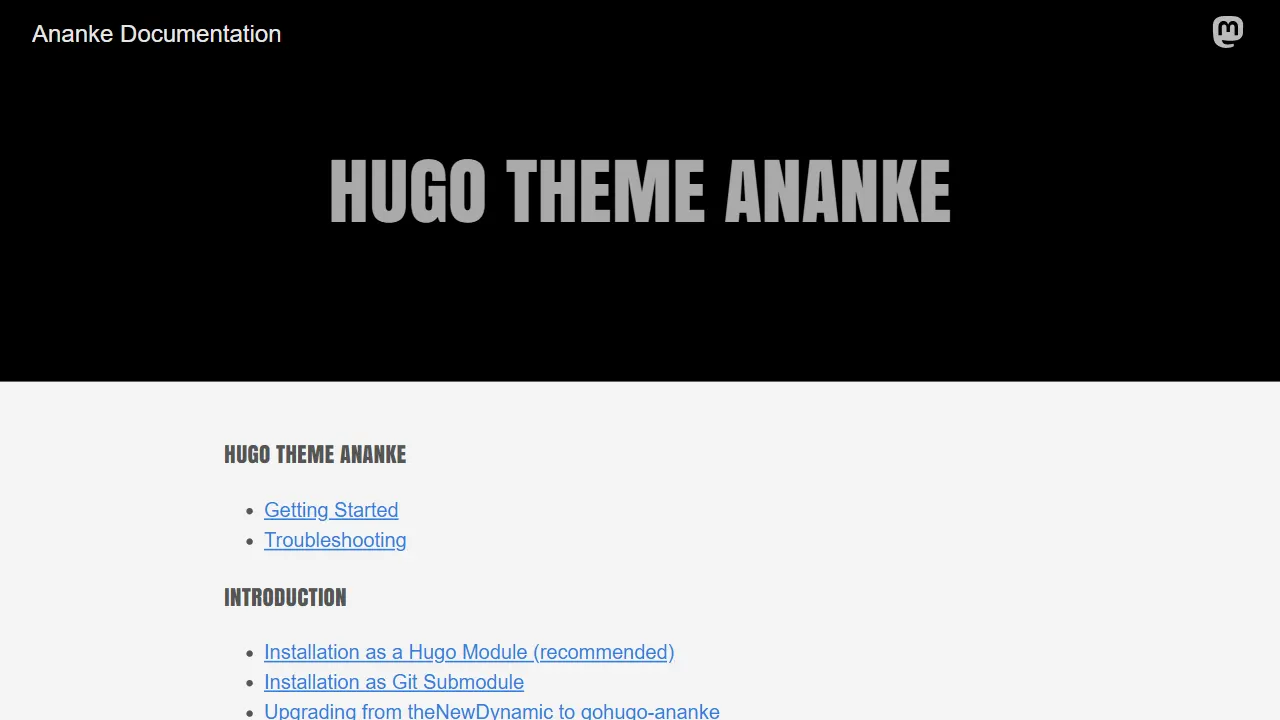
Ananke
Ananke is a classic general-purpose Hugo theme positioned as a flexible, production-ready starter for blogs, organizational homepages, and content-focused websites.
Hugo · Blog

toha
Toha is a Hugo theme for personal portfolios, featuring a minimalist, responsive design with configurable homepage sections such as about, experience timeline, and achievements gallery.
Hugo · Portfolio

hugo-profile
hugo-profile is a mobile-first Hugo theme for personal portfolios and blogs, with multilingual support, light/dark themes, categories and tags, Google Analytics, Disqus comments, and Formspree contact forms.
Hugo · Portfolio

hugo-theme-introduction
Introduction is a minimal Hugo theme that can be configured as a single-page site or a full site with multiple sections. Homepage sections are generated from Markdown files under content/home/, with weight sorting and optional images.
Hugo · Portfolio