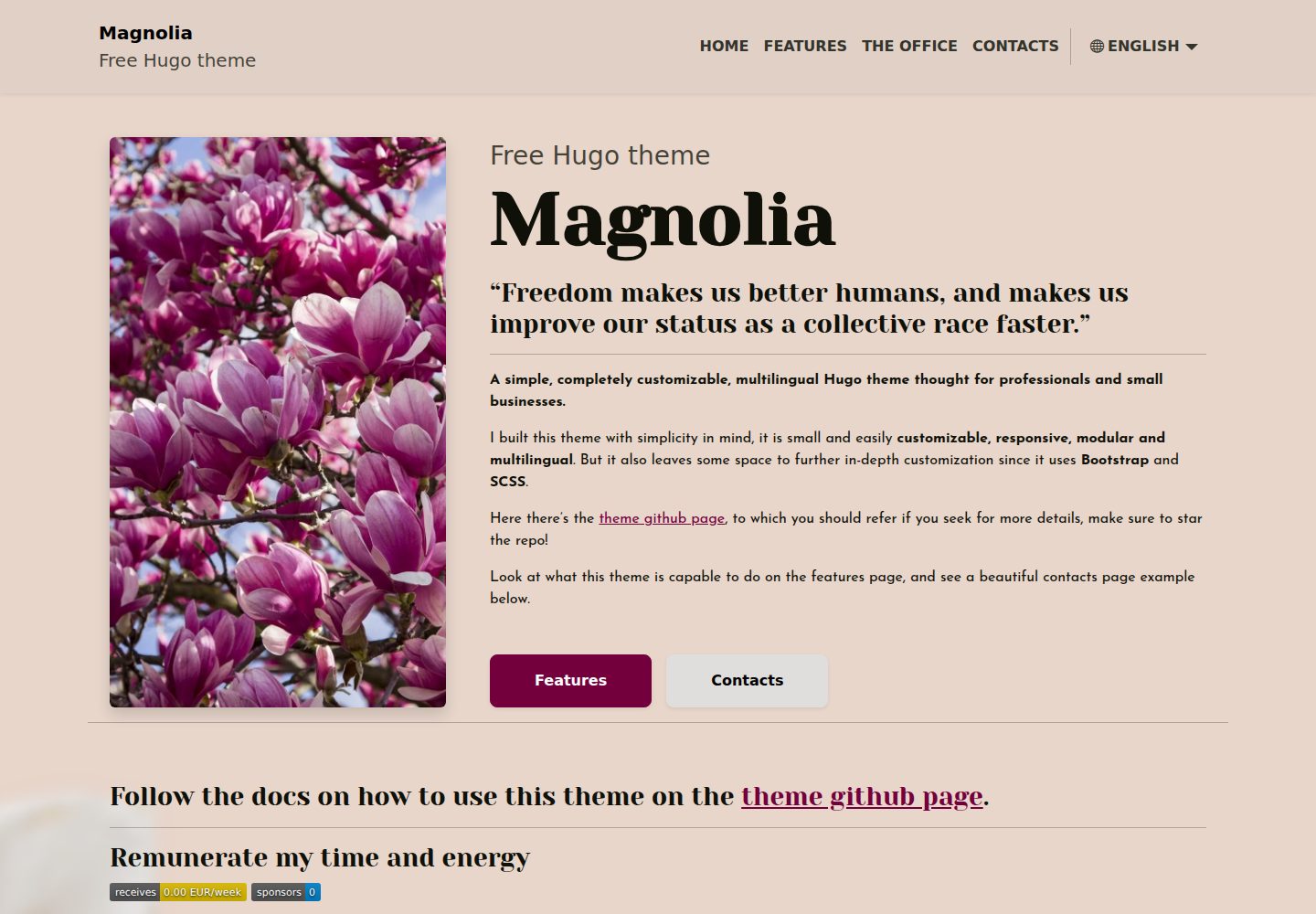
提供示例站点,主要页面与大部分参数已配置,可直接运行
Hugo作品集企业官网
magnolia-free-hugo-theme — Hugo 作品集模板
作者 ololiuhqui
Magnolia 是一款基于 Hugo 的免费多语言主题,面向个人专业人士和小型企业,提供落地页、服务页、办公地点页、联系页与博客模块。
看看你的网站会是什么样
浏览真实页面截图,比较内容排版与手机效果。点击下方缩略图切换,放大查看整页细节。
全部页面与视图 3
截图用于了解视觉与布局,交互效果请以实际项目为准。
采集于 2026-10-03查看来源
值得关注的模板亮点
从已有项目资料中,快速了解它的特点。
支持多语言,默认英语,含意大利语示例和语言切换下拉菜单,永久链接可本地化
包含落地页、服务页、办公地点页(集成 Google Maps)和联系页(接入 Formspree 表单)
博客模块支持多语言文章、特色图片、过期时间、标签,首页显示最新文章,标签有独立列表页
可修改 Bootstrap 变量自定义配色,使用 SCSS 编写样式
SEO 支持每页自定义 meta description 和唯一 meta title,可配置 robots 阻止 AI 爬虫
模板详细介绍
Magnolia 是一款基于 Hugo 的免费主题,定位为个人专业人士和小型企业的网站模板。它提供示例站点,主要页面已配置好大部分参数,可直接使用,并支持通过配置文件调整颜色与部分页面图片。
主题包含落地页、服务页(可设置任意数量的条目)、办公地点页(集成 Google Maps 查看路线)、联系页(接入 Formspree 表单并显示营业时间)。博客模块支持多语言发布、设置发布日期、特色图片、过期时间和标签,首页会展示最新文章,每个标签有独立列表页,文章页会显示基于标签的相关文章,标题会自动生成目录。如果不需要博客,可以在配置中关闭文章和标签的渲染与索引。
主题支持多语言,默认内容语言为英语,可添加任意语言,示例中包含意大利语,并提供语言切换下拉菜单,各语言的永久链接可本地化。主题使用 Bootstrap 和 SCSS,可修改 Bootstrap 变量自定义配色。SEO 方面,每个页面有可自定义的 meta description 和唯一 meta title,文章可设置特色图片,未设置时使用 assets/img/meta-image 作为 Google、Facebook 和 Twitter 的元图像;提供 robots.txt 指向 sitemap,并可在配置中通过 robots 阻止 AI 爬虫。此外支持 Google Analytics 和 Google Maps。
安装时需先安装 Hugo extended,然后下载 example-site 发布包,其中已包含兼容版本的主题。站点配置位于 config/_default,主要配置文件为 config.toml,但多数变量由各语言配置文件定义。更新主题需进入 themes/Magnolia 目录并切换到相应版本标签,需确认主题版本与 example-site 版本兼容。自定义可通过修改 assets/scss/custom-variables.scss 中的 Bootstrap 变量、编辑 config/_default 及语言配置文件、修改内容目录中的页面和图片完成。图片使用 Page bundles,可替换为任意扩展名但需保持文件名一致。
使用限制:联系表单依赖 Formspree,真实提交需配置服务端点,其使用额度与费用需单独核对;演示图片、字体、图标等第三方素材需按各自许可核对;域名、托管等外部服务可能另外收费。自定义 404 页面在 GitHub Pages 上需在构建后手动创建符号链接。
Hugo作品集企业官网
适合你的项目吗?
适用场景
- 个人专业人士搭建包含服务介绍、办公地点和联系方式的展示网站
- 小型企业创建多语言落地页并发布博客文章
- 需要多语言切换和本地化永久链接的网站
- 使用 Hugo 并希望快速启动、通过配置文件调整内容的项目
适合人群
- 熟悉或愿意学习 Hugo 的用户
- 需要多语言网站的个人或小型企业
- 希望使用免费 MIT 许可主题并自行配置的开发者
- 需要落地页与博客结合,且可关闭博客模块的网站
上手与定制指南
结合仓库当前版本的说明,按下面的资料检查内容、配置与运行要求。
- 1
需先安装 Hugo extended,无需执行 hugo new site,直接下载 example-site 发布包
- 2
站点配置位于 config/_default,主要配置文件为 config.toml,多数变量由各语言配置文件定义
- 3
更新主题需进入 themes/Magnolia 目录并切换到对应版本标签,注意与 example-site 版本兼容
- 4
联系表单使用 Formspree,真实提交需配置服务端点,其使用额度与费用需单独核对
- 5
自定义 404 页面在 GitHub Pages 上需在构建后手动创建符号链接
授权与来源资料
使用条件与限制
免费使用 · 保留许可声明本次收录的是公开仓库中采用 MIT 许可的免费版本;免费范围为该版本代码,不代表外部服务或第三方素材免费。
使用时需要遵守
- 允许免费使用、修改、商用和分发该版本代码。
- 分发代码副本或实质性部分时,保留原作者版权声明和完整 MIT 许可声明。
- 代码按现状提供;担保与责任限制以原许可证及适用法律为准。
额外费用与待核对事项
- 联系页表单依赖第三方 Formspree 服务,实际提交需自行注册并配置 Formspree 端点,其免费额度与付费方案需单独核对。
- 办公地点页的 Google Maps 路线功能依赖外部 Google 服务,使用可能受 Google 条款约束并可能产生费用。
- Google Analytics 为可选外部服务,需自行注册账号并获取跟踪标签,使用受 Google 条款约束。
- 在 GitHub Pages 上使用自定义 404 页面需在构建后手动创建符号链接,且所有语言只能共用一个 404 页面。
- 更新主题时需自行确认主题版本与 example-site 版本兼容,否则可能出现不兼容问题。
- README 提及 Formspree 表单服务;真实提交需配置服务端点,其使用额度与费用需单独核对。
- 演示图片、字体、图标及其他第三方素材需按各自许可核对,不能仅凭代码的 MIT 许可判断。
- 域名、托管、数据库、支付或 AI 等外部服务可能另外收费。
查看原文依据
Permission is hereby granted, free of charge
许可证原文
Contacts page with FormSpree connected form and opening hours
README 原文
The contact page can be easily customized by adding a google maps link to get directions towards your activity location.
README 原文
Insert your Google Analytics tag in the `config.toml` file and be ready to track your site performances easily.
README 原文
To create a symlink to the english 404 version, which will then be used as default 404 once hosting, after running `hugo` run `ln -s public/en/404/index.html public/404.html`.
README 原文
https://github.com/ololiuhqui/magnolia-free-hugo-theme/blob/main/LICENSE.mdhttps://github.com/ololiuhqui/magnolia-free-hugo-theme/blob/main/README.mdPlease check the releases page to make sure the new version of the theme is compatible with your current example-site release.
README 原文
DeepSeek 根据仓库许可证和 README 整理 ·2026-10-03。结果仅覆盖已读取资料,依赖、图片、字体及后续条款变更以各自原文为准。
项目核对记录与介绍依据
模板资料
- 来源平台
- Hugo Themes
- 资料与维护参考分
- 资料较完整 · 86 / 100
- 技术栈
- Hugo
- 网站类型
- 作品集 · 企业官网
这个分数如何计算
本站按许可资料(最高30分)、演示链接(12分)、预览图(10分)、Star数(15分)、记录的维护时间(15分)、描述完整度(8分)、功能记录(5分)和分类资料(5分)计算。它不是代码、安全或性能测试,也不是 Google 评分;有链接不代表已实测可用。
这个项目需要核对什么
- 记录的仓库更新时间
- 2025-09-03
- 截图检查日期
- 2026-10-03
已收录演示链接。请用你的内容与屏幕尺寸检查;有演示不代表表单、认证或支付已经可用。
目录记录的主要技术栈是 Hugo。请通过依赖清单和锁文件核对实际版本与托管要求。这些说明基于收录资料,不代表代码审计或部署实测。
查看具体选型方法 →介绍的制作与核对状态
介绍由 AI 辅助整理目录与仓库资料。仓库作者不等于这篇介绍的审核者。
已完成服务器许可规则与 AI 来源核对;未经过人工编辑审核。
查看当时使用的来源资料
SHA-256: 44fd8403ca769edf5fc43717218cd33bcf531024ab1077188a77af3c1ff20ca1
2026-10-03T05:04:16.790Z
来源文件 / 仓库<h1 align=center>Hugo Magnolia 🌸 | <a href="https://ololiuhqui.github.io/magnolia-free-hugo-theme/en/" rel="nofollow">Demo</a></h1>
<br>
<div align="center>
[](https://github.com/ololiuhqui/magnolia-free-hugo-theme/actions/workflows/hugo.yaml)
[](https://github.com/gohugoio/hugo/releases/tag/v0.129.0)

</div>
<br>
**A simple, customizable, multilingual Hugo theme thought for professionals and small businesses.**
I decided to give my personal _thank you_ to the Hugo developers and community by making this theme available for everyone.
This theme is actually very "hugo noob" friendly, as it provides an **example site** to be used with the latest version of the theme, the main pages are there to be used as they are, with most of the params already in the config files. you can customize the color palette and some of the pages images. This theme also aims to be _very well documented_ in order to be accessible even from a complete stranger and make your site run asap.
I strongly value the open source community as in these years i've been using many open source projects that made my life better and improved my digital freedom in many ways.
Freedom makes us better humans, and makes us improve our status faster and in an easier way.
**Make sure to <a href="https://github.com/ololiuhqui/magnolia-free-hugo-theme"> star this repo!</a>**
## Features ⚡
I built this theme with simplicity in mind, it is small and easily customizable, responsive, modular and multilingual. But it also leaves some space to further in-depth customization since it uses **Bootstrap** and **SCSS**.
This theme is thought to be used as a personal / business theme, it can provide a great landing page or blog for your activity!
### 1. Responsive
- The theme is fully responsive and shows perfectly on every screen size.
### 2. Modular
- Hide and show some elements easily from the config file.
### 3. Multilingual
- The default content language is english (it can be changed), but you can add as many languages as you want very easily, the theme includes an italian language example and a dropdown menù for easily switching between languages. Permalinks can be localized in each language (eg. you can have `/contacts` for english and `/contatti` for italian).
### 4. Customizable
These are the currently customizable sections:
- Landing page
- "Services" page with arbitrary number of points
- "Office" page with integrated google maps view for directions
- Contacts page with FormSpree connected form and opening hours
### 5. SEO ready
- Every page has an easily customizable meta description and a unique meta title for better and easier indexing. Each post has the option of adding a featured image, and, if not found, `assets/img/meta-image` will be used instead as meta image for Google, Facebook and Twitter. All pages that do not have a featured image will have the `meta-image` by default (eg. homepage, office etc).
There is a `robots.txt` file which indicates the correct location of the sitemap index for faster indexing. There's also an option in config to block AI scrapers via robots, this will increase your website **privacy** as well as **digital resiliency**, and also could help avoid altering your analytics.
### 6. Google Analytics supported
- Insert your Google Analytics tag in the `config.toml` file and be ready to track your site performances easily.
### 7. Google Maps included
- The contact page can be easily customized by adding a google maps link to get directions towards your activity location.
### 8. Ready to Blog
- The theme provides some archetypes and a simple directory structure, you can publish articles/posts in more languages, set a publish date, a featured image, an expiration date and tag your posts. You can create and translate custom tags. Latest posts will appear in the homepage, every tag will have its own list page, and every post will show a list of latest related posts based on tagging. If you include titles in your posts, they will be automatically rendered in a table of contents. SEO is carefully taken care of for posts as well. **You can also disable the blog part of the theme entirely if you don't need it!**
## Quick start: how to install 📥
1. Install hugo extended, follow [the official installation guide](https://gohugo.io/installation/). For using this theme you **DO NOT NEED** to execute `hugo new site`, as you will be cloning an example site in step 2.
2. Get [the latest version of the example site](https://github.com/ololiuhqui/magnolia-free-hugo-theme/releases/latest). Download the archive named example-site, it will automatically come with a compatible version of the magnolia theme.
3. The site configurations will be found in `config/_default`. The main configuration file is `config/_default/config.toml`, but most variables are overwritten or defined by the individual language configuration files (eg. `config/_default/languages/.en.toml`)
4. Move to your site directory and see the website preview with `hugo serve -D`
## How to update ♻
- Move into the theme folder `cd themes/Magnolia`
- Run `git checkout <version-tag>`. Choose the version tag from the [releases page](https://github.com/ololiuhqui/magnolia-free-hugo-theme/releases). e.g `git checkout v2.0.0`.
Please check the releases page to make sure the new version of the theme is compatible with your current example-site release. Refer to [Semantic Versioning 2.0.0 | Semantic Versioning](https://semver.org/).
## How to customize 🎨
- Use your preferred color palette by modifying the Bootstrap variables in `assets/scss/custom-variables.scss`.
- Change the config files in `/config/_default` and `/config/_default/languages` adding your own elements to the pages. You can change the page names there as well.
- Edit the homepage content in `content/<language>/_index.html`, markdown supported.
- Edit pages names, slugs and metadescriptions in `content/<language>/pages/<page>/index.html`.
- Change the images of the website from the `content/<language>/pages/<page>/<image>` folders (pages and posts use [Page bundles](https://gohugo.io/content-management/page-bundles/)). The homepage is the `_index.md` right in the root language content folder. Images of any extensions can be used, but the name of the image must be the same of the one currently set up (eg. `main.*`).
- Add your own favicon, background and default meta-image (the image used in SEO) in `assets/img`. These files can be of any extension but must have the same name of the ones currently in the example site assets directory.
## How to manage posts ✏️
### Enable/Disable Blog
_Wait, you told me this theme was noob friendly, I don't wanna deal with all the blog stuff!_
_I need a simple landing page and all this blog feature is something I don't care about!_
**If you don't need posts you can disable the blog part of the theme entirely from within the config files and just use Magnolia as a simple landing site.**
- To disable _tags only_ rendering and indexing for the entire site -> `config.toml` uncomment `#disableKinds = ['taxonomy', 'term']`.
- To disable _post and tags_ rendering and indexing for the entire site -> `config.toml` uncomment `#disableKinds = ['taxonomy', 'term']` and `#ignoreFiles= ['posts/*']`.
### Content organization
The `/content` folder contains different types of content, the content organization mimicts the site structure.
```
content
├── en
│ ├── _index.md
│ ├── pages
│ ├── posts
│ ├── main.webp
│ └── tags
└── it
├── _index.md
├── pages
├── posts
├── main.webp
└── tags
```
For each language, you will find yourself in front of the homepage `_index.md` and the image used for the homepage presentation section (`main.webp`). The other directories will contain exactly what you expect.
`pages`= normal website pages (office, services etc).
`posts`= site posts.
`tags` = custom tags.
#### Posts
- Create a new post with: `hugo new --kind post-bundle content/<lang>/posts/<post-name>`. This will be its very simple structure:
```
content/en/posts
├── a-poem-about-flowers
│ ├── images
│ │ └── featured.jpg
│ └── index.md
```
- Edit the metadata in `index.md` and add your post content below.
- Add a post featured image by subsituting the `featured.webp` placeholder in `/images`. The featured image has to be called "featured" but can be of any extension. If you wish you can remove the placeholder to have a text-only post.
#### Tags
1. One option is to automatically create tags by adding them to posts frontmatters.
2. The second option is to create a new tag with: `hugo new --kind tag content/<lang>/tags/<tag-name>`. Creating tags this way will allow for a finer manipulation, you can translate tags here by giving the same translationKey in frontmatter in every different language. Hence having your posts sorted the same for each language and have tag pages translations available.
```
content/en/tags
├── flowers
│ └── _index.md
```
For more on content organization refefer to [Content organization | Hugo](https://gohugo.io/content-management/organization/).
## Add new languages 🚩
1. Head to `config/_default/languages`.
2. Duplicate one of the language files, change the language tag, name of the file (en, it, fr etc): this should be compliant with [RFC 5646](https://gohugo.io/content-management/multilingual/). Use the [RFC 5646 Language Tags List](https://gist.github.com/msikma/8912e62ed866778ff8cd) for a quicker setup.
3. Translate the variables values inside the `.toml` file accordingly to the language.
4. In the `/content` directory, duplicate one of the language folders and change the name accordingly to your new language as in step 2.
5. For each of the `.html` file in `/content/pages`, you can change `title` and `slug` freely. `translationKey` should remain untouched or should be changed in every language page file. I strongly suggest you to translate the SEO here as well.
6. For each of the `.md` files in `content/posts/<my-post>` translate the content and the frontmatter values you need (eg. _summary_).
## Custom 404 page
To add the custom 404 page and make it work on github pages, you will have to add it manually when building the site executing `hugo`. This is because github pages looks for a 404 template in the root directory of the project, you can therefore only have one single 404 page for all the languages. To create a symlink to the english 404 version, which will then be used as default 404 once hosting, after running `hugo` run `ln -s public/en/404/index.html public/404.html`.
## Remunerate my time and energy 💫


Designing this theme and making it available for you took a lot of time and effort.
The MIT license means that you are completely free to do whatevere you want with this theme, even [make money from it!](https://opensource.org/license/MIT) With the only obligation to include the attribution!
If you wish you can support me in several ways:
### Single donation:
<details><summary><b> BuyMeACoffee </b></summary>
<a href="https://www.buymeacoffee.com/ololiuhqui" target="_blank"><img src="https://cdn.buymeacoffee.com/buttons/v2/default-yellow.png" alt="Buy Me A Coffee" style="height: auto ;width: 150px;" ></a>
</details>
<br>
<details><summary><b> Bitcoin (BTC) </b></summary>
```
bc1q26f4gscc5ksujdx6wzxfnlqeqt02p3sjcqwvln
```

</details>
### Recurring donations:
<details><summary><b> LiberaPay </b></summary>
<a href="https://liberapay.com/ololiuhqui/donate"><img alt="Donate using Liberapay" src="https://liberapay.com/assets/widgets/donate.svg"></a>
</details>
<details><summary><b> GitHub Sponsors </b></summary>
<a href="https://github.com/ololiuhqui/magnolia-free-hugo-theme">Github Repo</a>
</details>
## Contribute 🛠
**First of all, PRs are welcome here!**
### Notes on how this repo works
This repo includes two main branches: **main** and **exampleSite**.
**main** is an **exampleSite** submodule.
The _exampleSite_ directory will _not_ be shown in **main** branch.
If you clone the **main** branch you will therefore be able to modify the theme and its content only, if you clone the **exampleSite** branch you will be able to modify the exampleSite content only.
As an alternative you can also clone the **exampleSite** with the `recurse-submodules` option, that will also add the theme **main** as submodule, making it available for changes. To clone the repo and submodule at latest commit and main branch run `git clone -b exampleSite --recurse-submodules https://github.com/ololiuhqui/magnolia-free-hugo-theme`, move to the just cloned folder and `git submodule update --remote --merge` to make sure you're working with the latest theme commit.
This will set you up to work on a detatched HEAD with the latest commit on the theme and example site, checkout to your own branches and make pull requests!
#### Content:
| main 🌲 | exampleSite 🌲 |
| ----------- | ------------------------- |
| main branch | exampleSite branch |
| | theme as submodule (main) |
### Things that should be probably added to this theme
#### Add a RSS feed template for posts
This would be wonderful for setting up automations that use RSS feed as source like Zapier or FTTT.
#### Add proper Bootstrap theming
Only some bootstrap variables are reassigned, leaving a lot of them to defaults. Properly assigning all the most important variables would make building, modifying and styling the theme much easier with less manual SCSS/CSS needed.
I included the `scss/custom-variable.scss` file to overwrite the default variables, this would need to be updated as well with the variables that get styled in the theme, in order to give the theme user the ability to easily customize the site appeareance.
Refer to:
- [Customize · Bootstrap v5.0](https://getbootstrap.com/docs/5.0/customize/overview/).
- [Example bootstrap themes + easily style with UI](https://bootstrap.build/app/project/UroRGaxfXxdg)
### Ensure accessibility
The website still lacks a focus on accessibility, this needs to be addressed.
看看同类模板
对比同技术栈与用途的模板,找到更适合的视觉与内容结构。

hugo-PaperMod
PaperMod 是 Hugo 生态里知名度较高的主题之一,定位很明确:给博客和轻量作品集站点提供一套干净、响应式的阅读界面。
Hugo · 作品集

Congo
Congo 是一款为 Hugo 设计的现代内容主题,核心定位是让内容本身成为页面焦点。 它基于 Tailwind CSS 3.0 构建,整体布局完全响应式,视觉风格干净且克制,没有多余装饰。
Hugo · 博客
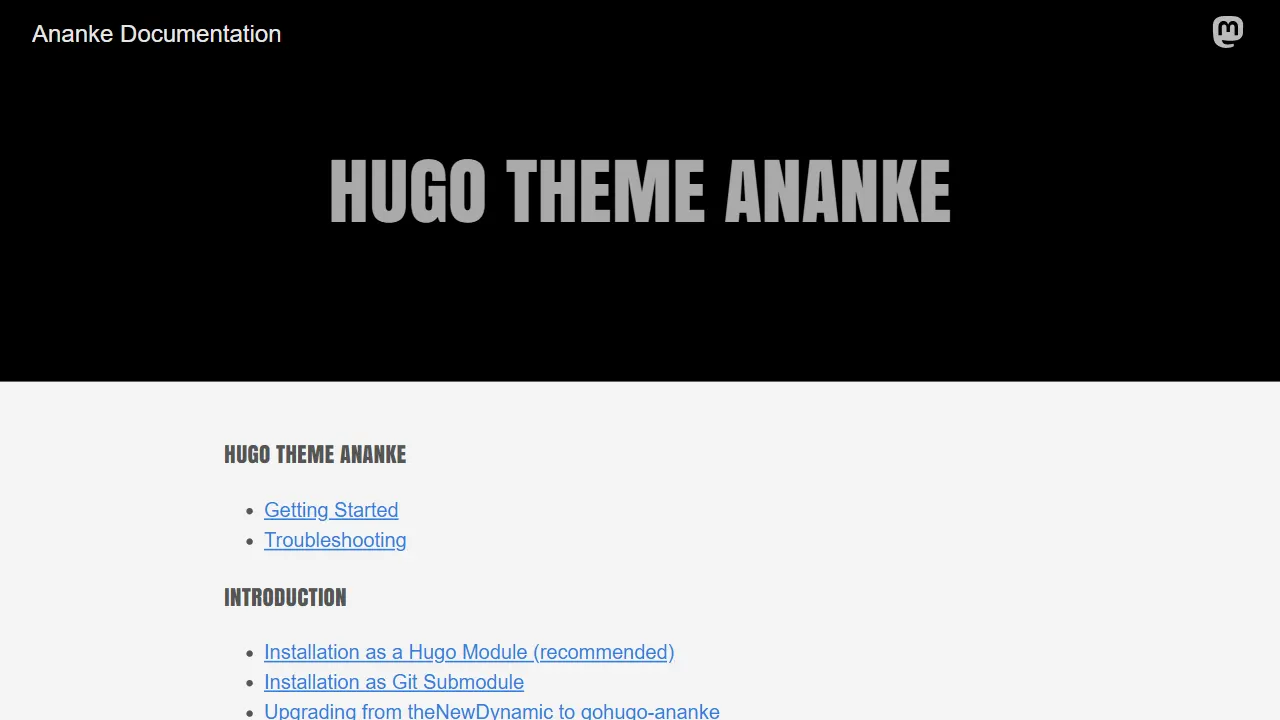
Ananke
Ananke 是 Hugo 社区中流传较广的通用主题,定位是灵活、生产可用的起始模板,强调可访问性、性能与可维护的默认配置。
Hugo · 博客

toha
Toha 是一款面向个人作品集场景的 Hugo 主题,以极简设计和响应式布局为核心,适合用来搭建个人主页、作品展示或技术博客。
Hugo · 作品集

hugo-profile
A highly customizable and mobile first Hugo template for personal portfolio and blog.
Hugo · 作品集

hugo-theme-introduction
Minimal, single page, smooth-scrolling theme for Hugo static site generator.
Hugo · 作品集