Jekyll static site: write articles in Markdown and generate blog pages
JekyllBlog
science-blog-template — Jekyll Blog Template
By pranjaldhole
A Jekyll-based science and technology blog template for scientific writers, supporting Markdown writing, MathJax formula rendering, code blocks, and Disqus comments, and can be hosted on GitHub Pages.
Explore the design
Compare the page layouts and mobile experience. Open any screenshot for a closer look.
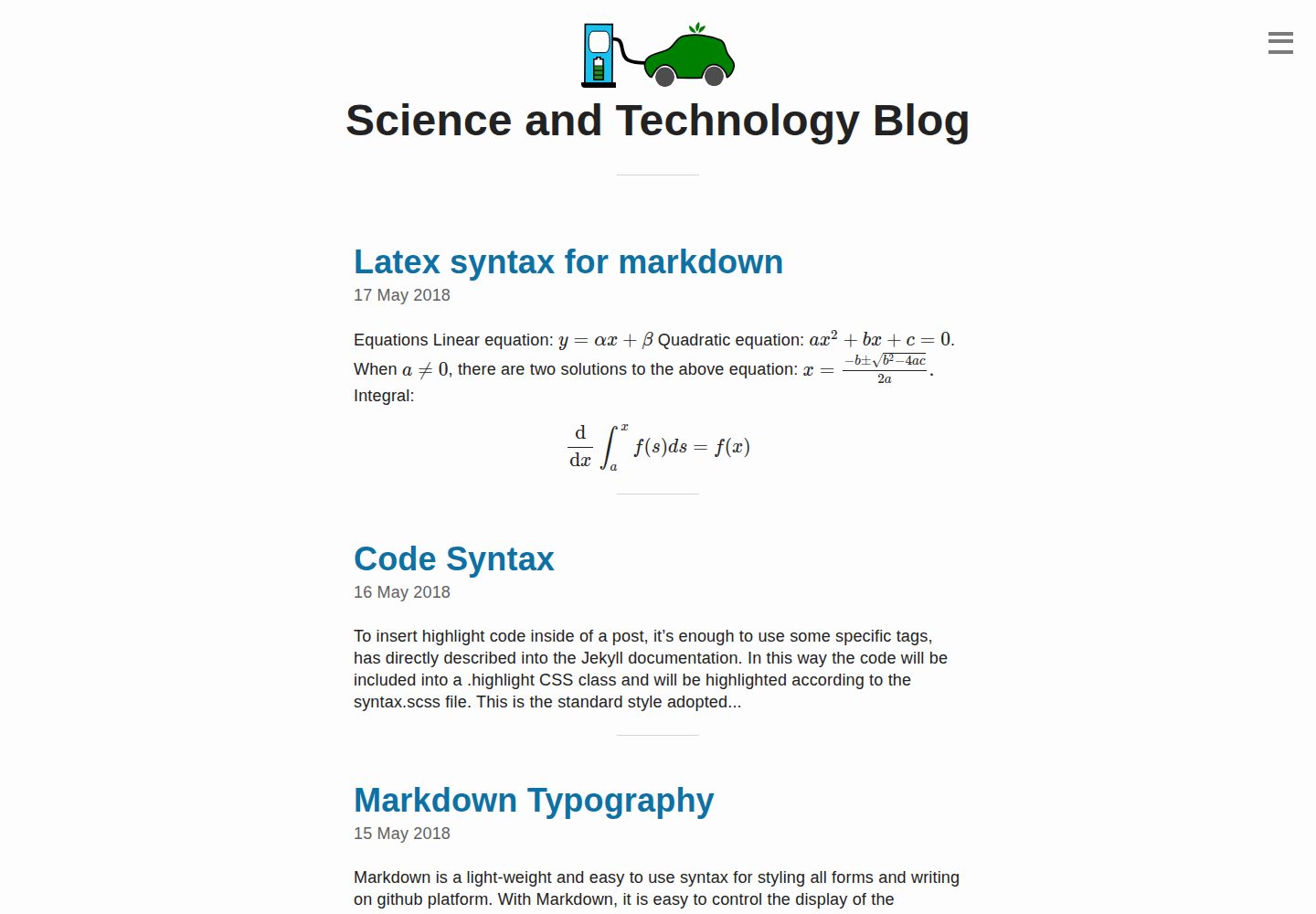
Desktop homepage1 / 3
Desktop captureTop of page
Actual screenshot captured by the server browser.
All pages & views 3
Screenshots show visual appearance; interactive behavior may differ.
Recorded 2026-10-03View source
What stands out
A quick read of the recorded project description.
Aimed at GitHub Pages hosting; publishing from a public repository incurs no hosting cost
MathJax enabled, allowing mathematical formulas to be written in LaTeX syntax
Supports code blocks for displaying code, suitable for science and technology content
Built-in Disqus comments, enabled or disabled via the shortname in _config.yml
Template Details
This is a Jekyll-based blog template for writing science and technology articles. In the README, the author states that the codebase was inspired by the Emerald repository, with the goal of letting scientific writers write articles in Markdown and have Jekyll convert them into blog pages, without having to hand-write HTML. The template is aimed at GitHub Pages hosting by default: public repositories are free, so publishing a blog requires no additional payment.
On the content side, the template enables MathJax, so mathematical formulas can be written directly in LaTeX format, and it also supports displaying code with code blocks, making it suitable for science and technology articles that include formulas or code snippets. Comments use Disqus; to enable them, change dqs_shortname in _config.yml to your own disqus_shortname. If comments are not needed, set comments to false.
Before use, Jekyll must be installed (installation instructions are provided in the repository at _posts/2018-05-14-install-jekyll.md), then modify baseurl, URL, and variable names in _config.yml, and you may need to adjust links in _includes/link.html. The README notes that the repository has only been tested on Ubuntu 16.04, and other environments may require troubleshooting. Template updates stopped in 2021, and it uses the MIT license.
JekyllBlog
Is it right for your project?
Use Cases
- Writing research or technical blogs that include mathematical formulas
- Setting up a personal scientific writing site on GitHub Pages
- Publishing technical notes and tutorials with code examples
- Maintaining a long-term updated blog with Markdown instead of hand-written HTML
Suitable For
- Science and technology writers accustomed to writing in Markdown
- Individuals who want to host their blog for free on GitHub Pages
- Authors whose articles need LaTeX formulas or code blocks
- Users willing to install Jekyll themselves and modify configuration files
Getting started & customization
Use these recorded setup notes alongside the repository instructions for your chosen version.
- 1
First install Jekyll according to the instructions in the repository at _posts/2018-05-14-install-jekyll.md
- 2
Modify _config.yml: change baseurl to your folder name, and update the corresponding URL and variable names
- 3
If comments are needed, change dqs_shortname to your own disqus_shortname; if not, set comments to false
- 4
Adjust links in _includes/link.html as needed
- 5
Commit changes to the branch that GitHub Pages actually publishes from; the README only states that it has been tested on Ubuntu 16.04
License & source material
Usage conditions & limitations
Free to use · keep license noticeThis entry covers the free version in a public repository under the MIT license; the free scope is the code of that version and does not mean that external services or third-party assets are free.
Must comply with when using
- The code of this version may be used, modified, used commercially, and distributed for free.
- When distributing copies or substantial portions of the code, retain the original author's copyright notice and the full MIT license notice.
- The code is provided as is; warranties and limitations of liability are governed by the original license and applicable law.
Additional costs & items to verify
- The comment feature depends on the third-party Disqus service: to enable it, change dqs_shortname in _config.yml to your own disqus_shortname; if not used, set comments to false. Disqus accounts and related services are provided by a third party and may be subject to their own terms.
- The template is aimed at GitHub Pages hosting by default, and the publishing workflow depends on the GitHub platform and its public repository policies; the README states that changes need to be committed to the branch that GitHub Pages actually publishes from.
- The author only states that it has been tested on Ubuntu 16.04; other operating systems or environments may require troubleshooting compatibility issues, and this does not constitute a guarantee of usability across environments.
- Demo images, fonts, icons, and other third-party assets must be checked against their respective licenses and cannot be judged solely by the code's MIT license.
- External services such as domains, hosting, databases, payments, or AI may incur separate charges.
View Original Text Basis
Permission is hereby granted, free of charge
Original License Text
If you want to enable disqus comments, change dqs_shortname to your forum's disqus_shortname
Original README
This code-base is meant to host on [github pages](https://pages.github.com/).
Original README
https://github.com/pranjaldhole/science-blog-template/blob/gh-pages/LICENSEhttps://github.com/pranjaldhole/science-blog-template/blob/gh-pages/README.mdI have only tested this repository on Ubuntu 16.04.
Original README
Compiled by DeepSeek based on repository license and README ·2026-10-03. Results only cover the materials read; dependencies, images, fonts, and subsequent term changes are subject to their respective original texts.
Project checks & description sources
Template Information
- Source platforms
- GitHub
- Documentation and maintenance reference score
- Partly documented · 72 / 100
- Technologies
- Jekyll
- Website type
- Blog
How this score is calculated
Our heuristic uses license records (up to 30), a demo link (12), a preview (10), stars (15), recorded maintenance (15), description completeness (8), feature records (5) and classification data (5). It is not a code, security or performance test, or a Google score. A link does not establish tested functionality.
What to verify for this project
- Repository update recorded
- 2021-06-24
- Screenshot last checked
- 2026-10-03
A demo link is listed. Check it with your own content and viewport sizes; its presence does not confirm that forms, authentication or payments work.
The catalog identifies Jekyll as the primary stack. Check the actual dependency manifest and lockfile for versions and hosting requirements. These notes use recorded metadata, not a code audit or a deployment test.
Use a selection guide →How this description was prepared
AI-assisted description based on catalog records and repository material. Repository authors are not automatically the reviewers of this description.
Automatically checked against source and license rules; no manual editorial review.
Inspect the recorded source material
SHA-256: 2da2315c166093bdf88b769e2c5063f730200b3260fba20fd66f03ed0aac89f3
2026-10-03T04:54:16.927Z
Source file / repository# Science and Technology Blog template <img align="right" width="150" height="100" src="img/logo.svg">
## Installation instructions
1. **Install Jekyll**: The instructions are given in [post](_posts/2018-05-14-install-jekyll.md)
2. **Edit _config.yml** file:
- Change baseurl to your folder name.
- Change the respective URLs and variable names.
- **If you want to enable disqus comments, change dqs_shortname to your
forum's disqus_shortname**. Otherwise, turn comments to false.
3. You might want to change the URLs in `_includes/link.html` file.
Now your science and technology blog is up and running. Happy blogging!
## Notes
- Make sure you commit changes to the branch from which github pages are published.
- I have only tested this repository on Ubuntu 16.04. If everything doesn't work smoothly,
you'll probably have to look it up.
## About
This is a simple template for creating a Science and Technology Blog.
The code base is inspired from [Emerald repository](https://github.com/KingFelix/emerald).
The template contain following features:
### Jekyll-based website
- This code-base is meant to host on [github pages](https://pages.github.com/).
- Github pages uses [Jekyll](https://jekyllrb.com/) that can convert your
markdown pages into beautiful looking blog pages without needing to
write cumbersome HTML code.
- Once you set up the site, blogging becomes as fast as using any online service
such as Wordpress, Blogger, etc.
### Free website publishing with Github-pages
- Since Github public repositories are free, you do not need to pay a cent to
anyone for publishing your blog.
### Commenting with Disqus
- The template has included Disqus comments. So, if enabled, your readers can
comment on any of your posts.
- This also makes sharing your writings on social platforms easy.
- Disqus basic account is for free and avails you with most of its features.
### Latex rendering
- If you have a scientific mind and you do not shy away from equations, the
website is MathJax enabled. You can simply type your math equations in
Latex format.
### Code
- You can also demonstrate your code in `code blocks`.
## Contribution
If you want to contribute to the repository to improve the code, feel free to submit a pull request.
Explore similar templates
Compare previews and descriptions within the same stack and category.

al-folio
A Jekyll academic homepage theme for scholars and researchers, with a clean responsive design and out-of-the-box support for publication lists, project showcases, CVs, and blogs.
Jekyll · Portfolio

minimal-mistakes
Minimal Mistakes is a two-column Jekyll theme for personal sites, blogs, project documentation, or portfolios.
Jekyll · Portfolio

Beautiful Jekyll
Beautiful Jekyll is a mature, easy-to-use Jekyll blog theme maintained by Dean Attali since 2015, with over 50,000 users.
Jekyll · Blog

jekyll-TeXt-theme
A customizable Jekyll theme for personal sites, team sites, blogs, projects, and documentation.
Jekyll · Blog

startbootstrap-clean-blog-jekyll
The official Jekyll version of Start Bootstrap's Clean Blog theme, offering a blog home page, about page, contact page, and sample post pages, with a Formspree-powered contact form.
Jekyll · Blog

So Simple
A minimal reading-oriented Jekyll theme by Michael Rose for personal blogs, portfolios, and long-form reading. It offers multiple layouts, microformat markup, Disqus comments, Google Analytics, Jekyll SEO Tag, three skins, and aggregation by year, category, and tag with a grid view.
Jekyll · Blog