Jekyll 静态站点,用 Markdown 写文章并生成博客页面
Jekyll博客
science-blog-template — Jekyll 博客模板
作者 pranjaldhole
基于 Jekyll 的科学与技术博客模板,面向科学写作者,支持 Markdown 写作、MathJax 公式渲染、代码块与 Disqus 评论,可托管在 GitHub Pages。
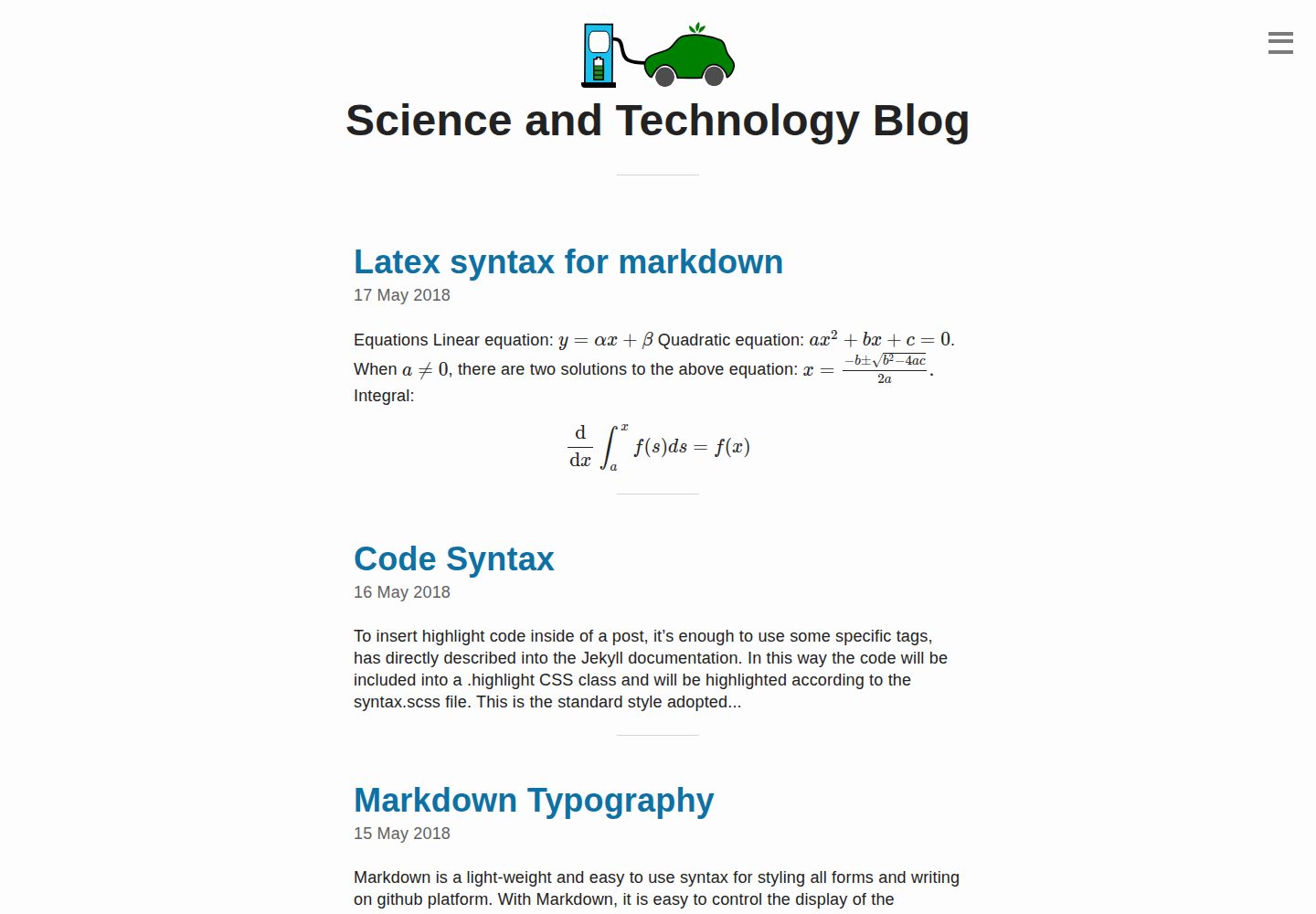
看看你的网站会是什么样
浏览真实页面截图,比较内容排版与手机效果。点击下方缩略图切换,放大查看整页细节。
全部页面与视图 3
截图用于了解视觉与布局,交互效果请以实际项目为准。
采集于 2026-10-03查看来源
值得关注的模板亮点
从已有项目资料中,快速了解它的特点。
面向 GitHub Pages 托管,公开仓库发布不产生托管费用
启用 MathJax,可用 LaTeX 语法书写数学公式
支持代码块展示代码,适合科技类内容
内置 Disqus 评论,通过 _config.yml 中的 shortname 启用或关闭
模板详细介绍
这是一个基于 Jekyll 的博客模板,用于撰写科学与技术类文章。作者在 README 中说明其代码库受 Emerald 仓库启发,目标是让科学写作者用 Markdown 写文章,由 Jekyll 转换成博客页面,而不必手写 HTML。模板默认面向 GitHub Pages 托管:公开仓库免费,因此发布博客不需要额外付费。
内容层面,模板启用了 MathJax,可直接用 LaTeX 格式书写数学公式,也支持用代码块展示代码,适合带有公式或代码片段的科技类文章。评论使用 Disqus,在 _config.yml 中把 dqs_shortname 改成自己的 disqus_shortname 即可启用,不需要评论时把 comments 设为 false。
使用前需要先安装 Jekyll(仓库内 _posts/2018-05-14-install-jekyll.md 给出了安装说明),然后修改 _config.yml 中的 baseurl、URL 与变量名,并可能需要在 _includes/link.html 中调整链接。README 提到该仓库只在 Ubuntu 16.04 上测试过,其他环境可能需要自行排查。模板更新停留在 2021 年,采用 MIT 许可。
Jekyll博客
适合你的项目吗?
适用场景
- 撰写含数学公式的科研或技术博客
- 在 GitHub Pages 上搭建个人科学写作站点
- 发布带代码示例的技术笔记与教程
- 用 Markdown 替代手写 HTML 维护长期更新的博客
适合人群
- 习惯用 Markdown 写作的科学与技术写作者
- 希望把博客免费托管在 GitHub Pages 的个人
- 文章中需要 LaTeX 公式或代码块的作者
- 接受自行安装 Jekyll 并修改配置文件的使用者
上手与定制指南
结合仓库当前版本的说明,按下面的资料检查内容、配置与运行要求。
- 1
先按仓库内 _posts/2018-05-14-install-jekyll.md 的说明安装 Jekyll
- 2
修改 _config.yml:把 baseurl 改为你的文件夹名,并更新相应 URL 与变量名
- 3
如需评论,将 dqs_shortname 改为自己的 disqus_shortname;不需要则把 comments 设为 false
- 4
按需调整 _includes/link.html 中的链接
- 5
把改动提交到 GitHub Pages 实际发布所对应的分支;README 仅说明在 Ubuntu 16.04 上测试过
授权与来源资料
使用条件与限制
免费使用 · 保留许可声明本次收录的是公开仓库中采用 MIT 许可的免费版本;免费范围为该版本代码,不代表外部服务或第三方素材免费。
使用时需要遵守
- 允许免费使用、修改、商用和分发该版本代码。
- 分发代码副本或实质性部分时,保留原作者版权声明和完整 MIT 许可声明。
- 代码按现状提供;担保与责任限制以原许可证及适用法律为准。
额外费用与待核对事项
- 评论功能依赖第三方 Disqus 服务:需在 _config.yml 中把 dqs_shortname 改为自己的 disqus_shortname 才能启用;不使用时可把 comments 设为 false。Disqus 账号与相关服务由第三方提供,可能受其自身条款约束。
- 模板默认面向 GitHub Pages 托管,发布流程依赖 GitHub 平台及其公开仓库政策;README 说明需把改动提交到 GitHub Pages 实际发布所对应的分支。
- 作者仅说明在 Ubuntu 16.04 上测试过,其他操作系统或环境可能需要自行排查兼容性问题,不构成跨环境可用性保证。
- 演示图片、字体、图标及其他第三方素材需按各自许可核对,不能仅凭代码的 MIT 许可判断。
- 域名、托管、数据库、支付或 AI 等外部服务可能另外收费。
查看原文依据
Permission is hereby granted, free of charge
许可证原文
If you want to enable disqus comments, change dqs_shortname to your forum's disqus_shortname
README 原文
This code-base is meant to host on [github pages](https://pages.github.com/).
README 原文
https://github.com/pranjaldhole/science-blog-template/blob/gh-pages/LICENSEhttps://github.com/pranjaldhole/science-blog-template/blob/gh-pages/README.mdI have only tested this repository on Ubuntu 16.04.
README 原文
DeepSeek 根据仓库许可证和 README 整理 ·2026-10-03。结果仅覆盖已读取资料,依赖、图片、字体及后续条款变更以各自原文为准。
项目核对记录与介绍依据
模板资料
- 来源平台
- GitHub
- 资料与维护参考分
- 资料一般 · 72 / 100
- 技术栈
- Jekyll
- 网站类型
- 博客
这个分数如何计算
本站按许可资料(最高30分)、演示链接(12分)、预览图(10分)、Star数(15分)、记录的维护时间(15分)、描述完整度(8分)、功能记录(5分)和分类资料(5分)计算。它不是代码、安全或性能测试,也不是 Google 评分;有链接不代表已实测可用。
这个项目需要核对什么
- 记录的仓库更新时间
- 2021-06-24
- 截图检查日期
- 2026-10-03
已收录演示链接。请用你的内容与屏幕尺寸检查;有演示不代表表单、认证或支付已经可用。
目录记录的主要技术栈是 Jekyll。请通过依赖清单和锁文件核对实际版本与托管要求。这些说明基于收录资料,不代表代码审计或部署实测。
查看具体选型方法 →介绍的制作与核对状态
介绍由 AI 辅助整理目录与仓库资料。仓库作者不等于这篇介绍的审核者。
已完成服务器许可规则与 AI 来源核对;未经过人工编辑审核。
查看当时使用的来源资料
SHA-256: 2da2315c166093bdf88b769e2c5063f730200b3260fba20fd66f03ed0aac89f3
2026-10-03T04:54:16.927Z
来源文件 / 仓库# Science and Technology Blog template <img align="right" width="150" height="100" src="img/logo.svg">
## Installation instructions
1. **Install Jekyll**: The instructions are given in [post](_posts/2018-05-14-install-jekyll.md)
2. **Edit _config.yml** file:
- Change baseurl to your folder name.
- Change the respective URLs and variable names.
- **If you want to enable disqus comments, change dqs_shortname to your
forum's disqus_shortname**. Otherwise, turn comments to false.
3. You might want to change the URLs in `_includes/link.html` file.
Now your science and technology blog is up and running. Happy blogging!
## Notes
- Make sure you commit changes to the branch from which github pages are published.
- I have only tested this repository on Ubuntu 16.04. If everything doesn't work smoothly,
you'll probably have to look it up.
## About
This is a simple template for creating a Science and Technology Blog.
The code base is inspired from [Emerald repository](https://github.com/KingFelix/emerald).
The template contain following features:
### Jekyll-based website
- This code-base is meant to host on [github pages](https://pages.github.com/).
- Github pages uses [Jekyll](https://jekyllrb.com/) that can convert your
markdown pages into beautiful looking blog pages without needing to
write cumbersome HTML code.
- Once you set up the site, blogging becomes as fast as using any online service
such as Wordpress, Blogger, etc.
### Free website publishing with Github-pages
- Since Github public repositories are free, you do not need to pay a cent to
anyone for publishing your blog.
### Commenting with Disqus
- The template has included Disqus comments. So, if enabled, your readers can
comment on any of your posts.
- This also makes sharing your writings on social platforms easy.
- Disqus basic account is for free and avails you with most of its features.
### Latex rendering
- If you have a scientific mind and you do not shy away from equations, the
website is MathJax enabled. You can simply type your math equations in
Latex format.
### Code
- You can also demonstrate your code in `code blocks`.
## Contribution
If you want to contribute to the repository to improve the code, feel free to submit a pull request.
看看同类模板
对比同技术栈与用途的模板,找到更适合的视觉与内容结构。

al-folio
al-folio 是一个面向学者与研究人员的 Jekyll 作品集主题,设计简洁、响应式,适合搭建个人学术主页。
Jekyll · 作品集

minimal-mistakes
:triangular_ruler: Jekyll theme for building a personal site, blog, project documentation, or portfolio.
Jekyll · 作品集

Beautiful Jekyll
Beautiful Jekyll 是一个在 Jekyll 生态中经过长期打磨的博客主题,由 Dean Attali 维护,自 2015 年起积累了超过 5 万用户。
Jekyll · 博客

jekyll-TeXt-theme
💎 🐳 A super customizable Jekyll theme for personal site, team site, blog, project, documentation, etc.
Jekyll · 博客

startbootstrap-clean-blog-jekyll
A Jekyll version of the Clean Blog theme by Start Bootstrap
Jekyll · 博客

So Simple
So Simple 是 Michael Rose 开发的 Jekyll 主题,定位清晰:为文字和图片提供一个干净、可读性强的展示框架。
Jekyll · 博客