Configuration-first: site name, tagline, description, contact details, navigation and feature toggles are centralized in site.config.json, validated at build time with actionable error messages
Next.jsReactStarter
provelopment-foundation — Next.js Starter Template
By provelopment
An open-source, configuration-first website foundation template for small businesses, built on Next.js, generating multilingual, accessible sites from JSON, Markdown and assets, allowing re-branding without changing platform code.
Explore the design
Compare the page layouts and mobile experience. Open any screenshot for a closer look.
Desktop homepage1 / 3
Desktop captureTop of page
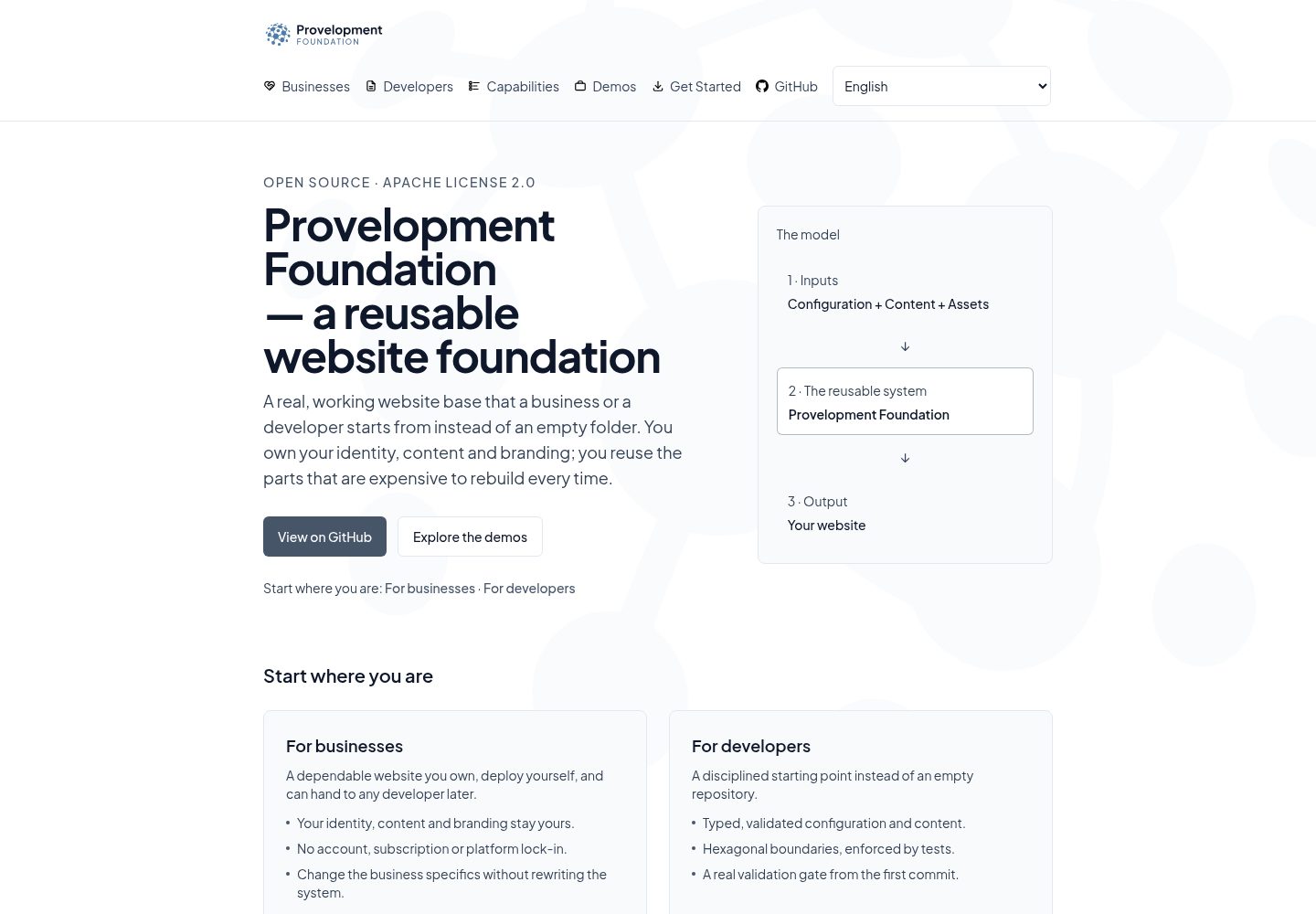
Actual screenshot captured by the server browser.
All pages & views 3
Screenshots show visual appearance; interactive behavior may differ.
Recorded 2026-10-04View source
What stands out
A quick read of the recorded project description.
Content and configuration are separated: authors only need to edit Markdown or JSON pages under content/ and assets/ materials, with no changes to platform code
Addresses are folders: page paths are determined by the directory structure mode → site → language → page, and the site folder must be a supported country code or ww
Two page authoring modes: a safe Markdown mode for ordinary editors, and a declarative JSON mode for experienced authors
Built-in foundations such as accessibility, SEO metadata, localization and theme tokens, with starter pages and placeholder graphics that run directly
Provides release:build and installation:establish commands for establishing a complete, self-contained installation in a separate directory
Template Details
Provelopment Foundation is a reusable website platform template aimed at small business scenarios. It pre-builds routing, content system, localization, configurable shell, theme tokens, asset roles, accessibility, SEO metadata, validation and deployment, so a new site starts from a runnable baseline rather than an empty directory. The repository itself carries no brand: it provides only starter pages, neutral placeholder graphics, one default language and the full architecture; users only need to modify configuration, content and assets, with no changes to platform code.
Content organization centers on the deployment capsule. All author-written or uploaded content lives under the deployment's content/ directory: Markdown pages at content/pages/markdown/<site>/<locale>/<route>.md, JSON declarative pages at content/pages/json/<site>/<locale>/<route>.json, and graphic assets at content/assets/. Page addresses are determined by the folder hierarchy: mode → site → language → page. The site folder must be a supported lowercase country code or ww (global site), and the language is lowercase (e.g., en, fr-ca). References, cards, statistics, etc. that appear only inside other pages do not need separate files.
Configuration and content are separated: site.config.json and the config/ directory control site behavior (name, tagline, description, contact details, social links, navigation, optional footer navigation groups, enabled capabilities and resolved UI), validated at build time with actionable error messages. Visible landing page copy is in config/i18n/en.json. The theme accent color is a single value. The page title is the page's only top-level heading, and in-page headings are automatically placed under it.
Publishing is Git-based: after editing files, you must commit and push for changes to reach the live site. The repository itself deploys directly to Vercel (production branch main), so changes merged to main update the same live site. The current live site is the first reference increment: the deployment has its own name, description and origin, the Home page is written in JSON mode, the About page in Markdown mode, and the visitor layout toggle control is enabled. The remaining reference site content (more pages, more languages, Locations, and a link back to foundation.provelopment.com) has not yet landed.
The platform also provides an installation establishment process: via the pnpm release:build and pnpm installation:establish commands, you can create a complete, self-contained installation in a separate directory, running an immutable Foundation version and bringing in the author's own capsule materials. Full steps, rejection conditions and verification methods are in scripts/installation/README.md and instruction-manuals/adoption.md.
Regarding licensing, the repository uses Apache-2.0, allowing free use, modification, commercial use and distribution, provided the license is included and relevant notices are retained upon distribution; third-party assets such as demo images, fonts and icons must be checked against their respective licenses, and external services such as domains, hosting, databases, payments or AI may incur additional charges.
Next.jsStarter
Is it right for your project?
Use Cases
- Building a multilingual official website for a small business, needing routing, content, localization and theming foundations already in place
- Wanting to complete site branding mainly through configuration and content editing, without changing platform code
- Needing to start from runnable starter pages rather than building a Next.js site from an empty directory
- Needing to establish a self-contained installation in a separate directory that runs an immutable Foundation version
- Wanting the site to trigger builds and deployments directly through Git commits and pushes
Suitable For
- Small businesses or agencies building sites for them, needing a reusable foundation template
- Content authors who can edit text files but do not want to write platform code
- Teams needing multilingual sites and accepting country codes or ww as site folders
- Developers and experienced authors who want to write pages in Markdown or declarative JSON
- Teams using a Git workflow and accepting that content is published only after commit and push
Getting started & customization
Use these recorded setup notes alongside the repository instructions for your chosen version.
- 1
Environment requirements: Node.js 22+ and pnpm; after cloning, run pnpm install and pnpm dev, and visiting http://localhost:3000 redirects to the default language
- 2
Replace placeholder values before going live: site.url, site.name, site.tagline, site.description in site.config.json, starter copy in config/i18n/en.json, and graphics in content/assets/placeholders/
- 3
After editing content, you must git add, git commit and git push to publish; uncommitted or unpushed changes will not reach the site
- 4
Establishing a self-contained installation requires pnpm release:build and pnpm installation:establish; specific steps and rejection conditions are in scripts/installation/README.md and instruction-manuals/adoption.md
- 5
Third-party assets such as demo images, fonts and icons must be checked against their respective licenses; external services such as domains, hosting, databases, payments or AI may incur additional charges
License & source material
Usage conditions & limitations
Free to use · keep license noticeThis entry covers the free version under the Apache-2.0 license in the public repository; the free scope is the code of that version and does not mean external services or third-party assets are free.
Must comply with when using
- Free use, modification, commercial use and distribution are permitted; the Apache-2.0 license must be included upon distribution.
- Modified files must prominently indicate changes, and relevant copyright, patent, trademark and attribution notices must be retained.
- If the original project includes a NOTICE file, applicable attribution notices in it must be retained when distributing derivative works.
- The license includes an applicable contributor patent grant; initiating patent litigation as described in the license terminates that patent grant, and no trademark use rights are granted.
- The code is provided as-is; warranties and limitations of liability are governed by the original license and applicable law.
Additional costs & items to verify
- Apache-2.0 grants only copyright permissions and does not grant rights to use the Provelopment name, logo or brand; its trademarks and brand identifiers may not be used.
- Bundled third-party works (such as Tabler Icons and platform brand identifiers) retain their respective licenses and attributions, must be used under their original licenses, and are not relicensed under Apache-2.0.
- The private provelopment.com application and its content are not open-sourced by this license and are not within the free distribution scope.
- The default build requires no environment variables; however, enabling optional capabilities such as analytics, maps, booking or contact forms may require configuring the corresponding external services.
- Demo images, fonts, icons and other third-party assets must be checked against their respective licenses and cannot be judged solely by the code's Apache-2.0 license.
- External services such as domains, hosting, databases, payments or AI may incur additional charges.
View Original Text Basis
no-charge, royalty-free, irrevocable copyright license
Original License Text
The licence grants no rights in the **Provelopment name, logos or branding**
Original README
Bundled third-party work keeps its own licence and attribution, exactly as it was
Original README
The private `provelopment.com` application and its content are **not** made open source by this licence.
Original README
https://github.com/provelopment/provelopment-foundation/blob/main/LICENSEhttps://github.com/provelopment/provelopment-foundation/blob/main/README.mdNo environment variables are required for a default build.
Original README
Compiled by DeepSeek based on repository license and README ·2026-10-04. Results only cover the materials read; dependencies, images, fonts, and subsequent term changes are subject to their respective original texts.
Project checks & description sources
Template Information
- Source platforms
- GitHub
- Documentation and maintenance reference score
- More documented · 83 / 100
- Technologies
- Next.js · React
- Website type
- Starter
How this score is calculated
Our heuristic uses license records (up to 30), a demo link (12), a preview (10), stars (15), recorded maintenance (15), description completeness (8), feature records (5) and classification data (5). It is not a code, security or performance test, or a Google score. A link does not establish tested functionality.
What to verify for this project
- Repository update recorded
- 2026-10-04
- Screenshot last checked
- 2026-10-04
A demo link is listed. Check it with your own content and viewport sizes; its presence does not confirm that forms, authentication or payments work.
The catalog identifies Next.js as the primary stack. Check the actual dependency manifest and lockfile for versions and hosting requirements. These notes use recorded metadata, not a code audit or a deployment test.
Use a selection guide →How this description was prepared
AI-assisted description based on catalog records and repository material. Repository authors are not automatically the reviewers of this description.
Review declaration: [email protected] · 2026-10-04
Inspect the recorded source material
SHA-256: a562125d0630d34f1a2be79ba9a5a21ca03eb6ecd2afeb5728d066fbc4cdb4e4
2026-10-04T03:41:02.560Z
Source file / repository# Provelopment Foundation
An **open-source**, re-brandable web platform template for small businesses: a
**configuration-first** site foundation that turns JSON, Markdown and assets into a
complete, accessible, multilingual website. Starts frontend-only, architected to
grow into full-stack without a rewrite.
This repository is the **reusable product**. It ships **no brand of its own** — a
starter page, neutral placeholder graphics, one default language and a complete,
reusable architecture. You make it yours by editing **configuration, content and
assets only**; platform code does not need to change.
## Why it exists
Most small-business sites are rebuilt from scratch. The Foundation provides the
proven parts once — routing, a content system, localization, a configurable shell,
theme tokens, asset roles, accessibility, SEO metadata, validation and deployment —
so a new site starts from a working baseline instead of an empty folder.
## Quick start
Tested from a fresh clone (Node.js 22+, pnpm):
```bash
pnpm install
pnpm dev
```
Open [http://localhost:3000](http://localhost:3000) — you are redirected to the
default locale. The starter renders immediately: no content or artwork has to be
deleted first.
Before production, **replace the placeholder values**: `site.url`, `site.name`,
`site.tagline` and `site.description` in the deployment's `site.config.json` (this
repository ships its deployment as the capsule `deployment/site.config.json`), the
starter copy in its `config/i18n/en.json`, and the graphics in its
`content/assets/placeholders/`.
### Establishing a Foundation installation of your own
A checkout is the quickest way to try the platform. To create **one complete, autonomous installation** in a
directory of its own — running one immutable Foundation release, with your authored material, independent of
whatever it was created from — the platform does it for you:
```bash
pnpm release:build --release <identity> --source <commit> --dest <an empty directory>
pnpm installation:establish --release <identity> --payload <that directory> \
--seed <your authored capsule> --target <the installation root> \
--name "<the name you use for this installation>" \
--repository "<this installation's own repository>"
```
The release is platform-only by design, so the authored material (your `site.config.json`, dictionaries,
pages and artwork) is an input: in this repository that material is the `deployment/` capsule. The full
procedure, what establishment refuses, and how to prove the installation you just made are in
[`scripts/installation/README.md`](scripts/installation/README.md) and
[`instruction-manuals/adoption.md`](instruction-manuals/adoption.md).
## Repository structure
```
src/app # Next.js App Router routes under src/app/[[...segments]], layouts, globals.css tokens
src/components # Presentation components (site, shell, shared ui primitives)
src/core # Framework-independent domain concepts and the UI engine
src/application # Use-case ports and services
src/adapters # Concrete integrations (filesystem content, analytics, booking, maps)
src/config # Site configuration schema and loaders
deployment # THE DEPLOYMENT CAPSULE — everything one website owns (see deployment/README.md)
site.config.json # This deployment's settings — identity, languages, navigation, features
config/i18n # Localized JSON dictionaries (one shipped locale: en)
content # EVERYTHING you author lives here — start at content/README.md
pages/markdown # Safe Markdown pages — content/pages/markdown/<site>/<locale>/<route>.md (see its README)
pages/json # Declarative JSON pages — content/pages/json/<site>/<locale>/<route>.json (see its README)
assets # YOUR artwork: logos, favicons, icons, graphics (see assets/README.md)
public/assets # GENERATED mirror of the deployment's content/assets/** (git-ignored; installed by pnpm install/dev/build — never edit by hand)
scripts # Deterministic asset mirror (assets:sync / assets:check)
tests # Architecture-boundary, unit, integration and CDP browser-matrix tests
```
## Where your content lives
**One folder holds everything you write or upload:** the deployment's
[`content/`](deployment/content/README.md) — in this repository that folder is
`deployment/content/`. Pages and the artwork they use — all of it.
```text
content/ (this repository: deployment/content/)
├── README.md ← the map: "where do I edit my website?"
├── pages/
│ ├── markdown/ ← simple, safe pages (content/pages/markdown/<site>/<locale>/<route>.md)
│ └── json/ ← advanced pages (content/pages/json/<site>/<locale>/<route>.json)
└── assets/ ← logos, favicons, icons, graphics (you edit here)
```
Every path written as `content/…` in this README is relative to that deployment
content folder: write `deployment/content/…` when you are at this repository's root.
**If authored content has its own URL, it is a page.** A services page, one service, a
blog article, a portfolio project, a privacy policy and "About" are all pages: they
differ only in where you put the file, and a page's address comes from its folders.
```text
## Your folder is your address
A page's address is built from the folders it lives in: **mode → site → language → page**.
```
content/pages/markdown/ww/en/services.md → /ww/en/services
content/pages/markdown/ww/en/services/web-design.md → /ww/en/services/web-design
content/pages/markdown/ww/en/legal/privacy.md → /ww/en/legal/privacy
```
- **site** — a recognized lowercase country code (`ca`, `fr`, `ch`…) or `ww` for a
worldwide/global site. The complete list is in
[`content/COUNTRY-CODES.md`](deployment/content/COUNTRY-CODES.md); a folder that is not one of those
codes is not a site, and its pages are never published.
- **language** — `en`, `fr`, `fr-ca`… (lowercase).
If you have only one website and one language, your folders are `ww/en/…` — the site
folder is still there, because every address carries it.
content/pages/markdown/ww/en/services/web-design.md → /ww/en/services/web-design
content/pages/markdown/ww/en/legal/privacy.md → /ww/en/legal/privacy
```
Content that only ever appears *inside* another page — customer quotes, cards,
statistics, FAQ rows — is written in that page. It needs no file of its own.
Everything else is **configuration**, not content: the deployment's `site.config.json`
and `config/` change how the site *behaves* (business name, contact details, languages,
menu entries, feature switches). You change your words and images under `content/`; you
change settings in `site.config.json` — in this repository both live in `deployment/`.
**Two ways to author a page**, and you almost certainly want the first one:
| Mode | Who it is for | Where |
| --- | --- | --- |
| **Simple, safe Markdown** | anyone who can edit a text file — no programming needed | `content/pages/markdown/<site>/<locale>/<slug>.md` |
| **Advanced declarative JSON** | an experienced author/developer who needs page composition Markdown cannot express | `content/pages/json/<site>/<locale>/<route>.json` |
Both are documented for the person doing the authoring:
[`content/pages/markdown/README.md`](deployment/content/pages/markdown/README.md) explains what
Markdown is, where the file goes, exactly what you can write and how to link to a
section of your own page;
[`content/pages/json/README.md`](deployment/content/pages/json/README.md) explains the advanced
mode's role and its current status. Your artwork lives in
[`content/assets/`](deployment/content/assets/README.md).
Whichever mode you choose, **the page title is the page's only top-level heading**.
Headings you write inside a page are placed below it automatically, so `#` is still how
you write a section and `##` the parts inside it — you never have to start at `##` or
delete a heading to keep the page valid.
## Publishing your changes
Editing a file is not publishing it. A change reaches the website when it is
**committed and pushed** to this repository:
```bash
git status # see what you changed
git add deployment/content/pages/markdown/ww/en/about.md # stage the file(s) you edited
git commit -m "Update About page" # record the change
git push # send it; automated checks then build the site
```
A saved-but-uncommitted file cannot be pushed, and an unpushed commit cannot reach
the site — those four commands are the whole workflow, and it is the same for every
file under the deployment's `content/` tree (`deployment/content/` in this repository).
> **Public deployment — live technical baseline.** This repository is deployed
> directly to **`https://foundation-template.provelopment.com/`**: Vercel builds
> this public repository (production branch `main`), so every accepted change
> merged to `main` updates that same live site. Nothing is added to make it work —
> the public repository is the deployment.
>
> What is live today is the **first reference increment**: the deployment has its own
> name, description and origin (`site.url`), a Home page authored in the JSON mode, an
> About page authored in Markdown, and the visitor Layout control enabled. The rest of
> the reference site — further pages, more languages, Locations, and the link back to
> `https://foundation.provelopment.com/` — is the next body of work and has **not**
> landed yet; this note changes when it does rather than describing it in advance.
>
> Two things are already decided for that reference site and are recorded here so no
> increment invents its own answer:
>
> 1. **An unobtrusive, configurable link to `https://foundation.provelopment.com/`**
> will appear in the shipped reference pages/site chrome. It is a
> reference-site/configuration concern — generic platform runtime logic must not
> hard-code it — and the starter content that carries it lands with the reference
> work, not before.
> 2. **A shell layout switcher (available now).** A Foundation site can optionally let a
> visitor switch between the **Sidebar** and **Menu-bar** layouts from a simple
> dropdown, without changing the page, the locale or the content: same content
> authority, same current route, presentation only. It is **off by default**, an
> adopter enables it with one configuration block (`ui.layoutSwitcher` — see
> CUSTOMIZING.md), and the reference deployment **ships with it enabled** — the header
> control is live on this site today. The capability itself is generic platform
> behaviour; the reference site's own choice to enable it is reference configuration.
The repository also authors its own **two reference pages** — Home
(`deployment/content/pages/json/ww/en/home.json`, the advanced JSON mode) and About
(`deployment/content/pages/markdown/ww/en/about.md`, the simple Markdown mode) — so both authoring
modes are demonstrated by the live site. A site that authors no home page still gets the
configuration-driven starter landing page, and the two authoring roots' own documentation
is never content. Technical routes (`/sitemap.xml`, `/robots.txt`) and generated metadata
are not content pages.
## Customize identity
1. **Configuration** — the deployment's `site.config.json` (`deployment/site.config.json`
in this repository) is validated at build time (a bad edit
fails with an actionable message). It drives the site name, tagline,
description, contact details, social links, navigation, an optional secondary
footer navigation group, enabled capabilities and the resolved UI.
2. **Text and colour** — the visible landing-page copy lives in the deployment's
`config/i18n/en.json` (`deployment/config/i18n/en.json` in this repository); the single theme accent is one value in
`src/app/globals.css` (`--ui-foundation-accent`). Change it and the whole site
re-colours; keep it dark enough to meet the WCAG AA contrast gate.
3. **Graphics** — replace the neutral files in the deployment's `content/assets/placeholders/`
(`logo-header.svg` serves the header **and** footer logo role, `favicon.svg`,
`header-graphic.svg`, `footer-graphic.svg`, `sidebar-*.svg`), then run
`pnpm assets:sync`. You may equally point `site.assets.*` at your own absolute
URLs. [`BRAND_ASSETS.md`](BRAND_ASSETS.md) is the complete role contract
(filename, format, dimensions, config key, replacement and disable procedure).
The template ships **no** `content/assets/branding/` tree and no example artwork: identity
is yours to supply. Artwork-only roles (page banners, page background, status
graphic, social-preview image) ship nothing and stay off until configured.
## Add a page
Create one file under the human-facing content area (see
[Where your content lives](#where-your-content-lives) for the two modes):
```text
content/pages/markdown/<site>/<locale>/<page>.md
```
Put it in a folder and the folder becomes part of its URL, so a section and its pages
sit together:
```text
content/pages/markdown/ww/en/services.md → /ww/en/services
content/pages/markdown/ww/en/services/web-design.md → /ww/en/services/web-design
```
Ordinary Markdown is enough — frontmatter is optional, and a file that is nothing
but prose is a complete page (the title comes from frontmatter, then the first
`# heading`, then the filename). The page is served at `/<locale>/<page>` and
listed in the sitemap as soon as the file exists for a configured language; no
configuration change is needed to publish the route — only committing and pushing it
(see [Publishing your changes](#publishing-your-changes)).
It is **safe by design**: raw HTML you type is shown as text, unsafe link
destinations are dropped, and the rendered page is checked against a fixed
element/attribute allowlist. `## Opening hours` also gains the predictable fragment
`#opening-hours`, so an author can link to their own sections — at any depth. The
author-facing guide is [`content/pages/markdown/README.md`](deployment/content/pages/markdown/README.md);
the advanced mode is [`content/pages/json/README.md`](deployment/content/pages/json/README.md) (a
JSON page file currently stops the build with an error naming the file rather than
being ignored, because nothing yet interprets it).
## Sections, listings and embedded content
There is no separate "collection" to configure. A section is a folder, a listing is a
page, and the items are pages inside that folder:
```text
content/pages/markdown/ww/en/offerings.md ← the offerings overview (a page)
content/pages/markdown/ww/en/offerings/website-design.md ← one offering (a page)
content/pages/markdown/ww/en/blog.md ← the index of your articles
content/pages/markdown/ww/en/blog/choosing-a-domain.md ← one article
```
Quotes, cards, statistics and FAQ rows are **embedded**: you write them in the page
that shows them, because they have no URL of their own. (The declarative JSON mode is
where structured page sections live — the declarative JSON mode, documented in
[`content/pages/json/README.md`](deployment/content/pages/json/README.md).)
Navigation entries are configuration (`navigation[]`), their labels come from
`config/i18n/en.json` → `navigation.items`, and a policy document is surfaced in the
footer by listing it in `legal[]` while authoring it as a page
(`content/pages/markdown/ww/en/legal/privacy.md`).
### Author your home page (optional)
The locale root is configuration-driven by default. To author it as **content**
instead, add `content/pages/markdown/<site>/<locale>/home.md` (or
`content/pages/json/<site>/<locale>/home.json`) — the locale-root route then renders it
through the same page-source composition as every other page (same precedence, same
per-locale fallback). A site that authors no `home.md` keeps the generic starter
homepage, so this is purely additive.
The slug is reserved: `/home` is never generated as a public route and never listed in
the sitemap, because the home page's real URL is the locale root.
## Enable capabilities
Optional capabilities are off in the starter and are enabled purely by
configuration: analytics (`vercel`), maps directions links (`google`), booking
(`external-url`) and the contact inquiry provider (`stub` or `webhook`). Their
adapters and components ship with the template — see
[`CUSTOMIZING.md`](CUSTOMIZING.md).
Content needs no enablement: a page exists because its file exists.
## Validate
These are the repository's real gates (all runnable locally; the first five also
run in CI):
```bash
pnpm assets:check # runtime mirror is byte-identical to its sources
pnpm exec tsc --noEmit # types
pnpm lint # eslint
pnpm test # unit + architecture-boundary tests (vitest)
pnpm test:foundation # Foundation generic suite ONLY (`tests/**`)
pnpm test:deployment # the installed deployment's suite ONLY (its own `tests/**`)
pnpm build # production build
pnpm audit # dependency audit
pnpm test:browser # headless-Chrome CDP browser matrix (needs Chrome)
pnpm test:browser:foundation # generic Chrome scenarios ONLY (`tests/browser/**`)
pnpm test:browser:deployment # the installed deployment's OWN Chrome scenarios ONLY
```
## Deploy
Your site deploys from **your own repository** to Vercel. Follow
[`DEPLOYMENT.md`](DEPLOYMENT.md). No environment variables are required for a default
build.
> This repository is also its own live deployment: **`https://foundation-template.provelopment.com/`**
> is built directly from this public repository by Vercel (production branch `main`).
> GitHub remains its distribution and documentation surface and CI its gate; a merge
> to `main` reaches that URL.
## Upgrade
Keep your clone connected to the template repository and absorb new revisions the
documented way:
```bash
git remote add upstream https://github.com/provelopment/provelopment-foundation.git
git fetch upstream
```
Then follow
[`instruction-manuals/foundation-upgrade.md`](instruction-manuals/foundation-upgrade.md),
which classifies platform-owned vs adopter-owned material and protects your
configuration, content, assets and branding.
## Documentation
- [`CUSTOMIZING.md`](CUSTOMIZING.md) — the downstream user guide: what to edit, adding locales, deploying, staying in sync
- [`BRAND_ASSETS.md`](BRAND_ASSETS.md) — the authoritative **brand-asset swap contract**: every replaceable graphic role
- [`DEPLOYMENT.md`](DEPLOYMENT.md) — the launch runbook
- [`ARCHITECTURE.md`](ARCHITECTURE.md) — boundaries, dependency direction, internationalization blueprint
- [`instruction-manuals/README.md`](instruction-manuals/README.md) — the operating manuals: adoption, upgrade, customization, branding, content, validation, deployment, troubleshooting
- [`AGENTS.md`](AGENTS.md) — the operating contract for AI coding agents
## What the reference deployment demonstrates
This repository also runs a **public reference deployment** — <https://foundation-template.provelopment.com> —
which exists to show the full site model working, with nothing invented beyond the template's own
configuration. It currently demonstrates every visitor dimension at once:
```text
Global (ww)
├── English
└── Deutsch
(no locations, and its own Home/About pages)
Germany (de)
├── Languages
│ ├── Deutsch
│ └── English
├── Locations
│ ├── Berlin
│ └── Frankfurt
└── Pages
├── Home
├── About
└── a page per location (Berlin, Frankfurt)
```
| Concept | What another one of it means |
| --- | --- |
| another **country/global page tree** | another **Site** (`sites` in `site.config.json`) |
| another **language of that site** | another **Locale** (`i18n.locales`, served per site) |
| another **physical/service place sharing that page tree** | another **Location** (`business.regions` + `business.pages`) |
Languages are configured **for the site**, not for each location: Germany offers German and English,
and both Berlin and Frankfurt operate inside that same language set. The **Layout** control (Sidebar /
Menu bar) belongs to no site at all — it is the visitor's own presentation preference.
**Germany, Berlin and Frankfurt are demonstration data**, not statements about Provelopment's real
offices, addresses, languages or markets; the addresses are placeholders and no opening hours are
claimed. An adopter replaces them with their own sites, languages and locations — see
[`CUSTOMIZING.md`](CUSTOMIZING.md) for the configuration and
[`deployment/content/README.md`](deployment/content/README.md) for where the pages live.
## The live Foundation site
The real-world example is **<https://foundation.provelopment.com>** — the Provelopment
Foundation's own website: real content, its own brand installation, and the capabilities
this template provides.
Its source is **not** in this repository and is **not** part of the public template
distribution. That site is served by the private downstream application
`provelopment/provelopment-web`, where it is one **site profile** among several — a
multi-site application that derives from this template. A previously separate
reference-site repository (`provelopment-foundation-site`) was archived when those sites
were consolidated, and it is **not** the current implementation.
You do not need that site, its application or its content to use this template: this
repository is a complete, standalone starting point.
## Licence
**Provelopment Foundation is licensed under the Apache License, Version 2.0** — see
[`LICENSE`](LICENSE). You may use, modify, distribute and commercially exploit the
Foundation's own code and documentation, including inside your own proprietary website
projects, on the terms that licence sets out.
The licence grants no rights in the **Provelopment name, logos or branding**: Apache-2.0
is a copyright licence and expressly excludes trademark rights. A separate Provelopment
trademark/brand policy is planned and is **not** part of this repository.
### Third-party material is NOT relicensed
Apache-2.0 covers the Foundation's own material. Bundled third-party work keeps its own
licence and attribution, exactly as it was:
- **Tabler Icons** (MIT) — the icon library under the deployment's
`content/assets/icon-library/`. The upstream MIT notice is bundled at
[`content/assets/icon-library/licensing/TABLER-ICONS-MIT.txt`](deployment/content/assets/icon-library/licensing/TABLER-ICONS-MIT.txt),
with per-icon provenance in
[`icon-provenance.json`](deployment/content/assets/icon-library/licensing/icon-provenance.json).
- **Third-party platform marks** (WhatsApp, Telegram, Facebook, Messenger, Instagram,
LinkedIn, GitHub) — brand-owner assets governed by each owner's own brand rules, held
under `content/assets/platform-marks/` alongside their provenance records.
No `NOTICE` file is included, because the work ships no upstream `NOTICE` text to
reproduce — Apache-2.0 §4(d) only applies when the distributed work already contains one.
The attribution obligations above are recorded next to the material they belong to.
Documentation is covered by the same Apache-2.0 grant as the code for now; a dedicated
documentation-licensing decision may be revisited later. The private `provelopment.com`
application and its content are **not** made open source by this licence.Explore similar templates
Compare previews and descriptions within the same stack and category.

Next.js SaaS Starter
The official Next.js SaaS starter template, integrating email/password authentication, Stripe Checkout subscriptions, a dashboard with user/team CRUD, basic Owner/Member RBAC, and activity logging.
Next.js · SaaS

Next.js Commerce
Vercel's officially maintained Next.js App Router ecommerce starter with deep Shopify integration, offering a complete product catalog, cart, and checkout flow. Core logic is modular for swapping backends, and community provider versions exist for BigCommerce, Medusa, and Saleor.
Next.js · E-commerce

Next-js-Boilerplate
A developer-first Next.js 16 starter with Tailwind CSS 4 and TypeScript, supporting both App Router and Page Router.
Next.js · Starter

tailwind-nextjs-starter-blog
A Next.js and Tailwind CSS blog starter template using Contentlayer for Markdown/MDX, with built-in SEO, code highlighting, and tags. It targets personal technical blogs and migration from Jekyll/Hugo to React, and supports one-click Vercel deployment.
Next.js · Blog

next-forge
next-forge is a Turborepo-based Next.js template maintained by Vercel, positioned as a starting point for SaaS products.
Next.js · Starter

SaaS-Boilerplate
SaaS-Boilerplate is an open-source SaaS starter template built with Next.js App Router, React 19, TypeScript, Tailwind CSS, and Shadcn UI.
Next.js · SaaS