Rekey sign-up, sign-in, session, plan, hosted checkout, entitlement, and credit flows are integrated
Next.jsReactSaaSStarter
nextjs-starter — Next.js SaaS Template
By rekey-dev
A Next.js-based SaaS starter template with Rekey authentication and billing integrated, including sign-up, sign-in, sessions, plans, hosted checkout, entitlements, and credits modules.
Explore the design
Compare the page layouts and mobile experience. Open any screenshot for a closer look.
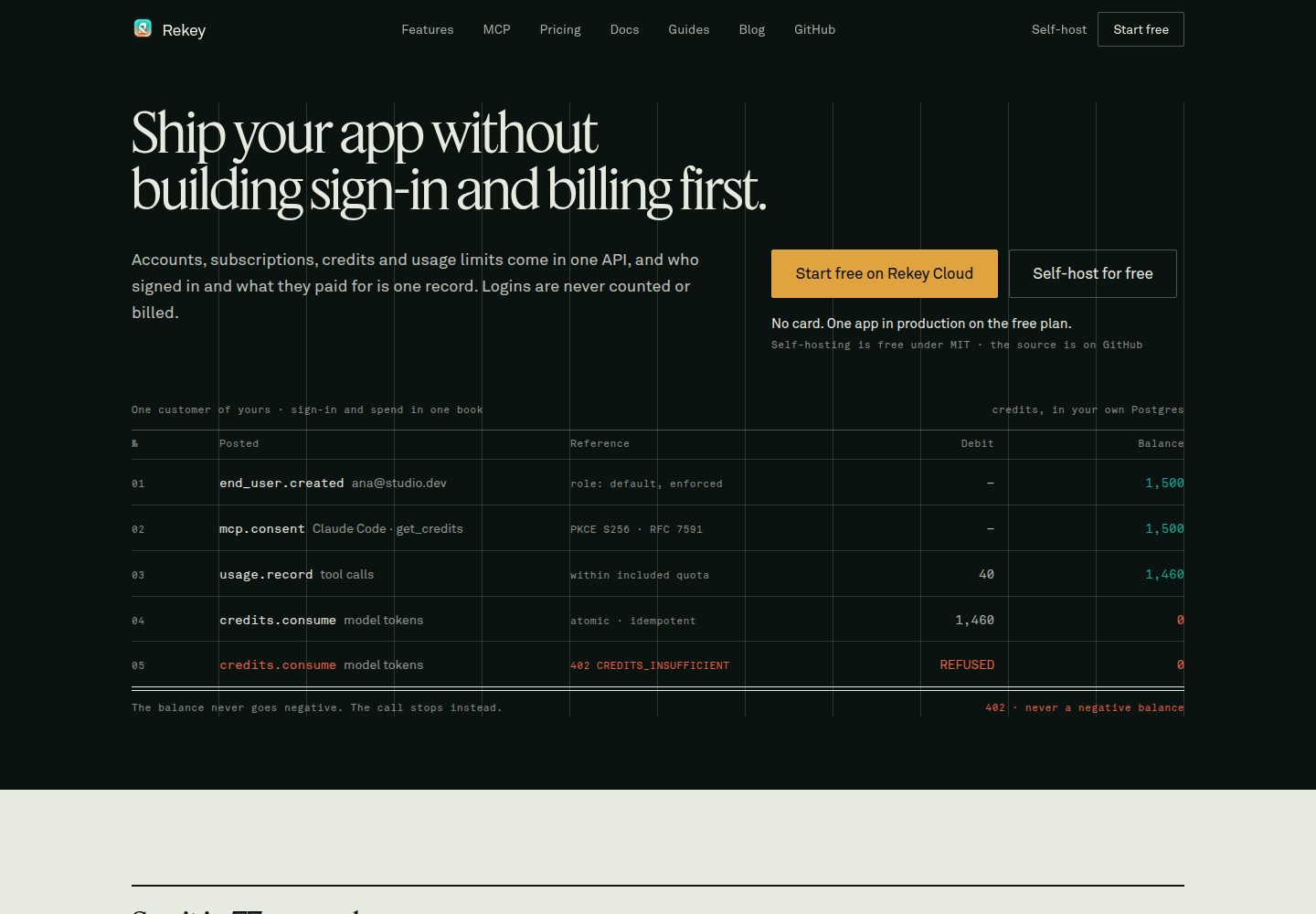
Desktop homepage1 / 3
Desktop captureTop of page
Actual screenshot captured by the server browser.
All pages & views 3
Screenshots show visual appearance; interactive behavior may differ.
Recorded 2026-10-01View source
What stands out
A quick read of the recorded project description.
Authentication and billing logic is split into multiple short files for easy file-by-file reading and modification
Provides example implementations for passwords, magic links, OAuth, email verification, password reset, and MFA
Session reading is encapsulated via getSession() to avoid writing cookies during rendering which causes a 500 error
proxy.ts performs a cookie existence check at the edge, while the page itself performs actual authentication
Under the MIT license, this version's code can be used, modified, commercialized, and distributed for free
Template Details
This template is a ready-to-run Next.js application that integrates authentication and billing flows with Rekey. The README states that it provides basic capabilities such as sign-up, sign-in, session management, plan display, hosted checkout, entitlement checks, and credit consumption, and outlines a specific file organization around these capabilities.
The authentication part includes flows for passwords, magic links, OAuth, email verification, password reset, and MFA. The related logic is spread across short files under app/actions and app/api, making it easy to read file by file. For session reading, it is recommended to use getSession() from lib/session.ts instead of calling auth() directly, to avoid writing cookies during rendering which can cause a 500 error. proxy.ts performs a cookie existence check at the edge, while the page itself uses getSession() for actual authentication.
The billing part includes plan cards, hosted checkout redirects, end-of-period cancellation, and credit consumption examples. Environment variables need to configure Rekey's secret, API URL, public key, and the application's own accessible URL. The OAuth provider list cannot be read via the Application key and must be manually declared through REKEY_OAUTH_PROVIDERS. The template is under the MIT license, but third-party assets such as demo images, fonts, and icons need separate license verification, and external services like domains, hosting, databases, and payments may incur additional charges.
Next.jsSaaSStarter
Is it right for your project?
Use Cases
- Need to quickly build a SaaS application prototype with authentication and billing
- Want to reference the specific file organization for Rekey authentication and billing integration
- Need to implement multiple sign-in methods such as passwords, magic links, OAuth, or MFA
- Need to display plans, redirect to hosted checkout, handle end-of-period cancellation, and credit consumption
- Need to add basic structure for session reading and route protection to a Next.js application
Suitable For
- Developers building SaaS products with Next.js
- Teams needing to integrate Rekey authentication and billing services
- Developers who want to read short file examples to understand authentication and billing flows
- Projects needing an MIT-licensed starter template that can be freely modified and commercialized
Getting started & customization
Use these recorded setup notes alongside the repository instructions for your chosen version.
- 1
First create a Rekey Application; you can register at rekey.dev or self-deploy the open-source version of Rekey
- 2
Copy .env.example to .env.local and fill in REKEY_SECRET, REKEY_URL, NEXT_PUBLIC_REKEY_PUBLIC_KEY, NEXT_PUBLIC_REKEY_URL, APP_URL, and NEXT_PUBLIC_APP_URL
- 3
REKEY_SECRET is for server-side use only; do not commit it to the repository or import it from client components
- 4
OAuth providers must be declared via REKEY_OAUTH_PROVIDERS, and the callback URL {APP_URL}/api/auth/oauth/{provider}/callback must be registered with the provider and in the dashboard
- 5
In a normal HTTP environment other than localhost, REKEY_COOKIE_SECURE may need to be set, otherwise the browser will reject the session cookie
License & source material
Usage conditions & limitations
Free to use · keep license noticeThis listing covers the free version under the MIT license in the public repository; the free scope is the code of this version and does not mean external services or third-party assets are free.
Must comply with when using
- The code of this version may be used, modified, commercialized, and distributed for free.
- When distributing copies or substantial portions of the code, retain the original author's copyright notice and the full MIT license notice.
- The code is provided as is; warranties and limitations of liability are governed by the original license and applicable law.
Additional costs & items to verify
- Using this template requires a Rekey Application: you can register for the hosted service at rekey.dev or self-deploy the open-source version of Rekey. Authentication and billing features depend on the Rekey service and cannot run independently without this external service.
- You need to create an Application in the Rekey dashboard and obtain API keys, and fill in environment variables such as REKEY_SECRET, REKEY_URL, NEXT_PUBLIC_REKEY_PUBLIC_KEY, and NEXT_PUBLIC_REKEY_URL before it can run.
- The checkout feature requires connecting a payment provider such as Stripe, Razorpay, PayPal, or Paddle in the Rekey dashboard, otherwise checkout cannot be redirected; these external payment services may charge separately.
- OAuth sign-in requires registering the callback URL {APP_URL}/api/auth/oauth/{provider}/callback with the third-party provider and in the Rekey dashboard, and configuring REKEY_OAUTH_PROVIDERS to declare available providers.
- All usage origins (including http://localhost:3000) must be registered in the Application in the Rekey dashboard, otherwise browser-side session validation will be blocked by CORS and appear as not signed in.
- In a normal HTTP environment other than localhost, REKEY_COOKIE_SECURE must be set, otherwise the browser will reject the session cookie and sign-in cannot be maintained.
- When deploying, set the same environment variables, point APP_URL to the real origin, and add that origin to the allowed origins list in the dashboard.
- Demo images, fonts, icons, and other third-party assets must be verified under their respective licenses; they cannot be judged solely by the code's MIT license.
- External services such as domains, hosting, databases, payments, or AI may incur additional charges.
View Original Text Basis
Permission is hereby granted, free of charge
Original License Text
You need a Rekey Application. Either sign up at [rekey.dev](https://rekey.dev), or run the whole thing yourself with [the open source repo](https://github.com/rekey-dev/rekey).
Original README
Fill in `.env.local` from **Panel → your Application → Developer → API keys**
Original README
Connect a provider (Stripe, Razorpay, PayPal or Paddle) under Billing then Providers, or checkout will have nothing to redirect to.
Original README
Register this redirect URI with the provider and in the panel:
Original README
Add every origin you use, including `http://localhost:3000`, under your Application in the panel.
Original README
`REKEY_COOKIE_SECURE` | Optional, and only for serving over plain HTTP on a non-localhost hostname.
Original README
https://github.com/rekey-dev/nextjs-starter/blob/main/LICENSEhttps://github.com/rekey-dev/nextjs-starter/blob/main/README.mdSet the same environment variables, with `APP_URL` pointing at your real origin, and add that origin to the Application's allowed origins in the panel.
Original README
Compiled by DeepSeek based on repository license and README ·2026-10-01. Results only cover the materials read; dependencies, images, fonts, and subsequent term changes are subject to their respective original texts.
Project checks & description sources
Template Information
- Source platforms
- GitHub
- Documentation and maintenance reference score
- More documented · 85 / 100
- Technologies
- Next.js · React
- Website type
- SaaS · Starter
How this score is calculated
Our heuristic uses license records (up to 30), a demo link (12), a preview (10), stars (15), recorded maintenance (15), description completeness (8), feature records (5) and classification data (5). It is not a code, security or performance test, or a Google score. A link does not establish tested functionality.
What to verify for this project
- Repository update recorded
- 2026-08-14
- Screenshot last checked
- 2026-10-01
A demo link is listed. Check it with your own content and viewport sizes; its presence does not confirm that forms, authentication or payments work.
The catalog identifies Next.js as the primary stack. Check the actual dependency manifest and lockfile for versions and hosting requirements. These notes use recorded metadata, not a code audit or a deployment test.
Use a selection guide →How this description was prepared
AI-assisted description based on catalog records and repository material. Repository authors are not automatically the reviewers of this description.
Automatically checked against source and license rules; no manual editorial review.
Inspect the recorded source material
SHA-256: 1ffc5fce40b81f972d70bce531f526e9fe04ca1d5cd6fb8af327c8187b4a5a62
2026-10-01T01:11:05.182Z
Source file / repository# Next.js + Rekey (auth and billing)
A working Next.js app with authentication and billing already wired to
[Rekey](https://rekey.dev). Sign-up, sign-in, sessions, plans, hosted checkout,
entitlements and credits.
It is a starting point, not a framework. Every part of the integration is a
short file you can open and read, and there is nothing you have to keep.
- Next.js 16 (App Router, Turbopack, React 19)
- Tailwind CSS 4
- `@rekey.dev/nextjs`, `@rekey.dev/react`, `@rekey.dev/node`
## Getting it running
You need a Rekey Application. Either sign up at
[rekey.dev](https://rekey.dev), or run the whole thing yourself with
[the open source repo](https://github.com/rekey-dev/rekey). This starter does
not care which; only the API URL changes.
```bash
npx create-next-app@latest my-app --example https://github.com/rekey-dev/nextjs-starter
cd my-app
cp .env.example .env.local
```
Fill in `.env.local` from **Panel → your Application → Developer → API keys**:
| Variable | What it is |
| --- | --- |
| `REKEY_SECRET` | Server-only. Full API access for this Application. Never commit it, never import it from a client component. |
| `REKEY_URL` | Required, even on hosted Rekey: `https://api.rekey.dev`, or your own API if you self-host. |
| `NEXT_PUBLIC_REKEY_PUBLIC_KEY` | Safe in the browser. Identifies the Application; grants nothing on its own. |
| `NEXT_PUBLIC_REKEY_URL` | Same API, the browser-visible copy. |
| `APP_URL` | Where this app is reachable. Checkout returns the user here. Read at request time, so this is the one that matters in production. Leave it unset and checkout raises a named error rather than blaming the buyer's card. |
| `NEXT_PUBLIC_APP_URL` | The same value for local development. `NEXT_PUBLIC_*` is baked into the bundle at build, so on its own it freezes whatever the build machine had. |
| `REKEY_COOKIE_SECURE` | Optional, and only for serving over plain HTTP on a non-localhost hostname. Otherwise the browser refuses the session cookie and sign-in silently never sticks. |
Then:
```bash
npm run dev
```
Create an account at `/sign-up` and you are signed in. The billing pages stay
empty until you create a plan, which is the next section.
## What is where
| File | What it does |
| --- | --- |
| `lib/rekey.ts` | The server client. Holds the secret key. |
| `app/layout.tsx` | Reads the session on the server, hands it to the header and `<RekeyProvider>`. |
| `proxy.ts` | A cookie-presence gate at the edge, with the public routes listed. |
| `lib/session.ts` | `getSession()`. Use this in pages, not `auth()`. |
| `lib/safe-path.ts` | Reduces a `?next=` value to a path on this site. |
| `lib/app-url.ts` | Where this app is reachable, and why checkout resolves it before its try/catch. |
| `lib/form-state.ts` | What a server action hands back to its form. |
| `lib/auth-methods.ts` | Asks the Application which sign-in methods it offers. |
| `lib/auth-shared.ts` | The bits both server and browser need: cookie names, provider labels. |
| `lib/mfa-challenge.ts` | Where a half-finished two-factor sign-in is parked. |
| `lib/rekey-error.ts` | Turns a `RekeyError` into a sentence, `fix` included. |
| `app/actions/oauth.ts` | Starts an OAuth sign-in and issues the `state` guard. |
| `app/actions/magic-link.ts` | Emails a sign-in link. |
| `app/actions/password-reset.ts` | Request a reset, then spend the token. |
| `app/actions/verification.ts` | Re-send the verification email. |
| `app/api/auth/oauth/[provider]/callback` | Verifies `state`, exchanges the code, sets cookies. |
| `app/api/auth/magic-link` | Spends the emailed token and sets cookies. |
| `app/api/auth/verify-email` | Marks the address verified. Creates no session, on purpose. |
| `app/verify-banner.tsx` | Signed in, address unproven, with a resend button. |
| `app/api/session/refresh` | The one place allowed to write refreshed cookies. |
| `app/actions/auth.ts` | Sign up, sign in, sign out. |
| `app/actions/billing.ts` | Plan click to hosted checkout URL, then redirect. |
| `app/actions/billing-manage.ts` | Cancel at period end. |
| `app/actions/credits.ts` | A metered feature, done safely. |
| `app/site-header.tsx` | The header, rendered from the server session so it never flips after paint. |
| `app/header-nav.tsx` | Current-route marking, the user dropdown, the narrow-viewport menu. |
| `app/submit-button.tsx` | One submit button: disables itself and says what it is doing. |
| `app/sign-in`, `app/sign-up` | Plain forms plus the actions above. |
| `app/pricing` | A card per plan, plus the choice of who to pay. |
| `app/dashboard` | A page that guards itself and reads entitlements server-side. |
| `app/account` | Plan status, cancel, credit balance, spend a credit. |
## Auth
Three server actions are the entire integration. They set the session cookie
themselves, so there is nothing to store and nothing to thread through your app.
```ts
// app/actions/auth.ts
import { signIn, signUp, signOut } from '@rekey.dev/nextjs/server';
```
The forms in `app/sign-in` and `app/sign-up` are ordinary markup around those
actions, roughly fifty lines each. `@rekey.dev/react` also ships `<SignIn>` and
`<SignUp>` if you would rather drop in a prebuilt card; either way the actions
are the part that matters.
### Reading the session
```ts
import { getSession } from '@/lib/session';
const session = await getSession(); // { user, accessToken } | null
session?.user.email;
```
Use `getSession()` rather than `auth()` directly in anything that renders. This
is not stylistic. `auth()` refreshes an expired token by *writing* cookies, Next
forbids cookie writes during a render, and the resulting throw is not catchable
into a null: it becomes a 500 on every route, sign-in included, fifteen minutes
after a user signs in. `lib/session.ts` turns that into a trip through
`app/api/session/refresh`, which is allowed to write cookies. `proxy.ts` usually
gets there first.
Anything whose appearance depends on being signed in should read the session on
the server and take it as a prop. The header does exactly that: `app/layout.tsx`
calls `getSession()` once and passes it to `<SiteHeader>`, so the first paint is
already correct and a signed-in visitor never watches "Sign in" turn into their
own email.
`useUser()`, `<SignedIn>` and `<SignedOut>` are available for client components
that genuinely need the session in the browser, and `app/layout.tsx` seeds
`<RekeyProvider>` so they start with the right answer. One thing to know before
relying on them: the provider re-checks the session against the API from the
browser on mount, and **treats any failure as signed out**. If the origin you
are serving from is not in the Application's allowed origins, that request is
blocked by CORS and those components flip to their signed-out state a moment
after hydration. Add every origin you use, including
`http://localhost:3000`, under your Application in the panel.
### Protecting a route
Pages guard themselves:
```tsx
const session = await getSession();
if (!session) redirect('/sign-in');
```
Three lines at the top of the page, and the answer to "does this route need a
session" lives in the route.
`proxy.ts` also runs, and it does two things. It sends anyone holding a refresh
token but no access token through `/api/session/refresh` first, so a stale
session is repaired before a page renders rather than crashing it. And it checks
that a session cookie is **present**, redirecting everyone else to sign-in.
It never calls Rekey, so it costs nothing per request and it cannot know whether
a token is still valid. It is the doormat; `getSession()` in the page is the
lock. Keep both: the proxy means a page you forget to guard is protected by
default, and the page check catches a token that was revoked rather than merely
expired.
### The sign-in page builds itself
Nothing on `/sign-in` is hardcoded. `lib/auth-methods.ts` asks the Application
what it offers and the form renders that:
```ts
const { password, magicLink, oauthProviders } = await authMethods();
```
`password` and `magicLink` come from `authConfig.methods` via
`applications.me()`. Turn magic link on in the panel and a second tab appears;
turn password off and its fields disappear. An Application with no methods at
all says so instead of rendering a form that cannot work.
**OAuth providers are the exception, and it is a gap rather than a shortcut.**
The credentials live in `Application.oauthConfig`, and nothing readable with an
Application key returns which providers are configured: `applications.me()`
returns `authConfig` and `billingConfig` and stops there, and the only route
that reads `oauthConfig` needs an operator token. So the kit is told, via
`REKEY_OAUTH_PROVIDERS`. Unset means no buttons and no divider. If a discovery
endpoint appears, `lib/auth-methods.ts` is the single place to change.
### OAuth
Two calls and one piece of bookkeeping:
```ts
const { authorizationUrl } = await rekey().auth.startOAuth(provider, state); // redirect here
const outcome = await rekey().auth.completeOAuth(provider, code); // at the callback
await createSession(outcome); // same cookies as password
```
Register this redirect URI with the provider and in the panel:
```
{APP_URL}/api/auth/oauth/{provider}/callback
```
**`state` is not optional.** Without it, anyone can hand your callback a `code`
obtained in their own browser and your server will mint a session for *their*
account inside *your* user's browser. `app/actions/oauth.ts` puts a fresh random
value in an httpOnly cookie before redirecting, and the callback refuses a
missing cookie, a mismatched value, **and a provider in the URL that is not the
one the flow started with**. That last check matters because the provider
segment is caller-controlled: without it a code from a provider an attacker
controls can be redeemed against a state issued for one the user trusts.
The session lands in the same `rekey_access` / `rekey_refresh` cookies the
password flow uses, so `getSession()`, `proxy.ts` and the header cannot tell the
two apart and do not need to.
### Magic link
`/sign-in` grows an "Email link" tab when the Application has `magic_link`
enabled. The request is enumeration-safe, so the confirmation says "if that
address has an account" whether or not it does. Undoing that turns the form into
a way to test who your customers are.
The emailed link lands on `/api/auth/magic-link`, which spends the token and
sets the session cookies. Consuming it also proves the mailbox, so Rekey marks
the address verified as a side effect.
### Email verification
`sendVerificationEmailOnSignUp` is on for most Applications, so a brand new user
is signed in with an unverified address. `app/verify-banner.tsx` is that state
made visible, with a resend button, on `/dashboard`.
The resend uses `resendVerificationEmail({ email })`, not
`sendVerificationEmail(accessToken)`, and the difference is a dead end worth
knowing. If the Application has `requireEmailVerification` on, an unverified user
is refused the very session the token-based call needs, so the person most likely
to need another email is exactly the person who cannot ask for one with it. The
sessionless call always works.
The link lands on `/api/auth/verify-email`, which marks the address verified and
deliberately does **not** create a session: the link travels by email, and a
forwarded message should not be a way into the account.
### Forgot password
`/forgot-password` asks, `/reset-password` sets. Same enumeration-safe wording.
Resetting revokes every existing refresh token, which is the point, so the kit
redirects to sign-in rather than creating a session and quietly undoing the
"signed out everywhere" the user just triggered.
### MFA
A user with two-factor enabled can sign in. `signIn()` returns
`{ kind: 'mfa_required', mfaChallengeToken }` instead of a session, the form
swaps itself for a code field, and `mfaVerify({ mfaChallengeToken, code })` sets
the cookies exactly like `signIn` does. OAuth and magic-link sign-ins hit the
same challenge and land on the same step.
**The challenge token goes in an httpOnly cookie, not a hidden field.** It is
not a session, but it plus a phished code is a complete sign-in, and a hidden
field is readable by any script on the page. `lib/mfa-challenge.ts` also expires
the cookie exactly when the API expires the challenge, so an abandoned attempt
cannot be resumed later on a shared machine. `mfaVerifyAction` reads it
server-side rather than taking it as an argument, because every export of a
`'use server'` file is a public endpoint and a caller who can supply a challenge
token does not need this form.
**Enrolment is not built here.** Turning MFA on for an account needs
`mfaSetup()`, a QR code, and somewhere to show the ten backup codes once, which
is an account-settings screen rather than an auth flow. The SDK calls are
`mfaSetup(accessToken)`, `confirmMfaSetup(accessToken, code)` and
`disableMfa(accessToken)`. What this kit guarantees is that an account which
already has MFA on is not locked out of it.
## Forms
Every form that changes something follows the same three rules, because the
alternative is a page that looks broken while it is working.
**The button reports itself.** `app/submit-button.tsx` is a client component
that calls `useFormStatus()`, so it disables and relabels itself for as long as
the action is in flight. It has to be a separate component: `useFormStatus()`
reads the nearest `<form>` **above** it, so calling it in the component that
renders the form returns `pending: false` forever.
```tsx
<form action={formAction}>
<input type="hidden" name="planSlug" value={plan.slug} />
<SubmitButton block pendingLabel="Opening checkout…">Buy {plan.name}</SubmitButton>
</form>
```
Disabling also means the form cannot be submitted twice, including with the
Enter key, which needs an enabled submit button to work.
**Failures come back as values.** Actions return `{ error }` rather than
redirecting to `?error=...`, and the form renders it next to the fields. A
message in the query string survives a bookmark, replays on reload, and takes
the typed input with it when the page navigates.
**Kept input is kept deliberately.** React 19 resets an uncontrolled form after
every action submit. If a wrong password should not also clear the email, that
field has to live in React state rather than the DOM, which is what the sign-in
and sign-up forms do.
## Billing
### Create a plan first
Panel, then your Application, then Billing, then Plans. Give it a slug, a price
and an interval, then add entitlements: feature flags, numeric limits, or a
credit grant. Those entitlements are what your app reads later.
Connect a provider (Stripe, Razorpay, PayPal or Paddle) under Billing then
Providers, or checkout will have nothing to redirect to.
### Selling
`/pricing` reads plans from the API, so no prices are hardcoded here. Edit a
plan in the panel and the page follows.
```tsx
const plans = await rekey().billing.getPlans({ limit: 20 })
.then((r) => r.items.filter((p) => p.active));
{plans.map((p) => <PlanCard key={p.id} plan={p} current={p.slug === currentPlanSlug} />)}
```
Each card posts `planSlug` to your action, which creates the checkout session:
```ts
const origin = appUrl(); // resolved BEFORE the try, see below
const { url } = await rekey().billing.createCheckout(session.accessToken, {
planSlug,
successUrl: `${origin}/dashboard?checkout=done`,
cancelUrl: `${origin}/pricing?checkout=canceled`,
});
redirect(url);
```
**Read your configuration before the try/catch, not inside it.** `APP_URL` being
unset is your problem, not the buyer's declined card, and catching both in the
same place turns "APP_URL is not set" into "Could not start checkout" on a
customer's screen, destroying the one message that named the real cause. That
mistake is expensive to debug precisely because checkout looks broken end to end
when the only fault is a blank environment variable. `/pricing` also warns about
it in development, where the mistake is usually made.
`@rekey.dev/react` ships a `<PricingTable>` and a `<ProviderPicker>` if you
would rather not write the cards yourself.
### Letting the buyer choose who they pay
An Application can have Stripe, PayPal and Razorpay enabled at once. With no
choice offered, every buyer goes through whichever one the server's geo router
picks. That is a fine default and a bad answer in any market where one of the
others is the one people actually use.
`/pricing` fetches the enabled providers next to the plans and renders a picker:
```ts
const providers = await rekey().billing.getProviders().then((r) => r.providers);
```
They come back **already ordered by the geo router** for the caller's country.
Keep that order. Re-sorting it in your UI means the list quietly disagrees with
the provider checkout would have picked on its own. The selection defaults to
the first entry for the same reason: a buyer who never touches the picker
should get exactly what the auto-pick would have given them.
The choice rides along as `provider` in the same form that posts `planSlug`,
and the action passes it through **only when it is non-empty**:
```ts
const provider = String(formData.get('provider') ?? '').trim();
await rekey().billing.createCheckout(session.accessToken, {
planSlug,
...(provider ? { provider } : {}), // absent means "you route it"
successUrl, cancelUrl,
});
```
That emptiness check is load-bearing. Omitting `provider` hands routing to the
geo router, which is what "no preference" should mean. Posting an empty string
is a *value*, and one that matches no configured provider, so checkout is
refused with `BILLING_PROVIDER_NOT_AVAILABLE` for every buyer who never touched
the picker. A provider that was disabled since the page loaded fails the same
named way, which is the point: better than silently charging the buyer through
somebody they did not choose.
Three counts, three behaviours:
| Providers | What renders |
| --- | --- |
| Two or more | The picker, in server order, first one selected. |
| Exactly one | Nothing extra. A one-option radio group is a question with one answer, and the auto-pick lands on that provider anyway. |
| None | A notice, and the Buy buttons disabled rather than failing on click. |
A failed providers lookup is deliberately **not** the same as "none configured".
The server can still auto-pick, so the page says nothing and lets it, rather
than disabling checkout on a site that can take money perfectly well.
The subscription stays `PENDING` until the provider webhook confirms payment.
Rekey handles that webhook; you do not need an endpoint for it.
### Checking what someone is allowed to do
```ts
const { features, creditBalance } = await rekey().billing.getEntitlements(session.accessToken);
if (!features.export_csv) return notAllowed();
```
Do this on the server. A client-side check is a hint for your UI, not a gate.
One thing worth knowing before you price anything: where two subscriptions grant
the same numeric entitlement, the higher value wins, they are not added
together. So ten copies of a one-seat plan is not a ten-seat plan. Sell a
ten-seat plan.
### Credits
Check, do the work, then deduct, in that order, so a failure costs the user
nothing:
```ts
const { creditBalance } = await rekey().billing.getEntitlements(session.accessToken);
if (creditBalance < 1) return { ok: false, reason: 'no-credits' };
// ... the work ...
await rekey().credits.consume({ endUserId: session.user.id, amount: 1, idempotencyKey });
```
Pass something stable as `idempotencyKey` (a job id, a request id) and a retry
becomes a no-op instead of a double charge.
**Derive that key on your server.** Every export of a `'use server'` file is a
public endpoint, so a key accepted as a parameter is a key the caller controls:
send the same one every time and the first call deducts while every later call
is deduped, doing the work for free. `app/actions/credits.ts` builds it from the
unit of work instead.
The balance check is also not a lock. Two requests at balance 1 both pass it, so
the deduction is the real arbiter and its 402 has to be caught.
### Cancelling
`cancelSubscription()` asks for cancellation at period end, so the user keeps
what they paid for. A provider-backed subscription therefore stays `ACTIVE`
with `cancelAt` set, and the provider webhook is what eventually ends it. Read
`cancelAt` rather than waiting for `status` to flip.
`isCancelScheduled()` and `cancelEffect()` answer different questions, and
swapping them is a bug worth avoiding by name because this starter shipped with
it:
- **`isCancelScheduled(subscription)`** asks whether this is *already* scheduled
to end.
- **`cancelEffect(subscription)`** asks what cancelling *now* would do: does the
user keep the rest of the period (`'period-end'`), or does access stop on
click with no refund?
The second returns `'period-end'` for every healthy subscriber. Use it to word
the button and it reads
correctly; use it to mean "already ending" and the cancel button disappears for
everyone who could have used it, while a `PAST_DUE` subscriber gets a button
labelled "cancel at period end" that actually ends their access immediately.
## Deploying
Set the same environment variables, with `APP_URL` pointing at your real origin,
and add that origin to the Application's allowed origins in the panel.
`APP_URL` is read per request, so it can be injected at container start.
`NEXT_PUBLIC_*` cannot: those are substituted into the bundle when you build. An
image built in CI without them keeps whatever the build machine had, which is
how a buyer ends up returned to `localhost` after paying.
Anywhere that runs Next.js works; there is nothing platform-specific here.
## Notes
- On Next 15, rename `proxy.ts` back to `middleware.ts`. Same export, older file
convention.
- Organizations are supported but not used here. Turn them on if a company,
rather than a person, is the thing that buys your product. There is
[a guide](https://rekey.dev/blog/when-to-use-organizations).
## Licence
MIT. Take it apart.
Explore similar templates
Compare previews and descriptions within the same stack and category.

Next.js SaaS Starter
The official Next.js SaaS starter template, integrating email/password authentication, Stripe Checkout subscriptions, a dashboard with user/team CRUD, basic Owner/Member RBAC, and activity logging.
Next.js · SaaS

Next.js Commerce
Vercel's officially maintained Next.js App Router ecommerce starter with deep Shopify integration, offering a complete product catalog, cart, and checkout flow. Core logic is modular for swapping backends, and community provider versions exist for BigCommerce, Medusa, and Saleor.
Next.js · E-commerce

Next-js-Boilerplate
A developer-first Next.js 16 starter with Tailwind CSS 4 and TypeScript, supporting both App Router and Page Router.
Next.js · Starter

tailwind-nextjs-starter-blog
A Next.js and Tailwind CSS blog starter template using Contentlayer for Markdown/MDX, with built-in SEO, code highlighting, and tags. It targets personal technical blogs and migration from Jekyll/Hugo to React, and supports one-click Vercel deployment.
Next.js · Blog

next-forge
next-forge is a Turborepo-based Next.js template maintained by Vercel, positioned as a starting point for SaaS products.
Next.js · Starter

SaaS-Boilerplate
SaaS-Boilerplate is an open-source SaaS starter template built with Next.js App Router, React 19, TypeScript, Tailwind CSS, and Shadcn UI.
Next.js · SaaS