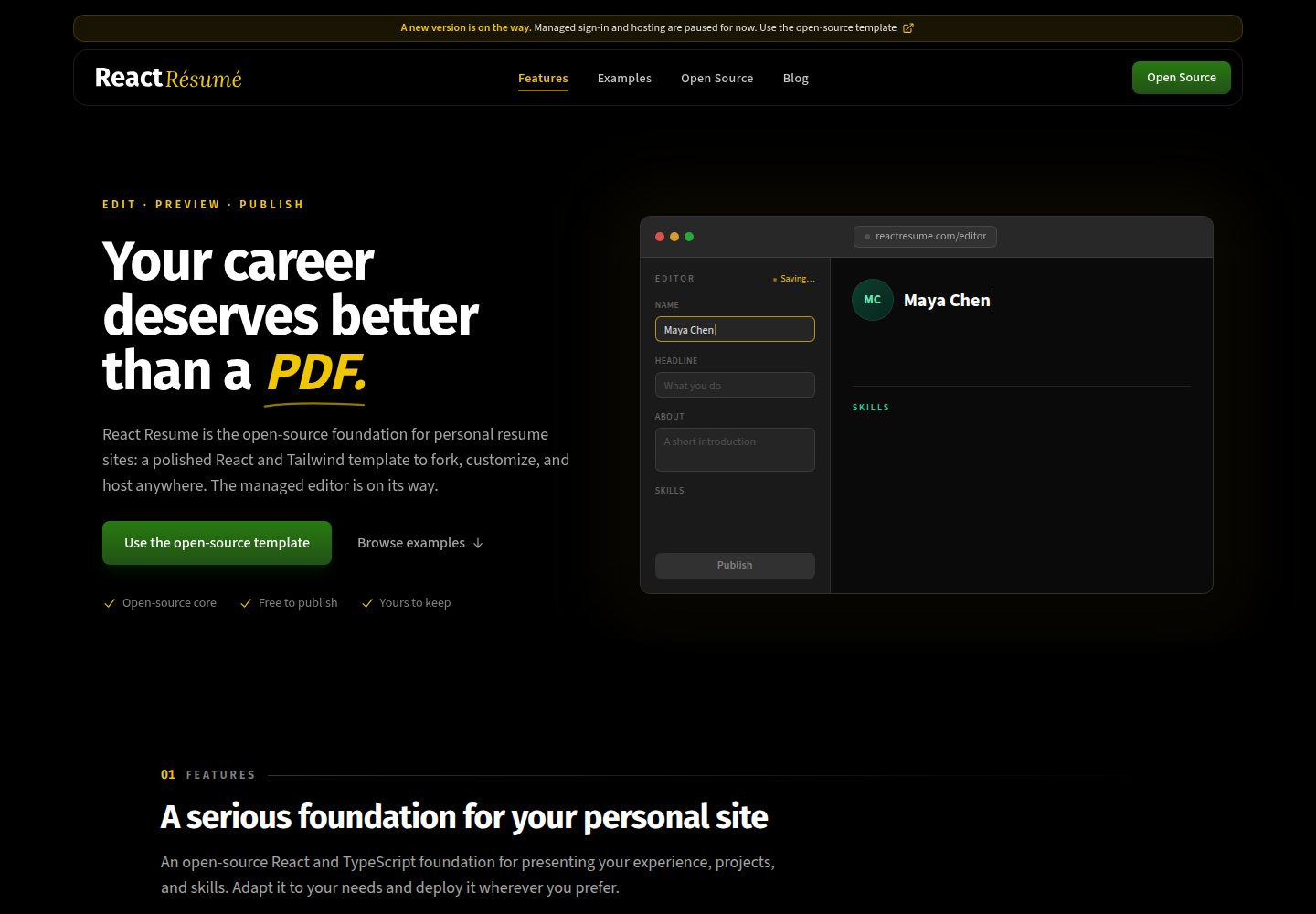
Written in React and TypeScript, built on the Next.js framework
Next.jsReactPortfolio
react-resume — Next.js Portfolio Template
By Revelate123
A personal resume website template based on Next.js and React, written in TypeScript and styled with Tailwind CSS, with site content maintained in a single data file.
Explore the design
Compare the page layouts and mobile experience. Open any screenshot for a closer look.
Desktop homepage1 / 3
Desktop captureTop of page
Actual screenshot captured by the server browser.
All pages & views 3
Screenshots show visual appearance; interactive behavior may differ.
Recorded 2026-10-02View source
What stands out
A quick read of the recorded project description.
All styling implemented with Tailwind CSS
Site content maintained in a single data file at /src/data/data.tsx, with type definitions in dataDef.ts in the same directory
Provides page layouts adapted for desktop and mobile
Contact form implements input and state handling; email sending requires your own integration
README provides guidance for deploying to Vercel and command examples for Docker build and run
Template Details
This is a personal website template for software developer resumes, built with React and TypeScript on the Next.js framework, with all styling done via Tailwind CSS. The template provides both desktop and mobile layouts, and page content is driven by a single data file at /src/data/data.tsx, with corresponding type definitions in dataDef.ts in the same directory. Example images are located in src/images/ and imported through the data file.
For setup, the template requires Node and Yarn installed locally. After cloning the repository, run yarn install to install dependencies, then yarn dev to start the development server, accessible by default at http://localhost:3000. Modifying the content in the data file updates the site display, and changes can be seen in the development server after saving.
The template only implements input and state handling for the contact form; form submission and email sending require integrating an email service yourself, and the README recommends Sendgrid. For deployment, the README provides guidance for deploying to Vercel, along with command examples for building a Docker image, pushing it, and running the container on a host.
Note that the template's code is under the MIT license, allowing free use, modification, commercial use, and distribution, but third-party assets such as demo images, fonts, and icons must be checked separately under their respective licenses; external services like domains and hosting may incur additional charges. Version numbers, performance descriptions, and deployment details in the README are from the original repository and are not expanded upon in this introduction.
Next.jsReactPortfolio
Is it right for your project?
Use Cases
- Software developers building a personal resume website
- Showcasing personal information and project experience in a portfolio format
- Personal sites that need quick content replacement and centralized site data management
- Those who want to further develop resume pages based on Next.js and Tailwind CSS
Suitable For
- Developers with React and Next.js basics who can modify data files and code themselves
- Developers who need a customizable starting template for a personal resume website
- Developers willing to integrate an email service themselves to complete contact form submission
Getting started & customization
Use these recorded setup notes alongside the repository instructions for your chosen version.
- 1
Node and Yarn need to be installed locally
- 2
After cloning the repository, run yarn install to install dependencies, then yarn dev to start the development server, with the default address at http://localhost:3000
- 3
Site content is modified in /src/data/data.tsx, with type definitions in dataDef.ts in the same directory, and example images in src/images/
- 4
The contact form only handles input and state; submission and email sending need to be implemented yourself, and the README recommends Sendgrid
- 5
For deployment, refer to the Vercel guidance in the README, or use the provided Docker build and run commands
License & source material
Usage conditions & limitations
Free to use · keep license noticeThis entry covers the free version under the MIT license from the public repository; the free scope applies to that version's code and does not imply that external services or third-party assets are free.
Must comply with when using
- The code of this version may be used, modified, used commercially, and distributed for free.
- When distributing copies or substantial portions of the code, retain the original author's copyright notice and the full MIT license notice.
- The code is provided as is; warranties and limitations of liability are governed by the original license and applicable law.
Additional costs & items to verify
- The contact form only implements input and state handling; submission and email sending require integrating a third-party email service yourself (the README recommends Sendgrid), which may involve external service accounts and fees.
- Local builds require Node and Yarn runtime environments to be installed in advance.
- Deployment relies on external hosting services such as Vercel, which may incur additional charges.
- Demo images, fonts, icons, and other third-party assets must be checked under their respective licenses and cannot be judged solely by the code's MIT license.
- External services such as domains, hosting, databases, payments, or AI may incur separate charges.
View Original Text Basis
Permission is hereby granted, free of charge
Original License Text
Form submission and the actual sending of the email is open to your own implementation. My personal recommendation for email provider is [Sendgrid.](https://sendgrid.com/)
Original README
To build this website, you will need to have the latest stable versions of Node and Yarn downloaded and installed on your machine.
Original README
https://github.com/Revelate123/react-resume/blob/main/LICENSEhttps://github.com/Revelate123/react-resume/blob/main/README.mdDeploying your new site to Vercel is simple, and can be done by following their guide
Original README
Compiled by DeepSeek based on repository license and README ·2026-10-02. Results only cover the materials read; dependencies, images, fonts, and subsequent term changes are subject to their respective original texts.
Project checks & description sources
Template Information
- Source platforms
- GitHub
- Documentation and maintenance reference score
- More documented · 85 / 100
- Technologies
- Next.js · React
- Website type
- Portfolio
How this score is calculated
Our heuristic uses license records (up to 30), a demo link (12), a preview (10), stars (15), recorded maintenance (15), description completeness (8), feature records (5) and classification data (5). It is not a code, security or performance test, or a Google score. A link does not establish tested functionality.
What to verify for this project
- Repository update recorded
- 2026-06-28
- Screenshot last checked
- 2026-10-02
A demo link is listed. Check it with your own content and viewport sizes; its presence does not confirm that forms, authentication or payments work.
The catalog identifies Next.js as the primary stack. Check the actual dependency manifest and lockfile for versions and hosting requirements. These notes use recorded metadata, not a code audit or a deployment test.
Use a selection guide →How this description was prepared
AI-assisted description based on catalog records and repository material. Repository authors are not automatically the reviewers of this description.
Automatically checked against source and license rules; no manual editorial review.
Inspect the recorded source material
SHA-256: 3c0b61ebceb88fdae54aff167049e9fb626ed11110e0dd64287e1c3caa93edd4
2026-10-02T23:06:28.646Z
Source file / repository# React JS Resume Website Template  <div align="center"> <img alt="GitHub release (latest by date including pre-releases" src="https://img.shields.io/github/v/release/tbakerx/react-resume-template?include_prereleases"> <img alt="GitHub top language" src="https://img.shields.io/github/languages/top/tbakerx/react-resume-template?style=flat"> <img alt="GitHub Repo forks" src="https://img.shields.io/github/forks/tbakerx/react-resume-template?style=flat&color=success"> <img alt="GitHub Repo stars" src="https://img.shields.io/github/stars/tbakerx/react-resume-template?style=flat&color=yellow"> <img alt="GitHub package.json dependency version (prod)" src="https://img.shields.io/github/package-json/dependency-version/tbakerx/react-resume-template/react?style=flat"> <img alt="Github Repo Sponsors" src="https://img.shields.io/github/sponsors/tbakerx?style=flat&color=blueviolet"> ## React based template for software developer-focused resume websites </div> ### View a [live demo here.](https://reactresume.com) #### If this template has helped you and you'd like to support my work, feel free to [♥️ Sponsor](https://github.com/sponsors/tbakerx) the project ### 🎉 Version 2 is here! New features: 1. Completely rebuilt with React and full typescript support 2. Built on the [Next.js](https://nextjs.org/) framework for easy server side rendering/static generation, image optimization, api routes, and deployment 3. Styled entirely with [TailwindCss](https://tailwindcss.com/) 4. Re-organized data population file for customizing site. 5. Significant improvement/modernization of all site sections **Looking for the old version? You can find it [here.](https://github.com/tbakerx/react-resume-template/releases/tag/v1.0.0)** ## Description This is a React based personal resume website template. Built with typescript on the Next.js framework, styled with Tailwind css, and populated with data from a single file, you can easily create, customize and host your own personal website in minutes. Even better, the site is fully mobile-optimized and server-side rendered to ensure fast loading and a clean UI on any device. Read on to learn how to make it your own. ## Make it Your Own! ### 1. Make sure you have what you need To build this website, you will need to have the latest stable versions of Node and Yarn downloaded and installed on your machine. If you don't already have them, you can get Node [here,](https://nodejs.org/en/download/) and Yarn [here.](https://yarnpkg.com/getting-started/install) ### 2. Fork and download this repo (and star if you like!) Next, find the `Fork` button in the top right of this page. This will allow you to make your own copy, for more info on forking repo's see [here.](https://docs.github.com/en/get-started/quickstart/fork-a-repo#forking-a-repository) After this, download to your development machine using the green `Code` button at the top of the repo page. ### 3. Install dependencies and run Once you have your own copy of this repo forked and downloaded, open the folder in your favorite terminal and run `yarn install` to install dependencies. Following this, run `yarn dev` to run the project. In your terminal you should be given the url of the running instance (usually http://localhost:3000 unless you have something else running). ### 4. Customize the data to make it your own All of the data for the site is driven via a file at `/src/data/data.tsx`. This is where you'll find the existing content, and updating the values here will be reflected on the site. If you have the site running as described above, you should see these changes reflected on save. The data types for all of these items are given in the same folder in the `dataDef.ts` file. Example images can be found at `src/images/` and are imported in the data file. To change, simply update these images using the same name and location, or add new images and update the imports. ### 5. Hook up contact form Due to the variety of options available for contact form providers, I've hooked up the contact form only so far as handling inputs and state. Form submission and the actual sending of the email is open to your own implementation. My personal recommendation for email provider is [Sendgrid.](https://sendgrid.com/) ### 6. Make any other changes you like Of course, all of the code is there and nothing is hidden from you so if you would like to make any other styling/data changes, feel free! ### 7. Deploy to Vercel and enjoy your new Resume Website Deploying your new site to Vercel is simple, and can be done by following their guide [here.](https://vercel.com/guides/deploying-nextjs-with-vercel) When you're all done and the build succeeds, you should be given a url for your live site, go there and you'll see your new personal resume website! Congratulations! ## Project Created & Maintained By ### Tim Baker <a href="https://twitter.com/timbakerx"><img src="https://github.com/aritraroy/social-icons/blob/master/twitter-icon.png?raw=true" width="60"></a><a href="https://instagram.com/tbakerx"><img src="https://github.com/aritraroy/social-icons/blob/master/instagram-icon.png?raw=true" width="60"></a> [](https://github.com/tbakerx/) ## Stargazers [](https://github.com/tbakerx/react-resume-template/stargazers) ## Forkers [](https://github.com/tbakerx/react-resume-template/network/members) ## To build docker image sudo docker build -t react-resume . sudo docker save react-resume | ssh -i"~/.ssh/cv.pem" [email protected] sudo docker load sudo docker run -d --name react-resume-container -p 3000:3000 react-resume Once inside host machine sudo docker ps -a sudo docker kill [container id] sudo docker ps -a // confirm killed sudo docker rm react-resume-container sudo docker image ls // check image added sudo docker run -d --name react-resume-container -p 3000:3000 react-resume // start new container
Explore similar templates
Compare previews and descriptions within the same stack and category.

react-resume-template
A personal resume website template for software developers, built with Next.js, React, and TypeScript and styled with Tailwind CSS. Site content is driven by a single data file at /src/data/data.tsx, with types in dataDef.ts and images in src/images/.
Next.js · Portfolio

nxt-lnk
nxt-lnk is a Next.js-based bio link page template that manages personal information and links via BioData.js and LinksData.js, positioned as a self-hosted alternative to Linktree. It groups links by type, supports enabling/disabling individual links, and offers hexagonal or oval avatars.
Next.js · Portfolio

sylph
Sylph is a minimal portfolio and blog template built on Next.js, supporting MDX/Markdown writing, light/dark themes, and automatic OG image generation. It includes sitemap, robots.txt, metadata, and syntax highlighting, with automatic blog timestamps.
Next.js · Portfolio

sleek-portfolio
A modern, responsive portfolio template built with Next.js 15, TypeScript, Tailwind CSS, and Shadcn UI. It includes an MDX blog, project showcase, work experience timeline, and a contact form that receives messages via Telegram Bot.
Next.js · Portfolio

research-website-template
A React + Next.js template for research personal websites, aimed at PhD students and researchers. It centralizes publications, projects, and other content in src/data as arrays of objects, with optional fields automatically generating UI components.
Next.js · Portfolio

shadcn-portfolio
A developer portfolio template built with Next.js 15, shadcn/ui, Tailwind CSS, and Framer Motion, featuring an MDX blog, light and dark modes, responsive design, and SEO meta tags.
Next.js · Portfolio