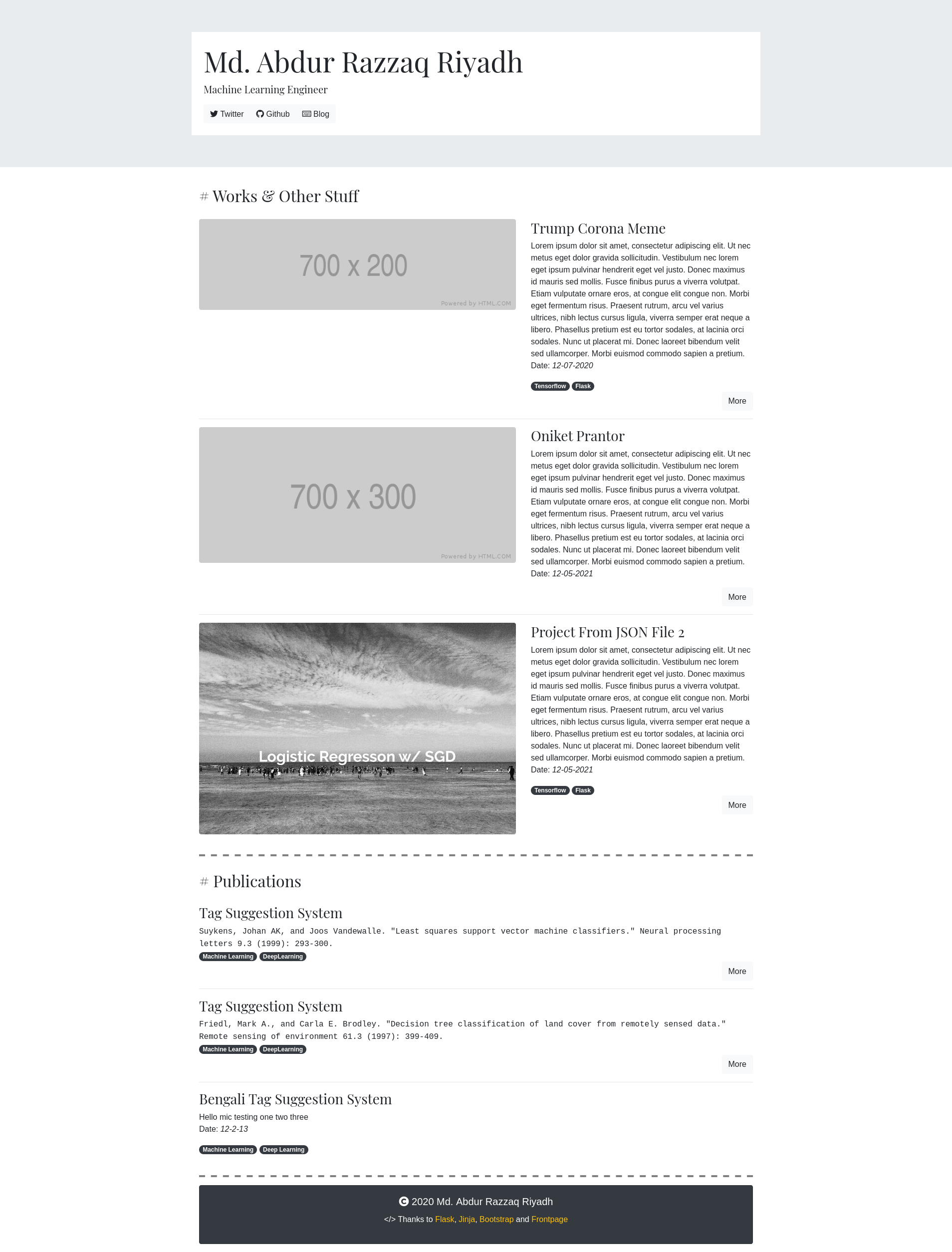
Uses Flask to serve pages, with a Bootstrap-based frontend and custom CSS limited to font and <hr> styles
FlaskHTMLPortfolio
frontpage — Flask Portfolio Template
By riyadhrazzaq
A personal portfolio app based on Flask and Bootstrap that manages projects and publications through JSON files in the content directory, suitable for developers who want to directly edit code and content.
Explore the design
Compare the page layouts and mobile experience. Open any screenshot for a closer look.
Author preview
Author-provided previewTop of page
Preview provided in the project README.
One original preview is available. Open the full image to inspect the design.
Screenshots show visual appearance; interactive behavior may differ.
Recorded 2026-10-03View source
What stands out
A quick read of the recorded project description.
Content is stored as JSON files in the content/ directory, one file per project, with no database required
Project fields include title, description, date, image, more, and tools, and can be added or removed as needed
Site information such as ME, TITLE, and SOCIAL is configured in config.py, and social links can include FontAwesome icons
Adding a new section only requires creating a folder under content/ and registering it in the SECTION variable in config.py
Uses the MIT license, allowing free use, modification, commercial use, and distribution of this version of the code
Template Details
Frontpage is a small portfolio app built with Flask and Bootstrap, described by its author as "a kinda-hackable portfolio app." Site content is not stored in a database but driven by the content/ directory: each section (such as Works or Publication) corresponds to a folder of the same name, and each project within the folder is a separate JSON file that can include fields such as title, description, date, image, more, and tools. Site identity information and social links are configured in config.py, where ME, TITLE, and the variables in SOCIAL need to be modified to suit your own situation; social items can include FontAwesome icon codes. Adding a new section only requires creating a new folder under content/ and adding the corresponding configuration to the SECTION variable in config.py.
Appearance mainly relies on Bootstrap, with custom CSS used only for font and <hr> style adjustments, so changing the theme usually starts with Bootstrap's color utility classes. The README explicitly reminds that JSON text needs escaping, for example double quotes in text must be written as \". The README also states that fields can be added or removed, but the author has not tested the effects of such changes, which may cause problems.
The repository uses the MIT license, allowing free use, modification, commercial use, and distribution of this version of the code, provided the copyright notice and license notice are retained when distributing; third-party assets such as demo images, fonts, and icons need separate license verification, and external services such as domains, hosting, and databases may incur additional charges.
FlaskHTMLPortfolio
Is it right for your project?
Use Cases
- Building a personal portfolio page to display project and publication lists
- Maintaining content with JSON files, avoiding the need for a database or admin system
- Adjusting colors and fonts on top of Bootstrap to create your own visual style
- Extending new content sections by adding content/ subdirectories and SECTION configuration
Suitable For
- Developers familiar with Flask and Python who are willing to directly modify code and configuration files
- Individual users who want to manage portfolio content as plain-text JSON without relying on a database
- Developers who need code that can be freely modified and distributed under the MIT license
- Users who accept Bootstrap's default design and only make minor CSS customizations
Getting started & customization
Use these recorded setup notes alongside the repository instructions for your chosen version.
- 1
After cloning the repository, create a virtual environment, run pip install -r requirements.txt, then run python app.py
- 2
Modify ME, TITLE, and the social link and icon variables in SOCIAL in config.py
- 3
Each section corresponds to a folder of the same name under content/, and each project is written as a separate JSON file
- 4
Double quotes in JSON text need escaping, for example written as \"
- 5
The README states that fields can be added or removed, but the author has not tested this, and changes may cause problems
License & source material
Usage conditions & limitations
Free to use · keep license noticeThis entry covers the free version under the MIT license in the public repository; the free scope is the code of this version and does not mean external services or third-party assets are free.
Must comply with when using
- Allows free use, modification, commercial use, and distribution of this version of the code.
- When distributing copies or substantial portions of the code, retain the original author's copyright notice and the complete MIT license notice.
- The code is provided as is; warranties and limitations of liability are governed by the original license and applicable law.
Additional costs & items to verify
- The README states that JSON fields can be added or removed, but the author has not tested the effects of such changes, and modifications may cause problems at your own risk.
- Text in JSON files requires character escaping, for example double quotes must be written as \", otherwise the content may not parse correctly.
- FontAwesome icons for social links are optional; you need to obtain icon codes from the FontAwesome website yourself and pay attention to their asset license.
- Demo images, fonts, icons, and other third-party assets need to be checked against their respective licenses and cannot be judged solely by the code's MIT license.
- External services such as domains, hosting, databases, payments, or AI may incur additional charges.
View Original Text Basis
Permission is hereby granted, free of charge
Original License Text
You may add or remove some of them, which may work or might lead to chaos, I have not tested yet.
Original README
**JSON files needs character escaping.**
Original README
https://github.com/riyadhrazzaq/frontpage/blob/master/LICENSEhttps://github.com/riyadhrazzaq/frontpage/blob/master/README.mdThese are [FontAwesome](https://fontawesome.com/) icons which can be added optionally.
Original README
Compiled by DeepSeek based on repository license and README ·2026-10-03. Results only cover the materials read; dependencies, images, fonts, and subsequent term changes are subject to their respective original texts.
Project checks & description sources
Template Information
- Source platforms
- GitHub
- Documentation and maintenance reference score
- Partly documented · 73 / 100
- Technologies
- Flask · HTML
- Website type
- Portfolio
How this score is calculated
Our heuristic uses license records (up to 30), a demo link (12), a preview (10), stars (15), recorded maintenance (15), description completeness (8), feature records (5) and classification data (5). It is not a code, security or performance test, or a Google score. A link does not establish tested functionality.
What to verify for this project
- Repository update recorded
- 2023-05-01
- Screenshot last checked
- 2026-10-03
A demo link is listed. Check it with your own content and viewport sizes; its presence does not confirm that forms, authentication or payments work.
The catalog identifies Flask as the primary stack. Check the actual dependency manifest and lockfile for versions and hosting requirements. These notes use recorded metadata, not a code audit or a deployment test.
Use a selection guide →How this description was prepared
AI-assisted description based on catalog records and repository material. Repository authors are not automatically the reviewers of this description.
Automatically checked against source and license rules; no manual editorial review.
Inspect the recorded source material
SHA-256: 6d59ba57e1a033f0e45af5845381c557833b76ed2e09bc7bf58cd28382e3fde3
2026-10-03T07:46:58.459Z
Source file / repository# Frontpage A small and hackable portfolio app built with Flask and Bootstrap. Demo [here](https://abdurrazzaq.pythonanywhere.com)  # Configure and Run ``` git clone https://github.com/riyadhrazzaq/frontpage.git cd yellow python -m venv venv source venv/bin/activate pip install -r requirements.txt python app.py ``` # Create Your Portfolio ## Basic Current structure of the project is, ``` content/ project/ somefile.json anotherfile.json publication/ someproject.json anotherproject.json static/ templates/ app.py config.py requirements.txt ``` `content/` folder is the backbone of this site. This is where project/publications and other stuff lives. For each section in the site such as **Works, Publication** etc, it needs a folder by that name. Inside them, each project files are stored in [JSON](http://www.json.org/example.html) file. Each project will have its own file. Any JSON file may have following properties, * `title`: TEXT. The title of your project. * `description`: TEXT. Description of your project. * `date`: TEXT. Date of your project. Formatting must be done by yourself. * `image`: URL. One image URL accompanying the project. If you store images locally, it must be inside `static/` * 'more': URL. It will be added to the "More" button. For example, if your project is stored in a [Kaggle](www.kaggle.com) notebook, then URL can be of that notebook. * `tools`: LIST. A list of tools, frameworks etc used in your project. You may add or remove some of them, which may work or might lead to chaos, I have not tested yet. In `config.py`, Change `ME`, `TITLE` and other social-media variables in `SOCIAL`. In, `SOCIAL`, accompanying every URL, there are some variables like `fab fa-twitter`. These are [FontAwesome](https://fontawesome.com/) icons which can be added optionally. Go to their website, copy and paste codes of the one you like. ## New Sections New sections can be created just by creating a new folder inside `content/` and add the corresponding details in `SECTION` variable in `config.py`. ## Theme Most of the design is done using [Bootstrap](https://getbootstrap.com/docs/4.5/getting-started/introduction/). Custom CSS are only used for fonts and `<hr>` customization. To begin customizing, look at how colors can be changed using Bootstrap, [LINK](https://getbootstrap.com/docs/4.5/utilities/colors/). ## Warnings **JSON files needs character escaping.** For example, if you need double-quotes `""` in any text in JSON, you will need to add a single blackslash `\` before them. `He is the "The Dark Knight"` will become `He is \"The Dark Knight\"`
Explore similar templates
Compare previews and descriptions within the same stack and category.
project-team-pythonic
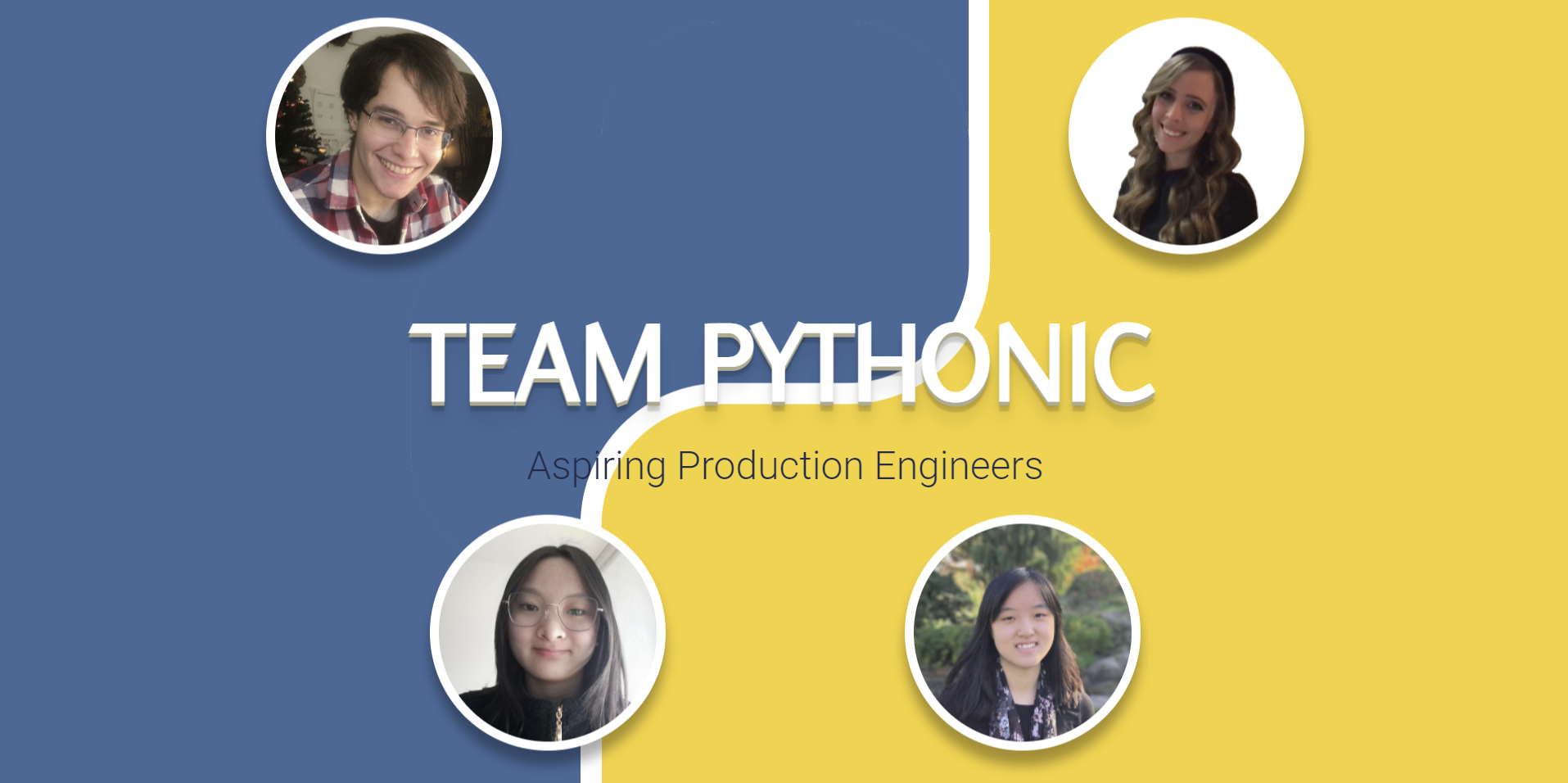
A Flask and Jinja team portfolio template from the MLH Fellowship, with a homepage and profile pages, member data in data.json, responsive Bootstrap styling, and Google Maps markers for visited places.
Flask · Portfolio
resume-builder
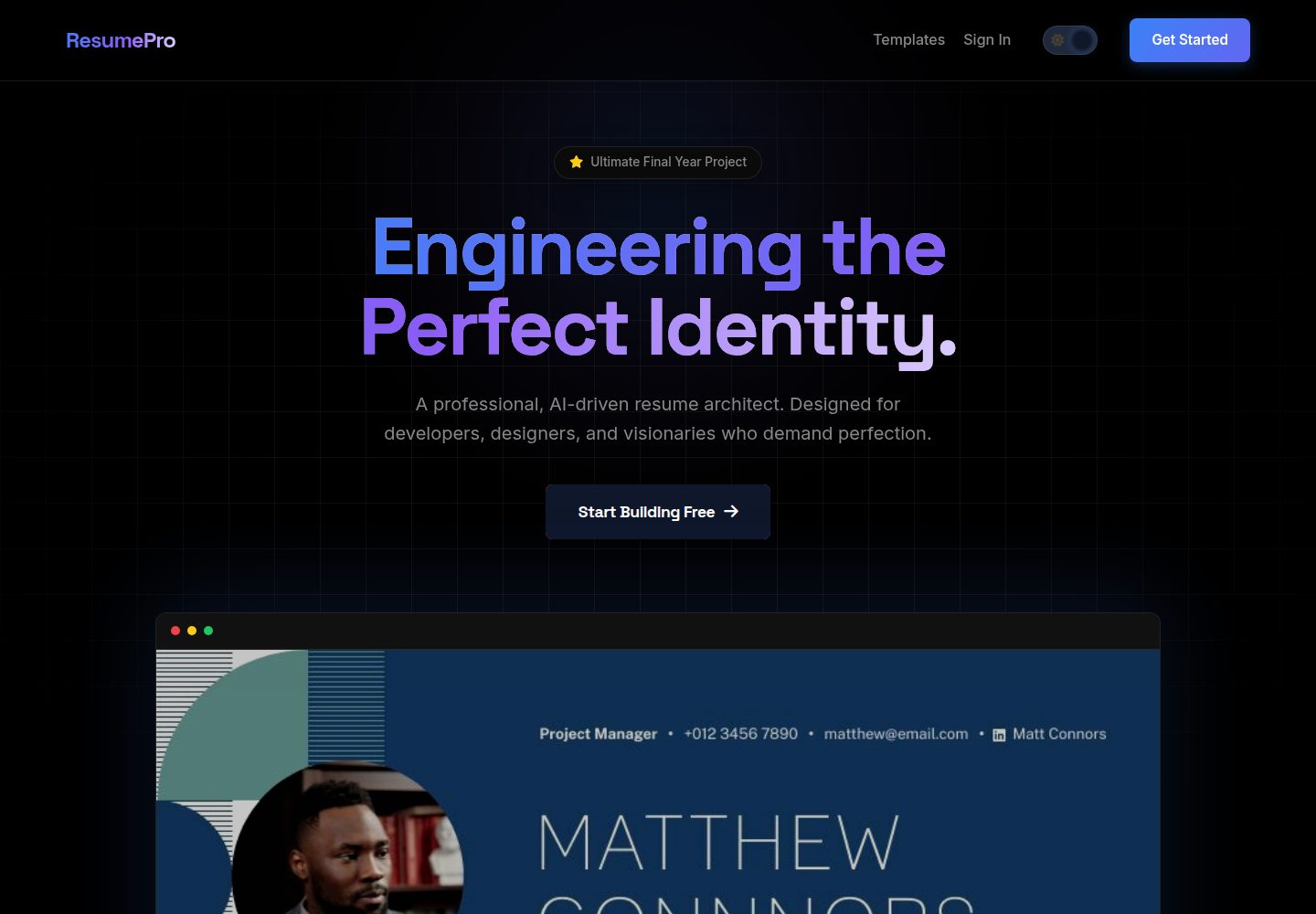
ResumePro is a Flask-based full-stack resume builder with a multi-step form, real-time preview, 10+ responsive templates, dark/light themes, OpenAI-powered ATS scoring, and high-fidelity PDF export via Base64 image prefetching.
Flask · Portfolio

al-folio
A Jekyll academic homepage theme for scholars and researchers, with a clean responsive design and out-of-the-box support for publication lists, project showcases, CVs, and blogs.
Jekyll · Portfolio

simplefolio
Simplefolio is a minimal single-page portfolio template for developers, built with HTML, Bootstrap, SCSS, and Parcel under the MIT license. It includes Hero, About, Projects, Contact, and Footer sections, with content edited in /src/index.html and theme colors controlled by two SCSS variables.
HTML · Portfolio

Beautiful Jekyll
Beautiful Jekyll is a mature, easy-to-use Jekyll blog theme maintained by Dean Attali since 2015, with over 50,000 users.
Jekyll · Blog

Freelancer
A bright, single-page Bootstrap portfolio template for freelancers, designers, and small studios. It includes a responsive portfolio grid with modal detail windows and an SB Forms contact form that requires an API token.
HTML · Portfolio