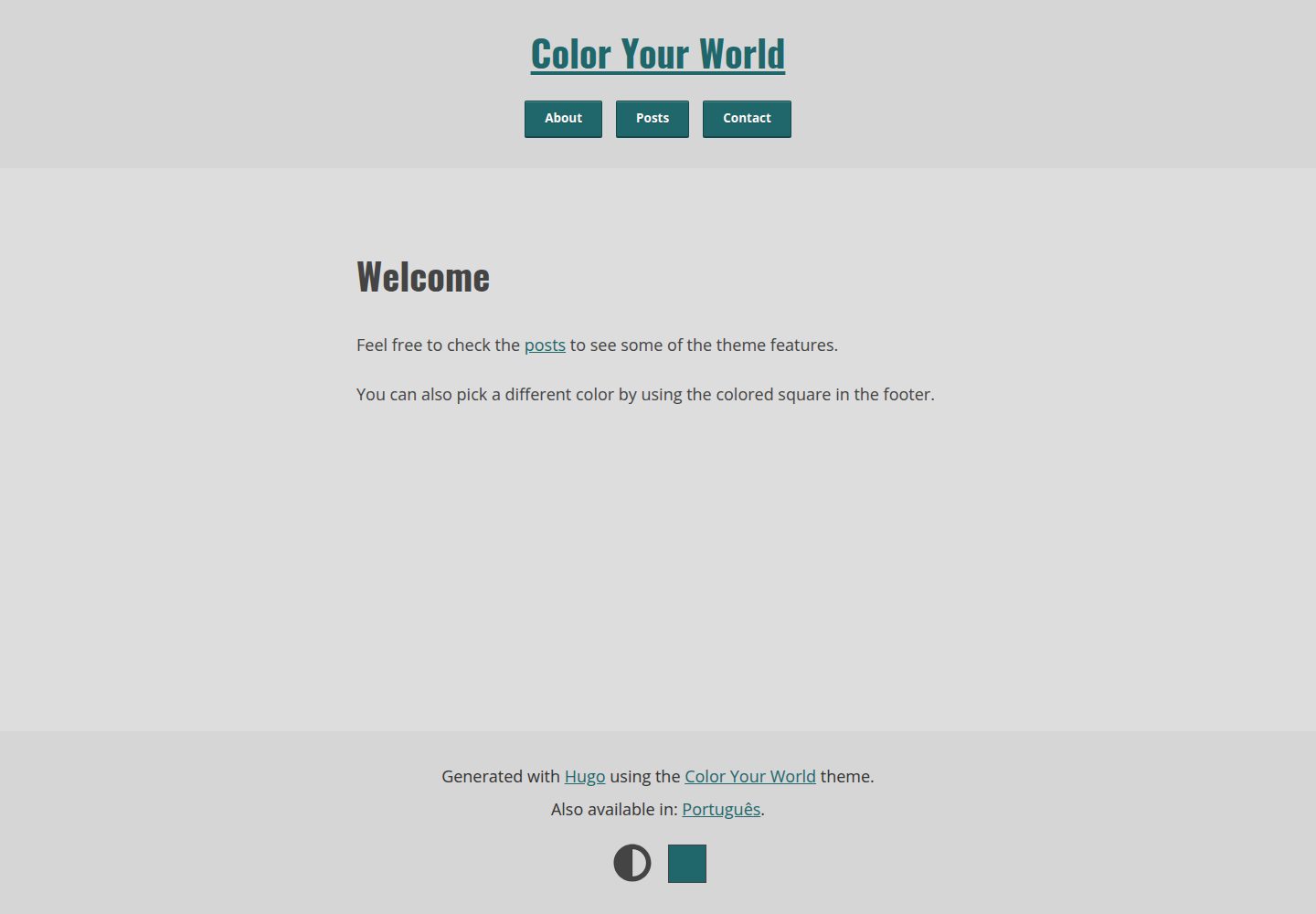
Built-in HTML color picker lets visitors switch the accent color in the browser
HugoBlog
hugo-theme-color-your-world — Hugo Blog Template
By rmaguiar
A minimalist Hugo blog theme with a built-in HTML color picker that lets visitors switch the accent color in the browser, supporting dark and light modes.
Explore the design
Compare the page layouts and mobile experience. Open any screenshot for a closer look.
Desktop homepage1 / 2
Desktop captureTop of page
Actual screenshot captured by the server browser.
All pages & views 2
Screenshots show visual appearance; interactive behavior may differ.
Recorded 2026-10-02View source
What stands out
A quick read of the recorded project description.
Dark and light color schemes, with the default mode and accent color configurable
Processes SCSS and images through Hugo Pipes, with responsive images and lazy loading
Outputs Open Graph, Twitter Cards, and Schema.org structured data
Provides social shortcodes that distinguish centralized and decentralized platforms and support multiple instances
Basic search based on Pagefind, without including Google Analytics, Google Fonts, or Disqus
Template Details
Color Your World is a Hugo theme for personal blogs whose core feature is an HTML color picker built into the page: visitors can use it to adjust the interface accent color, which is mainly applied to interactive elements. The theme also provides dark and light color schemes and allows the default mode and default accent color to be specified in the configuration.
The theme relies on Hugo Pipes for its build, and the README recommends using --minify when building. It requires Hugo Extended and a minimum version of 0.128.0. Feature-wise it includes responsive image processing, image lazy loading, Open Graph / Twitter Cards / Schema.org structured data, basic search based on Pagefind, social shortcodes, and a contact form shortcode via Formspree. The theme takes limited privacy measures and does not include third-party services such as Google Analytics, Google Fonts, or Disqus.
Several limitations should be noted before use: search depends on Pagefind, and KaTeX and search are unavailable when JavaScript is disabled; the contact form requires you to configure your own Formspree Form ID, and its quota and fees must be checked separately; by default the theme only includes Latin character set woff2 fonts for Oswald and Open Sans, and other character sets must be generated by the user; rich text content styles must be written by the user. The code is MIT licensed, but third-party assets such as demo images, fonts, and icons must be checked against their respective licenses.
HugoBlog
Is it right for your project?
Use Cases
- Building a text-focused personal blog and wanting visitors to customize the interface accent color
- Needing a Hugo site that offers both dark and light modes with a configurable default mode
- Wanting a blog with basic search, social links, and structured data without integrating third-party analytics or comment services
- Needing to insert responsive images in articles and automatically generate Open Graph and Twitter Cards cover images
Suitable For
- Sites using Hugo Extended version 0.128.0 or higher
- Personal blogs that prefer minimalist typography and a reading-focused experience
- Developers willing to adjust colors, fonts, and social links through configuration files
- Users who accept preparing their own font subsets and rich text styles and configuring Formspree themselves
Getting started & customization
Use these recorded setup notes alongside the repository instructions for your chosen version.
- 1
Requires Hugo Extended, minimum version 0.128.0; the README recommends using --minify when building.
- 2
Can be installed by git clone into themes/color-your-world, or included in other ways according to the official Hugo guide.
- 3
The default fonts only include Latin character set woff2 for Oswald and Open Sans; other character sets must be generated with tools such as google-webfonts-helper and placed in assets/fonts.
- 4
The contact form shortcode depends on Formspree, and formspreeFormId must be set in the configuration; the service quota and fees must be checked separately.
- 5
Search depends on Pagefind, and KaTeX and search are unavailable when JavaScript is disabled; rich text styles require creating assets/scss/rich-content.scss yourself.
License & source material
Usage conditions & limitations
Free to use · keep license noticeThis entry covers the free version under the MIT license in the public repository; the free scope is the code of this version and does not mean that external services or third-party assets are free.
Must comply with when using
- You may use, modify, commercialize, and distribute the code of this version for free.
- When distributing copies or substantial portions of the code, retain the original author's copyright notice and the complete MIT license notice.
- The code is provided as is; warranties and limitations of liability are governed by the original license and applicable law.
Additional costs & items to verify
- The contact form shortcode depends on the third-party service Formspree, and you must register and configure formspreeFormId yourself; the service's free quota, sending limits, and fees must be checked separately and are not part of the theme code itself.
- Search depends on Pagefind and must be integrated separately into the build process; search is unavailable when JavaScript is disabled.
- When JavaScript is disabled, KaTeX formula rendering and search are unavailable, and the remaining features are only available to a limited extent.
- By default only Latin character set woff2 fonts for Oswald and Open Sans are included; if you need other character sets or formats, you must generate and replace the font files yourself.
- Rich text content styles are not fully provided and must be customized by creating assets/scss/rich-content.scss yourself.
- Contributors are asked to keep font files unmodified; if other character sets are needed, users should choose and generate them themselves.
- Confidential issues will be ignored; problem reports must be made through public channels.
- The README mentions the Formspree form service; actual submission requires configuring a service endpoint, and its usage quota and fees must be checked separately.
- Demo images, fonts, icons, and other third-party assets must be checked against their respective licenses and cannot be judged solely by the code's MIT license.
- External services such as domains, hosting, databases, payments, or AI may incur additional charges.
View Original Text Basis
Permission is hereby granted, free of charge
Original License Text
Contact form shortcode (via [Formspree](https://formspree.io/))
Original README
Basic search functionality via [Pagefind](https://pagefind.app/)
Original README
**noscript** capable to an extent (except for KaTeX and search functionality).
Original README
By default, this theme uses *Oswald* and *Open Sans* fonts. Latin charset only and `woff2` format
Original README
Minimal effort was put here, since I don't use this feature. I recommend that you create your own `assets/scss/rich-content.scss`.
Original README
I just ask that the font files are kept unmodified.
Original README
https://github.com/rmaguiar/hugo-theme-color-your-world/blob/master/LICENSEhttps://github.com/rmaguiar/hugo-theme-color-your-world/blob/master/README.mdConfidential issues will be ignored.
Original README
Compiled by DeepSeek based on repository license and README ·2026-10-02. Results only cover the materials read; dependencies, images, fonts, and subsequent term changes are subject to their respective original texts.
Project checks & description sources
Template Information
- Source platforms
- GitHub
- Documentation and maintenance reference score
- More documented · 77 / 100
- Technologies
- Hugo
- Website type
- Blog
How this score is calculated
Our heuristic uses license records (up to 30), a demo link (12), a preview (10), stars (15), recorded maintenance (15), description completeness (8), feature records (5) and classification data (5). It is not a code, security or performance test, or a Google score. A link does not establish tested functionality.
What to verify for this project
- Repository update recorded
- 2024-12-10
- Screenshot last checked
- 2026-10-02
A demo link is listed. Check it with your own content and viewport sizes; its presence does not confirm that forms, authentication or payments work.
The catalog identifies Hugo as the primary stack. Check the actual dependency manifest and lockfile for versions and hosting requirements. These notes use recorded metadata, not a code audit or a deployment test.
Use a selection guide →How this description was prepared
AI-assisted description based on catalog records and repository material. Repository authors are not automatically the reviewers of this description.
Automatically checked against source and license rules; no manual editorial review.
Inspect the recorded source material
SHA-256: df3c7f9a977c43d2f286857bf09262c1ba424ebd448387ca37101b9b3b40b2e3
2026-10-02T10:19:19.142Z
Source file / repository# Color Your World
[](https://gohugo.io/)
[](https://gitlab.com/rmaguiar/hugo-theme-color-your-world/-/blob/master/LICENSE)
[](https://themes.gohugo.io/hugo-theme-color-your-world/)
[](https://ko-fi.com/rmaguiar)
* [Live demo (on Netlify)](https://color-your-world-demo.netlify.app)
* [Demo repo](https://gitlab.com/rmaguiar/hugo-theme-color-your-world-demo/)
**Color Your World** is a [Hugo](https://gohugo.io/) theme developed around a single experiment that led me to this:

It's a HTML color picker. Along with some vanilla JS, it allows anyone to change what I'll be calling here... the **accent color**, a color used mostly in interactive elements.
I liked the result so much that I decided to use it on my main site, but I also want to share it, in case anyone wants to tinker with it.
It makes heavy use of [Hugo Pipes](https://gohugo.io/hugo-pipes) and I highly recommend using `--minify` when building!
I've been working on this theme for so long that there are features I don't even remember anymore... But here are *some*:
* Customizable dark/light mode;
* Customizable "accent color" (in an user-level);
* Keyboard-friendly;
* Privacy-aware to an extent (no Google Analytics/Fonts, Disqus, etc);
* Social shortcode including centralized and decentralized platforms;
* Contact form shortcode (via [Formspree](https://formspree.io/));
* Open Graph, Twitter Cards and structured data (Schema.org) meta tags;
* Responsive images via image processing;
* Basic search functionality via [Pagefind](https://pagefind.app/);
* Image lazy loading;
* **noscript** capable to an extent (except for KaTeX and search functionality).
## Screenshots


## Requirements
* Hugo Extended
* Minimum version: 0.128.0
## Installation
If you have git installed, you can do the following at the CLI within the Hugo directory:
```bash
git clone https://gitlab.com/rmaguiar/hugo-theme-color-your-world.git themes/color-your-world
```
For more information read the [Hugo official setup guide](https://gohugo.io/overview/installing/).
## Customization
### Dark/light mode colors
Both color palettes can be found in `assets/scss/colors/variables.scss`.
### Accent color
By default, there are 2 accent colors plus 10 on the demo site, distributed into pairs.
You can change the default mode and accent colors in the config:
```toml
[params.style]
# Dark mode as default
# User preferences (site/system settings) will still have priority over it
# The default is false
isDark = true
# Accent colors for dark and light mode respectively
darkAccent = "#1dbc91" # Default is "#1dbc91"
lightAccent = "#1f676b" # Default is "#1f676b"
# More colors, pick as many as you want (not really sure if there's a limit)
# Apparently these may not show up on every modern browser (ie.: Firefox)
# There's no default value. Used here just as example
presets = [ "#1f676b", "#f3a530", "#902b37", "#1dbc91", "#754e85", "#7fc121", "#a8314a", "#ff7433", "#3e6728", "#c063bd" ]
```
### Fonts
By default, this theme uses *Oswald* and *Open Sans* fonts. Latin charset only and `woff2` format, which is supported by most modern browsers.
If that's not enough for your use case, you'll have to generate a new set yourself.
Fortunately, it's fairly easy thanks to this tool: [google-webfonts-helper](https://gwfh.mranftl.com/fonts).
In your project folder, add the font files to a folder named `/assets/fonts` and the CSS content to a file named `/assets/scss/fonts/font-face.scss`.
Also make sure to copy the file `/assets/scss/fonts/variables.scss` into your project folder and change the font names accordingly.
### Syntax highlighting
This theme comes with two chroma styles, meant to be used with dark and light mode respectively. These are **Monokai** for dark mode and **Solarized Dark** for light mode.

It's worth noting that I'm not using the original stylesheets, but modified stylesheets based on the [pygments-high-contrast-stylesheets](https://github.com/mpchadwick/pygments-high-contrast-stylesheets) (aka "WCAG AA passing Pygments stylesheets").
In case you want to change it, it can be found in `assets/scss/colors/chroma` as `dark.scss` and `light.scss`.
The lines below are **required** in your config file to make use of this feature:
```toml
[markup.highlight]
noClasses = false
```
To disable it, you can just remove the `noClasses = false` (as its default value is `true`) and add the lines below:
```toml
[params]
[params.style]
useCustomChroma = false
```
## Image processing
By default, images are responsive. This is achieved through image processing, where images are resized depending on their width.
For example, images with width equal or greater than 1280 pixels are processed (resized) into 3 sizes: `1280x`, `960x` and `640x`.
If using Hugo v0.83 or above, a set of WEBP files will be generated as well.
Cover images will *also* be resized (using the [Fill](https://gohugo.io/content-management/image-processing/#fill) method) for Open Graph (`1200x630`) and Twitter Cards (`1280x640`).
You can change this behavior via config. Below you can find the default params:
```toml
[imageProcessing]
# Enable auto resize
# Includes "img" and "figure" shortcodes
autoResize = true
# Convert "tiff" files to the format below
# since the most used browsers don't support it
fallbackOptions = "jpeg"
# Fill options for Open Graph and Twitter card images
# These images are also used in the Schema.org structured data
openGraphFillOptions = "1200x630"
twitterFillOptions = "1280x640"
# Extra formats (along JPEG/PNG)
[[imageProcessing.extraFormats]]
formatOptions = "webp"
mediaType = "image/webp"
minVersion = "0.83"
# Sizes at which images are resized
# Keep the sizes in descending order
# The smallest size will be used as the default image
[[imageProcessing.sizes]]
resizeOptions = "1280x"
descriptor = "1280w"
minWidth = 1280
[[imageProcessing.sizes]]
resizeOptions = "960x"
descriptor = "960w"
minWidth = 960
[[imageProcessing.sizes]]
resizeOptions = "640x q90"
descriptor = "640w"
minWidth = 640
```
When using the shortcodes `img` and `figure`, image processing can also be disabled by setting the `resize` param as `false`.
## Shortcodes
The most complex shortcodes here are the `social` and `contact-form`. They can be used to inject a list of social platform links and a contact form, respectively.
### Social
Here I make a distinction between centralized and decentralized platforms.
Since decentralized platforms introduced the concept of "instances". It's not uncommon that a single person owns multiple accounts, in multiple instances, in the same platform.
This distinction should make the setup easier.
Here's an example of config file:
```toml
[params.social.centralized]
facebook = [ "<username>", "Zuckerburg" ]
flickr = [ "<username>" ]
github = [ "<username>" ]
gitlab = [ "<username>" ]
instagram = [ "<username>" ]
keybase = [ "<username>" ]
linkedin = [ "<username>" ]
medium = [ "<username>" ]
reddit = [ "<username>" ]
snapchat = [ "<username>" ]
soundcloud = [ "<username>" ]
stackOverflow = [ "<username>" ]
strava = [ "<username>" ]
telegram = [ "<username>" ]
twitch = [ "<username>" ]
vimeo = [ "<username>" ]
whatsapp = [ "<number>" ]
x = [ "<username>", "@birb" ]
xing = [ "<username>" ]
youtube = [ "<username>" ]
#entry = [ "username", "label (optional)" ]
# The "entry" here IS important. It's used to load the data.
[params.social.decentralized]
[params.social.decentralized.bsky]
1 = [ "https://bsky.app/profile/<username>.bsky.social", "bsky.social" ]
#entry = [ "full url", "label (required)" ]
[params.social.decentralized.element]
1 = [ "https://app.element.io/#/user/<username>:matrix.org", "matrix.org" ]
[params.social.decentralized.funkwhale]
1 = [ "https://open.audio/<username>", "open.audio" ]
[params.social.decentralized.mastodon]
1 = [ "https://mastodon.social/<username>", "mastodon.social" ]
2 = [ "https://mastodon.too/<username>", "mastodon.too" ]
3 = [ "https://yet.another.one/<username>", "yet.another.one" ]
[params.social.decentralized.matrix]
1 = [ "https://matrix.to/#/<username>:matrix.org", "matrix.org" ]
2 = [ "https://matrix.to/#/<username>:other.org", "other.org" ]
[params.social.decentralized.peertube]
1 = [ "https://peertube.something/accounts/<username>", "peertube.something" ]
[params.social.decentralized.pixelfed]
1 = [ "https://pixelfed.social/<username>", "pixelfed.social" ]
# The "entry" here ISN'T important. It's used for nothing.
```
This information will also be used to generate social meta tags (ie.: rel="me" and Schema.org).
### Contact form
```toml
# Contact form shortcode
[params.contact]
# formspree.io Form ID
formspreeFormId = "example"
# Autocomplete [on/off] and min character length for message
autoComplete = false # Default is false
messageMinLength = 140 # Default is 140
# Subject
# You can set a single value below (and it will cease to be a dropdown),
# BUT KEEP IT AS AN ARRAY
# It can also be disabled entirely (and it will turn into a text field)
subject = [ 'Just saying "hi"', "I know what you did last winter", "... Is that a sloth?", "お前はもう死んでいる。" ]
# Text placeholders. As usual, comment the lines if you don't want use them
# The "subject" below will only be used if the "subject" above doesn't exist (ie.: commented/deleted)
[params.contact.placeholder]
name = "Jane Doe"
email = "[email protected]"
subject = 'Just saying "hi"'
message = "Aenean lacinia bibendum nulla sed consectetur. Vivamus sagittis lacus vel augue laoreet rutrum faucibus dolor auctor. Donec ullamcorper nulla non metus auctor fringilla nullam quis risus."
```
## Miscellaneous
### Rich content
Minimal effort was put here, since I don't use this feature. I recommend that you create your own `assets/scss/rich-content.scss`.
### 404
A **really** basic 404 page can be generated via config file by using:
```toml
[params.notFound]
title = "Page not found"
description = "This page was not found."
paragraph = "Nothing to see here, buddy."
```
### Custom front matter params
* `mainTitle` (string): Can be used to replace the `<title>` meta tag, if you wish it to be different from the `<h1>` (which will still use the `title` param);
* `sitemapExclude` (true|false): Can be used to exclude a page/section from the sitemap;
* `noindex` (true|false): Similar to the above. Can be used to exclude a page/section from being indexed (by bots or your own site). It will change the meta tag `robots` to `noindex` and the page(s) will not be added to the site's search index.
### Custom partials
* The site title can be replaced by creating a file named `layouts/partials/custom/site-title.html`;
* Custom favicons can be used by creating a file named `layouts/partials/custom/head-append.html`;
* Custom CSS can be imported into the main CSS file by creating a file named `static/css/custom.css` or `assets/scss/custom.scss`;
* The `footerText` param can be replaced by creating a file named `layouts/partials/custom/footer-text.html`.
### More params
More possible params for your config file (or front matter):
```toml
# Used only in the RSS file
copyright = "Copyright © 2008–2021, Steve Francia and the Hugo Authors; All rights reserved."
[params]
# Site description
description = "John Doe's personal website"
# Author
author = "John Doe"
authorDesc = "Some indescribable horror."
# Footer text
# Each value will become a paragraph
# Keep it as an array
footerText = [ "Generated with [Hugo](https://gohugo.io) using the [Color Your World](https://gitlab.com/rmaguiar/hugo-theme-color-your-world) theme." ]
# Site cover, for Open Graph, Twitter Cards and Schema.org
# It will be used if the current page doesn't have an image cover
# File will be picked from the "assets" directory
# Comment the lines if you don't want to use it
cover = "img/cover.jpg"
coverAlt = "A placeholder that doesn't deserve to be described."
# Shows a message in the footer about JavaScript being disabled
# The default is false
hasNoscriptNotice = true
# Default path for images in posts
# ie.: "content/some-post/img"
# Can also be set PER PAGE
# It can be used to reduce repetition
# There's no default value
imgPath = "img"
# Default classes for markup image
# Modifies the default behavior of images placed via markdown
# Can also be set PER PAGE via front matter
# Available classes are: border and borderless
# There's no default value
markupImgClass = "borderless"
# This will append a separator (of your choice) along the site title to your <title>
# ie.: | ❚ - – — • ⚫
# You can disabled it PER PAGE by using "disableTitleSeparator" at front
# matter or disable it entirely by commenting the line below
titleSeparator = "|"
[params.search]
# Enable search form (at the post list)
# The default value is false
enable = true
# Limit search results
# The default value is 30
maxResults = 15
# Limit seach field input and pattern matching
minLength = 2 # Default is 3
maxLength = 42 # Default is 32
# Optional placeholder for search field
placeholder = "ie.: lorem ipsum"
# Results per page
pageResults = 3
[params.style]
# Disable the use of system settings (prefers-color-scheme)
# Can be used as a workaround for Chrome on Linux
# (Issue 998903: Dark Gtk theme does not affect prefers-color-scheme media query)
# The default is false
ignoreSystemSettings = false
# Use an icon or text for footnote return links
# The default is false
hasIconAsFootnoteReturnLink = true
# For the social shortcode
# Use flexbox (with flex-grow) or grid (equal width)
# The default is false
socialIsFlex = false
# Keep anchor links hidden until it's focused/hovered
# They will always be visible in mobile devices, regardless the option
# The default is false
hideAnchors = true
# CSS animation transition when changing colors
# The default is ".5s ease"
changeTransition = ".3s ease"
```
## Contributing
Translations are welcome. I just ask that the font files are kept unmodified. If the Latin charset isn't enough, it's up to the users to choose which charsets they might need.
If you have any question or suggestion, please feel free to [open an issue](https://gitlab.com/rmaguiar/hugo-theme-color-your-world/-/issues).
Confidential issues will be ignored.
## Acknowledgements
* [Font Awesome](https://fontawesome.com/) and [Fork Awesome](https://forkaweso.me/) for the icons;
* [@nickpunt](https://gist.github.com/nickpunt) and [@regpaq](https://gist.github.com/regpaq) for the [dark/light mode switcher](https://gist.github.com/regpaq/04c67e8aceecbf0fd819945835412d1f) idea;
* Glenn McComb and [his article](https://glennmccomb.com/articles/how-to-build-custom-hugo-pagination/) about custom pagination with Hugo;
* JeffProd and [his article](https://en.jeffprod.com/blog/2018/build-your-own-Hugo-website-search-engine/) about building a custom search engine for Hugo;
* Many people [on this forked gist](https://gist.github.com/eddiewebb/735feb48f50f0ddd65ae5606a1cb41ae) for their takes on Fuse.js + Hugo;
* Philip Walton and [his sticky footer solution](https://philipwalton.github.io/solved-by-flexbox/demos/sticky-footer/) with Flexbox;
* [Fuse.js](https://github.com/krisk/Fuse) (now replaced with Pagefind);
* [Pagefind](https://pagefind.app/);
* [KaTeX](https://katex.org/);
* [@britonad](https://gitlab.com/britonad) for the Ukranian translation;
* [@moanos](https://gitlab.com/moanos) for the German translation;
* Hugo and [its community](https://discourse.gohugo.io/).
## Sponsoring
If this repo was useful or helpful to you in any way, please consider buying me a coffee:
[](https://ko-fi.com/rmaguiar)
Explore similar templates
Compare previews and descriptions within the same stack and category.

hugo-PaperMod
A fast, clean, responsive Hugo theme for blogs and lightweight portfolios, with three layout modes (Regular, Home-Info, Profile), automatic and manual light/dark themes, Fuse.js client-side search, multilingual support, and built-in Open Graph, Twitter Cards, and Schema.org data.
Hugo · Portfolio

LoveIt
LoveIt is a clean, elegant, and feature-rich Hugo blog theme derived from LeaveIt and KeepIt, MIT-licensed. It offers light/dark modes, responsive layout, multilingual support, and search via Lunr.js or Algolia.
Hugo · Blog

hugo-coder
hugo-coder is a minimalist Hugo blog theme maintained by luizdepra under the MIT license. It provides a clean, text-focused blog appearance, configuration documentation in the docs directory, and a complete exampleSite with hugo.toml.
Hugo · Blog

blowfish
Blowfish is a Hugo personal website and blog theme built with Tailwind CSS 4, focused on lightness, simplicity, and content-first presentation.
Hugo · Blog

hugo-paper
hugo-paper is a simple, clean, and customizable Hugo blog theme configured through config.toml or hugo.toml.
Hugo · Blog

hextra
Hextra is a Hugo theme for documentation and blog sites, built on Hugo and Tailwind CSS with design referencing Nextra.
Hugo · Documentation