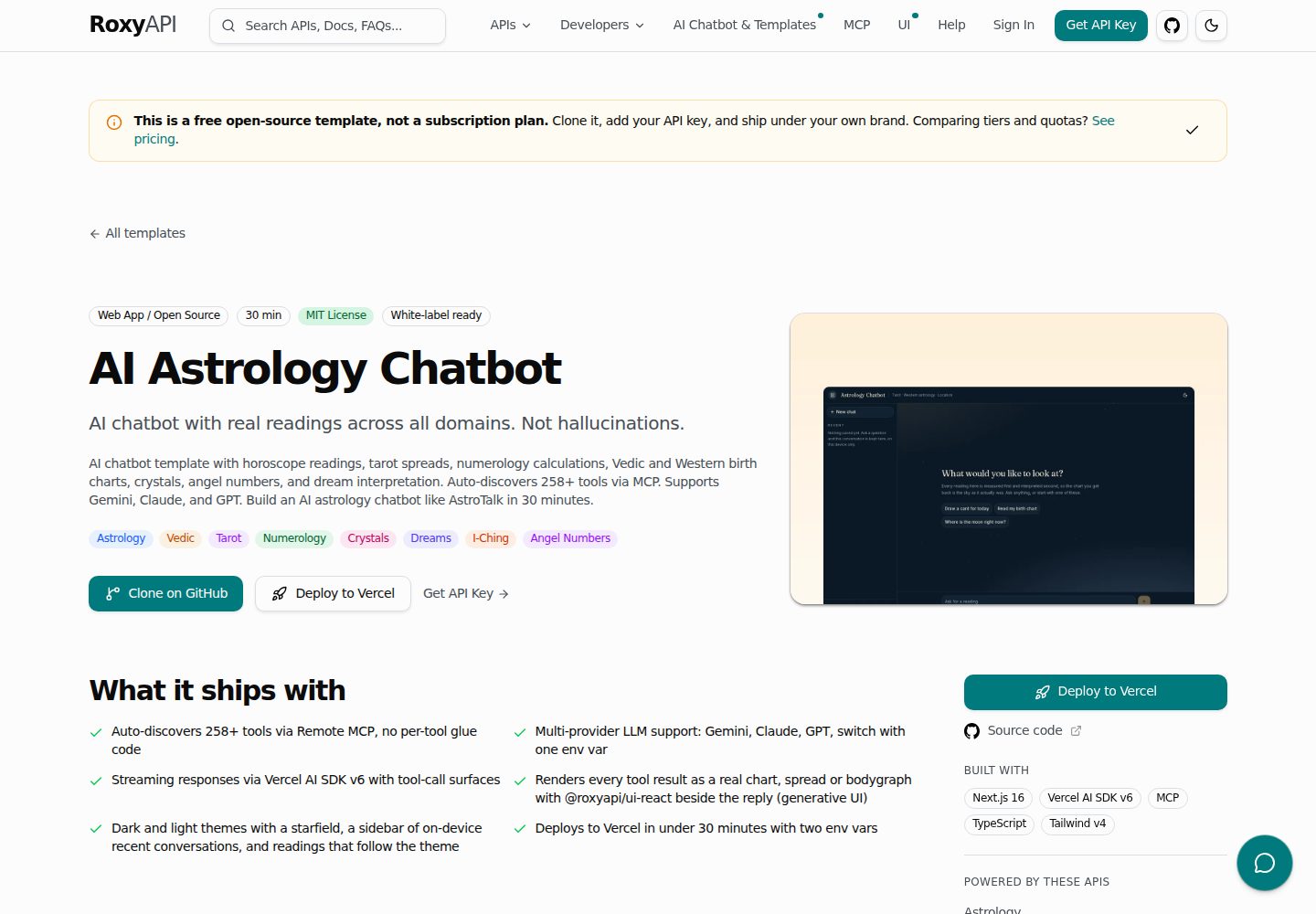
Automatically discovers and calls RoxyAPI's calculation tools over Remote MCP, rather than relying on the LLM to fabricate astrological data
Next.jsAstroReactStarter
astrology-ai-chatbot — Next.js Starter Template
By RoxyAPI
A Next.js-based AI astrology chatbot starter that calls RoxyAPI's real calculation tools over Remote MCP, covering Western astrology, Vedic astrology, tarot, numerology, and more.
Explore the design
Compare the page layouts and mobile experience. Open any screenshot for a closer look.
Desktop homepage1 / 3
Desktop captureTop of page
Actual screenshot captured by the server browser.
All pages & views 3
Screenshots show visual appearance; interactive behavior may differ.
Recorded 2026-10-04View source
What stands out
A quick read of the recorded project description.
By default enables 18 products and approximately 255 tools, covering 17 spiritual domains plus location geocoding
Supports three LLM providers—Google Gemini, Anthropic Claude, and OpenAI GPT—switchable via environment variables
Tool call results can be rendered as visualization components in chat replies, such as tarot card faces and natal chart wheels
Provides light and dark themes and a collapsible session list; component styles follow the application palette through --roxy-* design tokens
MIT licensed; the public code can be used, modified, commercialized, and distributed for free
Template Details
This is an open-source AI astrology chatbot starter built with Next.js. Its core idea is to let the large language model handle understanding and interpretation, while planetary positions, tarot card faces, numerology calculations, and similar tasks are performed by RoxyAPI's real calculation tools provided over Remote MCP (Model Context Protocol), avoiding fabricated data from the model. At runtime, the project automatically discovers RoxyAPI's tools and by default enables all 18 products and approximately 255 tools, covering Western astrology, Vedic astrology, predictive timelines, Human Design, Chinese BaZi, feng shui, Mesoamerican astrology, Vastu, numerology, Kabbalah, tarot, biorhythms, Ayurveda, I Ching, crystals, dreams, angel numbers, and location geocoding.
Before use, two types of keys must be configured: a RoxyAPI API Key and at least one LLM provider key. The project supports Google Gemini, Anthropic Claude, and OpenAI GPT through the unified interface of the Vercel AI SDK; switching providers only requires changing environment variables. The chat interface supports light and dark themes, a collapsible session list, and can render corresponding visualization components in reply bubbles based on the tools called by the model, such as tarot card faces and natal chart wheels; these components are mapped by tool name via @roxyapi/ui-react, and their styles follow the application palette through --roxy-* design tokens.
The project is MIT licensed, and the code in the public repository can be used, modified, commercialized, and distributed for free, but external services (RoxyAPI, LLM providers, domains, hosting, etc.) may incur separate charges, and third-party assets such as demo images, fonts, and icons require separate license verification. Some paid versions or features mentioned in the README are not included in the free code covered here.
Next.jsAstroStarter
Is it right for your project?
Use Cases
- Building a user-facing AI astrology or spiritual consultation chat application
- Validating a chatbot architecture that combines MCP tool calls with LLM interpretation
- Astrology product prototypes that require real astronomical and numerological calculations rather than model-generated content
- Integrating RoxyAPI's multi-domain calculation tools and visualization components into a Next.js project
Suitable For
- Developers familiar with Next.js who want to quickly launch an astrology chat application
- Teams that need to integrate real astrological calculation data and avoid LLM hallucinations
- Projects planning to use RoxyAPI and MCP to build multi-domain spiritual tool products
Getting started & customization
Use these recorded setup notes alongside the repository instructions for your chosen version.
- 1
After cloning the repository, run npm install, copy .env.example to .env.local, and fill in the keys
- 2
A RoxyAPI API Key is required for all astrology and numerology calculations
- 3
At least one LLM provider key (Google, Anthropic, or OpenAI) is required, selected via the LLM_PROVIDER environment variable
- 4
Some products can be enabled via the ROXYAPI_PRODUCTS environment variable; when enabling astrology chart products, it is recommended to also keep location to resolve birthplace coordinates
- 5
External services (RoxyAPI, LLM, hosting, etc.) may incur costs, and third-party assets require separate license verification
License & source material
Usage conditions & limitations
Free to use · keep license noticeThis entry covers the free version under the MIT license in the public repository; the free scope applies to that version's code and does not mean external services or third-party assets are free.
Must comply with when using
- The code of this version may be used, modified, commercialized, and distributed for free.
- When distributing copies or substantial portions of the code, retain the original author's copyright notice and the complete MIT license notice.
- The code is provided as is; warranties and limitations of liability are governed by the original license and applicable law.
Additional costs & items to verify
- Before use, two types of keys must be configured: a RoxyAPI API Key and at least one LLM provider (Google, Anthropic, or OpenAI) key; otherwise it cannot run.
- All astrology, tarot, numerology, and similar calculations depend on the external RoxyAPI service; an API Key must be obtained according to its pricing, which may incur costs.
- Interpretation features depend on external LLM providers (Google, Anthropic, or OpenAI), requiring corresponding accounts and API Keys, which may incur call charges.
- On the Vercel Hobby plan (10-second limit), it may run unstably due to MCP initialization timeouts; upgrading to Pro or reducing the number of enabled products is required.
- RoxyAPI's free test key must be requested through the contact page and is not provided by default; formal use requires payment according to its pricing.
- The project materials mention optional paid versions or features; this entry only covers the public free code and does not include paid upgrades.
- Demo images, fonts, icons, and other third-party assets must be checked against their respective licenses; they cannot be judged solely by the code's MIT license.
- External services such as domains, hosting, databases, payments, or AI may incur separate charges.
View Original Text Basis
Permission is hereby granted, free of charge
Original License Text
You need two keys:
Original README
**RoxyAPI** | [roxyapi.com/pricing](https://roxyapi.com/pricing), powers all readings and calculations
Original README
**LLM** | Google, Anthropic, or OpenAI, interprets the data (see below)
Original README
If you are on the Vercel Hobby plan (10s limit), upgrade to Pro or reduce the number of products.
Original README
https://github.com/RoxyAPI/astrology-ai-chatbot/blob/main/LICENSEhttps://github.com/RoxyAPI/astrology-ai-chatbot/blob/main/README.mdyou can [request a free test key](https://roxyapi.com/contact) to try it out
Original README
Compiled by DeepSeek based on repository license and README ·2026-10-04. Results only cover the materials read; dependencies, images, fonts, and subsequent term changes are subject to their respective original texts.
Project checks & description sources
Template Information
- Source platforms
- GitHub
- Documentation and maintenance reference score
- More documented · 92 / 100
- Technologies
- Next.js · Astro · React
- Website type
- Starter
How this score is calculated
Our heuristic uses license records (up to 30), a demo link (12), a preview (10), stars (15), recorded maintenance (15), description completeness (8), feature records (5) and classification data (5). It is not a code, security or performance test, or a Google score. A link does not establish tested functionality.
What to verify for this project
- Repository update recorded
- 2026-09-30
- Screenshot last checked
- 2026-10-04
A demo link is listed. Check it with your own content and viewport sizes; its presence does not confirm that forms, authentication or payments work.
The catalog identifies Next.js as the primary stack. Check the actual dependency manifest and lockfile for versions and hosting requirements. These notes use recorded metadata, not a code audit or a deployment test.
Use a selection guide →How this description was prepared
AI-assisted description based on catalog records and repository material. Repository authors are not automatically the reviewers of this description.
Review declaration: [email protected] · 2026-10-04
Inspect the recorded source material
SHA-256: 7a9c9c2239dd4b4a9903f48f5f472a43e533fe9ac472d7144491f4e66000669a
2026-10-04T00:25:38.394Z
Source file / repository<p align="center">
<a href="https://roxyapi.com">
<img src="https://raw.githubusercontent.com/RoxyAPI/astrology-ai-chatbot/main/assets/hero.png" alt="Open source AI astrology chatbot starter. Real calculations, multi-MCP, multi-LLM, MIT licensed." width="100%">
</a>
</p>
# AI Astrology Chatbot: Western, Vedic, Tarot & More
> Open source AI chatbot that runs real Western astrology, Vedic kundli, numerology, tarot, Human Design, forecast timelines, biorhythm, I Ching, crystals, dreams, and angel numbers calculations. Powered by [RoxyAPI](https://roxyapi.com), not LLM hallucinations.
[](https://roxyapi.com/pricing)
[](https://roxyapi.com/api-reference)
[](https://roxyapi.com/docs/quickstart)
[](https://roxyapi.com/docs/mcp)
[](https://roxyapi.com/methodology)
[](https://roxyapi.com/templates)
[](https://vercel.com/new/clone?repository-url=https://github.com/RoxyAPI/astrology-ai-chatbot&env=ROXY_API_KEY,GOOGLE_GENERATIVE_AI_API_KEY&envDescription=API%20keys%20for%20RoxyAPI%20and%20your%20LLM%20provider&envLink=https://roxyapi.com/pricing)
Ships with auto-discovered remote MCP tools, multi-provider LLM support (Gemini, Claude, GPT), and an interface built to be shown to customers: light and dark, a collapsible conversation list, and every chart drawn in the palette you choose.
**Clone. Add keys. Deploy. Live AI astrology chatbot in 30 minutes.**
| Dark | Light |
|---|---|
| <img src="https://raw.githubusercontent.com/RoxyAPI/astrology-ai-chatbot/main/screenshots/screenshot-01.png" alt="AI astrology chatbot opening screen in dark mode" width="100%"> | <img src="https://raw.githubusercontent.com/RoxyAPI/astrology-ai-chatbot/main/screenshots/screenshot-02.png" alt="AI astrology chatbot opening screen in light mode" width="100%"> |
## Why This Exists
Most AI astrology chatbots hallucinate planet positions, make up tarot spreads, and invent numerology results. This one calls [the 255+ verified tools at RoxyAPI](https://roxyapi.com/api-reference) via [MCP](https://roxyapi.com/docs/mcp) (Model Context Protocol), gets real computed data from astronomical ephemeris engines and mathematical models, then has the LLM interpret it. Every birth chart, every tarot draw, every Life Path calculation is backed by actual computation.
**17 spiritual domains plus location geocoding. Auto-discovered tools via MCP. Multilingual. Any LLM.**
| Domain | What You Can Ask |
|--------|-----------------|
| **Western Astrology** | Natal chart, daily/weekly/monthly horoscopes, transits, synastry, compatibility score, moon phases |
| **Vedic Astrology** | Janam Kundli, Vimshottari Dasha, Gun Milan, detailed Panchang, Manglik/Kalsarpa/Sadhesati doshas, KP system, Navamsa |
| **Forecast** | Cross-domain timeline merging Western transits, Vedic dasha periods, and biorhythm critical days, with significance-scored key dates |
| **Human Design** | Full bodygraph, energy type, strategy, authority, profile, centers, channels, gate activations, two-person connection, transit overlay |
| **Chinese Astrology** | BaZi Four Pillars chart, Day Master strength, ten year luck pillars, annual forecast, zodiac animal and compatibility, lunisolar date conversion, the 24 solar terms, Tong Shu almanac and auspicious date selection |
| **Feng Shui** | Kua number and Eight Mansions directions, flying star natal chart, annual and monthly star overlays, bagua sectors, annual afflictions, the nine periods |
| **Mesoamerican Astrology** | Tzolkin day sign, full Mayan chart with Haab and Long Count, Long Count conversion, nawal compatibility, trecenas, Aztec tonalpohualli |
| **Vastu** | Entrance pada, Vastu Purusha Mandala, plot analysis, Ayadi proportions, room compliance, griha pravesh dates, the eight directions |
| **Numerology** | Life Path, Expression, Soul Urge, Personal Year, full chart, compatibility |
| **Kabbalah** | Gematria with every Hebrew spelling shown, name and birth profiles, the 72 names, Tree of Life and sephirot, Hebrew letters, name comparison |
| **Tarot** | Three-card spreads, Celtic Cross, love spread, daily card, yes/no oracle |
| **Biorhythm** | Physical, emotional, intellectual cycle charts, multi-day forecasts, critical-day alerts |
| **Ayurveda** | Constitution from the birth chart, dinacharya day routine, ritucharya season, daily reading, the three doshas, six tastes, twenty qualities |
| **I Ching** | Hexagram readings, daily cast, full 64-hexagram catalog with changing lines |
| **Crystals** | Stones by zodiac, by chakra, birthstones by month, healing properties |
| **Dreams** | 2,000+ dream symbols, recurring patterns, archetypes |
| **Angel Numbers** | Spiritual meaning of 111, 222, 333, 444, 1111, and any positive integer via digit-root fallback |
| **Location** | City autocomplete with latitude, longitude, IANA timezone: turns "born in Mumbai" into chart-ready coordinates so users never type lat/long |
Responds in the language the person writes in: Hindi, Spanish, French, German, Japanese, and more.
## Quick Start
```bash
git clone https://github.com/RoxyAPI/astrology-ai-chatbot.git
cd astrology-ai-chatbot
npm install
cp .env.example .env.local
# Add your keys to .env.local
npm run dev
```
Open [localhost:3000](http://localhost:3000) and start chatting.
You need two keys:
| Key | Where to get it |
|-----|----------------|
| **RoxyAPI** | [roxyapi.com/pricing](https://roxyapi.com/pricing), powers all readings and calculations |
| **LLM** | Google, Anthropic, or OpenAI, interprets the data (see below) |
## Choose Your LLM
Swap providers with one env var. All three use the unified interface in the Vercel AI SDK, same code, different model:
| Provider | Env Var | Model | Cost / 1M tokens |
|----------|---------|-------|-------------------|
| **Google Gemini** (default) | `GOOGLE_GENERATIVE_AI_API_KEY` | Gemini 2.5 Flash | $0.30 / $2.50, has free tier |
| Anthropic | `ANTHROPIC_API_KEY` | Claude Haiku 4.5 | $1.00 / $5.00 |
| OpenAI | `OPENAI_API_KEY` | GPT-5 mini | $0.13 / $1.00 |
```env
LLM_PROVIDER=gemini
GOOGLE_GENERATIVE_AI_API_KEY=your_key
```
## How It Works
```
User message → LLM picks a tool → MCP calls RoxyAPI → Real data returned → LLM interprets → Streams to user
```
1. User asks a question ("What does my Saturn placement mean?")
2. The LLM selects the right tool from 160+ auto-discovered MCP tools
3. [RoxyAPI](https://roxyapi.com) computes the answer from verified astronomical/mathematical engines
4. The LLM interprets the structured data into a natural, personalized response
5. Response streams back in real-time with markdown formatting
No prompt-stuffing. No fake data. No hardcoded horoscopes.
## Widgets From Tool Calls
Ask for a tarot card and the card is drawn on screen, art and all, above the reading the model writes. Ask for a natal chart and the wheel renders with its aspect lines, planet list, and aspect grid, in the same message as the interpretation.
| Tarot card, dark | Natal wheel, light |
|---|---|
| <img src="https://raw.githubusercontent.com/RoxyAPI/astrology-ai-chatbot/main/screenshots/screenshot-03-tarot-widget.png" alt="A drawn tarot card above the reading written about it" width="100%"> | <img src="https://raw.githubusercontent.com/RoxyAPI/astrology-ai-chatbot/main/screenshots/screenshot-04-natal-widget.png" alt="A natal wheel with aspect lines above the interpretation" width="100%"> |
Nothing is wired per tool. [`@roxyapi/ui-react`](https://www.npmjs.com/package/@roxyapi/ui-react) carries a lookup from the tool name the model used to the component that draws its result, so every domain you enable renders itself. A tool no component covers, a reference lookup for instance, simply keeps the written answer.
| File | What it does |
|------|--------------|
| [`src/lib/tool-widgets.ts`](https://github.com/RoxyAPI/astrology-ai-chatbot/blob/main/src/lib/tool-widgets.ts) | Turns a chat message into the list of components to draw |
| [`src/components/chat/ToolWidget.tsx`](https://github.com/RoxyAPI/astrology-ai-chatbot/blob/main/src/components/chat/ToolWidget.tsx) | Renders that list above the prose in the assistant bubble |
Widgets wear the chat palette rather than a theme of their own. Every surface, ink, border, status colour, face and corner a drawing paints comes from a `--roxy-*` token, and [`globals.css`](https://github.com/RoxyAPI/astrology-ai-chatbot/blob/main/src/app/globals.css) points the whole set at the app palette in one block, so a chart is the same material as the page it arrives on:
```css
:root {
--roxy-surface: var(--card);
--roxy-accent: var(--primary);
/* and the rest of the set */
}
```
Every value is a reference rather than a colour, so the dark palette moves the drawings with everything else and there is no second copy to keep in step. Recolour the palette and the drawings follow, in both themes and at any width. Restyling a component is never the answer, and `tests/design-tokens.test.ts` fails if a token is given a colour of its own. [THEMING.md](https://github.com/RoxyAPI/ui/blob/main/packages/ui/THEMING.md) covers every token, its light and dark default and what it paints. The [UI components page](https://roxyapi.com/docs/ui) lists every component, and the [AI chat widgets tutorial](https://roxyapi.com/docs/tutorials/ai-chat-widgets) covers the same pattern for other chat frameworks and model vendors.
## MCP Tool Discovery
This chatbot uses [Model Context Protocol (MCP)](https://modelcontextprotocol.io) to automatically discover all available tools from [RoxyAPI](https://roxyapi.com) at runtime. No manual endpoint wiring, all 255+ tools across 17 spiritual domains plus location geocoding are ready to use out of the box.
### How MCP connections work
MCP connections are initialized **once** and cached automatically. The first request after a deploy takes ~1-2 seconds to set up; every request after that reuses the cached tools instantly.
### Choosing which products to enable
By default all 18 RoxyAPI products are enabled (~255 tools across 17 spiritual domains plus location for geocoding). To use a subset, set the `ROXYAPI_PRODUCTS` env var:
```env
# Enable only tarot and astrology (fewer tools = faster model selection)
# Tip: keep `location` enabled whenever you enable a chart product (astrology, vedic-astrology).
# It is what lets the LLM resolve "born in Mumbai" to coordinates before calling the chart.
ROXYAPI_PRODUCTS=tarot,astrology,location
```
Available product slugs: `astrology`, `vedic-astrology`, `forecast`, `human-design`, `chinese-astrology`, `feng-shui`, `mesoamerican-astrology`, `vastu`, `numerology`, `kabbalah`, `tarot`, `biorhythm`, `ayurveda`, `iching`, `crystals`, `dreams`, `angel-numbers`, `location`. Legacy `-api` suffixed slugs (e.g. `tarot-api`) still work for backwards compat. The list that ships is `DEFAULT_PRODUCTS` in [`src/lib/mcp.ts`](https://github.com/RoxyAPI/astrology-ai-chatbot/blob/main/src/lib/mcp.ts), so check there when a new RoxyAPI domain appears.
### Tool count recommendations
| Tool Count | LLM Behavior | Recommendation |
|-----------|--------------|----------------|
| **10-30 tools** | Fast, accurate tool selection | Best for focused use cases (e.g. tarot + astrology only) |
| **30-80 tools** | Good with capable models (Gemini 2.5 Flash, GPT-5 mini, Claude Haiku 4.5) | Good balance for most deployments |
| **80-150 tools** | Works but slower; model may occasionally pick the wrong tool | Increase `MAX_TOOL_STEPS` if needed |
| **255+ tools** | Where the full default catalogue sits, all 18 products enabled. Capable models handle it; smaller ones start picking the wrong tool as descriptions compete for context | Trim `ROXYAPI_PRODUCTS` to the domains you actually need |
> **Tip**: If you are building a focused product (e.g. a tarot-only app), set `ROXYAPI_PRODUCTS=tarot` to give the LLM fewer options and faster, more accurate tool selection.
## Architecture
```
src/
├── app/
│ ├── api/chat/route.ts # Chat endpoint, streamText + MCP tools
│ ├── layout.tsx # Root layout, the two typefaces, theme provider, metadata
│ ├── page.tsx # Home page with structured data
│ └── globals.css # The design system: light palette, dark palette, widget bridge
├── components/
│ ├── chat/
│ │ ├── ChatShell.tsx # Header, sidebar, transcript, conversation switching
│ │ ├── ChatHeader.tsx # Wordmark, connected domains, theme and view controls
│ │ ├── ChatSidebar.tsx # New chat, recent conversations, connected list
│ │ ├── ChatPanel.tsx # One conversation: transcript, composer, attribution
│ │ ├── MessageList.tsx # Transcript, opening screen, four openers
│ │ ├── MessageBubble.tsx # One turn, markdown for the reply
│ │ ├── MessageInput.tsx # Growing composer, send and stop
│ │ └── ToolWidget.tsx # Draws the components a tool result earned
│ ├── theme-provider.tsx # Light and dark, remembered
│ ├── theme-toggle.tsx # The control in the header
│ └── StarField.tsx # The night sky, seeded so it hydrates cleanly
└── lib/
├── ai.ts # Multi-provider LLM config (Gemini/Claude/GPT)
├── mcp.ts # MCP client, connects to RoxyAPI and caches all tools
├── prompts.ts # System prompt, personality, capabilities, multilingual
├── tool-widgets.ts # Maps a tool result to the component that renders it
├── conversations.ts # Recent conversations, kept in the browser only
└── domains.ts # The reading name for each connected product
```
Key design decisions:
- **MCP over REST**: tools are auto-discovered from the RoxyAPI MCP servers. No manual endpoint definitions needed.
- **Persistent MCP connections**: connections are initialized once and cached. No per-request overhead.
- **Server-side only**: all API keys stay in the Next.js API route. Nothing leaks to the client bundle.
- **Model agnostic**: Vercel AI SDK v6 abstracts the LLM. Swap Gemini for Claude or GPT with one env var.
- **SSR + JSON-LD**: structured data and meta tags render server-side for search engine visibility.
## Features
- **Tool result widgets**: a tarot card, natal wheel, or bodygraph renders above the interpretation, in the palette you chose
- **Light and dark**: dark on a first visit, one control in the header, and the choice is remembered. The drawn charts follow the switch
- **Conversation history**: recent conversations listed in the sidebar, kept in the browser under one key and bounded at twenty. Nothing is sent anywhere and there is no account
- **Collapsible sidebar**: a panel on a wide screen, a drawer on a phone, closed with the escape key
- **Markdown responses**: assistant messages render with full markdown support (headings, bold, lists, code blocks, tables, links). A wide table scrolls in its own frame
- **A composer that behaves**: grows with what you type up to a cap, enter sends, shift and enter makes a newline, and a second submit cannot start a second turn
- **Stop button**: cancel a long-running response mid-stream
- **Rate limiting**: built-in per-IP rate limiter (20 req/min) to protect LLM API credits
- **Input validation**: request body validation with message count cap to prevent abuse
- **Security headers**: X-Content-Type-Options, X-Frame-Options, Referrer-Policy
- **Accessible**: zero axe violations in both themes, a visible focus ring on every control, `role="log"` on the transcript, and reduced motion respected
## Stack
| Layer | Tech |
|-------|------|
| Framework | [Next.js 16](https://nextjs.org) (App Router, React 19) |
| AI | [Vercel AI SDK v6](https://ai-sdk.dev), streaming, tool calling, multi-provider |
| Data | [RoxyAPI](https://roxyapi.com): 255+ tools, 17 spiritual domains plus location, Remote [MCP](https://roxyapi.com/docs/mcp) |
| Tool Discovery | [MCP](https://modelcontextprotocol.io) via `@ai-sdk/mcp`, auto-discovers tools at runtime |
| Widgets | [@roxyapi/ui-react](https://www.npmjs.com/package/@roxyapi/ui-react): charts, spreads, and tables that render a tool result |
| UI | [Tailwind CSS v4](https://tailwindcss.com) + [shadcn/ui](https://ui.shadcn.com), one palette in two themes |
| Type | Fraunces and Inter, self hosted through `next/font` |
| Theming | [next-themes](https://github.com/pacocoursey/next-themes), dark by default, remembered |
| SEO | Server-rendered JSON-LD (schema.org), Open Graph, keyword meta tags |
## Customize
**AI personality**: edit [`src/lib/prompts.ts`](https://github.com/RoxyAPI/astrology-ai-chatbot/blob/main/src/lib/prompts.ts). Make it mystical, clinical, casual, or match your brand.
**Which domains**: set the `ROXYAPI_PRODUCTS` env var, or edit the product list in [`src/lib/mcp.ts`](https://github.com/RoxyAPI/astrology-ai-chatbot/blob/main/src/lib/mcp.ts).
**Colours**: the whole product is two blocks in [`globals.css`](https://github.com/RoxyAPI/astrology-ai-chatbot/blob/main/src/app/globals.css), `:root` for light and `.dark` for dark. Edit those and everything follows, the drawn charts included, because every `--roxy-*` token is a reference into the same palette. `npm test` fails if a token goes missing from one theme.
**Typefaces**: two families in [`layout.tsx`](https://github.com/RoxyAPI/astrology-ai-chatbot/blob/main/src/app/layout.tsx), loaded through `next/font` as CSS variables. Swap a face there and in the matching line of `globals.css`.
**Layout and copy**: the screen is in [`src/components/chat/`](https://github.com/RoxyAPI/astrology-ai-chatbot/blob/main/src/components/chat/). The openings offered on an empty screen are in [`src/lib/domains.ts`](https://github.com/RoxyAPI/astrology-ai-chatbot/blob/main/src/lib/domains.ts), each tagged with the product that answers it, so trimming `ROXYAPI_PRODUCTS` never offers a reading your deployment cannot give. Everything is Tailwind, no CSS-in-JS.
**Tool step limit**: set `MAX_TOOL_STEPS` in your env to control how many tool-call round-trips the LLM can make per message (default: 5).
## Environment Variables
| Variable | Required | Default | Description |
|----------|----------|---------|-------------|
| `ROXY_API_KEY` | Yes | none | Your RoxyAPI API key ([get one](https://roxyapi.com/pricing)) |
| `LLM_PROVIDER` | No | `gemini` | LLM provider: `gemini`, `anthropic`, or `openai` |
| `GOOGLE_GENERATIVE_AI_API_KEY` | If Gemini | none | Google AI API key |
| `ANTHROPIC_API_KEY` | If Anthropic | none | Anthropic API key |
| `OPENAI_API_KEY` | If OpenAI | none | OpenAI API key |
| `ROXYAPI_MCP_URL` | No | `https://roxyapi.com/mcp` | Base URL for MCP endpoints |
| `ROXYAPI_PRODUCTS` | No | All 18 products | Comma-separated list of product slugs to enable |
| `MAX_TOOL_STEPS` | No | `5` | Max tool-call round-trips per message |
## Deploy
One-click deploy to Vercel:
[](https://vercel.com/new/clone?repository-url=https://github.com/RoxyAPI/astrology-ai-chatbot&env=ROXY_API_KEY,GOOGLE_GENERATIVE_AI_API_KEY&envDescription=API%20keys%20for%20RoxyAPI%20and%20your%20LLM%20provider&envLink=https://roxyapi.com/pricing)
Or deploy anywhere that runs Node.js:
```bash
npm run build && npm start
```
## Security
- API keys are server-side only, never exposed to the browser
- All RoxyAPI calls happen in the Next.js API route via MCP, not the client
- Per-IP rate limiting on the chat endpoint (20 requests/minute)
- Request body validation with message count limits
- Security headers (X-Content-Type-Options, X-Frame-Options, Referrer-Policy)
- Markdown rendered safely via `react-markdown` (no `dangerouslySetInnerHTML`, HTML is escaped)
- External links use `rel="noopener noreferrer"` to prevent tab-nabbing
## FAQ
### How many tools can the LLM handle?
The default setup exposes ~255 tools from 18 RoxyAPI products (17 spiritual domains plus location for geocoding). Modern models like Gemini 2.5 Flash, GPT-5 mini, and Claude Haiku 4.5 handle this well. If you see the model picking the wrong tool or making excessive tool calls, reduce the product count via `ROXYAPI_PRODUCTS`, fewer tools means faster, more accurate selection.
### The chatbot is unstable or sometimes does not respond
This is almost always caused by MCP initialization timing out. The default `maxDuration` is 60 seconds, which should be enough. If you are on the Vercel Hobby plan (10s limit), upgrade to Pro or reduce the number of products. Also check that your `ROXY_API_KEY` is valid.
### Do MCP connections stay open forever?
MCP connections persist for the lifetime of your server process. On Vercel, they are refreshed automatically when your function recycles after a period of inactivity. You do not need to manage connection lifecycle manually.
### Why is the first message slow?
The first request after a deploy (or after your server has been idle for a while) initializes all MCP connections and fetches tool definitions (~1-2 seconds). Every request after that is instant.
### How do I change the AI personality?
Edit the system prompt in [`src/lib/prompts.ts`](https://github.com/RoxyAPI/astrology-ai-chatbot/blob/main/src/lib/prompts.ts). The default personality is a warm, knowledgeable spiritual advisor. You can make it more mystical, clinical, casual, or match your brand voice.
### Can I disable specific product domains?
Yes. Set `ROXYAPI_PRODUCTS` in your environment to only include the slugs you want:
```env
ROXYAPI_PRODUCTS=tarot,numerology
```
### Is this free to use?
The code is free and open source. You will need a [RoxyAPI key](https://roxyapi.com/pricing) (you can [request a free test key](https://roxyapi.com/contact) to try it out) and an LLM provider key (Gemini has a free tier).
## Links
| Resource | URL |
|----------|-----|
| RoxyAPI Homepage | [roxyapi.com](https://roxyapi.com) |
| Quickstart | [roxyapi.com/docs/quickstart](https://roxyapi.com/docs/quickstart) |
| Live API Reference | [roxyapi.com/api-reference](https://roxyapi.com/api-reference) |
| MCP Integration | [roxyapi.com/docs/mcp](https://roxyapi.com/docs/mcp) |
| Methodology (NASA JPL verified) | [roxyapi.com/methodology](https://roxyapi.com/methodology) |
| Pricing | [roxyapi.com/pricing](https://roxyapi.com/pricing) |
| All Products | [roxyapi.com/products](https://roxyapi.com/products) |
| Starter Apps | [roxyapi.com/templates](https://roxyapi.com/templates) |
---
Built with [RoxyAPI](https://roxyapi.com), the data engine behind real astrology, tarot, and numerology calculations.
Explore similar templates
Compare previews and descriptions within the same stack and category.

Next.js SaaS Starter
The official Next.js SaaS starter template, integrating email/password authentication, Stripe Checkout subscriptions, a dashboard with user/team CRUD, basic Owner/Member RBAC, and activity logging.
Next.js · SaaS

Next.js Commerce
Vercel's officially maintained Next.js App Router ecommerce starter with deep Shopify integration, offering a complete product catalog, cart, and checkout flow. Core logic is modular for swapping backends, and community provider versions exist for BigCommerce, Medusa, and Saleor.
Next.js · E-commerce

Next-js-Boilerplate
A developer-first Next.js 16 starter with Tailwind CSS 4 and TypeScript, supporting both App Router and Page Router.
Next.js · Starter

tailwind-nextjs-starter-blog
A Next.js and Tailwind CSS blog starter template using Contentlayer for Markdown/MDX, with built-in SEO, code highlighting, and tags. It targets personal technical blogs and migration from Jekyll/Hugo to React, and supports one-click Vercel deployment.
Next.js · Blog

next-forge
next-forge is a Turborepo-based Next.js template maintained by Vercel, positioned as a starting point for SaaS products.
Next.js · Starter

SaaS-Boilerplate
SaaS-Boilerplate is an open-source SaaS starter template built with Next.js App Router, React 19, TypeScript, Tailwind CSS, and Shadcn UI.
Next.js · SaaS