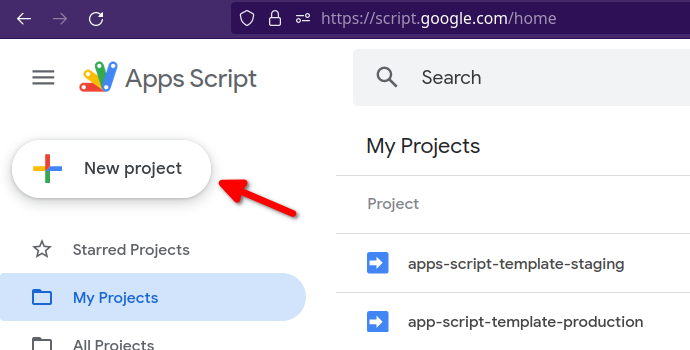
Targets Google Apps Script, enabling development of Google Workspace and Editor add-ons in VS Code
SvelteVueViteReactStarter
apps-script-template — Svelte Starter Template
By rupampoddar
A Google Apps Script starter template based on Vite and pnpm/Turborepo, enabling development of Google Workspace and Editor add-ons in VS Code, with a choice of React, Vue, or Svelte for the frontend.
Explore the design
Compare the page layouts and mobile experience. Open any screenshot for a closer look.
Author preview
Author-provided preview
Preview provided in the project README.
One original preview is available. Open the full image to inspect the design.
Screenshots show visual appearance; interactive behavior may differ.
Recorded 2026-10-02View source
What stands out
A quick read of the recorded project description.
Frontend framework can be any supported by Vite, such as React, Vue, or Svelte
Uses pnpm and Turborepo to organize a monorepo, with builds based on Vite and Rollup
Syncs with Apps Script projects via Clasp, with separate development, staging, and production configurations
Preconfigured Cloudflare Pages as a CDN for staging/production
MIT license; code may be used, modified, commercialized, and distributed for free
Template Details
This template targets Google Apps Script projects, with the goal of developing Google Workspace and Editor add-ons for Google Docs, Sheets, Slides, etc. in Visual Studio Code. The repository uses a monorepo structure managed with pnpm and Turborepo, builds with Vite and Rollup, and syncs with Apps Script projects via Clasp. The frontend can use any framework supported by Vite; the repository tags list React, Vue, and Svelte.
Several prerequisites must be met before use: NodeJS v16, pnpm, the Google Apps Script API enabled, and mkcert installed. The setup process includes cloning the repository and installing dependencies, logging in to Clasp, renaming and filling in the .clasp configuration files in apps/gas-backend (corresponding to development, staging, and production environments; you must create Apps Script projects yourself and enter their Script IDs), preparing the .env files in apps/gas-root, and configuring Cloudflare Pages as a CDN with the account ID, project name, and PUBLIC_CDN_HOST.
Local development starts with pnpm run gas:dev, and changes to frontend and backend files are synced automatically; deployment uses pnpm run gas:deploy:staging. The README describes itself as a work in progress and may be incomplete. The template is released under the MIT license; the code may be used, modified, commercialized, and distributed for free, but third-party assets such as demo images, fonts, and icons, as well as external services like domains and hosting, require separate verification of licensing and costs.
SvelteVueViteReactLauncher
Is it right for your project?
Use Cases
- Developing Editor add-ons for Google Docs, Sheets, Slides, etc.
- Building Google Workspace add-ons
- Developing Apps Script frontend interfaces with modern frontend frameworks in VS Code
- Projects that need separate Apps Script deployment configurations for development, staging, and production
Suitable For
- Developers familiar with NodeJS, pnpm, and command-line operations
- Teams that want to write Apps Script interfaces with React, Vue, or Svelte
- Google Workspace add-on projects that need to host frontend assets on a CDN
Getting started & customization
Use these recorded setup notes alongside the repository instructions for your chosen version.
- 1
Requires NodeJS v16, pnpm, mkcert, and the Apps Script API enabled in Google account settings
- 2
After cloning the repository, run pnpm i to install dependencies
- 3
In apps/gas-backend, rename .clasp.*.json.example to the corresponding configuration files and enter the Script IDs of the Apps Script projects you create
- 4
In apps/gas-root, rename the .env example files and fill in variables such as the CDN host address
- 5
The CDN defaults to Cloudflare Pages; you need to log in to Wrangler, create a Pages project, and replace the account ID and project name in apps/gas-cdn/package.json
License & source material
Usage conditions & limitations
Free to use · keep license noticeThis entry covers the free version of the public repository under the MIT license; the free scope is the code of this version and does not imply that external services or third-party assets are free.
Must comply with when using
- The code of this version may be used, modified, commercialized, and distributed for free.
- When distributing copies or substantial portions of the code, retain the original author's copyright notice and the full MIT license notice.
- The code is provided as is; warranties and limitations of liability are governed by the original license and applicable law.
Additional costs & items to verify
- Before use, the Apps Script API must be enabled in Google account settings; otherwise, syncing and deployment via Clasp are not possible.
- You must create Apps Script projects yourself and enter their Script IDs; the template does not provide a ready-to-use Apps Script project.
- Staging/production deployment relies on Cloudflare Pages as a CDN; you need to register a Cloudflare account and create a Pages project.
- You must enter the Cloudflare account ID and Pages project name; deployment depends on that external service account.
- You must write the CDN host address into the .env file; frontend asset hosting depends on an external CDN domain.
- You must log in to Clasp (linked to a Google account) to sync with Apps Script projects.
- Local development requires installing the mkcert tool separately.
- The README describes itself as a work in progress; documentation may be incomplete.
- Demo images, fonts, icons, and other third-party assets must be checked against their respective licenses; the MIT license of the code alone is not sufficient to determine this.
- External services such as domains, hosting, databases, payments, or AI may incur additional charges.
View Original Text Basis
Permission is hereby granted, free of charge
Original License Text
Enable Google Apps Script API. Open [https://script.google.com/home/usersettings](https://script.google.com/home/usersettings) to enable.
Original README
Next, create two Apps Script projects. One for development/staging and another for production.
Original README
This repo is pre-configured to use [Cloudflare Pages](https://pages.cloudflare.com/) as a CDN.
Original README
Copy your Cloudflare **Account ID** and the **Cloudflare Pages** project name (e.g. `gas-cdn`) and update the file - `apps/gas-cdn/package.json`
Original README
Copy the **Cloudflare Pages** project hostname (e.g. `https://gas-cdn.pages.dev`) and save it in the following files:
Original README
Next, login to [Clasp](https://github.com/google/clasp).
Original README
Install [mkcert](https://github.com/FiloSottile/mkcert)
Original README
https://github.com/rupampoddar/apps-script-template/blob/main/LICENSE.mdhttps://github.com/rupampoddar/apps-script-template/blob/main/README.mdThis README is a work in progress and may not yet be complete.
Original README
Compiled by DeepSeek based on repository license and README ·2026-10-02. Results only cover the materials read; dependencies, images, fonts, and subsequent term changes are subject to their respective original texts.
Project checks & description sources
Template Information
- Source platforms
- GitHub
- Documentation and maintenance reference score
- Partly documented · 65 / 100
- Technologies
- Svelte · Vue · Vite · React
- Website type
- Starter
How this score is calculated
Our heuristic uses license records (up to 30), a demo link (12), a preview (10), stars (15), recorded maintenance (15), description completeness (8), feature records (5) and classification data (5). It is not a code, security or performance test, or a Google score. A link does not establish tested functionality.
What to verify for this project
- Repository update recorded
- 2023-10-03
- Screenshot last checked
- 2026-10-02
No demo link is recorded. Use the repository instructions to evaluate the project locally; the screenshot alone cannot establish interactive behavior.
The catalog identifies Svelte as the primary stack. Check the actual dependency manifest and lockfile for versions and hosting requirements. These notes use recorded metadata, not a code audit or a deployment test.
Use a selection guide →How this description was prepared
AI-assisted description based on catalog records and repository material. Repository authors are not automatically the reviewers of this description.
Automatically checked against source and license rules; no manual editorial review.
Inspect the recorded source material
SHA-256: f5d0f9b90c5ef4e2345566333738ac1a102191809446d00168ca403d925b06d8
2026-10-02T17:29:37.616Z
Source file / repository<p align="center">
✨ This is a starter template for Google Apps Script project. Easily develop Google Workspace™ and Editor add-ons for Google Docs, Sheets, Slides etc. Use any frontend framework supported by Vite (React, Vue, Svelte etc.)
</p>
---
- **Note:** This README is a work in progress and may not yet be complete.
---
## Table of Contents
- [Introduction](#introduction)
- [Setup Guide](#setup-guide)
- [Libraries Used](#libraries-used)
- [Prerequisites](#prerequisites)
- [Installation](#installation)
- [Local Development](#local-development)
- [Staging and Production Deployment](#deployment)
- [Authors](#authors)
- [Acknowledgments](#acknowledgements)
<br/>
## Introduction <a name = "introduction"></a>
[Google Apps Script](https://developers.google.com/apps-script) is a cloud-based JavaScript platform that lets you integrate with and automate tasks across Google products.
This repo is a starter template that you can use to build Google Workspace and Editor add-ons directly from Visual Studio Code.
## Setup Guide <a name = "setup-guide"></a>
### Libraries Used <a name = "libraries-used"></a>
This Google Apps Script starter template built using the following tools and libraries
- [pnpm](https://pnpm.io/)
- [Turborepo](https://turbo.build/repo)
- [Rollup](https://rollupjs.org/)
- [Vite](https://vitejs.dev/)
- [Clasp](https://github.com/google/clasp)
### Prerequisites <a name = "prerequisites"></a>
- [NodeJS](https://nodejs.org/en) v16 (v14 not tested)
- [pnpm](https://pnpm.io/) - [installation guide](https://pnpm.io/installation)
- Enable Google Apps Script API. Open [https://script.google.com/home/usersettings](https://script.google.com/home/usersettings) to enable.
- Install [mkcert](https://github.com/FiloSottile/mkcert)
### Installation <a name = "installation"></a>
#### 1. Clone repo
Clone this repository and install the dependencies with pnpm.
```bash
git clone https://github.com/rupampoddar/apps-script-template
cd apps-script-template
pnpm i
```
<img width="100%" src="./docs/media/git-clone.gif">
#### 2. Login to Clasp
Next, login to [Clasp](https://github.com/google/clasp).
```bash
# login
pnpm clasp login
# check status
pnpm clasp login --status
```
#### 3. Setup Gas-backend
Go to `apps/gas-backend` folder and rename the following files:
- `.clasp.development.json.example` ➡️ `.clasp.development.json`
- `.clasp.staging.json.example` ➡️ `.clasp.staging.json`
- `.clasp.production.json.example` ➡️ `.clasp.production.json`
Next, create two Apps Script projects. One for development/staging and another for production.
<img width="100%" src="./docs/media/create-gas-project.png">
<img width="100%" src="./docs/media/copy-script-id.png">
Copy the _Script ID_ from your staging project and save it in the following files:
- `apps/gas-backend/.clasp.development.json`
- `apps/gas-backend/.clasp.staging.json`
Similarly, copy the _Script ID_ from your production project and save it in the following file:
- `apps/gas-backend/.clasp.production.json`
```json
// example
{
"scriptId": "1FaEBsMsJhKqjNS...",
"rootDir": "dist/"
}
```
#### 4. Setup Gas-root folder
Go to `apps/gas-root` folder and rename the following files:
- `.env.example` ➡️ `.env`
- `.env.development.example` ➡️ `.env.development`
- `.env.staging.example` ➡️ `.env.staging`
- `.env.production.example` ➡️ `.env.production`
#### 5. CDN Setup
CDN is used to host and serve gas-frontend assets in staging/production.
This repo is pre-configured to use [Cloudflare Pages](https://pages.cloudflare.com/) as a CDN.
1. Create a Cloudflare account.
2. Next, login to Cloudflare using **Wrangler CLI**.
```bash
# run commands from the project root
# login to cloudflare
pnpm wrangler login
# get account details
pnpm wrangler whoami
```
<img width="100%" src="./docs/media/wrangler-whoami.png">
3. Next, create a new **Cloudflare Pages** project.
```bash
pnpm wrangler pages project create project-name
```
<img width="100%" src="./docs/media/create-cf-pages-project.gif">
4. Copy your Cloudflare **Account ID** and the **Cloudflare Pages** project name (e.g. `gas-cdn`) and update the file - `apps/gas-cdn/package.json`
```json
// replace YOUR_CF_ACC_ID and CF_PAGES_PROJECT_NAME
{
"scripts": {
"deploy:staging": "CLOUDFLARE_ACCOUNT_ID=<YOUR_CF_ACC_ID> wrangler pages publish ./public --project-name=<CF_PAGES_PROJECT_NAME> --branch=main",
"deploy:production": "CLOUDFLARE_ACCOUNT_ID=<YOUR_CF_ACC_ID> wrangler pages publish ./public --project-name=<CF_PAGES_PROJECT_NAME> --branch=main"
}
}
```
5. Copy the **Cloudflare Pages** project hostname (e.g. `https://gas-cdn.pages.dev`) and save it in the following files:
- `apps/gas-root/.env.development`
- `apps/gas-root/.env.staging`
- `apps/gas-root/.env.production`
```ini
PUBLIC_CDN_HOST=https://gas-cdn.pages.dev
```
> You can use different **Cloudflare Pages** projects for staging and production. For simplicity I'm using the same project.
## Local Development <a name = "local-development"></a>
From the project root, run the following command
```bash
pnpm run gas:dev
```
<img width="100%" src="./docs/media/gas-dev.gif">
Open the apps script project in your browser and create a test deployment.
<video width="100%" controls>
<source src="./docs/media/test-deployment.mp4" type="video/mp4">
</video>
Now, you can make changes to both `gas-frontend` and `gas-backend` files and it will be synced automatically in the background.
## Staging and Production Deployment <a name = "deployment"></a>
From the project root, run the following command
```bash
pnpm run gas:deploy:staging
```
## Authors <a name = "authors"></a>
- Rupam Poddar [@rupam0x](https://twitter.com/rupam0x)
## Acknowledgments <a name= "acknowledgments"></a>
This project is hugely inspired by and partially adapted from [React-Google-Apps-Script](https://github.com/enuchi/React-Google-Apps-Script). Check it out if you are more comfortable with webpack and npm.
Explore similar templates
Compare previews and descriptions within the same stack and category.

CMSaasStarter
CMSaasStarter is an MIT-licensed SaaS starter template built with SvelteKit, TailwindCSS, DaisyUI, and Supabase, with Stripe Checkout and Stripe Portal for payments.
Svelte · Admin dashboard
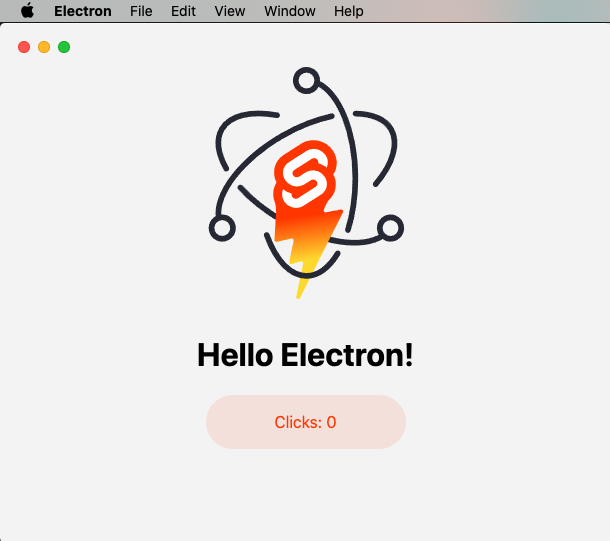
sveltekit-electron
A minimal SvelteKit + Electron starter template for cross-platform desktop applications. It provides clone, install, development, and build commands, with build targets adjustable in package.json and defaulting to Mac, Windows, and Linux.
Svelte · Starter
tauri-sveltekit
A minimal Tauri 2 and SvelteKit desktop starter template that builds the frontend as a static SPA via @sveltejs/adapter-static and loads it in Tauri's WebView.
Svelte · Starter
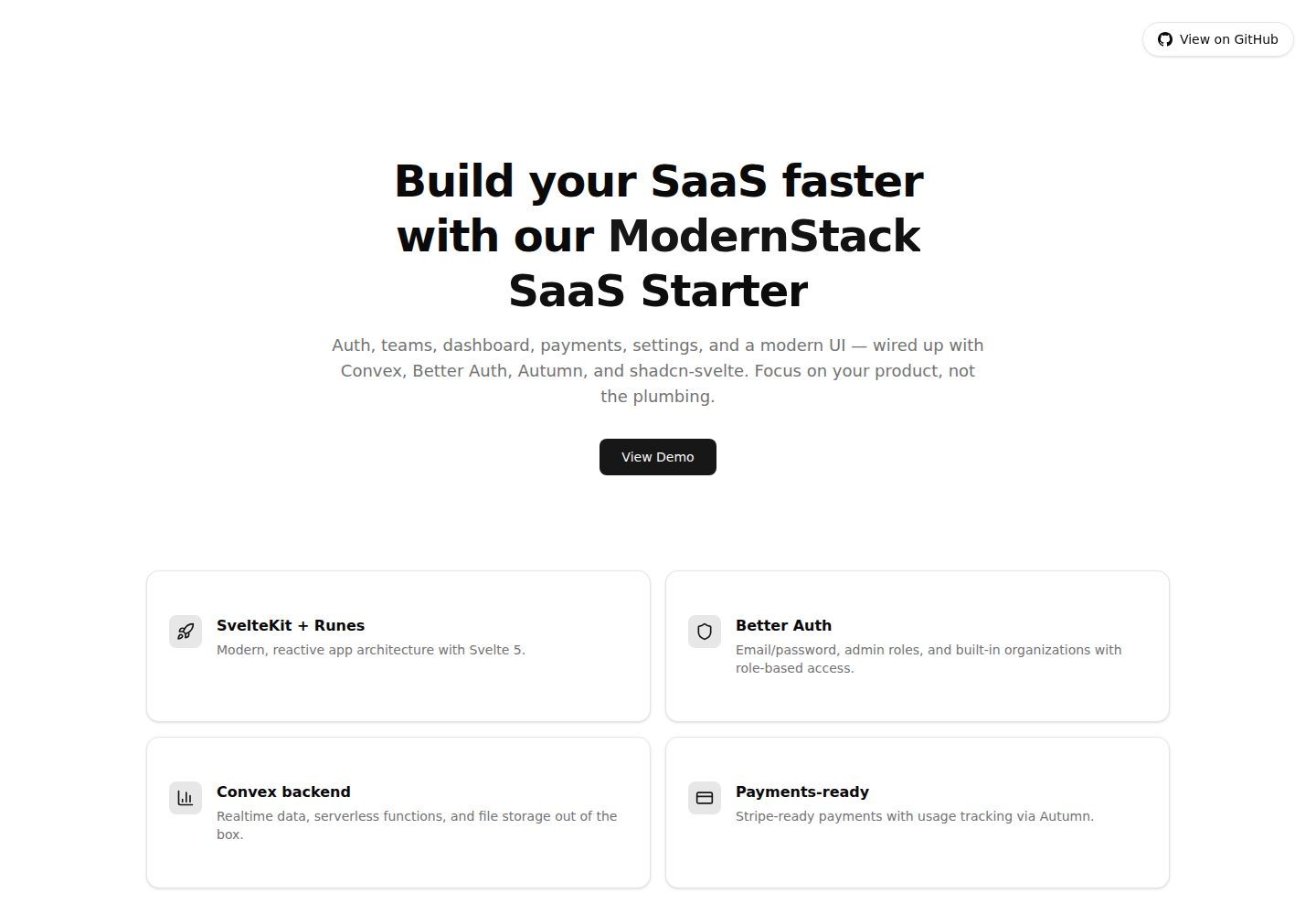
modernstack-saas
A SaaS starter template built with SvelteKit, Convex, Better Auth, and shadcn-svelte. It includes subscription billing via Autumn/Stripe, user and admin dashboards, user settings, organization multi-tenancy with roles and invitations, and a waitlist mode that can disable public registration.
Svelte · Admin dashboard

sveltekit-mdsvex-blog-template
A SvelteKit and MDsveX blog starter for Markdown writing with embedded Svelte components, Tailwind CSS typography, tags, dark mode, SEO metadata, and Cloudflare Workers deployment configuration. Requires Node.js 22.12+ and pnpm 11.17.0; third-party demo assets need separate license verification.
Svelte · Portfolio
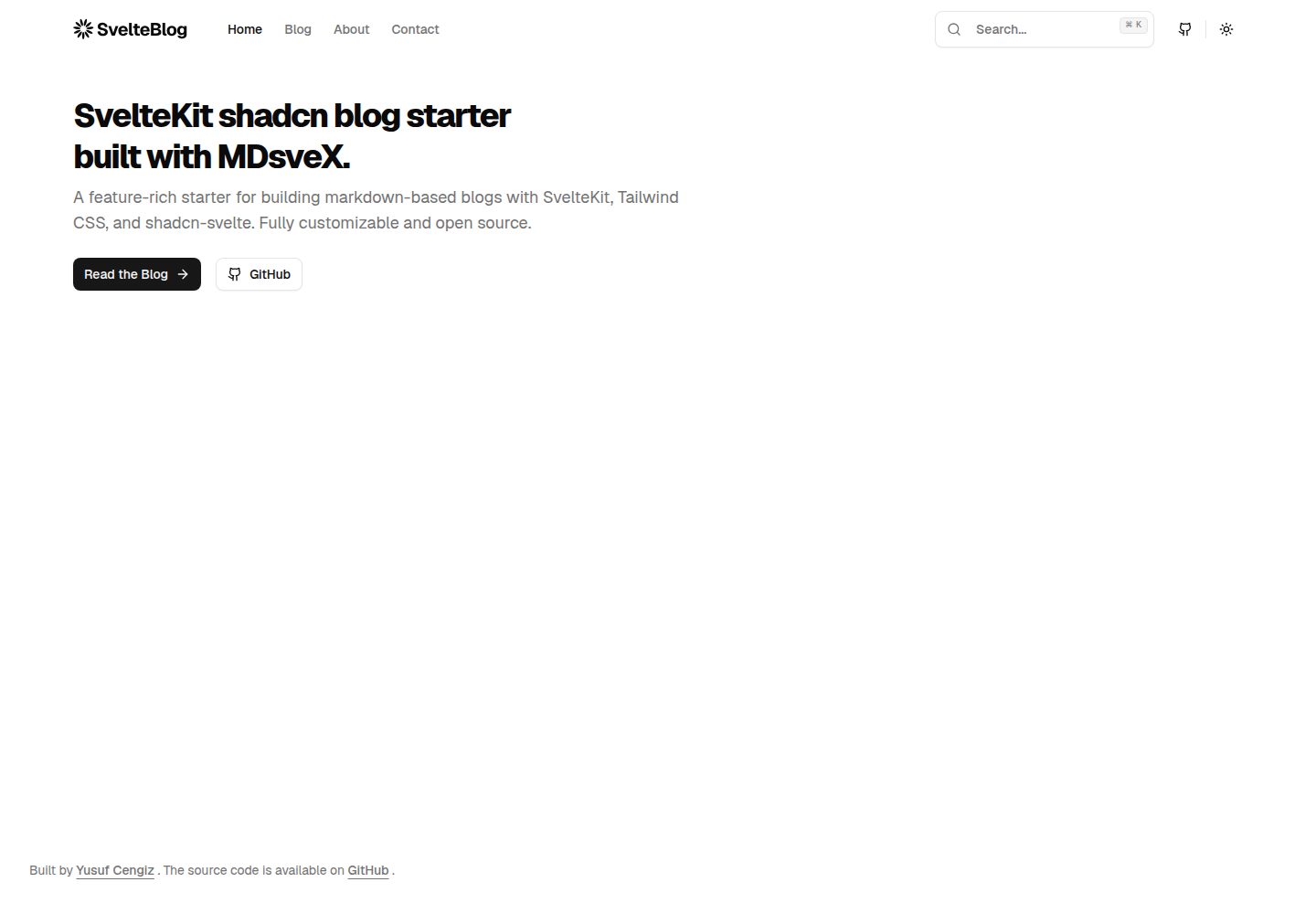
sveltekit-shadcn-blog-starter
A SvelteKit blog starter that combines shadcn-svelte, Tailwind CSS, MDsveX, and TypeScript, offering multi-author support, tag archives, built-in search, light/dark themes, and automatic sitemap and RSS generation.
Svelte · Blog