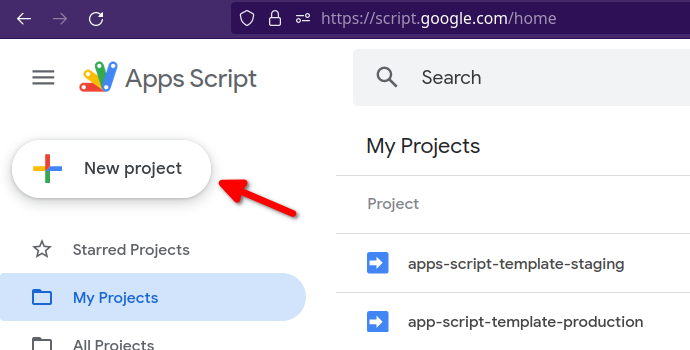
面向 Google Apps Script,可在 VS Code 中开发 Google Workspace 与编辑器插件
SvelteVueViteReact启动器
apps-script-template — Svelte 启动器模板
作者 rupampoddar
基于 Vite 与 pnpm/Turborepo 的 Google Apps Script 启动模板,可在 VS Code 中开发 Google Workspace 与编辑器插件,前端框架可选 React、Vue 或 Svelte。
看看你的网站会是什么样
浏览真实页面截图,比较内容排版与手机效果。点击下方缩略图切换,放大查看整页细节。
目前有 1 张原始预览,可打开完整图片查看设计细节。
截图用于了解视觉与布局,交互效果请以实际项目为准。
采集于 2026-10-02查看来源
值得关注的模板亮点
从已有项目资料中,快速了解它的特点。
前端框架可选 Vite 支持的 React、Vue、Svelte 等
使用 pnpm 与 Turborepo 组织 monorepo,构建基于 Vite 与 Rollup
通过 Clasp 与 Apps Script 项目同步,区分 development、staging、production 配置
预配置 Cloudflare Pages 作为 staging/production 的 CDN
MIT 许可,代码可免费使用、修改、商用与分发
模板详细介绍
该模板面向 Google Apps Script 项目,目标是在 Visual Studio Code 中开发 Google Workspace 与 Google Docs、Sheets、Slides 等编辑器插件。仓库采用 monorepo 结构,使用 pnpm 与 Turborepo 管理,构建工具为 Vite 与 Rollup,并通过 Clasp 与 Apps Script 项目同步。前端部分可使用 Vite 支持的任意框架,仓库标签中列出 React、Vue、Svelte。
使用前需要满足若干前提:NodeJS v16、pnpm、启用 Google Apps Script API、安装 mkcert。安装流程包括克隆仓库并安装依赖、登录 Clasp、在 apps/gas-backend 中重命名并填写 .clasp 配置文件(分别对应 development、staging、production 三个环境,需自行创建 Apps Script 项目并填入 Script ID)、在 apps/gas-root 中准备 .env 系列文件,以及配置 Cloudflare Pages 作为 CDN 并填写账号 ID、项目名与 PUBLIC_CDN_HOST。
本地开发通过 pnpm run gas:dev 启动,前后端文件改动会自动同步;部署使用 pnpm run gas:deploy:staging。README 自述为进行中的工作,可能尚不完整。模板以 MIT 许可发布,代码可免费使用、修改、商用与分发,但演示图片、字体、图标等第三方素材以及域名、托管等外部服务需另行核对许可与费用。
SvelteVueViteReact启动器
适合你的项目吗?
适用场景
- 为 Google Docs、Sheets、Slides 等开发编辑器插件
- 构建 Google Workspace 加载项
- 在 VS Code 中以现代前端框架开发 Apps Script 前端界面
- 需要区分开发、预发布与生产三套 Apps Script 部署配置的项目
适合人群
- 熟悉 NodeJS、pnpm 与命令行操作的开发者
- 希望用 React、Vue 或 Svelte 编写 Apps Script 界面的团队
- 需要将前端资源托管到 CDN 的 Google Workspace 插件项目
上手与定制指南
结合仓库当前版本的说明,按下面的资料检查内容、配置与运行要求。
- 1
需要 NodeJS v16、pnpm、mkcert,并在 Google 账号设置中启用 Apps Script API
- 2
克隆仓库后执行 pnpm i 安装依赖
- 3
在 apps/gas-backend 中将 .clasp.*.json.example 重命名为对应配置文件,并填入自行创建的 Apps Script 项目的 Script ID
- 4
在 apps/gas-root 中将 .env 系列示例文件重命名,并填入 CDN 主机地址等变量
- 5
CDN 默认使用 Cloudflare Pages,需登录 Wrangler、创建 Pages 项目,并在 apps/gas-cdn/package.json 中替换账号 ID 与项目名
授权与来源资料
使用条件与限制
免费使用 · 保留许可声明本次收录的是公开仓库中采用 MIT 许可的免费版本;免费范围为该版本代码,不代表外部服务或第三方素材免费。
使用时需要遵守
- 允许免费使用、修改、商用和分发该版本代码。
- 分发代码副本或实质性部分时,保留原作者版权声明和完整 MIT 许可声明。
- 代码按现状提供;担保与责任限制以原许可证及适用法律为准。
额外费用与待核对事项
- 使用前必须在 Google 账号设置中启用 Apps Script API,否则无法通过 Clasp 同步与部署。
- 需自行创建 Apps Script 项目并填入 Script ID,模板本身不提供可用的 Apps Script 项目。
- staging/production 部署依赖 Cloudflare Pages 作为 CDN,需注册 Cloudflare 账号并创建 Pages 项目。
- 需填写 Cloudflare 账号 ID 与 Pages 项目名,部署依赖该外部服务账号。
- 需将 CDN 主机地址写入 .env 文件,前端资源托管依赖外部 CDN 域名。
- 需登录 Clasp(关联 Google 账号)才能与 Apps Script 项目同步。
- 本地开发需额外安装 mkcert 工具。
- README 自述为进行中的工作,文档可能不完整。
- 演示图片、字体、图标及其他第三方素材需按各自许可核对,不能仅凭代码的 MIT 许可判断。
- 域名、托管、数据库、支付或 AI 等外部服务可能另外收费。
查看原文依据
Permission is hereby granted, free of charge
许可证原文
Enable Google Apps Script API. Open [https://script.google.com/home/usersettings](https://script.google.com/home/usersettings) to enable.
README 原文
Next, create two Apps Script projects. One for development/staging and another for production.
README 原文
This repo is pre-configured to use [Cloudflare Pages](https://pages.cloudflare.com/) as a CDN.
README 原文
Copy your Cloudflare **Account ID** and the **Cloudflare Pages** project name (e.g. `gas-cdn`) and update the file - `apps/gas-cdn/package.json`
README 原文
Copy the **Cloudflare Pages** project hostname (e.g. `https://gas-cdn.pages.dev`) and save it in the following files:
README 原文
Next, login to [Clasp](https://github.com/google/clasp).
README 原文
Install [mkcert](https://github.com/FiloSottile/mkcert)
README 原文
https://github.com/rupampoddar/apps-script-template/blob/main/LICENSE.mdhttps://github.com/rupampoddar/apps-script-template/blob/main/README.mdThis README is a work in progress and may not yet be complete.
README 原文
DeepSeek 根据仓库许可证和 README 整理 ·2026-10-02。结果仅覆盖已读取资料,依赖、图片、字体及后续条款变更以各自原文为准。
项目核对记录与介绍依据
模板资料
- 来源平台
- GitHub
- 资料与维护参考分
- 资料一般 · 65 / 100
- 技术栈
- Svelte · Vue · Vite · React
- 网站类型
- 启动器
这个分数如何计算
本站按许可资料(最高30分)、演示链接(12分)、预览图(10分)、Star数(15分)、记录的维护时间(15分)、描述完整度(8分)、功能记录(5分)和分类资料(5分)计算。它不是代码、安全或性能测试,也不是 Google 评分;有链接不代表已实测可用。
这个项目需要核对什么
- 记录的仓库更新时间
- 2023-10-03
- 截图检查日期
- 2026-10-02
目前没有记录演示链接。请依据仓库说明在本地评估;仅凭截图无法确认交互行为。
目录记录的主要技术栈是 Svelte。请通过依赖清单和锁文件核对实际版本与托管要求。这些说明基于收录资料,不代表代码审计或部署实测。
查看具体选型方法 →介绍的制作与核对状态
介绍由 AI 辅助整理目录与仓库资料。仓库作者不等于这篇介绍的审核者。
已完成服务器许可规则与 AI 来源核对;未经过人工编辑审核。
查看当时使用的来源资料
SHA-256: f5d0f9b90c5ef4e2345566333738ac1a102191809446d00168ca403d925b06d8
2026-10-02T17:29:37.616Z
来源文件 / 仓库<p align="center">
✨ This is a starter template for Google Apps Script project. Easily develop Google Workspace™ and Editor add-ons for Google Docs, Sheets, Slides etc. Use any frontend framework supported by Vite (React, Vue, Svelte etc.)
</p>
---
- **Note:** This README is a work in progress and may not yet be complete.
---
## Table of Contents
- [Introduction](#introduction)
- [Setup Guide](#setup-guide)
- [Libraries Used](#libraries-used)
- [Prerequisites](#prerequisites)
- [Installation](#installation)
- [Local Development](#local-development)
- [Staging and Production Deployment](#deployment)
- [Authors](#authors)
- [Acknowledgments](#acknowledgements)
<br/>
## Introduction <a name = "introduction"></a>
[Google Apps Script](https://developers.google.com/apps-script) is a cloud-based JavaScript platform that lets you integrate with and automate tasks across Google products.
This repo is a starter template that you can use to build Google Workspace and Editor add-ons directly from Visual Studio Code.
## Setup Guide <a name = "setup-guide"></a>
### Libraries Used <a name = "libraries-used"></a>
This Google Apps Script starter template built using the following tools and libraries
- [pnpm](https://pnpm.io/)
- [Turborepo](https://turbo.build/repo)
- [Rollup](https://rollupjs.org/)
- [Vite](https://vitejs.dev/)
- [Clasp](https://github.com/google/clasp)
### Prerequisites <a name = "prerequisites"></a>
- [NodeJS](https://nodejs.org/en) v16 (v14 not tested)
- [pnpm](https://pnpm.io/) - [installation guide](https://pnpm.io/installation)
- Enable Google Apps Script API. Open [https://script.google.com/home/usersettings](https://script.google.com/home/usersettings) to enable.
- Install [mkcert](https://github.com/FiloSottile/mkcert)
### Installation <a name = "installation"></a>
#### 1. Clone repo
Clone this repository and install the dependencies with pnpm.
```bash
git clone https://github.com/rupampoddar/apps-script-template
cd apps-script-template
pnpm i
```
<img width="100%" src="./docs/media/git-clone.gif">
#### 2. Login to Clasp
Next, login to [Clasp](https://github.com/google/clasp).
```bash
# login
pnpm clasp login
# check status
pnpm clasp login --status
```
#### 3. Setup Gas-backend
Go to `apps/gas-backend` folder and rename the following files:
- `.clasp.development.json.example` ➡️ `.clasp.development.json`
- `.clasp.staging.json.example` ➡️ `.clasp.staging.json`
- `.clasp.production.json.example` ➡️ `.clasp.production.json`
Next, create two Apps Script projects. One for development/staging and another for production.
<img width="100%" src="./docs/media/create-gas-project.png">
<img width="100%" src="./docs/media/copy-script-id.png">
Copy the _Script ID_ from your staging project and save it in the following files:
- `apps/gas-backend/.clasp.development.json`
- `apps/gas-backend/.clasp.staging.json`
Similarly, copy the _Script ID_ from your production project and save it in the following file:
- `apps/gas-backend/.clasp.production.json`
```json
// example
{
"scriptId": "1FaEBsMsJhKqjNS...",
"rootDir": "dist/"
}
```
#### 4. Setup Gas-root folder
Go to `apps/gas-root` folder and rename the following files:
- `.env.example` ➡️ `.env`
- `.env.development.example` ➡️ `.env.development`
- `.env.staging.example` ➡️ `.env.staging`
- `.env.production.example` ➡️ `.env.production`
#### 5. CDN Setup
CDN is used to host and serve gas-frontend assets in staging/production.
This repo is pre-configured to use [Cloudflare Pages](https://pages.cloudflare.com/) as a CDN.
1. Create a Cloudflare account.
2. Next, login to Cloudflare using **Wrangler CLI**.
```bash
# run commands from the project root
# login to cloudflare
pnpm wrangler login
# get account details
pnpm wrangler whoami
```
<img width="100%" src="./docs/media/wrangler-whoami.png">
3. Next, create a new **Cloudflare Pages** project.
```bash
pnpm wrangler pages project create project-name
```
<img width="100%" src="./docs/media/create-cf-pages-project.gif">
4. Copy your Cloudflare **Account ID** and the **Cloudflare Pages** project name (e.g. `gas-cdn`) and update the file - `apps/gas-cdn/package.json`
```json
// replace YOUR_CF_ACC_ID and CF_PAGES_PROJECT_NAME
{
"scripts": {
"deploy:staging": "CLOUDFLARE_ACCOUNT_ID=<YOUR_CF_ACC_ID> wrangler pages publish ./public --project-name=<CF_PAGES_PROJECT_NAME> --branch=main",
"deploy:production": "CLOUDFLARE_ACCOUNT_ID=<YOUR_CF_ACC_ID> wrangler pages publish ./public --project-name=<CF_PAGES_PROJECT_NAME> --branch=main"
}
}
```
5. Copy the **Cloudflare Pages** project hostname (e.g. `https://gas-cdn.pages.dev`) and save it in the following files:
- `apps/gas-root/.env.development`
- `apps/gas-root/.env.staging`
- `apps/gas-root/.env.production`
```ini
PUBLIC_CDN_HOST=https://gas-cdn.pages.dev
```
> You can use different **Cloudflare Pages** projects for staging and production. For simplicity I'm using the same project.
## Local Development <a name = "local-development"></a>
From the project root, run the following command
```bash
pnpm run gas:dev
```
<img width="100%" src="./docs/media/gas-dev.gif">
Open the apps script project in your browser and create a test deployment.
<video width="100%" controls>
<source src="./docs/media/test-deployment.mp4" type="video/mp4">
</video>
Now, you can make changes to both `gas-frontend` and `gas-backend` files and it will be synced automatically in the background.
## Staging and Production Deployment <a name = "deployment"></a>
From the project root, run the following command
```bash
pnpm run gas:deploy:staging
```
## Authors <a name = "authors"></a>
- Rupam Poddar [@rupam0x](https://twitter.com/rupam0x)
## Acknowledgments <a name= "acknowledgments"></a>
This project is hugely inspired by and partially adapted from [React-Google-Apps-Script](https://github.com/enuchi/React-Google-Apps-Script). Check it out if you are more comfortable with webpack and npm.
看看同类模板
对比同技术栈与用途的模板,找到更适合的视觉与内容结构。

CMSaasStarter
A modern SaaS template/boilerplate built with SvelteKit, Tailwind, and Supabase. Includes marketing page, blog…
Svelte · 后台
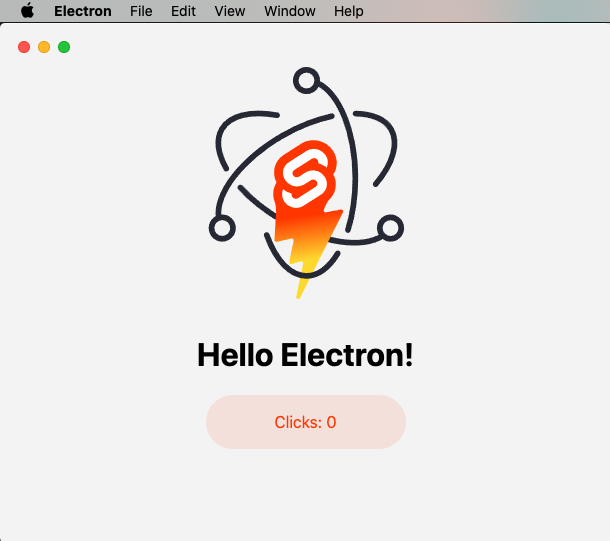
sveltekit-electron
Minimal Sveltekit + Electron starter template.
Svelte · 启动器
tauri-sveltekit
A minimal Tauri & SvelteKit starter template
Svelte · 启动器
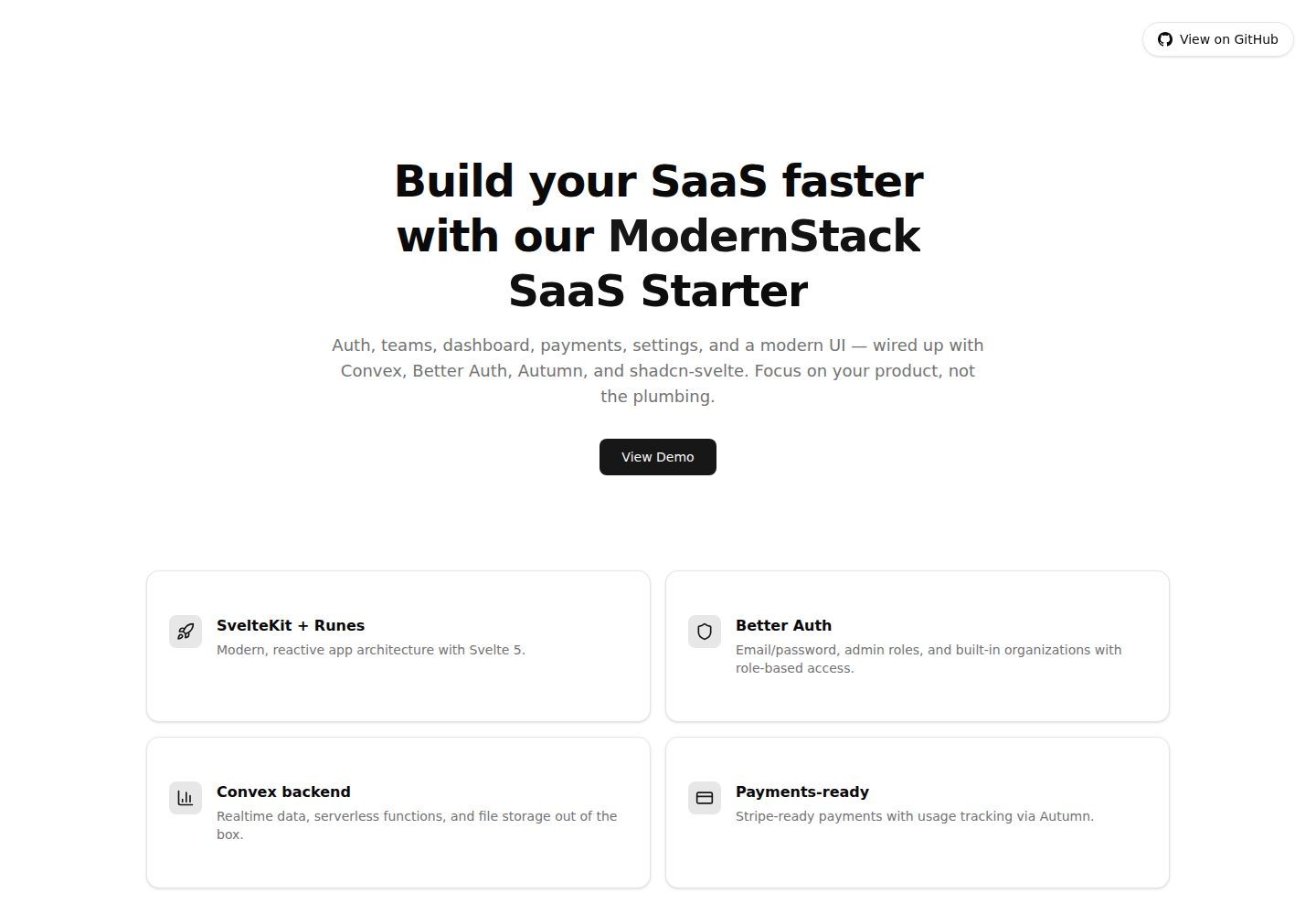
modernstack-saas
A modern SaaS template/boilerplate built with SvelteKit, Convex, Better Auth, and shadcn-svelte. Includes subs…
Svelte · 后台

sveltekit-mdsvex-blog-template
MDsveX blog starter template built with Sveltekit & Tailwind
Svelte · 作品集
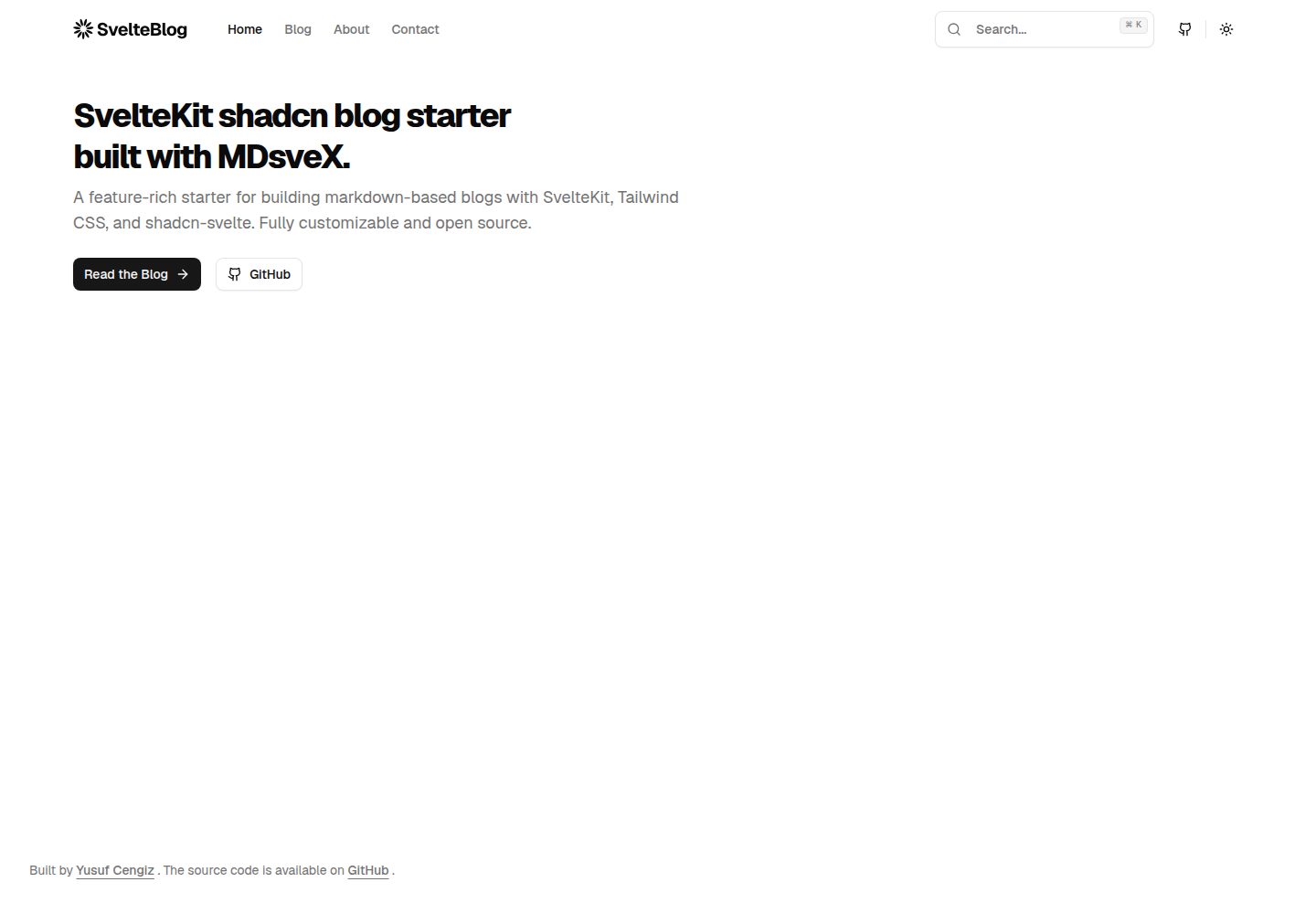
sveltekit-shadcn-blog-starter
Production-ready SvelteKit blog starter featuring shadcn-svelte UI, MDsveX for Markdown, Tailwind CSS styling,…
Svelte · 博客