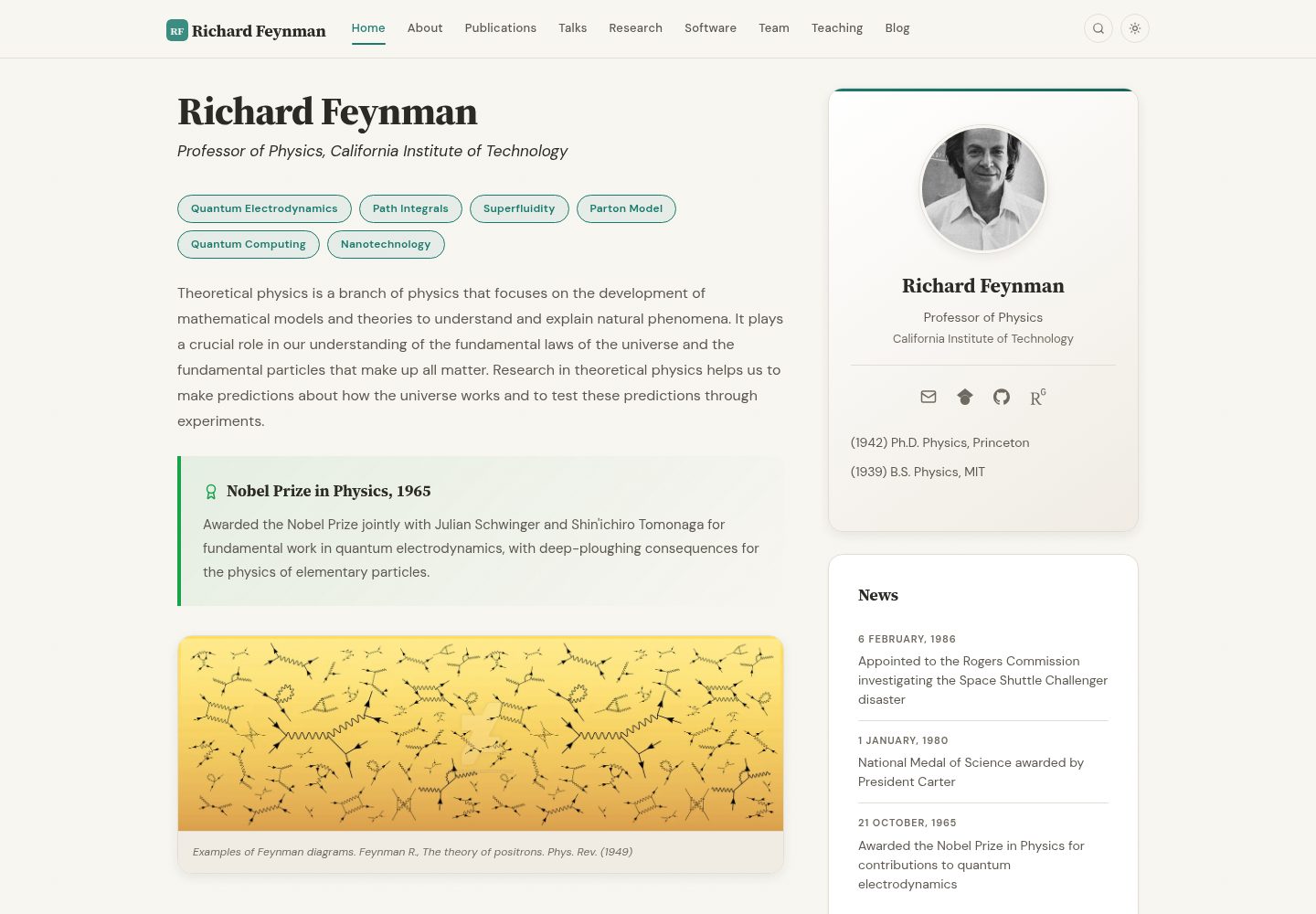
Jekyll-based static site template for individual academic homepages and research group websites
JekyllStarter
academic-website-template — Jekyll Starter Template
By sbryngelson
A Jekyll static site template for academics and research groups, providing page structures such as a homepage, personal bio, and publication list. Content can be replaced and then published to GitHub Pages.
Explore the design
Compare the page layouts and mobile experience. Open any screenshot for a closer look.
Desktop homepage1 / 3
Desktop captureTop of page
Actual screenshot captured by the server browser.
All pages & views 3
Screenshots show visual appearance; interactive behavior may differ.
Recorded 2026-10-02View source
What stands out
A quick read of the recorded project description.
Provides page structures such as homepage, About, and Publications, with content maintained via configuration and data files
Repository includes a GitHub Actions deploy.yml workflow for building and deployment
README explains usage in sections such as Quick Start, Customization, Publications, and Hosting
Uses the MIT license, permitting free use, modification, commercial use, and distribution of this version of the code
Template Details
This is a Jekyll-based static website template intended for individual academics or research groups to build a homepage. The repository provides a ready-to-use page skeleton; users fill in their own information and can then publish, with a demo site deployed on GitHub Pages. The template organizes content using Jekyll's directory and data files. The README includes sections such as Quick Start, Features, Customization, Publications, and Hosting, indicating that modifications are concentrated at the configuration and content file level.
According to the README, the template includes a homepage, an About page, and other inner pages, and separately explains how the Publications section is organized, making it suitable for maintaining a publication list as independent data. The repository includes a GitHub Actions deploy.yml workflow for building and deployment. The README mentions that over 180 academics and research groups have used the template and lists links to many users' sites.
Regarding licensing, the repository uses the MIT license, permitting free use, modification, commercial use, and distribution of this version of the code, provided that the copyright and license notice are retained when redistributing. Note that the MIT license covers only the repository code; third-party assets such as demo images, fonts, and icons must be checked against their respective licenses. External services such as domains and hosting may incur separate charges. The template itself is a static site and does not include backend or database functionality.
JekyllStarter
Is it right for your project?
Use Cases
- An academic builds a personal academic homepage to showcase their bio, research directions, and publication list
- A research group establishes a group website to centrally present members and published results
- Those with existing Jekyll experience quickly replace content and publish to GitHub Pages
- Scenarios requiring a publication list to be maintained as an independent data file and updated alongside the site
Suitable For
- Academics such as university faculty, postdocs, and graduate students who need a personal academic homepage
- Research groups or laboratories that need to uniformly showcase results and member information
- Users familiar with or willing to use Jekyll and GitHub Pages
- Site maintainers who prefer static hosting without introducing backend services
Getting started & customization
Use these recorded setup notes alongside the repository instructions for your chosen version.
- 1
Before use, complete local environment and dependency preparation according to the Quick Start section of the README
- 2
Content modifications are concentrated in configuration and data files; the Publications section is organized according to the corresponding README section
- 3
The repository includes a deploy.yml workflow, which can be combined with GitHub Pages for building and deployment
- 4
The MIT license covers only the code; third-party assets such as demo images, fonts, and icons require separate license verification
- 5
External services such as domains and hosting may incur costs and must be confirmed independently
License & source material
Usage conditions & limitations
Free to use · keep license noticeThis entry covers the free version under the MIT license in the public repository; the free scope is the code of this version and does not imply that external services or third-party assets are free.
Must comply with when using
- Permits free use, modification, commercial use, and distribution of this version of the code.
- When distributing copies or substantial portions of the code, retain the original author's copyright notice and the full MIT license notice.
- The code is provided as is; warranties and limitations of liability are governed by the original license and applicable law.
Additional costs & items to verify
- Demo images, fonts, icons, and other third-party assets must be checked against their respective licenses; they cannot be judged solely by the code's MIT license.
- External services such as domains, hosting, databases, payments, or AI may incur additional charges.
- Using a custom domain requires purchasing a domain and configuring DNS, which are external paid services; the template itself does not provide a domain.
- Deploying to GitHub Pages requires manually changing the Pages source to GitHub Actions in the repository settings; otherwise, the deployment step will fail.
- The included workflow only deploys from the source branch; pushing to other branches will not trigger site updates.
- Local building requires Ruby 3.2 or later and Bundler; it cannot run if the environment does not meet these requirements.
- Running ./setup.sh --clean will clear demo data and sample content; confirm before executing to avoid accidentally deleting existing content.
- Enabling visit analytics requires integrating third-party services such as Google Analytics, Plausible, Umami, or GoatCounter, which may involve accounts and costs.
View Original Text Basis
Permission is hereby granted, free of charge
Original License Text
Purchase a domain, enter it under **Settings > Pages > Custom domain**, and configure DNS; the workflow picks up the new URL automatically.
Original README
One-time setup: go to your repo's **Settings > Pages > Source** and select **GitHub Actions** instead of "Deploy from a branch".
Original README
Push to the `source` branch; the workflow only deploys from there.
Original README
You need Ruby (3.2 or newer; the deploy workflow uses 4.0) and Bundler.
Original README
`--clean` asks for confirmation, then empties the data files (keeping their field comments), `assets/ref.bib`, `_posts/`, `papers/`, the demo team and research images, and the Feynman prose in `home.md`, `research.md`, and `team.md`, and points `photo` at a placeholder avatar.
Original README
https://github.com/sbryngelson/academic-website-template/blob/source/LICENSEhttps://github.com/sbryngelson/academic-website-template/blob/source/README.mdAnalytics, your choice** — Google Analytics, Plausible, Umami, or GoatCounter, each a one-line setting
Original README
Compiled by DeepSeek based on repository license and README ·2026-10-04. Results only cover the materials read; dependencies, images, fonts, and subsequent term changes are subject to their respective original texts.
Project checks & description sources
Template Information
- Source platforms
- GitHub
- Documentation and maintenance reference score
- More documented · 91 / 100
- Technologies
- Jekyll
- Website type
- Starter
How this score is calculated
Our heuristic uses license records (up to 30), a demo link (12), a preview (10), stars (15), recorded maintenance (15), description completeness (8), feature records (5) and classification data (5). It is not a code, security or performance test, or a Google score. A link does not establish tested functionality.
What to verify for this project
- Repository update recorded
- 2026-10-01
- Screenshot last checked
- 2026-10-04
A demo link is listed. Check it with your own content and viewport sizes; its presence does not confirm that forms, authentication or payments work.
The catalog identifies Jekyll as the primary stack. Check the actual dependency manifest and lockfile for versions and hosting requirements. These notes use recorded metadata, not a code audit or a deployment test.
Use a selection guide →How this description was prepared
AI-assisted description based on catalog records and repository material. Repository authors are not automatically the reviewers of this description.
Review declaration: [email protected] · 2026-10-04
Inspect the recorded source material
SHA-256: 4fb7e46553c202f870bfffb2590fdeaae6467d70da03417c94d2511951cc7623
2026-10-04T08:38:57.239Z
Source file / repository# A website template for academics
<p align="center">
<img src="images/screenshots/home-hero.webp" alt="Home page in light and dark mode" width="900">
</p>
<p align="center">
<strong>A beautiful, production-ready Jekyll website for academics and research groups.</strong><br>
Use the template. Fill in your info. Publish.
</p>
<p align="center">
<a href="https://github.com/sbryngelson/academic-website-template/actions/workflows/deploy.yml"><img src="https://github.com/sbryngelson/academic-website-template/actions/workflows/deploy.yml/badge.svg" alt="Build and Deploy"></a>
<a href="LICENSE"><img src="https://img.shields.io/badge/license-MIT-blue.svg" alt="MIT license"></a>
</p>
<h3 align="center">
<a href="https://sbryngelson.github.io/academic-website-template/">See the live demo →</a>
</h3>
<p align="center">
<a href="#quick-start">Quick Start</a> ·
<a href="#features">Features</a> ·
<a href="#customization">Customization</a> ·
<a href="#publications">Publications</a> ·
<a href="#hosting">Hosting</a>
</p>
### Used by 180+ academics and research groups
<a href="https://i-vesseg.github.io/" target="_blank">★</a>
<a href="https://bczheng.com/" target="_blank">★</a>
<a href="https://bazilinskyy.github.io/" target="_blank">★</a>
<a href="https://www.coreytcallaghan.com/" target="_blank">★</a>
<a href="https://minseoksong.github.io/" target="_blank">★</a>
<a href="https://acme-group-cmu.github.io/" target="_blank">★</a>
<a href="https://adisun94.github.io/" target="_blank">★</a>
<a href="https://comp-physics.group" target="_blank">★</a>
<a href="https://spike.doc.ic.ac.uk/" target="_blank">★</a>
<a href="https://mashadab.github.io/" target="_blank">★</a>
<a href="https://home.iitk.ac.in/~lalit/" target="_blank">★</a>
<a href="https://ethan-pickering.github.io/" target="_blank">★</a>
<a href="https://pedro-dm-gomes.github.io/" target="_blank">★</a>
<a href="https://3tbk.github.io/3tbk/" target="_blank">★</a>
<a href="https://felipesua.github.io/" target="_blank">★</a>
<a href="https://shivvrat.github.io/" target="_blank">★</a>
<a href="https://ritamraha.github.io/" target="_blank">★</a>
<a href="https://matsesseldeurs.github.io/" target="_blank">★</a>
<a href="https://michelleblom.github.io/" target="_blank">★</a>
<a href="https://sahatulika15.github.io" target="_blank">★</a>
<a href="https://mzhanglab.github.io" target="_blank">★</a>
<a href="https://soar-lab.github.io" target="_blank">★</a>
<a href="https://azharghafoor.github.io/" target="_blank">★</a>
<a href="https://hyunwoo.info/" target="_blank">★</a>
<a href="https://computervision0.github.io/" target="_blank">★</a>
<a href="https://vaibhavb007.github.io/" target="_blank">★</a>
<a href="https://gabry993.github.io/" target="_blank">★</a>
<a href="https://shantnuu.github.io/" target="_blank">★</a>
<a href="https://efstathia-soufleri.github.io/" target="_blank">★</a>
<a href="https://zchoffin.github.io/" target="_blank">★</a>
<a href="https://albertgassol1.github.io/" target="_blank">★</a>
<a href="https://seanpark05.github.io/" target="_blank">★</a>
<a href="https://miki998.github.io/" target="_blank">★</a>
<a href="https://wilfonba.github.io/" target="_blank">★</a>
<a href="https://mvmacfarlane.github.io/" target="_blank">★</a>
<a href="https://saharnaz.org/" target="_blank">★</a>
<a href="https://www.isnicholas.com/" target="_blank">★</a>
<a href="https://zhiyu7.github.io/" target="_blank">★</a>
<a href="https://awen-li.github.io/" target="_blank">★</a>
<a href="https://yukiiwong.github.io/" target="_blank">★</a>
<a href="https://joeyleehk.github.io/" target="_blank">★</a>
<a href="https://fabayocbocjr.github.io/" target="_blank">★</a>
<a href="https://adityanandy.github.io/" target="_blank">★</a>
<a href="https://jlastro.github.io/" target="_blank">★</a>
<a href="https://xia-hu.github.io/" target="_blank">★</a>
<a href="https://p-bajpai.github.io/" target="_blank">★</a>
<a href="https://AdityaSinghDevs.github.io/" target="_blank">★</a>
<a href="https://aipsita.github.io/" target="_blank">★</a>
<a href="https://anedelin.github.io/" target="_blank">★</a>
<a href="https://avibagchi.github.io/" target="_blank">★</a>
<a href="https://binbin-xie.github.io/" target="_blank">★</a>
<a href="https://BiomedLabUGgt.github.io/" target="_blank">★</a>
<a href="https://emilyvansyoc.github.io/" target="_blank">★</a>
<a href="https://Erd-ling.github.io/" target="_blank">★</a>
<a href="https://estimation-control-learning-laboratory.github.io/" target="_blank">★</a>
<a href="https://EthanJ666.github.io/" target="_blank">★</a>
<a href="https://f-farhan.github.io/" target="_blank">★</a>
<a href="https://gcg-helsinki.github.io/" target="_blank">★</a>
<a href="https://Grupo-MATE.github.io/" target="_blank">★</a>
<a href="https://guancai.github.io/" target="_blank">★</a>
<a href="https://haochey.github.io/" target="_blank">★</a>
<a href="https://hrositi.github.io/" target="_blank">★</a>
<a href="https://Khris-VI.github.io/" target="_blank">★</a>
<a href="https://KieuTruong.github.io/" target="_blank">★</a>
<a href="https://kwakkyoleen.github.io/" target="_blank">★</a>
<a href="https://martinezach.github.io/" target="_blank">★</a>
<a href="https://msstate-athena.github.io/" target="_blank">★</a>
<a href="https://mvanwyngarden.github.io/" target="_blank">★</a>
<a href="https://Naeele.github.io/" target="_blank">★</a>
<a href="https://NickJi98.github.io/" target="_blank">★</a>
<a href="https://qianhuimen.github.io/" target="_blank">★</a>
<a href="https://saorisakaue.github.io/" target="_blank">★</a>
<a href="https://victorolaiya.github.io/" target="_blank">★</a>
<a href="https://wjin4.github.io/" target="_blank">★</a>
<a href="https://yasserfarouk.github.io/" target="_blank">★</a>
<a href="https://yuminglab.github.io/" target="_blank">★</a>
<a href="https://zeyuD.github.io/" target="_blank">★</a>
<a href="https://nderus.github.io" target="_blank">★</a>
<a href="https://1781950192.github.io/zjgsu.lch/" target="_blank">★</a>
<a href="https://9laurence.github.io/" target="_blank">★</a>
<a href="https://abhilekhborah.github.io/abhilekhborah123.github.io/" target="_blank">★</a>
<a href="https://AGB-Shargh.github.io/" target="_blank">★</a>
<a href="https://aidanrm.com/" target="_blank">★</a>
<a href="https://albertopadovan.github.io/apgroup/" target="_blank">★</a>
<a href="https://ali-ayati.com/" target="_blank">★</a>
<a href="https://AliciaNegre.github.io/" target="_blank">★</a>
<a href="https://Amanita19.github.io/" target="_blank">★</a>
<a href="https://aniksh.github.io/" target="_blank">★</a>
<a href="https://AyahHelal.github.io/" target="_blank">★</a>
<a href="https://b-mahato.github.io/" target="_blank">★</a>
<a href="https://bcolmey.github.io/" target="_blank">★</a>
<a href="https://braden-kennedy.github.io/bkennedyportfolio/" target="_blank">★</a>
<a href="https://bwangair.github.io/" target="_blank">★</a>
<a href="https://C-3PE.github.io/" target="_blank">★</a>
<a href="https://carmenreal.github.io/" target="_blank">★</a>
<a href="https://chlookaburra.github.io/" target="_blank">★</a>
<a href="https://chris-hzc.github.io/" target="_blank">★</a>
<a href="https://chz05.github.io/" target="_blank">★</a>
<a href="https://DanielEWeeks.github.io/Daniel_E_Weeks/" target="_blank">★</a>
<a href="https://www.danieljvickers.com/" target="_blank">★</a>
<a href="https://deepaktatachar.github.io/" target="_blank">★</a>
<a href="https://DGonzalezPicos.github.io/" target="_blank">★</a>
<a href="https://dmebr.com/" target="_blank">★</a>
<a href="https://DominikSlomma.github.io/" target="_blank">★</a>
<a href="https://ecsicl.github.io/" target="_blank">★</a>
<a href="https://egl49.github.io/" target="_blank">★</a>
<a href="https://eletoo.github.io/" target="_blank">★</a>
<a href="https://ericmanley.github.io/" target="_blank">★</a>
<a href="https://Fanerst.github.io/" target="_blank">★</a>
<a href="https://www.fintanhealy.co.uk/" target="_blank">★</a>
<a href="https://flampouris.com/" target="_blank">★</a>
<a href="https://gabriel-correa.com/" target="_blank">★</a>
<a href="https://Gaby-253.github.io/" target="_blank">★</a>
<a href="https://HaiboLi99.github.io/" target="_blank">★</a>
<a href="https://HC-teemo.github.io/grapheco.github.io/" target="_blank">★</a>
<a href="https://hcfun.github.io/" target="_blank">★</a>
<a href="https://hikari-NYU.github.io/" target="_blank">★</a>
<a href="https://hildaadwubiosei.github.io/hildaosei/" target="_blank">★</a>
<a href="https://IlianaXn.github.io/" target="_blank">★</a>
<a href="https://jadededaj.github.io/" target="_blank">★</a>
<a href="https://jessestraat.github.io/" target="_blank">★</a>
<a href="https://jiaenwu.github.io/jiaenwu/" target="_blank">★</a>
<a href="https://JialiangTang.github.io/homepage/" target="_blank">★</a>
<a href="https://Jill0099.github.io/" target="_blank">★</a>
<a href="https://JohanSGV.github.io/" target="_blank">★</a>
<a href="https://juang.id/" target="_blank">★</a>
<a href="https://julianklix.github.io/" target="_blank">★</a>
<a href="https://Julien-Co.github.io/" target="_blank">★</a>
<a href="https://JWM-CU.github.io/mmc3/" target="_blank">★</a>
<a href="https://kacf24.github.io/" target="_blank">★</a>
<a href="https://kalfton.github.io/" target="_blank">★</a>
<a href="https://Kilomaroon.github.io/" target="_blank">★</a>
<a href="https://LHCb-Cincinnati.github.io/" target="_blank">★</a>
<a href="https://lorenzoghiro.com/" target="_blank">★</a>
<a href="https://Lspor.github.io/Lauren_Spor/" target="_blank">★</a>
<a href="https://lucasSaavedra123.github.io/" target="_blank">★</a>
<a href="https://lukasztychoniec.github.io/" target="_blank">★</a>
<a href="https://majinwakeup.github.io/" target="_blank">★</a>
<a href="https://margaretmurakami.github.io/" target="_blank">★</a>
<a href="https://MaxDYF.github.io/" target="_blank">★</a>
<a href="https://mekhiito.github.io/" target="_blank">★</a>
<a href="https://mgoldberg10.github.io/" target="_blank">★</a>
<a href="https://MosesStewart.github.io/" target="_blank">★</a>
<a href="https://mxyao.github.io/" target="_blank">★</a>
<a href="https://NaokiItsui.github.io/" target="_blank">★</a>
<a href="https://owenarden.github.io/home/" target="_blank">★</a>
<a href="https://pinakisar.github.io/" target="_blank">★</a>
<a href="https://pponzio.github.io/" target="_blank">★</a>
<a href="https://www.quant-minds.com/" target="_blank">★</a>
<a href="https://Qxjyqzw.github.io/" target="_blank">★</a>
<a href="https://rajmadan96.github.io/website/" target="_blank">★</a>
<a href="https://rgrinnovatellc.github.io/" target="_blank">★</a>
<a href="https://richardhchen.com/" target="_blank">★</a>
<a href="https://riqx-code.github.io/rithi/" target="_blank">★</a>
<a href="https://riveralab.org/" target="_blank">★</a>
<a href="https://robotcodelab.com/" target="_blank">★</a>
<a href="https://rosalab.github.io/" target="_blank">★</a>
<a href="https://s-shailja.github.io/website/" target="_blank">★</a>
<a href="https://saauan.github.io/" target="_blank">★</a>
<a href="https://Saif2098.github.io/" target="_blank">★</a>
<a href="https://SarveshVGharat.github.io/" target="_blank">★</a>
<a href="https://sliao7.github.io/home/" target="_blank">★</a>
<a href="https://sms-lab.github.io/" target="_blank">★</a>
<a href="https://snapcoalition.org/" target="_blank">★</a>
<a href="https://speciation-genomics.github.io/" target="_blank">★</a>
<a href="https://stephanbickel.com/" target="_blank">★</a>
<a href="https://suruoxin.github.io/" target="_blank">★</a>
<a href="https://sxswz213.github.io/" target="_blank">★</a>
<a href="https://t3humphries.github.io/" target="_blank">★</a>
<a href="https://tadeuszrudek.github.io/" target="_blank">★</a>
<a href="https://Takumi-Kijima.github.io/" target="_blank">★</a>
<a href="https://tic173.github.io/TianyiChu/" target="_blank">★</a>
<a href="https://umbertomuratori.github.io/" target="_blank">★</a>
<a href="https://USTC-Xu-Group.github.io/" target="_blank">★</a>
<a href="https://vinkoyang.github.io/VinkoYang/" target="_blank">★</a>
<a href="https://voilalab.github.io/" target="_blank">★</a>
<a href="https://wakandaai.github.io/" target="_blank">★</a>
<a href="https://WenbinLuomath.github.io/wenbinluo/" target="_blank">★</a>
<a href="https://xietian1.github.io/snms-lab-web/" target="_blank">★</a>
<a href="https://xiuquan0418.github.io/" target="_blank">★</a>
<a href="https://xuguangning1218.github.io/" target="_blank">★</a>
<a href="https://xzzhouxi.github.io/xzzhouxi.github.com/" target="_blank">★</a>
<a href="https://YongPeng25.github.io/WaveLens/" target="_blank">★</a>
<a href="https://YueGroup.github.io/" target="_blank">★</a>
<a href="https://zcy26.github.io/" target="_blank">★</a>
Each star is a live site built from this template. The list is re-checked now and then; sites that go offline or move to another template are removed.
__Using this template? Share your site and I'll add it here!__
---
## Features
### Design
- **Source Serif 4 + DM Sans** typography — elegant serif headings paired with a clean geometric sans body, self-hosted (no Google Fonts requests)
- **Warm parchment palette** with subtle noise texture for depth, not flat generic whites
- **Dark mode** — toggle in navbar, auto-detects system preference, persists across visits
- **Frosted glass navbar** with backdrop blur, active page indicator, and scroll shadow
- **Dynamic favicon** — SVG generated from your initials + accent color; ICO and Apple touch icon rasterized from it at deploy time
- **Responsive** — CSS Grid layouts that adapt from desktop to tablet to mobile
- **Print stylesheet** — printing or saving a page as PDF gives white paper, no navigation, and references with their DOI/arXiv URLs spelled out
### Interactions
- **Site-wide search** — press `Cmd+K` (or `Ctrl+K`) to instantly search all pages
- **Copy BibTeX** — hover any bibtex block to reveal a one-click copy button
- **Animated link underlines** — smooth gradient underlines that grow on hover
- **Card hover effects** — lift + shadow on team cards, research cards, and profile photo
- **Image zoom** — subtle scale on hover for team photos, research thumbnails, and the banner
- **Back-to-top button** — appears on scroll, smooth scrolls up
- **Smooth expand/collapse** — CSS transitions on publication abstracts and BibTeX entries
### Publications
- **Auto-generated from BibTeX** via Jekyll Scholar — just edit `assets/ref.bib`
- **Search bar** — filter publications by title, author, or year
- **Year badges** — small accent-colored pills for quick scanning
- **Pill buttons** — PDF, DOI, arXiv, Link, Code, Slides, Video, Poster, Data, BIB, Abstract, all driven by BibTeX fields
- **Selected publications** on the home page — add `selected={true}` to an entry
### For New Users
- **Interactive setup script** — `./setup.sh` fills in your name, title, and institution; `./setup.sh --clean` also strips the demo content
- **Talks, teaching, and software as data** — edit a YAML list, not HTML
- **5-step `_config.yml`** — numbered sections with inline comments guide you through setup
- **Well-commented data files** — every field in `_data/*.yml` is explained with examples
- **Analytics, your choice** — Google Analytics, Plausible, Umami, or GoatCounter, each a one-line setting
- **Smart link handling** — empty links in config are automatically hidden (no broken icons)
### Technical
- **Modular SASS** — organized into `base/`, `components/`, `layouts/`, `utilities/`
- **No third-party requests** — fonts and icons are served from your own site; the only external script is MathJax, and only on pages that opt in
- **Selective Bootstrap 5.3.8 SCSS** — navbar, reboot and utilities only; no Bootstrap JavaScript, no jQuery
- **Single dependency-free JS file** — dark mode, search, toggles, scroll effects, copy button
- **Auto-generated sitemap** via `jekyll-sitemap`
- **Reproducible builds** — `Gemfile.lock` is committed, so your site builds the same way next year
- **CI on pull requests** — every PR is built and its internal links are checked
- **Open Graph + Twitter Cards** — links look good when shared on social media
- **MathJax 4** — add `math: true` to a page or post (or set it site-wide in `_config.yml`)
## Screenshots
| | |
|:---:|:---:|
|  |  |
| Publications: filter box, year badges, buttons from BibTeX fields | Team page with card grid (dark mode) |
|  | |
| Site-wide search (Cmd+K) | |
## Quick Start
1. Click **[Use this template](https://github.com/sbryngelson/academic-website-template/generate)** and name the new repository `YOUR_USERNAME.github.io`
(prefer this over forking: you get a clean history, no upstream baggage, and the option to keep it private)
2. **Install** Ruby and Bundler ([Jekyll's guide](https://jekyllrb.com/docs/installation/) covers it), then run `bundle install`
3. **Configure** your site:
```bash
./setup.sh --clean # remove the demo content and fill in your details, or
./setup.sh # keep the demo content as examples, or
vim _config.yml # edit Steps 1-5 directly
```
4. **Add your publications** to `assets/ref.bib`
5. **Customize** data files in `_data/` (team members, news, awards, etc.)
6. **Preview** your site:
```bash
bundle exec jekyll serve
# open http://localhost:4000
```
7. **Deploy**: push to GitHub, then once, in your repo, set **Settings > Pages > Source** to **GitHub Actions**. Every later push deploys automatically.
## Detailed How-To Guide
### Step 1: Create Your Repository
Click **[Use this template](https://github.com/sbryngelson/academic-website-template/generate)** on GitHub and name the new repository `YOUR_USERNAME.github.io`. Then clone it:
```bash
git clone https://github.com/YOUR_USERNAME/YOUR_USERNAME.github.io.git
cd YOUR_USERNAME.github.io
```
### Step 2: Install Dependencies
You need Ruby (3.2 or newer; the deploy workflow uses 4.0) and Bundler. See [Jekyll's installation guide](https://jekyllrb.com/docs/installation/).
```bash
bundle install
```
### Step 3: Configure Your Identity
Open `_config.yml` and fill in your information. The file is organized into numbered steps:
```yaml
# STEP 1: Your Identity
name: "Jane Smith"
title: "Assistant Professor of Computer Science"
institution: "Stanford University"
email: [email protected]
photo: headshot.jpg # place your photo in images/
```
Or run the interactive setup script:
```bash
./setup.sh # prompts for name, title, institution, email
./setup.sh --clean # same, after removing the demo content
```
`--clean` asks for confirmation, then empties the data files (keeping their field comments), `assets/ref.bib`, `_posts/`, `papers/`, the demo team and research images, and the Feynman prose in `home.md`, `research.md`, and `team.md`, and points `photo` at a placeholder avatar.
### Step 4: Add Your Links
Still in `_config.yml`, add your academic profiles. Leave blank (or delete) any you don't use:
```yaml
# STEP 2: Your Links
links:
google_scholar: "https://scholar.google.com/citations?user=YOUR_ID"
github: "https://github.com/yourusername"
orcid: "https://orcid.org/0000-0000-0000-0000"
cv: "papers/cv.pdf" # place your CV in the papers/ directory
twitter: "" # leave blank to hide
linkedin: ""
```
### Step 5: Add Your Photo
Place your profile photo in the `images/` directory. Update the `photo` field in `_config.yml` to match the filename.
### Step 6: Add Publications
Edit `assets/ref.bib` with your BibTeX entries. The publications page is auto-generated. Example:
```bibtex
@article{smith2024,
author = {Smith, Jane and Doe, John},
title = {A Novel Approach to Machine Learning},
journal = {Nature},
year = {2024},
volume = {42},
pages = {1--10},
doi = {10.1234/example},
arxiv = {2401.01234},
code = {https://github.com/jsmith/novel-approach},
file = {smith2024.pdf}, % place PDF in papers/
selected = {true}, % also show on the home page
abstract = {We present...}
}
```
Every link is a BibTeX field; use the ones you have:
| Field | Button |
|-------|--------|
| `file` | PDF (file in `papers/`) |
| `doi`, `arxiv`, `url` | DOI, arXiv, Link |
| `code`, `slides`, `video`, `poster`, `data` | Code, Slides, Video, Poster, Data |
| `abstract` | Abstract (expandable) |
| `selected = {true}` | Listed under "Selected publications" on the home page |
Your name is bolded automatically in the publication list. Set it in `_config.yml` exactly as it appears in the rendered list (`Last, F. M.`), longest form first:
```yaml
scholar:
last_name: Smith
first_name: ["J. A.", "J."]
```
### Step 7: Add Team Members
Edit `_data/team_members.yml`:
```yaml
- name: Alice Johnson
photo: alice.jpg # place in images/ or images/team/
info: PhD Student, started Fall 2023
email: [email protected]
website: https://alice.dev
github: https://github.com/alice
```
### Step 8: Add News
Edit `_data/news.yml` (newest first):
```yaml
- date: 15 March, 2024
headline: "Our paper on X was accepted to NeurIPS!"
- date: 1 January, 2024
headline: "Welcome to new PhD student Alice Johnson"
```
### Step 9: Customize Pages
Each page in `_pages/` is a Markdown file. Edit the content directly:
- `home.md` — your welcome text and bio (see [Home page building blocks](#home-page-building-blocks))
- `research.md` — describe your research areas
- `about.md` — optional sections (grants, awards, sponsors) driven by `_data/`
- `team.md` — the openings note and administrative contact
Talks, teaching, and software are lists in `_data/` (see below); their pages need no editing.
To remove a page from the navbar, comment it out in `_config.yml`:
```yaml
nav_pages:
- name: about
- name: publications
label: Papers # optional: navbar text (URL stays /publications)
# - name: talks # hidden from navbar
- name: research
```
Blog posts live in `_posts/` and are published at `/blog/<year>/<title>/`.
### Step 10: Preview and Deploy
```bash
# Preview locally
bundle exec jekyll serve
# Visit http://localhost:4000
# When ready, push to GitHub
git add -A
git commit -m "My academic website"
git push
```
A GitHub Actions workflow automatically builds and deploys your site on every push. Make sure to go to **Settings > Pages > Source** in your repo and select **GitHub Actions**.
Your site will be live at `https://YOUR_USERNAME.github.io` within a few minutes.
---
## Customization
### _config.yml
The config file is organized into 5 numbered steps:
| Step | Section | What to fill in |
|------|---------|-----------------|
| 1 | **Your Identity** | Name, title, institution, email, photo |
| 2 | **Your Links** | Google Scholar, GitHub, ORCID, Twitter, LinkedIn, CV |
| 3 | **Site Settings** | Accent color, dark mode, math, analytics (GA4, Plausible, Umami, GoatCounter) |
| 4 | **Your Pages** | Comment out any pages you don't need |
| 5 | **Publications** | Your name (for bolding) and Jekyll Scholar options |
### Data Files
| File | Purpose |
|------|---------|
| `_data/team_members.yml` | Current students and postdocs |
| `_data/alumni.yml` | Former lab members |
| `_data/news.yml` | News items (3 most recent shown on home) |
| `_data/awards.yml` | Awards and honors |
| `_data/grants.yml` | Grants and funding |
| `_data/funders.yml` | Funder logos |
| `_data/talks.yml` | Invited and contributed talks |
| `_data/teaching.yml` | Courses |
| `_data/software.yml` | Software projects |
| `_data/pi.yml` | Optional: detailed education for About page |
Each file has inline comments explaining every field. Entries marked `# EXAMPLE` should be replaced or deleted.
### Pages
All pages are in `_pages/`. Edit the Markdown content directly. Pages use the `page` layout; blog posts use `post`.
### Accent Color & Dark Mode
Set `accent_color` in `_config.yml` to change the theme color across the entire site (links, buttons, highlights, favicon). Light and dark mode variants are derived from it automatically. Set `dark_mode: false` to disable dark mode entirely.
### CSS & JS Customization
The site uses modular SASS in `_sass/`:
```
_sass/
base/ # variables, fonts, typography, icons, reset
components/ # card, chips, navbar, buttons, footer, profile, publication, search
layouts/ # home grid, team grid, research grid
utilities/ # dark mode, animations, print
```
For JavaScript, edit `assets/js/site.js` directly. There is no build step.
### Home page building blocks
`home.md` uses three optional blocks you can copy, reorder, or delete:
```html
<!-- Research-area chips (link to /research) -->
<div class="chip-container" markdown="0">
<a href="{{ '/research' | relative_url }}" class="chip">Quantum Electrodynamics</a>
<a href="{{ '/research' | relative_url }}" class="chip">Superfluidity</a>
</div>
<!-- Callout box: callout-success, callout-warning, or callout-info -->
<div class="callout callout-success" markdown="0">
<div class="callout-title">{% include icon.html name="award" class="callout-icon" %} Nobel Prize in Physics, 1965</div>
<p>One or two sentences.</p>
</div>
<!-- Banner image with caption; place the image in images/ -->
<div class="banner-frame" markdown="0">
<img src="{{ '/images/banner.webp' | relative_url }}" alt="Describe the image" width="1400" height="449" loading="lazy">
<div class="banner-caption">Caption text</div>
</div>
```
### Search
Every page and blog post is indexed for the Cmd+K search at build time. Add `search: false` to a page's front matter to leave it out.
### Icons
Icons are inline SVG symbols in `_includes/icons.svg` (Simple Icons, Lucide, Bootstrap Icons). Use one with:
```liquid
{% include icon.html name="github" %}
```
To add an icon, paste its path data into a new `<symbol id="icon-NAME" viewBox="...">` in that file.
### Math
MathJax is loaded only where it is needed. Add `math: true` to the front matter of any page or post that contains LaTeX, or set `math: true` in `_config.yml` to load it everywhere.
## Publications
Publications are generated from `assets/ref.bib` by [Jekyll Scholar](https://github.com/inukshuk/jekyll-scholar); see [Step 6](#step-6-add-publications) for the supported fields and name bolding.
## Hosting
### GitHub Pages
Create your repo from this template as `your_username.github.io` and push. A **GitHub Actions workflow** is included (`.github/workflows/deploy.yml`) that automatically builds the site with Jekyll Scholar and deploys to GitHub Pages on every push to `source`.
One-time setup: go to your repo's **Settings > Pages > Source** and select **GitHub Actions** instead of "Deploy from a branch". (GitHub does not let a workflow enable Pages on its own; until you do this, the deploy step will fail with a message saying so.)
### Custom Domain
Purchase a domain, enter it under **Settings > Pages > Custom domain**, and configure DNS; the workflow picks up the new URL automatically. See [GitHub's guide](https://docs.github.com/en/pages/configuring-a-custom-domain-for-your-github-pages-site). (Sites deployed with GitHub Actions configure the domain in Settings, not with a `CNAME` file.)
### Self-Hosting
Set `url` (and `baseurl` if the site lives in a sub-path) in `_config.yml`, build with `JEKYLL_ENV=production bundle exec jekyll build`, and upload `_site/` to your server.
## Troubleshooting
| Symptom | Cause and fix |
|---|---|
| The deploy workflow fails at "Configure Pages" | Pages is not enabled for GitHub Actions yet. Settings > Pages > Source > **GitHub Actions** (one time). |
| Site builds locally but pages 404 on GitHub | Push to the `source` branch; the workflow only deploys from there. Check the Actions tab for the run. |
| My name is not bold in the publication list | `scholar.first_name` must match the rendered initials exactly, e.g. `["J. A.", "J."]`, longest form first. |
| `bundle install` fails on macOS | The system Ruby is too old or read-only. Install Ruby 3.2+ with Homebrew, rbenv, or mise, then rerun. |
| A page is missing from Cmd+K search | Pages need a `title` in their front matter; `search: false` excludes a page on purpose. |
| Equations do not render | Add `math: true` to that page's front matter, or `math: true` in `_config.yml`. |
## Upgrading
Coming from the previous version? See [UPGRADING.md](UPGRADING.md).
## Alternatives
* [al-folio](https://github.com/alshedivat/al-folio)
* [academicpages](https://academicpages.github.io/)
* [Minimal Mistakes](https://mmistakes.github.io/minimal-mistakes/)
## License
MIT
Explore similar templates
Compare previews and descriptions within the same stack and category.
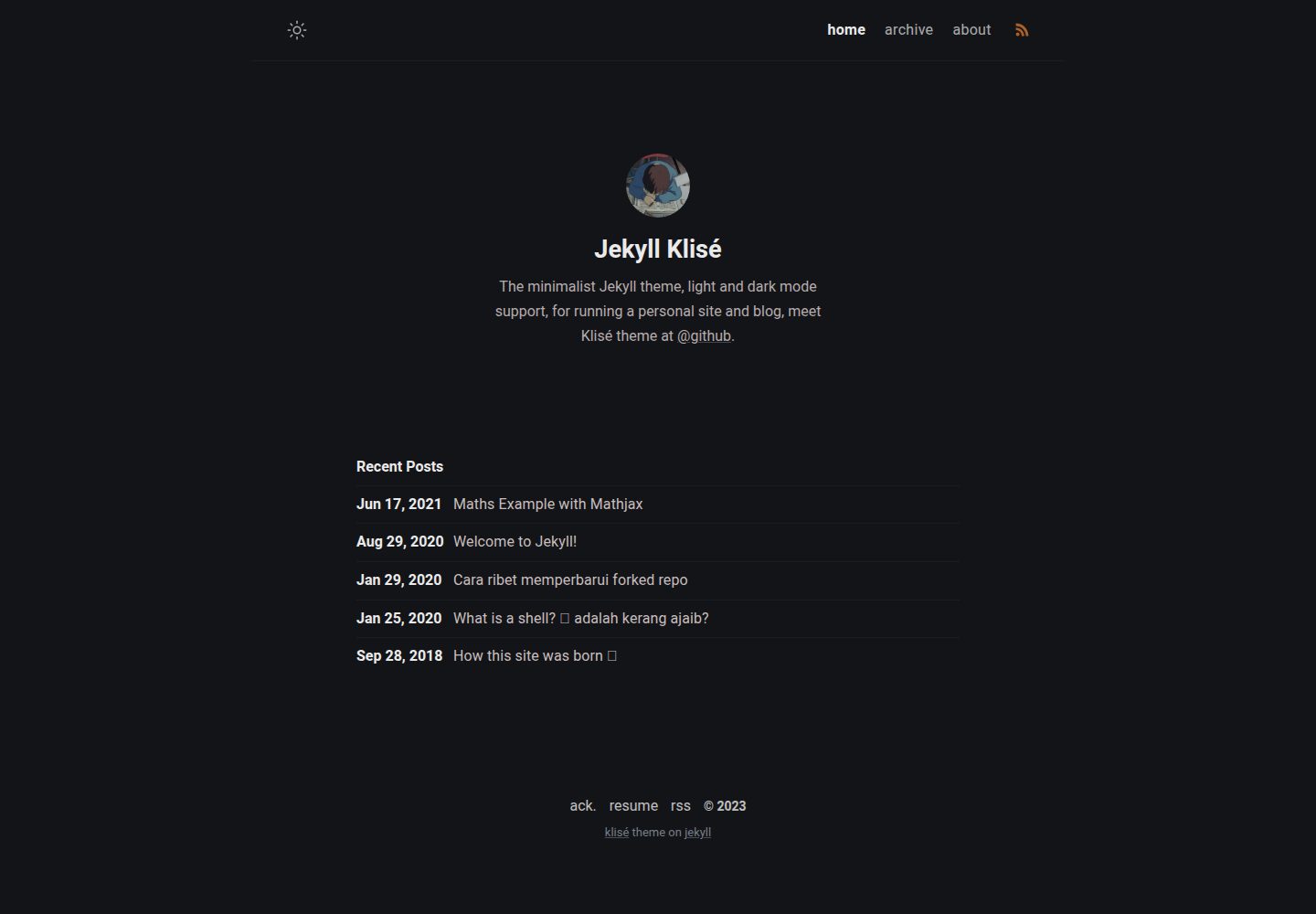
jekyll-klise
Klisé is a minimalist Jekyll theme for personal sites and blogs, with light and dark modes, a mobile-first responsive layout, and .scss-based styling.
Jekyll · Blog
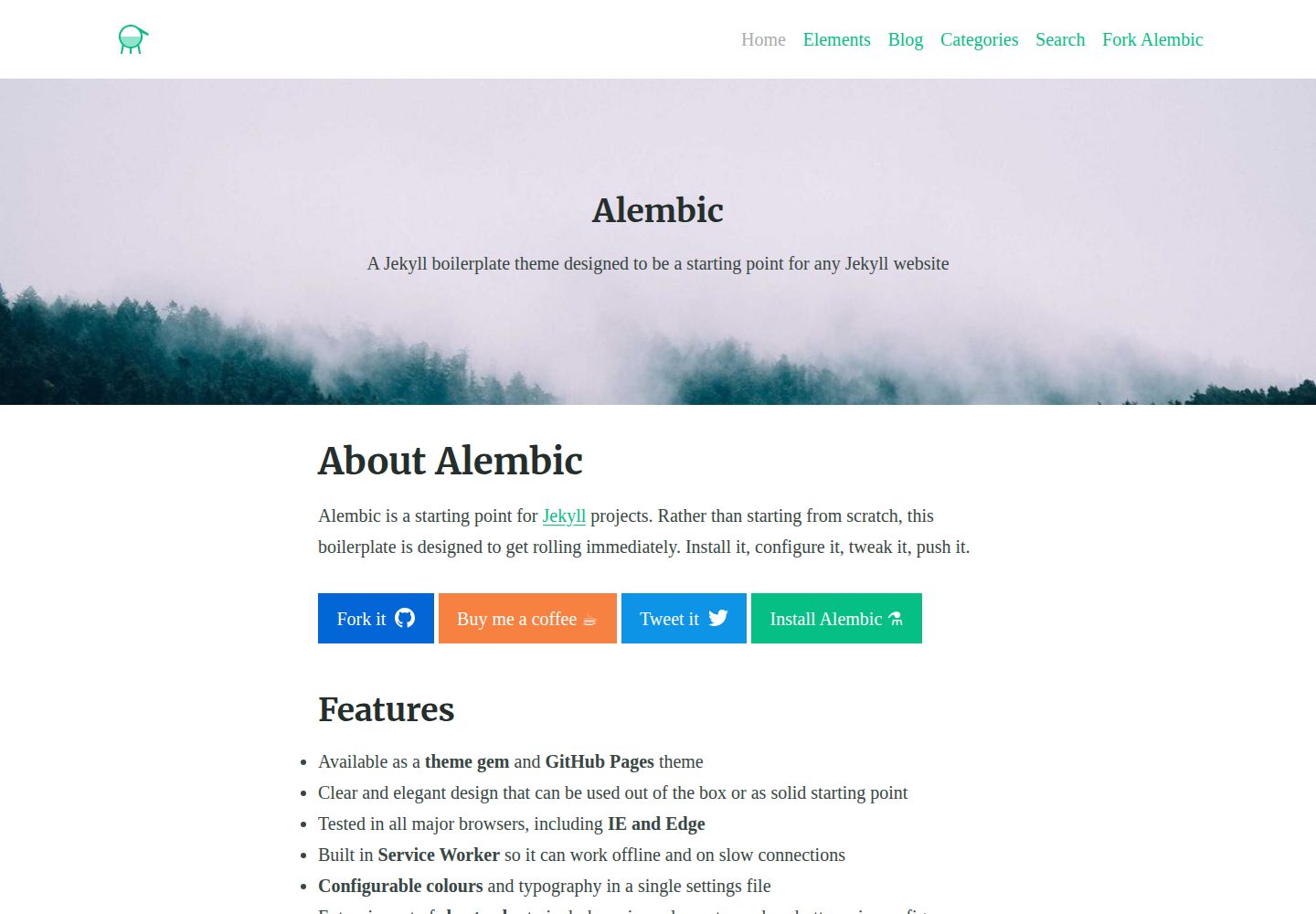
alembic
Alembic is an MIT-licensed Jekyll starter theme for quickly setting up a Jekyll site. It can be installed as a theme gem or a GitHub Pages remote theme, with centralized configuration via _config.yml for navigation, colors, fonts, language, and site information.
Jekyll · Starter

jekyll-course-website-template
A Jekyll-based academic course website template with separate pages for lectures, assignments, schedule, course materials, and announcements, plus auto-generated schedule and updates sections. It is configured through _config.yml, _data/people.yml, and _sass/_user_vars.scss, and content is organized as Markdown with YAML front matter.
Jekyll · Starter

agency-jekyll-theme-starter
A Jekyll-based Agency theme starter template for GitHub Pages. Generate a repository via the template button, replace the sample content, and configure baseurl or a custom domain.
Jekyll · Corporate Website
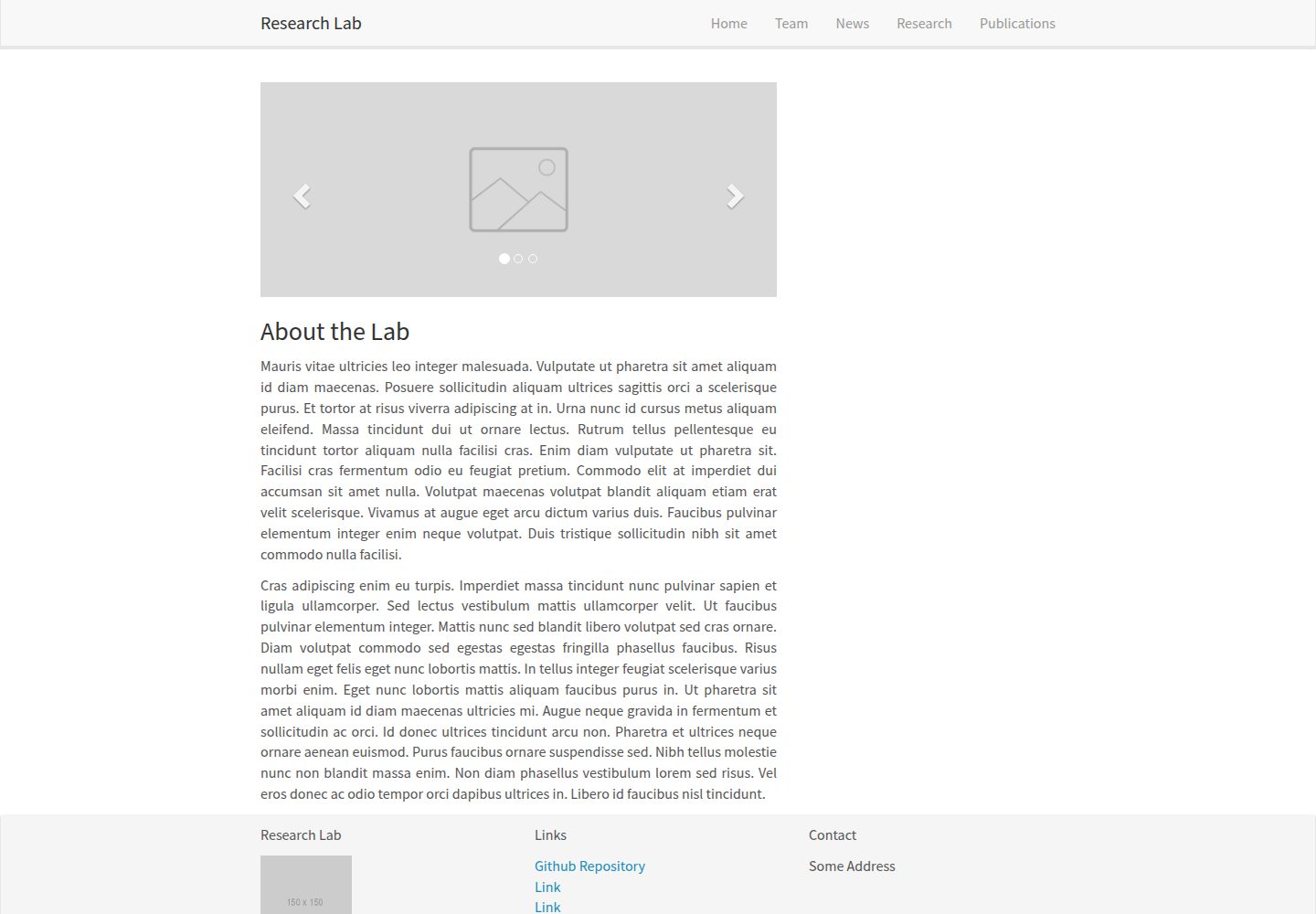
research-lab-website
A Jekyll-based research lab website template derived from the Allan Lab template at Leiden University.
Jekyll · Starter
geekyll-starter-blog
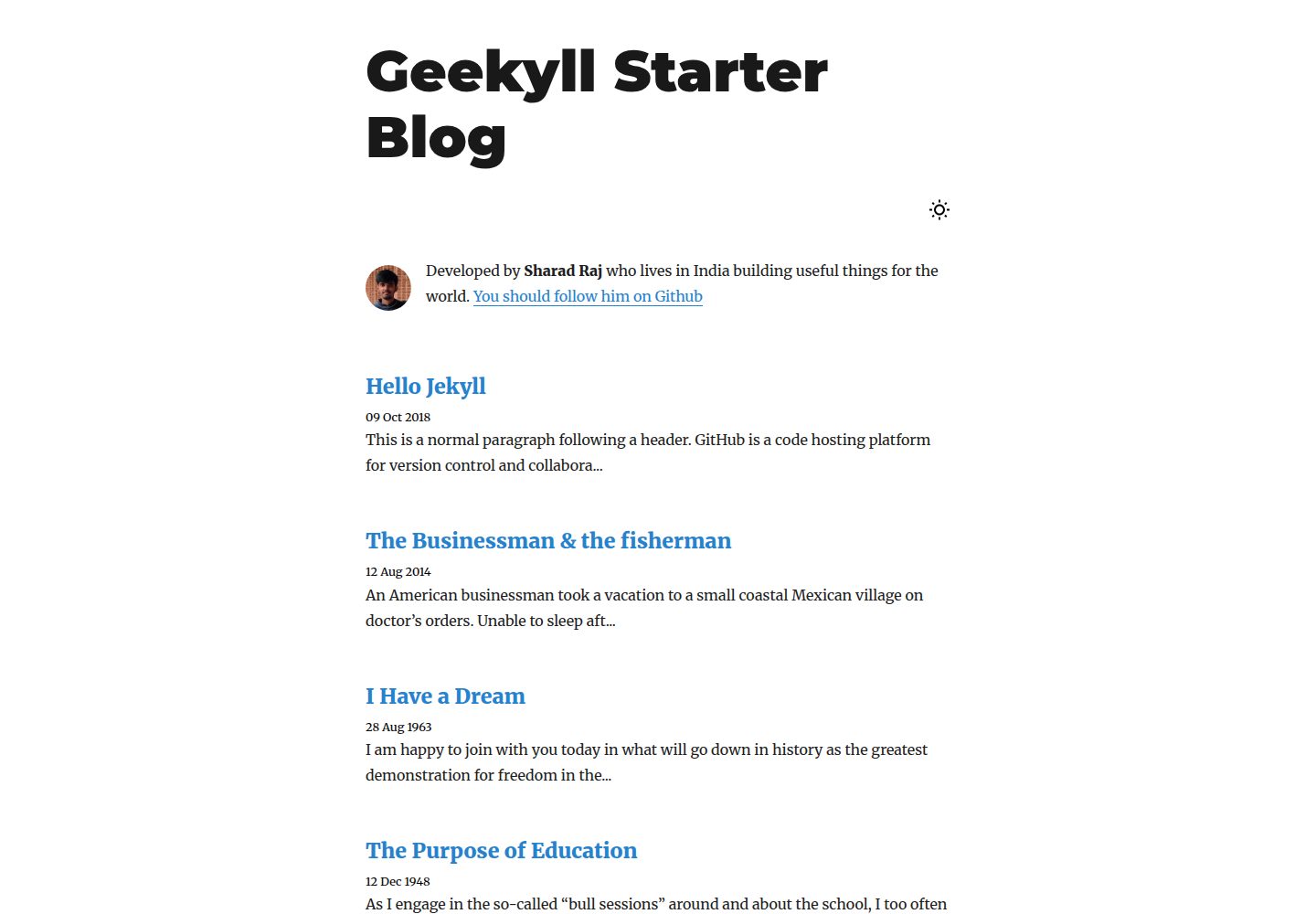
Geekyll Starter Blog is a minimal Jekyll-based blog theme released by Sharad Raj Singh Maurya. It offers dark mode, lean CSS, code syntax highlighting, and a click-to-open image lightbox, with a page structure centered on post lists and post detail pages.
Jekyll · Blog