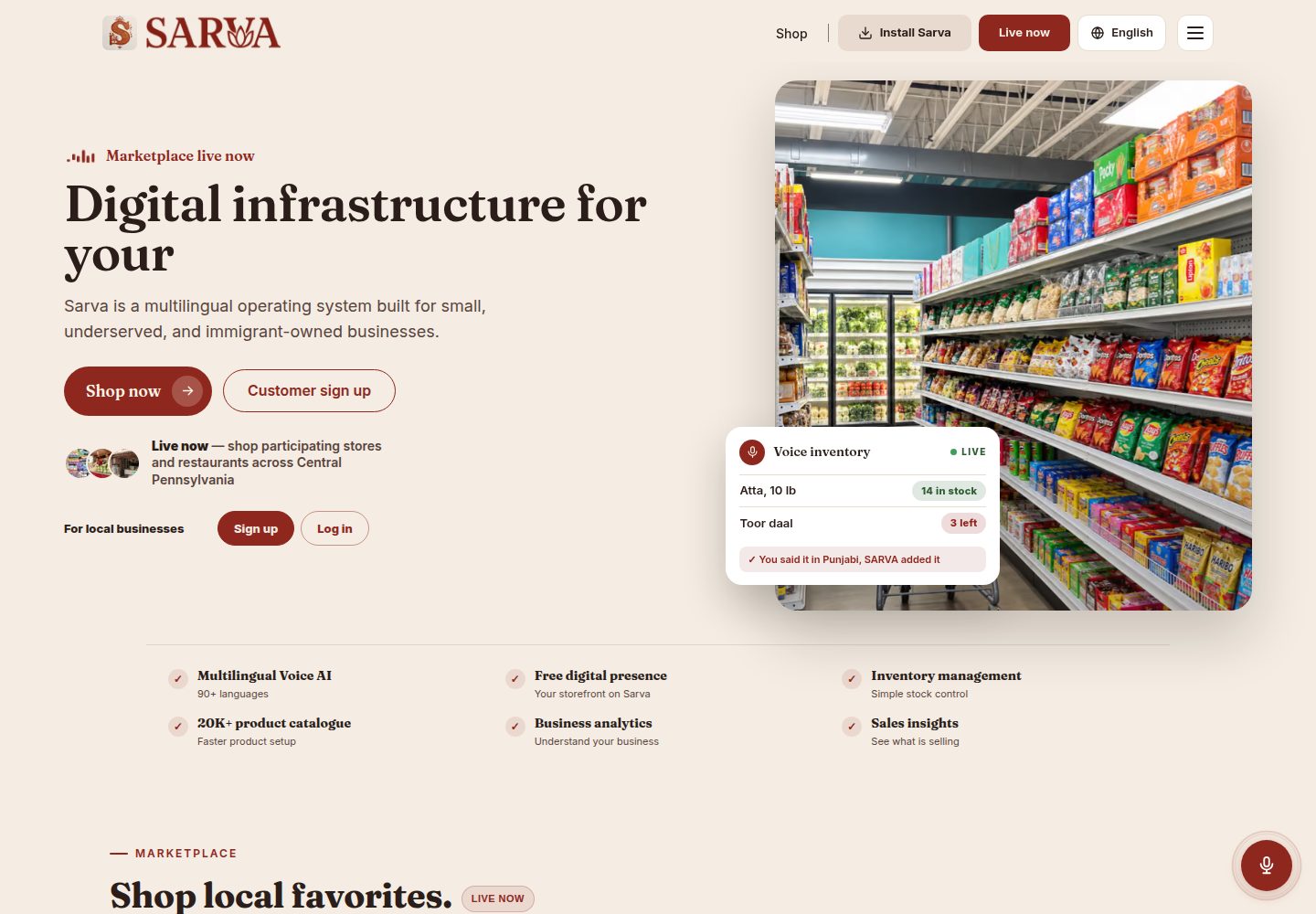
Frontend structure based on Next.js App Router, React, TypeScript, and Tailwind CSS
Next.jsReactE-commerce
Sarva-template — Next.js Ecommerce Template
By Shahir-47
Sarva-template is a public demonstration template for the South Asian grocery delivery platform Sarva Bazaar, built with Next.js App Router, Firebase, and Stripe, containing example code and project structure for three roles: customer, vendor, and driver.
Explore the design
Compare the page layouts and mobile experience. Open any screenshot for a closer look.
Desktop homepage1 / 3
Desktop captureTop of page
Actual screenshot captured by the server browser.
All pages & views 3
Screenshots show visual appearance; interactive behavior may differ.
Recorded 2026-10-14View source
What stands out
A quick read of the recorded project description.
Uses Firebase Authentication, Firestore, and Storage as backend services
Integrates Stripe payments; the README describes customer payments being held temporarily and split to vendors and drivers after delivery confirmation
Integrates Google Maps API for address autocomplete, distance and delivery time calculation, and route visualization
Divides routes, components, and authentication hooks by three roles: customer, vendor, and driver
The README lists core Firestore collections: users, vendors, drivers, inventory, orders, driverTransactions
Template Details
Sarva-template is a public template repository for the Sarva Bazaar delivery app, intended for demonstration, review, and learning. The README states that the live production app runs in a private codebase; this repository only provides architecture, features, and example code, and does not contain the source code of the actual deployed platform.
The template builds the frontend with Next.js App Router, React, TypeScript, and Tailwind CSS; the backend uses Firebase Authentication, Firestore, and Storage; payment integration uses Stripe; location services use the Google Maps API (address autocomplete, distance calculation, route planning, and delivery time estimation). The project divides routes and components by role: customer, driver, vendor, and api routes, and includes directories such as firebase, hooks, lib, services, types, and utils.
The README describes the functional scope of three user roles: customers can browse products, place orders, track orders in real time, and view history; vendors can manage inventory, process orders, and business profiles; drivers can accept orders, track deliveries, view earnings, and delivery history. Firestore uses collections such as users, vendors, drivers, inventory, orders, and driverTransactions. Authentication is implemented via Firebase Auth and custom React hooks divided by role.
The README does not provide information on performance, production readiness, test coverage, or specific framework version numbers. The template is positioned for demonstration and learning purposes; actual deployment requires configuring your own Firebase, Stripe, and Google Maps keys.
Next.jsE-commerce
Is it right for your project?
Use Cases
- Learning or reviewing the project structure and code organization of a multi-role delivery platform
- Using the template as a starting point to build your own grocery delivery or on-demand delivery app
- Referencing the authentication implementation pattern with Firebase Auth and role-based custom hooks
- Referencing how Stripe payments and Google Maps location services are integrated in a Next.js project
Suitable For
- Frontend or full-stack developers who want to understand multi-role delivery app architecture
- Developers who need examples of integrating Next.js, Firebase, Stripe, and Google Maps
- Teams planning to build a grocery delivery or similar on-demand delivery platform
- Learners looking for a public demonstration template that can be cloned and adapted
Getting started & customization
Use these recorded setup notes alongside the repository instructions for your chosen version.
- 1
Requires Node.js 18+ and npm or yarn
- 2
Requires a Firebase account, a Stripe account, and a Google Maps API key
- 3
Create .env.local in the root directory and fill in the environment variables for Firebase, Stripe, app URL, and Google Maps as per the README
- 4
Run npm install or yarn install to install dependencies, then run npm run dev or yarn dev to start the development server
- 5
The README warns not to commit real API keys to public repositories; production environments should configure keys securely
License & source material
Usage conditions & limitations
Free to use · keep license noticeThis entry covers the free version under the MIT license in the public repository; the free scope is the code of this version and does not mean external services or third-party assets are free.
Must comply with when using
- Free use, modification, commercial use, and distribution of this version's code are permitted.
- When distributing copies or substantial portions of the code, retain the original author's copyright notice and the full MIT license notice.
- The code is provided as is; warranties and limitations of liability are governed by the original license and applicable law.
Additional costs & items to verify
- The README mentions Firebase integration; before enabling related dynamic features, you need to configure it yourself and check Firebase quotas and charges.
- Demo images, fonts, icons, and other third-party assets need to be checked under their respective licenses; they cannot be judged solely by the code's MIT license.
- External services such as domains, hosting, databases, payments, or AI may incur additional charges.
- The README explicitly states that the live production app runs in a private codebase; this repository is only a public template and does not contain the source code of the actual deployed platform.
- The README states that the source code of the actual deployed platform is not public; this repository is only for exploration, cloning, and adaptation.
- Running the template requires a Firebase account.
- Running the template requires a Stripe account.
- Running the template requires a Google Maps API key.
- The README warns not to commit real API keys to any public repository.
- The README declares that the template is for demonstration/learning purposes only, and the live deployment version uses a private repository.
View Original Text Basis
Permission is hereby granted, free of charge
Original License Text
>This is a public template repo provided for demonstration, review, and learning. The live production app at [https://www.sarvabazaar.com](https://www.sarvabazaar.com) runs on a private codebase to ensure operational security.
Original README
>You are free to explore, clone, and adapt this template. The source code for the actual deployed platform is not public.
Original README
- Firebase account
Original README
- Stripe account
Original README
- Google Maps API key
Original README
> ⚠️ **Never commit your real API keys to any public repo.**
Original README
https://github.com/Shahir-47/Sarva-template/blob/main/LICENSEhttps://github.com/Shahir-47/Sarva-template/blob/main/README.md*This template is for demo/learning only. The deployed version at [sarvabazaar.com](https://www.sarvabazaar.com) uses a private repository for security.*
Original README
Compiled by DeepSeek based on repository license and README ·2026-10-14. Results only cover the materials read; dependencies, images, fonts, and subsequent term changes are subject to their respective original texts.
Project checks & description sources
Template Information
- Source platforms
- GitHub
- Documentation and maintenance reference score
- Partly documented · 74 / 100
- Technologies
- Next.js · React
- Website type
- E-commerce
How this score is calculated
Our heuristic uses license records (up to 30), a demo link (12), a preview (10), stars (15), recorded maintenance (15), description completeness (8), feature records (5) and classification data (5). It is not a code, security or performance test, or a Google score. A link does not establish tested functionality.
What to verify for this project
- Repository update recorded
- 2025-05-23
- Screenshot last checked
- 2026-10-14
A demo link is listed. Check it with your own content and viewport sizes; its presence does not confirm that forms, authentication or payments work.
The catalog identifies Next.js as the primary stack. Check the actual dependency manifest and lockfile for versions and hosting requirements. These notes use recorded metadata, not a code audit or a deployment test.
Use a selection guide →How this description was prepared
AI-assisted description based on catalog records and repository material. Repository authors are not automatically the reviewers of this description.
Review declaration: codex-user-requested-batch-review-20261017 · 2026-10-16
Inspect the recorded source material
SHA-256: c5bd08379414c96a6bb1a2bb7789d5c81e0a5c807cda2cd84255b095d364b38e
2026-10-14T09:59:55.343Z
Source file / repository# Sarva Delivery App – Public Template
Welcome to the open template of the Sarva Bazaar delivery app!
This repo showcases the architecture, features, and sample code for Sarva, a real-world, full-stack grocery delivery platform for South Asian markets.
> ⚠️ **Note:**
>
>This is a public template repo provided for demonstration, review, and learning. The live production app at [https://www.sarvabazaar.com](https://www.sarvabazaar.com) runs on a private codebase to ensure operational security.
>You are free to explore, clone, and adapt this template. The source code for the actual deployed platform is not public.
---
## 🚀 Live Deployment
Try the production version here: [https://www.sarvabazaar.com](https://www.sarvabazaar.com)
>_Source code for the deployed app is private_
---
## 🛠️ Tech Stack
- **Frontend:** Next.js 13+ (App Router), React, TypeScript, Tailwind CSS
- **Backend:** Firebase (Authentication, Firestore, Storage)
- **Payments:** Stripe
- **Mapping/Location:** Google Maps API (address autocomplete, distance calculation, route planning, delivery time estimation)
- **Styling:** TailwindCSS with custom color schemes
---
## 📁 Project Structure
```
src/
├── app/ # Next.js App Router pages
│ ├── customer/ # Customer-facing routes
│ ├── driver/ # Driver-facing routes
│ ├── vendor/ # Vendor-facing routes
│ └── api/ # API routes
├── components/ # Shared React components
│ ├── customer/ # Customer-specific components
│ ├── driver/ # Driver-specific components
│ ├── vendor/ # Vendor-specific components
│ └── shared/ # Shared components used across roles
├── firebase/ # Firebase config and service functions
├── hooks/ # Custom React hooks
├── lib/ # Utility libraries
├── services/ # Service layer for API interactions
├── types/ # TypeScript type definitions
└── utils/ # Utility functions
````
---
## 👤 Role-based Architecture
Sarva supports three distinct user roles:
1. **Customers:** Browse products, place orders, track deliveries
2. **Vendors:** List/manage products, process orders, manage business profile
3. **Drivers:** Accept and deliver orders, manage earnings and profile
---
## 🏁 Getting Started
### Prerequisites
- Node.js 18+
- npm or yarn
- Firebase account
- Stripe account
- Google Maps API key
### Environment Setup
Create a `.env.local` file in the root with:
```env
# Firebase
NEXT_PUBLIC_FIREBASE_API_KEY=your_firebase_api_key
NEXT_PUBLIC_FIREBASE_AUTH_DOMAIN=your_project_id.firebaseapp.com
NEXT_PUBLIC_FIREBASE_PROJECT_ID=your_project_id
NEXT_PUBLIC_FIREBASE_STORAGE_BUCKET=your_project_id.firebasestorage.app
NEXT_PUBLIC_FIREBASE_MESSAGING_SENDER_ID=your_messaging_sender_id
NEXT_PUBLIC_FIREBASE_APP_ID=your_app_id
# Stripe
NEXT_PUBLIC_STRIPE_PUBLISHABLE_KEY=your_stripe_publishable_key
STRIPE_SECRET_KEY=your_stripe_secret_key
# App URL
NEXT_PUBLIC_APP_URL=http://localhost:3000/
# Location Services
GOOGLE_MAPS_API_KEY=your_google_maps_api_key
````
> ⚠️ **Never commit your real API keys to any public repo.**
> Use environment variables for local dev, and configure secrets securely for production.
### Installation
```bash
# Clone the repo
git clone https://github.com/YOUR-USERNAME/sarva-template.git
cd sarva-template
# Install dependencies
npm install
# or
yarn install
# Start the development server
npm run dev
# or
yarn dev
```
Visit `http://localhost:3000` to view the app.
---
## 🔒 Authentication Flow
Sarva uses Firebase Auth with custom React hooks for each user role:
* `useAuth.tsx` – Customers
* `useVendorAuth.tsx` – Vendors
* `useDriverAuth.tsx` – Drivers
Each hook manages:
* Authentication state
* User profile data
* Loading and error states
---
## ✨ Key Features
### Customer Portal
* Browse vendors and products
* Add to cart and place orders (multiple payment options)
* Track order status in real-time
* View order history
### Vendor Portal
* Dashboard with key metrics
* Inventory management (add, edit, delete products)
* Order management (view, prepare, mark as ready)
* Profile/business settings
### Driver Portal
* See available delivery jobs
* Accept and track deliveries
* Earnings dashboard and delivery history
* Manage profile and vehicle info
---
## 🗄️ Database Structure
Sarva uses Firestore with these core collections:
* `users` – Customer accounts and profiles
* `vendors` – Vendor business data
* `drivers` – Driver profiles
* `inventory` – Product listings
* `orders` – Orders and status
* `driverTransactions` – Delivery records and earnings
---
## 🧑💻 Common Tasks
### Adding a New Component
1. Create your component under `src/components/`
2. Export it
3. Import and use where needed
### Firebase Data Access Example
```typescript
import { getVendorInventoryItems } from "@/firebase/inventory";
const result = await getVendorInventoryItems(vendorId);
if (result.success) {
const items = result.data;
// Use the data
}
```
### Authentication Example
```typescript
import { useAuth } from "@/hooks/useAuth";
function MyComponent() {
const { user, userData, loading } = useAuth();
if (loading) return <LoadingScreen />;
if (!user) return <NotAuthenticated />;
return <YourComponent userData={userData} />;
}
// Similar pattern for useVendorAuth and useDriverAuth
```
---
## 🔄 Order & Payment Flow
1. **Customer** creates an order
2. **Vendor** processes and marks as “ready for pickup”
3. **Driver** accepts, picks up, and marks as delivered
4. **Customer** receives delivery, can leave feedback
Payments use Stripe with a split flow:
* Customer pays
* Payment is held until delivery is confirmed
* Split payout between vendor and driver
---
## 🗺️ Working with Location Services
### Google Maps API
* Address autocomplete and geocoding
* Distance and delivery time calculation
* Route visualization for drivers and customers
Make sure API keys are in your `.env.local`.
---
## ☁️ Deployment
Deploy to Vercel or any Next.js-friendly platform:
```bash
# Build for production
npm run build
# or
yarn build
# Start production server
npm start
# or
yarn start
```
---
## 🛠️ Troubleshooting
### Firebase Issues
* Double-check your `.env.local`
* Ensure Firebase project has Firestore and Auth enabled
* Check Firebase Console for service disruptions
### Map/API Issues
* Check your API keys and quotas
* Ensure Maps API is loaded properly
### Auth Errors
* Clear cookies/localStorage
* Check if user exists in Firebase Auth
* Verify email settings
---
## 🤝 Contributing
1. Fork this repo
2. Create a feature branch (`git checkout -b feature/amazing-feature`)
3. Commit your changes
4. Push to your branch
5. Open a Pull Request
---
## 📄 License
MIT License – see [LICENSE](LICENSE) for details
---
## 📬 Contact
For questions or support, use [Sarva Bazaar website](https://www.sarvabazaar.com)
or open an issue in this repository.
---
*This template is for demo/learning only. The deployed version at [sarvabazaar.com](https://www.sarvabazaar.com) uses a private repository for security.*
Explore similar templates
Compare previews and descriptions within the same stack and category.

Next.js Commerce
Vercel's officially maintained Next.js App Router ecommerce starter with deep Shopify integration, offering a complete product catalog, cart, and checkout flow. Core logic is modular for swapping backends, and community provider versions exist for BigCommerce, Medusa, and Saleor.
Next.js · E-commerce
commerceplate
A free Shopify e-commerce starter template built with Next.js 16, Tailwind CSS 4, and TypeScript, using the Shopify Storefront API (GraphQL).
Next.js · E-commerce

ecommerce-template
A Next.js App Router ecommerce template built with TypeScript, Tailwind CSS, Radix UI, and TanStack Query.
Next.js · E-commerce
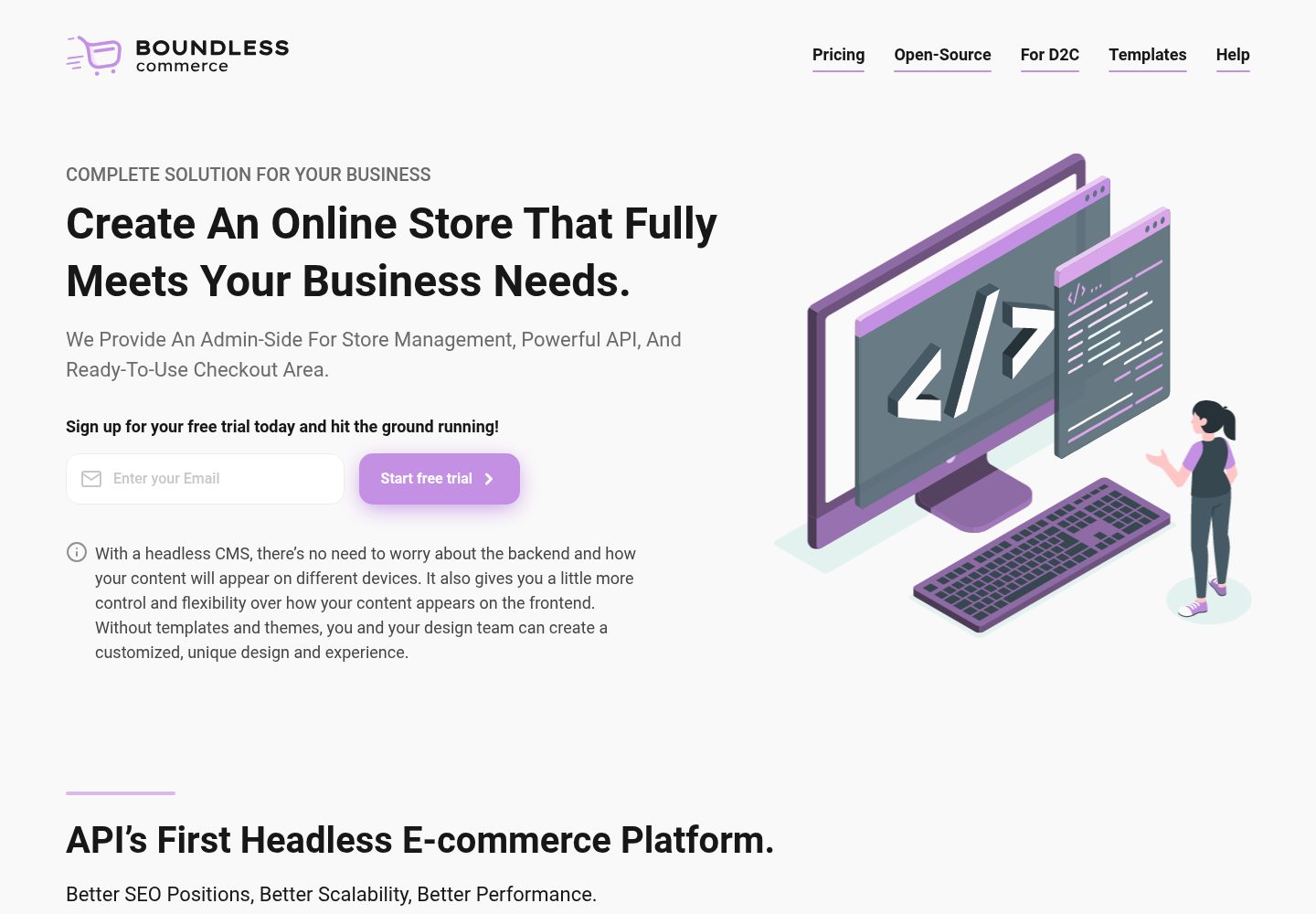
boundless-nextjs-ecommerce-template
A free Next.js and TypeScript e-commerce frontend starter kit from Boundless Commerce.
Next.js · E-commerce
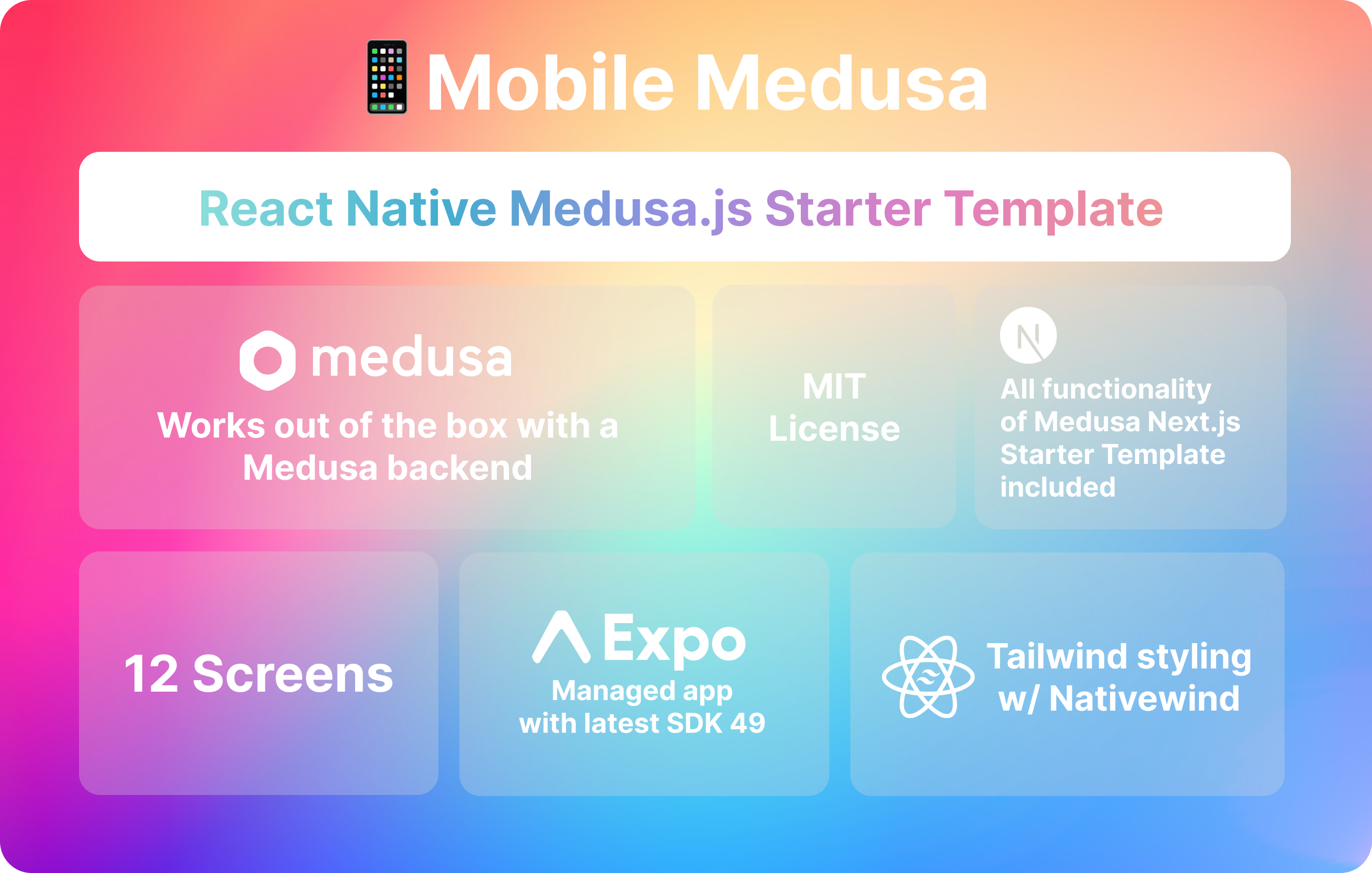
mobile-medusa
Mobile Medusa is an Expo-based React Native mobile e-commerce starter template that connects to a Medusa backend and aligns its pages and user flows with the Medusa Next.js Starter.
Next.js · E-commerce
template-ecommerce-webapp-nextjs
An official Contentful-maintained Next.js ecommerce starter template that fetches content via the Contentful GraphQL API and uses graphql-codegen to generate a type-safe SDK.
Next.js · E-commerce