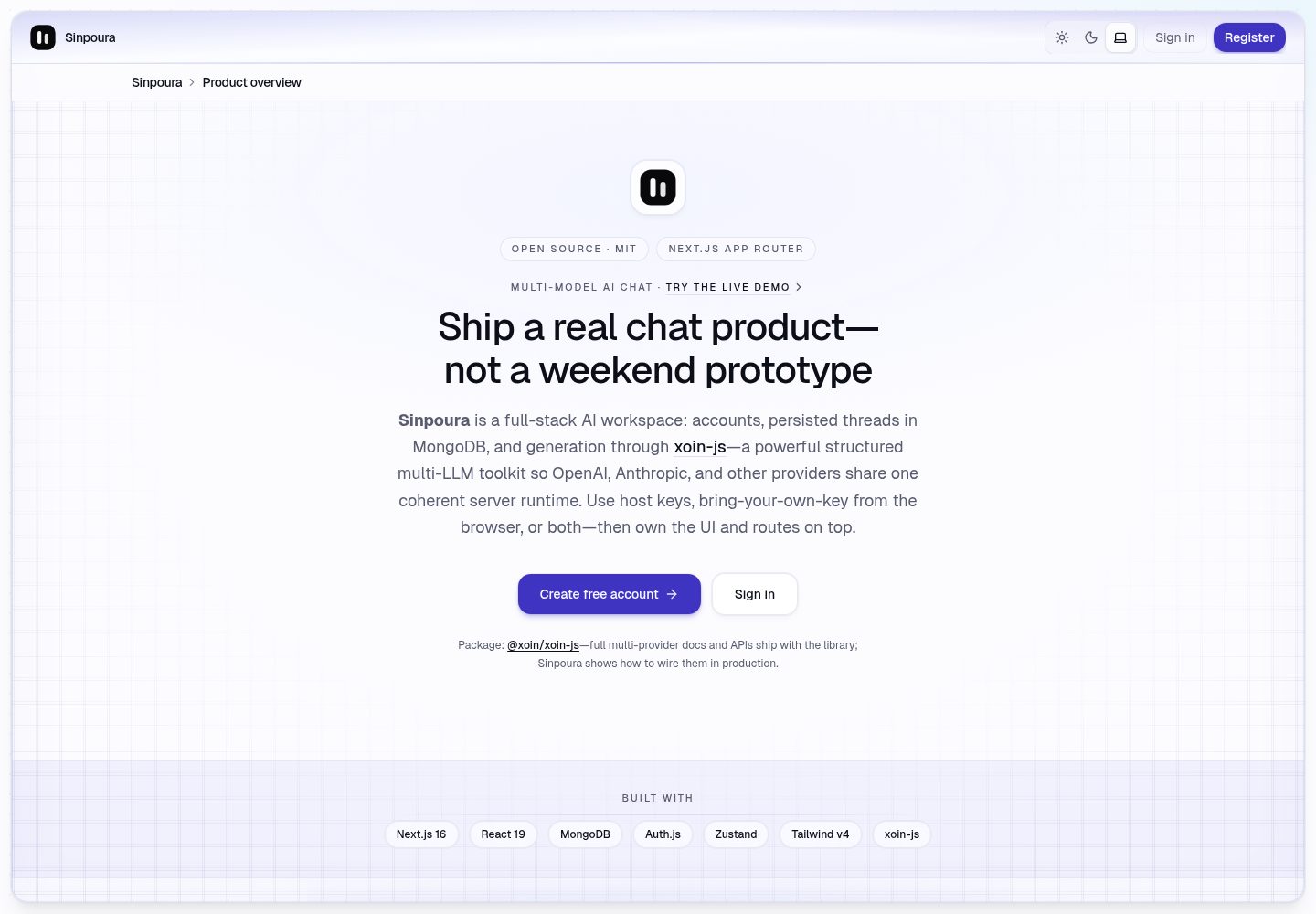
Responsive chat interface built with the Next.js App Router, React 19, Tailwind CSS v4, and Zustand
Next.jsReactSaaS
sinpoura-ai-multi-purpose-nextjs — Next.js SaaS Template
By suraj-chavda
Sinpoura is an open-source multi-purpose AI chat application template based on the Next.js App Router, using MongoDB to persist conversations and calling models such as OpenAI and Anthropic through xoin-js.
Explore the design
Compare the page layouts and mobile experience. Open any screenshot for a closer look.
Desktop homepage1 / 2
Desktop captureTop of page
Actual screenshot captured by the server browser.
All pages & views 2
Screenshots show visual appearance; interactive behavior may differ.
Recorded 2026-10-14View source
What stands out
A quick read of the recorded project description.
Email and password registration and login via Auth.js v5, with the /chat route protected by middleware
Conversations and messages persisted to MongoDB, supporting creating, listing, and deleting conversations and loading messages by conversation
Server-side POST /api/chat uniformly handles validation, ownership checks, history loading, and the xoin generate call
Integrates OpenAI and Anthropic on the server through @xoin/xoin-js, supporting environment variable keys or browser BYOK
Includes interaction details such as light and dark themes, a mobile drawer sidebar, quick prompts, and processing states
Template Details
Sinpoura is an open-source AI chat application intended for real use and demonstration, not just a showcase page template. It uses the Next.js App Router, React 19, Tailwind CSS v4, Zustand, Auth.js v5, MongoDB + Mongoose, and calls LLM providers such as OpenAI and Anthropic on the server through @xoin/xoin-js.
The application includes email and password registration and login, a protected /chat route, conversation list and message CRUD, URL synchronization (/chat?c=conversationId), a model and API Key settings dialog, empty conversation quick prompts, a responsive sidebar and mobile drawer, and light and dark themes. The server provides a single POST /api/chat route that handles validation, ownership checks, persisting the user message, loading history, calling xoin generate, saving the assistant reply, and returning both records.
LLM key resolution order: server-side environment variables OPENAI_API_KEY or ANTHROPIC_API_KEY take priority; otherwise the client can include a browser-managed key with each request, and that key is stored only in localStorage and is not written to MongoDB. The README does not provide complete production deployment steps, performance data, or security audit conclusions; evaluate before use.
Next.jsSaaS
Is it right for your project?
Use Cases
- Use as an internal tool or demo application to quickly set up an AI chat interface with an account system and persisted conversations
- Learn how the Next.js App Router and Zustand combine in feature-slice organization
- Evaluate or compare two LLM key usage approaches: server-hosted keys and browser BYOK
- Use as a reference layout to extend capabilities such as conversation management, model settings, or permission control
Suitable For
- Developers who need a runnable AI chat starter project with real persistence
- Frontend or full-stack engineers who want to study the combined usage of the App Router, Auth.js, MongoDB, and Zustand
- Teams that need an internal AI chat tool prototype and plan to replace branding and extend features themselves
Getting started & customization
Use these recorded setup notes alongside the repository instructions for your chosen version.
- 1
Requires Node.js 20+, a MongoDB URI, and AUTH_SECRET; you can copy .env.example to .env.local and fill it in
- 2
LLM access can be configured via server-side OPENAI_API_KEY or ANTHROPIC_API_KEY, or users can paste a browser-side key in the application
- 3
After running npm install, execute npm run dev, visit http://localhost:3000 to register, and enter /chat
- 4
Middleware must not import Mongoose or bcrypt; keep Node-specific authentication logic in auth.ts and keep auth.config.ts edge-safe
- 5
The README does not provide complete production deployment steps or security audit notes; supplement them yourself before going live
License & source material
Usage conditions & limitations
Free to use · keep license noticeThis entry covers the free version under the MIT license in the public repository; the free scope is the code of that version and does not mean that external services or third-party assets are free.
Must comply with when using
- You may use, modify, commercialize, and distribute the code of this version for free.
- When distributing copies or substantial portions of the code, retain the original author's copyright notice and the complete MIT license notice.
- The code is provided as is; warranties and limitations of liability are governed by the original license and applicable law.
Additional costs & items to verify
- Demo images, fonts, icons, and other third-party assets must be checked against their respective licenses and cannot be judged solely by the code's MIT license.
- External services such as domains, hosting, databases, payments, or AI may incur separate charges.
- Running requires Node.js 20+, a MongoDB URI, and AUTH_SECRET; LLM access requires configuring OPENAI_API_KEY or ANTHROPIC_API_KEY, or users pasting their own key in the browser.
- If OPENAI_API_KEY or ANTHROPIC_API_KEY is set on the server, all logged-in users share that quota, which is suitable for demos or internal tools.
- In BYOK mode, the user's key is stored in browser localStorage and sent with chat requests over HTTPS; the server does not persist these credentials.
- Browser BYOK means anyone who can access an unlocked browser profile can read the key in localStorage; be cautious on shared devices.
- The project does not include rate limiting, CAPTCHA, or abuse monitoring; add them yourself before a broad public launch.
- Deployment requires preparing MongoDB Atlas or a compatible database yourself and configuring the corresponding environment variables.
View Original Text Basis
Permission is hereby granted, free of charge
Original License Text
You’ll need **Node.js 20+**, a **MongoDB** URI, and an **AUTH_SECRET**. LLM access is easiest with **`OPENAI_API_KEY`** or **`ANTHROPIC_API_KEY`** in `.env.local`; alternatively users can paste keys in the app (browser only).
Original README
1. **Hosted / server keys** — Set `OPENAI_API_KEY` and/or `ANTHROPIC_API_KEY` in the environment. Every signed-in user shares those quotas (fine for demos and internal tools). The `/api/user/llm-config` route only exposes booleans: whether env keys exist.
Original README
2. **Bring-your-own-key (BYOK)** — If neither env key is set, users open **Model & API keys** and save a provider + key. That payload lives in **`localStorage`** in the browser under a versioned key. When they send a chat message, the client attaches `llm: { provider, apiKey }` to **`POST /api/chat`** over HTTPS. The server **does not persist** those credentials; it resolves keys per request in `resolveChatLlm` and builds a fresh xoin client for that call.
Original README
- **Browser BYOK** means anyone with physical access to the unlocked browser profile could read `localStorage`. Treat shared machines accordingly.
Original README
- **Rate limiting, CAPTCHA, abuse dashboards** are not included — add them before a wide public launch.
Original README
https://github.com/suraj-chavda/sinpoura-ai-multi-purpose-nextjs/blob/main/LICENSEhttps://github.com/suraj-chavda/sinpoura-ai-multi-purpose-nextjs/blob/main/README.md1. Provision MongoDB Atlas (or compatible).
Original README
Compiled by DeepSeek based on repository license and README ·2026-10-14. Results only cover the materials read; dependencies, images, fonts, and subsequent term changes are subject to their respective original texts.
Project checks & description sources
Template Information
- Source platforms
- GitHub
- Documentation and maintenance reference score
- More documented · 83 / 100
- Technologies
- Next.js · React
- Website type
- SaaS
How this score is calculated
Our heuristic uses license records (up to 30), a demo link (12), a preview (10), stars (15), recorded maintenance (15), description completeness (8), feature records (5) and classification data (5). It is not a code, security or performance test, or a Google score. A link does not establish tested functionality.
What to verify for this project
- Repository update recorded
- 2026-05-03
- Screenshot last checked
- 2026-10-14
A demo link is listed. Check it with your own content and viewport sizes; its presence does not confirm that forms, authentication or payments work.
The catalog identifies Next.js as the primary stack. Check the actual dependency manifest and lockfile for versions and hosting requirements. These notes use recorded metadata, not a code audit or a deployment test.
Use a selection guide →How this description was prepared
AI-assisted description based on catalog records and repository material. Repository authors are not automatically the reviewers of this description.
Review declaration: codex-user-requested-batch-review-20261015 · 2026-10-15
Inspect the recorded source material
SHA-256: 7734c6b92de760b05525cf24eb5882b1fd8db730ceb2b9eb9eb74a2185c4867e
2026-10-14T18:10:22.672Z
Source file / repository<p align="center">
<img src="public/logo.svg" width="72" height="72" alt="Sinpoura — open-source Next.js AI chat app logo" />
</p>
<h1 align="center">Sinpoura</h1>
<p align="center">
Open-source, multi-purpose AI chat built with <a href="https://nextjs.org/">Next.js</a>,
<a href="https://www.mongodb.com/">MongoDB</a>, and
<a href="https://github.com/kanha95/xoin-js">xoin-js</a> — a powerful, structured multi-LLM toolkit: one coherent API surface across OpenAI, Anthropic, and other providers.
</p>
<p align="center">
Built for <strong>live demos and day-to-day use</strong> — this repo is <strong>not</strong> positioned as a portfolio-only showcase. Use it as an internal tool starter or reference layout for App Router apps with real persistence and a responsive chat UI.
</p>
<p align="center">
<a href="https://github.com/kanha95/xoin-js"
><img src="https://img.shields.io/badge/open%20source-yes-22c55e?style=flat-square" alt="Open source AI chat template"
/></a>
<a href="./LICENSE"
><img src="https://img.shields.io/badge/license-MIT-blue?style=flat-square" alt="MIT License"
/></a>
<img
src="https://img.shields.io/badge/free%20to%20use-learn%20%26%20reuse-6366f1?style=flat-square"
alt="Free Next.js AI chat template — learn and reuse"
/>
<a href="https://www.npmjs.com/package/@xoin/xoin-js"
><img
src="https://img.shields.io/npm/v/@xoin/xoin-js?label=%40xoin%2Fxoin-js&logo=npm&logoColor=white&color=cb3837&style=flat-square"
alt="@xoin/xoin-js npm package for OpenAI and Anthropic"
/></a>
<a href="https://github.com/kanha95/xoin-js"
><img
src="https://img.shields.io/badge/LLM-xoin--js-181717?style=flat-square&logo=github&logoColor=white"
alt="LLM requests powered by xoin-js on GitHub"
/></a>
</p>
<p align="center">
<a href="https://nextjs.org/">Next.js App Router</a>
·
<a href="https://react.dev/">React 19</a>
·
<a href="https://www.mongodb.com/">MongoDB</a>
·
<a href="https://github.com/pmndrs/zustand">Zustand</a>
·
<a href="https://authjs.dev/">Auth.js</a>
·
Tailwind CSS v4
</p>
## Live demo (testing)
**Demo URL:** [https://suraj-chavda-sinpoura-ai-multi-purp.vercel.app/](https://suraj-chavda-sinpoura-ai-multi-purp.vercel.app/)
The app also references this hostname as `DEMO_APP_URL` in `src/lib/constants.ts` — update **both** places if the deployment URL changes.
Use this deployment to **try registration, chat, and BYOK** without cloning the repo. Treat it as a shared test environment (data and uptime are best-effort).
### Documenting deploy URLs in Git
- Keep **one canonical link** in the README (here) and update it when your production hostname or Vercel alias changes.
- **Preview URLs** can churn; prefer a **production deployment or custom domain** when sharing outside quick tests.
- Label the environment (**testing / demo**) so visitors know accounts may reset and behavior depends on server env vars.
- **Never commit** secrets; linking the URL is fine — keys stay in the host dashboard only.
### What is xoin?
**xoin** is the structured multi-provider LLM layer implemented by **[xoin-js](https://github.com/kanha95/xoin-js)** (`@xoin/xoin-js` on npm): one expressive **`generate`**-style workflow while **xoin-js** orchestrates **OpenAI**, **Anthropic**, and other backends behind the same shape—without trapping you in vendor-specific SDK sprawl. Sinpoura builds a fresh xoin instance per chat request on the server so each turn stays isolated and configurable — see [Why xoin-js sits at the center](#why-xoin-js-sits-at-the-center).
---
## Preview
Desktop workspace: sidebar with conversations, framed chat panel, transcript with avatars, composer, and quick prompts on an empty thread.
<p align="center">
<img
src="preview-light.png"
width="920"
alt="Sinpoura — light theme AI chat UI with sidebar, conversation list, message area, and composer powered by Next.js and MongoDB"
/>
</p>
<p align="center"><sub>Light theme</sub></p>
<p align="center">
<img
src="preview-dark.png"
width="920"
alt="Sinpoura — dark theme AI chat UI with violet accents, grid panel, sidebar, and chat composer using xoin-js for LLM calls"
/>
</p>
<p align="center"><sub>Dark theme</sub></p>
---
## Table of contents
1. [Live demo (testing)](#live-demo-testing)
2. [Preview](#preview)
3. [Why Sinpoura exists](#why-sinpoura-exists)
4. [Why xoin-js sits at the center](#why-xoin-js-sits-at-the-center)
5. [Who this is for](#who-this-is-for)
6. [Features](#features)
7. [Responsive design and UX](#responsive-design-and-ux)
8. [Tech stack](#tech-stack)
9. [Repository layout](#repository-layout)
10. [Getting started](#getting-started)
11. [Environment variables](#environment-variables)
12. [How API keys work (server vs browser)](#how-api-keys-work-server-vs-browser)
13. [Scripts](#scripts)
14. [SEO, sharing, and discoverability](#seo-sharing-and-discoverability)
15. [Deployment](#deployment)
16. [Security notes](#security-notes)
17. [Customizing the product](#customizing-the-product)
18. [Acknowledgments](#acknowledgments)
19. [License](#license)
---
## Why Sinpoura exists
Most “AI chat demos” stop at a textarea and a fetch call. Sinpoura is closer to something you could actually ship: people **sign up**, **sign in**, conversations **live in MongoDB**, and every reply is produced through a **typed server route** that owns history, validation, and the LLM call.
The UI is intentionally finished enough to demo — sidebar, transcripts, quick prompts, model settings, dark mode — without pretending to be a full SaaS. You get readable structure (`features/chat` beside presentational components) so you can extend or rip pieces out without fighting the codebase.
---
## Why xoin-js sits at the center
Sinpoura uses [xoin-js](https://github.com/kanha95/xoin-js) (`@xoin/xoin-js` on [npm](https://www.npmjs.com/package/@xoin/xoin-js)) as its LLM runtime: a structured, multi-provider toolkit—not a single-vendor shim. In this repo, integration lives in `src/server/ai/xoin.ts`: each request gets a dedicated xoin instance with OpenAI or Anthropic providers and models driven by environment defaults.
That matters for three practical reasons:
1. **One structured surface** — you keep a single orchestration model across vendors instead of duplicating SDK-specific pipelines per provider.
2. **Built to extend** — xoin-js is provider-pluggable; adding backends stays concentrated in server-side factory code rather than spreading across routes.
3. **Honest boundaries** — keys either come from env (host-owned) or from the user’s browser (BYOK), and xoin runs where those keys are resolved—never leaked into arbitrary client bundles.
When you describe this architecture, treat **xoin-js** as the deliberate LLM layer: multi-model, structured, and explicit—not an afterthought wrapper around one API.
---
## Who this is for
- **Demo testers & evaluators** — Try the [live demo](#live-demo-testing) or run locally with your own keys and database.
- **Internal tools** — Swap branding, tighten RBAC, add org models; the conversation CRUD and API route are a sane spine.
- **Learning App Router + Zustand** — Feature slice pattern with hooks, store, and UI separated.
- **Teams comparing BYOK vs hosted keys** — The app supports env keys for guests on your deployment and browser-stored keys for power users (details below).
---
## Features
### Accounts and access
- Email + password **registration** and **credentials sign-in** (Auth.js v5).
- Sessions power protected routes; `/chat` stays behind auth middleware.
### Conversations and messages
- **Sidebar**: compact thread list with delete-in-row actions, new chat, mobile drawer on small screens.
- **CRUD**: create threads, list them, delete them, load messages per conversation.
- **URL sync**: active thread tracks `/chat?c=<conversationId>` so reloads and sharing the URL reopen the same chat when appropriate.
### AI / LLM layer (via xoin-js)
- Single **`POST /api/chat`** route: validates input, checks ownership, persists user message, loads history, calls **xoin `generate`**, stores assistant reply, returns both rows.
- **OpenAI** and **Anthropic** supported on the server (`createOpenAIProvider` / `createAnthropicProvider`).
- **Resolution order**: if `OPENAI_API_KEY` or `ANTHROPIC_API_KEY` is set on the server, that wins. Otherwise the client may send a **browser-managed key** with each request (never stored in MongoDB).
### Workspace UX
- **Model & API keys** dialog: pick provider, paste key (stored in **localStorage** only), save — keys travel over HTTPS with chat requests only.
- **Quick prompts** on empty threads: tap a card to **fill the composer** (not auto-send); edit, then send.
- **Processing state** with rotating captions while the assistant responds.
- **Avatars**: Sinpoura logo beside assistant rows; user initials chip beside yours (from session name/email).
- **Theme**: light / dark / system via next-themes.
### Developer experience
- **Zustand** store + hooks under `src/features/chat/` (bootstrap, route sync, send mutex, duplicate-send guards).
- **Zod** on API and auth payloads.
- **YAML-backed** system prompt template for the assistant (`src/server/ai/templates/`).
---
## Responsive design and UX
The layout is built for **phones, tablets, and desktops**, not only wide monitors.
- **Viewport lock on small screens** — The chat shell uses the dynamic viewport height so the **composer stays visible** instead of being pushed below the fold when the transcript grows.
- **Flexible transcript column** — Scroll lives inside the message region; padding ramps from mobile (`px-4`) through tablet (`sm:px-5`) to desktop (`md:px-6`) so bubbles don’t hug the bezel.
- **Safe areas** — Composer bottom padding respects `env(safe-area-inset-bottom)` where available (home indicator devices).
- **Header / breadcrumb** — Long conversation titles **truncate with ellipsis** instead of overflowing under the toolbar; the header flex chain uses `min-w-0` so truncation actually works.
- **Sidebar** — Desktop: collapsible rail; mobile: **slide-over drawer** with backdrop.
- **Touch-friendly** — Starter tiles and composer targets respect typical tap sizes.
Framed panel chrome (border, grid accent, glow under the composer) is tuned for **md+**; mobile stays fast and readable without squeezing content.
---
## Tech stack
| Layer | Choice |
| ----- | ------ |
| Framework | Next.js 16 (App Router) |
| UI | React 19, Tailwind CSS v4 |
| Client state | Zustand |
| Auth | Auth.js / `next-auth` v5 (credentials) |
| Database | MongoDB + Mongoose |
| LLM | `@xoin/xoin-js` (OpenAI + Anthropic providers) |
| Validation | Zod |
| Theming | next-themes |
---
## Repository layout
```
src/
├── app/ # Routes, API routes, sitemap, robots, OG image
├── components/ # Layout, chat UI, theme, SEO JsonLd
├── features/chat/ # Store, hooks, API client, types
├── lib/ # Constants, browser LLM config helpers, site URL, etc.
├── server/ # Mongo models, xoin factory, prompt loading
├── auth.config.ts # Edge-safe Auth (middleware)
├── auth.ts # Full Auth + credentials (Node)
└── middleware.ts # Session-aware routing
public/logo.svg # Brand mark (metadata + README)
```
---
## Getting started
You’ll need **Node.js 20+**, a **MongoDB** URI, and an **AUTH_SECRET**. LLM access is easiest with **`OPENAI_API_KEY`** or **`ANTHROPIC_API_KEY`** in `.env.local`; alternatively users can paste keys in the app (browser only).
```bash
cp .env.example .env.local
# Edit .env.local — see table below
npm install
npm run dev
```
Open `http://localhost:3000`, register, then visit `/chat`.
Generate a secret:
```bash
openssl rand -base64 32
```
### Troubleshooting
- Middleware must not import Mongoose or bcrypt — Node-only auth stays in `auth.ts`; `auth.config.ts` stays edge-safe.
- Turbopack monorepo quirks: `next.config.js` sets `turbopack.root` to this folder so builds resolve from the repo root.
- **`querySrv EBADNAME _mongodb._tcp.#…` on Vercel**: Almost always a broken **`MONGODB_URI`** — commonly an unencoded **`#`** in the DB password (the URI is truncated at `#`). Fix: paste the URI from MongoDB Atlas, or encode `#` → `%23`, `@` → `%40`, etc., then redeploy.
---
## Environment variables
| Variable | Required | Purpose |
| -------- | -------- | ------- |
| `AUTH_SECRET` | Yes | Session signing for Auth.js |
| `AUTH_URL` | Deploy | Canonical app URL (e.g. `http://localhost:3000`) |
| `SITE_URL` | No | SEO canonical URL; falls back to `AUTH_URL` |
| `NEXT_PUBLIC_SITE_URL` | No | Optional client-visible absolute URL |
| `MONGODB_URI` | Yes | Mongo connection string. Prefer Atlas “Connect → Drivers” paste (**credentials are pre-encoded**). If you assemble it by hand, percent-encode `#`, `@`, `/`, `:`, etc., or DNS fails with `querySrv EBADNAME`. |
| `OPENAI_API_KEY` | No | Server-side OpenAI key for xoin-js |
| `ANTHROPIC_API_KEY` | No | Server-side Anthropic key for xoin-js |
| `OPENAI_MODEL` | No | Defaults to `gpt-4.1-mini` in server factory |
| `ANTHROPIC_MODEL` | No | Defaults to Claude Haiku in server factory |
Never commit `.env.local`.
---
## How API keys work (server vs browser)
There are two supported stories — you can use either or both:
1. **Hosted / server keys** — Set `OPENAI_API_KEY` and/or `ANTHROPIC_API_KEY` in the environment. Every signed-in user shares those quotas (fine for demos and internal tools). The `/api/user/llm-config` route only exposes booleans: whether env keys exist.
2. **Bring-your-own-key (BYOK)** — If neither env key is set, users open **Model & API keys** and save a provider + key. That payload lives in **`localStorage`** in the browser under a versioned key. When they send a chat message, the client attaches `llm: { provider, apiKey }` to **`POST /api/chat`** over HTTPS. The server **does not persist** those credentials; it resolves keys per request in `resolveChatLlm` and builds a fresh xoin client for that call.
That design keeps Mongo free of raw API secrets while still allowing **real multi-provider LLM calls** through **xoin-js** when users bring their own keys.
---
## Scripts
| Command | Description |
| ------- | ----------- |
| `npm run dev` | Dev server (Turbopack) |
| `npm run build` | Production build |
| `npm run start` | Serve production output |
| `npm run typecheck` | TypeScript check |
---
## SEO, sharing, and discoverability
This README is written so humans scanning GitHub *and* search snippets get a clear picture: **Next.js AI chat**, **MongoDB persistence**, **Auth.js**, **Zustand**, **OpenAI**, **Anthropic**, **xoin-js**, **responsive**, **open source**, **MIT**.
In the app itself:
- **`metadataBase`, titles, descriptions, keywords** in `src/app/layout.tsx`
- **Per-route metadata** for login, register, chat (`robots: noindex` on chat by default so login walls don’t clutter SERPs)
- **`opengraph-image.tsx` / `twitter-image.tsx`** — 1200×630 share image
- **`JsonLd.tsx`** — JSON-LD `WebApplication` structured data
- **`sitemap.ts` / `robots.ts`** — public routes indexed; `/api/` and `/chat` disallowed from crawling by default
- **`manifest.ts`** — install / PWA-style manifest pointing at `logo.svg`
Before launch: set `SITE_URL` / `AUTH_URL` to `https://your-domain.com`, verify OG URLs in production, submit `sitemap.xml` in Search Console.
---
## Deployment
Typical path (e.g. Vercel):
1. Provision MongoDB Atlas (or compatible).
2. Set env vars from the table above.
3. Run `npm run build` in CI or rely on the host build step.
Match production hostname to `AUTH_URL` / `SITE_URL` so redirects and social preview URLs stay correct.
The **testing demo** linked [above](#live-demo-testing) is one such deployment; refresh the README URL if that hostname changes.
---
## Security notes
- Prefer **HTTPS** everywhere in production.
- **Browser BYOK** means anyone with physical access to the unlocked browser profile could read `localStorage`. Treat shared machines accordingly.
- **Rate limiting, CAPTCHA, abuse dashboards** are not included — add them before a wide public launch.
- Rotate **`AUTH_SECRET`** deliberately; it invalidates existing sessions.
---
## Customizing the product
- Product name: `src/lib/constants.ts` (`APP_NAME`).
- Assistant voice: `src/server/ai/templates/chat-system.yml` and `src/server/ai/prompts.ts`.
- Providers / models: `src/server/ai/xoin.ts` and env vars — extend following [xoin-js documentation](https://github.com/kanha95/xoin-js).
---
## Acknowledgments
- **LLM layer:** [xoin-js](https://github.com/kanha95/xoin-js) — [`@xoin/xoin-js` on npm](https://www.npmjs.com/package/@xoin/xoin-js). Sinpoura’s server integrates generation through xoin-js’s structured multi-provider toolkit (see `src/server/ai/xoin.ts`).
- **Auth:** [Auth.js](https://authjs.dev/)
- **Framework:** [Next.js](https://nextjs.org/)
---
## License
MIT. See [`LICENSE`](LICENSE).
Explore similar templates
Compare previews and descriptions within the same stack and category.

Next.js SaaS Starter
The official Next.js SaaS starter template, integrating email/password authentication, Stripe Checkout subscriptions, a dashboard with user/team CRUD, basic Owner/Member RBAC, and activity logging.
Next.js · SaaS

SaaS-Boilerplate
SaaS-Boilerplate is an open-source SaaS starter template built with Next.js App Router, React 19, TypeScript, Tailwind CSS, and Shadcn UI.
Next.js · SaaS

create-t3-turbo
A full-stack TypeScript monorepo starter from T3 OSS, listed in the Vercel template directory. It splits apps for Next.js, Expo and optional TanStack Start, with shared packages for tRPC v11, better-auth, Drizzle + Supabase and shadcn/ui.
Next.js · Starter

saas-starter-kit
BoxyHQ's open-source Next.js enterprise SaaS starter template provides a reusable foundation with authentication, team management, SAML SSO, directory sync, webhooks, audit logs, and Stripe payments.
Next.js · SaaS
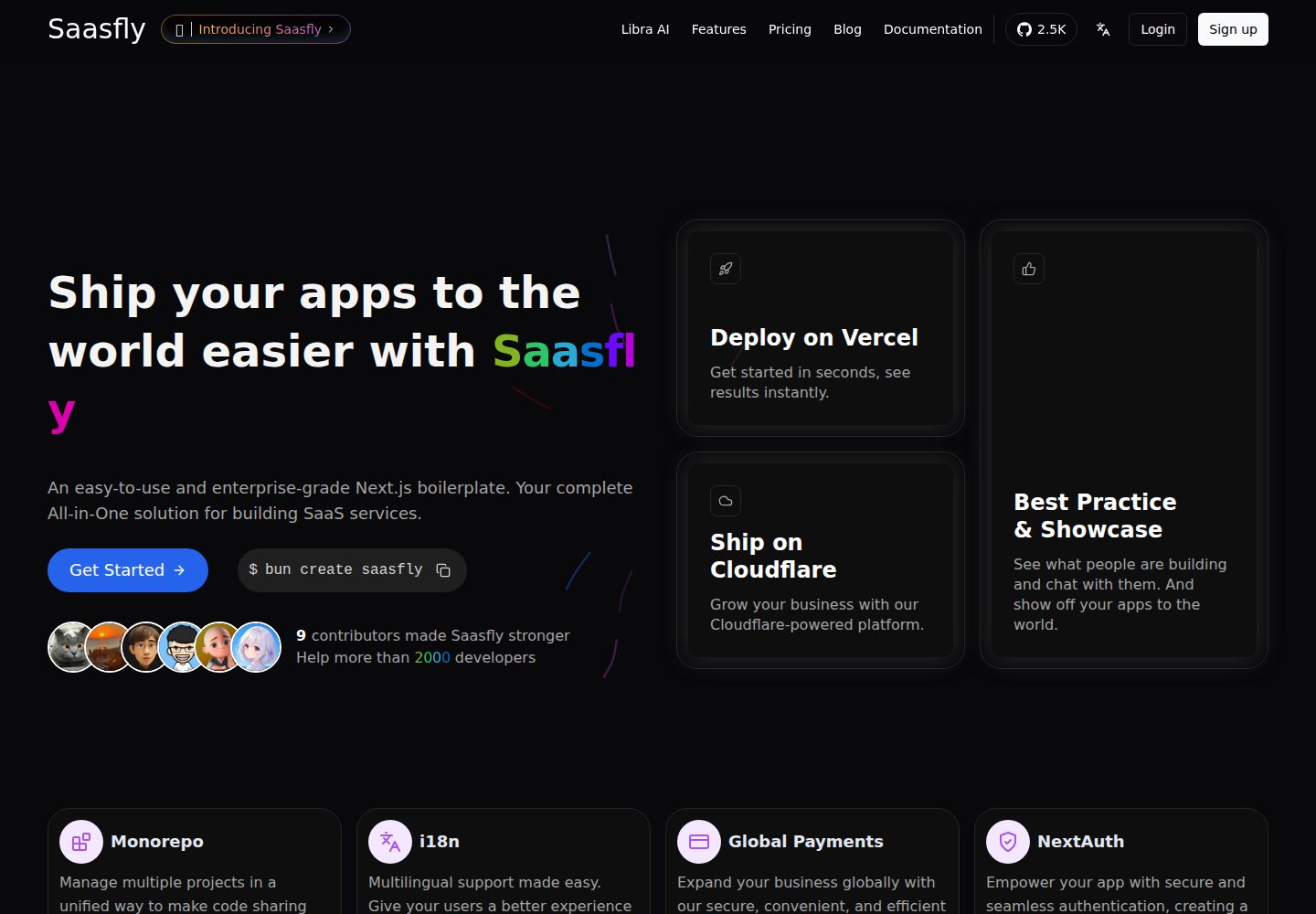
saasfly
Saasfly is an MIT-licensed Next.js SaaS starter template with built-in Clerk authentication, Stripe payment, PostgreSQL, Resend email, internationalization, SEO, tRPC, and Zustand. It is created via `bun create saasfly` and deployable on Vercel.
Next.js · SaaS

next-saas-starter
A free Next.js SaaS marketing landing page template from Blazity, using static generation and styled-components with no extra UI library.
Next.js · SaaS