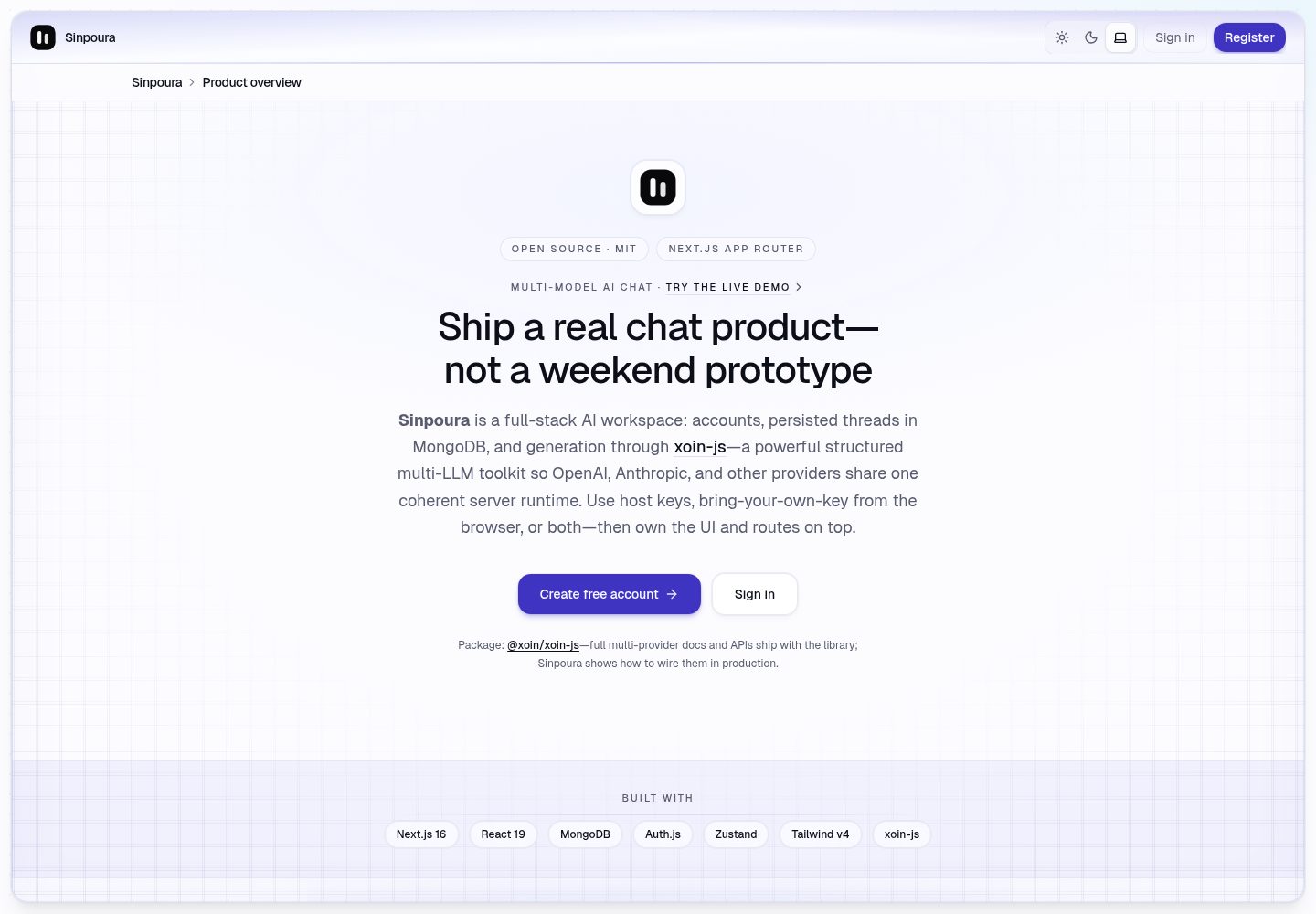
使用 Next.js App Router、React 19、Tailwind CSS v4 与 Zustand 构建的响应式聊天界面
Next.jsReactSaaS
sinpoura-ai-multi-purpose-nextjs — Next.js SaaS模板
作者 suraj-chavda
Sinpoura 是一个基于 Next.js App Router 的开源多用途 AI 聊天应用模板,使用 MongoDB 持久化对话,并通过 xoin-js 统一调用 OpenAI 与 Anthropic 等模型。
看看你的网站会是什么样
浏览真实页面截图,比较内容排版与手机效果。点击下方缩略图切换,放大查看整页细节。
全部页面与视图 2
截图用于了解视觉与布局,交互效果请以实际项目为准。
采集于 2026-10-14查看来源
值得关注的模板亮点
从已有项目资料中,快速了解它的特点。
通过 Auth.js v5 提供邮箱密码注册与登录,/chat 路由受中间件保护
对话与消息持久化到 MongoDB,支持创建、列出、删除会话及按会话加载消息
服务端 POST /api/chat 统一处理校验、归属检查、历史加载与 xoin generate 调用
通过 @xoin/xoin-js 在服务端接入 OpenAI 与 Anthropic,支持环境变量密钥或浏览器 BYOK
包含明暗主题、移动端抽屉侧边栏、快捷提示与处理状态等交互细节
模板详细介绍
Sinpoura 是一个面向实际使用与演示的开源 AI 聊天应用,而不是只做展示的页面模板。它使用 Next.js App Router、React 19、Tailwind CSS v4、Zustand、Auth.js v5、MongoDB + Mongoose,并通过 @xoin/xoin-js 在服务端统一调用 OpenAI 与 Anthropic 等 LLM 提供商。
应用包含邮箱密码注册与登录、受保护的 /chat 路由、会话列表与消息 CRUD、URL 同步(/chat?c=conversationId)、模型与 API Key 设置对话框、空会话快捷提示、响应式侧边栏与移动端抽屉、明暗主题等。服务端提供单一 POST /api/chat 路由,负责校验、归属检查、持久化用户消息、加载历史、调用 xoin generate、保存助手回复并返回两条记录。
LLM 密钥解析顺序为:服务端环境变量 OPENAI_API_KEY 或 ANTHROPIC_API_KEY 优先;否则客户端可在每次请求中携带浏览器管理的密钥,该密钥仅存于 localStorage,不写入 MongoDB。README 未提供生产环境部署的完整步骤、性能数据或安全审计结论,使用前需自行评估。
Next.jsSaaS
适合你的项目吗?
适用场景
- 作为内部工具或演示应用,快速搭建带账号体系与持久化对话的 AI 聊天界面
- 学习 Next.js App Router 与 Zustand 结合的功能切片组织方式
- 评估或对比服务端托管密钥与浏览器 BYOK 两种 LLM 密钥使用方式
- 作为参考布局,扩展会话管理、模型设置或权限控制等能力
适合人群
- 需要可运行、带真实持久化的 AI 聊天起步项目的开发者
- 希望研究 App Router、Auth.js、MongoDB 与 Zustand 组合用法的前端或全栈工程师
- 需要内部 AI 聊天工具原型并计划自行替换品牌与扩展功能的团队
上手与定制指南
结合仓库当前版本的说明,按下面的资料检查内容、配置与运行要求。
- 1
需要 Node.js 20+、MongoDB URI 与 AUTH_SECRET;可复制 .env.example 为 .env.local 后填写
- 2
LLM 访问可通过服务端 OPENAI_API_KEY 或 ANTHROPIC_API_KEY 配置,也可由用户在应用内粘贴浏览器端密钥
- 3
运行 npm install 后执行 npm run dev,访问 http://localhost:3000 注册并进入 /chat
- 4
中间件不得导入 Mongoose 或 bcrypt,Node 专用认证逻辑保留在 auth.ts,auth.config.ts 保持边缘安全
- 5
README 未提供生产部署的完整步骤与安全审计说明,上线前需自行补充
授权与来源资料
使用条件与限制
免费使用 · 保留许可声明本次收录的是公开仓库中采用 MIT 许可的免费版本;免费范围为该版本代码,不代表外部服务或第三方素材免费。
使用时需要遵守
- 允许免费使用、修改、商用和分发该版本代码。
- 分发代码副本或实质性部分时,保留原作者版权声明和完整 MIT 许可声明。
- 代码按现状提供;担保与责任限制以原许可证及适用法律为准。
额外费用与待核对事项
- 演示图片、字体、图标及其他第三方素材需按各自许可核对,不能仅凭代码的 MIT 许可判断。
- 域名、托管、数据库、支付或 AI 等外部服务可能另外收费。
- 运行需要 Node.js 20+、MongoDB URI 与 AUTH_SECRET;LLM 访问需配置 OPENAI_API_KEY 或 ANTHROPIC_API_KEY,或由用户在浏览器中粘贴自己的密钥。
- 若在服务端设置 OPENAI_API_KEY 或 ANTHROPIC_API_KEY,所有已登录用户共享该配额,适合演示或内部工具。
- BYOK 模式下用户密钥保存在浏览器 localStorage,并随聊天请求通过 HTTPS 发送;服务器不持久化这些凭据。
- 浏览器 BYOK 意味着任何能访问未锁定浏览器配置的人都可以读取 localStorage 中的密钥,共享设备需谨慎。
- 项目未包含速率限制、CAPTCHA 或滥用监控,面向广泛公开上线前需自行添加。
- 部署需要自行准备 MongoDB Atlas 或兼容数据库,并配置相应环境变量。
查看原文依据
Permission is hereby granted, free of charge
许可证原文
You’ll need **Node.js 20+**, a **MongoDB** URI, and an **AUTH_SECRET**. LLM access is easiest with **`OPENAI_API_KEY`** or **`ANTHROPIC_API_KEY`** in `.env.local`; alternatively users can paste keys in the app (browser only).
README 原文
1. **Hosted / server keys** — Set `OPENAI_API_KEY` and/or `ANTHROPIC_API_KEY` in the environment. Every signed-in user shares those quotas (fine for demos and internal tools). The `/api/user/llm-config` route only exposes booleans: whether env keys exist.
README 原文
2. **Bring-your-own-key (BYOK)** — If neither env key is set, users open **Model & API keys** and save a provider + key. That payload lives in **`localStorage`** in the browser under a versioned key. When they send a chat message, the client attaches `llm: { provider, apiKey }` to **`POST /api/chat`** over HTTPS. The server **does not persist** those credentials; it resolves keys per request in `resolveChatLlm` and builds a fresh xoin client for that call.
README 原文
- **Browser BYOK** means anyone with physical access to the unlocked browser profile could read `localStorage`. Treat shared machines accordingly.
README 原文
- **Rate limiting, CAPTCHA, abuse dashboards** are not included — add them before a wide public launch.
README 原文
https://github.com/suraj-chavda/sinpoura-ai-multi-purpose-nextjs/blob/main/LICENSEhttps://github.com/suraj-chavda/sinpoura-ai-multi-purpose-nextjs/blob/main/README.md1. Provision MongoDB Atlas (or compatible).
README 原文
DeepSeek 根据仓库许可证和 README 整理 ·2026-10-14。结果仅覆盖已读取资料,依赖、图片、字体及后续条款变更以各自原文为准。
项目核对记录与介绍依据
模板资料
- 来源平台
- GitHub
- 资料与维护参考分
- 资料较完整 · 83 / 100
- 技术栈
- Next.js · React
- 网站类型
- SaaS
这个分数如何计算
本站按许可资料(最高30分)、演示链接(12分)、预览图(10分)、Star数(15分)、记录的维护时间(15分)、描述完整度(8分)、功能记录(5分)和分类资料(5分)计算。它不是代码、安全或性能测试,也不是 Google 评分;有链接不代表已实测可用。
这个项目需要核对什么
- 记录的仓库更新时间
- 2026-05-03
- 截图检查日期
- 2026-10-14
已收录演示链接。请用你的内容与屏幕尺寸检查;有演示不代表表单、认证或支付已经可用。
目录记录的主要技术栈是 Next.js。请通过依赖清单和锁文件核对实际版本与托管要求。这些说明基于收录资料,不代表代码审计或部署实测。
查看具体选型方法 →介绍的制作与核对状态
介绍由 AI 辅助整理目录与仓库资料。仓库作者不等于这篇介绍的审核者。
审核声明: codex-user-requested-batch-review-20261015 · 2026-10-15
查看当时使用的来源资料
SHA-256: 7734c6b92de760b05525cf24eb5882b1fd8db730ceb2b9eb9eb74a2185c4867e
2026-10-14T18:10:22.672Z
来源文件 / 仓库<p align="center">
<img src="public/logo.svg" width="72" height="72" alt="Sinpoura — open-source Next.js AI chat app logo" />
</p>
<h1 align="center">Sinpoura</h1>
<p align="center">
Open-source, multi-purpose AI chat built with <a href="https://nextjs.org/">Next.js</a>,
<a href="https://www.mongodb.com/">MongoDB</a>, and
<a href="https://github.com/kanha95/xoin-js">xoin-js</a> — a powerful, structured multi-LLM toolkit: one coherent API surface across OpenAI, Anthropic, and other providers.
</p>
<p align="center">
Built for <strong>live demos and day-to-day use</strong> — this repo is <strong>not</strong> positioned as a portfolio-only showcase. Use it as an internal tool starter or reference layout for App Router apps with real persistence and a responsive chat UI.
</p>
<p align="center">
<a href="https://github.com/kanha95/xoin-js"
><img src="https://img.shields.io/badge/open%20source-yes-22c55e?style=flat-square" alt="Open source AI chat template"
/></a>
<a href="./LICENSE"
><img src="https://img.shields.io/badge/license-MIT-blue?style=flat-square" alt="MIT License"
/></a>
<img
src="https://img.shields.io/badge/free%20to%20use-learn%20%26%20reuse-6366f1?style=flat-square"
alt="Free Next.js AI chat template — learn and reuse"
/>
<a href="https://www.npmjs.com/package/@xoin/xoin-js"
><img
src="https://img.shields.io/npm/v/@xoin/xoin-js?label=%40xoin%2Fxoin-js&logo=npm&logoColor=white&color=cb3837&style=flat-square"
alt="@xoin/xoin-js npm package for OpenAI and Anthropic"
/></a>
<a href="https://github.com/kanha95/xoin-js"
><img
src="https://img.shields.io/badge/LLM-xoin--js-181717?style=flat-square&logo=github&logoColor=white"
alt="LLM requests powered by xoin-js on GitHub"
/></a>
</p>
<p align="center">
<a href="https://nextjs.org/">Next.js App Router</a>
·
<a href="https://react.dev/">React 19</a>
·
<a href="https://www.mongodb.com/">MongoDB</a>
·
<a href="https://github.com/pmndrs/zustand">Zustand</a>
·
<a href="https://authjs.dev/">Auth.js</a>
·
Tailwind CSS v4
</p>
## Live demo (testing)
**Demo URL:** [https://suraj-chavda-sinpoura-ai-multi-purp.vercel.app/](https://suraj-chavda-sinpoura-ai-multi-purp.vercel.app/)
The app also references this hostname as `DEMO_APP_URL` in `src/lib/constants.ts` — update **both** places if the deployment URL changes.
Use this deployment to **try registration, chat, and BYOK** without cloning the repo. Treat it as a shared test environment (data and uptime are best-effort).
### Documenting deploy URLs in Git
- Keep **one canonical link** in the README (here) and update it when your production hostname or Vercel alias changes.
- **Preview URLs** can churn; prefer a **production deployment or custom domain** when sharing outside quick tests.
- Label the environment (**testing / demo**) so visitors know accounts may reset and behavior depends on server env vars.
- **Never commit** secrets; linking the URL is fine — keys stay in the host dashboard only.
### What is xoin?
**xoin** is the structured multi-provider LLM layer implemented by **[xoin-js](https://github.com/kanha95/xoin-js)** (`@xoin/xoin-js` on npm): one expressive **`generate`**-style workflow while **xoin-js** orchestrates **OpenAI**, **Anthropic**, and other backends behind the same shape—without trapping you in vendor-specific SDK sprawl. Sinpoura builds a fresh xoin instance per chat request on the server so each turn stays isolated and configurable — see [Why xoin-js sits at the center](#why-xoin-js-sits-at-the-center).
---
## Preview
Desktop workspace: sidebar with conversations, framed chat panel, transcript with avatars, composer, and quick prompts on an empty thread.
<p align="center">
<img
src="preview-light.png"
width="920"
alt="Sinpoura — light theme AI chat UI with sidebar, conversation list, message area, and composer powered by Next.js and MongoDB"
/>
</p>
<p align="center"><sub>Light theme</sub></p>
<p align="center">
<img
src="preview-dark.png"
width="920"
alt="Sinpoura — dark theme AI chat UI with violet accents, grid panel, sidebar, and chat composer using xoin-js for LLM calls"
/>
</p>
<p align="center"><sub>Dark theme</sub></p>
---
## Table of contents
1. [Live demo (testing)](#live-demo-testing)
2. [Preview](#preview)
3. [Why Sinpoura exists](#why-sinpoura-exists)
4. [Why xoin-js sits at the center](#why-xoin-js-sits-at-the-center)
5. [Who this is for](#who-this-is-for)
6. [Features](#features)
7. [Responsive design and UX](#responsive-design-and-ux)
8. [Tech stack](#tech-stack)
9. [Repository layout](#repository-layout)
10. [Getting started](#getting-started)
11. [Environment variables](#environment-variables)
12. [How API keys work (server vs browser)](#how-api-keys-work-server-vs-browser)
13. [Scripts](#scripts)
14. [SEO, sharing, and discoverability](#seo-sharing-and-discoverability)
15. [Deployment](#deployment)
16. [Security notes](#security-notes)
17. [Customizing the product](#customizing-the-product)
18. [Acknowledgments](#acknowledgments)
19. [License](#license)
---
## Why Sinpoura exists
Most “AI chat demos” stop at a textarea and a fetch call. Sinpoura is closer to something you could actually ship: people **sign up**, **sign in**, conversations **live in MongoDB**, and every reply is produced through a **typed server route** that owns history, validation, and the LLM call.
The UI is intentionally finished enough to demo — sidebar, transcripts, quick prompts, model settings, dark mode — without pretending to be a full SaaS. You get readable structure (`features/chat` beside presentational components) so you can extend or rip pieces out without fighting the codebase.
---
## Why xoin-js sits at the center
Sinpoura uses [xoin-js](https://github.com/kanha95/xoin-js) (`@xoin/xoin-js` on [npm](https://www.npmjs.com/package/@xoin/xoin-js)) as its LLM runtime: a structured, multi-provider toolkit—not a single-vendor shim. In this repo, integration lives in `src/server/ai/xoin.ts`: each request gets a dedicated xoin instance with OpenAI or Anthropic providers and models driven by environment defaults.
That matters for three practical reasons:
1. **One structured surface** — you keep a single orchestration model across vendors instead of duplicating SDK-specific pipelines per provider.
2. **Built to extend** — xoin-js is provider-pluggable; adding backends stays concentrated in server-side factory code rather than spreading across routes.
3. **Honest boundaries** — keys either come from env (host-owned) or from the user’s browser (BYOK), and xoin runs where those keys are resolved—never leaked into arbitrary client bundles.
When you describe this architecture, treat **xoin-js** as the deliberate LLM layer: multi-model, structured, and explicit—not an afterthought wrapper around one API.
---
## Who this is for
- **Demo testers & evaluators** — Try the [live demo](#live-demo-testing) or run locally with your own keys and database.
- **Internal tools** — Swap branding, tighten RBAC, add org models; the conversation CRUD and API route are a sane spine.
- **Learning App Router + Zustand** — Feature slice pattern with hooks, store, and UI separated.
- **Teams comparing BYOK vs hosted keys** — The app supports env keys for guests on your deployment and browser-stored keys for power users (details below).
---
## Features
### Accounts and access
- Email + password **registration** and **credentials sign-in** (Auth.js v5).
- Sessions power protected routes; `/chat` stays behind auth middleware.
### Conversations and messages
- **Sidebar**: compact thread list with delete-in-row actions, new chat, mobile drawer on small screens.
- **CRUD**: create threads, list them, delete them, load messages per conversation.
- **URL sync**: active thread tracks `/chat?c=<conversationId>` so reloads and sharing the URL reopen the same chat when appropriate.
### AI / LLM layer (via xoin-js)
- Single **`POST /api/chat`** route: validates input, checks ownership, persists user message, loads history, calls **xoin `generate`**, stores assistant reply, returns both rows.
- **OpenAI** and **Anthropic** supported on the server (`createOpenAIProvider` / `createAnthropicProvider`).
- **Resolution order**: if `OPENAI_API_KEY` or `ANTHROPIC_API_KEY` is set on the server, that wins. Otherwise the client may send a **browser-managed key** with each request (never stored in MongoDB).
### Workspace UX
- **Model & API keys** dialog: pick provider, paste key (stored in **localStorage** only), save — keys travel over HTTPS with chat requests only.
- **Quick prompts** on empty threads: tap a card to **fill the composer** (not auto-send); edit, then send.
- **Processing state** with rotating captions while the assistant responds.
- **Avatars**: Sinpoura logo beside assistant rows; user initials chip beside yours (from session name/email).
- **Theme**: light / dark / system via next-themes.
### Developer experience
- **Zustand** store + hooks under `src/features/chat/` (bootstrap, route sync, send mutex, duplicate-send guards).
- **Zod** on API and auth payloads.
- **YAML-backed** system prompt template for the assistant (`src/server/ai/templates/`).
---
## Responsive design and UX
The layout is built for **phones, tablets, and desktops**, not only wide monitors.
- **Viewport lock on small screens** — The chat shell uses the dynamic viewport height so the **composer stays visible** instead of being pushed below the fold when the transcript grows.
- **Flexible transcript column** — Scroll lives inside the message region; padding ramps from mobile (`px-4`) through tablet (`sm:px-5`) to desktop (`md:px-6`) so bubbles don’t hug the bezel.
- **Safe areas** — Composer bottom padding respects `env(safe-area-inset-bottom)` where available (home indicator devices).
- **Header / breadcrumb** — Long conversation titles **truncate with ellipsis** instead of overflowing under the toolbar; the header flex chain uses `min-w-0` so truncation actually works.
- **Sidebar** — Desktop: collapsible rail; mobile: **slide-over drawer** with backdrop.
- **Touch-friendly** — Starter tiles and composer targets respect typical tap sizes.
Framed panel chrome (border, grid accent, glow under the composer) is tuned for **md+**; mobile stays fast and readable without squeezing content.
---
## Tech stack
| Layer | Choice |
| ----- | ------ |
| Framework | Next.js 16 (App Router) |
| UI | React 19, Tailwind CSS v4 |
| Client state | Zustand |
| Auth | Auth.js / `next-auth` v5 (credentials) |
| Database | MongoDB + Mongoose |
| LLM | `@xoin/xoin-js` (OpenAI + Anthropic providers) |
| Validation | Zod |
| Theming | next-themes |
---
## Repository layout
```
src/
├── app/ # Routes, API routes, sitemap, robots, OG image
├── components/ # Layout, chat UI, theme, SEO JsonLd
├── features/chat/ # Store, hooks, API client, types
├── lib/ # Constants, browser LLM config helpers, site URL, etc.
├── server/ # Mongo models, xoin factory, prompt loading
├── auth.config.ts # Edge-safe Auth (middleware)
├── auth.ts # Full Auth + credentials (Node)
└── middleware.ts # Session-aware routing
public/logo.svg # Brand mark (metadata + README)
```
---
## Getting started
You’ll need **Node.js 20+**, a **MongoDB** URI, and an **AUTH_SECRET**. LLM access is easiest with **`OPENAI_API_KEY`** or **`ANTHROPIC_API_KEY`** in `.env.local`; alternatively users can paste keys in the app (browser only).
```bash
cp .env.example .env.local
# Edit .env.local — see table below
npm install
npm run dev
```
Open `http://localhost:3000`, register, then visit `/chat`.
Generate a secret:
```bash
openssl rand -base64 32
```
### Troubleshooting
- Middleware must not import Mongoose or bcrypt — Node-only auth stays in `auth.ts`; `auth.config.ts` stays edge-safe.
- Turbopack monorepo quirks: `next.config.js` sets `turbopack.root` to this folder so builds resolve from the repo root.
- **`querySrv EBADNAME _mongodb._tcp.#…` on Vercel**: Almost always a broken **`MONGODB_URI`** — commonly an unencoded **`#`** in the DB password (the URI is truncated at `#`). Fix: paste the URI from MongoDB Atlas, or encode `#` → `%23`, `@` → `%40`, etc., then redeploy.
---
## Environment variables
| Variable | Required | Purpose |
| -------- | -------- | ------- |
| `AUTH_SECRET` | Yes | Session signing for Auth.js |
| `AUTH_URL` | Deploy | Canonical app URL (e.g. `http://localhost:3000`) |
| `SITE_URL` | No | SEO canonical URL; falls back to `AUTH_URL` |
| `NEXT_PUBLIC_SITE_URL` | No | Optional client-visible absolute URL |
| `MONGODB_URI` | Yes | Mongo connection string. Prefer Atlas “Connect → Drivers” paste (**credentials are pre-encoded**). If you assemble it by hand, percent-encode `#`, `@`, `/`, `:`, etc., or DNS fails with `querySrv EBADNAME`. |
| `OPENAI_API_KEY` | No | Server-side OpenAI key for xoin-js |
| `ANTHROPIC_API_KEY` | No | Server-side Anthropic key for xoin-js |
| `OPENAI_MODEL` | No | Defaults to `gpt-4.1-mini` in server factory |
| `ANTHROPIC_MODEL` | No | Defaults to Claude Haiku in server factory |
Never commit `.env.local`.
---
## How API keys work (server vs browser)
There are two supported stories — you can use either or both:
1. **Hosted / server keys** — Set `OPENAI_API_KEY` and/or `ANTHROPIC_API_KEY` in the environment. Every signed-in user shares those quotas (fine for demos and internal tools). The `/api/user/llm-config` route only exposes booleans: whether env keys exist.
2. **Bring-your-own-key (BYOK)** — If neither env key is set, users open **Model & API keys** and save a provider + key. That payload lives in **`localStorage`** in the browser under a versioned key. When they send a chat message, the client attaches `llm: { provider, apiKey }` to **`POST /api/chat`** over HTTPS. The server **does not persist** those credentials; it resolves keys per request in `resolveChatLlm` and builds a fresh xoin client for that call.
That design keeps Mongo free of raw API secrets while still allowing **real multi-provider LLM calls** through **xoin-js** when users bring their own keys.
---
## Scripts
| Command | Description |
| ------- | ----------- |
| `npm run dev` | Dev server (Turbopack) |
| `npm run build` | Production build |
| `npm run start` | Serve production output |
| `npm run typecheck` | TypeScript check |
---
## SEO, sharing, and discoverability
This README is written so humans scanning GitHub *and* search snippets get a clear picture: **Next.js AI chat**, **MongoDB persistence**, **Auth.js**, **Zustand**, **OpenAI**, **Anthropic**, **xoin-js**, **responsive**, **open source**, **MIT**.
In the app itself:
- **`metadataBase`, titles, descriptions, keywords** in `src/app/layout.tsx`
- **Per-route metadata** for login, register, chat (`robots: noindex` on chat by default so login walls don’t clutter SERPs)
- **`opengraph-image.tsx` / `twitter-image.tsx`** — 1200×630 share image
- **`JsonLd.tsx`** — JSON-LD `WebApplication` structured data
- **`sitemap.ts` / `robots.ts`** — public routes indexed; `/api/` and `/chat` disallowed from crawling by default
- **`manifest.ts`** — install / PWA-style manifest pointing at `logo.svg`
Before launch: set `SITE_URL` / `AUTH_URL` to `https://your-domain.com`, verify OG URLs in production, submit `sitemap.xml` in Search Console.
---
## Deployment
Typical path (e.g. Vercel):
1. Provision MongoDB Atlas (or compatible).
2. Set env vars from the table above.
3. Run `npm run build` in CI or rely on the host build step.
Match production hostname to `AUTH_URL` / `SITE_URL` so redirects and social preview URLs stay correct.
The **testing demo** linked [above](#live-demo-testing) is one such deployment; refresh the README URL if that hostname changes.
---
## Security notes
- Prefer **HTTPS** everywhere in production.
- **Browser BYOK** means anyone with physical access to the unlocked browser profile could read `localStorage`. Treat shared machines accordingly.
- **Rate limiting, CAPTCHA, abuse dashboards** are not included — add them before a wide public launch.
- Rotate **`AUTH_SECRET`** deliberately; it invalidates existing sessions.
---
## Customizing the product
- Product name: `src/lib/constants.ts` (`APP_NAME`).
- Assistant voice: `src/server/ai/templates/chat-system.yml` and `src/server/ai/prompts.ts`.
- Providers / models: `src/server/ai/xoin.ts` and env vars — extend following [xoin-js documentation](https://github.com/kanha95/xoin-js).
---
## Acknowledgments
- **LLM layer:** [xoin-js](https://github.com/kanha95/xoin-js) — [`@xoin/xoin-js` on npm](https://www.npmjs.com/package/@xoin/xoin-js). Sinpoura’s server integrates generation through xoin-js’s structured multi-provider toolkit (see `src/server/ai/xoin.ts`).
- **Auth:** [Auth.js](https://authjs.dev/)
- **Framework:** [Next.js](https://nextjs.org/)
---
## License
MIT. See [`LICENSE`](LICENSE).
看看同类模板
对比同技术栈与用途的模板,找到更适合的视觉与内容结构。

Next.js SaaS Starter
Next.js SaaS Starter 是 Next.js 官方维护的 SaaS 起点模板,定位介于学习资源和可直接部署的脚手架之间。
Next.js · SaaS

SaaS-Boilerplate
🚀🎉📚 SaaS Boilerplate built with Next.js + Tailwind CSS + Shadcn UI + TypeScript. ⚡️ Full-stack React applic…
Next.js · SaaS

create-t3-turbo
create-t3-turbo 是一个面向全栈 TypeScript 的 monorepo 起点,由 T3 OSS 维护,在 Vercel 模板目录中收录。
Next.js · 启动器

saas-starter-kit
🔥 Enterprise SaaS Starter Kit - Kickstart your enterprise app development with the Next.js SaaS boilerplate �…
Next.js · SaaS
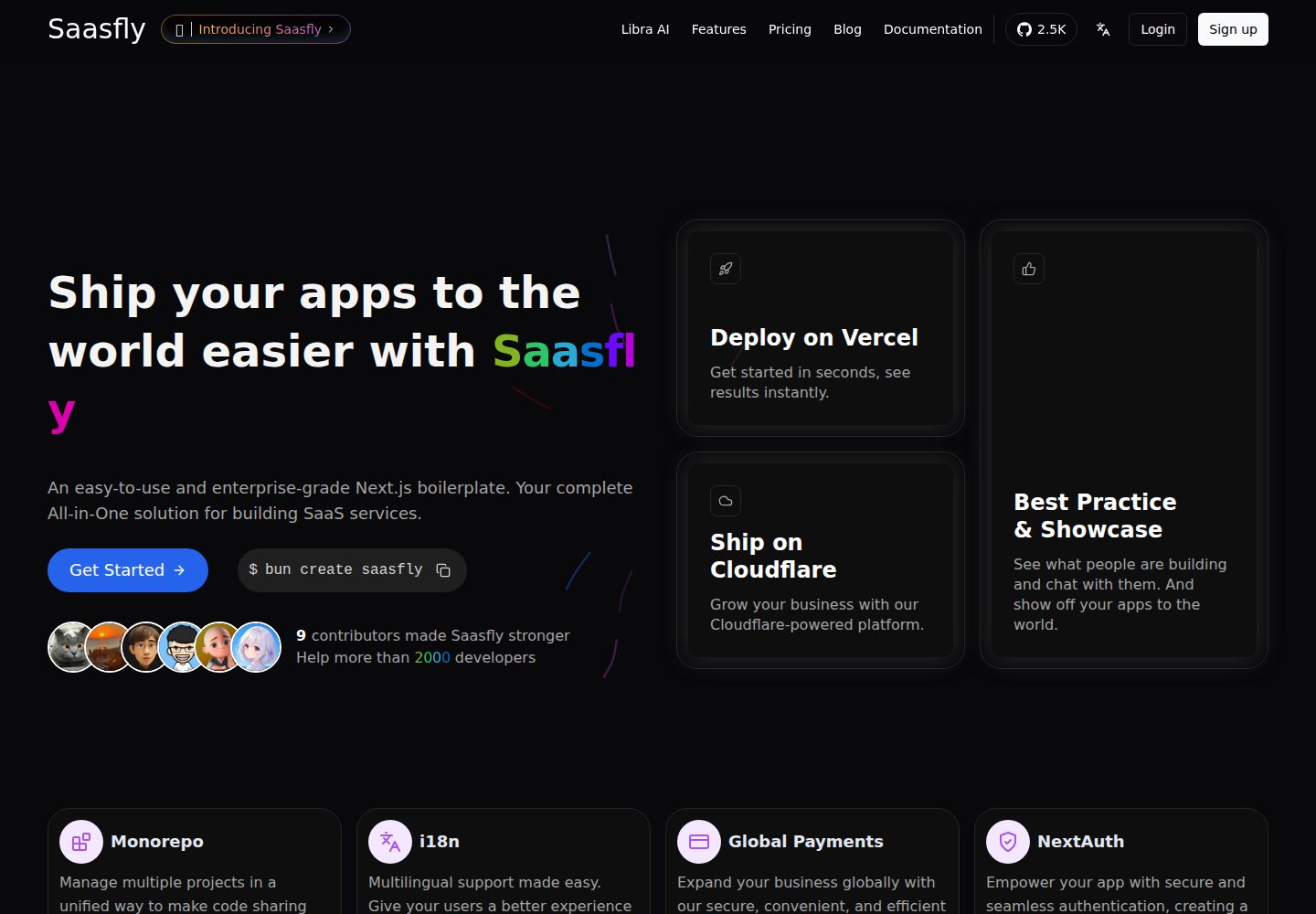
saasfly
Your Next SaaS Template or Boilerplate ! A magic trip start with `bun create saasfly` . The more stars, the mo…
Next.js · SaaS

next-saas-starter
⚡️ Free Next.js responsive landing page template for SaaS products made using JAMStack architecture.
Next.js · SaaS